

Welcome to ExtremeHW
Welcome to ExtremeHW, register to take part in our community, don't worry this is a simple FREE process that requires minimal information for you to signup.
Registered users can:
- Start new topics and reply to others.
- Show off your PC using our Rig Creator feature.
- Subscribe to topics and forums to get updates.
- Get your own profile page to customize.
- Send personal messages to other members.
- Take advantage of site exclusive features.
- Upgrade to Premium to unlock additional sites features.
J7SC_Orion
-
Posts
2,211 -
Joined
-
Last visited
-
Days Won
96 -
Feedback
0%
Content Type
Forums
Store
Events
Gallery
Profiles
Videos
Marketplace
Tutorials
Everything posted by J7SC_Orion
-
 I wish my 9950X3D / 128 GB would boot up in 15 seconds, especially after making certain changes in the bios...
 -
Asus Astral 5090 OC LC AIO ($US 3090); already had it past 3400 MHz core and GDDRX oc'ed to max slider > 2060 GB/s
-
With the exception of a Cyrix CPU I ran in ancient times, everything I built for work and/or play was 'Intel' - up until late 2018. Now I am on my 6th high-end AMD (9950X3D, 128 GB 6400) and never even considered Intel. Perhaps Nova-Lake will change that one-sided CPU purchasing a bit, perhaps not. Smart move by Intel to make it for LGA 1700/1800 because a lot of folks running those boards with what was top-of-the line Intel 12th to 14th gen (in their minds, anyway, > ) skipped the most recent 285K etc...to entice them with Nova-Lake, it has to be 'plug-in' with a bios update to their board(s), but not a new socket board. This way, Intel might claw some market share back...a healthy X86 competitor would also remind AMD not to get arrogant and serve the consumers !
-
...yeah, I should have spelled out 'MCR' above - I am so used to AM nomenclature now. In any case, I ran AM5 RAM 8400 native M-die with MCR (Memory Context Restore) enabled, but it should be disabled until you have tightened everything and tested it. Going overboard with a change in for example tRFC with MCR enabled might just wreck your install.
-
Yeah - first few training times with 4x32 GB / 128GB with 9950X3D were super loooong. Once I dialed the RAM in at CL 30 6400 and tested everything, I enabled MCR - what a relief now having a fast boot. But initial training on AM5 is always annoying, and the more RAM, the longer the annoying. Some AM5 mobos now support up to 256 GB (4x 64GB) - go watch a 2hr movie during first training
-
check recent YT vids from 'Dave's Garage', one good one is below. Then go and search Google for 'Ollama', install it on you system and choose some of the later and/or custom models (including size) for local install - I have over 23 localized AI models now, running them in 'CMD' as I am still running those in Windows 11 Pro (Ubuntu soon)... Threadripper Pro Rzyen 9k with 512 GB+, and/or 2x RTX Pro 6000, each with 96 GB VRAM is a dream option, second option: upcoming 4x AMD Radeon Pro w/32GB each and a driver for windows allowing 4xGPU (time-stamp below in second vid)
-
128GB is fun; have been running 4x32 / 128 GB (CL30 6400) on the 870E Master and 9950X3D for a while now...even ran a localized qwen 235b AI (included a 128 GB virtual / swap on top of the installed 128 GB sticks )
-
...productivity back-up machine - Aorus 870E Pro Ice and 128 GB of GSkill Flare X.
-
Aorus 870E Master for the 9950X3D / 48 GB 8400. 7950X3D will get back the Aorus 670E Master (once I fix some bent pins, oppsie)
-
AMD Ryzen 9 9950X3D
-
Asus RT-BE 88U / dual 10G wifi7 mesh router
-
"Second star to the right, and straight on till morning."
J7SC_Orion replied to ENTERPRISE's topic in Announcements
Hi E - Even if it is understandable, it is still a big loss for us here. Thank you for all you have done at Extremehw.net, and best wishes as you travel past the second star on the right and straight on till 'morning' - J7 -
To answer your original post, there are very few differences between 670E and 870E. Technically, the only 'mandatory' difference per AMD is that the 870E series must have USB4 (psst, Thunderbolt) as standard, while it was optional on the 670E. Then again, you can get a nice 670E and put in an AIC for additional options. Most of my mobos (total ~ 20) are Asus ROG desktop and/or HEDT boards, with the odd Gigabyte and MSI. That said, I picked up an Aorus 670E Master last fall along with a 7950X3D and 2x 24 GB DDR5. That board turned out to be a fantastic performer...DDR5 8000 and beyond is no problem (have run at least 8000 since I completed the build). The system also has a no-sweat profile for 4x 24 / 96 GB CL30 6400 that works perfectly well when I ran it for a special LLM task. BTW, I had my 670E Master as high as DDR5 8600 with 2x 24 GB (via bclk, though)...great board for RAM oc. I am waiting to see what the Ryzen 9950X3D is like in real-world testing - I will either add another Aorus 670E Master or pick up an Aorus 870E Master if I go for a 9950X3D instead of another option such as Threadripper Pro. The Aorus 670E Master and 870E Master are almost identical other than the faster network chip. The Aorus top boards like the 670E/870E Master also are among the few boards that can run R-DDR5 (full EEC memory) without any issue, and they also have bifurcation options - both are important to me as I tend to recycle my fun boards into productivity tasks down the line. I should mention that there is also the Aorus 870E Extreme coming out - it is like the Master (both support DDR5 OC to 8600), but the Aorus 870E Xtreme also has dual 10 GBE onboard and some other extras such as programmable LCD screens on the mobo. The only problem: It likely will be around $800 - $1k So for me, the Aorus 670E/870E Master are the best choice, but the vid below has detailed a 21 board feature comparison review for 870/870E - a great reference piece.
-
....
-
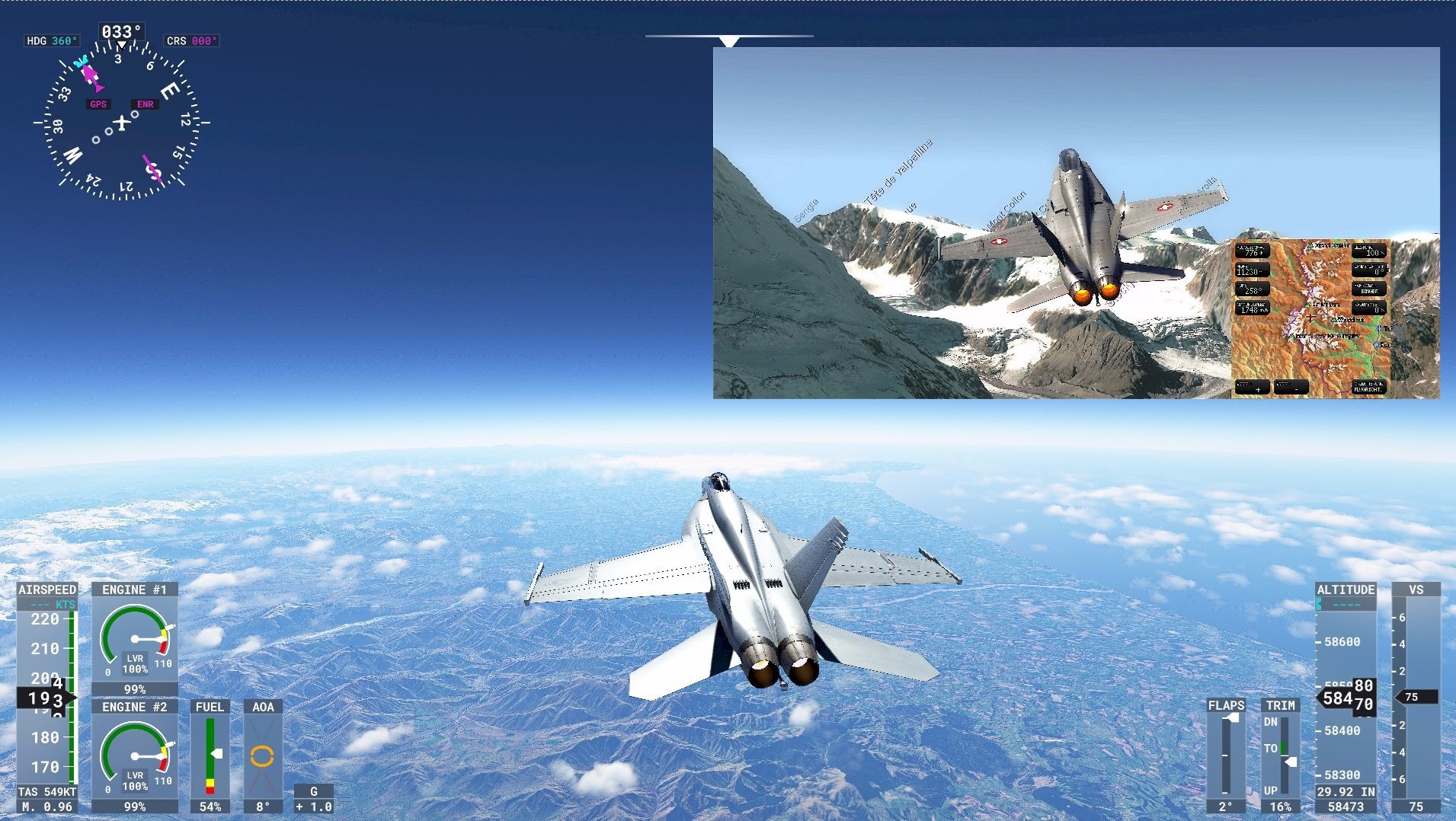
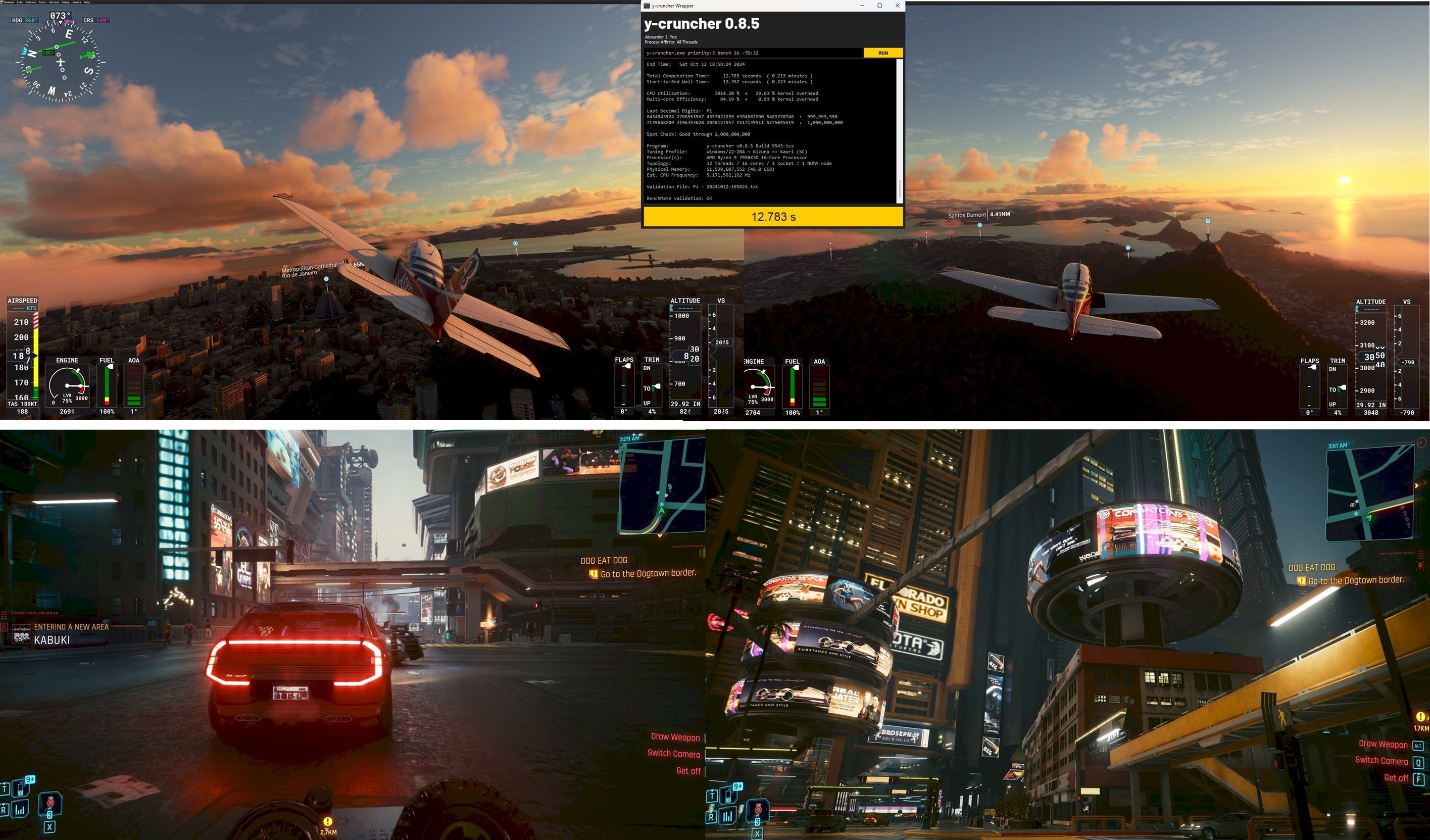
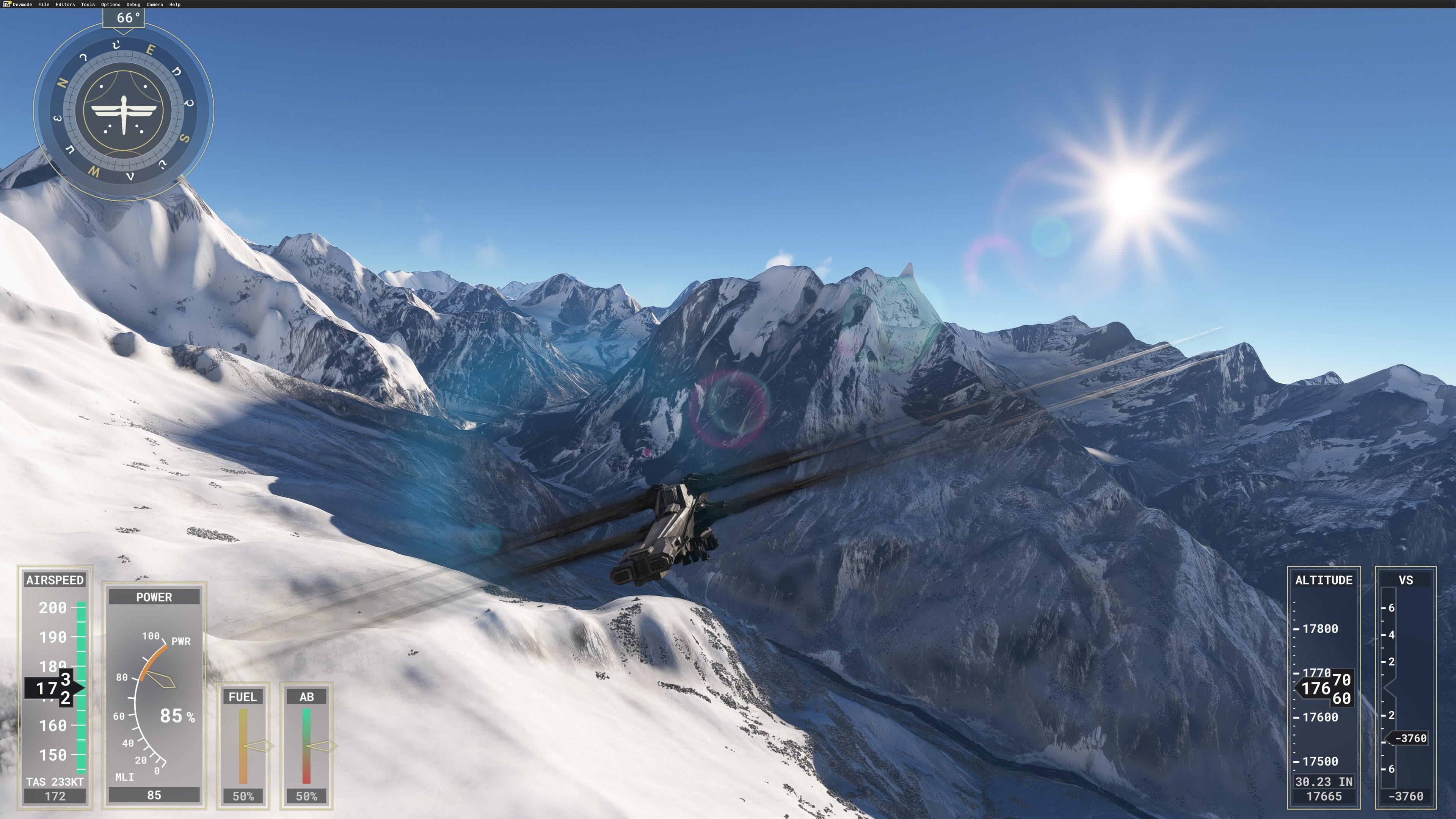
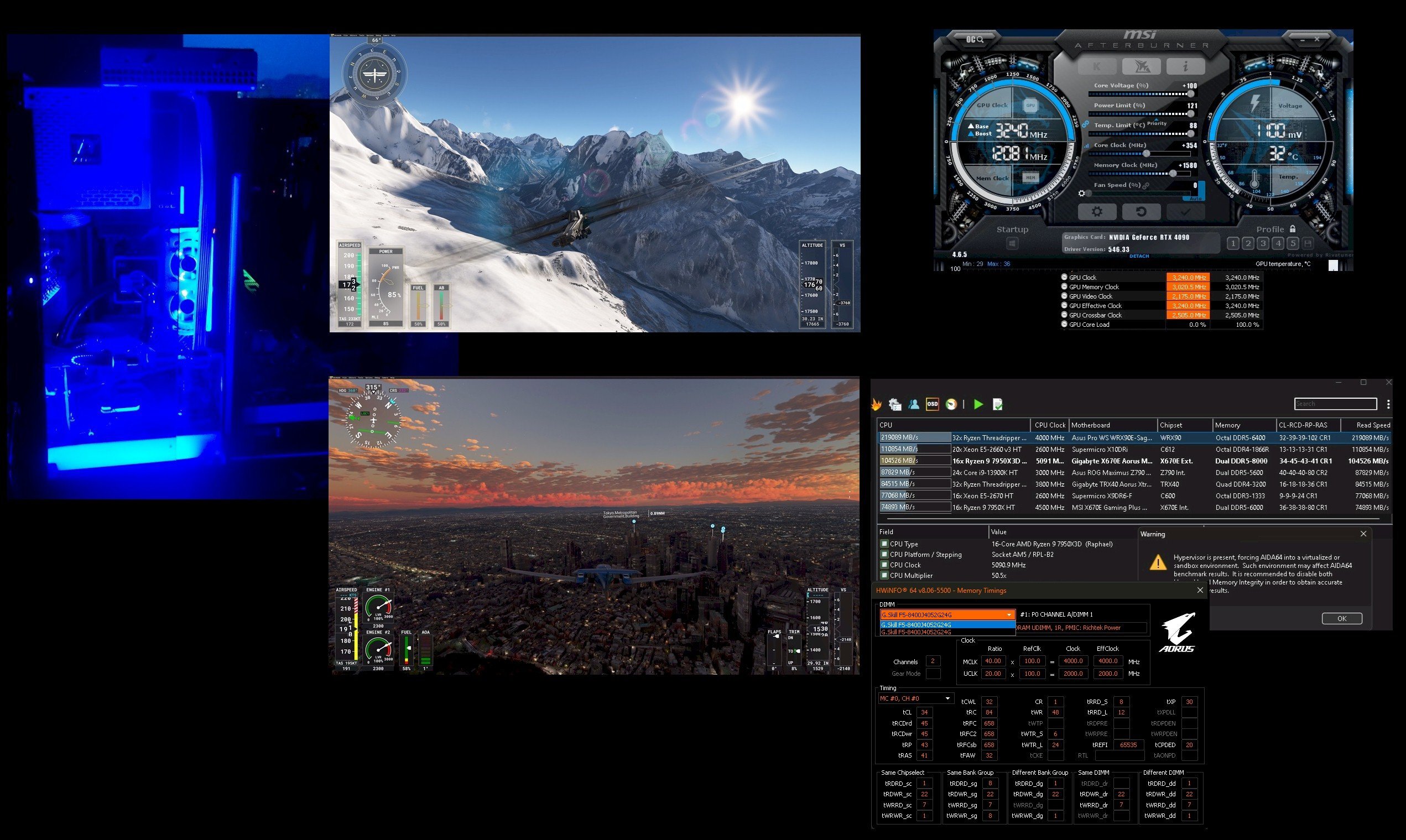
...top: older shot of F18 (Microsoft FS and AeroFly). Lower pic: Microsoft FS and Cyberpunk 2077 / PLU with updated system RAM tuning that yields Benchmate Y_Cruncher Pi-1B at 12.783 s. With r_BAR on the 4090, this works better than ever before; absolutely smooth, high fps, low 1% and 'no waiting'

-
Definitely looking forward to MSFS 2024 - hopefully, it will not have as many teething problems as the initial-release MSFS 2020 had...that plus the hope that one can upgrade from MSFS 2020 > 2024 as I have a lot of locally saved scenes
-
Compared to above, this is 'only' 4K60 HDR Dolby Vision but very nice scenes and great for OLED
-
As posted elsewhere, updated game settings for my favs: MSFS 2020 and CP 2077 U/PL...MSFS 2024 coming in November with 'ideal system specs' that include 64 GB of RAM...
-
Full-blast game settings with updated memory profile; r_BAR forced on, HyperV w/core isolation; Win 11 Pro 24H2
-
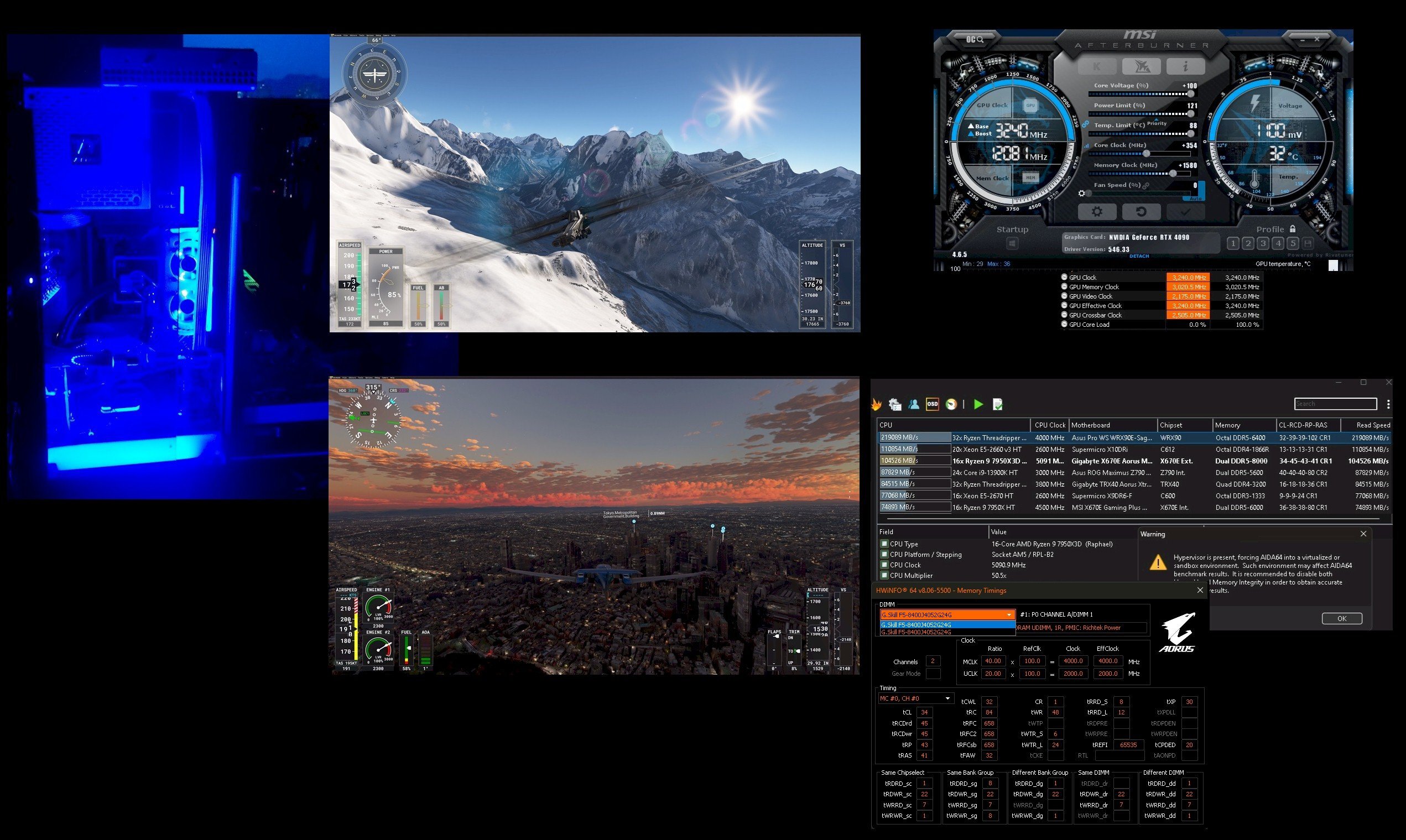
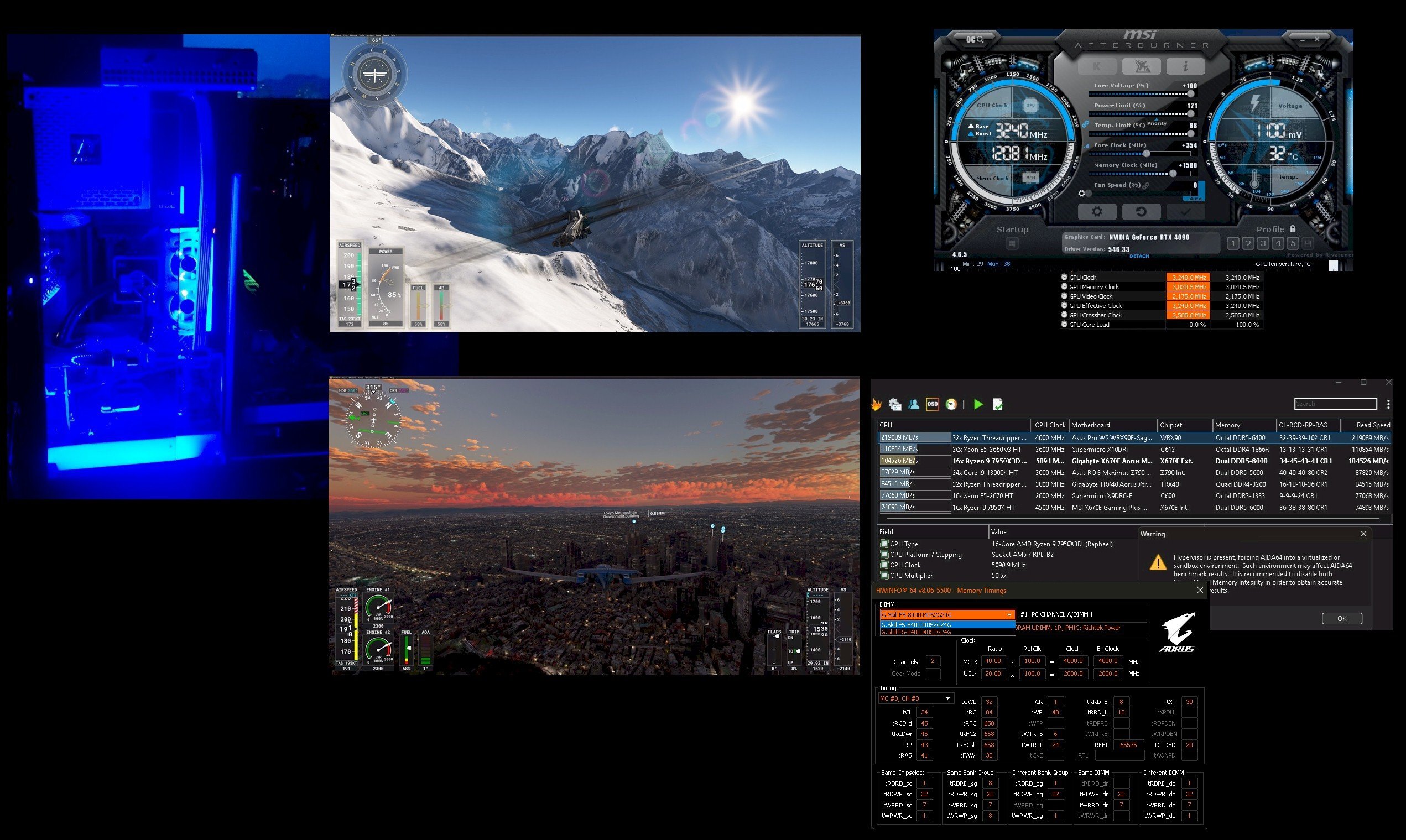
It will be interesting to see what the custom PCB vendors will be allowed to get away with in terms of PL for 5090s...many custom 4090s are already above 660W. Hopefully, the 5090s come with 'better' ATX 3.x power connectors (preferably two for the top cards). I have had my 4090 for almost two years and the 7950X3D for just over a year now - I like to build something new but would need to be convinced of the value in terms of extra performance. While I already have CL34 8000 48 GB (below) and also a functional CL30 6400 96 GB profile, MSFS 2024 (release November 19th) has an 'ideal spec' of 64 GB
-
...no idea because I do not know your board, or the specific chip quality. I used the Skatterbenecher video I showed above to set up my first 'eclk'.
-
...and sneaking up on an A320 near Anchorage (real traffic in MSFS 2020) 4K png
-
Depends on your board (some do not have eclk). On the Aorus 670E Master see the pic below with the arrow > switch to 'enabled' from 'disabled', after booting back in with 'default bios values'...always do that extra step before going back and forth between enabling and disabling that one. Re. memory, I do not own a single piece of EXPO RAM over four gens of AMD; I just always use Intel XMP and/or do manual values. However, EXPO or no EXPO will not make a difference with eclk (it leaves FCLK and the memory setting as is).
-
...didn't know there were 12K 240 fps monitors out there...how many 5090s does that take ?
-
Tour de Skagway...






.jpg.f566e22590672d370e730e8eef98b3f7.jpg)
.jpg.8394a977d3e7063893a920b15b632193.jpg)
.jpg.2787f14560085f2e741e2f455ae987db.jpg)
.jpg.3d3d7d31b588faa8350124c33d3b7ef0.jpg)
.jpg.a5697d66b84745e246f777ada98eb11f.jpg)
.jpg.9fb278691c871a359f53e6b06113de3e.jpg)
.jpg.497252aa0e1d2c0947ac6a5f9e01983c.jpg)
.jpg.98836bcd7c35229b0e4c597c23dd7975.jpg)
.jpg.9211096f2256ace1169919dfea92f8a3.jpg)
.jpg.ac8ff9716f2f0406d3694961e52dc068.jpg)
.png.abdd2221342c4eba482f6b4de5c14bb3.png)

.png.08e8c51ce246c673385282c85a816f81.png)