Welcome to ExtremeHW
Welcome to ExtremeHW, register to take part in our community, don't worry this is a simple FREE process that requires minimal information for you to signup.
Registered users can:
- Start new topics and reply to others.
- Show off your PC using our Rig Creator feature.
- Subscribe to topics and forums to get updates.
- Get your own profile page to customize.
- Send personal messages to other members.
- Take advantage of site exclusive features.
- Upgrade to Premium to unlock additional sites features.


Bones
-
Posts
81 -
Joined
-
Last visited
-
Days Won
8 -
Feedback
0%
Content Type
Forums
Store
Events
Gallery
Profiles
Videos
Marketplace
Tutorials
Everything posted by Bones
-
I remember the days you'd get an AOL sample/starter CD in the mail. I tossed them and kept the CD case for other things, I may have one of those old disks from back then around.... Probrably not but it's possible. I still have most all I'd need to build a retro-machine around here and may have to do that one day, biggest thing is I need a case and a decent PSU for it. I have all else required to do it and can easily build a Socket A now if I had the others things I listed so maybe.... One day I'll get it done. Have a rare XP-M 3000+ chip onhand (Also have a XP-M 2800+ and a XP-M 2500+) with all the DDR I'll ever need, ready to go right now. I Could base it on an Abit AN7 or NF7/NF7-S if I want or even a Asus A7N8X Deluxe 2.0, have all of that here - I even have an unmodified DFI NF2 Ultra B in the box I could use if I really wanted to. Water blocks, good air coolers..... Chipset coolers.... Periphials..... CD drives..... Yep, I've still got all that too. To create the "Ultimate" Socket A gaming rig I'd still need to find an ATI 3850 AGP card to round it all out but I do have a couple of decent AGP cards onhand at least. If anyone has "Jane's WWII Fighters" we could fly it online, I used to create custom missions for the forum based on it long ago and can do it on a dime even now if I had to.
-
Did my share of things with it and even judged a show once or twice, I'm still familiar with all that.... Esp the cheezy trophies.
-
Literally back in the day (Mid-Late 80's) when "Boom" was the thing. You had all the mini-trucks dropped and shaking from the boom that made everything around shake too. I still remember when Alpine released one of the very first CD players for a vehicle that turned out to have problems with skipping because of it. I remember all the Rockford-Fosgate amps/woofers and all the rest you could get. I still have a smaller amp (300W) and a set of 12' woofers from the late 80's/early 90's and could get all that going again if I wanted to.
-
Need a good Socket A board? I've got a few here.... Just let me know.
-
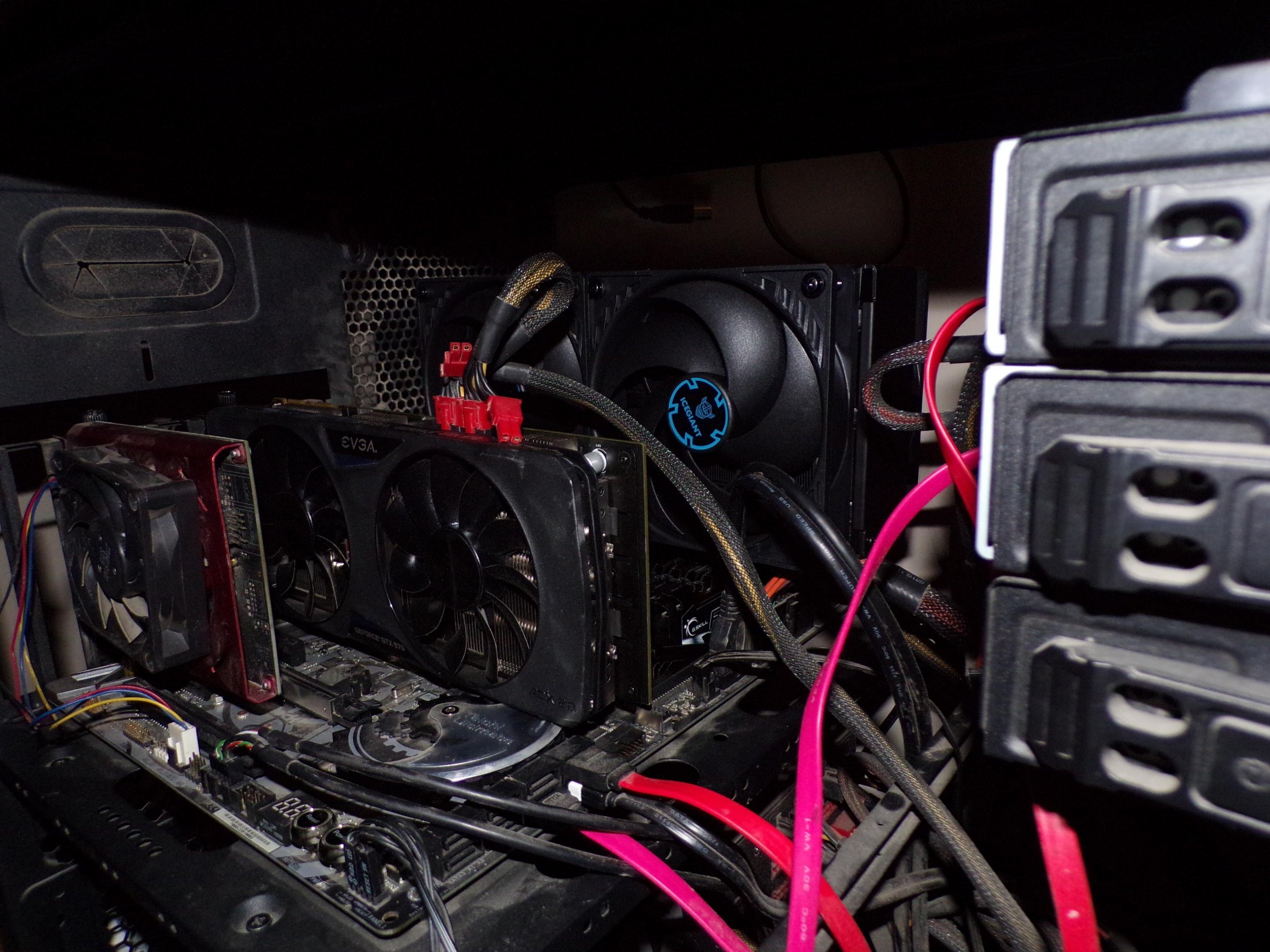
Yes it is. The card right after I got it developed an issue with the audio output clipping and after looking it over I determined it was getting too hot while in use. What I found was the way it's made the card had essentially no ventilation, making it run hot all the time and I recalled from way back in the day big stereo setups in cars had amps that would get hot and act in a similar way. Since the card itself is just a mini-amp for a PC, it naturally follows that was probrably the cause of the issue. I took the little window out, mounted a CPU cooler fan and tried it - No audio clipping no matter how hard I push it eversince.
-
Just picked up a 3950X chip and of course this will be used with it. I've seen the info in the video before in that it does better, not worse with higher heat loads such as ran with a TR instead of an AM4. In any case it won't overheat and that being the concern for me, this cooler will work fine for my useage without complaint.
-
No, and that's why I got it. Here's a link to the site where you can find these: IceGiant - CPU Cooling Technology & Innovation Note that they fit AM4/TR and a few of the new(er) Intel sockets that I'm aware of, definitely nothing older than AM4 for AMD.
-
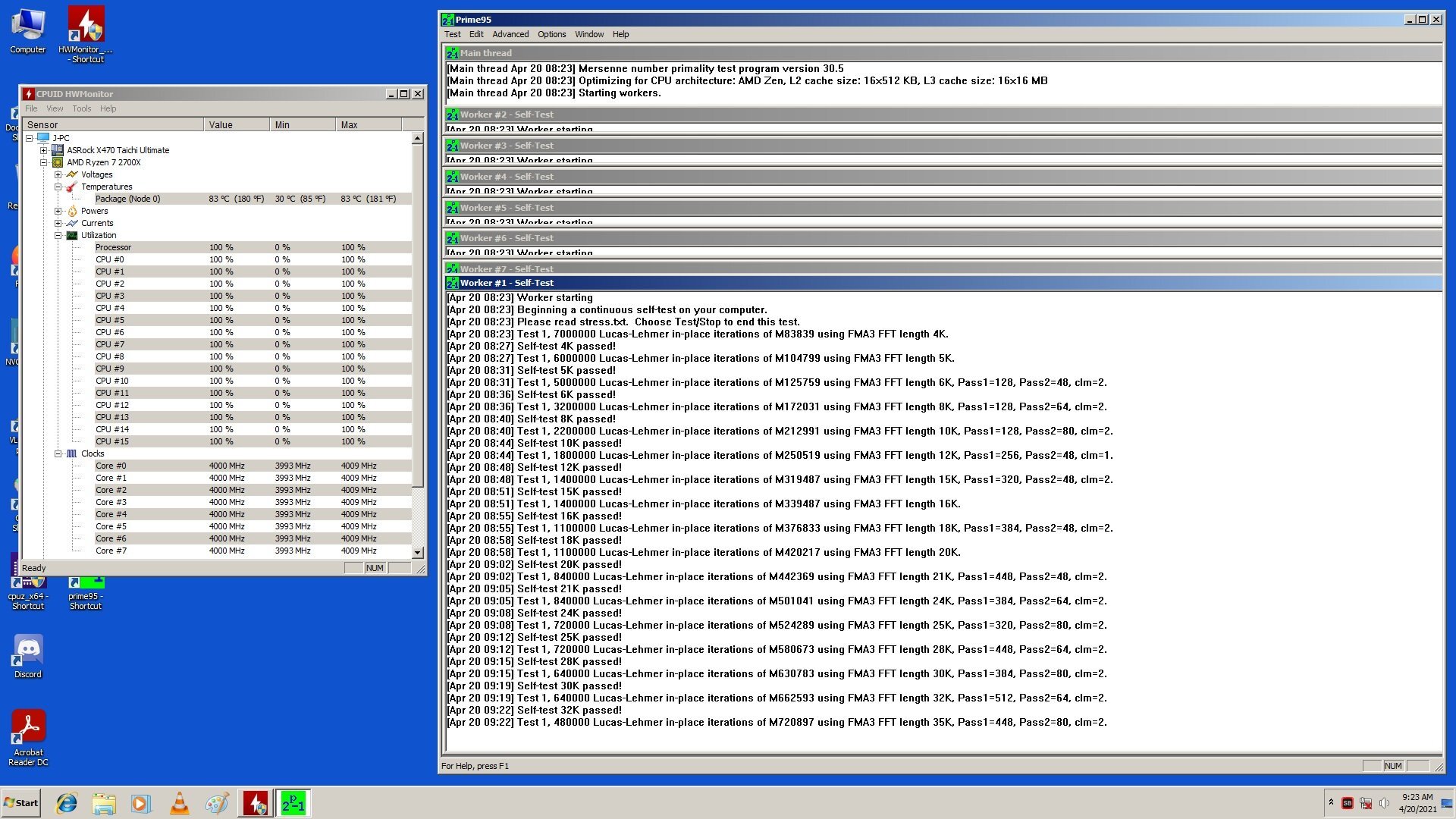
Here's something I picked up last year. It's an IceGiant cooler and it's currently in use, with this very system I'm using to post with in fact. Did some testing right after I got it and the results were good, CPU was set for 4.0GHz and CPU voltage was at 1.35v's, manually set in the BIOS and I let it run for a full hour to get the results shown.

-
I was always involved with AM3 stuff and got into alot of AM3+ stuff too. I've come a long way since those days..... Not sure how long I'll be at it and I have slowed down considerably over the past few years but I still crank out a few scores every so often. And yes, among the things I have to do on the list - I have to destroy Pio per his personal request so I'll be around for awhile yet.
-
You knew me as "Kryton" there but the name I've always tried to use is "Bones" which is of course my benching name. I do remember you from there, after "Whatever" happened over there it just lost it's.... Soul? I guess you could call it that, certainly isn't what it used to be by any means. I won't be in that often (I'm all over the place anyway) but will pop in on occasion.
-
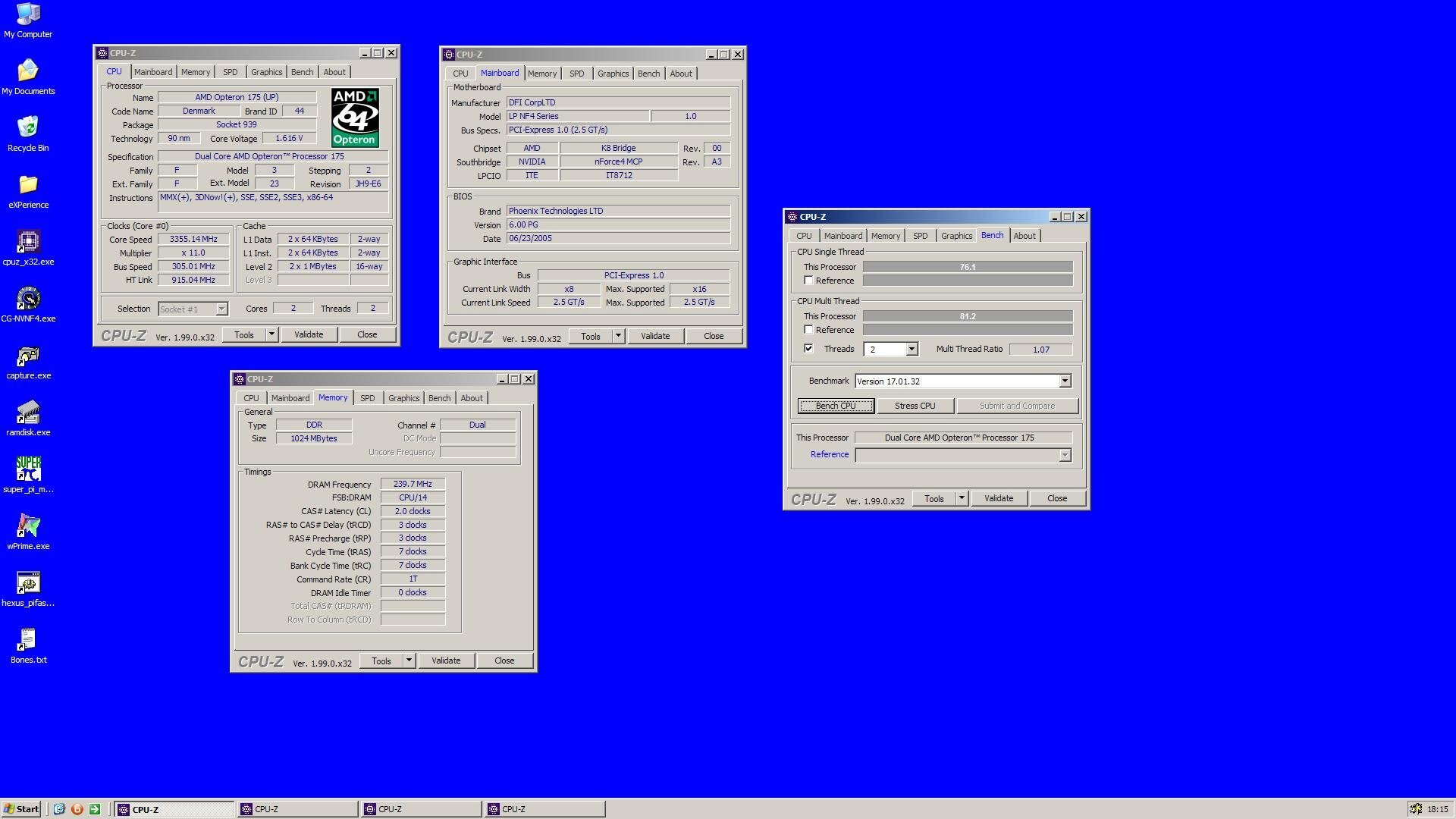
Promise kept, just not with a more modern setup. Specs are: CPU: Opteron 175 on chilled water for this run Board: DFI SLI-DR RAM: Corsair PC4400 (CL2.5-4-4-8), ran at CL2-3-3-7 @239MHz All the rest you can see in the screenie.
-
The one I recapped for you? That bites man - Wish I had a PSU at the time for testing and still don't ATM for anything related to that socket I can use.
-
 I suugest using Mint since it's very much like Windows in how it is. I'm currently using Peppermint but believe it's a dead Linux version, the guy that was heading development for it passed away at the beginning of 2020 and there have been no new releases of it since. It really bites too since Peppermint is alot like Windows itself and it's a good version too.
 -
I guess it woudn't hurt to represent Socket 939 while I'm livestreaming tomorrow. I'll try to remember about giving it a shot.
-
I've read the running arguements before about forced updates. If something is being forced, it's being forced. You, the user and owner of the machine has had the choice whether or not it happens taken away from you meaning you have had some control over your own machine taken from you. You can dress it up, put lipstick on it and it's still a pig because it is what it is underneath all that. I have followed this entire Win 10 debacle from the beginning and have seen alot of things along the way I knew was coming right from the start of Win 10. Promises of it being the last version - I already knew MS woudn't hold to that, esp when the option to not update was eliminated from the OS with later versions of it. Not too long ago, the thing about it being the last version also got snuffed. It's like MS speaks out of their mouth and then does the opposite of what they say. I still recall where I was working before having to retire the nightmares the IT guys had when Win 10, via it's forced updates decided it was time for another round of it. They had already had problems before with the equipment getting borked because of it, stopping production. I recall one particular time it was supposed to be an update that was going to change alot of things and take some time to even do because it was such a large update, forcing the equipment to be offline during this process. Well, you try explaining to the boss all that while he's livid over it because corporate is on his back about production being shut down - Good luck with that. And the IT guys coudn't do jack except deal with it. I solved all my Windows problems back when Win 10 first came out by switching to Linux and that's where I am now. No forced updates that changes/erases settings and preferences, nukes drivers for stuff and other assorted crap. I mean like it or not - Eversince Win 10 came out you, the user are the BETA tester for each and every update and change they make and that in turn means you get to deal with it. I'll keep control over my machine, not have these updates crashing my stuff, not have all the wonderful telemetry (Spying) that's baked in reporting directly to MS and other things. No OS is perfect and that includes Linux but for me it's been a better and a smoother experience than Win 10 has been for so many along the way. Only negative about it is gaming and even that is beginning to change these days.
-
Typically FX doesn't like temps under load past 63-65c, they tend to go nuts once you really start getting them hot. With the chip you have (FX-6100) on what appears to be stock cooling, eh..... 1.45-1.50v's max and that's being generous. You'll need better cooling to go further but you know that already. I'd try it at first with about 1.40v's, see how far it can go and just tweak it up from there. Normally FX responds well to voltage bumps anyway and that's why I say it in that way.
-
I do almost everything from air to Ln2 these days. Bones`s SuperPi - 1M score: 9sec 141ms with a FX-8320 Remember the 720 BE I had that was a good clocker? Still is. Bones`s SuperPi - 32M score: 11min 51sec 703ms with a Phenom II X3 720 BE Back on topic: The next time I have something setup I'll give CPU-Z a shot and see what I come up with.
-
May have to get in on this one day myself and see if I can compete with you guys or not.
-
That looks exactly like my 9600 Pro except it's a PCI slotted card. Was a good clocking card too but eventually cooked the card's VRAM so it now has artifacts all over the place when I use it. I'm really looking foward to seeing how the work I did will do once you get those setup and tested.
-
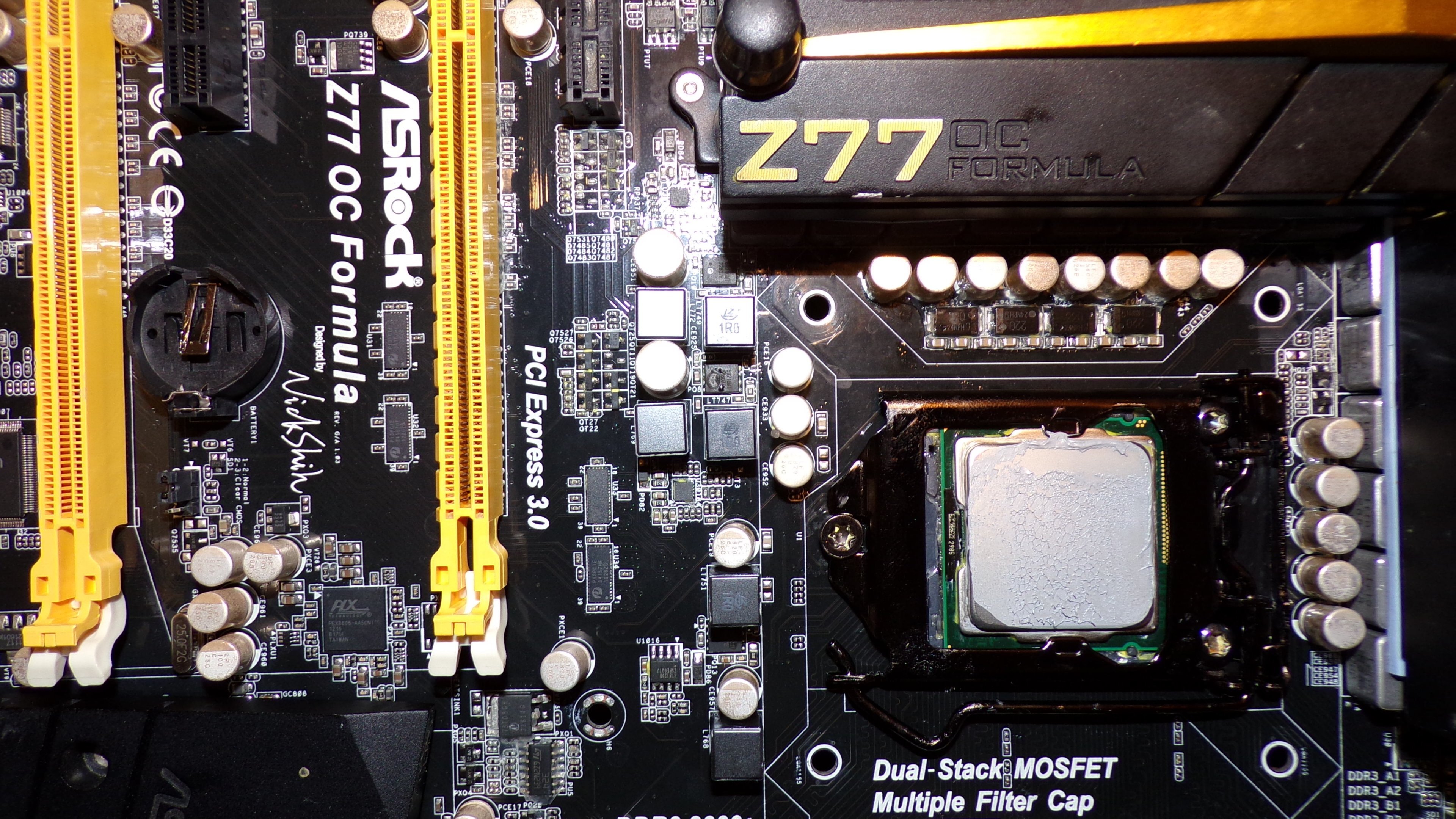
Not AMD related but is to soldering - The carnage from my latest livestream with Ln2 in use. Luckily it can be fixed since the PCB didn't get toasted. You could say this is a wittle project of my own I'll be working on.
-
Quick question - I'm not clear whether you mean a 20 pin ATX plug to a 24 pin power header OR a 24 pin ATX plug to a 20 pin power header. I know sometimes you can plug a 24 pin ATX plug into a 20 pin power header by letting the extra 4 pins simply "Hang" over to the side - It will still plug in and the system will work. However that can only work if you have the room next to the plug, some boards have components where the extra 4 pins would be making it impossible to plug it into the power header. Good call on the extra Molex cables.
-
Most of the time they can get away with it because the majority of people buying it don't know stuff like we do. I tend to check the seller's feedback AND how long they've been a member of fleabay (You'd be suprised at how many are "New" sellers) before buying or bidding on any item a seller has. Speaking of boards, currently baking a Crosshair in the oven to dry it out for some Ln2 action later. If this works to fix it's current issues about acting out I'll get some nice runs done. Don't worry guys - It's on the lowest setting the oven has (170f/83c) so it's not exceeding any thermal limits of the components. Gonna just let it sit for awhile and let the heat do it's thing.
-
At least it turned out ot be something simple to fix and not worry too much about.
-
And woudn't you just know it..... Now the A8N32 you wanted doesn't want to do anything. Swapped coolers on the chipsets like you wanted me to do and went to test and allow the TIM to burn in, and it's refusing to do jack. So far I've tried different CPU's, different GPU's in both slots, different RAM sticks and even a different PSU - None of that made any difference. I guess the thing to do here is swap those coolers back and try the other one. Since the other board (Premium) was working when boxed I'm not touching it or the Socket A. If the caps on the Socket A was the only problem it had that one should be OK as is. Wish I could have tested it but since the PSU I have for those has vanished I wasn't able to. EDIT: And just figured out the problem with it. Pio, you did say you "Bent" this board at one point and that's probrably what's causing the issue I was having. The CPU itself goes in the socket just fine BUT not fully. After removing the CPU cooler to tear down the setup so I could swap chipset coolers I noted one side of the CPU wasn't all the way down or flat with the socket itself like it should be. Pressed down, it went down some more and settled in like it's supposed to so I set it all back up and now it's working again. Letting the TIM get warm to settle it in and check temps ATM and at least I did get it going again.
-
At least now you have options for what to use. Can say you're set for whatever you want in a 939 setup, I believe any of the three can be used without alot of worry. I did note the 32 without the Asus logo plate seemed to run hotter than the other one did, I let them sit and run for a few minutes and didn't have any problems with either one cutting off. The Socket A board will hopefully work and do well, set brand new caps in it and included an XP-2500 chip for you. If the Pally is dead it still has two pads you can rob off of it by use of acetone, that will make them come loose and after drying out you can re-glue those onto another chip. I'll make a shipping label and get the box ready to go sometime tomorrow.