Welcome to ExtremeHW
Welcome to ExtremeHW, register to take part in our community, don't worry this is a simple FREE process that requires minimal information for you to signup.
Registered users can:
- Start new topics and reply to others.
- Show off your PC using our Rig Creator feature.
- Subscribe to topics and forums to get updates.
- Get your own profile page to customize.
- Send personal messages to other members.
- Take advantage of site exclusive features.
- Upgrade to Premium to unlock additional sites features.


ENTERPRISE
-
Posts
6,058 -
Joined
-
Last visited
-
Days Won
385 -
Feedback
0%
Content Type
Forums
Store
Events
Gallery
Profiles
Videos
Marketplace
Tutorials
Everything posted by ENTERPRISE
-
Wait, how do you mean delayed ?
-
We can't always have nice things!
-
Welcome to EHW!
-
Welcome to EHW!
-
Looks like you are rocking it bud. Well done
-

You should get a custom made headphone stand too...
ENTERPRISE replied to GanjaSMK's topic in Computer Audio
Welcome back bud. Sounds like you have had a busy time of it. I need to get one of these headphone stands from you sometime too haha. -
Yeah that is fair enough. its not very granular so it is hard to see what it is disabling when the firewall goes off. I have sorted everything bar the port forwards which I will do tomorrow and I will see how I get on.
-
Only to play with you fools. @AllenG I have completed the configuration, in fact I had actually done most of it, just had to tweak and put the Pfense in the DMZ. However shouldn't the Hub One have its firewall disabled anyway ?
-
That is a fair point. Will configure want I have and when going FTTP , I should be able to go ONT straight to Pfense. Will have to go for a premium install to get them to put the ONT in my office upstairs lol. Will try those configurations end of this week/weekend and let you know how I get on. It is also blocking my Plex server at the moment which is not great but is what it is.
-
Not managed to get to it yet. A couple of friends said it wasn't what they expected, in a bad way. I would also love a UT reboot, played more of that than any other multiplayer.
-
Source
-
Thanks bud. I had a thought the other day. I can get a router, Draytek for example that allows for your standard ADSL/VDSL as well as Ethernet WAN. I was thinking of purchasing one of these as this would cover me for my current broadband and again for FTTP when I get it later on. Plus from experience the Draytek routers are highly configurable unlike ISP routers. I was taking a look at something like this : https://www.broadbandbuyer.com/products/43524-draytek-v2766-k/ I Would imagine that would support DHCP bridging out of the box too. Just means im not relying on ISP gear and I would have something I can use independently.
-
techspot The History of the Modern Graphics Processor
ENTERPRISE replied to ENTERPRISE's topic in Journalism & Entertainment
AGP, not something I have heard in a while. AGP was awesome, massive gamechanger over poor PCI. -
techspot The History of the Modern Graphics Processor
ENTERPRISE replied to ENTERPRISE's topic in Journalism & Entertainment
Out of those cards I think I owned the Nvidia GeForce 2 GTS ATI Radeon 9500 Hercules 3D Prophet 9700 Pro EVGA GeForce GTX 980 Ti EVGA GeForce GTX 1080 Ti All great cards for their era, I mean the 980 Ti and 1080 Ti are still holding strong !. I remember the ATI 9500 and 9700 Pro well. Those were the days where you could unlock additional pipelines to get up to the "XT" performance. Until they got smart and started laser cutting and stopping us poor folk from getting better performance for free lol. -
Source Nice bit of nostalgia !
-
Source
-
Source
-
Do you need any connection details configured in pfense though ?
-
Those be some awesome directions bud. I will give them a shot tomorrow, thanks very much for the thorough guidance. Yes there is a section where you can find a device and reserve an IP from the DHCP pool for it. Screenshot below. As for the Port forward I tried a wildcard but gives me an error. Also just for reference this is the DMZ Page.

-
That is something I may have to look into. Any recommendations if I have to go that route ? Cheaper the better. I may also be upgrading to full fibre here soon as well (Fibre To The Premesis) so anything I did get would be relatively short lived.
-
Never has an issue with Crucial drives myself, they are solid and realistically priced. I am not using one myself in my current build right now but I have an MX500 SSD that I am using in my brothers build. It is his first PC
-
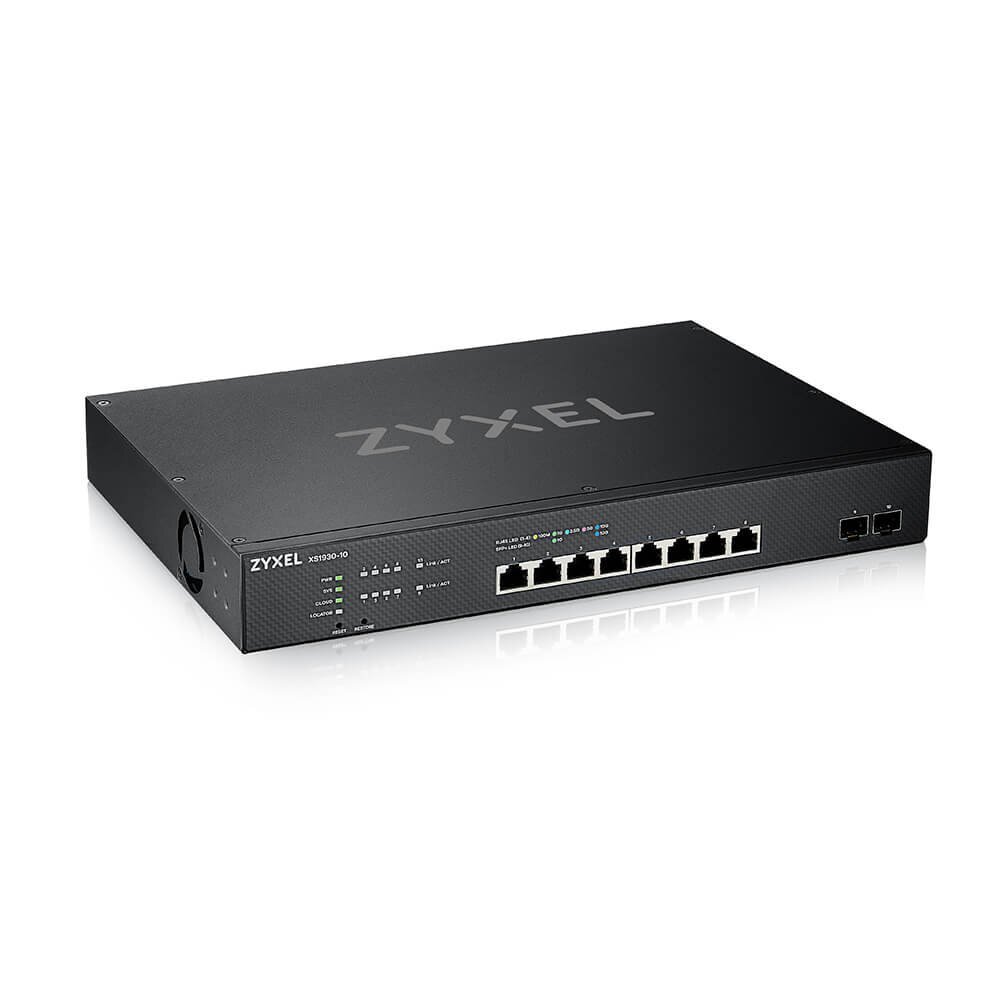
Correct it is a smart managed switch. It is a great piece of kit I have to say. The only downside of it is if you go into Web Managed mode, so essentially manage it from the Zyxel portal....which is very nice, it disables the local management interface so far as configuration. You can reboot it locally and a couple of other things but that is it. I would rather they allowed for both remote and local management. They may change that in the future. Needless to say I went back to local management as it is a little easier to navigate and to unlock all the configuration potential on the portal, you have to pay a subscription fee. No thanks lol.
-
Hey bud, No problem, please see below images of the areas you wanted, easy enough for me to admin into my router and screenshot DHCP Area Port forwarding Area As for Wifi, no this comes off another AP that is fed via Pfense. Wifi is disabled on the ISP router. Let me know if you need any other info from the router. Cheers, E
-
My more recent purchase : It was time to get the internal network on 10G.
-
Thanks chaps, just to let you know, I actually went ahead and ordered some black steel speaker mesh which should do the job nicely, if not then I will consider the above. This sort of thing: