

Welcome to ExtremeHW
Welcome to ExtremeHW, register to take part in our community, don't worry this is a simple FREE process that requires minimal information for you to signup.
Registered users can:
- Start new topics and reply to others.
- Show off your PC using our Rig Creator feature.
- Subscribe to topics and forums to get updates.
- Get your own profile page to customize.
- Send personal messages to other members.
- Take advantage of site exclusive features.
- Upgrade to Premium to unlock additional sites features.
J7SC_Orion
-
Posts
2,211 -
Joined
-
Last visited
-
Days Won
96 -
Feedback
0%
Content Type
Forums
Store
Events
Gallery
Profiles
Videos
Marketplace
Tutorials
Everything posted by J7SC_Orion
-
The PhaseChiller heat exchanger project...
J7SC_Orion replied to J7SC_Orion's topic in Exotic Coolers
...Linus has a related vid: -
...just had 3x TG-PP-10 30 g delivered 'for a rainy day' (30 g was all that was left at DigiKey Canada)
-
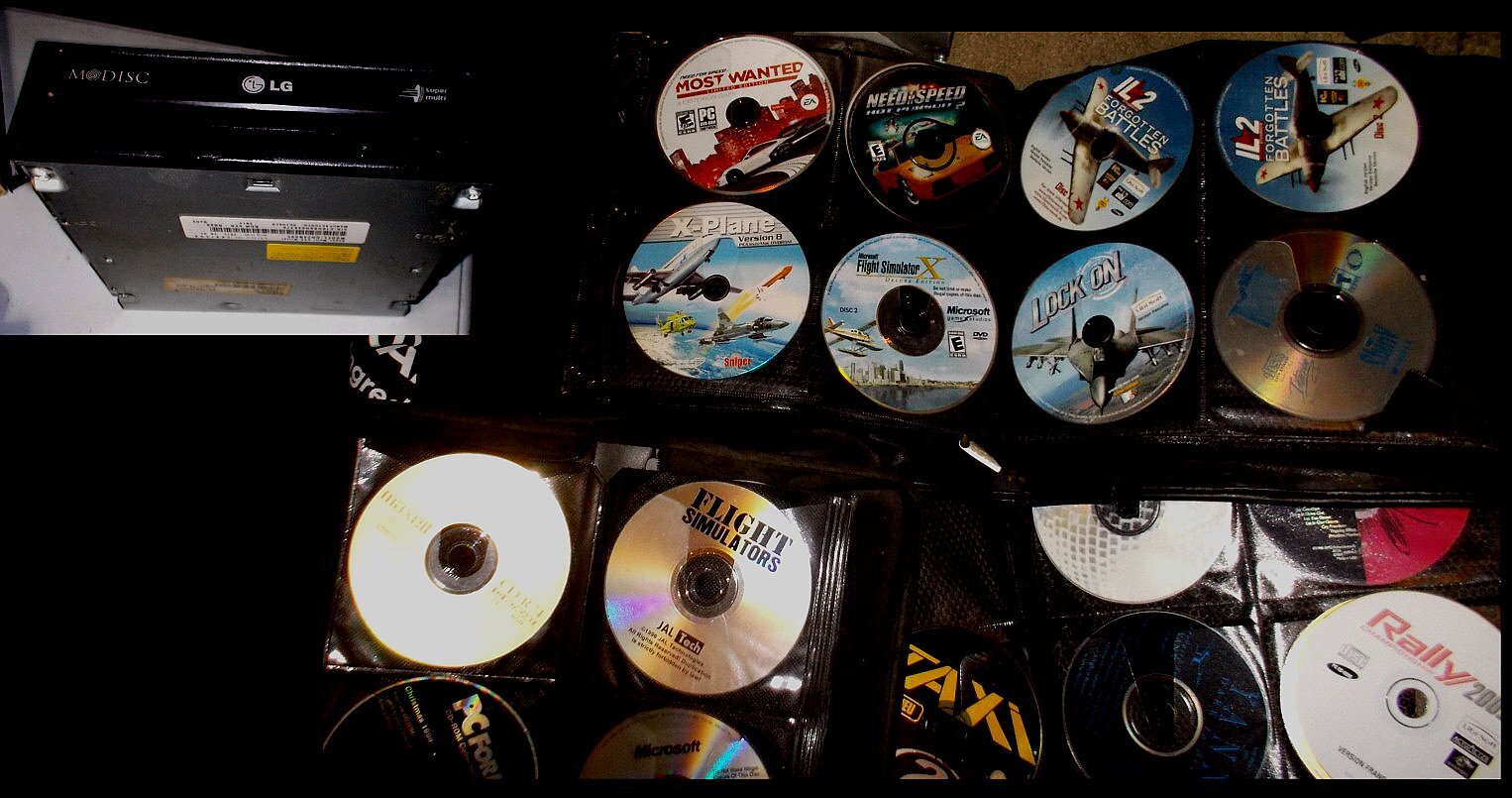
...thanks @pioneerisloud! --- great reminder that I needed to pay a visit to the storeroom ('some say it's haunted')...found three big albums / wallets containing some of my old stuff and that of older siblings. I do have a retro gamer and am already enjoying my all-time fav - MDK and MDK 2, along with Duke Nukem 3D and Terminal Velocity

-
...likely a 'HDR' thing re. screenies.
-
The 3990X is a consumer model that came out over two years ago and still uses the Ryzen 3K instead of Ryzen 5K cores...it is also limited to 4 RAM channels instead of 8 the AMD Epyc model (w/ Ryzen 5K cores for a year) has which would be the counterparts to the Xeon...never mind the new Milan-X with 64 cores and 3D cache (think 8x 5800X3D under one IHS). It may not be the best Cinebench performer due to clocks, but in many other professional-apps benchmarks, it seems out of this world - never mind the upcoming new Epycs with Genoa cores... As Sapphire Rapids is not even available yet (!), I rather wait for a head-to-head of the top Xeon Sapphire Rapdis vs the top Epyc Genoa when both are out and available - a true apples-to-apples comparison...instead of clickbait
-
F1 2021 Deluxe Edition
-
...yup, I'm a bios and OS luddite and finally decided to update Raven_A's two systems to 3801 and Win 11 (because Win 11 needed a bios update). Raven_B's two systems still run Win 10 and Win 7 Pro, respectively ...and btw, yes, Win 7 still does get major security updates.
-
The PhaseChiller heat exchanger project...
J7SC_Orion replied to J7SC_Orion's topic in Exotic Coolers
...oddly enough, it happened w/o video as I had my hands full ...but when I get a real heat exchanger added in (to avoid running isopropanol or acetone directly through the GPU blocks, O-rings etc), I'll take some pics and may be do a vid. -
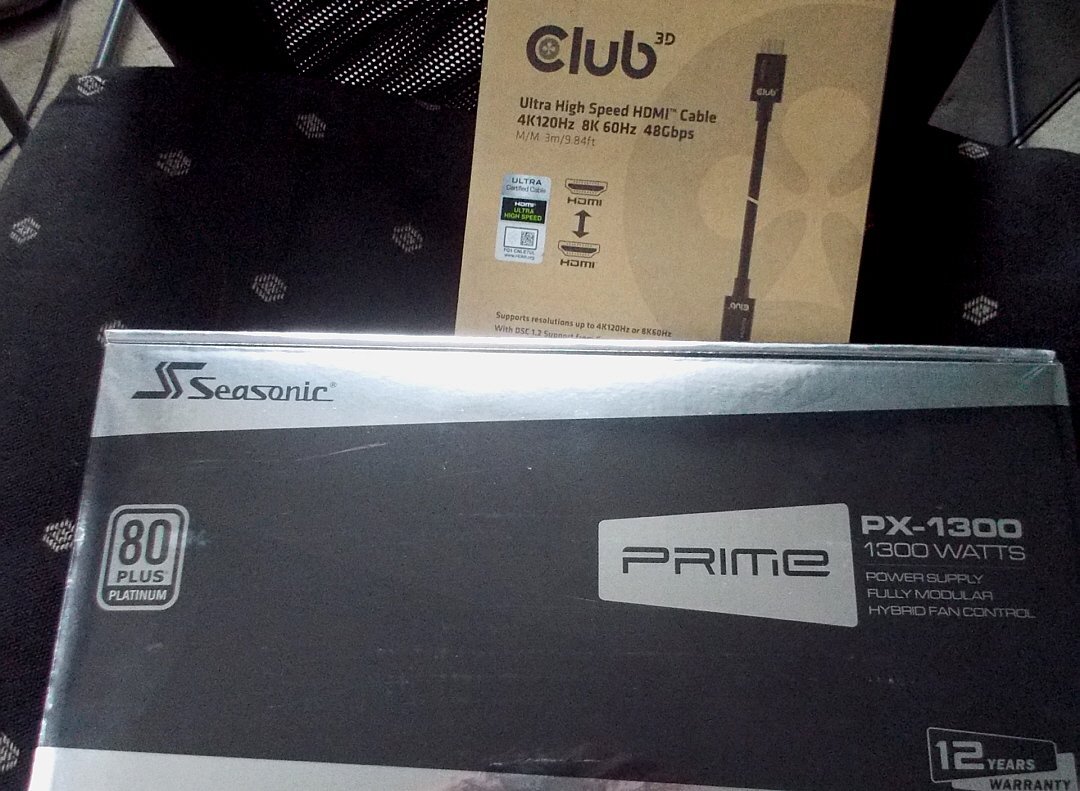
...Updated the bios for both X570 mobos in Raven_A and after testing Win 11 Pro re. legacy software for productivity (worked fine), both systems are now running Win 11 Pro for good. I also mounted a new Seasonic Prime Platinum PX 1300W in the 5950X setup, matching the newish Seasonic PSU in the 3950X. The Antec HPC 1300W, which was powering the 5950X before is close to ten years old and started to show some droop on select rails. The new Seasonic doesn't deviate by more than 0.1v idle > full extended load (on both systems) . I also connected the 3950X/ 6900XT GPU to both the 40 inch and the 48 inch monitors for simultaneous display via a 3 meter certified HDMI 2.1 cable - works great...lots of desktop real estate to enjoy.
-
...they must be a bit scared of RDNA3's rumored efficiency ! Also, both Galax and EVGA KPE 3090 Tis have been seen with 2x 600W of the new power connectors already (up to 1200W...)
-
The PhaseChiller heat exchanger project...
J7SC_Orion replied to J7SC_Orion's topic in Exotic Coolers
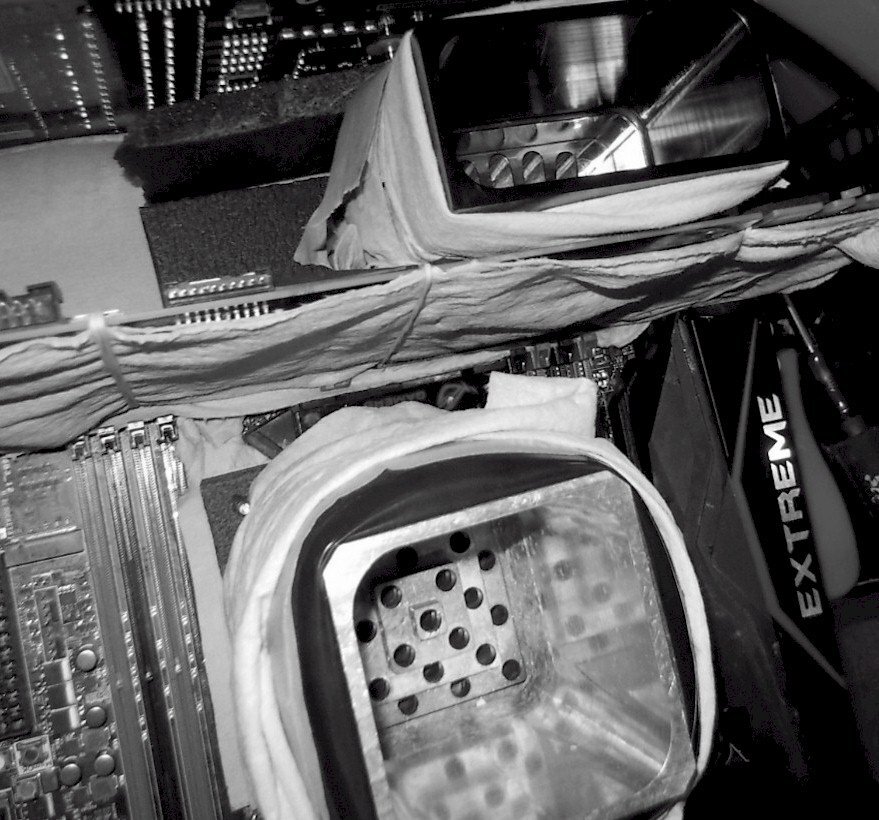
...I have briefly tried w/ 99.9% isopropanol in the config w/o home-made heat exchanger for some GPU fun, and it seems to work...just trying to figure out how o-rings etc react before I change the config...still wanting to get a real heat exchanger from Amazon but it is a low-priority project for now. I also plan to use the isopropanol as a medium in the LN2 pot and the phase as the source of subzero in the pot, and compare it to a DICE run... -
The PX has the same mesh and excellent specs (no TX in that 1300W class)...truth be told, didn't really want to buy a PSU now that there are some new formats coming, but it's needed at the very least for back-up and it was a reasonable US$ 280. Besides, the first PX1300 I bought last fall is performing exceptionally well re. droop etc.
-
...my trusty Antec 1300 HPC Platinum is starting to show some signs of drooling drooping on one EPS - it is almost 10 years old and has seen a hard life (incl 4x SLI HWBot). So I picked up another Seasonic Prime PX1300 today (bought the first one last fall, excellent performance), as well as a 3M/9.84f Club3D HDMI 2.1 cable.
-
...seems interesting for those who're looking for an intermediate solution re. Alder Lake
-
Build Log - Sir B's Black/White/Gold O11-Dynamic
J7SC_Orion replied to Sir Beregond's topic in Desktop
...going to be a great system...looking forward to see what you do with the tubing. -
guru3d G.SKILL Announces New Ultra Low-Latency DDR5-6600 CL34 Memory Kit
J7SC_Orion replied to ENTERPRISE's topic in Hardware News
I'm going to start thinking about it at CL 32 6800... -
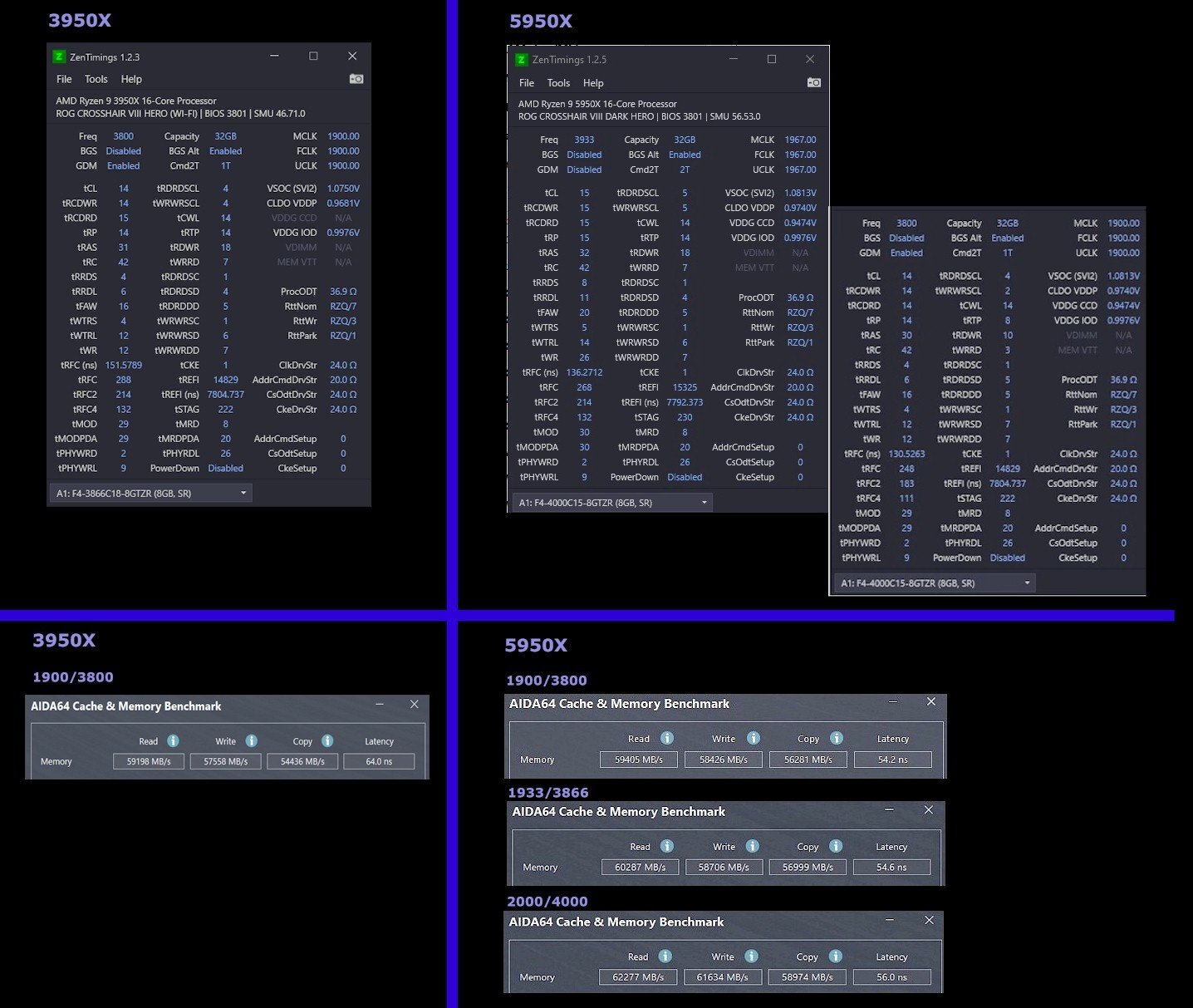
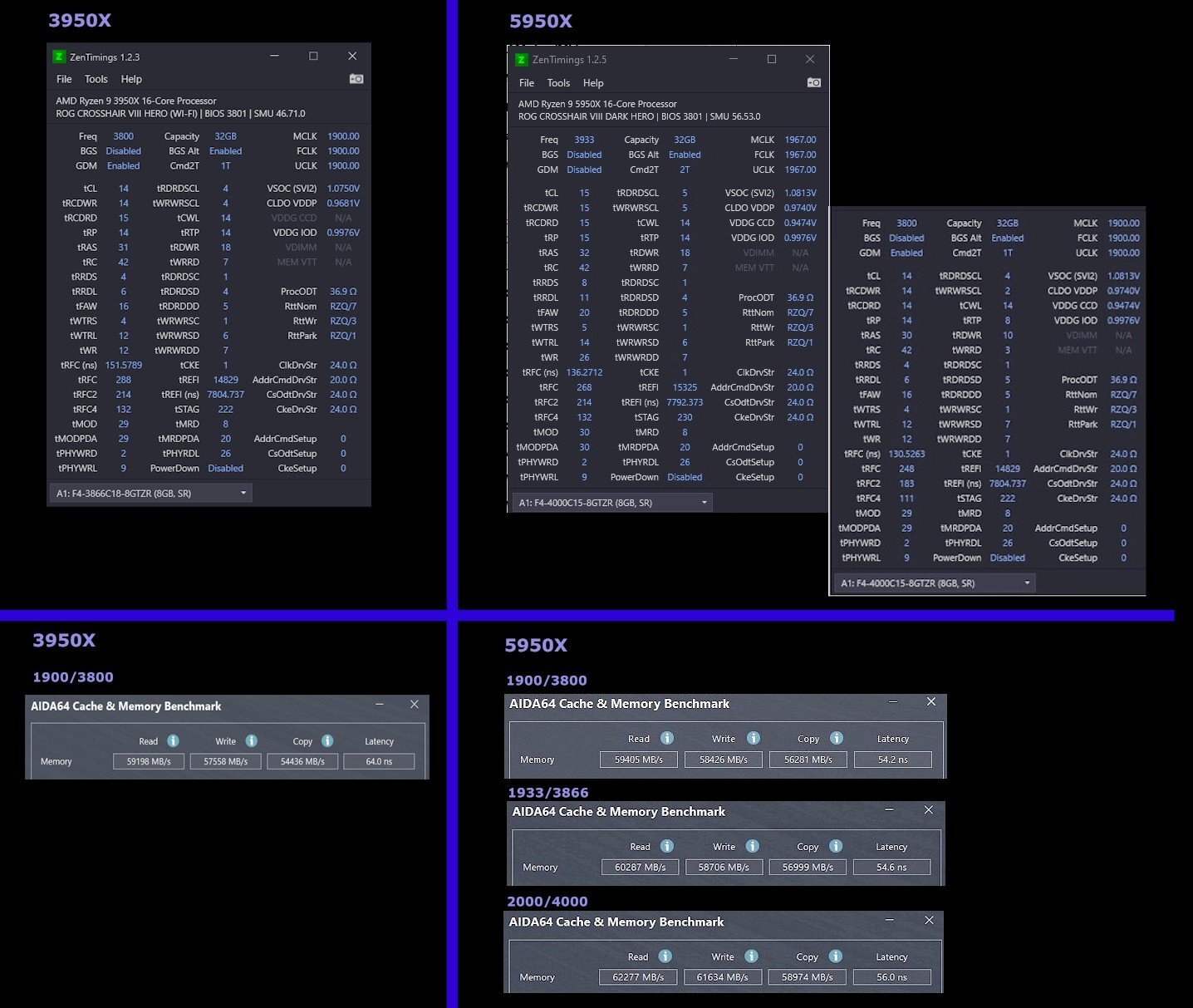
yeah, safety > than kaputsky IF 2000 / DDR4 4000 can be done with the right RAM and willing IF, but it usually is a trade-off between latency and bandwidth (below). Also, I like to keep Soc-v and related IMC voltages fairly restricted for 24/7. Tight-timings 1900/ 3800 is great for most apps. All that said, there's also 3866 and 3966 if 4000 doesn't quite work (re. WHEA etc)...
-
...(real) weather front moving in at dusk today right-click for 4k
-
...you might want to give 1usmus' Hydra a shot. It takes a while as it runs through all its tests, but works well re. PBO / CO, though it is a touch optimistic sometimes re. CO. Still, it gives you some CO values for manual inputting w/o subsequently running Hydra (or just leave it on) as a rough guide. I ended up not using Hydra after a test run as the Asus X570 DarkHero has DynamicOC anyways (single and multi-core max at the same Bios setting), but Hydra would allow users with other X570 mobos and Ryzen 5x CPUs which don't have that feature to come reasonably close.
-
Build Log - Sir B's Black/White/Gold O11-Dynamic
J7SC_Orion replied to Sir Beregond's topic in Desktop
...when it is near completion / all tubed and wired up, you might be able to build a little cover for that, ahem, GPU dongle (or just leave it au naturel...). -
That USB drop and stutter thing is a known issue with certain Ryzen bios and/or chipset drivers. Trying out different bios and chipset driver combos seems to solve it for most folks, at least in Asus mobo world.
-
Build Log - Sir B's Black/White/Gold O11-Dynamic
J7SC_Orion replied to Sir Beregond's topic in Desktop
Looking good and getting there. I look forward though to see how you're going to hide 'that GPU power cable thing', or are you going for a vertical mount once GPU w-block is on ? -
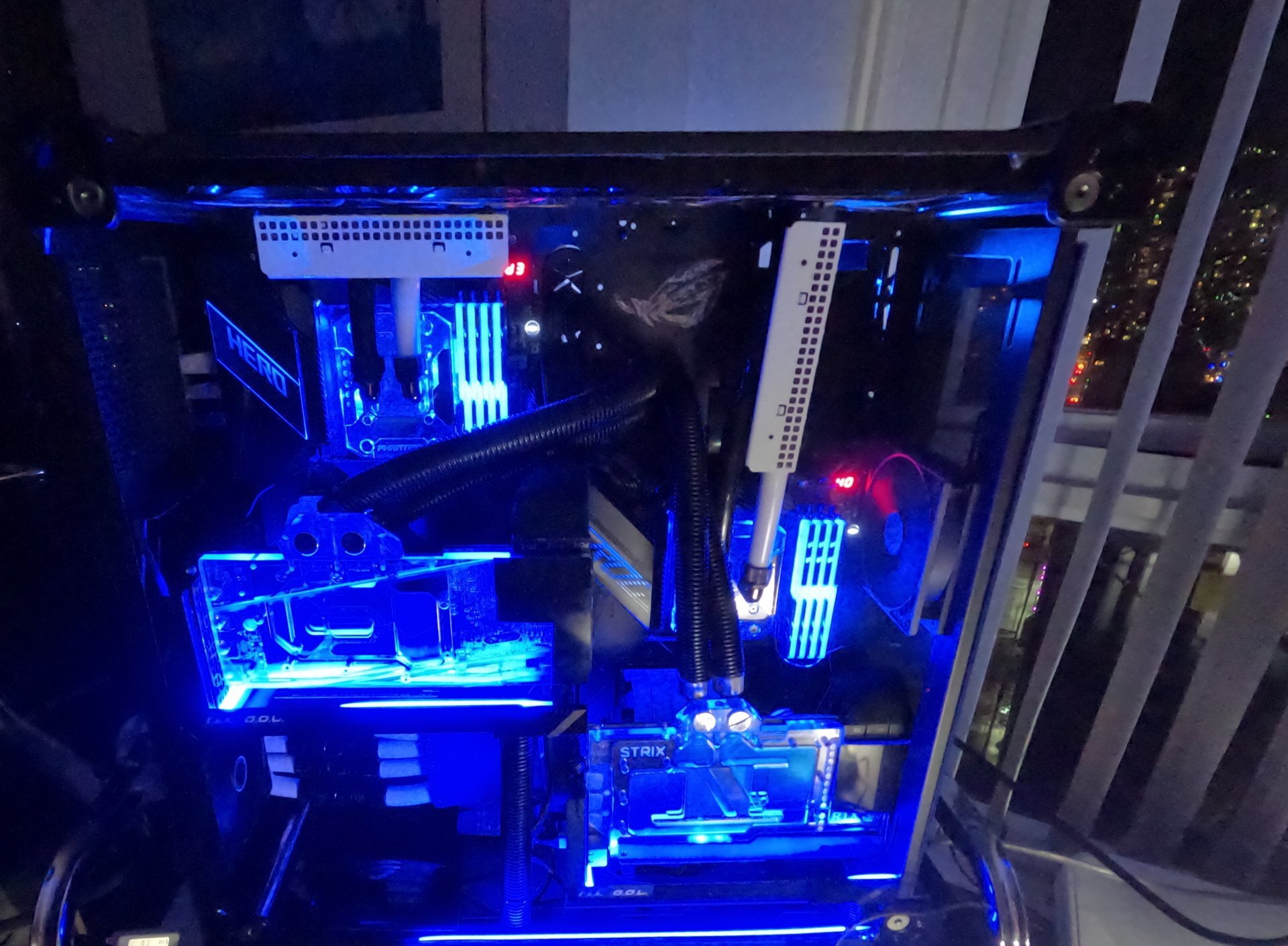
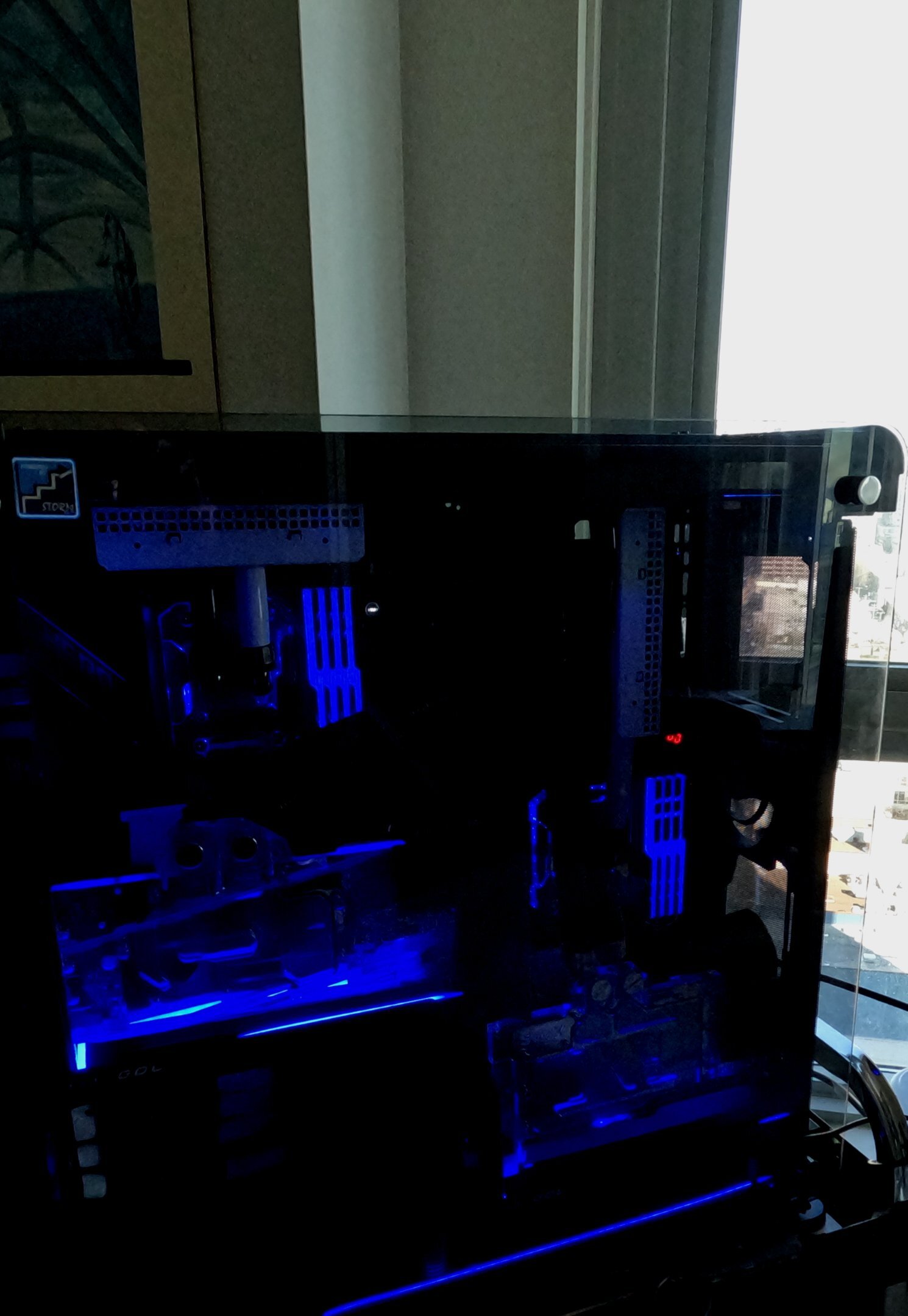
I haven't updated this thread for a while...in fact, I should probably do a 'major refit' of this build thread, given the fact that some hw has changed, and also some of the pics got lost over time as EHW had some updates. The prescribed method to get pics back worked in some cases, but not all...probably good enough reasons for a clean-up - but for now, below is a quick update....I may also do an album, now that everything is finished and humming along... ...well almost everything: I updated bios for Raven_A (2x mobos) and Raven_B (2x mobos) and also switched some RAM around...as a result, additional options for the 5950X system RAM have opened up (3800 CL14 to 4000 CL15). A new setting has also tested out w/o issue, and that is the 3966 CL15 'tight'....It will likely come down to either that or the ultra-tight 3800 CL14 (please see below)....the old 'latency vs. bandwidth' trade-off. The 3950X RAM on the other hand is a simple 'no-brainer', per below. Overall, I am very pleased with the outcome and performance of the Ravens' Nest builds. Rather than thinking about another build (already have some parts for a new Intel project), I am just enjoying the performance of these setups - for example, in the Shadow of the Tomb Raider bench I just tried out for the first time last night, both Raven_A systems have performance to spare...even at 4K / highest eye candy settings, the min frame rate for both exceeds the max of the respective monitor refresh rates. Also, media and play is smooth w/o hitches and stutters, and very quiet re. fan noise etc. I already mentioned in another thread how impressed I am with the C1 48 OLED that is powered by the 3090 Strix / 5950X - not just in games, but other media consumption. Now that I have had that combo for the better part of a year, it just doesn't get old, instead it still surprises me with its visuals. As a result, my earlier plan to look at VR for that combo is shelved, probably for good...
-
Contentment - is it what the PC industry hates ?
J7SC_Orion replied to J7SC_Orion's topic in Water Coolers
...Good thing I've finished my primary builds and get to enjoy them now as I caught a nasty (regular) flu bug that makes it difficult to sleep...so I had a few more nights of watching YouTube (below) after sneaking into my home office at 3 am so not to wake anybody else. Before I turn to some YT samples you might want to try out, it is also worth adding to the general theme of the thread that hardware contentment isn't just about getting the most out of one's hardware in the big ticket categories (CPU, GPU, TV/Monitors), but also other parts that make up one's daily computing experience. Between Raven_A and Raven_B (two 'cases', each with two mobos), I can use up to 14Tb of all-electronic storage (PCIe4 NVMEs, SSDs). Internally, the Ravens are connected via 2.5 Gb/s networking, while externally, it's 1 Gb/s up and down. In general, adding fast networking and fast drives to other even older equipment (such as X79 and X99) also rejuvenates them for a few more years of non-demanding service, such as file storage and regular office work, email and browsing. Good riddance to spinning hard drives in the setups I work on, at least... Now to the visuals. Obviously, there are some demanding eye-candy games (CP 2077, FS2020 and Ride 4, I'm looking at you), but you don't actually need a 3090 or 6900XT to enjoy 4K HDR, HLG, Dolby Atmos and Dolby Vision on YouTube - just a TV/monitor that can support those, along with a speedy-enough connection. Not every latest techno tag is actually worth it, IMO, but watching some of this on the latest-gen tv/monitors is quite an experience for the eyes and ears. Finally, just a quick shot of another FS2020 'flu flight'...I can actually 'see' the very room I'm in as I fly over it 'digitally'




.png.3eff3239550d058e0632cd29f98c2f82.png)
.png.6451f0ff5e391c44cc486797d2b130b4.png)
.png.1f4d55d0a527b5da70221afbb8f77692.png)
.png.b6581e700c8263637180efc254998093.png)
.png.bb40982e6ec09429ba83b193b02684ff.png)