Welcome to ExtremeHW
Welcome to ExtremeHW, register to take part in our community, don't worry this is a simple FREE process that requires minimal information for you to signup.
Registered users can:
- Start new topics and reply to others.
- Show off your PC using our Rig Creator feature.
- Subscribe to topics and forums to get updates.
- Get your own profile page to customize.
- Send personal messages to other members.
- Take advantage of site exclusive features.
- Upgrade to Premium to unlock additional sites features.
J7SC_Orion
-
Posts
2,211 -
Joined
-
Last visited
-
Days Won
96 -
Feedback
0%
Content Type
Forums
Store
Events
Gallery
Profiles
Videos
Marketplace
Tutorials
Everything posted by J7SC_Orion
-
Forums first comp: CPUz Benchmark
J7SC_Orion replied to Storm-Chaser's topic in Benchmarking General
One thing to keep in mind w/ both antifreeze and slush build-up are the o-rings in your block (and perhaps even the materials of your soft tubing). Some types of anti-freeze can erode those, albeit slowly, over time. I remember reading that a certain type of Rain-X ('rust colour') is safe for this kind of thing, but can't find the reference to it right now. Also be careful with slush ('ice') as the sharp bits can actually strip nickel coating etc. inside blocks / micro-fins, never mind cause localized heat soak via blockage. -
Forums first comp: CPUz Benchmark
J7SC_Orion replied to Storm-Chaser's topic in Benchmarking General
...the latest crop of CPUs (and even GPUs) are already very 'factory-oc'ed' anyway via boost algorithms, PBO and the like - I'm not in Kansas anymore... ...the best you can do for normal multi-use system for work, play and bench is 'go overboard' on custom cooling as temps are a major algo input parameter, and also play with Power Limit envelopes. 'The factory' however has already exploited a lot of the slack you used to be able to extract within old-school o'cing. It's still somewhat different for sub-zero but it is probably quite hard to play Crysis for hours while topping up LN2 in the CPU and GPU pots w/o causing a cold-bug -
..yup, CrystalDiskMark, 'default' settings. On temps, M.2 SSDs run a lot cooler than M.2 NVMEs, especially the latest PCIe 4.0 NVMEs. Interestingly, the CH8 X570 Dark Hero, which is fanless re. its X570 chipset and which has the WD SN850 2TB in the top M.2 slot is about 15 C cooler when stress tested than the Samsung 980 Pro 1 TB in the CH8 Hero Wifi that does have a chipset fan. Then again, the latter mobo has two separate Samsung 1TB drives while the Dark Hero only uses one M.2 slot for the 2TB WD. ...under load and after my mods, temps range from the high 30s C to the high 40s C - a lot better than 58 C before
-
Forums first comp: CPUz Benchmark
J7SC_Orion replied to Storm-Chaser's topic in Benchmarking General
...'at stock speeds' ? Oh, the humanity of it all -
Forums first comp: CPUz Benchmark
J7SC_Orion replied to Storm-Chaser's topic in Benchmarking General
Thanks, but I know I got the hard drive somewhere in storage downstairs...it's just not the only stored hard-drive there so I'll have to do some rudimentary boot-ups. -
Forums first comp: CPUz Benchmark
J7SC_Orion replied to Storm-Chaser's topic in Benchmarking General
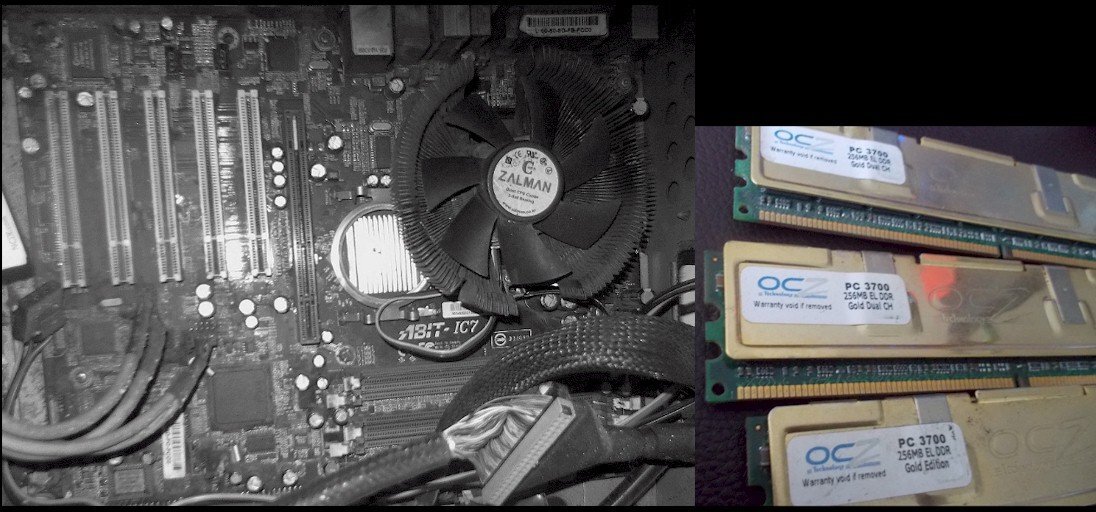
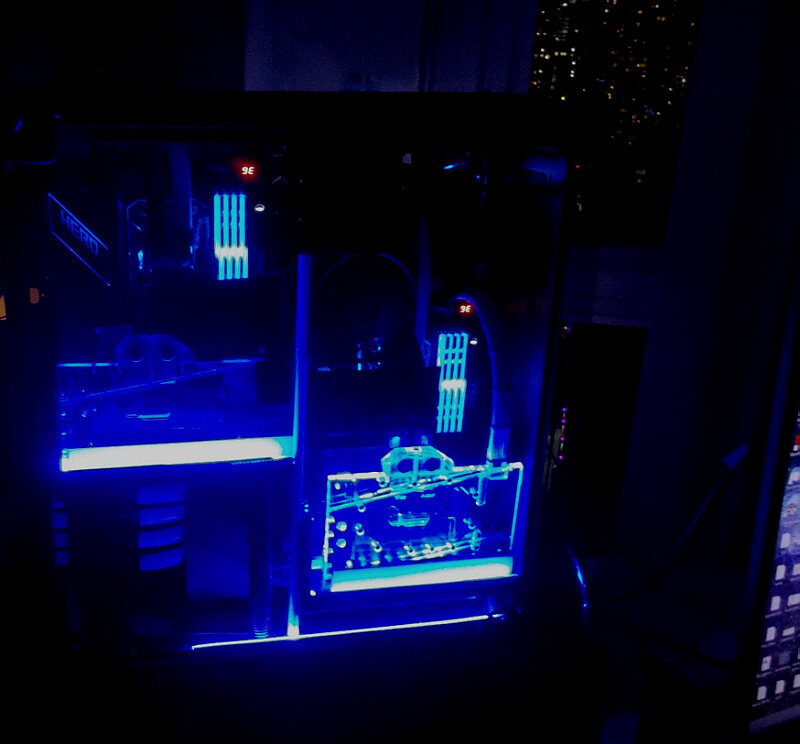
...8 Xeon CPUs per server board do exist already in the previous gens, but yeah - you better get a bigger boat chiller. What I find also interesting is the '4-tile' per IHS arrangement - it hints what the upcoming overclockable HEDT Prosumer versions could have (think successor to 10980XE)...between 14 and 16 cores per tile (not to say chiplet ) and 2 tiles. Add in at least 8 Channel DDR5 for the upcoming Prosumer HEDT...and it will be fireworks, especially as AMD isn't sitting still either. ...dug this up from my schooldays ...black-and-white to hide the decades-old caked on grime...still works, though, just need to find the Win 2000 Pro HDD. That custom Zalman Copper Flower cooler was so big it might even cool a Threadripper 3990X ...could mount dual GentleTyphoon 3K rpm on top of it or not
-
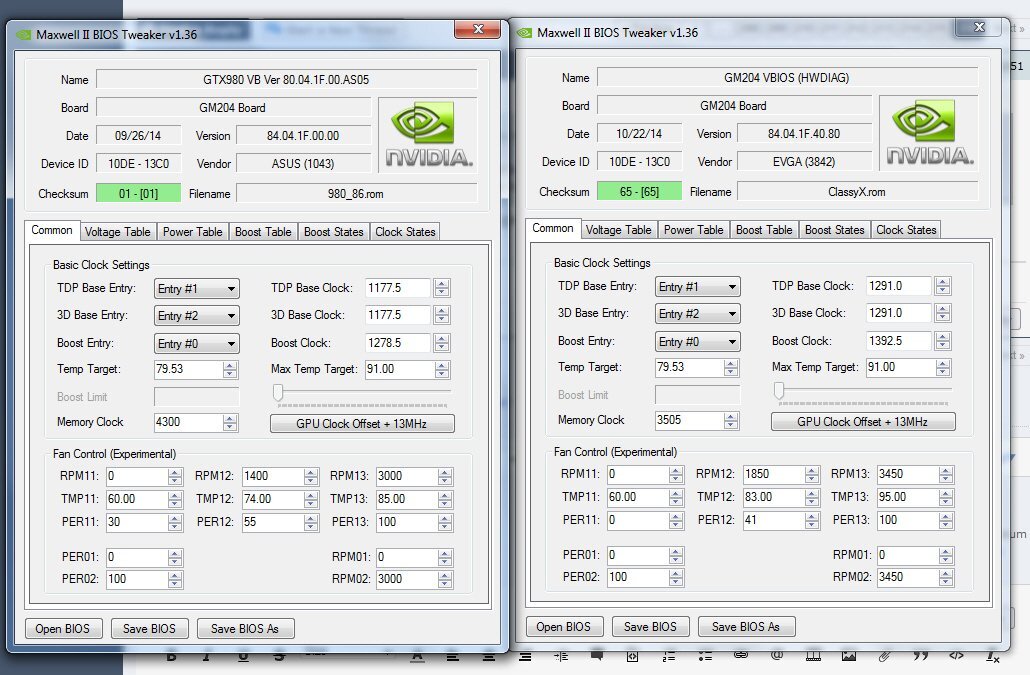
FYI, 'technically', you're supposed to disable the card in Device Manager first before flashing but 'if you feel lucky today', you can try flashing in Windows w/o that...I've done both without much trouble. @Cerberus ...two quick points: 1.) the Zotac Amp model you showed earlier in the thread does seem to have DSP and HDMI outputs. I don't know much about 'headless & HDMI dongles' but to flash a bios, you may want to put it in a system with HDMI output and regular Windows. If you now want to reflash it to the original bios and if you don't have any video output from it in the 4U, put it in a separate system as a secondary card. Just remember that you have to add an additional command to nvflash if it is a secondary card in that system re. 'id = ...' 2.) Per my first post in this thread re. Maxwell Bios Tweaker and also per other comments here, modding your otherwise proven bios is far less fraught with missteps than cross-flashing. In addition, the Zotac card you depicted has 2x6 pin PCIe connectors, not the 2x 8 the Asus Matrix and EVGA Classified have (see my earlier post > here). With very-high or even unlimited Power Limit vbios, it cans till work (or not) since 3/4 of unlimited is still unlimited, but your software power readings will be off. Modding your card's native vbios via eg. Maxwell Bios Tweaker is far preferable. Cheers
-
I take it you have some video output - in that case, flash either one of the classies vbios or back to your original one. Before flashing another 'foreign' vbios though, compare I/O arrangement of the 980 Strix with that of your Zotac Amp.
-
Forums first comp: CPUz Benchmark
J7SC_Orion replied to Storm-Chaser's topic in Benchmarking General
...interesting what's in the pipeline... in addition to 96 C Epyc/TRs -
...
-
...yeah...and wondering whether it is power consumption / heat related ?
-
techpowerup PCI-SIG Releases PCIe 6.0 Specification: 64 GT/s Per Lane
J7SC_Orion replied to ENTERPRISE's topic in Hardware News
...it will be a while before those reach consumers, but still...that would also mean PCIe 6 GPU interface, not that it matters for now. -
Forums first comp: CPUz Benchmark
J7SC_Orion replied to Storm-Chaser's topic in Benchmarking General
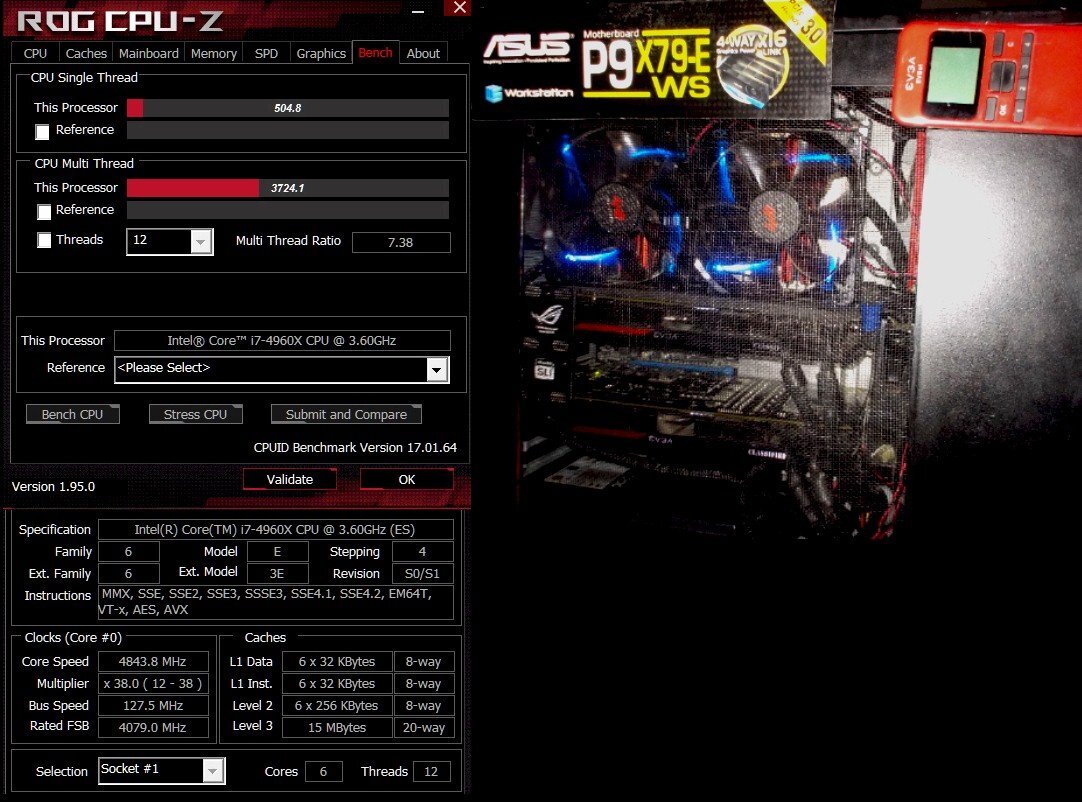
...for your consideration 4960X ES -- multi core 3724.1 -- single core 504.8 --- 4.84 Ghz An oldie engineering sample that survived sub-zero and is still in use, no degradation whatsoever 8+ years later (do they still make them like they used to ?). I also love the Asus X79-E WS board...it was recently upgraded to 64GB / DDR3 / 2400 / CL9, and WD Blue 1TB SSDs - everything feels very 'crisp' and it's not a bad retro-gamer at all at 1080p
-
...that Intel 11th gen kind of stands out, and not in a good way
-
...every time you load a different bios, Win and also MSI AB will treat it as a new GPU. You might even want to uninstall MSI AB completely, the re-install after bios flash
-
Actually, that's all so long ago I probably forgot more now than what I retained
-
@Cerberus ...in addition to the actual bios files attachments in my previous post re. your and Avacado's posts, I checked and seem to have used 'nvflash_5.190.0.1' to allow for cross-flashing of the Asus Strix XOC onto my EVGA Classified...that version might also work with your Zotac Amp card (if it has 2x 8 pin connectors at least)
-
Ok folks - I'm still at work, and absolutely positively no guarantee on any of these custom bios. First back up your current bios and save it, you know the drill... Some of these are hardcore XOC bios for 980s and might not even boot properly...the ones with 980_8x to 980_9x are the Asus Strix XOC afair, but it is close to 8 years ago than I flashed these. I believe that the 980_8x has a lower starting voltage requirement but could be wrong. Attached as .txt files, just rename .txt to .rom AGAIN - at your own risk - Cheers 980_normal.txt 980_80.txt 980_cl.txt 980_90.txt classXX.txt ClassyX.txt
-
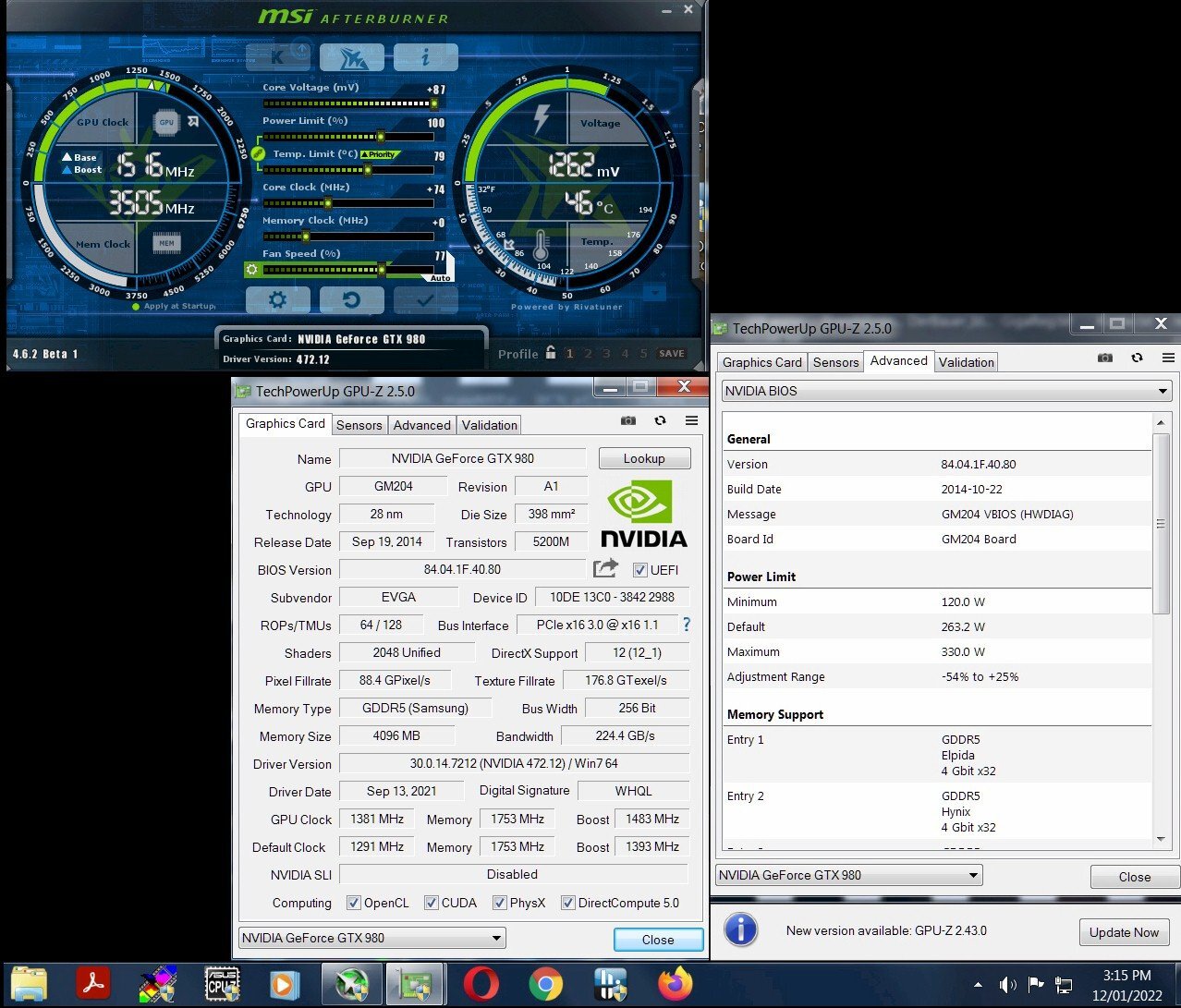
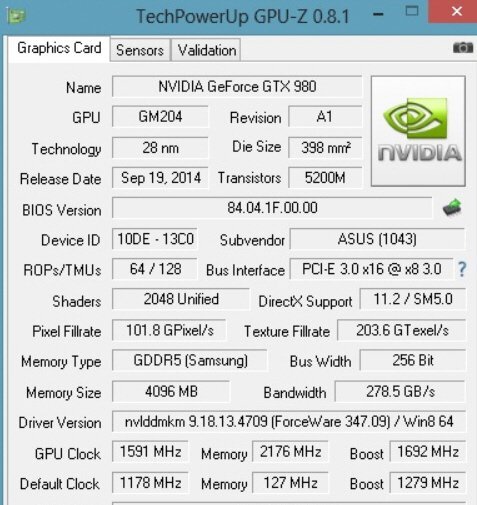
I disagree entirely ... I just ran this on one of my four 980 Classies (this one is now air-cooled again), NOT an ancient driver but one from last fall and nope, no 1.2v hard-lock. This is on the modded stock EVGA bios (rather than the crazier aforementioned Asus Strix XOC bios below). 1500 MHz on air is child's play. Max watt = around 330W 2nd pic is an oldie of mine for the same card but with Asus Strix XOC bios and on cold water...when cooled properly and with EVBot, it could (and still can) get deep into the 1700 MHz range.
-
It depends to some extent on your particular card, once MSI AB is sorted re. oc and voltage limits, you can also look for the highest-version number of s.th. called "Maxwell Bios Tweaker". I had (& still have) several EVGA 980 Classified which in those years were basically identical to the KPEs, including EVBot ports. With the right cooling, one could get away with 1.25v - 1.3v +. There were also KPE and Asus Stix XOC bios floating around - probably still are accessible at the corresponding HWBot forums. It's been many years so I don't recall all of it, but the Asus Strix XOC bios not only worked on my EVGA 980 Classies, but various other cards as well. That said, it needed a lot of voltage and cooling right from boot-up, and w/o using EVBot to add voltskies, it could sometimes hang at windows start...
-
Forums first comp: CPUz Benchmark
J7SC_Orion replied to Storm-Chaser's topic in Benchmarking General
... just remember it's a slippery slope, and serious sub-zero like LN2 can eat up a lot of your time and budget - but it can also be a ton of fun. BTW, keep PS2 mice and keyboards around, even if they aren't pretty. Typically, when going below a certain subzero threshold, your USB will get wonky, or stop altogether. Also, get yourself a bootable SSD with a stripped'n slimmed bench OS if you haven't already done so. Have fun ! -
Forums first comp: CPUz Benchmark
J7SC_Orion replied to Storm-Chaser's topic in Benchmarking General
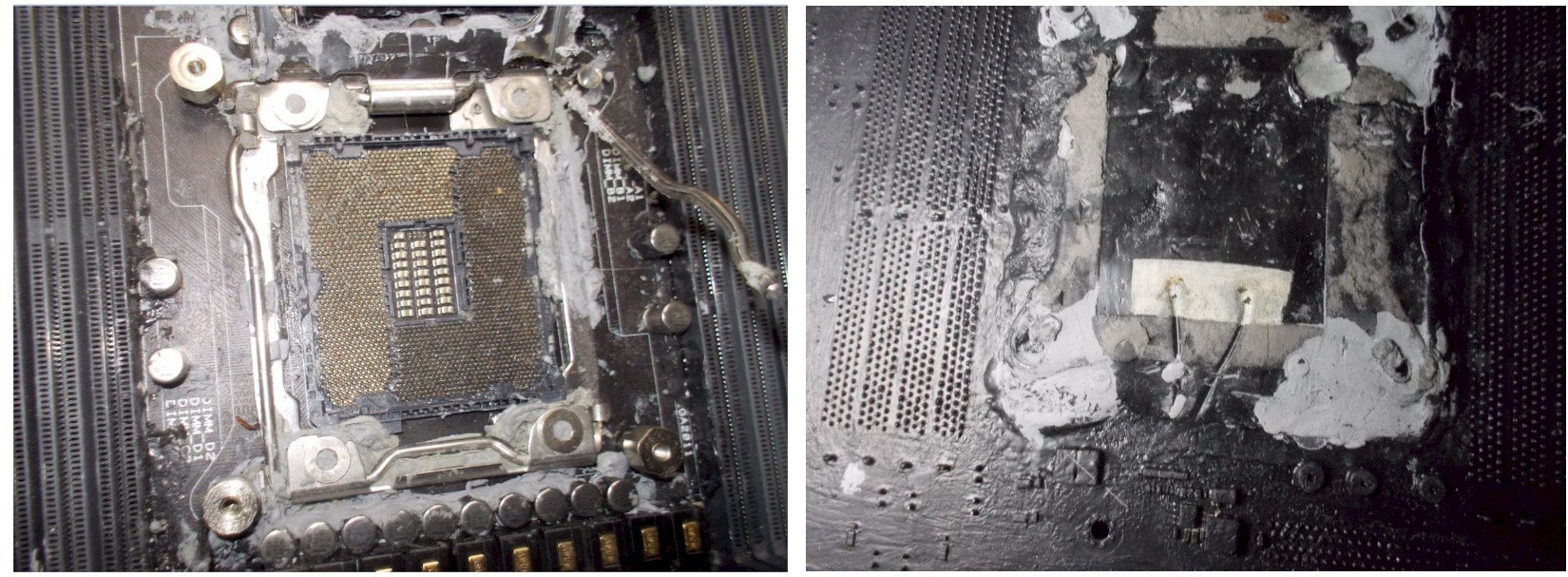
@Storm-Chaser ...part deux ...just snapped a few quick pics of an old Rampage Extreme Black Series / X79 I used for sub-zero. Remember, it has been collecting dust for years, so it ain't pretty... On the front, you still see some of the Vaseline in the socket even after several rounds of cleaning. The grey stuff is the eraser putty (not thermal paste). I used that around sturdier 'elevated' components such as around the CPU bracket assembly, also as there was additional insulation above with a final layer of LET on top of that (not shown as the CPU was removed). Especially with DiCE where you use acetone to draw down the cold to the bottom of the pot, there will be a lot of droplets flying out and acetone likes to eat some types of plastic, also best to wear goggles with DICE / acetone as opposed to LN2. On the right, you see the back of the mobo with the LET applied everywhere. And around the metal retaining bracket (elevated) for the CPU, I also used eraser putty again on top of the LET - and on top of that was another layer of LET (now 'off' as I took the back retention mechanism off). Insulating the back of the RAM is important, unless you can ensure 'no air' and have it all sitting on a thicker, softer piece of neoprene. BTW, if there's a diving equipment shop near you, they typically sell neoprene in big sheets or a roll as well.
-
Forums first comp: CPUz Benchmark
J7SC_Orion replied to Storm-Chaser's topic in Benchmarking General
I've used both eraser putty and LET - eraser putty works but I prefer LET because it is better at getting into all the little small spaces, especially w/o applying force (think tiny SMT caps)...it is also surprisingly easy to remove. Then again, for certain areas where things are flanged to the board such as the socket retention area, I used both. I take it your system itself is not in a 0F environment, but in a warmer spot (relatively speaking). The higher the differential between cooling medium and system ambient, the more you have to insulate, with humidity / dew point also added in. -
Forums first comp: CPUz Benchmark
J7SC_Orion replied to Storm-Chaser's topic in Benchmarking General
Underside of the CPU ? You mean the CPU itself, or the back of the socket ? When I did sub-zero HWBot, I filled the CPU socket itself with Vaseline, followed by a blast with a heat-gun (w/ enough distance) to have the Vaseline flow evenly throughout the socket, ie. LG2011. Typically that was for either DICE or LN2 though. The back of the mobo - including the back of the CPU socket - would get a full layer of LET / liquid electrical tape, ditto for the back of the RAM slots and VRMs. Now, if you don't plan to go much lower than say - 30 C or so and only do shorter runs, you can probably get away with less. I also used a phase cooler (-50C or so) for lighter runs, and for that did not do the LET on the back. Do you have a sheet of Neoprene you can put / snug underneath the mobo ? There shouldn't be any airflow (and thus humidity) getting underneath. Keep in mind that some mobos have a through-hole of the pcb to allow for temp probe sensors to be stuck through; if you're not using a temp probe, than cover it from the back. -
Forums first comp: CPUz Benchmark
J7SC_Orion replied to Storm-Chaser's topic in Benchmarking General
FYI regarding updates - of a different kind... While the newer AMD chipset drivers added a bit of performance, especially noticeable around single core, Microsoft took much of it away today (around 4 -11 single core depending on CPU). There was a wide-ranging patch update that hit not only Win 10 and AMD but also various of my Intel machines, including a few still on Win 7, as well as Win Server etc.