Welcome to ExtremeHW
Welcome to ExtremeHW, register to take part in our community, don't worry this is a simple FREE process that requires minimal information for you to signup.
Registered users can:
- Start new topics and reply to others.
- Show off your PC using our Rig Creator feature.
- Subscribe to topics and forums to get updates.
- Get your own profile page to customize.
- Send personal messages to other members.
- Take advantage of site exclusive features.
- Upgrade to Premium to unlock additional sites features.
J7SC_Orion
-
Posts
2,211 -
Joined
-
Last visited
-
Days Won
96 -
Feedback
0%
Content Type
Forums
Store
Events
Gallery
Profiles
Videos
Marketplace
Tutorials
Everything posted by J7SC_Orion
-
Forums first comp: CPUz Benchmark
J7SC_Orion replied to Storm-Chaser's topic in Benchmarking General
I think it is about steps for the 'slow score', not speed up, as far as I understood @Storm-Chaser 's post. In other news, re. the earlier posts in this thread on a stuck-open Koolance QD, I got the little o-ring out w/o damaging it and the QD is unstuck now and works great again...
-
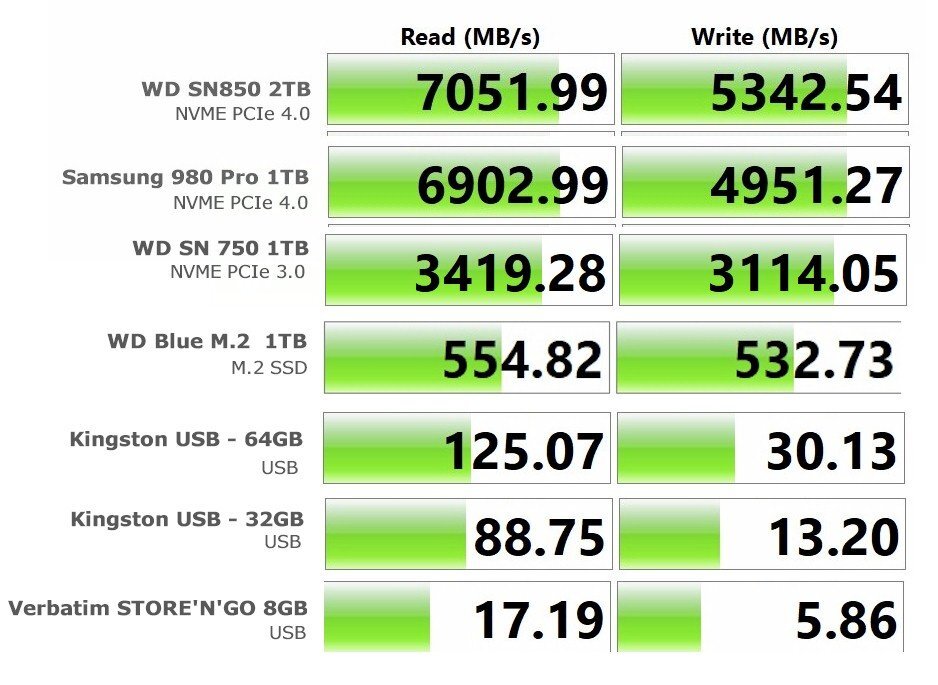
Final touches on Raven_A / _B included new USB sticks (including Type-C) and a USB-Type C dongle that allow for various other connectivity, apart from USB, such as 1Gbps networking, HDMI 4K/60, SD and Micro SD etc. Such peripherals can make life a lot easier as they're usually the slowest file storage. Here's an expanded table of the earlier PCIe 4.0 drives, this time with all the types of drives present in both Ravens' Nest builds / 4 mobos. FYI, the Verbatim Store'n'Go USB below is many years old and nearly full...but I still use it for smaller files. I'll add some 256 GB VR30 micro-SD speeds later, not least as it carries 5K photo and video files from the GoPro Hero10.
-
Forums first comp: CPUz Benchmark
J7SC_Orion replied to Storm-Chaser's topic in Benchmarking General
...slowing down is not the same as speeding up, but running Cinebench + Geekbench in a loop will put the foot on the brake a bit for CPU-Z -
Forums first comp: CPUz Benchmark
J7SC_Orion replied to Storm-Chaser's topic in Benchmarking General
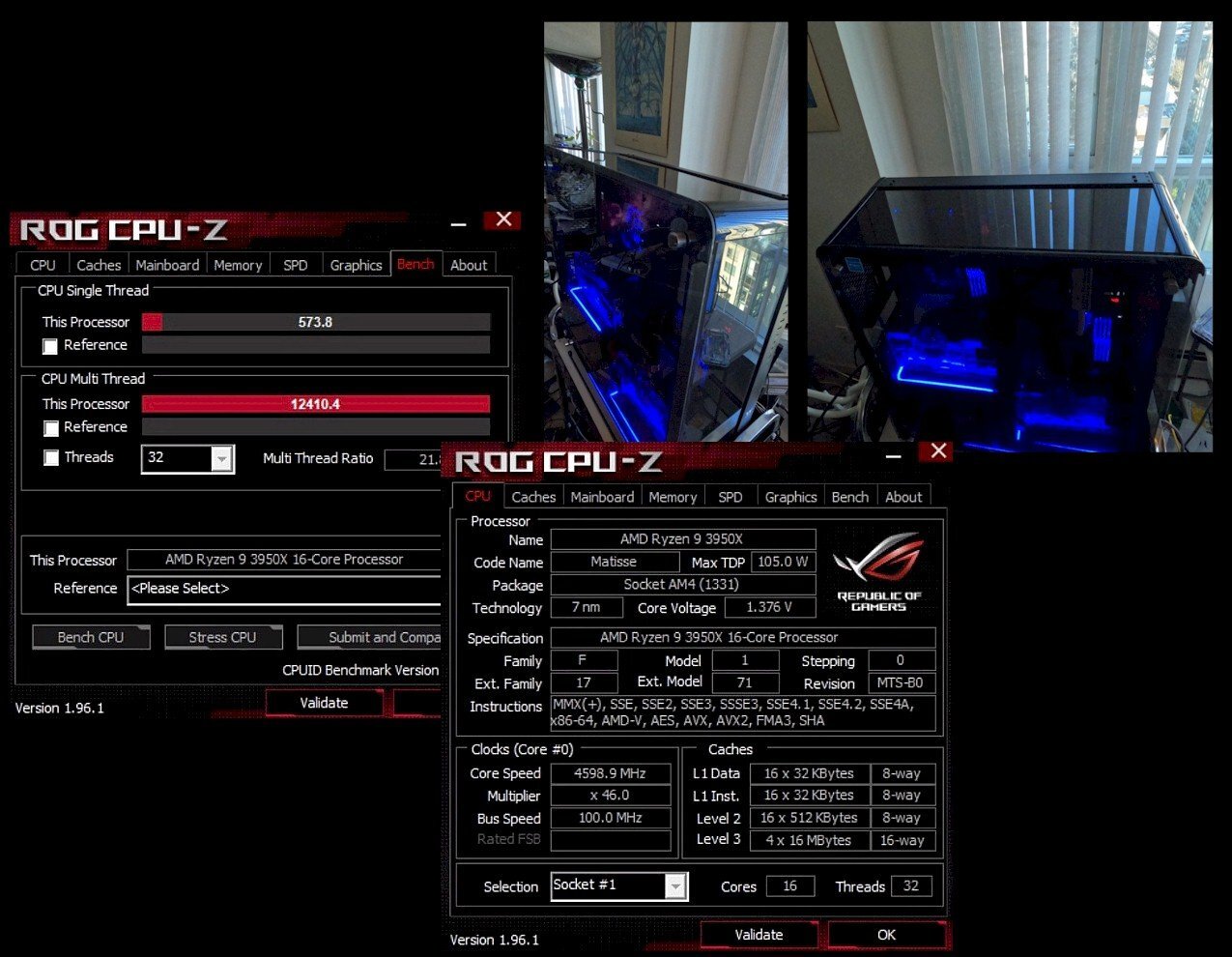
I re-ran the 3950X after I installed the chipset driver update. May be that was already mentioned here, but it turns out that Techpowerup has an even newer version > here than AMD offers ...works like a charm on the 3950X and will try later on the other Ryzens. @Storm-Chaser ...sorry for the extra work...the earlier one for the 3950X was from last April so I checked into the chipset driver updates. 3950X at 4.6 Giggles, 1.376 v-core --- single-core 573.8, multi-core 12410.4 --- Edit - 4.6 average, differential CCX speeds
-
Forums first comp: CPUz Benchmark
J7SC_Orion replied to Storm-Chaser's topic in Benchmarking General
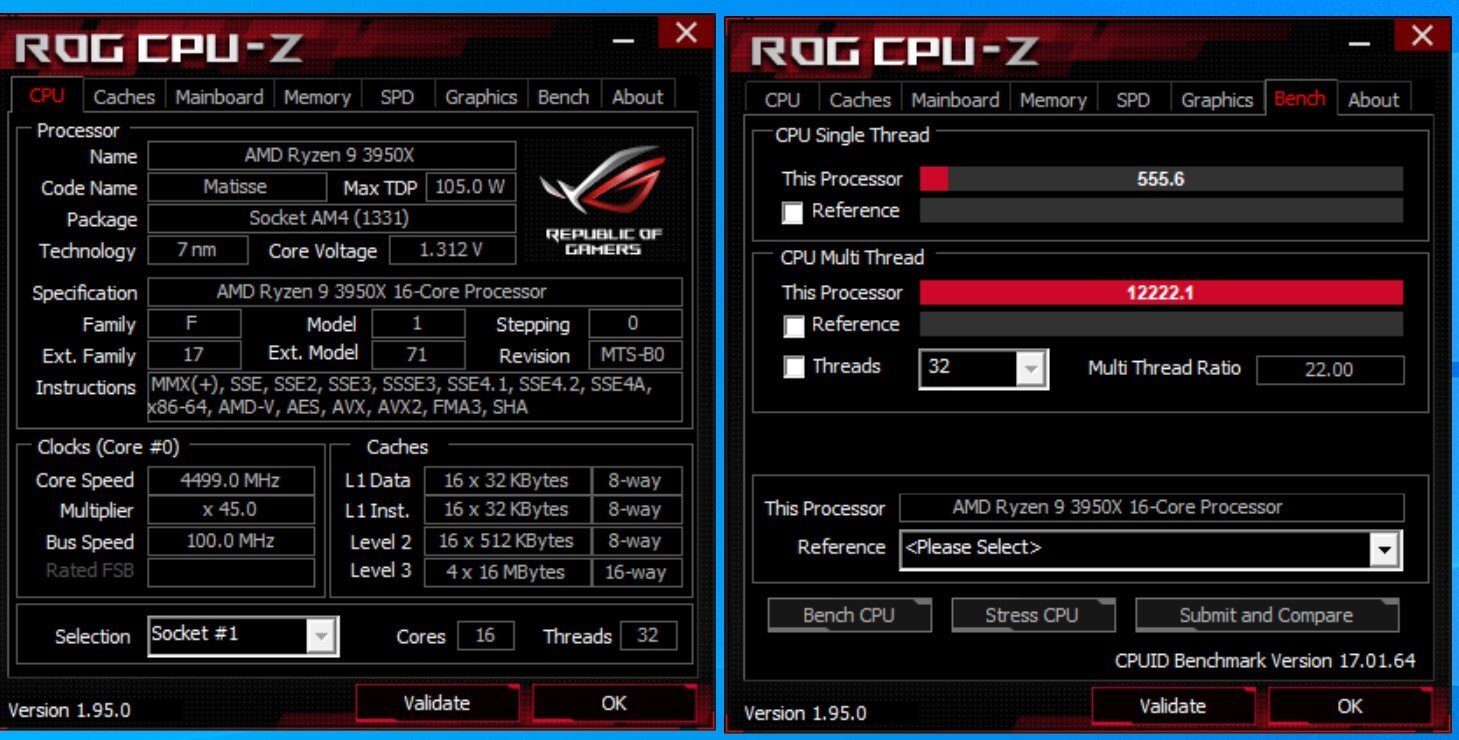
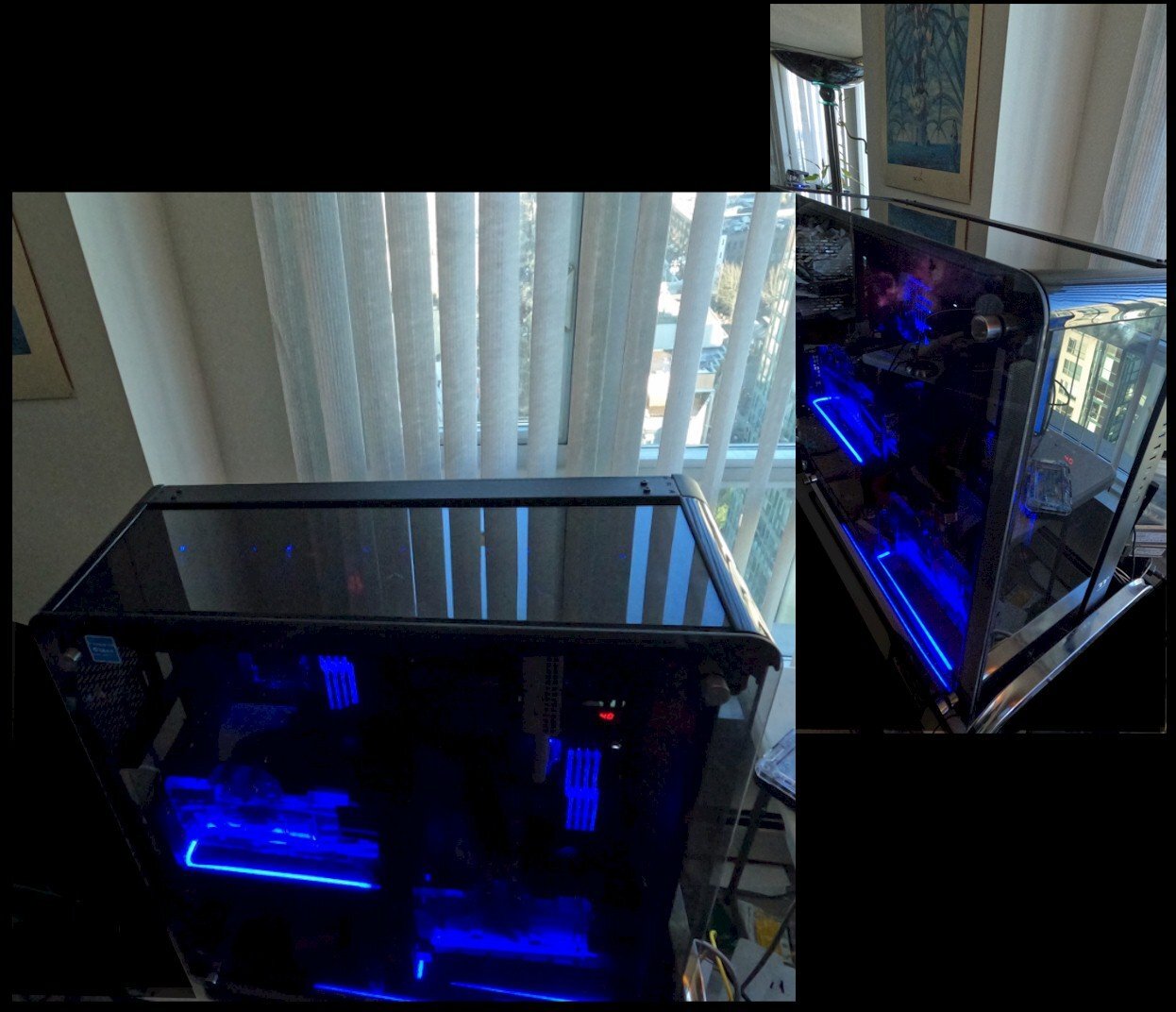
I came across this one from April '21 for the 3950X (yes, I'm very fond of 16c/32t procs as they're good work horses as well as playmates). It is now 1/2 of Raven_A (left half in spoiler below). CPU-Z single core 555.6 , multi-core 12222.1 --- AMD 3950X 16c/32t at 4.5 Ghz all-core / 1.312v
-
nvme Quick comparison of latest-gen drive speeds for M.2 and USB
J7SC_Orion posted a topic in Storage
After recently finishing new builds & updating existing ones (Raven_A with dual mobos, Raven_B with dual mobos), I tested out the read and write speeds of all the types of drives used in those builds via CrystalDiskMark. This is not meant as a benchmark thread, and no special drivers or optimizations were used, just the ones that come with Windows 10 Pro - just plug each one into an Asus X570 Dark hero mobo and see what happens. FYI, the last entry (ancient Verbatim USB drive) has been i use for about five years or so, and the new Kingston 64GB USB was connected via USB Type-C dongle with USB 3.0 interface that also has a 1Gbps network connection and HDMI 4K / 60. While not as 'sexy' as hi-po CPUs and GPUs, fixed drives and mobile USBs really can make a big difference when transferring files between physically different locations...with a new camera that has a 256 GB / VR30 Micro SD card, having the ability to read from and write to everything relatively fast puts the finishing touches on the Raven builds. Comments welcome !
-
Forums first comp: CPUz Benchmark
J7SC_Orion replied to Storm-Chaser's topic in Benchmarking General
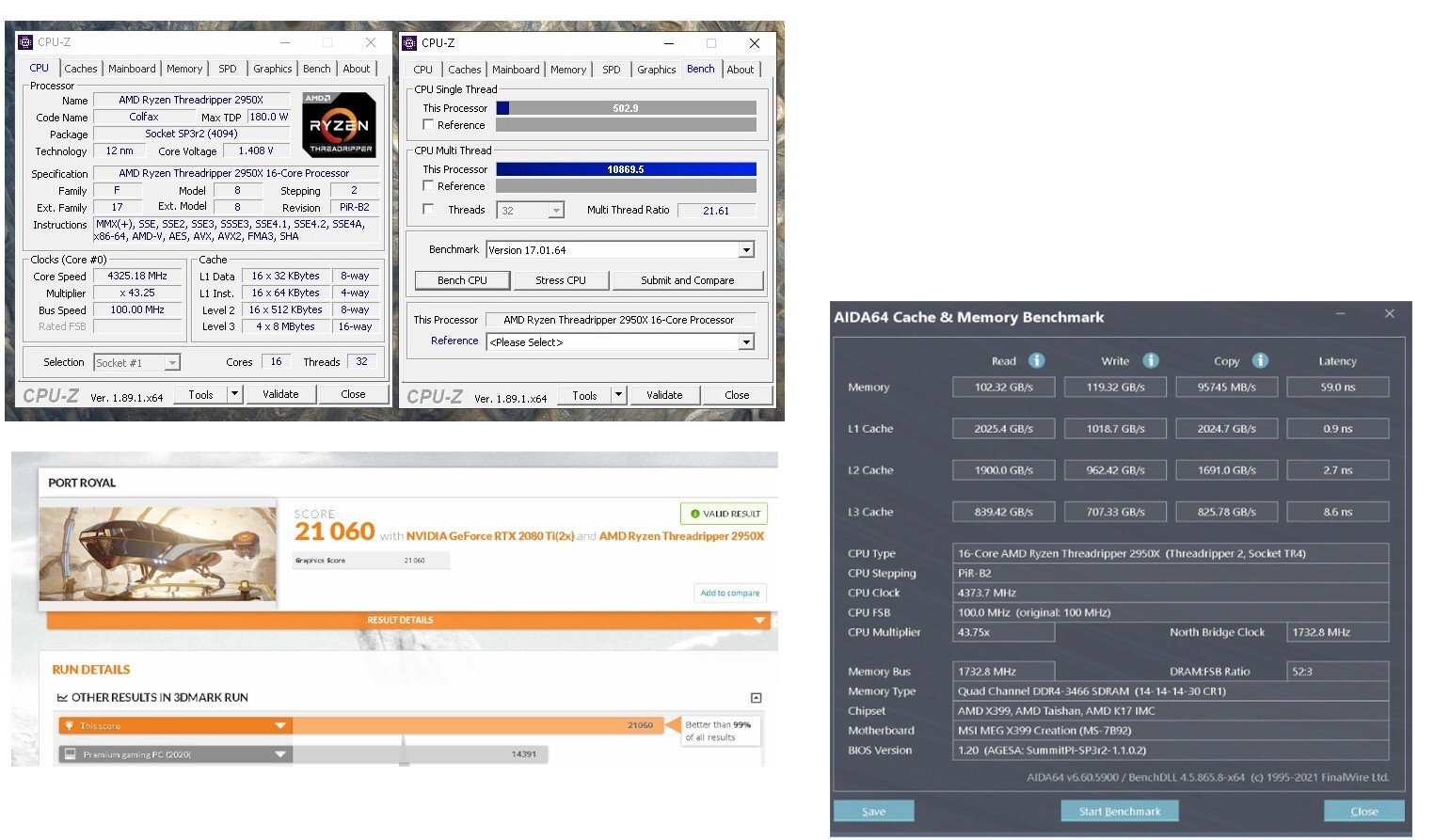
...additional sub for the 'regular' (non-slo-mo) bench ...a run from the fall '19 of my trusty 2950X Threadripper...still gets down the highway at a decent clip now, does great in NVLink 3D and even stepped in to heat our bedroom recently when the heat went off w/ -12 C outside...coz it is a bit of a 'pig on gas watts' CPUz ..single core 502.9, multi-core 10869.5 --- 2950x at 4325 Mhz all-c (16c/32t)and load core-v at 1.3625v
-
I'm hoping to also see some news about the 'bigger brother' HEDT version (successor to 10980XE so to speak) which should have a lot more P and E cores, plus at least '8'-channel DDR5...and the next-gen Epyc (and AM5 based Threadrippers?) apparently get '12'-channel DDR5, and up to 96 cores per CPU
-
Forums first comp: CPUz Benchmark
J7SC_Orion replied to Storm-Chaser's topic in Benchmarking General
Nice ! - and in 'proper' windows (w/o VM?), this seems to be where your 3960X could land:
-
Forums first comp: CPUz Benchmark
J7SC_Orion replied to Storm-Chaser's topic in Benchmarking General
...What I really would like to see is a latest version of the fastest AMD dual-Epyc server with 128c/256t / Ryzen 5k architecture -
Forums first comp: CPUz Benchmark
J7SC_Orion replied to Storm-Chaser's topic in Benchmarking General
Nice single-core ! -
...haven't specifically cut acrylic tubing with it but I've used the Dremel tool with great results on other acrylic bits (and of course copper tubing, other metals and other plastics). It makes very clean cuts...
-
Forums first comp: CPUz Benchmark
J7SC_Orion replied to Storm-Chaser's topic in Benchmarking General
...I'm ready !
-
pcworld Intel’s Arc GPUs arrive to fill in the gaps
J7SC_Orion replied to ENTERPRISE's topic in Hardware News
I hope they'll bring out an '8-tile' Hi-Po desktop version and show NVidia where to stuff it... -
Forums first comp: CPUz Benchmark
J7SC_Orion replied to Storm-Chaser's topic in Benchmarking General
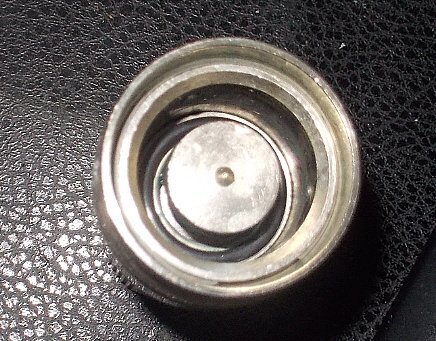
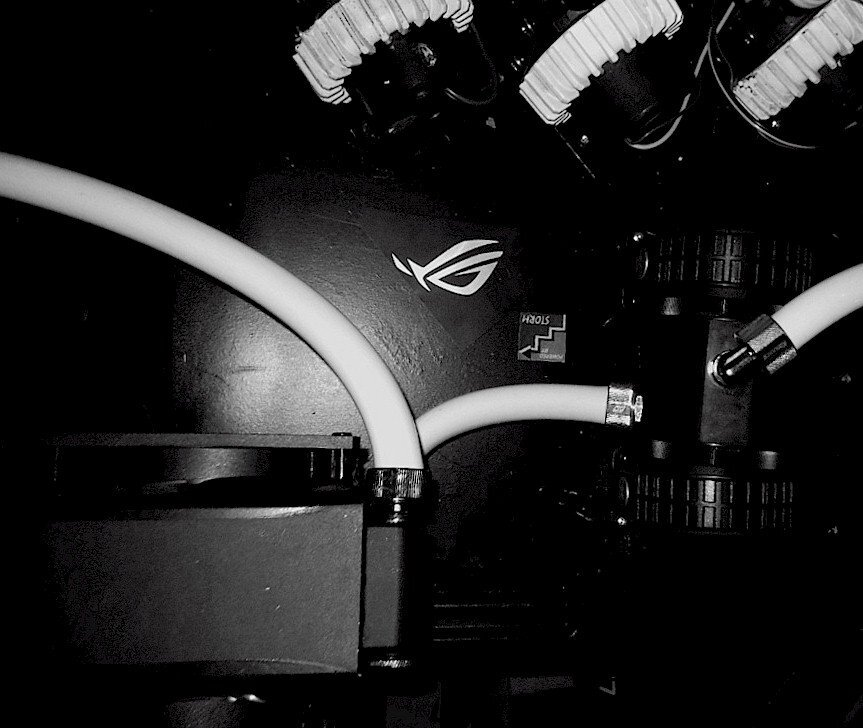
Good thing you folks brought that up - it solved a mystery for me ... I use the QD4s, and I recently had one of the female ends' valve stuck open (still is, per pic below). Said QD was from ~2013 but had always worked great, like all the other Koolance QDs I have. In its defense, I opened it all up because I noticed that that particular loop's liquid was getting 'milky' in the reservoir for a Threadripper CPU loop - upon further inspection and taking everything apart, the micro-fin plate inside the nickel-copper Heatkiller IV Pro had started to lose its nickel plating (!!) and particulates had built up right where the QD4 in question was connected to the tubing. Likely, the nickel particulates that floated in the loop at least contributed to the QD4 getting stuck... As to the mystery, I couldn't find the relevant o-ring...I had lost one once before so no spares and I looked everywhere, including inside the QD...but it wasn't until I used the stronger camera flash just now that I found the o-ring > stuck inside & hiding... I also have a pile (16+) of Swiftech QDs for almost a decade now...never had one of those stuck open, but they're much less substantial and ALWAYS leak when opened up in a filled loop. For now at least, Koolance QDs are still my go-to...
-
Forums first comp: CPUz Benchmark
J7SC_Orion replied to Storm-Chaser's topic in Benchmarking General
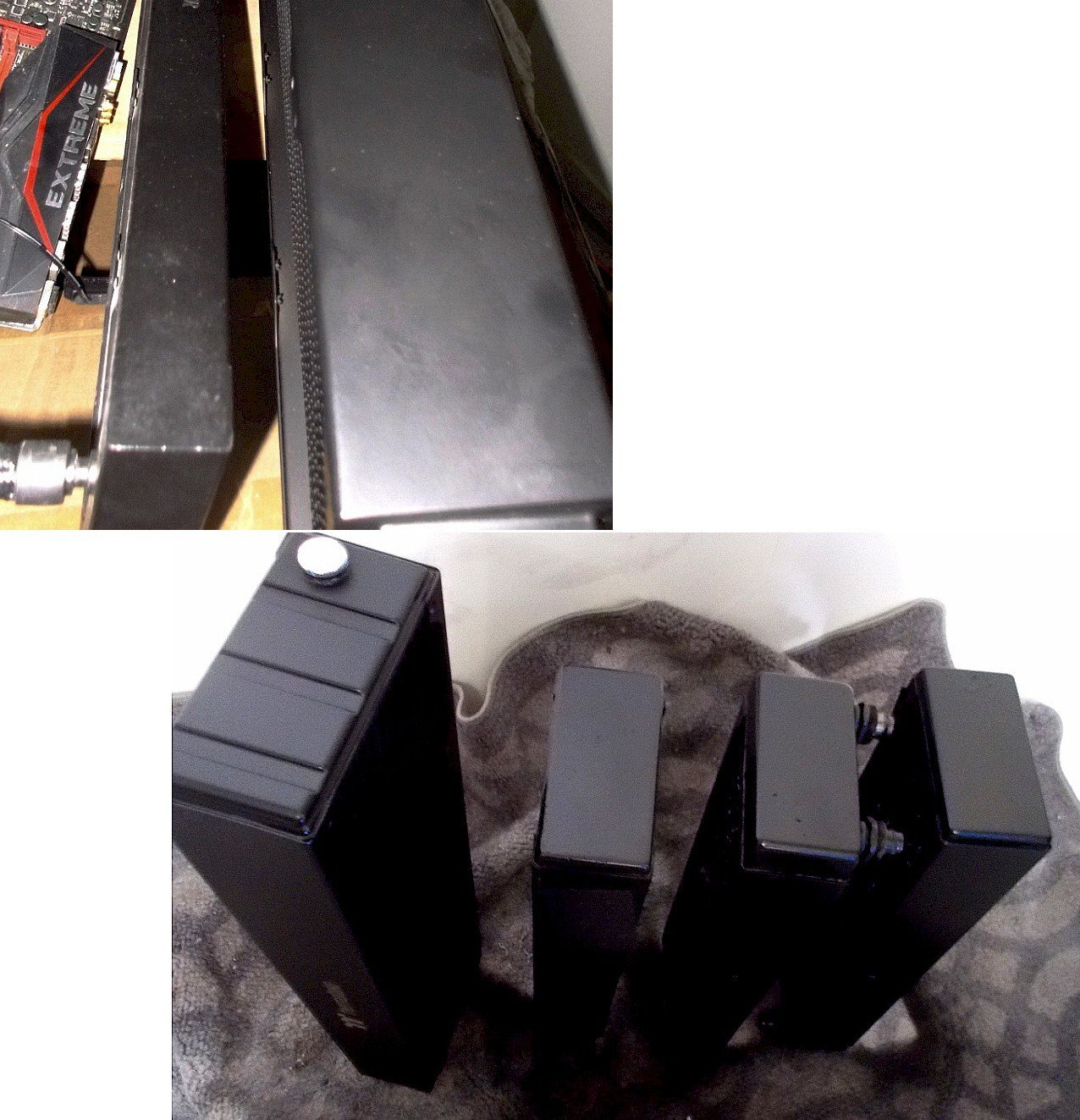
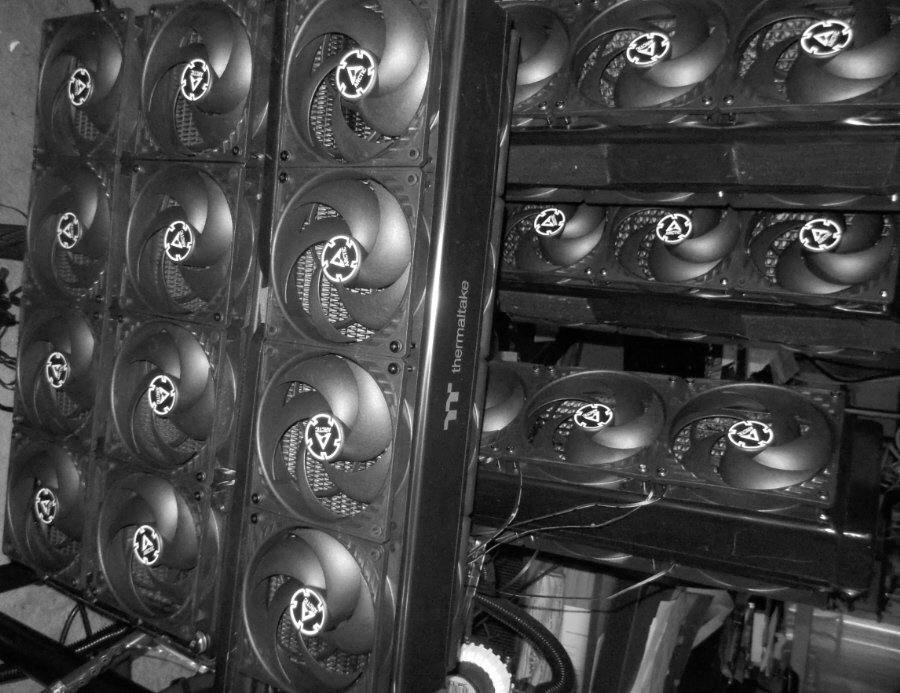
Tx...with all the latest CPUs and GPUs having boost algorithms w/ temp as one of the major constraints, with big cooling, it's like taking candy from a baby. With good QDs such as those OD4s from Koolance, you also get way more options to arrange builds, apart from keeping additional heat out of the 'cases'. I actually save space this way while getting great, near-silent cooling at my work and entertainment stations. In a decade or so with custom cooling, I've built up a nice pantry of rads and pumps I re-use (after thorough cleaning)....for the dual-mobo Raven_A, less than half of the w-cooling peripherals were new. Needless to add that it's not just about length of a rad, but also how many cores it has and what materials are used...in the upper pic below, the smaller rad is an aluminum 360 single core rad from a Corsair 360 150i pro - actually a decent AIO - but the rad next to it is a triple core copper/brass 480x64 > far, far higher performance and very little 'noise'. The other custom 360s in the lower pic are XSPC RX 360x60s dual core copper/brass, my standard go-to rads for almost a decade. MoRas would also be nice, but I prefer the divisibility of my w-cooling setup re. mixing, matching and redeploying cooling peripherals for different systems.
-
As mentioned, Raven_A and Raven_B are work-play combos in my home-office, in addition to some light-duty and back-up servers located here with fixed IPs. That setup became really important in the ongoing pandemic... With that in mind, I am now at the limit what my routers and switches are rated for (btw wifi is turned off, everything via Cat7). The actual building infrastructure can offer up to 10 Gbps with some additional equipment to be installed here, and 2.5Gbps with just a phone call...but while the two mobos in Raven_A have dual network ports (including 2.5 Gbps), I'll need to upgrade the routers and switches which are all 1 Gbps. For now though, 1 Gbps up/down with low ping and jitter is decent enough.
-
Forums first comp: CPUz Benchmark
J7SC_Orion replied to Storm-Chaser's topic in Benchmarking General
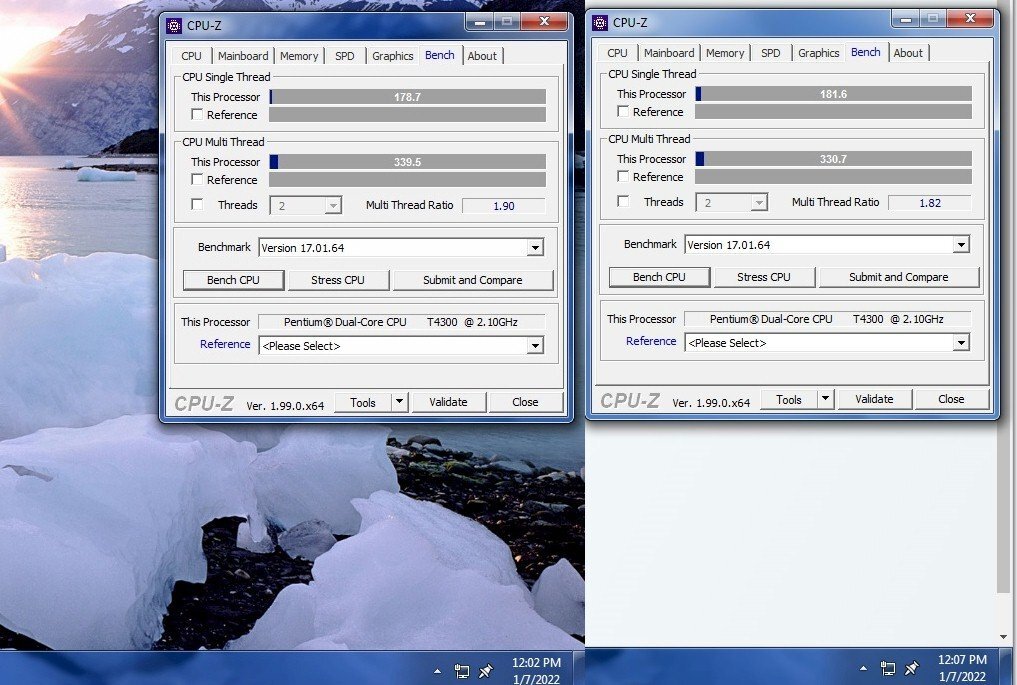
I love running older rigs as well (within reason, which incidentally excludes the T4300 @ 2.1 Ghz laptop below ) ...my fav oldie is 'Crazy Horse', a 6c/12t quad-channel 4960X ES chip in an Asus X79-E WS mobo and 64GB of DDR3 2400...I call it Crazy Horse as that engineering sample does 4.9 GHz at less than the stock TDP, yet also has one core which will always report well-below ambient temp at idle and light tasks. It gets in line at full load, though. As long as an older rig has plenty of for-its-day fast RAM and a SSD, I can live with it for a short while / light tasks. @Storm-Chaser ...slowest two runs for the ''speedster'' below, but I can slow the T4300 at 2.1 Ghz thing down more, if needed...
-
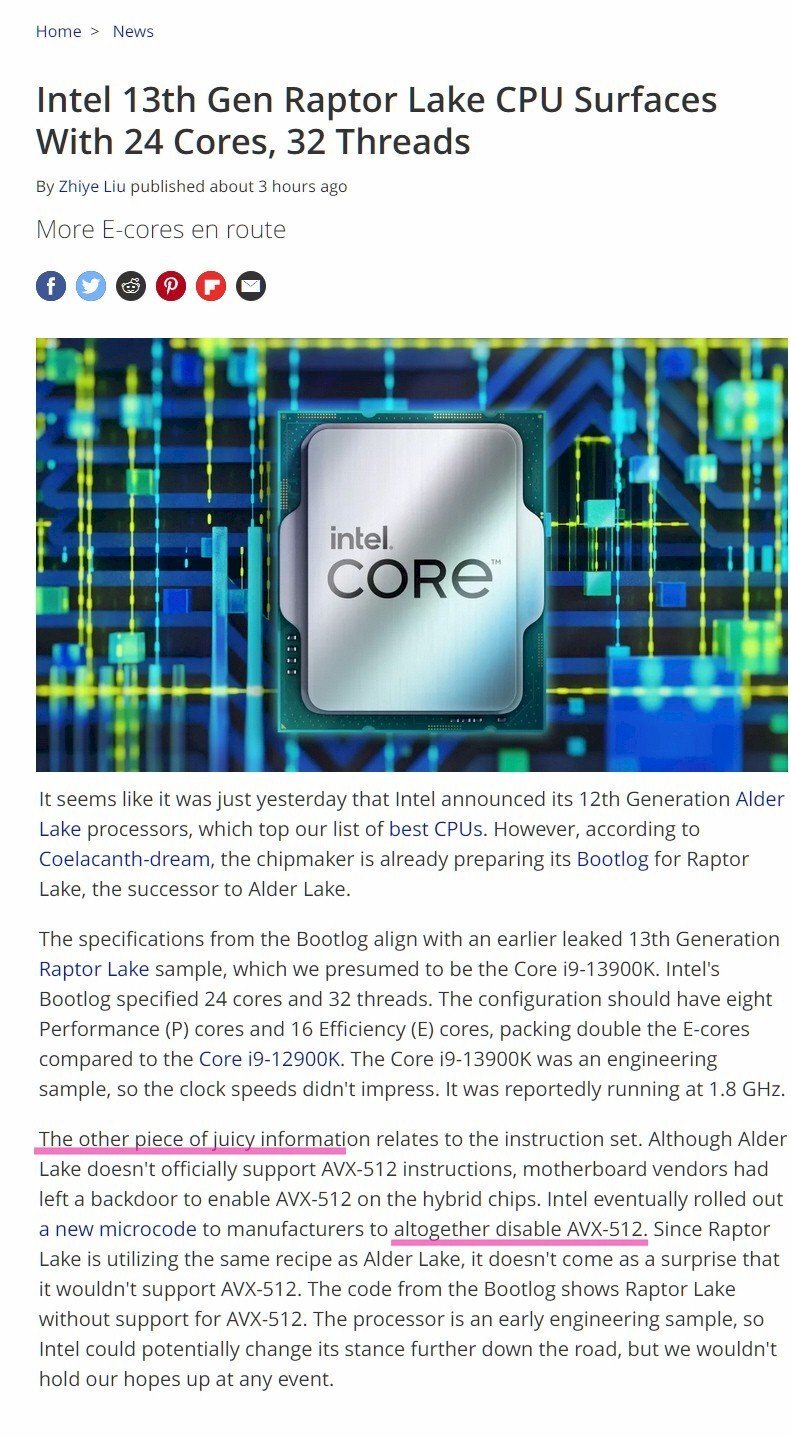
Intel 13th Gen Raptor Lake CPU Surfaces With 24 Cores, 32 Threads 13900K 'ES' spotted... 8 P + 24 E cores, but no AVX512 (which is a good thing) source
-
...and we're not out of Merlot yet
-
...'this and that' - needed a new coffee mug (the old one capitulated ...), some Sumatra-roast Starbucks coffee, and some Merlot to wait out the wind storm that's raging outside. Also: A specialized screwdriver set for cell phones and tiny cameras...I can't believe the size of some of those screws, but I actually managed to take the camera apart to place a new akku.
-
Forums first comp: CPUz Benchmark
J7SC_Orion replied to Storm-Chaser's topic in Benchmarking General
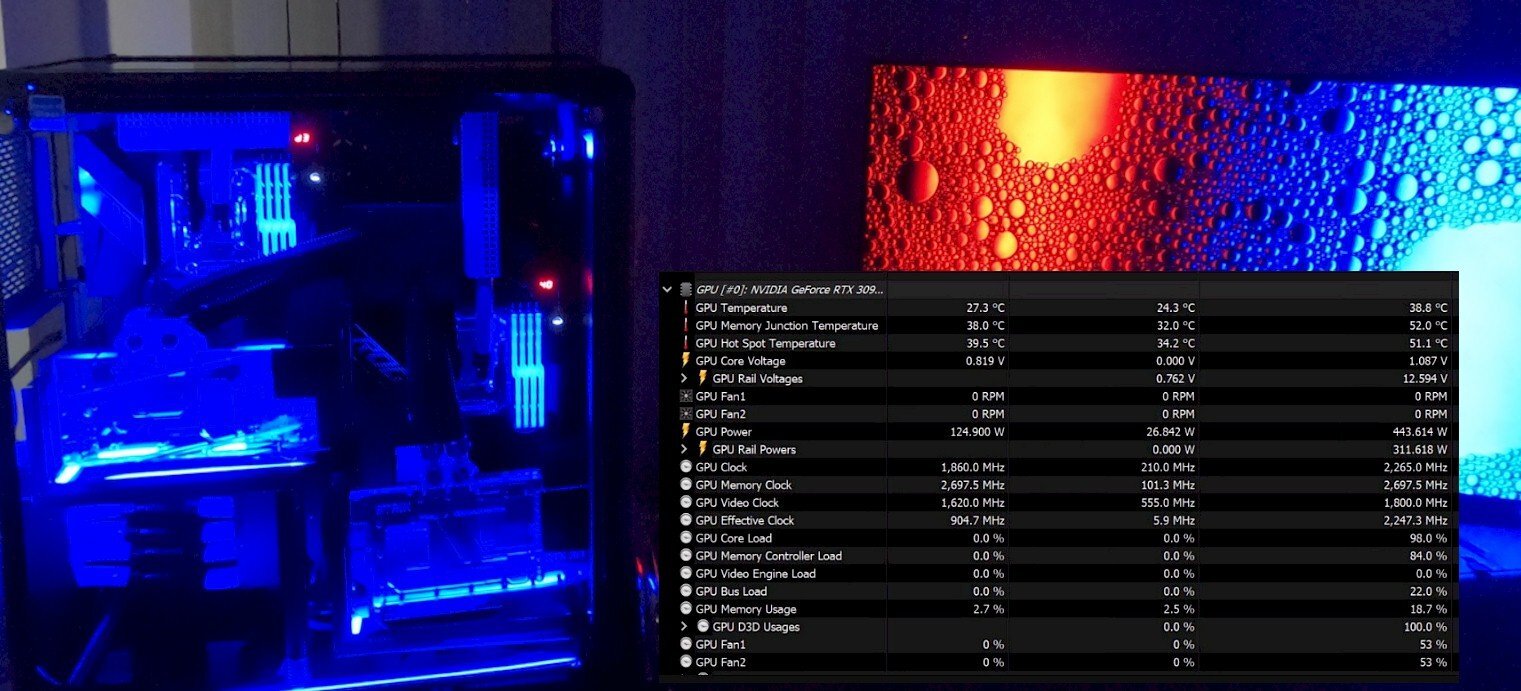
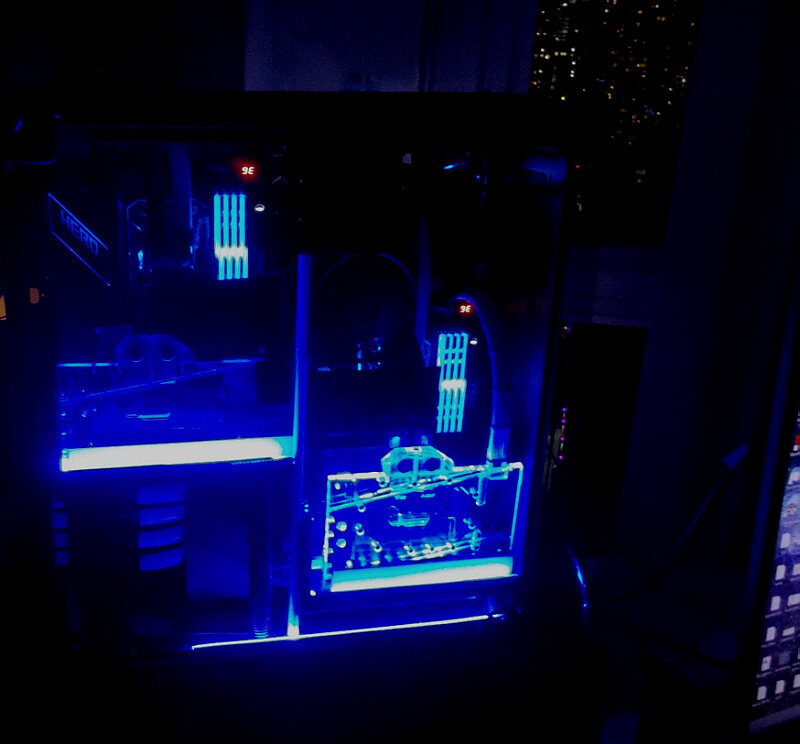
My 'Raven_A' dual mobo build has a separate cooling table, with total cooling area of 2520mm x 63mm. Of that, the 5950X gets 1320mm x 63mm dual and triple-core rads w/ push-pull fans and triple D5s (which I had to slow down due to cavitation...). The 5950X stays in the 70 C max w/ that on high-speed runs like above, else it is usually low 60s. Zen 2+ and Zen3 have boost algorithms that react very well to even a small decrease in temps. Unlike all that modding and tuning I did on earlier-gen CPUs during my HWBot days, I find Zen3 is best served with all the right bios options tuned on, and then given really good cooling - but not much else. Bonus: RTX 3090 Strix, with similar boost algo-to-temp parameters, loves that cooling setup too
-
Forums first comp: CPUz Benchmark
J7SC_Orion replied to Storm-Chaser's topic in Benchmarking General
...and here I thought it was about going fast ...I better dig up that ancient laptop tomorrow... -
Forums first comp: CPUz Benchmark
J7SC_Orion replied to Storm-Chaser's topic in Benchmarking General
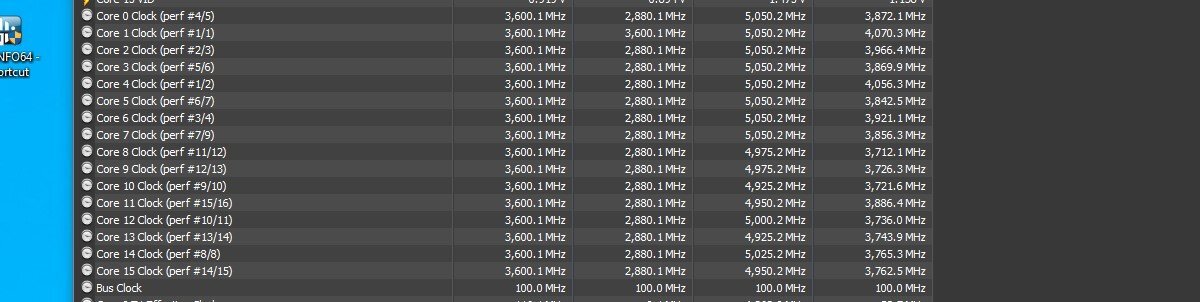
...4.8 Ghz across all cores / both CCX / SMT on. V-Core was 1.3625v afair (my limit on water), ambient was about 17 C, mobo is the Asus Dark Hero w/ PBO, OC3, fMax and DynamicOC enabled. I've never done CO curves, CTR, or Hydra on this chip, but it is a good sample, with 4.8 GHz the most I could get out of the weaker CCX at that voltage. HWInfo excerpt shows per-core (obviously not all at the same time). I know I broke 700 CPU-Z single core but can't find the screenie right now.
-
Forums first comp: CPUz Benchmark
J7SC_Orion replied to Storm-Chaser's topic in Benchmarking General
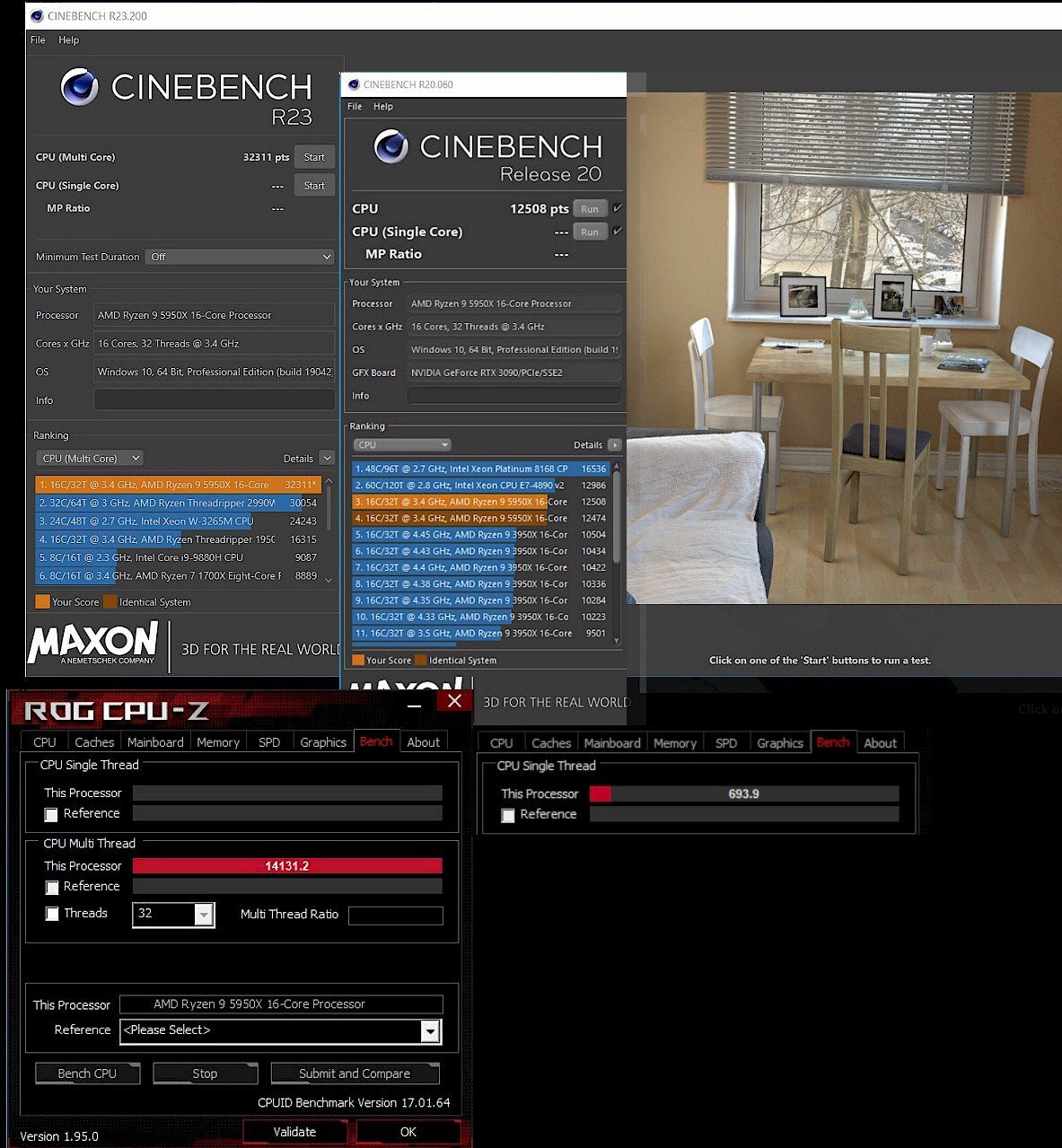
CPU-Z in the lower plain in pic, below Cinebench... CPU-Z multi-c = 14131.2 , single-c = 693.9 --- AMD 5950X @ 4.8 giggles 16c/32t