Welcome to ExtremeHW
Welcome to ExtremeHW, register to take part in our community, don't worry this is a simple FREE process that requires minimal information for you to signup.
Registered users can:
- Start new topics and reply to others.
- Show off your PC using our Rig Creator feature.
- Subscribe to topics and forums to get updates.
- Get your own profile page to customize.
- Send personal messages to other members.
- Take advantage of site exclusive features.
- Upgrade to Premium to unlock additional sites features.

pio
-
Posts
1,780 -
Joined
-
Last visited
-
Days Won
109 -
Feedback
0%
Content Type
Forums
Store
Events
Gallery
Profiles
Videos
Marketplace
Tutorials
Everything posted by pio
-
-

the fps review Windows 12 Development Reportedly Starting Next Month
pio replied to ENTERPRISE's topic in Rumour Mill
With how they've been going on Windows 10 and 11, I'll switch to Linux. No thx. -
If it can get on facebook and twitter........then yes, the mindless masses will eat it up regardless. Sad state of affairs when OS installs are now at the point of being dumbed down and requires an internet connection just so it can phone home to Microsoft. Edit: Corrected my accidental misspellings of certain companies.
-
My GSkill kit of 3600 has a TRC of 88. I recall seeing a couple other of the sub timings well over 100 as well. Sorry, I'd have to reboot to check for sure, but TRC is definitely 88 on mine. Your bandwidth and speed seem to be on par (actually you're beating my sig rig). OLOY just takes IC's from Micron, Samsung, or Hynix and just puts their name on the heatspreaders. It's the same RAM as any other brand with those IC's. GSkill doesn't make RAM either, they assemble RAM. Same thing OLOY does. The biggest difference SHOULD be warranty / support and looks. Now, back in the DDR1 days there was a formula you could follow. IIRC TRC = RAS+RP / TRFC = TRC + RCD, or something along those lines. Was the same formula for DDR2, and I thought DDR3 too. DDR4 seems to have significantly looser sub timings. Anyway, what I'm getting at here is that those formula's don't seem to work with DDR4. I'm sure somebody has written up proper formulas to calculate DDR4 sub timings, but alas, I don't know them.
-
@ENTERPRISEI feel this should be moved to the new Amateur Reviews section too, no?
-
That's nice. Still don't care, not my problem. Newegg needs to do a lot more than extend their "hassle free return policy". I want to see policy updates or incentive program updates, whatever it was that caused employees to do these kind of shady things. I want to see a resolution to the root of the problem, not a bandaid on a broken arm. Until then, I'll keep my money away from them.
-
They messed around, and now they're about to find out is how I'm viewing this. Inb4 Newegg Tigerdirect's themselves up.
-
Of course they will. The games that they already have go through the MS accounts. Minecraft you can't even use your old Mojang account anymore, they make you convert to a MS account now.
-
Interviewing the Forum: How and why did you begin using folding@home?
pio replied to damric's topic in Folding@Home
Nah, I don't remember morty running things, it was definitely you when I personally joined the folding community over there. I think morty was still around at the time though. -
No I haven't gotten to that one yet. This was the one that already had flat caps on it, the NF400 board with XP-2500+ in it. I was able to install Windows and boot off a drive on it on the bench, with just the one drive connected. It's got to be something stupid like the IDE to SATA adapters being funky or something.
-
I'm still having issues getting my Socket A rig running. Got the thing to POST last weekend, but half my drives weren't showing in BIOS. Tried futzing with the drives to get them to be recognized and now it won't POST again. -_-
-
So time to switch to Linux? Yeah, time to switch to Linux. I voluntarily sign into my MS account right now for the purpose of using OneDrive, which I don't really WANT to use anyway. I still use a local account on my computers. I WILL NOT sign into my email just to use a computer. Period.
-
We just have vastly different view points on some things, and that's perfectly okay! We are products of our environments afterall. Amateur review section is a fantastic idea, and I will gladly agree and back you up with that motion. Like I always said when we had our scuffles off the site, we can always agree to disagree and move on. Believe it or not UltraMega, I do value your input. Even if it doesn't seem like it sometimes. Thanks E! I had a lot of fun writing it. If we had an amateur review section dedicated for these kind of things, I'd happily write more of them for other products I might buy. Of course I wouldn't review the junk I buy, but anything I buy brand new, I'd review on the site if it was tech related.
-
I think that's a wonderful idea!
-
I had some G92's that caught on fire with a driver update. Whole fleet of the stupid things, think there was like 8 of them that fried in my house. That count? Ironically my eVGA 8800GTS 512 KO that was in my main rig at the time was the only one that lived. Kind of a whiskey tango foxtrot there, but that was years ago. Had several cards recently come broken, DOA, shipped in freaking bags without packing......but nothing manufacturer's fault lately.
-
Okay, all edits are done. Review finalized. Hope you guys enjoy. If anybody is looking for how to test power output, or if they're looking to build / buy a passive subwoofer. This review might come in handy.
-
Interviewing the Forum: How and why did you begin using folding@home?
pio replied to damric's topic in Folding@Home
I started because I wanted that cool badge that Zodac was handing out over at OCN. Had to have been like 2008 or so. Got my badge, quit the folding. I figure Stanford University has enough scientists and actual equipment on hand, they don't NEED my personal machines to run for them. So I don't do it for that reason, although if you're into virtue signaling.....hey, I'm helping to find a cure for cancer and covid right? Joined up here at EHW ONLY because @BWG kept bugging me on Steam to join the forum and fold to help grow the team here. Finally, one day, he convinced me after several months of bugging me. Little did I know what I was signing up for here at EHW........ Now, I have my folding rig going 24/7 for the team. It's not much, but its something. Was able to guesstimate that a 290x would do better than a 580, and somehow it did. So that helped me to climb the ranks a little bit I guess. The only reason its still going is because I each and every one of you here at EHW, and I want to see EHW grow and become what we all know forums can be. A great place for learning, and a community of like minded people on the pursuit of performance and enjoyment. -
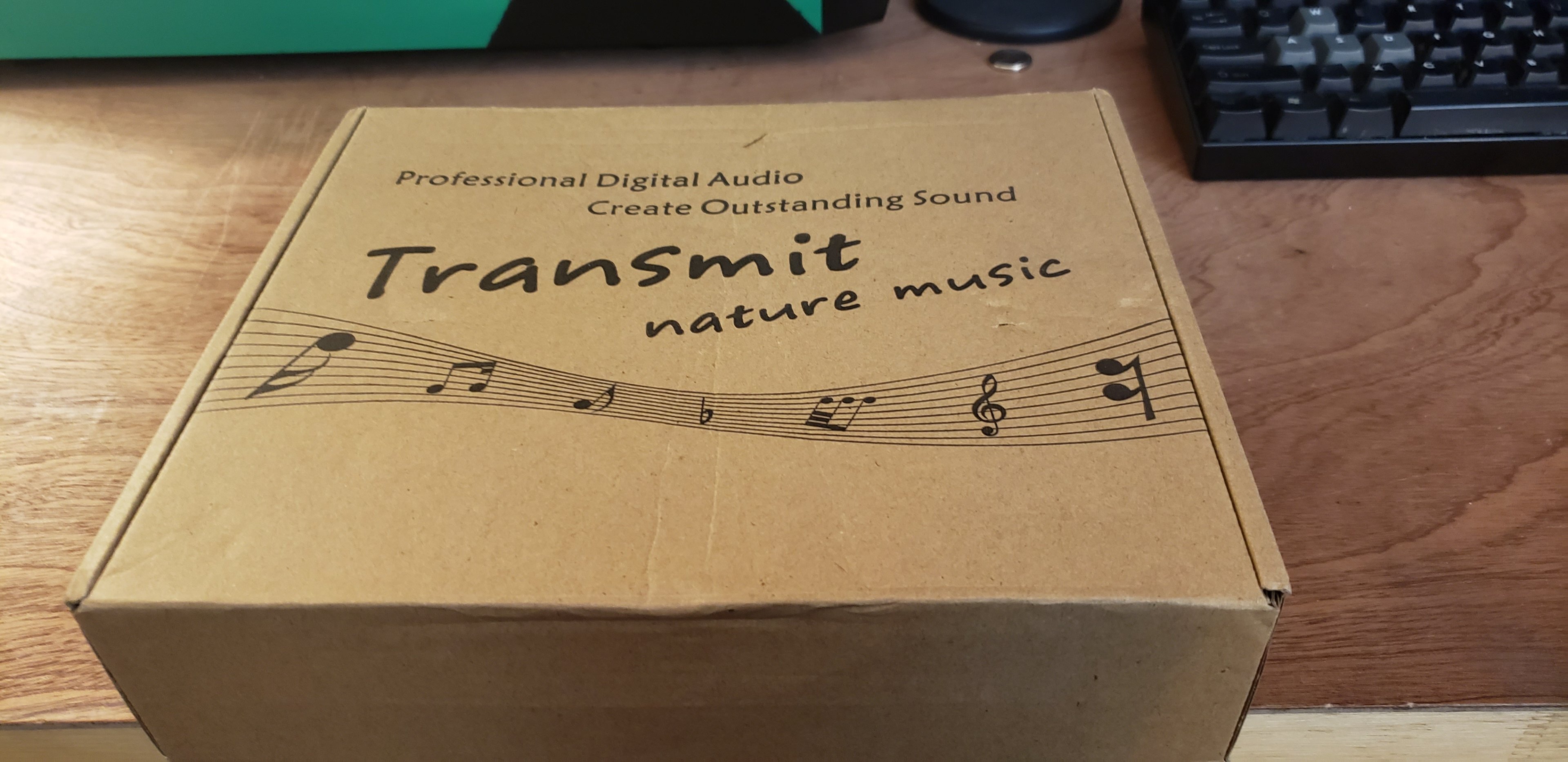
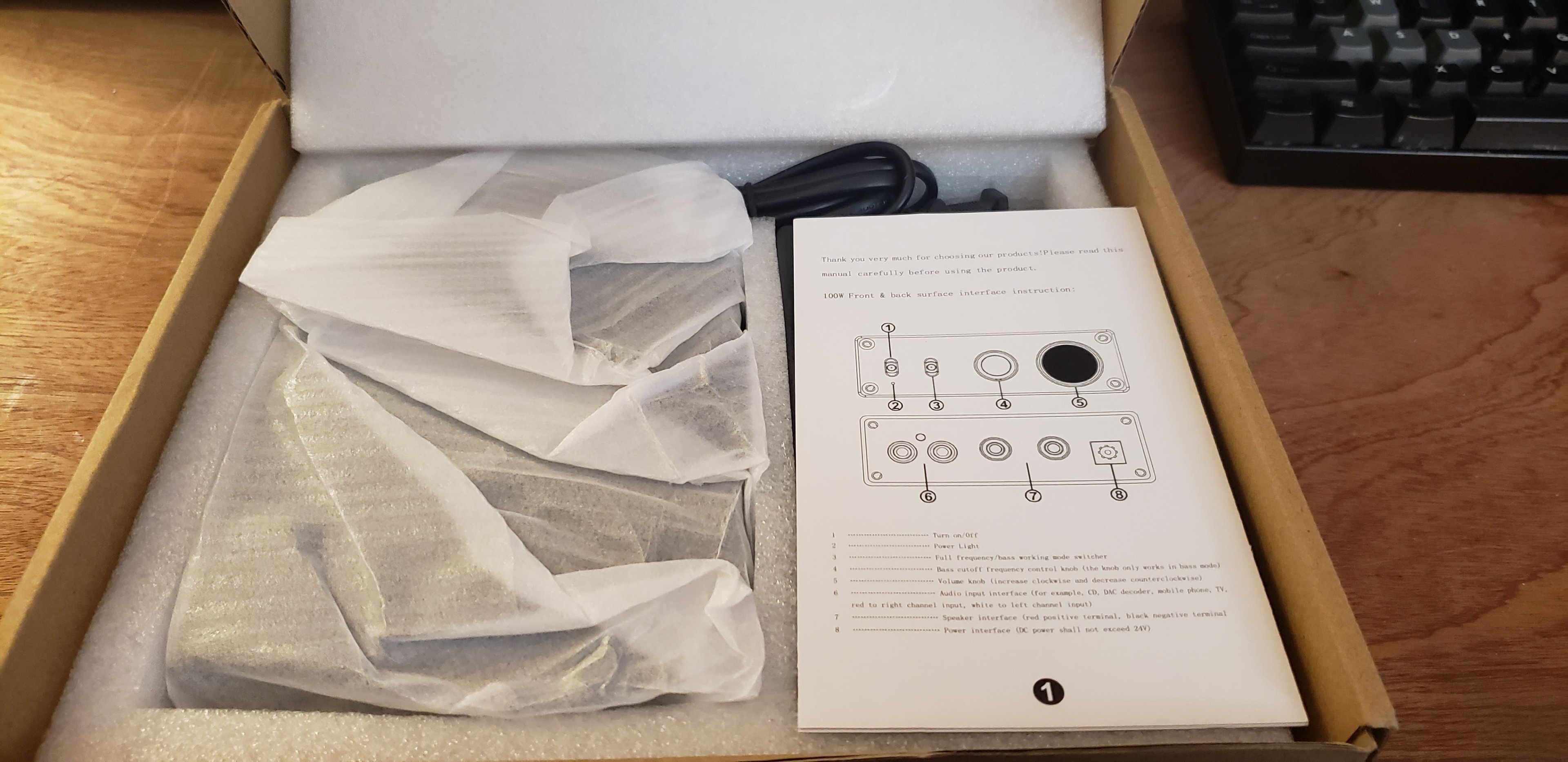
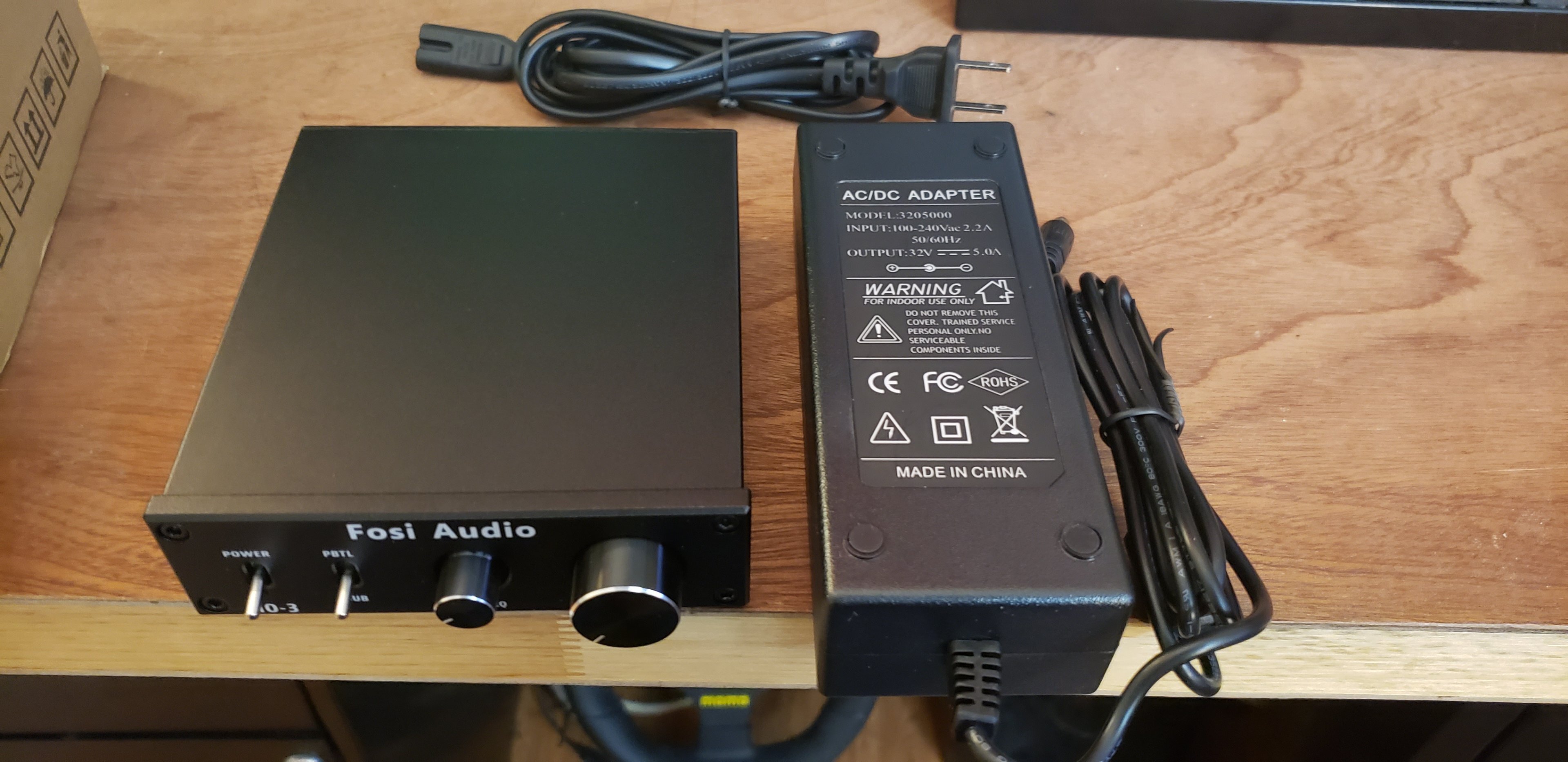
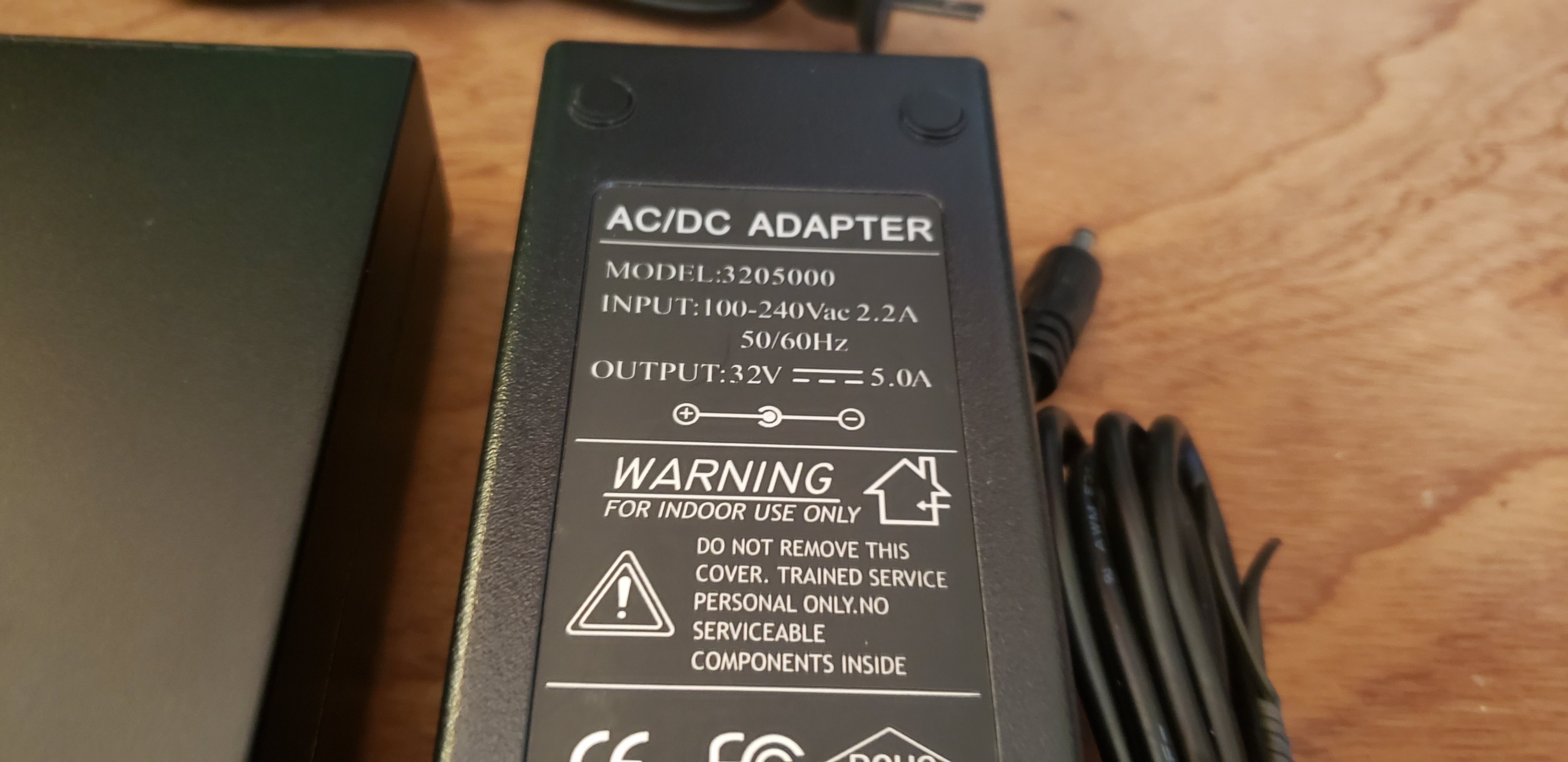
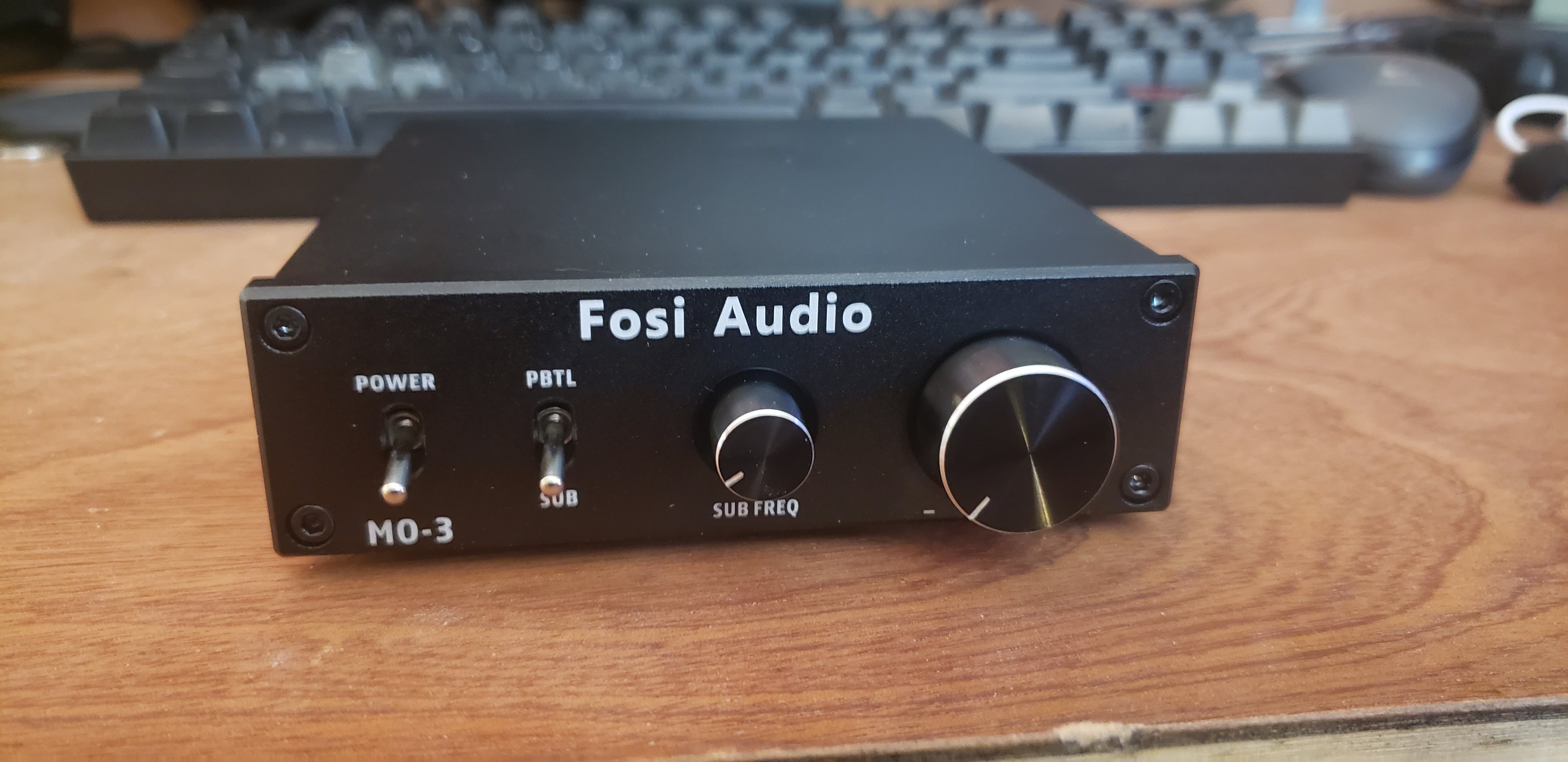
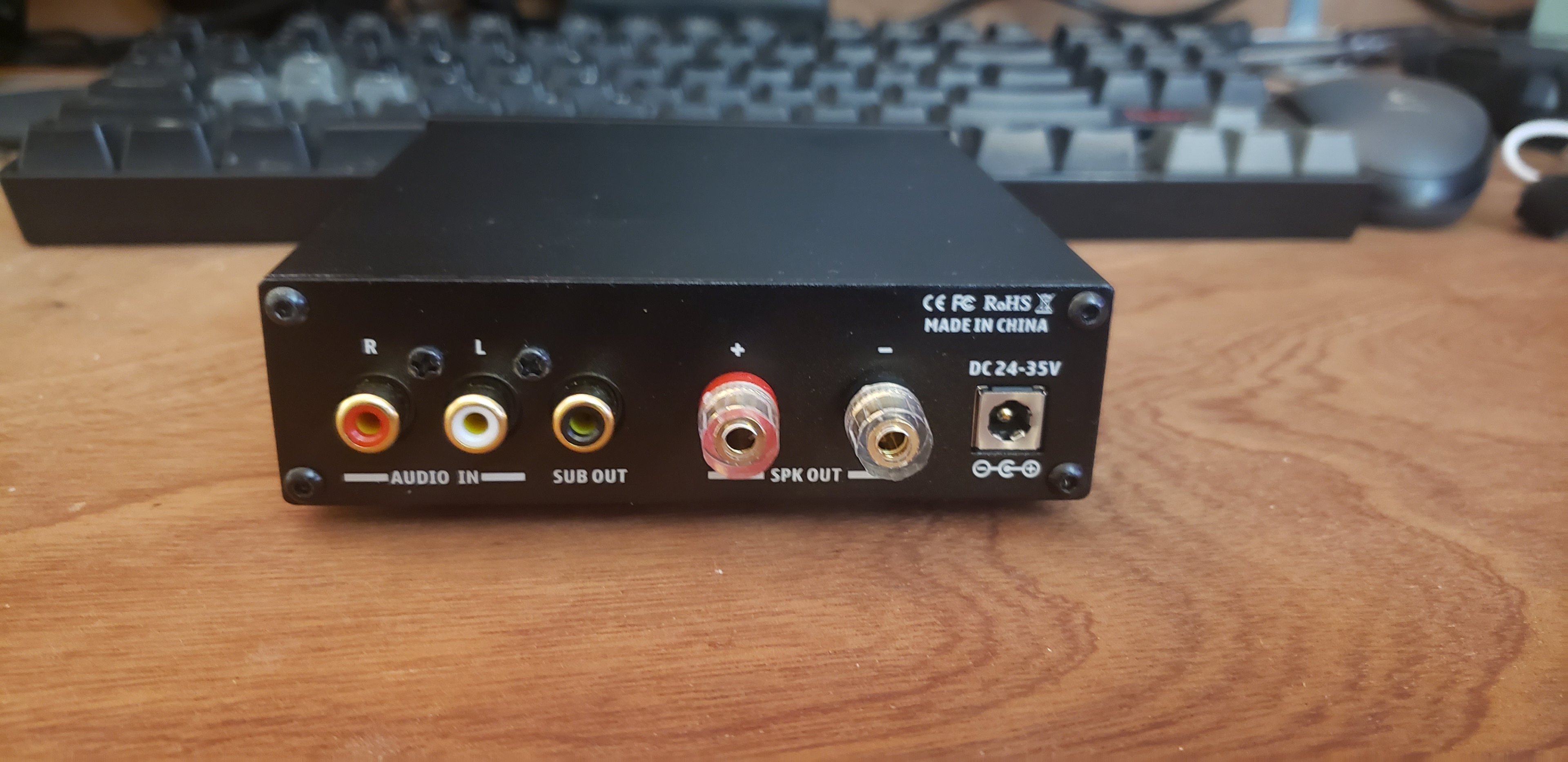
Hello everyone and welcome to another video. Don't forget to hit that like and subscribe button. Oh wait, I'm not a youtuber!!! Seriously, I'm not. I don't care about those silly metrics. What we're here for today is this Fosi Audio 300w desktop monoblock amplifier I bought the other day on ebay. Well, let's start off with some unboxing shall we? Here we have their product box. I do like that its simple. Box has some basic ink printed on it, but its just a box. And when we open up the box, this is what we see: Everything in the box unpacked on my desk. We have the amplifier itself and a 32v / 5a power brick. Fosi Audio states that to get FULL POWER out of it, you need to upgrade to a 32v / 10a power brick. I'm using a 6.5" 100w subwoofer, so I don't need to do this. The stock power brick is fine for my uses, and they claim 150w capable with the stock brick. Let's see if that's true. As far as controls and inputs on the unit, let's take a look at that. On the front of the amp, we have from left to right, a power switch, subwoofer or full range switch, crossover frequency knob when set to subwoofer mode, and the gain knob to match the inputs to the outputs. On the back of the unit, we have very basic ports to use. Again, left to right, we have the R/L RCA inputs from your source (or from a powered subwoofer RCA out), a powered subwoofer out if you wanted to daisy chain another sub in the system, the mono speaker output, and the DC power jack. Testing: So for testing, I decided to go ahead and use the old tried and true DMM method with a test tone. For those not familiar with that method, I've made a video (below). Basically, you crank up your speaker amp to highest level with no distortion, and then you slowly turn up your sub amp and see what kind of voltage you get out of it on AC-V. The tone that I used today was 40Hz due to it being a subwoofer amp that I was testing. If I were testing a speaker amp it'd be somewhere in the realm of 80-100Hz. So when I started off, I noticed that my SMSL AD18 speaker amp is kind of interesting. It starts distorting around volume 40 / 60. So volume 40 is where I stuck it at for the subwoofer amp testing. Disconnected my speakers from it (so I don't cook them or tick off my neighbors). What I found was that the Fosi Audio mono amp was capable of around 28vAC coming out of the leads. At a 4ohm load, this equates to around 196w. 196!!! That's pretty impressive for a claim of 150w on their ad. I also noticed that it stops putting out (more) power around the halfway mark on the gain on the sub amp. This is pretty normal for a subwoofer amp. I was not expecting to see similar out of my AD18, however I'm not surprised as both amps are Class D amps. Now, I do want to make note that testing with a DMM and test tone is a VERY BASIC test. It doesn't show anything except those numbers I just went over. I cannot comment on distortion at that level since my sub can't handle that type of power anyway clean or not. I also lack the proper equipment to actually test those things. So what we have here is a basic test anybody can do at home with a $4.99 Harbor Freight DMM. Testing the amp with my DMM and 40Hz test tone: Now, how does this little amp sound and does it do what Fosi Audio claims it does for the low price of $79 on ebay? Well, to start off with the crossover function for subwoofers does in fact work. I'd have to get really serious about testing the frequencies but it DOES appear to be variable between about 40Hz - 250Hz according to my ear. It could be off a tad, but my ears won't notice nor care (yours probably won't either). The switch to change the amp into a full range mono amp ALSO does work. Unfortunately I only had a subwoofer hooked up, with a subwoofer signal going into the amplifier, so I couldn't actually test (in this amount of time) with a full range speaker. But you COULD in theory use two of these to power speakers. I wouldn't personally, but you could. Again, keep in mind this amplifier is MONO. After the testing, I tried listening to some regular music on it. Off camera since copyrights and all that jazz. I found for my listening, in my setup, I was very happy with the crossover set to 40Hz and the gain set to 1/2. My Micca's extend down to right around 60Hz or so themselves, so I just needed a little oomph below that. My "new" subwoofer setup gets down to about 37Hz successfully now, and blends down from that 60Hz range very smoothly. There's definitely a peak at the tuning frequency of the sub at 40Hz, which I expected. However its not anywhere NEAR as boomy as it was before running a car amp to it with a fixed 80Hz crossover. Now, instead of being boomy at 50-60Hz, it just kind of smoothly transitions from the speakers down to the sub. Perfect! Personally, I really like this little amp and I don't say that a whole heck of a lot about a subwoofer amp. It absolutely met my expectations and actually exceeded them for what it is. Will this amp power a monster 15 or 18" sub capable of 500w RMS or better? No, absolutely not. Will it power a basic passive subwoofer of any size in the 100w range? Oh absolutely it will with ease! I will also make note one more time that Fosi Audio does recommend a 32v / 10a power supply for this amplifier to get its full power capabilities out of it. So its possible with a bigger PSU it might be capable of double the power that I saw today. Testing with music: With all of the above said, I hope you guys enjoyed it. Please leave a like, comment, subscribe if you weren't already, and I'll see you in the next one. Oh wait.....I did it again, I've been WATCHING too many youtube videos I guess!!! Seriously though, this review was made of my own will. It was NOT sponsored by Fosi Audio at all. I did send them an offer of a lower price, and told them in the offer I'd write a review. They did not ask, I just proactively offered to do so because I thought it'd be fun. But it was not sponsored, I bought and paid for this amp.

-
Optimal sound card/audio setup w Z-5500 Logitech sound system
pio replied to Storm-Chaser's topic in Computer Audio
You'll very likely blow your amplifier. It's part of Ohm's law. Your speakers have a resistance. For sake of argument, let's say they're 8ohm satellite speakers. Note, this is ALL just examples here, but these examples work exactly the same on any audio setup. If you take 2x 8ohm speakers and wire them together, depending on how you wire them up you'll have 4ohm or 16ohm. Not 8. Your amplifier is expecting 8ohms. Now......16ohms won't hurt anything but you'll half the power output of the amplifier to each speaker. So if its 100w on that channel at 8ohms, you're now getting 50w at 16ohm per speaker. If you lower down to 4ohm, you'll get 200w instead of 100w and each speaker gets the full 100w. The problem here, is those Logitech systems are paired, and designed specifically for the speakers they come with. Yes, you CAN use different speakers, but you have to be 100% for sure they're the same resistance as the old ones. It can be higher, but not lower as lower will cause damage to the amp (since its not designed for lower resistance). But again, higher resistance will be less power output. Adding more speakers isn't going to magically make those any better. Better speakers will but then you're still at the mercy of the Logitech amplifier setup. More of the same small speakers will not. I still say you're better off just using them as they're presented in the box. There is no magical cure for an all in one setup like that. It's like trying to add a 3090Ti to a Dell PC. Yes, it'll work, but at the end of the day you might kill the PSU, and its still just a Dell. -
More hardware you can't find in stock anywhere!!! Jokes aside, looking forward to Ryzen 7000. I still need a proper upgrade, got this 3600 only because my Ivy Bridge died. Was thinking 5800x, but now with 7000 coming later this year, hmmmm.......... Intel / AMD, doesn't matter to me. I do like that AMD is more friendly towards keeping the same board through upgrades though. That's a nice plus with them.
-
Depends on how the incentive program is worded I suppose, legally. I'm sure what they're doing is 110% legal according to the paperwork. It's definitely not company policy to take a busted board in RMA and slap an "Open Box" sticker on it and send it back out the door. However, it COULD be incentivized if an employee has certain metrics to meet and they just want to clock in, clock out, and get their paycheck with their weekly bonus on it. Still could just be a rogue employee doing shady things too, or a bad manager or something. We don't really know yet. Definitely agree, the whole thing is shady all around. I'm glad they're inviting GamersNexus in and willing to talk about it. We'll just have to see how this whole mess turns out. I absolutely hope its in favor of Newegg's customers, because they've been just this giant rock in the PC Hardware industry for the better part of 20+ years. Probably why its such a huge story in the tech communities.
-
You'd be surprised how many people run older gear sometimes. And nah, I understand that there's certain things older stuff just can't do. But in this particular instance, we're talking about even first gen Ryzen and older i5's and i7's that are still absolutely capable today. Even the FX 8 cores aged quite well and keep right up there with Haswell i5's and i7's now. I completely understand that Socket 939 is ancient. But the stuff that they're knocking out with Windows 11 really isn't. Believe it or not, a LOT of people are still on Sandy Bridge and FX era equipment still and happy with it and the cutoff for "proper" hardware on 11 is much MUCH newer than either of those. I was just arguing, to a certain extent, that honestly ANY quad core CPU, even a Q6600 or Phenom 9850 SHOULD have absolutely zero problems doing "daily tasks". Even instructions sets, most of the missing instructions are app specific anyway on Windows 10 (anything that'd be a bother). What I mean is, if you're missing instruction sets you need, you already know you're missing them. RDR2 and Crysis Remastered for example won't launch on older CPU's. But yet I can run my Phenom 9850 and Q9550 rigs on Win10 just fine. There's nothing really different under the hood for Win11, so why can't they run 11 too? EDIT: Talking history a little. Windows XP for example came out in 2002. 10 years prior, in 1992, what did we have? 386 or 486 CPU's right? You can install XP to those. Works fine. Slow, yes. But works. Vista, you can install on a Pentium 2, that was a 10 year difference too. Again, I wouldn't do it but you can. There's no reason to be cutting off hardware, especially stuff that absolutely is more than capable to run the OS.
-
Yup, its right in the name of it. Athlon64 x2. It was "CMPXCHG16b". Whatever that was is the reason why in that particular case. Some people claim Win10 x64 works but you need a USB 2.0 flash drive or use the ODD to install with. I'm not sure, I wasn't able to get it to work at all. But again, was just an example. My 939 dual core is more powerful than a 10th gen Celeron is. If I'm not using apps that require the missing instructions, there's no reason it shouldn't install the OS at least. At least IMO anyway.
-
That could be as well, yeah. And I think I might be using the wrong word. IIRC the last bank I worked at called it an "incentive program". Basically the thought would be so many x% of RMA's end up being perfectly fine the customer just didn't want so they can resell those. Which that in and of itself is fine. If the RMA tech gets so many % of that type of RMA they'd get a bonus on their check or something. IF, huge IF there, IF that was the case (or similar), I could see how an incentive program would cause an employee to pull shady RMA tactics so they get their bonus. And no, it wouldn't be JUST their RMA program with an incentive program, it'd be across the entire business. Customer service would probably get x% of their surveys need to be 5 eggs or something maybe to get their bonus. Things like that. All just examples, but its the general idea behind it. Incentive programs are pretty common, and if they're written a certain way they absolutely can cause an employee to do illegal things just to get their little "bonus" on their paycheck. I could tell you stories that'd make your blood boil after working in the banking industry for 4 years of how incentive programs "help" lol.
-
Of course, I understand that. But take for example the Socket 939, this is a problem I ran into recently actually. 32bit Windows 10 works perfectly fine on a Socket 939 dual core. Runs great with a SSD in the system. Seriously, just as good or faster than my son's Celery dual core laptop (10th gen). But 64bit Windows 10, there's some instruction set its missing. Obviously its not a core function of the OS otherwise 32bit wouldn't work too. That's all I'm getting at, is that it almost seems as if SOME of these limitations are arbitrary and mostly just to coax people into upgrading hardware. By all means if you're browsing the internet in 2022, have a quad core, SSD, and at least 8GB of RAM. That's generally a pretty safe "bare minimum" requirement today with how multi-threaded everything is. But they're still releasing dual cores (or were recently anyway). If older systems are just as capable hardware wise, just old, I don't see a reason why it shouldn't work with a modern OS. So why would Microsoft "warn users" if their hardware is old? Just seems like adding extra bloat into the OS that really doesn't need to be there, and disabling of systems that really don't NEED to be disabled.