Welcome to ExtremeHW
Welcome to ExtremeHW, register to take part in our community, don't worry this is a simple FREE process that requires minimal information for you to signup.
Registered users can:
- Start new topics and reply to others.
- Show off your PC using our Rig Creator feature.
- Subscribe to topics and forums to get updates.
- Get your own profile page to customize.
- Send personal messages to other members.
- Take advantage of site exclusive features.
- Upgrade to Premium to unlock additional sites features.


LabRat
-
Posts
191 -
Joined
-
Last visited
-
Days Won
13 -
Feedback
0%
Content Type
Forums
Store
Events
Gallery
Profiles
Videos
Marketplace
Tutorials
Everything posted by LabRat
-

Best Graphics Card Repair Business in the United States?
LabRat replied to HeyItsChris's topic in AMD
Sounds like it finally got out of its safemode or w/e. That's good. I've had similar issue(s) w/ a maxcloudon x4 riser, that I was powering w/ a seperate 1200W server PSU (mining surplus parts): It was a 'PITA' to get recognized+installed @ first, and then was 'hiccuping' and 'stuttering' at a very-precisely repeating interval. I abandoned that project but in retrospect, I've since ran across a few factors that you might look@/address: 1. AmernimeZone/RdN.ID drivers(Specifically for Vega 10 cards) offer specific configs in the wizard for "eGPU". If there were not registry/low-level settings that needed 'tweaked' for higher-latency and higher-noise eGPUs, they wouldn't be in the wizard. (I highly recc. trying them out, in troubleshooting this issue) 2. Ground Loops, Uneven ground planes and Inducted Interference. Even connected to the same power supply, you may have differences in resistance/potentials to ground, if only from long(er) cables (read: antennas). This may/will impact PCIe's signal stability and readability (for lack of a better term). 3. Looks like you may not be alone, with that PARTICULAR eGPU Riser. Stability problem with EXP GDC Beast V9.0B M.2 and dual HDMI EGPU.IO Hi folks, A few weeks ago I received my beast with M.2 for an exernal GPU setup. I paid about 90 euros for it and I was very excited to give it a tr... -
Best Graphics Card Repair Business in the United States?
LabRat replied to HeyItsChris's topic in AMD
Yes... I accidentally influenced the market buying my 6 MI25s. I paid ~$40-55 ea. Think of the MI25 flashed into a WX9100 as a Vega FE 16GB w/ a single* mDP 1.4(a?) output and a couple less power phases. I use RdN.ID's MPT workaround driver for finite p-state control using OverDrivenTool. *I have confirmed that an MST hub allows multiple display outputs (no freesync, tho). You can also pass-thru the output over PCIE to a low-end Navi 2x or 3x card, for AFMF in Win11(easier to assign raster-rendering card) Given time, they might get back to ~$50ea, and are some of the 'beefiest' Vega 10 cards left in the secondary market. (All MI25s come with 16GiB of Samsung HBM2. Every example I've had does 1050mhz-1100mhz+ on the HBM.) -
I figured. But, I wanted it to be known that AFMF does *not* require a high-end card. I'd yet to see anyone demo or even mention that fact. ('Only seen folks with high-end kit just laying around try out AFMF in combo w/ another card. lol) The concept is much more budget-friendly (and retro-friendly*) than it seems. *AFMF will work on just about any DX11 and DX12 title. The rendering card doesn't have to be "modern" either. Someone with a RTX 2080S, 2080 Ti, Titan RTX, or Radeon VII, 5700XT, etc. can still enjoy their hardware. As time goes on, the RX 6400s-6500s, RX 7600s, etc. will drop in price, and become more common 2nd hand; making 'adding AFMF' potentially affordable.
-
The 4090 is doing 100% of the heavy lifting. The 6900XT sitting in the case would be a 'waste', if you're purpose-building a GeForce(RTX+DLSS) + Radeon(AFMF) build. I'm not sure there's a single circumstance/application where a 6900XT beats a 4090, even well-outside of 'gaming'. So... "Why?" Not to mention, you don't even need to put the AFMF card in an x16 slot. A lot of new low-end AMD cards are x4 or x8 lanes. (Navi 24 cards, are all Gen4x4) So, a Gen4x1 slot is a (acceptable-preferable) option. Even an open M.2 slot may be easily adapted to support a low-power AFMF card. One really just needs enough PCI-E bandwidth for the frames being pushed across the PCIe bus. (Ex. My AFMF and 'display output' 6500XT, is across my X570 chipset's Gen4x4, while the MI25/WX9100 is 3.0x16 on the CPU-connected slot.) The most-entry level AFMF-supporting Radeon (6400) should be more than capable of doing the frame generation since, it's not doing any actual rasterization work.
-
I run a MI25/WX9100(Vega 10 16GB) + RX 6500XT (Navi 24 XT), and thanks to AFMF (off my 6500XT), I can play modern titles like Avatar smoothly. AFMF 'works on' old AMD cards too, if you pair it with a AFMF-supported card. Of note: The 6900XT here, is total overkill; even an RX 6400 would be sufficient for AFMF off the 4090's rendering. Basically, the rendering card is merely passing output framedata over PCI-E to the AFMF-supporting card. Which, uses very 'low cost' processing to generate the additional frames.
-
WANT! NEED. 'Missed out on the $269-280 5800X3Ds back Sept-Aug. No microcenters nearby for a 5600X3D. I am excite!
- 1 reply
-
- 2
-

-
wccftech Valve’s Steam Officially Ends Support For Windows 7 and Windows 8
LabRat replied to bonami2's topic in Games News
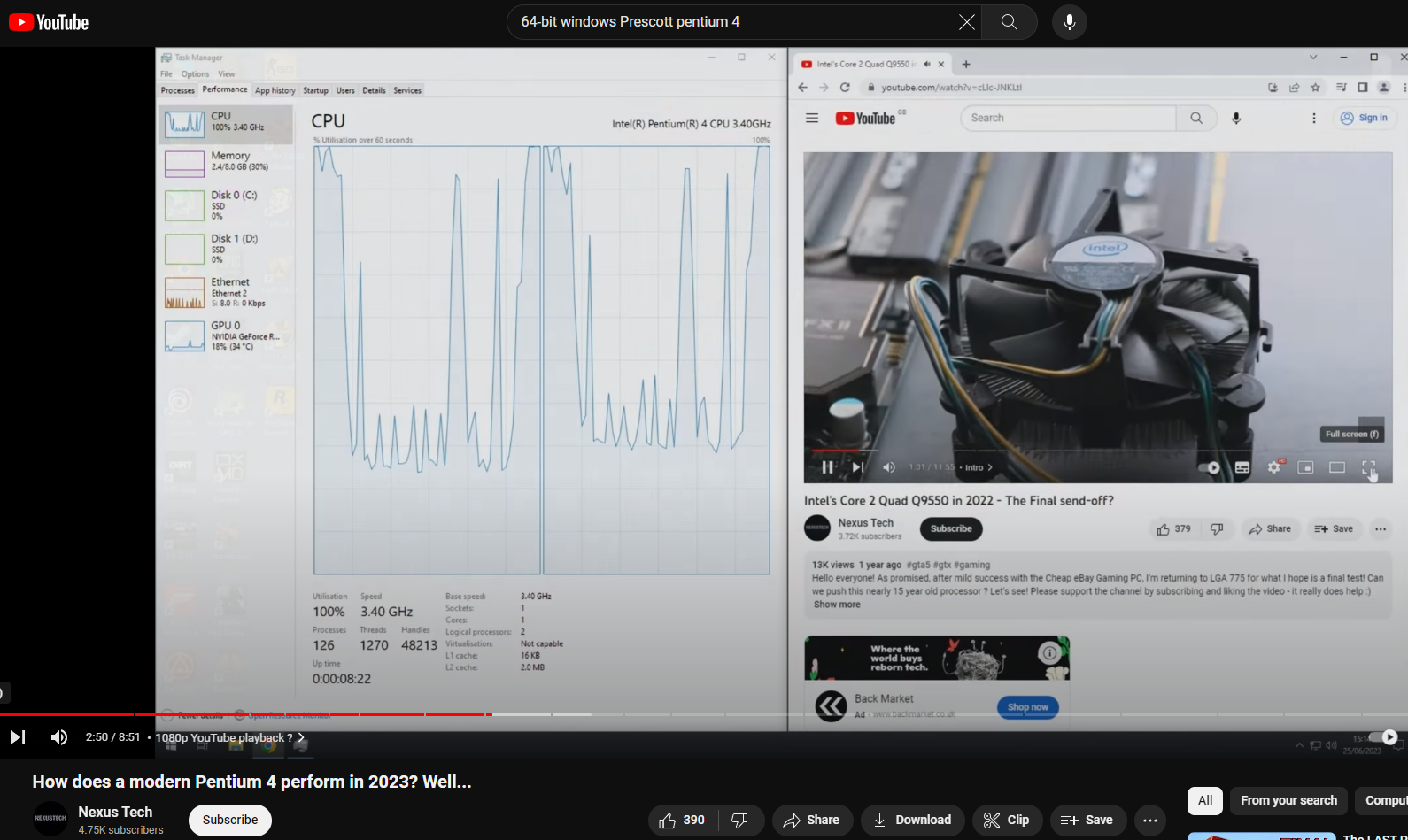
There were Socket 478 CPUs 'backported' from Prescott 775s. EM64T on 478, isn't terribly uncommon. I'm not 100% sure on NXbit feature support, though. XD-Bit on Socket 478 - A Possibility? \ VOGONS WWW.VOGONS.ORG I *had* 0 interest in a 478 build. But, now I feel I need to find an EM64T Prescott s478 and try 8.1x64, 10x64, and 11x64 on it. A slight exaggeration, but not untrue. I've had some luck w/ Embedded/IoT/PoS Windows version for reducing "overhead" Regardless, in context of the topic P4/PD is inferior in performance to A64X2/Opteron. (Barring XOC. Which, is very cool for retro builds; ballsy) -
wccftech Valve’s Steam Officially Ends Support For Windows 7 and Windows 8
LabRat replied to bonami2's topic in Games News
Correct: While it'll run like molasses in January Yes. The earliest EM64T+NX Intel CPUs, will run x64 Win 8.1-Onwards. They support CMPXCHG16B / CompareExchange128. (Note: Similar 'instruction support lag' occurred with K7 v. P3-P4, too. Makes some sense, when you realize Intel is usually a major contributor towards standardizing new instructions, etc.) There were Socket 478 CPUs 'backported' from Prescott 775s. EM64T on 478, isn't terribly uncommon. I'm not 100% sure on NXbit feature support, though. XD-Bit on Socket 478 - A Possibility? \ VOGONS WWW.VOGONS.ORG I *had* 0 interest in a 478 build. But, now I feel I need to find an EM64T Prescott s478 and try 8.1x64, 10x64, and 11x64 on it.
-
wccftech Valve’s Steam Officially Ends Support For Windows 7 and Windows 8
LabRat replied to bonami2's topic in Games News
IIRC, no. I can remember I made that run after "accepting the challenge" that the MI25/WX9100 "doesn't work on legacy BIOS windows 7-back PCs". All it took was a SLIGHTLY older driver release; I'd not tried RdN.ID drivers, though. UL prefers the Steam-distributed version but, IIRC there is a standalone client. Who knows, tho? That too could suddenly change, and mess up all of HWBOT's research and preservation efforts. -
wccftech Valve’s Steam Officially Ends Support For Windows 7 and Windows 8
LabRat replied to bonami2's topic in Games News
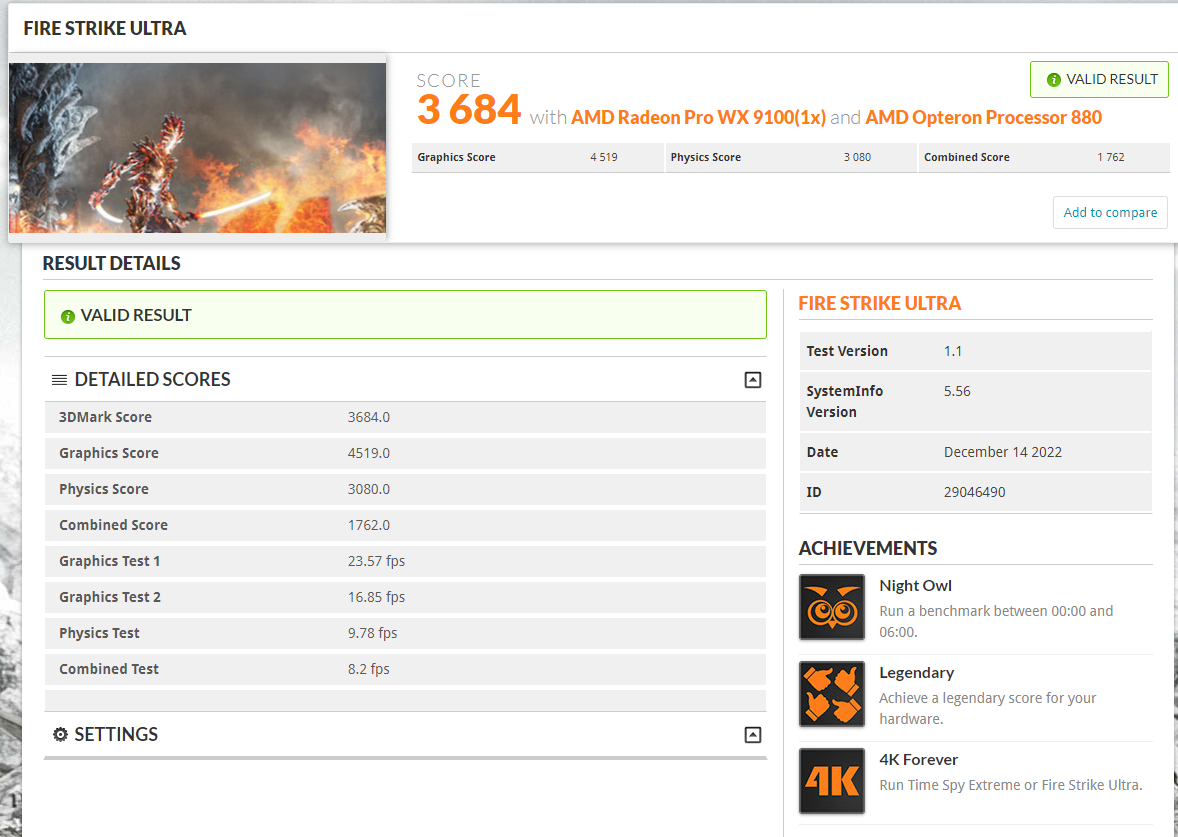
This is a workaround I intend on testing out. Since, i've booted 7x64 off a P1600X on my K8N-DL, I'm wondering if I could pop in a M10 16GB Optane for Page File alone, and use 10x86? A Quad-Core (dual dual-core) K8 with 8+GB RAM, shouldn't have to be constrained by an x86 OS... But, if that's a serviceable workaround, I'll try and go the ultra-low latency route on 2x2x1GB DDR, instead. Semi-related: Amusingly, my "Legendary" run, was made on that K8N-DL, Win7x64, and the Steam Dist. ver. of 3dMark. AMD Radeon Pro WX 9100 video card benchmark result - AMD Opteron Processor 880,ASUSTek Computer INC. K8N-DL WWW.3DMARK.COM AMD Opteron Processor 880, AMD Radeon Pro WX 9100 x 1, 12288 MB, 64-bit Windows 7}
-
wccftech Valve’s Steam Officially Ends Support For Windows 7 and Windows 8
LabRat replied to bonami2's topic in Games News
It is directly topical, here. Steam dropping Win7 support, would be a non-issue if (early) common multi-core 64-bit CPUs (K8+DDR1) could run 10x64. Personally, I prefer 7 but, I can't entirely disagree in 10 being bretty gud for retro gaming. Sadly, 'retro' includes a lot of late DX9 and DX10 games that needed more than 4GB of RAM to run well.
-
wccftech Valve’s Steam Officially Ends Support For Windows 7 and Windows 8
LabRat replied to bonami2's topic in Games News
Well, this explains the 'preconceptions'. I may have gotten a low-cost CPU using Intel's retail partner program, but going through their marketing materials, made me sick. Intel generally imbued "loyal customers" and "salesmen" alike to believe There isn't really an option besides Us. -and, that's exactly the vibe I'm gettin' Here, I find it odd that you move from 'an enthusiasts perspective' to a 'retail-normie perspective' -Windows 7 x64 was *the* OS for gamers, enthusiasts, and homelab'ers (+Windows Server 2008 R2). Generally, 'normie' consumer-facing prebuilts and lower-end laptops were cursed with x86 Windows. (I do recall debate in the community 'back in the day' on the topic. Facts ended-up being, 64-bit support is a need, not a want.) -Retailers rarely sold x64 licenses w/ PCs, as they were mass-moving min.spec PCs. (IMO, Vista got its bad reputation majority from the same) -Very few 'normie' and 'professional' consumers or 'enthusiasts' liked 8/8.1. (When I worked retail tech+sales, I had several people purchase Windows 7 for $100+, and have us put it on their <$800 new PC in the 8/8.1 era. Eventually my boss had it come down from corporate, that we are *not* to 'downgrade' PCs, even if the customer supplied software and paid for the work.) No, you cannot 'work around' the check with an upgrade install. I've taken Pio's bet before. I spent a full night and half a morning trying to get 10x64 and 8.1x64 installed on my K8N-DL. I tried upgrade installs, and even installing Windows on another PC, and popping the drive back into the Legacy machine. I'm open to being incorrect but, I've put great effort into working around the issue, myself: 8.1x64-onwards is hardware-incompatible with S754/S939/S940 K8 CPUs from AMD; full stop. As far as the Steam Support thing in-particular: This isn't like the Analog Cell Phone, that relied on depreciated supporting-technologies... There's no technically-, legally-, viable reason to forcibly and artificially 'break/brick' otherwise fully-functioning hardware and software. To do so without offering some kind of 'replacement for basic functionality' is taking something away from the customer. In the end, it boils down to something fundamental: If one pays for something, uses it as advertised, then comes back to it later, only to find it's been artificially disabled by the seller/provider... That's basically theft, or at least "damage(s)". -
wccftech Valve’s Steam Officially Ends Support For Windows 7 and Windows 8
LabRat replied to bonami2's topic in Games News
"few very unique CPUs" AFAIK, you were around (in the enthusiast community) when AMD64 stormed the market. How can you say this when, the entirety of S754, S940, and S939 processors lack compatibility? Your experience is missing details. This isn't a case of "Well XYZ product always worked great for me". This is a case of hard facts, showing an entire era of revolutionary CPUs is hardware incompatible. This isn't a "rare, unique" or "anecdotal" issue. x86/32-bit Windows is not a viable substitute. Unironically, running some lightweight x64 Linux distro + Steam with compatibility layers is the 'best' solution @TM, and you lose a lot performance to 'overhead', esp. on older hardware. -
wccftech Valve’s Steam Officially Ends Support For Windows 7 and Windows 8
LabRat replied to bonami2's topic in Games News
As I linked, mentioned, and expounded on here: CMPXCHG16B / CompareExchange128 is a Windows 8.1 x64-Onwards requirement. (and was not present on AMD CPUs until the AM2/K8+DDR2 era) It has little to do w/ 64-bit, other than MSFT req. support for it in 8.1x64 and newer released. AFAIK, Intel has had support for CMPXCHG16B / CompareExchange128 since the very first EM64T Pentium 4s. Similarly, AMD K7 lacks even more instructions vs. Intel's contemporaries. K7 (Athlon 7/XP/MP) is early-P4 fast but limited in software support to Pentium 2-3 era sofware. -
wccftech Valve’s Steam Officially Ends Support For Windows 7 and Windows 8
LabRat replied to bonami2's topic in Games News
That's an AM2 Athlon 64 X2 CPU which, does support CMPXCHG16B / CompareExchange128 AMD Athlon 64 X2 6000+ Specs | TechPowerUp CPU Database WWW.TECHPOWERUP.COM Windsor, 2 Cores, 2 Threads, 3 GHz, 125 W AM2 Windsor(onwards) core K8-uArch, has the instructions. -
wccftech Valve’s Steam Officially Ends Support For Windows 7 and Windows 8
LabRat replied to bonami2's topic in Games News
That 4GiB memory limit is a real PITA. Not to mention, Windows 11-forward is depreciating 32-bit Install support. Also, non-64-bit Execs are typically limited to 2GB RAM. (There's more than a couple games over the years I'd had to edit the exe on to not run out of RAM). More info: Windows 10 64-bit requirements: Does my CPU support CMPXCHG16b, PrefetchW and LAHF/SAHF? SUPERUSER.COM I'm currently trying to find out whether or not it would be a good idea to update my slightly dated notebook (Windows 7, 64-bit) to Windows 10. The problem is that Microsoft states in their Windows... What is wrong with this emulation of CMPXCHG16B instruction? STACKOVERFLOW.COM I'm trying to run a binary program that uses CMPXCHG16B instruction at one place, unfortunately my Athlon 64 X2 3800+ doesn't support it. Which is great, because I see it as a programming challenge... -
Don't freak out, or start tearing it apart. I've had multiple Vega cards *act* like they've bricked themselves. (WARNING: this is 'bad advice') What's fixed it for me, is yanking mains power to the sys mid/just-post POST. Next reboot, card's back. Has happened a dozen+ times w/ both my real deal Vega 64 and my MI25s-turned-WX9100. (even my 6500XT has 'played a similar game')
-
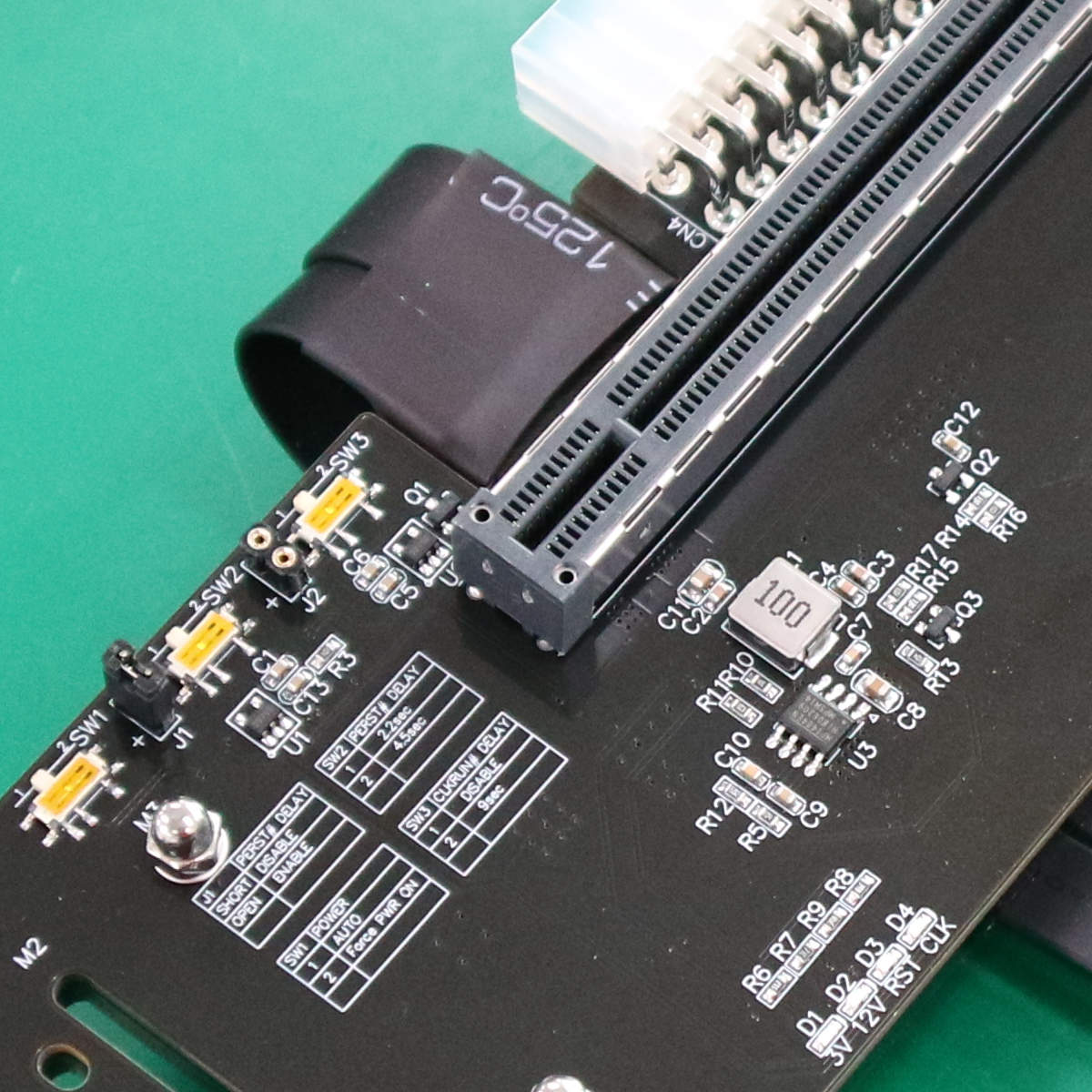
I think Chris was on the right track w/ the 3.3V thing. AFAIK the 3.3V rail on Video cards is used to more-less 'handshake'. I'm not quite familiar enough with the electronics on the PCB, but I'm suspecting the manu. neglected a 3.3V voltage converter on the riser. If you can, try plugging in an ATX PSU into the ATX input on the riser. (Some also run their 3.3V power from a +5V source using a linear regulator. Try hooking the +5V input on the Riser to +5V or a USB's +5V?) This might be (related to) the issue, too. PERST# info: AMD Customer Community SUPPORT.XILINX.COM
-
[Giveaway Closed] Avatar: Frontiers of Pandora (Ubisoft Connect)
LabRat replied to Slaughtahouse's topic in PC Gaming
Terminator 2: Judgement Day Why? Arhghuhnuld w/ a mini-gun, ofc. Oh, The story and effects are bretty gud too -
If it wasn't for the overspray, it'd look like you just turned the gamma up on the on the same pic. Looks great! Now...
-
99% agreed. the 1%: I can kinda 'see' being upset @ the base-packaging. Though, depending on marketing/pricing, I can also see the vendor/manu's PoV. That's probably the most affordable way to bulk-package them. IMO, the 'proper' way would be layered-in cheap molded-plastic trays, or cut-out closed-cell foam. However, doing so drastically affects the density and cost-efficiency of freight (at scale). TBQH, as long as every switch works, you're (typically) never seeing them (once keycapped)... Overall, I too would be very-appreciative of the community-collectable tin. Edit: I went ahead and actually read what this is all about. Seriously? The details in the reviews illicit a picture of a fairly well-ran operation yet, were used to support saying they were slow? IMO here, USPS is responsible for the lacking tracking, not The Vendor. I'd be giving benefit of the doubt, as I've had this kind of thing happen multiple times with multiple Vendors/Indiv.sellers. Note: This is also 'expected behavior' for semi-DropShipped purchases; actually coming from overseas on regular shipments and handed-off to USPS. Unless The Vendor was within (reasonable) driving distance, I don't see the problem. [Ex. I've "RMA'd" in-store w/ Monoprice in SoCal] Funny, I'm actually interested in purchasing from this vendor, 100% due to "attempted bad PR" (and I don't even need keyswitches... Tho, do they have metal keycaps? ) Edit 2: Oh, darn; no fullmetal keycaps. Only Keycaps they have listed: SwitchCaptain x SIKAKEYB - Cherry Forrest Keycaps WWW.SWITCHCAPTAIN.COM Green and white double-shot PBT keycaps featuring a cherry profile height with an increased spherical curve.
-
ESD damage is insidious. IIRC, ESD doesn't immediately 'kill' a lot of ICs, it 'erodes' and moves elements/ions @ the nano scale. TBH, I'd been wondering if +5V (pulsed/unfiltered) DC on the ground plane* (the HDMI 'dapter incident) damaged capacitors (or other components) from reverse polarity (and/or 'noisy') current. *Was it ever verified if the anomalous 5VDC was actually on ground, or was it just overriding the PSU's +12VDC? I've had a couple cheapie FP USB bays directly bridge +5VSB (motherboard-allocated to USB) to +5V; which, caused a similar symptom but, only on +5Vrail-connected devices. It might be worthwhile to further-investigate the suspected cause for the failure: the HDMI adapter. I know you have a DMM (somewhere).
-
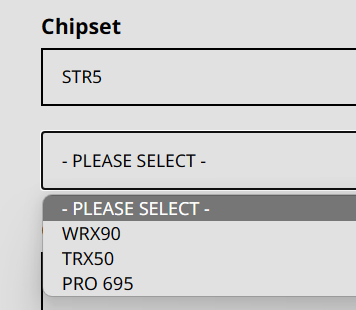
The lack of PCIe x16 slots is deeply disappointing, however. At least you get: 3*PCIe x16 slots for Multi-GPU and 4*PCIe x4 M.2 slots. 'Not seeing if they're all SoC-connected, and Gen5. Though,the math says: "Yes; they're CPU-direct Gen5" Yeah... half the lanes (but double the bandwidth) is disappointing. I supposed it is further delineation of product lines (between TR7k and EPYC Genoa) Also, it's worth keeping in mind: -EPYC Genoa can only allocate 64 of its 128 Gen5 lanes for CXL use -This is officially TRX50. (Don't forget WRX80 was seperate and more-featured vs. TRX40.) -WRX90, is still to come:
-
Themesong? Wobbly Things...
-
IDK how to properly convey it but, this fan seems like the 'crosspoint' of many designs across other industries. -a 'no duh' design; one that no-one'd been willing to 'put together' for the consumer/enthusiast-facing market. Very attractive, both aesthetically, and technically. TBQH, this looks like the first 'axial blower' that I'd be willing to pay $20+ for. Any chance EHW might get some review samples?
- 19 replies
-
- 3
-

-
- apex
- stealth metal (power) fan
- (and 2 more)