Welcome to ExtremeHW
Welcome to ExtremeHW, register to take part in our community, don't worry this is a simple FREE process that requires minimal information for you to signup.
Registered users can:
- Start new topics and reply to others.
- Show off your PC using our Rig Creator feature.
- Subscribe to topics and forums to get updates.
- Get your own profile page to customize.
- Send personal messages to other members.
- Take advantage of site exclusive features.
- Upgrade to Premium to unlock additional sites features.


HeyItsChris
-
Posts
529 -
Joined
-
Last visited
-
Days Won
2 -
Feedback
0%
Content Type
Forums
Store
Events
Gallery
Profiles
Videos
Marketplace
Tutorials
Everything posted by HeyItsChris
-
HISENSE 43A6H GOOGLE TV ROOT WITH MTKCLIENT GUI HOW TO? The Hisense 43A6H is a Android 11 Google TV with a Mediatek SoC chipset MT9612. Hi does anyone know how to dial in mtkclient gui for windows and get root access if i already have the bootloader unlocked and already have the boot.img ready? I tried Magisk & it didn't work. Thanks
-
 Did u monitor the rpm at full tilt when u first bought the laptop? If so what was the original max rpm? I'd replace the fans if u feel they aren't pulling rpm like before but u can tell if there is damage to the bearing if the fans are hard to turn by finger or feel any friction. I would personally replace them and if u don't have a software option to force to full tilt while under load or creating a custom fan profile. Just snip the PWM wires, the blue wire usually or u always have a red positive wire, a black ground wire, a yellow rpm sense wire, and a pwm wire could be green but usually is blue just cut it and forget about it on both fans if u cant control the fans by software in the operating system. This will yield peak performance on the CPU & GPU on all tasks all the time. Good luck
 -
This is the best laptop for the money with the absolute latest technology. The 8-core 16-thread AMD Ryzen 7 7735HS APU with RDNA2 AMD Radeon 680M Graphics built in the CPU, this time at like 3Ghz on the integrated GPU?!? not to mention the NVIDIA RTX 4060 8GB Graphics. Sure just 8gb ram but I would upgrade it to 64gb ddr5-4800 for $200, bring the grand total to $1,299 + tax. MSI Bravo 15 C7VF-009US Gaming Laptop AMD Ryzen 7 7735HS 3.20 GHz 15.6" Windows 11 Home 64-bit - Newegg.com WWW.NEWEGG.COM Buy MSI - 15.6" 144 Hz IPS - AMD Ryzen 7 7000 Series 7735HS (3.20GHz) - NVIDIA GeForce RTX 4060 Laptop GPU - 8 GB DDR5 - 512 GB PCIe SSD - Windows 11 Home 64-bit -... If you want power on a budget just scoop up a Dell G5 SE 5505 on ebay with the 4800H Ryzen 7 & AMD Radeon RX 5600M 6GB graphics and again I'd upgrade the RAM & Storage. Shoot for 64 gigabytes bro. Dell G5 15 5505 SE Gaming AMD Ryzen 7 4800H 8GB 512GB 15.6" FHD RX 5600M EBAY.TO Find many great new & used options and get the best deals for Dell G5 15 5505 SE Gaming AMD Ryzen 7 4800H 8GB 512GB 15.6" FHD RX 5600M at the best online prices at eBay! Free... Good luck
-
Anyone know if the ARM Mali G52 in my tv supports 4k?
HeyItsChris replied to HeyItsChris's topic in Coding
Thx for the reply. Yes, 4k decode? How to change the resolution to 4k? -
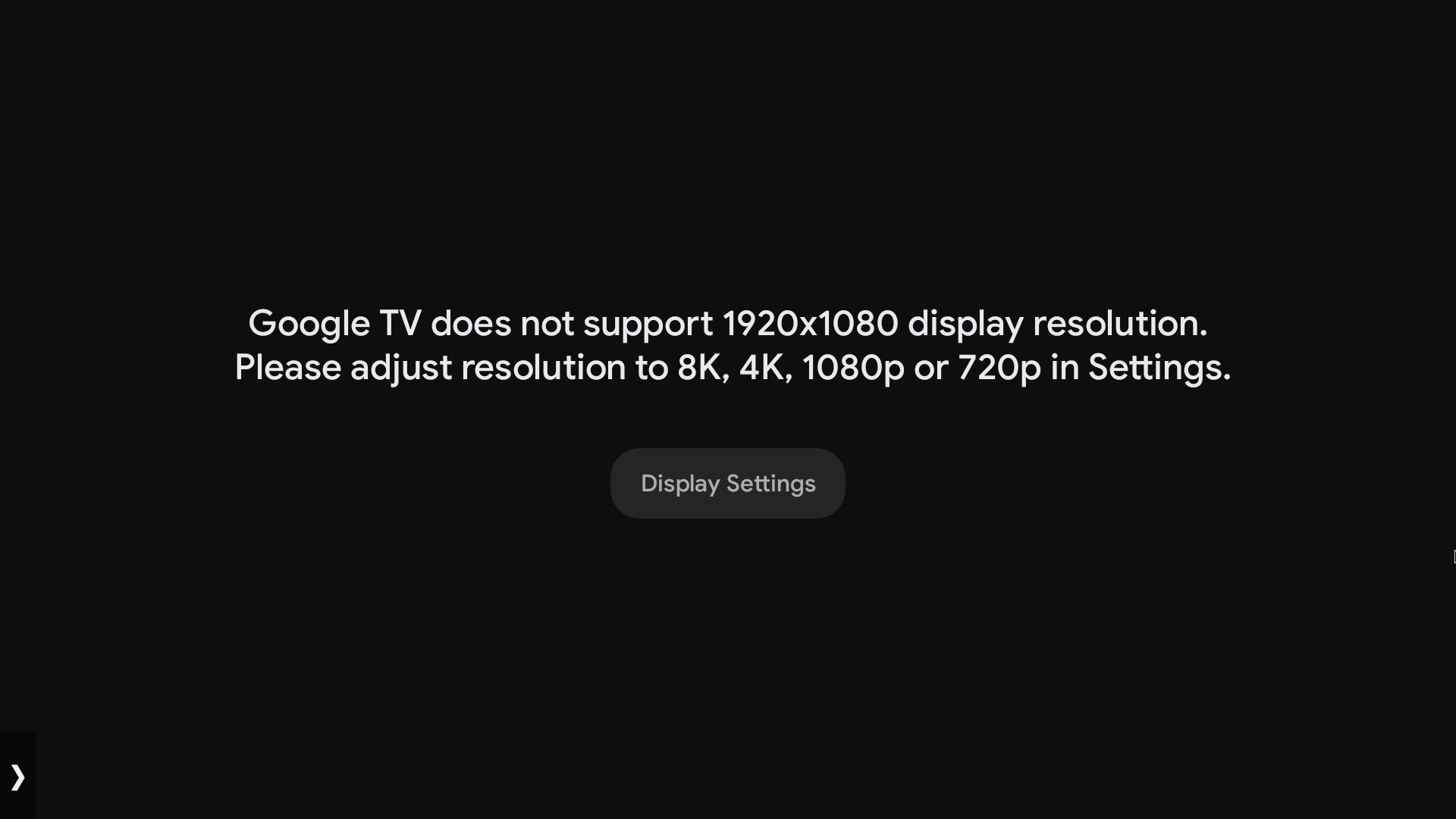
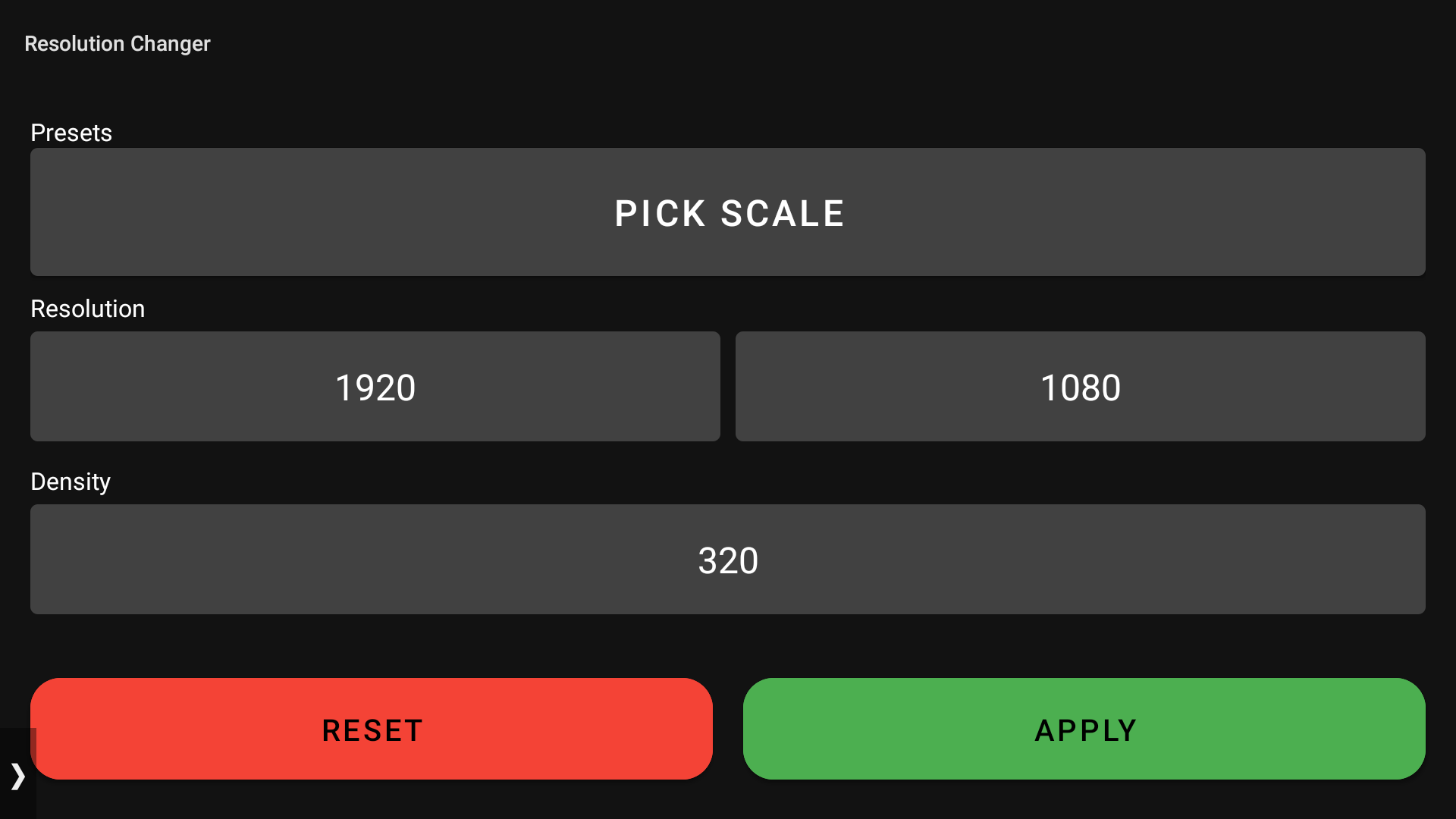
I have a Hisense 43A6H 43" 4k google android 11 tv and the ui is set to 1080p so all my 4k content is being downscaled... Starting shell with target serial=10.203.204.213:5555|devpath=|product=songshan|model=SmartTV 4K|device=songshan|state=device $ dumpsys display DISPLAY MANAGER (dumpsys display) mOnlyCode=false mSafeMode=false mPendingTraversal=false mGlobalDisplayState=ON mNextNonDefaultDisplayId=1 mViewports=[DisplayViewport{type=INTERNAL, valid=true, isActive=true, displayId=0, uniqueId='local:0', physicalPort=0, orientation=0, logicalFrame=Rect(0, 0 - 1920, 1080), physicalFrame=Rect(0, 0 - 1920, 1080), deviceWidth=1920, deviceHeight=1080}] mDefaultDisplayDefaultColorMode=0 mSingleDisplayDemoMode=false mWifiDisplayScanRequestCount=0 mStableDisplaySize=Point(1920, 1080) mMinimumBrightnessCurve=[(0.0, 0.0), (2000.0, 50.0), (4000.0, 90.0)] Display Adapters: size=3 LocalDisplayAdapter VirtualDisplayAdapter OverlayDisplayAdapter mCurrentOverlaySetting= mOverlays: size=0 Display Devices: size=1 DisplayDeviceInfo{"Built-in Screen": uniqueId="local:0", 1920 x 1080, modeId 1, defaultModeId 1, supportedModes [{id=1, width=1920, height=1080, fps=60.000004}, {id=2, width=1920, height=1080, fps=50.0}], colorMode 0, supportedColorModes [0], HdrCapabilities HdrCapabilities{mSupportedHdrTypes=[1, 2, 3, 4], mMaxLuminance=500.0, mMaxAverageLuminance=500.0, mMinLuminance=0.0}, allmSupported true, gameContentTypeSupported false, density 320, 44.0 x 44.0 dpi, appVsyncOff 1000000, presDeadline 16666666, touch INTERNAL, rotation 0, type INTERNAL, address {port=0}, deviceProductInfo null, state ON, FLAG_DEFAULT_DISPLAY, FLAG_ROTATES_WITH_CONTENT, FLAG_SECURE, FLAG_SUPPORTS_PROTECTED_BUFFERS} mAdapter=LocalDisplayAdapter mUniqueId=local:0 mDisplayToken=android.os.BinderProxy@8752a1b mCurrentLayerStack=0 mCurrentOrientation=0 mCurrentLayerStackRect=Rect(0, 0 - 1920, 1080) mCurrentDisplayRect=Rect(0, 0 - 1920, 1080) mCurrentSurface=null mPhysicalDisplayId=0 mDisplayModeSpecs={baseModeId=1 primaryRefreshRateRange=[0 60] appRequestRefreshRateRange=[0 Infinity]} mDisplayModeSpecsInvalid=false mActiveConfigId=0 mActiveModeId=1 mActiveColorMode=0 mDefaultModeId=1 mState=ON mBrightnessState=0.39763778 mBacklight=com.android.server.lights.LightsService$LightImpl@89957b8 mAllmSupported=true mAllmRequested=false mGameContentTypeSupported=false mGameContentTypeRequested=false mDisplayInfo=DisplayInfo{isInternal=true, density=2.0, secure=true, deviceProductInfo=null} mDisplayConfigs= DisplayConfig{width=1920, height=1080, xDpi=44.0, yDpi=44.0, refreshRate=60.000004, appVsyncOffsetNanos=1000000, presentationDeadlineNanos=16666666, configGroup=0} DisplayConfig{width=1920, height=1080, xDpi=44.0, yDpi=44.0, refreshRate=50.0, appVsyncOffsetNanos=1000000, presentationDeadlineNanos=20000000, configGroup=0} mSupportedModes= DisplayModeRecord{mMode={id=1, width=1920, height=1080, fps=60.000004}} DisplayModeRecord{mMode={id=2, width=1920, height=1080, fps=50.0}} mSupportedColorModes=[0] Logical Displays: size=1 Display 0: mDisplayId=0 mLayerStack=0 mHasContent=true mDesiredDisplayModeSpecs={baseModeId=1 primaryRefreshRateRange=[0 60] appRequestRefreshRateRange=[0 Infinity]} mRequestedColorMode=0 mDisplayOffset=(0, 0) mDisplayScalingDisabled=false mPrimaryDisplayDevice=Built-in Screen mBaseDisplayInfo=DisplayInfo{"Built-in Screen", displayId 0, FLAG_SECURE, FLAG_SUPPORTS_PROTECTED_BUFFERS, FLAG_TRUSTED, real 1920 x 1080, largest app 1920 x 1080, smallest app 1920 x 1080, appVsyncOff 1000000, presDeadline 16666666, mode 1, defaultMode 1, modes [{id=1, width=1920, height=1080, fps=60.000004}, {id=2, width=1920, height=1080, fps=50.0}], hdrCapabilities HdrCapabilities{mSupportedHdrTypes=[1, 2, 3, 4], mMaxLuminance=500.0, mMaxAverageLuminance=500.0, mMinLuminance=0.0}, minimalPostProcessingSupported true, rotation 0, state ON, type INTERNAL, uniqueId "local:0", app 1920 x 1080, density 320 (44.0 x 44.0) dpi, layerStack 0, colorMode 0, supportedColorModes [0], address {port=0}, deviceProductInfo null, removeMode 0} mOverrideDisplayInfo=DisplayInfo{"Built-in Screen", displayId 0, FLAG_SECURE, FLAG_SUPPORTS_PROTECTED_BUFFERS, FLAG_TRUSTED, real 1920 x 1080, largest app 1920 x 1920, smallest app 1080 x 1080, appVsyncOff 1000000, presDeadline 16666666, mode 1, defaultMode 1, modes [{id=1, width=1920, height=1080, fps=60.000004}, {id=2, width=1920, height=1080, fps=50.0}], hdrCapabilities HdrCapabilities{mSupportedHdrTypes=[1, 2, 3, 4], mMaxLuminance=500.0, mMaxAverageLuminance=500.0, mMinLuminance=0.0}, minimalPostProcessingSupported true, rotation 0, state ON, type INTERNAL, uniqueId "local:0", app 1920 x 1080, density 320 (44.0 x 44.0) dpi, layerStack 0, colorMode 0, supportedColorModes [0], address {port=0}, deviceProductInfo null, removeMode 0} mRequestedMinimalPostProcessing=false DisplayModeDirector mSupportedModesByDisplay: 0 -> [{id=1, width=1920, height=1080, fps=60.000004}, {id=2, width=1920, height=1080, fps=50.0}] mDefaultModeByDisplay: 0 -> {id=1, width=1920, height=1080, fps=60.000004} mVotesByDisplay: -1: PRIORITY_USER_SETTING_MIN_REFRESH_RATE -> Vote{width=-1, height=-1, minRefreshRate=0.0, maxRefreshRate=Infinity} PRIORITY_DEFAULT_REFRESH_RATE -> Vote{width=-1, height=-1, minRefreshRate=0.0, maxRefreshRate=60.0} SettingsObserver mDefaultRefreshRate: 60.0 mDefaultPeakRefreshRate: 0.0 AppRequestObserver mAppRequestedModeByDisplay: BrightnessObserver mAmbientLux: -1.0 mRefreshRateInZone: 0 mLastSensorData: 0.0 Callbacks: size=51 0: mPid=786, mWifiDisplayScanRequested=false 1: mPid=1136, mWifiDisplayScanRequested=false 2: mPid=1157, mWifiDisplayScanRequested=false 3: mPid=1261, mWifiDisplayScanRequested=false 4: mPid=1465, mWifiDisplayScanRequested=false 5: mPid=1536, mWifiDisplayScanRequested=false 6: mPid=1578, mWifiDisplayScanRequested=false 7: mPid=1624, mWifiDisplayScanRequested=false 8: mPid=1662, mWifiDisplayScanRequested=false 9: mPid=1854, mWifiDisplayScanRequested=false 10: mPid=1881, mWifiDisplayScanRequested=false 11: mPid=1900, mWifiDisplayScanRequested=false 12: mPid=1920, mWifiDisplayScanRequested=false 13: mPid=1956, mWifiDisplayScanRequested=false 14: mPid=1987, mWifiDisplayScanRequested=false 15: mPid=2007, mWifiDisplayScanRequested=false 16: mPid=2013, mWifiDisplayScanRequested=false 17: mPid=2053, mWifiDisplayScanRequested=false 18: mPid=2080, mWifiDisplayScanRequested=false 19: mPid=2114, mWifiDisplayScanRequested=false 20: mPid=2153, mWifiDisplayScanRequested=false 21: mPid=2181, mWifiDisplayScanRequested=false 22: mPid=2573, mWifiDisplayScanRequested=false 23: mPid=2869, mWifiDisplayScanRequested=false 24: mPid=2906, mWifiDisplayScanRequested=false 25: mPid=3013, mWifiDisplayScanRequested=false 26: mPid=3211, mWifiDisplayScanRequested=false 27: mPid=3337, mWifiDisplayScanRequested=false 28: mPid=4301, mWifiDisplayScanRequested=false 29: mPid=4480, mWifiDisplayScanRequested=false 30: mPid=5201, mWifiDisplayScanRequested=false 31: mPid=5222, mWifiDisplayScanRequested=false 32: mPid=7483, mWifiDisplayScanRequested=false 33: mPid=7644, mWifiDisplayScanRequested=false 34: mPid=8088, mWifiDisplayScanRequested=false 35: mPid=8221, mWifiDisplayScanRequested=false 36: mPid=8276, mWifiDisplayScanRequested=false 37: mPid=8301, mWifiDisplayScanRequested=false 38: mPid=9493, mWifiDisplayScanRequested=false 39: mPid=9606, mWifiDisplayScanRequested=false 40: mPid=9698, mWifiDisplayScanRequested=false 41: mPid=10494, mWifiDisplayScanRequested=false 42: mPid=10592, mWifiDisplayScanRequested=false 43: mPid=10617, mWifiDisplayScanRequested=false 44: mPid=10938, mWifiDisplayScanRequested=false 45: mPid=10987, mWifiDisplayScanRequested=false 46: mPid=11623, mWifiDisplayScanRequested=false 47: mPid=11697, mWifiDisplayScanRequested=false 48: mPid=11717, mWifiDisplayScanRequested=false 49: mPid=11933, mWifiDisplayScanRequested=false 50: mPid=11959, mWifiDisplayScanRequested=false Display Power Controller Locked State: mDisplayReadyLocked=true mPendingRequestLocked=policy=BRIGHT, useProximitySensor=false, screenBrightnessOverride=NaN, useAutoBrightness=false, screenAutoBrightnessAdjustmentOverride=NaN, screenLowPowerBrightnessFactor=1.0, blockScreenOn=false, lowPowerMode=false, boostScreenBrightness=false, dozeScreenBrightness=NaN, dozeScreenState=UNKNOWN mPendingRequestChangedLocked=false mPendingWaitForNegativeProximityLocked=false mPendingUpdatePowerStateLocked=false Display Power Controller Configuration: mScreenBrightnessDozeConfig=0.0 mScreenBrightnessDimConfig=0.05 mScreenBrightnessDefault=0.39763778 mScreenBrightnessForVrRangeMinimum=0.307087 mScreenBrightnessForVrRangeMaximum=1.0 mScreenBrightnessForVrDefault=0.33464 mUseSoftwareAutoBrightnessConfig=false mAllowAutoBrightnessWhileDozingConfig=false mSkipScreenOnBrightnessRamp=false mColorFadeFadesConfig=false mColorFadeEnabled=true mDisplayBlanksAfterDozeConfig=false mBrightnessBucketsInDozeConfig=false Display Power Controller Thread State: mPowerRequest=policy=BRIGHT, useProximitySensor=false, screenBrightnessOverride=NaN, useAutoBrightness=false, screenAutoBrightnessAdjustmentOverride=NaN, screenLowPowerBrightnessFactor=1.0, blockScreenOn=false, lowPowerMode=false, boostScreenBrightness=false, dozeScreenBrightness=NaN, dozeScreenState=UNKNOWN mUnfinishedBusiness=false mWaitingForNegativeProximity=false mProximitySensor=null mProximitySensorEnabled=false mProximityThreshold=0.0 mProximity=Unknown mPendingProximity=Unknown mPendingProximityDebounceTime=-1 (1865142 ms ago) mScreenOffBecauseOfProximity=false mLastUserSetScreenBrightnessFloat=0.0 mPendingScreenBrightnessSettingFloat=NaN mTemporaryScreenBrightnessFloat=NaN mAutoBrightnessAdjustment=0.0 mBrightnessReason=manual mTemporaryAutoBrightnessAdjustment=NaN mPendingAutoBrightnessAdjustment=NaN mScreenBrightnessForVrFloat=0.33464 mAppliedAutoBrightness=false mAppliedDimming=false mAppliedLowPower=false mAppliedScreenBrightnessOverride=false mAppliedTemporaryBrightness=false mDozing=false mSkipRampState=RAMP_STATE_SKIP_NONE mScreenOnBlockStartRealTime=0 mScreenOffBlockStartRealTime=0 mPendingScreenOnUnblocker=null mPendingScreenOffUnblocker=null mPendingScreenOff=false mReportedToPolicy=REPORTED_TO_POLICY_SCREEN_ON mScreenBrightnessRampAnimator.isAnimating()=false mColorFadeOnAnimator.isStarted()=false mColorFadeOffAnimator.isStarted()=false Display Power State: mScreenState=ON mScreenBrightness=0.39763778 mScreenReady=true mScreenUpdatePending=false mColorFadePrepared=false mColorFadeLevel=1.0 mColorFadeReady=true mColorFadeDrawPending=false Photonic Modulator State: mPendingState=ON mPendingBacklight=0.39763778 mActualState=ON mActualBacklight=0.39763778 mStateChangeInProgress=false mBacklightChangeInProgress=false Color Fade State: mPrepared=false mMode=0 mDisplayLayerStack=0 mDisplayWidth=0 mDisplayHeight=0 mSurfaceVisible=false mSurfaceAlpha=0.0 BrightnessTracker state: mStarted=false mLastBatteryLevel=NaN mLastBrightness=-1.0 mLastSensorReadings.size=0 mEventsDirty=false mEvents.size=0 mWriteBrightnessTrackerStateScheduled=false mSensorRegistered=false mColorSamplingEnabled=false mNoFramesToSample=0 mFrameRate=0.0 PersistentDataStore mLoaded=true mDirty=false RememberedWifiDisplays: DisplayStates: StableDeviceValues: StableDisplayWidth=1920 StableDisplayHeight=1080 BrightnessConfigurations:

-
Thanks for the comment. Yes that pinhole method beside the power connector on the laptop is the pinhole novo button. Which brings up the menu but cannot enter the bios this way either. Yeah im thinking ill first try bios usb recovery with a usb flash drive with a led indicator light and then motherboard replacement will be imminent.
-
I tried every method, f2 fn f2 novo button and windows uefi settings after holding shift on reboot in recovery all no dice. It just flashes a black screen and then continues to windows. I cannot even reinstall windows because rufus requires secure boot to be disabled and i reset my cmos battery hoping it would fix the issue, which set secure boot to enabled. I think my only options for me are usb bios recovery but i need a usb flash drive which has a led indicator light to show when its reading on boot because the drive i tried a sandisk usb 3.2 gen 1 16gb wouldn't work. Other option is replacing the whole motherboard which is dirt cheap, but ill be replacing it with the faster AMD A8-7410 apu with the discrete gpu AMD Radeon R5 M430 2gb motherboard for $49.99 or if i get an offer possibly less from ebay. Unless u may advise how to use what i have, my 16gb sandisk flair i think its called and i think u simply format to fat32 and put nothing but the bios on there naming is 1qCrisis.bin and hold fn + r on boot and it should flash the bios, but for me all it does it blink the charge led continuously orange, never proceeding with the bios flash. Thanks
-
Yeah it clearly says its not gonna work since its an ideapad and not a thinkpad. So what are my options other than a chip programmer?
-
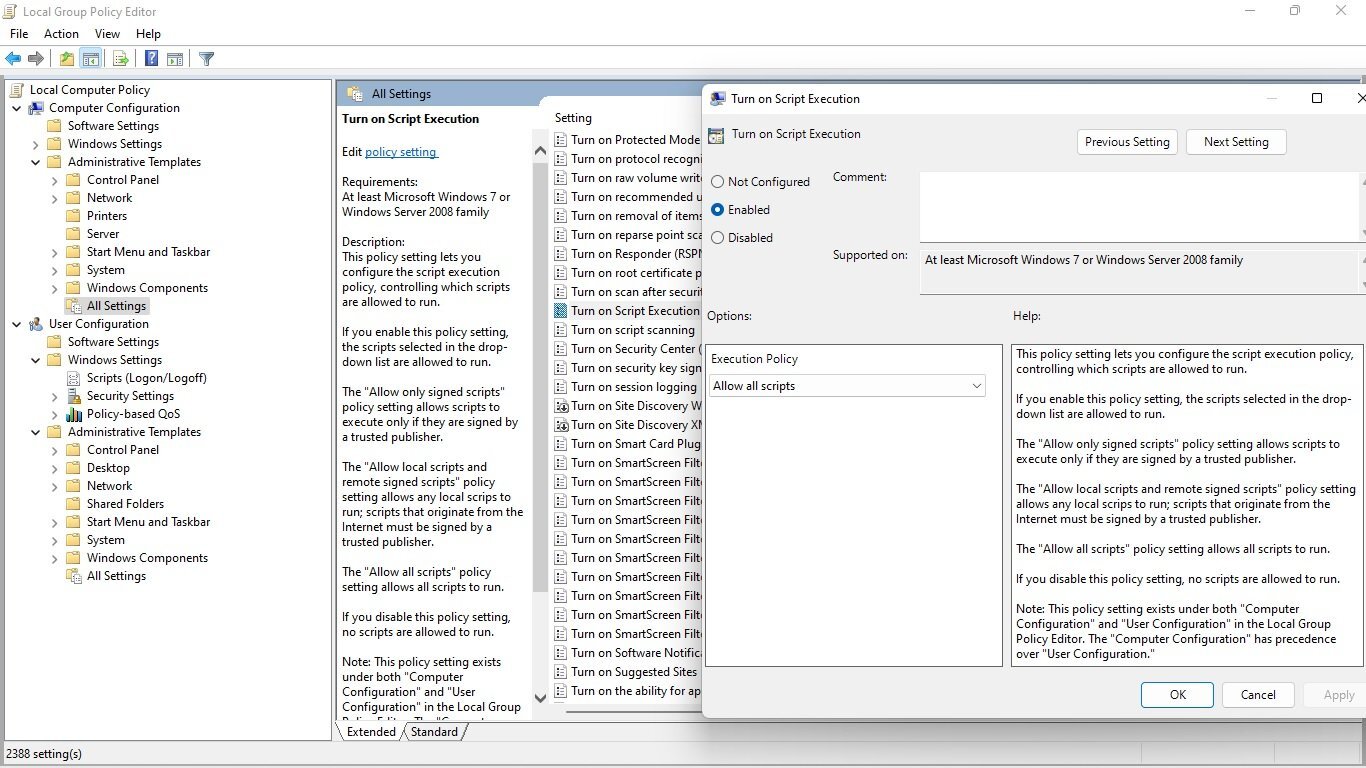
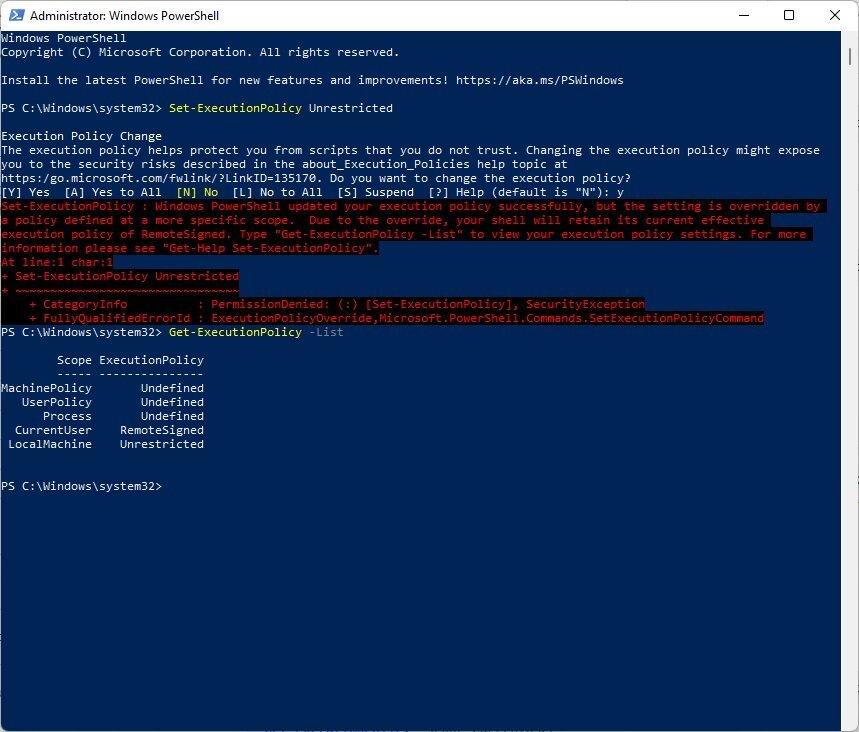
Well I never did sort out my script execution policy and to run these bios scripts, needs the script execution policy lined up to allow them to work in the first place. I'll let u know what I find out. If u have windows home edition download and run this as administrator and gpedit.msc can be searched and started. gpedit-enabler.zip
-
That would be insanely cool if i could turn up the tdp on this processor because its a AMD A6-7310 in the Lenovo Ideapad 110-15ACL 80TJ without the discrete gpu and its 2.4ghz quad core but only goes up to 1.4ghz on the cpu in game and gpu pretty much remains 800mhz. It would be cool to overclock the gpu core clock but thats not likely possible.
-
I think I need to re-create txt files again and rename them for the .csv files so it'll work is my guess... How do I do that? Just right click open with notepad or what?
-
I cannot enter the bios at all and yeah idk why i tried pulling the ssd, didn't change anything and changed to a different module of ram nothing changed must be corruption or something highly unusual. here i tried first to just create a direct hex copy of the Manage-LenovoBiosSettings.ps1 file but no dice and then did ur way with the text file no dice either.
-
Do i copy the text of the filenames of Jon Anderson's bios configurator script files or what? Sorry if u can be more specific, id appreciate it. thx *Update* Wait i get what u mean i think so copy the text from the Manage-LenovoBiosSettings.ps1 file into my own personal created file and name it whatever i want and put the .ps1 extension and try to run okay ill try that now.
-
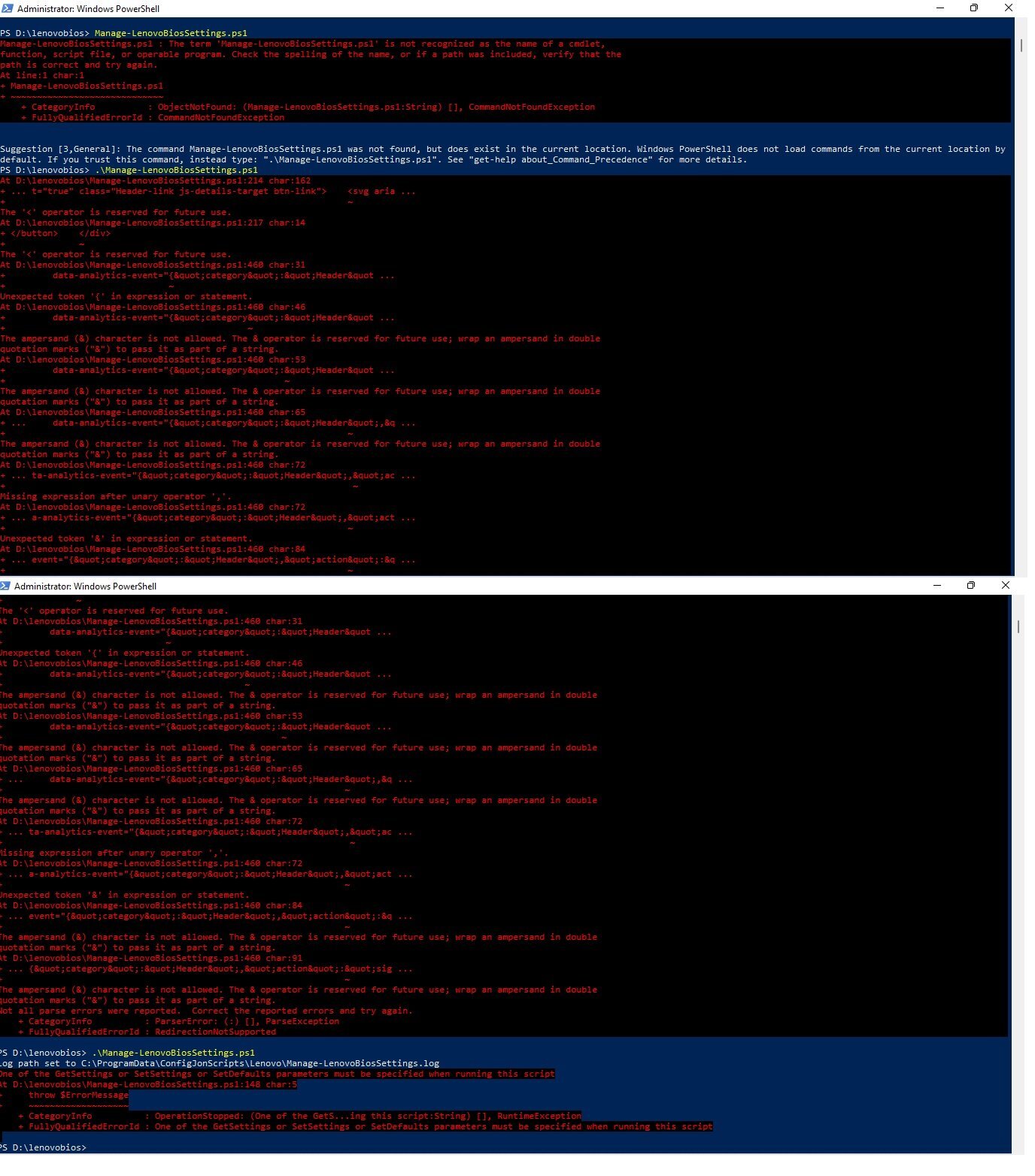
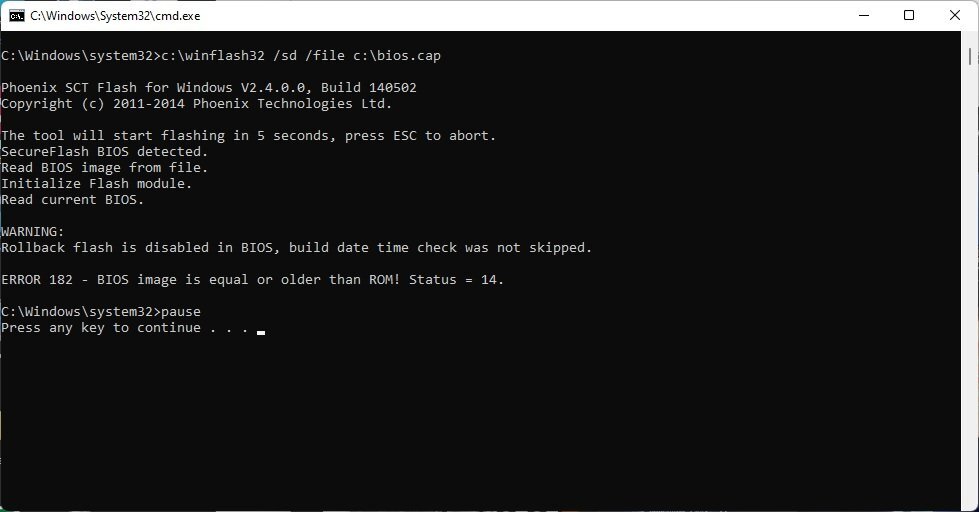
So I was gonna try to install windows 11 pro because i accidentally installed windows 11 home and dont have access to Group Policy Editor so I can globally change the Execution Policy. I cannot though because I cannot enter the bios at all and i reset the cmos battery which turned secure boot which needs to be disabled. So I'm stuck on my current os i think for now, at least for the moment. Check this out... this is the error i need to bypass by enabling rollback in the bios so i can re-flash the whole bios fixing the problem of me not being able to enter the bios. Thanks
-
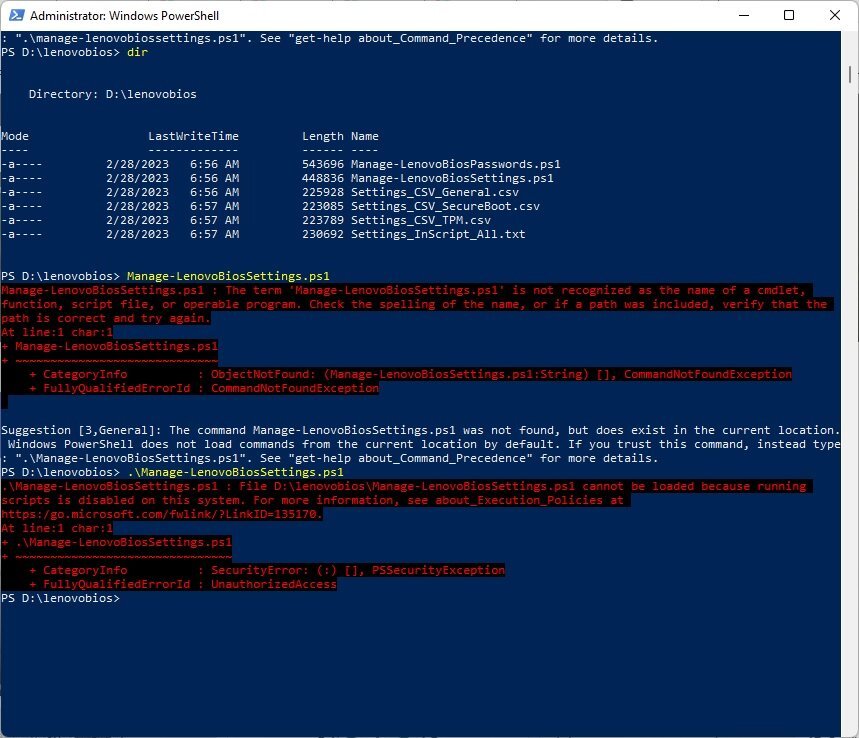
Thanks so much for the reply. I cannot use Think BIOS Config tool because its for Thinkpad & I have an Ideapad. Unless you think it could work? I tried it out & I just received an error message. So what I'm trying to change is the BIOS Rollback flash option in the BIOS setup. May you assist me with the proper command to use to Enable BIOS Rollback flash option. Thanks Something about Script Execution Policy is Disabled? I thought I Enabled it. I guess not. Know of any way to Enable it easily?
-
I had a question about how to use Jon Anderson's PowerShell BIOS Configurator for lenovo laptops. I just don't know how to use PowerShell or anything. I need help changing the BIOS Rollback setting from Disabled to Enabled, please? Thank You Heres the whole webpage downloaded if the link doesn't work Jon Anderson Lenovo BIOS Management Powershell Script Changer Webpage.zip Lenovo BIOS Settings Management – Jon's Notes (configjon.com)
-
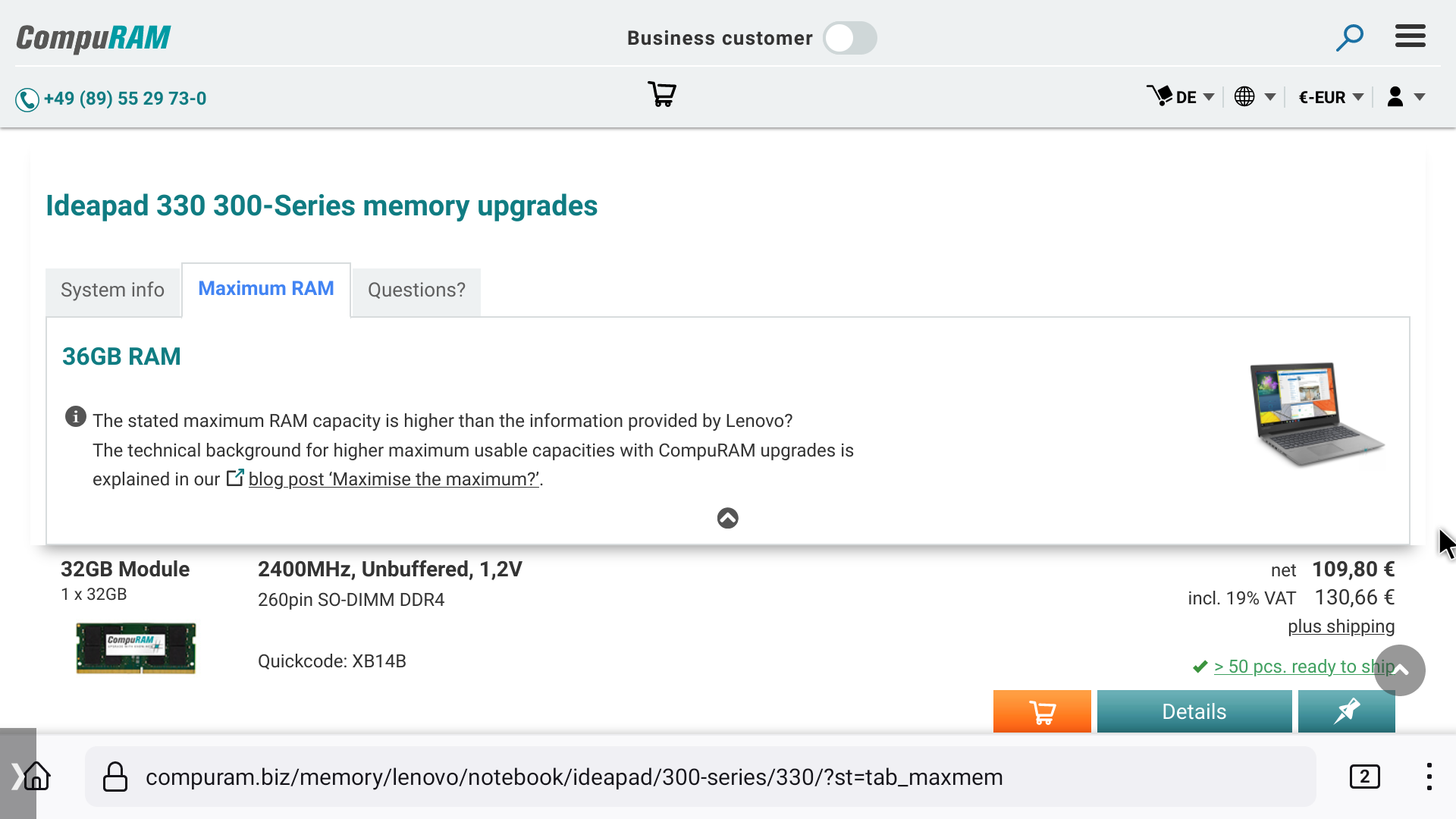
I found this & it looks promising. RAM Upgrades | Ideapad 330 300-Series - max up to 36GB WWW.COMPURAM.BIZ Available RAM Upgrades Overview | Ideapad 330 300-Series ✭ with CompuRAM max up to 36GB ➚
-
Yes sir. Thanks for the reply
-
I guess ill just have to be the 1st to test it bros
-
That would be amazing to line up 36gb on a 2500u laptop with radeon 540 graphics chip.
-
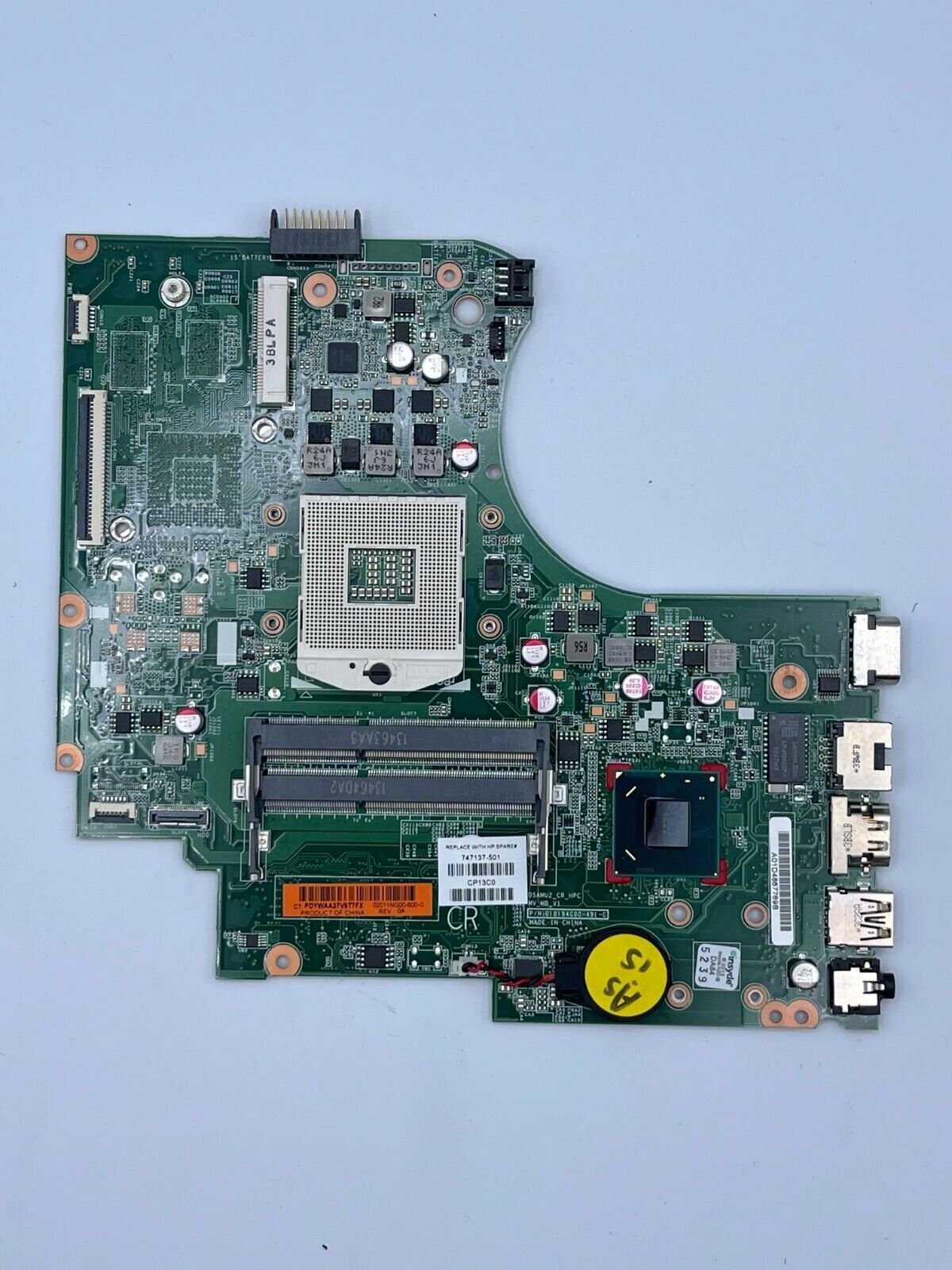
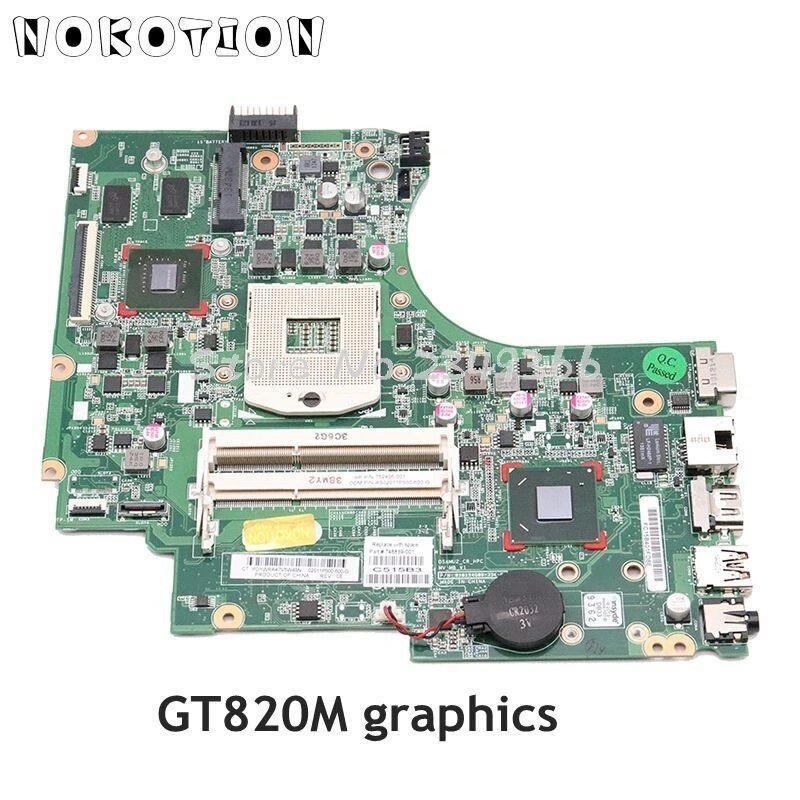
Which discrete GPU goes to this motherboard for HP 15-d069wm? Which CPU is the fastest possible chip for this type of laptop & which GPU / what is the motherboard part number for the board with the discrete GPU? Thanks *Update* Looks like I found it, it's the NVIDIA GeForce 820M Graphics, not a bad chip really. https://bit.ly/3IQgc3x
-
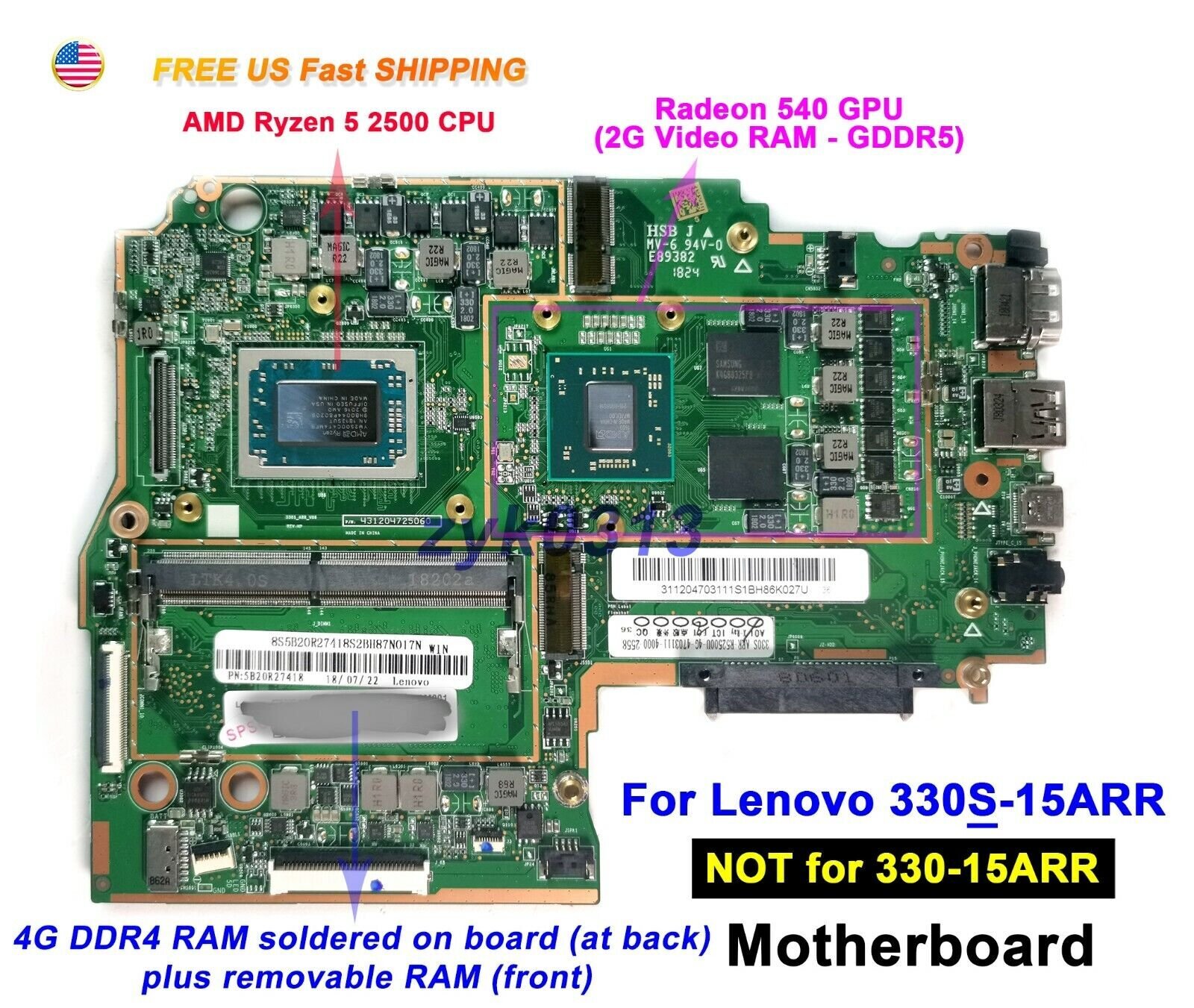
Can anyone find proof a 32GB module will work on a AMD Ryzen 5 2500U? The motherboard I wanna test this on is the Lenovo Ideapad 330S-15ARR because it has only 1 slot and 4gb onboard, so i'd like to see if it would support 36 gigabytes of ram in total. Thanks
-
How to downgrade and bypass bios flash rollback on a lenovo ideapad using linux ubuntu 21.04? Unless u can think of a way to do it on Windows, I'd appreciate any advice as I cannot enter bios setup, it won't let me no matter how i try to enter. Also if u can help me determine what the bios recovery filename should be, i should be able to perform a crisis bios recovery on the phoenix bios. Thanks GitHub - gch1p/thinkpad-bios-software-flashing-guide: flashing coreboot on thinkpads without external programmer GITHUB.COM flashing coreboot on thinkpads without external programmer - GitHub - gch1p/thinkpad-bios-software-flashing-guide: flashing coreboot on thinkpads without external programmer Lenovo Ideapad 110-15ACL BIOS.zip
-
Windows 11 requirements and older CPU's
HeyItsChris replied to t4ct1c47's topic in Operating Systems
Check this out. I tested it, its missing Internet Explorer which made me have to install the full version of Windows 11, but if u have a low end old pc it's probably going to work best.