Welcome to ExtremeHW
Welcome to ExtremeHW, register to take part in our community, don't worry this is a simple FREE process that requires minimal information for you to signup.
Registered users can:
- Start new topics and reply to others.
- Show off your PC using our Rig Creator feature.
- Subscribe to topics and forums to get updates.
- Get your own profile page to customize.
- Send personal messages to other members.
- Take advantage of site exclusive features.
- Upgrade to Premium to unlock additional sites features.


HeyItsChris
-
Posts
538 -
Joined
-
Last visited
-
Days Won
2 -
Feedback
0%
Content Type
Forums
Store
Events
Gallery
Profiles
Videos
Marketplace
Tutorials
Everything posted by HeyItsChris
-
 Cannot adjust voltage with AMD Ryzen K17TK because my BIOS has HPET disabled, how to fix? I cannot find HPET in the BIOS on my system. Is there anyway to issue a command from the command prompt to an American Megatrends BIOS, to enable HPET? Thanks It's v5.14 BIOS American Megatrends from eGlobal it's the A1-3550H model. EGLOBAL Hot selling AMD Ryzen Mini PC 3550H high performance Small Form Factor PC Windows 11 Dual4K (eglobaltech.cn)
 -
Best Graphics Card Repair Business in the United States?
HeyItsChris replied to HeyItsChris's topic in AMD
Where are they located, may you leave me more details? Thanks -
Best Graphics Card Repair Business in the United States? Preferably in Missouri but anywhere is okay as long as prices aren't too high & quality of work is high. I need to have my Powercolor Red Dragon AMD Radeon RX Vega 56 looked at. It gets hot, fans spin but no post no detection. Thanks PS - Do any of you guys know how to repair GPU's?
-
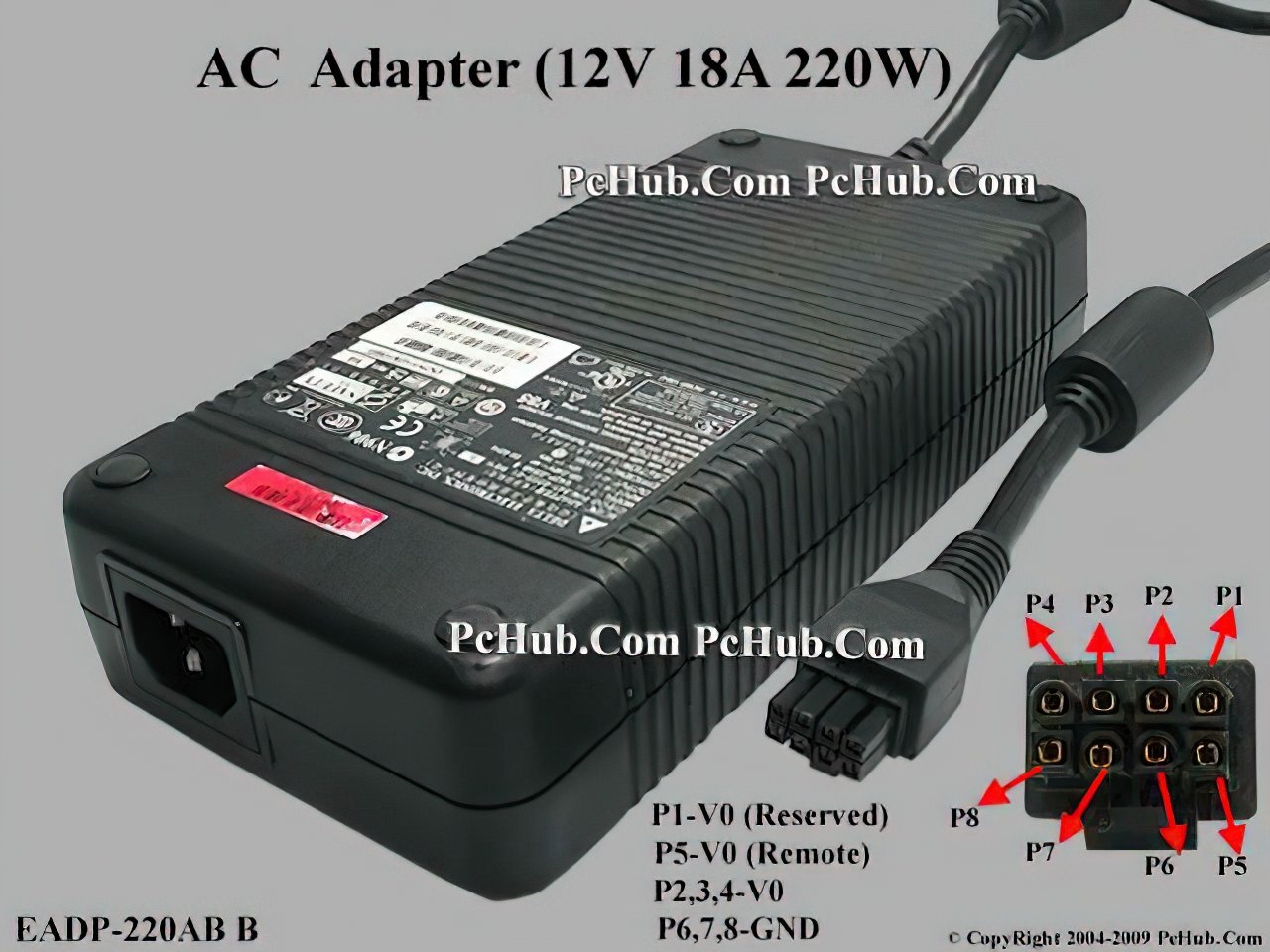
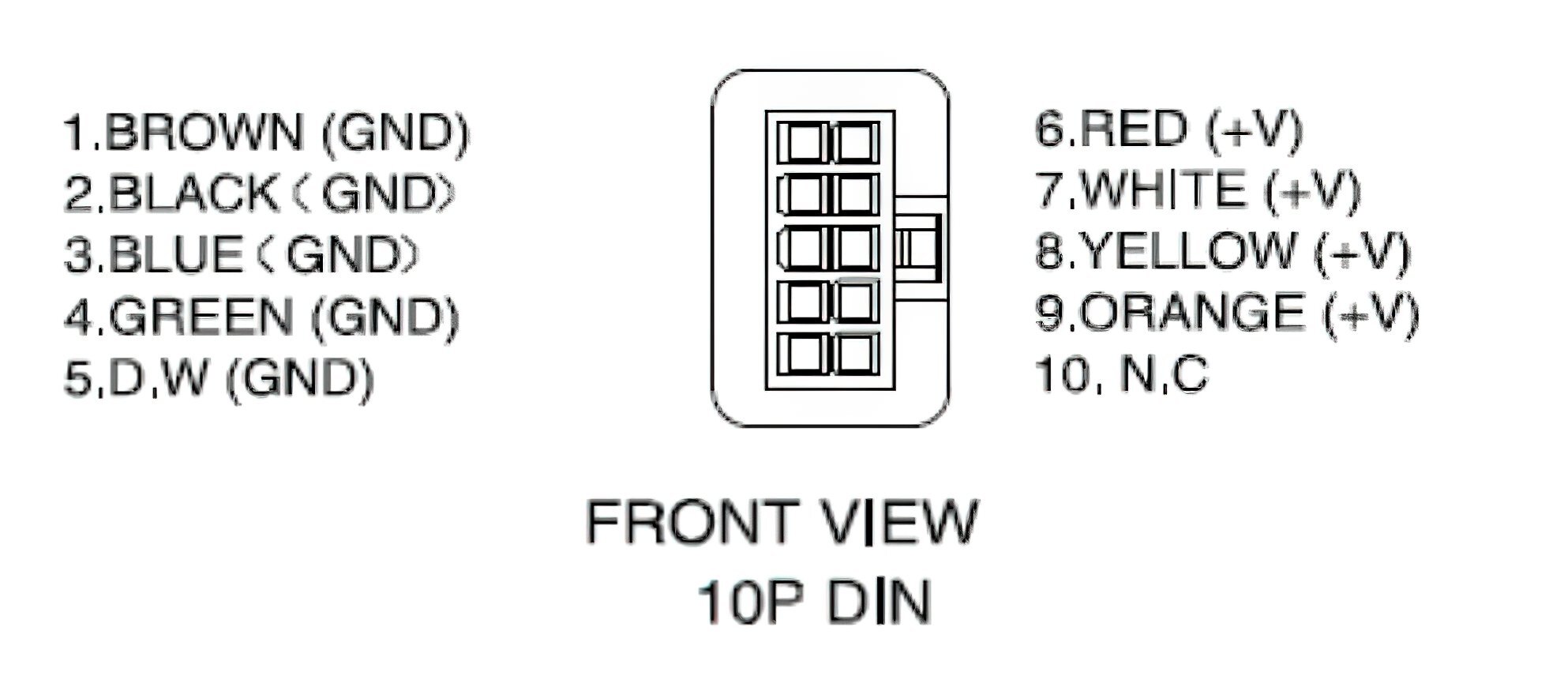
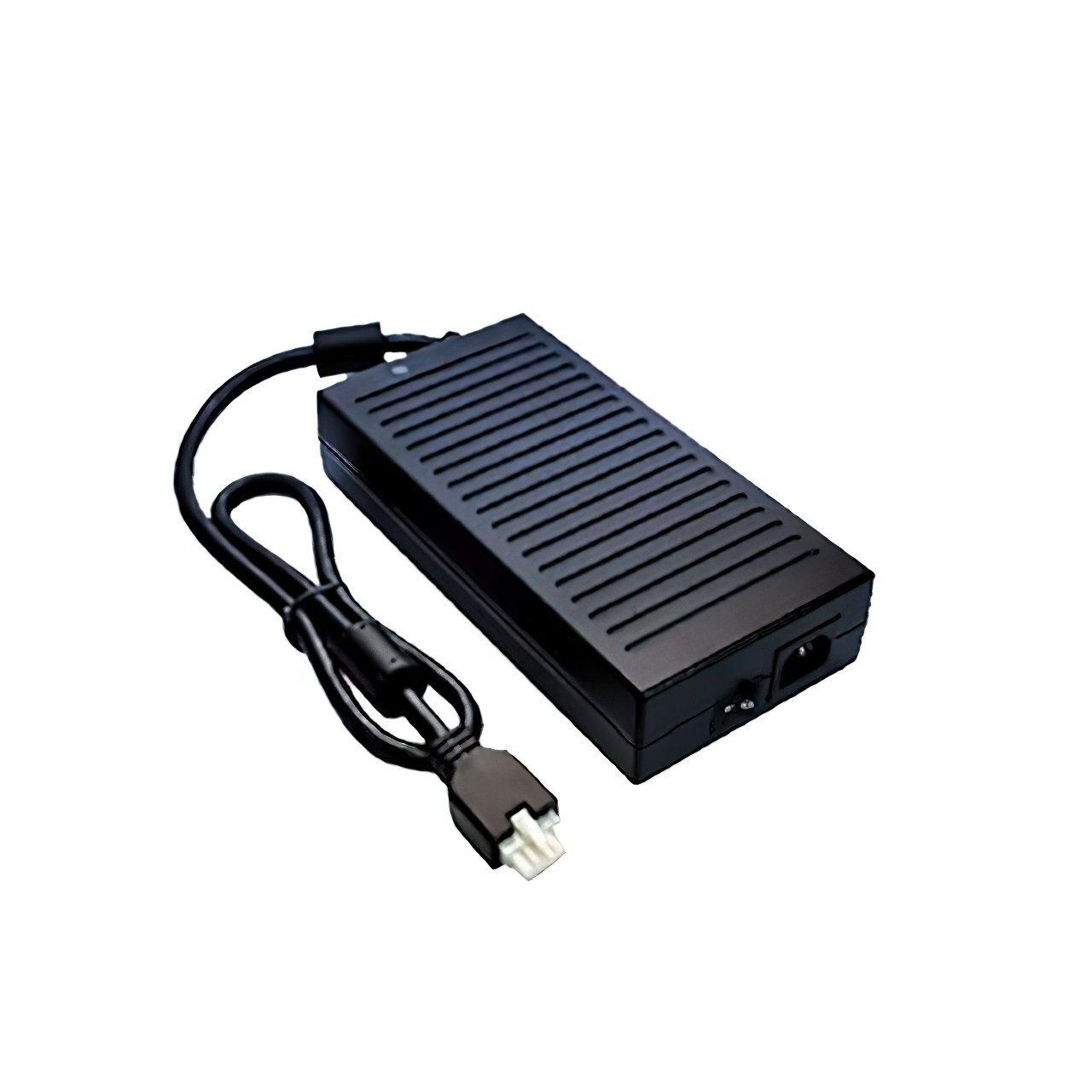
DTMF400-12SX-F-W6 12V 400W Power Supply : Digikey Can anyone find this power supply cheap used?

-
Now I have another mp3 player which says yp3_2.0.43 2309121731 in information There is video function in the mp3 player but nothing I throw at it works & only .avi seems to show up at all but says "Video Formats Not Supported". Support 128G MP3 Player Bluetooth HiFi Lossless Sound Music Recorder FM Radio US WWW.EBAY.COM MP3 Player with Bluetooth 5.0, Portable HiFi Lossless Sound Music Player with Speaker, FM Radio, Voice Recorder, E-Book, Supports up to 128GB TF Card. Adopts Bluetooth 5.0 technology for stable and faster...
-
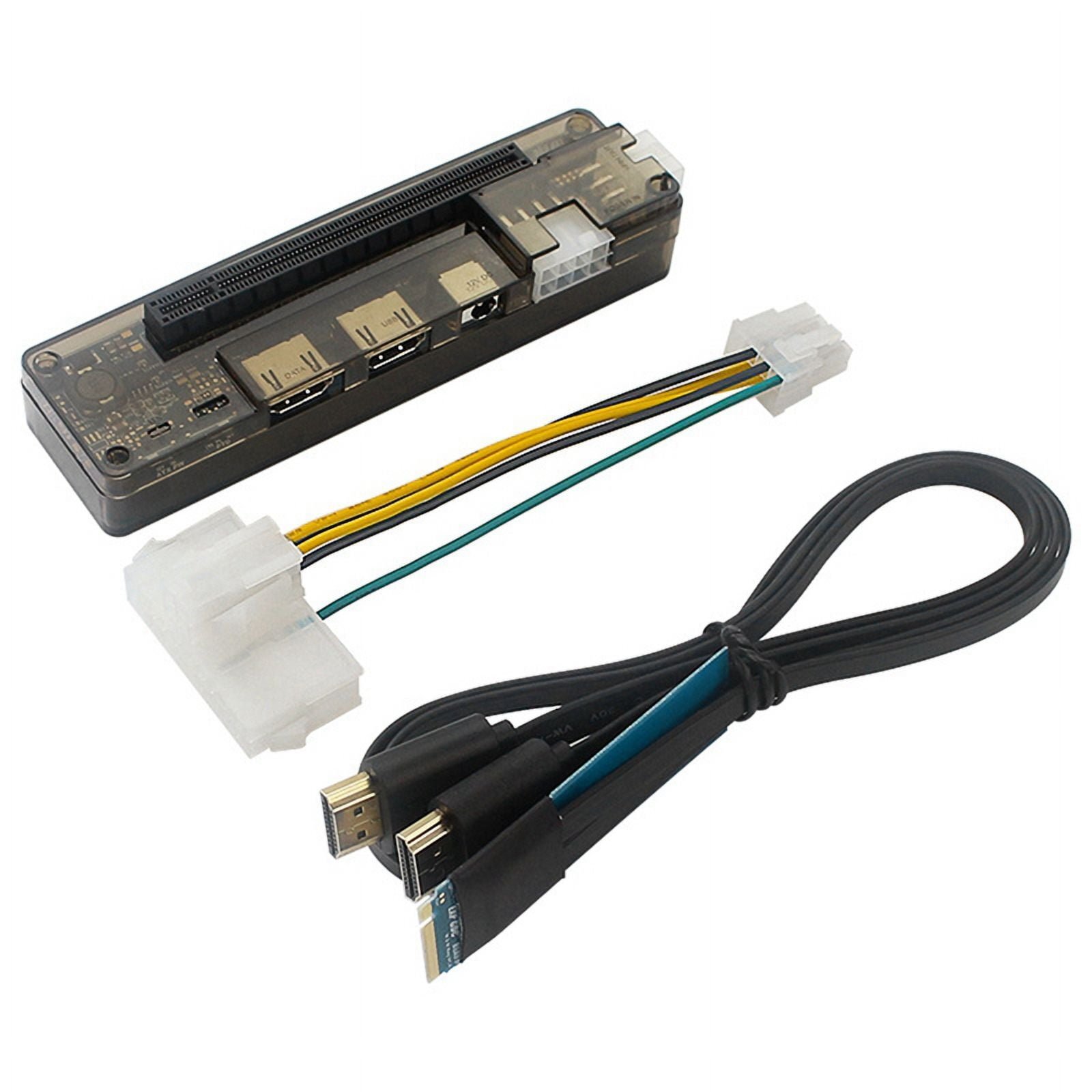
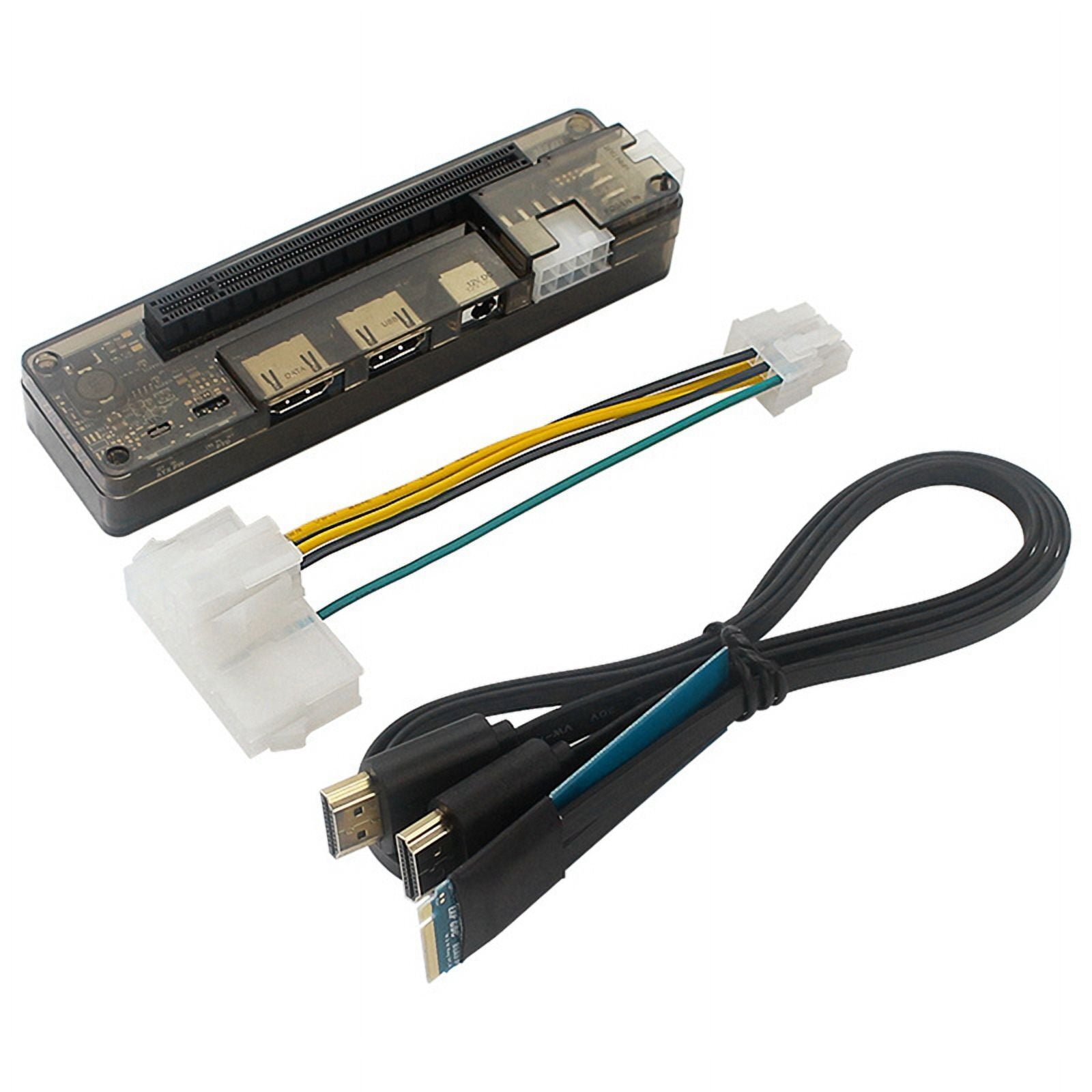
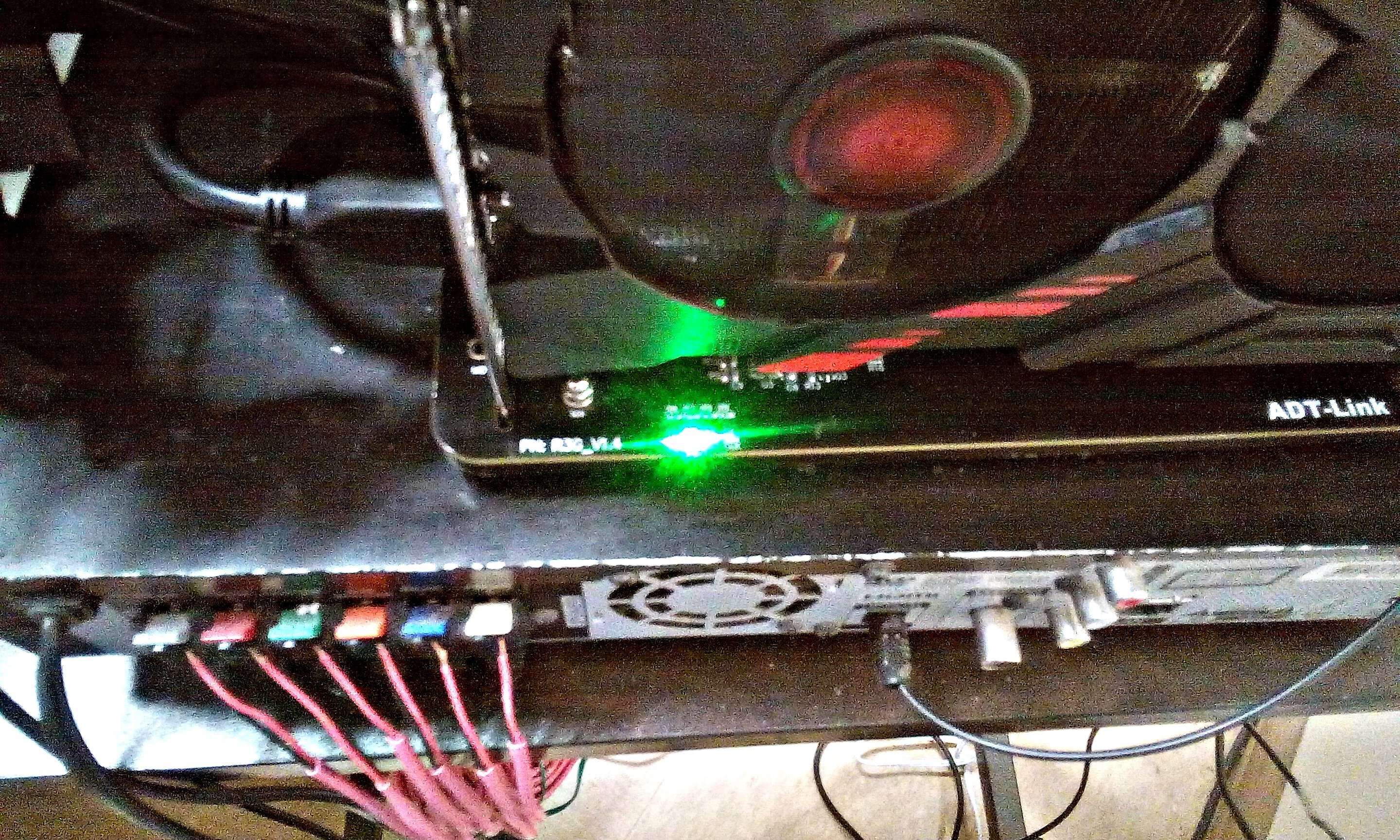
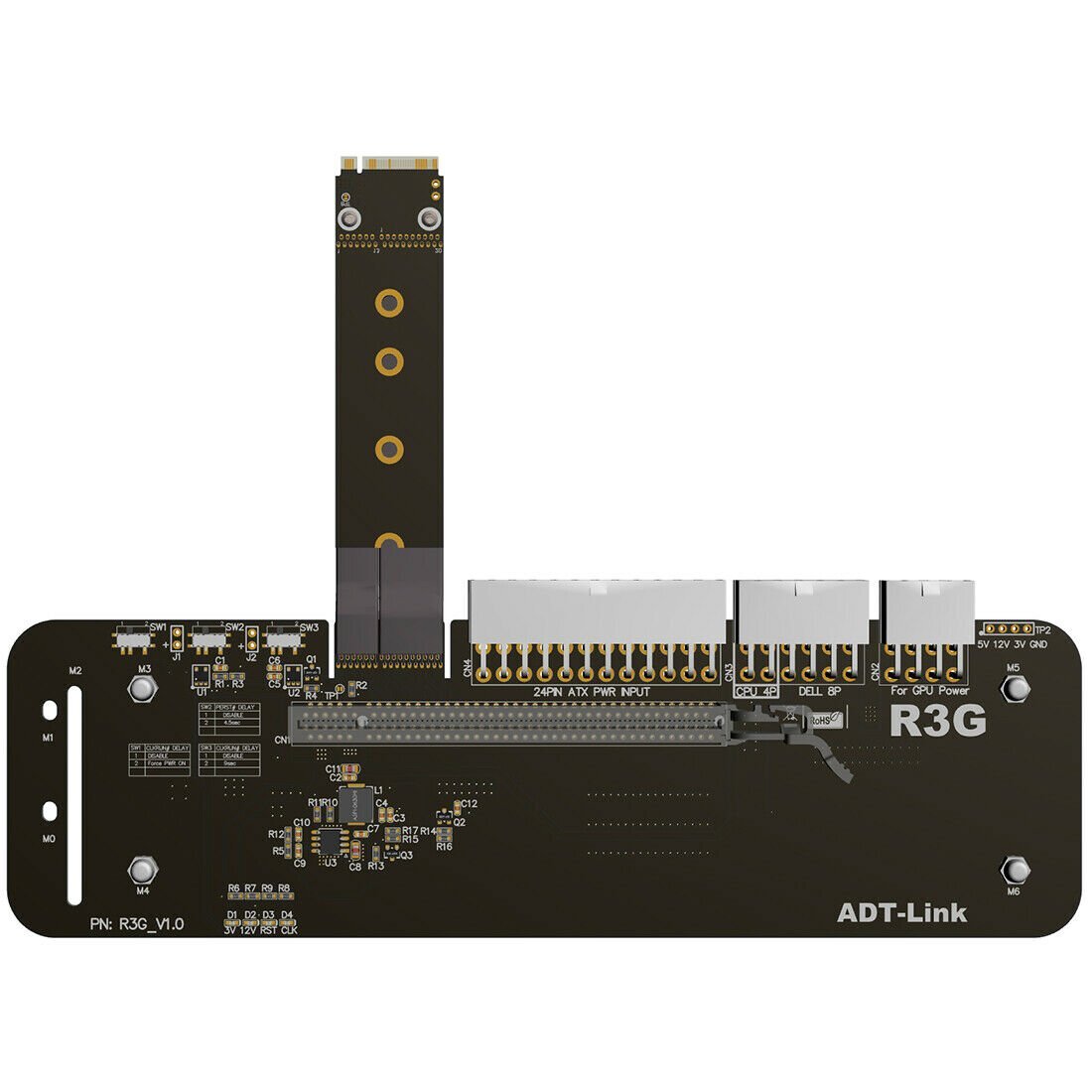
So I pulled it apart for the 4th or 5th time now & cleaned it again this time cleaning the PCB spotless with dish soap & a tooth brush & then I submerged it in soapy water to make sure the soap is dissolved under the core diode. That's what I suspect caused the fault possibly but I did boot it up while it may of still been wet from the first cleaning idiotically (should have been patient). Now it's drying (crossing fingers). So now I know for sure my ADT-Link R43SG-50CM is shot, the ribbon cable has a tiny bit of damage & no wires are showing it's just that it's damaged on the ribbon outer layer. It's clear it's busted because nothing gets detected on it, not even known working cards. So I suspected a bad nvme pcie slot but my nvme pcie ssd works fine in the slot, so I suspect the slot is fine for now. So now I'm looking to get a new GPU, a Powercolor Red Devil AMD Radeon RX 5700 XT & a EXP GDC nvme key M (latest & greatest) model with the PCIe 3.0 (sadly) but it's okay for my current system @ PCIe x4 speeds PCIe 3.0. Anyone know of any reviews of the nvme EXP GDC model?
-
My pins on my nvme slot on the board are slightly damaged but nvme drives work fine in the slot so I'm not certain if it's the slot or the R43SG is damaged as the ribbon cable is slightly worn out. So I tested a known working gpu in the R43SG on my eglobal a1-3550h mini pc and it didn't get detected either & i'm only getting green led lit on 12v only, not 3v like i think is supposed to be lit also.
-
So what do I do to troubleshoot the getting hot and zero fan function is working yet no post no detection on Vega 56? Thanks
-
Thanks ill try that. What I did test is a known working video card from another rig in the R43SG-50CM & it didn't get detected. Just the 12V LED lit green & not the 3V LED. I think my nvme pcie slot is damaged a little but nvme ssds work fine on it so idk what to think? or maybe its the R43SG-50CM that is damaged as the cable is little worn out around where the casing came together.
-
Thanks guys yeah I'm worried about the video card now. I took it apart to clean it & put it back together & now it doesn't get detected. There may be a short somewhere, I suspect on the X-Clamp on the back of the PCB. I tested the GPU in another known working PC & it's not working. So now I have to troubleshoot the Vega 56. I tested it with the heatsink off & the core & HBM gets hot so thats good. I'll let you know what I find.
-
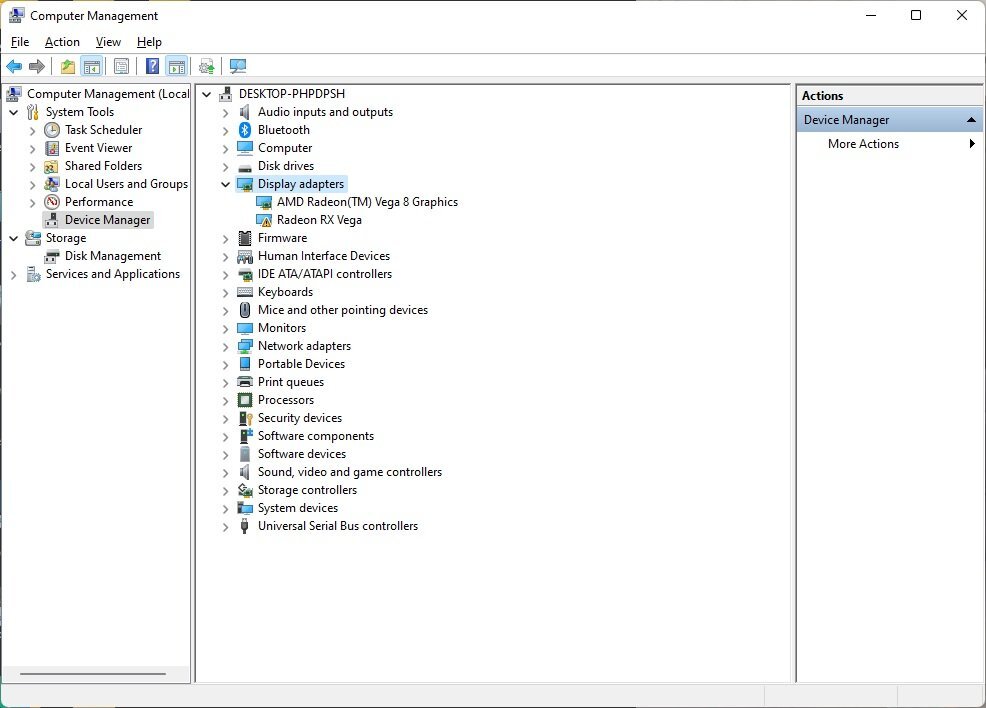
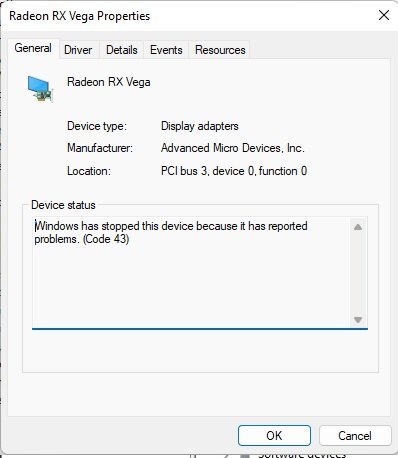
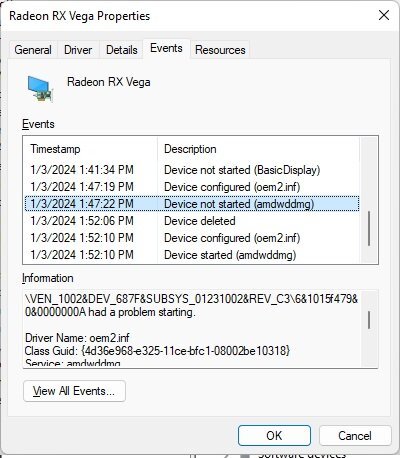
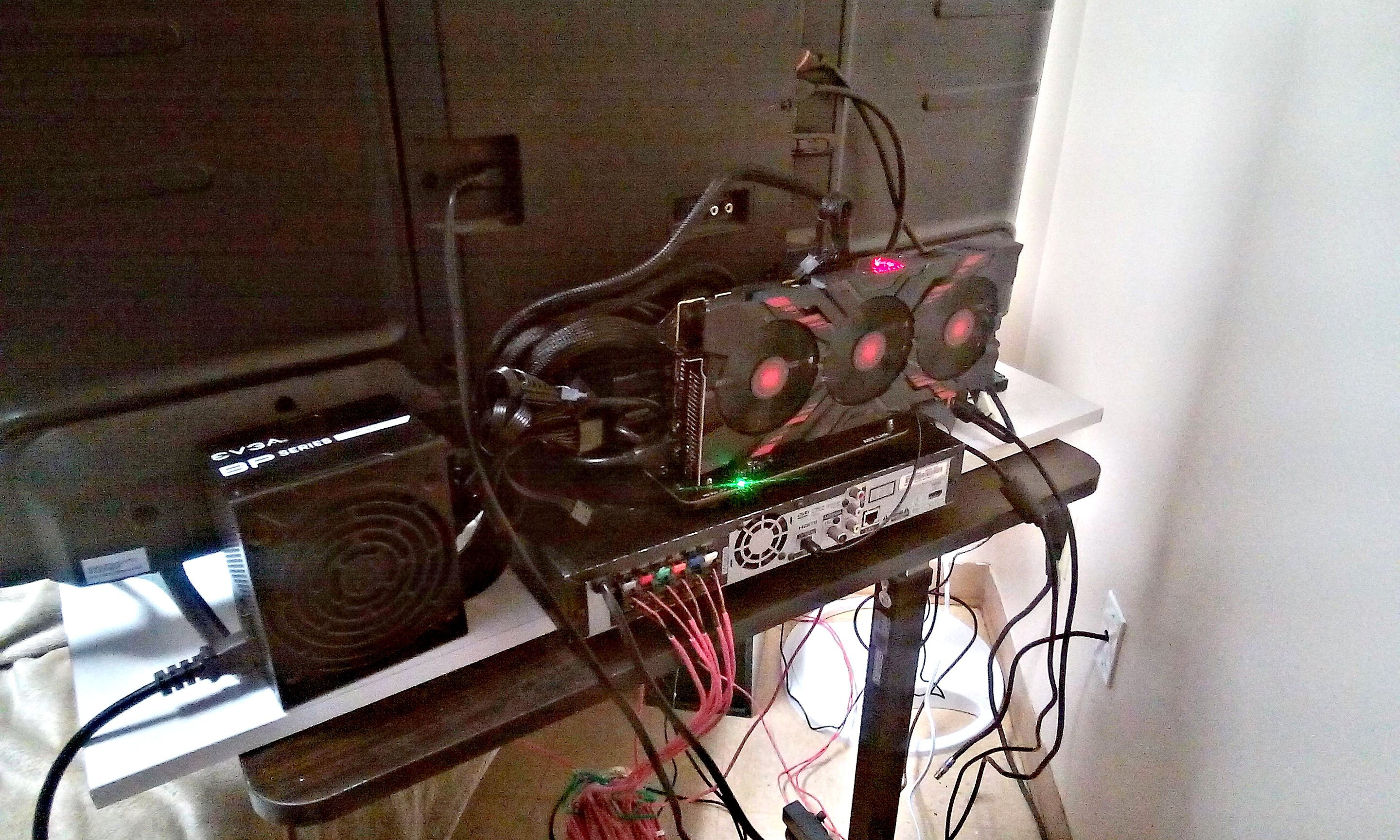
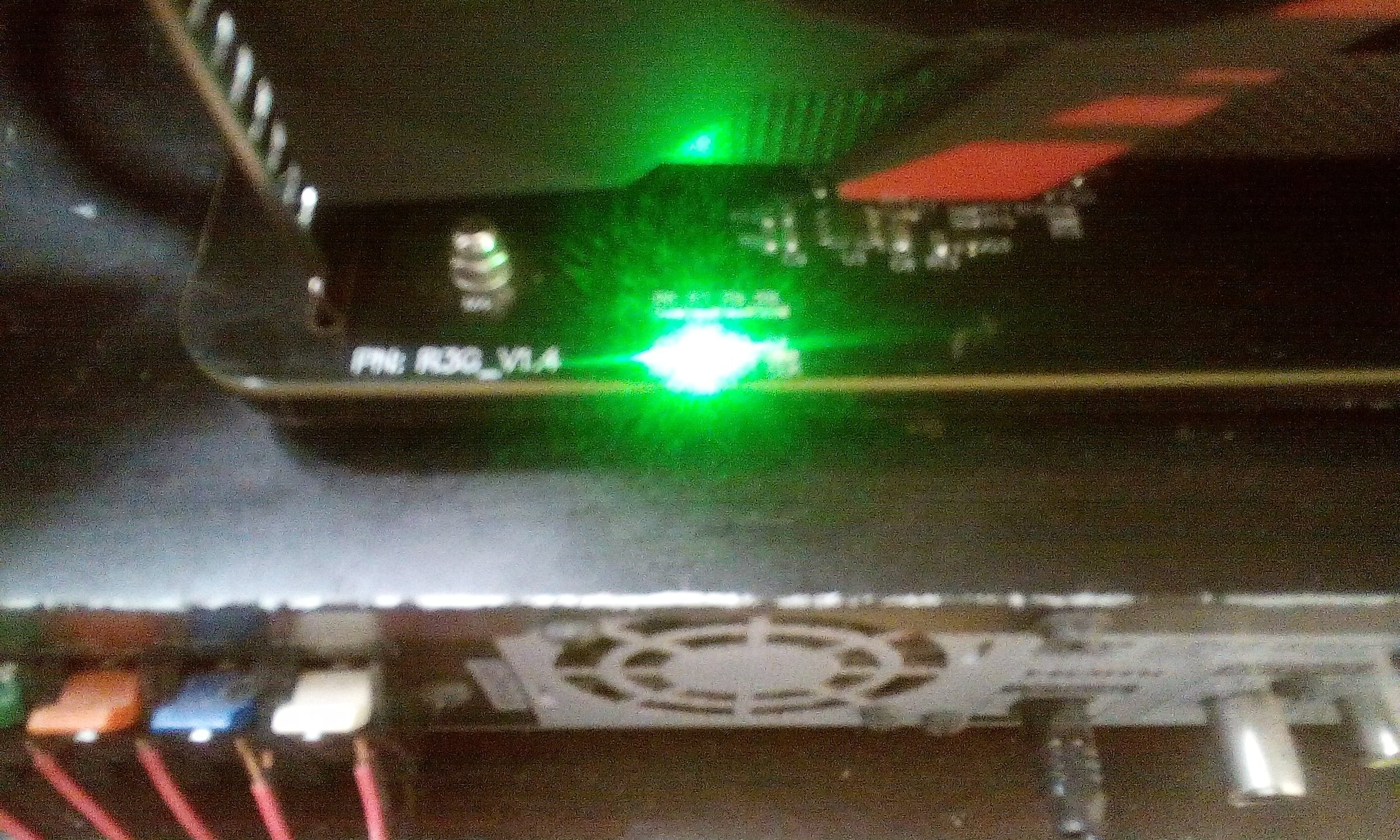
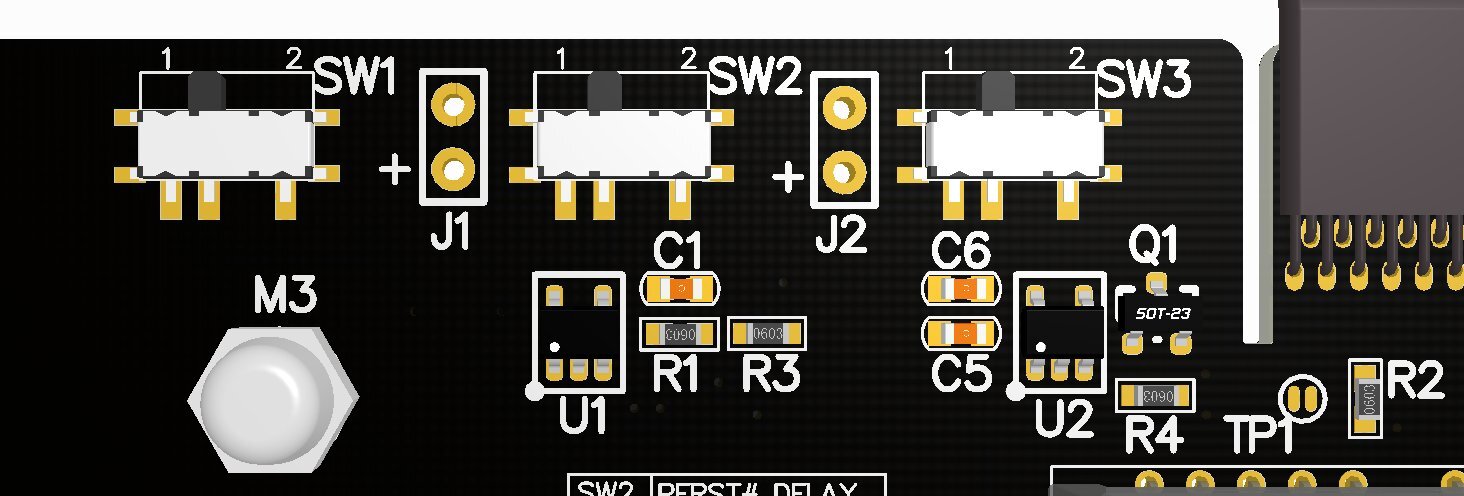
ADT-Link R43SG-50CM hooked up to my eglobal a1-3550h amd ryzen 5 3550h mini pc & having issues detecting my Powercolor Red Dragon AMD Radeon RX Vega 56 for some odd reason? The card is perfect shape. I even took it apart & cleaned it just to make sure with a fresh repaste. Is the 3.3V light supposed to be green during operation? Because only the 12V led is lit. Please help me troubleshoot why my Vega 56 won't get detected in Windows. I reseated the m.2 nvme pcie adapter portion. So I think IOMMU caused it to not show up I think, so I reset to BIOS defaults & it got detected but still only the 12V LED lights up Green & I get code 43 in device manager for the Vega 56 card. Any ideas? How to fix code 43. I took a picture with my agptek t06s which takes terrible pics so I enhanced with ai but the pins look good after the ai enhanced the picture. There is a slight disruption in the pins on the nvme m.2 pcie slot on the motherboard but nvme ssds work fine, idk why im not getting a 3V led on the R43SG-50CM? Is it my brand new EVGA 650 BP? Thanks *Update* I had it getting detected but now it's not getting detected anymore. I'll fiddle around with the BIOS some more.
-
Forza Motorsport 2023 will not launch no matter what I do, Advice?
HeyItsChris replied to HeyItsChris's topic in PC Gaming
I tried it on my fresh win11 installation 3700x rx480 rig no Resizable BAR nor on my AMD Ryzen 5 3550H mini pc & both won't launch the game. I wonder why? Is the game currently broken completely? -
How to reduce Windows 11 64bit Page File Usage?
HeyItsChris replied to HeyItsChris's topic in Operating Systems
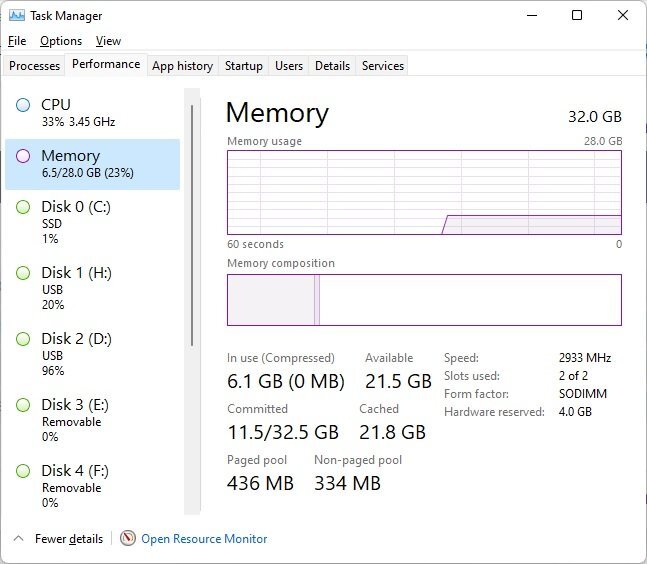
Hi, I'm back a long time later still trying to chase memory savings on my AMD Ryzen 5 3550H Mini PC with 32GB DDR4-3200 @ 2933 because only at 2933 did the UCLK & FCLK infinity fabric clock & memory controller clock match the memory clock for maximum gpu performance when locking the memory on the gpu to the 2933Mhz. Anyway, I need to dial in the page file so it doesn't use it until it hits the actual amount of RAM available which is 28GB, since 4GB is dedicated video memory. I haven't had any success at all so far. It really blows my mind that I have about 10 tabs on msedge open & steam installing forza motorsport 2023 from backup & a few more apps like rtss & hwinfo & we're sitting @ 11.5GB used on pagefile but only 6.1GB of actual RAM being used but the actual true amount being used is something like 21.8GB or some such because the Cached says 21.8GB... it makes no sense sometimes. @pioneerisloudHi bud, did u have to set your Bulldrowser ram from 1866 to 1600 for some specific reason? Just curious since I thought they ran @ 1866 without an issue.
-
Hi, I've tried resetting the bios to defaults & resetting the gpu to the original bios & going with old 22.8.2 drivers & 23.11.1 drivers for AMD. I even reinstalled windows & reinstalled the game. System is 3700x 32gb rx 480 4gb. I've had it working before the updates, idk why it's not launching. This is what event viewer says... Fault bucket 1894905822986007368, type 4 Event Name: APPCRASH Response: Not available Cab Id: 0 Problem signature: P1: forza_steamworks_release_final.exe P2: 1.522.1166.0 P3: 00000000 P4: forza_steamworks_release_final.exe P5: 1.522.1166.0 P6: 00000000 P7: c0000005 P8: 00000000005723cf P9: P10: Faulting application name: forza_steamworks_release_final.exe, version: 1.522.1166.0, time stamp: 0x00000000 Faulting module name: forza_steamworks_release_final.exe, version: 1.522.1166.0, time stamp: 0x00000000 Exception code: 0xc0000005 Fault offset: 0x00000000005723cf Faulting process id: 0x2e3c Faulting application start time: 0x01da34f1912254b7 Faulting application path: C:\Program Files (x86)\Steam\steamapps\common\Forza Motorsport\forza_steamworks_release_final.exe Faulting module path: C:\Program Files (x86)\Steam\steamapps\common\Forza Motorsport\forza_steamworks_release_final.exe Report Id: bda13df2-260b-4ca8-9065-750a2ec7f450 Faulting package full name: Faulting package-relative application ID:
-
Maybe we can brainstorm together I know I only have ipv4 and teredo is ipv6 so theres this tunneling interface called 6to4 and after enabling it I get this result... Which clearly says there in NAT is port restricted so I'm getting somewhere (I think) because Forza Motorsport 2023 worked online on this network why won't Forza 7? C:\Windows\system32>netsh interface teredo show state Teredo Parameters --------------------------------------------- Type : enterpriseclient (Group Policy) Server Name : win10.ipv6.microsoft.com (Group Policy) Client Refresh Interval : 30 seconds (Group Policy) Client Port : 3544 (Group Policy) State : qualified Client Type : teredo client Network : managed NAT : restricted (port) NAT Special Behaviour : UPNP: No, PortPreserving: No Local Mapping : External NAT Mapping :
-
What about teredo because I think it has to do with it... I have been fiddling with it & I think its been thinking about working but still not working... I don't know what to do exactly but im on ipv4 and teredo uses ipv6 idk what it does exactly does it require the network to use ipv6 because thats never gonna happen. My "State" is probe & it should say Online or something like that... Whats it say for you? netsh interface teredo show state List of Teredo Servers WWW.ANIMMOUSE.COM List of working Teredo servers and relays C:\Windows\system32>netsh interface teredo show state Teredo Parameters --------------------------------------------- Type : enterpriseclient (Group Policy) Server Name : teredo.iks-jena.de (Group Policy) Client Refresh Interval : 30 seconds (Group Policy) Client Port : 3544 (Group Policy) State : probe (primary server) Client Type : teredo client Network : managed
-
I set the vRam to 4GB in the BIOS & set IOMMU enabled and NB policy to performance and power limit to Auto which is 30w short 25w constant, and set ryzenadj in windows to 30w constant and installed the latest NimeZ driver WHQL-AMD-Software-Hybrid-Edition-23.12.1-PVNFlex-Nebula-Native-DCH for AMD Radeon Vega 8 but shows up as Vega 10 with the driver mod. Working fine now idk man weird wild stuff.
-
Topaz Labs Gigapixel Ai crashes Vega 8 iGPU driver or freezes when using discrete GPU in preferences I've tried running the memory back to ddr4-2400 from 2933 and it didn't work, tried reinstalling the entire os no dice, tried different drivers nothing. What can be done? Thanks This is the system I'm using. EGLOBAL Hot selling AMD Ryzen Mini PC 3550H high performance Small Form Factor PC Windows 11 Dual4K WWW.EGLOBALTECH.CN Our currently hot selling mini pc A1 series ultra mini pc, come with AMD Ryzen 5 3550H processor, its our low cost mini computer with powerful performance, welcome to enquiry
-
MINISFORUM HX77G MINI PC - 8TB NVME M.2 SSD UPGRADE POSSIBLE?
HeyItsChris replied to HeyItsChris's topic in Storage
So I'm thinking about buying a Minisforum HX99G with AMD Ryzen 9 6900HX up to 4.9Ghz boost 16-thread is it any good? Also has the AMD Radeon RX 6650M gfx chip discrete GPU. I'm getting the one with 64GB RAM & 1TB nvme ssd. Can someone please tell me why techpowerup specs mention the radeon 680m 780m having 32 ROPs when I've seen nothing but 16 ROPs in GPU-Z screenshots...? What do you think about controlling the GPU with MorePowerTool, is it possible? Can someone help me find 2x32GB DDR5-6400 SODIMM for mobile devices like mini pcs and laptops etc? Thanks -
You're welcome. I hope some of you may enjoy the pleasure of 5.1 Dolby Digital on your PC, as I do. It's marvelous!
-
I know I was able to play Forza Motorsport 2023 on the same network using Tunnelbear vpn, so maybe I'll try that again.
-
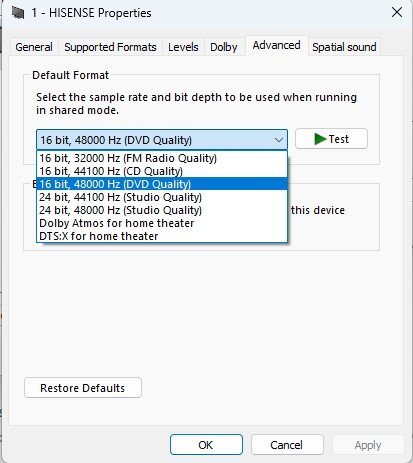
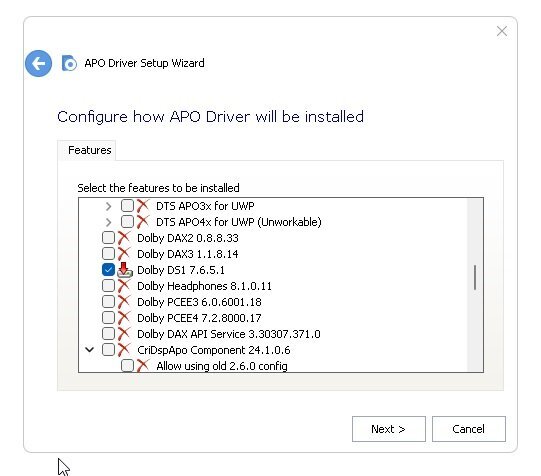
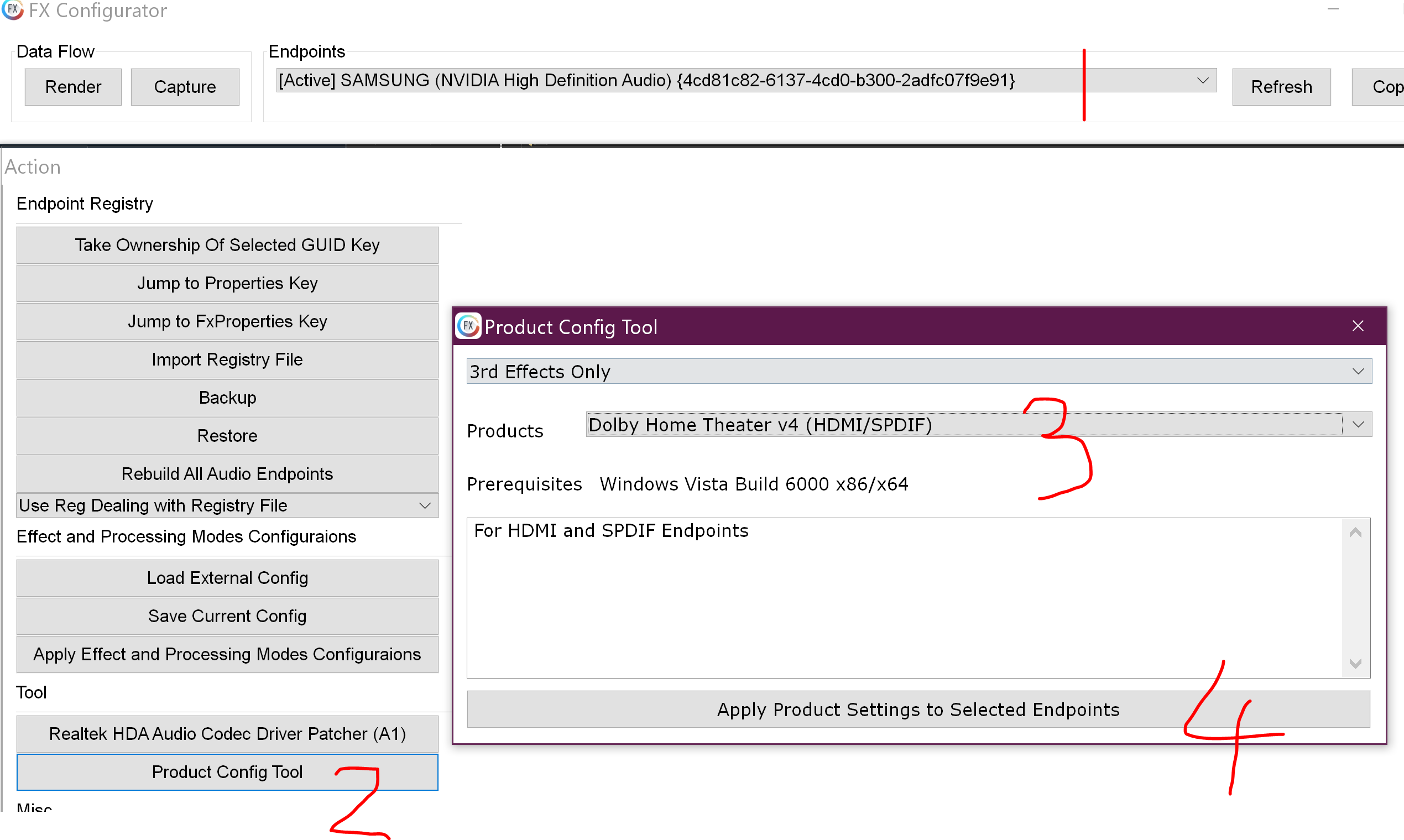
Why did Dolby Digital default format disappear from FX Configurator after Win11 10.0.22621 Build 22621 update? I used APO_Driver_2.10.6 to select Dolby DS1 7.6.5.1 then install the latest AMD Graphics HDMI Audio driver in device manager then select the Active endpoint then select the Dolby Home Theater v4 Product and Apply & normally it works, but not anymore. Thanks APO_Driver_2.10.6.zipAPO_Driver_2.10.6.zip Normally after doing all that above, Dolby Digital should show up in the list but it isn't anymore. *UPDATE* Just had to uninstall the APO Driver & reinstall & reapply the Dolby Digital & its working now. Hope this helps anyone who proceeds with the latest windows update as it corrupted my video driver & audio driver after the update & broke some other things I think... Thanks I left the APO Driver there for anyone interested in 5.1 Dolby Digital or better (I'm sure there are ways to use the tool to get Dolby ATMOS or better on the PC 24/7 full time). It's not that easy to find, so I left it here for anyone who wants it. APO_Driver_2.10.6.zip
-
How to fix VPN connected PC to Forza Motorsport 7 "Failed to acquire server data"? I'm on Paladin VPN, and I have tried others with no success. I'm on a network that doesn't allow such things as online gaming. Thanks
-
Best compatible CPU for HP 6305 SFF Chipset A75 Socket FM1?
HeyItsChris replied to HeyItsChris's topic in CPU's
Yes, it's low profile. How nice but I doubt you have the low profile card with low profile bracket. -
Best compatible CPU for HP 6305 SFF Chipset A75 Socket FM1?
HeyItsChris replied to HeyItsChris's topic in CPU's
We're AMD fan boys and were in a facility stuck locked away so we can't do as we please in this life like you guys, we have county public administrator guardians and conservators that control our money. Thanks on the BIOS update support for A10-6800B, you really think it'll work? A10-6800B is too expensive and rare i'll stick with the A10-5800B as it's available in the USA and way cheaper less than $25 shipped. So my new problem is I cannot download the BIOS update for the PC, can you upload the BIOS update here? Do you need the serial number?