Welcome to ExtremeHW
Welcome to ExtremeHW, register to take part in our community, don't worry this is a simple FREE process that requires minimal information for you to signup.
Registered users can:
- Start new topics and reply to others.
- Show off your PC using our Rig Creator feature.
- Subscribe to topics and forums to get updates.
- Get your own profile page to customize.
- Send personal messages to other members.
- Take advantage of site exclusive features.
- Upgrade to Premium to unlock additional sites features.

neurotix
-
Posts
1,343 -
Joined
-
Last visited
-
Days Won
29 -
Feedback
0%
Content Type
Forums
Store
Events
Gallery
Profiles
Videos
Marketplace
Tutorials
Everything posted by neurotix
-

EXTREMEHW 48-hour foldathon, April 29-30th 00:00 UTC
neurotix replied to damric's topic in Folding@Home
Late start but folding on my wife's 3060 for this one. Next month I will probably be capable of folding on my 4090 again, and the 3060 too. Gotta put a new psu in my rig next week then it will be safe for me to fold on my 4090. -
Agreed with both. Leave voltage on auto and do +200 PBO and turn PBO on. This is how both my 5900x and 7900x3d are set up.
-
Ended up getting a Seasonic 1200w Gold. I looked at the Superflower leadex 1600w and unfortunately it will not fit in my case, it is too long (remember the basement and that it's a midtower). We got this one and it will fit and will have to work. I'm having obsessive thoughts over my wife putting it in because the two 8 pin EPS connectors on my board were like really really hard to get in and we couldn't get a screw in the board in the top left corner. I'm afraid when she pulls those out the mobo connector the pins will come with. This hobby is just constantly a problem and especially for her. I told her when she got our 77" LG CX OLED and PS5 that I wouldn't upgrade my pc again. She warned me about these upgrades I got and I didn't listen. I trust her and her work and of course would do it myself if I could but my pain is horrendous lately, every day is like torture. Didn't want to spend that much money, worried about my mobo getting ruined. Why do I do this ish again?
-
It's an Asus exclusive feature by The_Stilt. It just basically boosts you higher, the highest I saw without it would be 4950MHz (on my 5900x/C8H) and with it on, I'd hit 5150MHz.
-
Ok thanks, higher it is then. Ignore my other post. I'll make a thread asking for recommendations for a good 1200w unit. Thanks to both of you.
-
I figure just to be safe, especially for extreme overclocks on the 666w bios (with four psu connections, of course) and my processor. Thinking about the rule that a psu runs best and is most efficient at 70-80% load. That's assuming you're thinking of one with lower wattage though.
-
Thank you for the information, was not aware of the single 12v rail, and yes it is possible some components were damaged inside. Can you recommend a replacement 1000w unit that is high quality and probably Seasonic or Superflower?
-
On a 5600x, it might be ok. Give it a try. Just write down your CO limits per core beforehand, set them all to 0, set motherboard limits, +200 boost clock then play your favorite game and monitor temps with AIDA64 or something. Yes it looks cool but for serious overclocking it's pretty crap on an 8 or 12 core chip. I can't even imagine how terrible it would be on Zen 4 with how high it boosts.
-
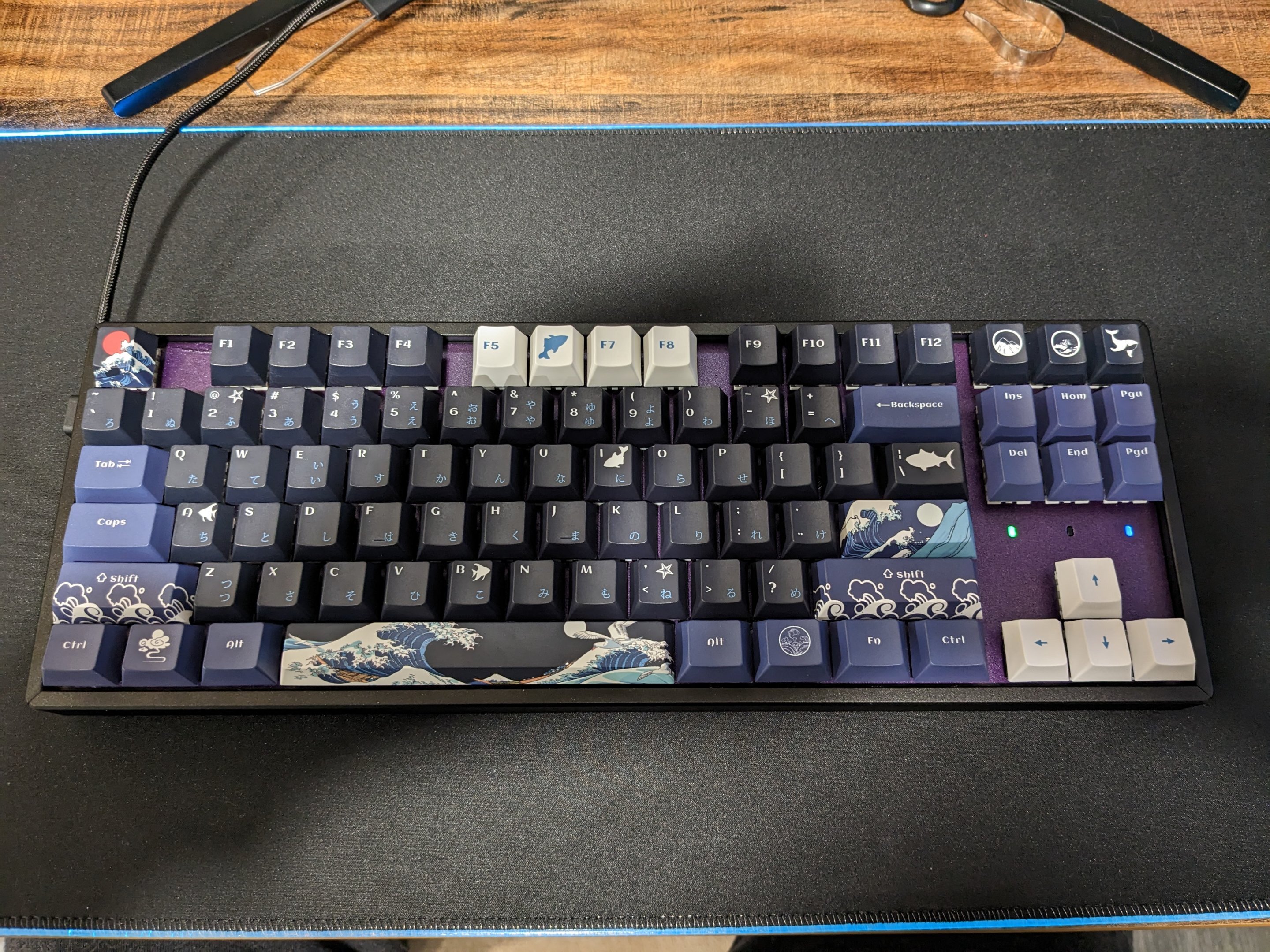
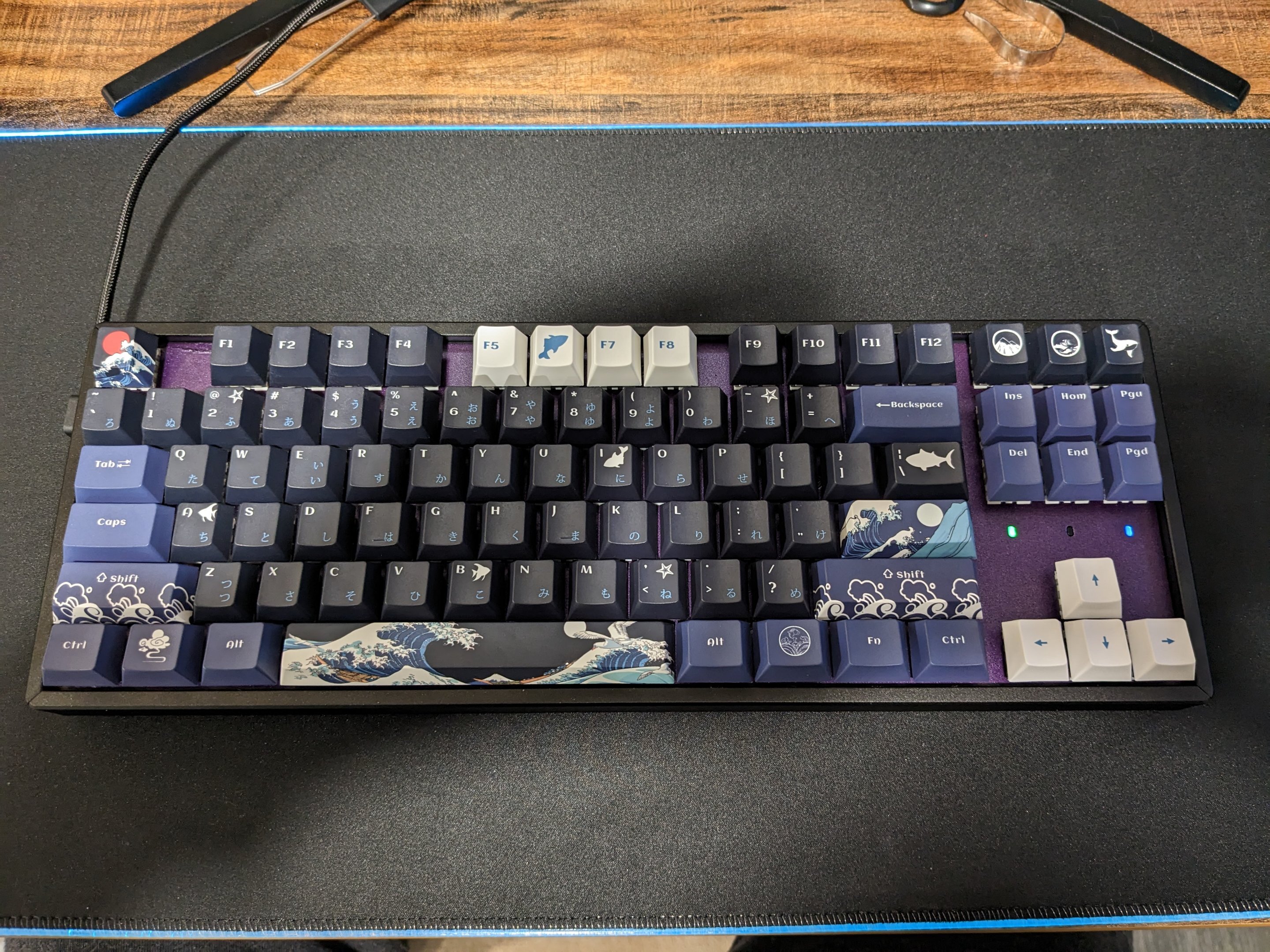
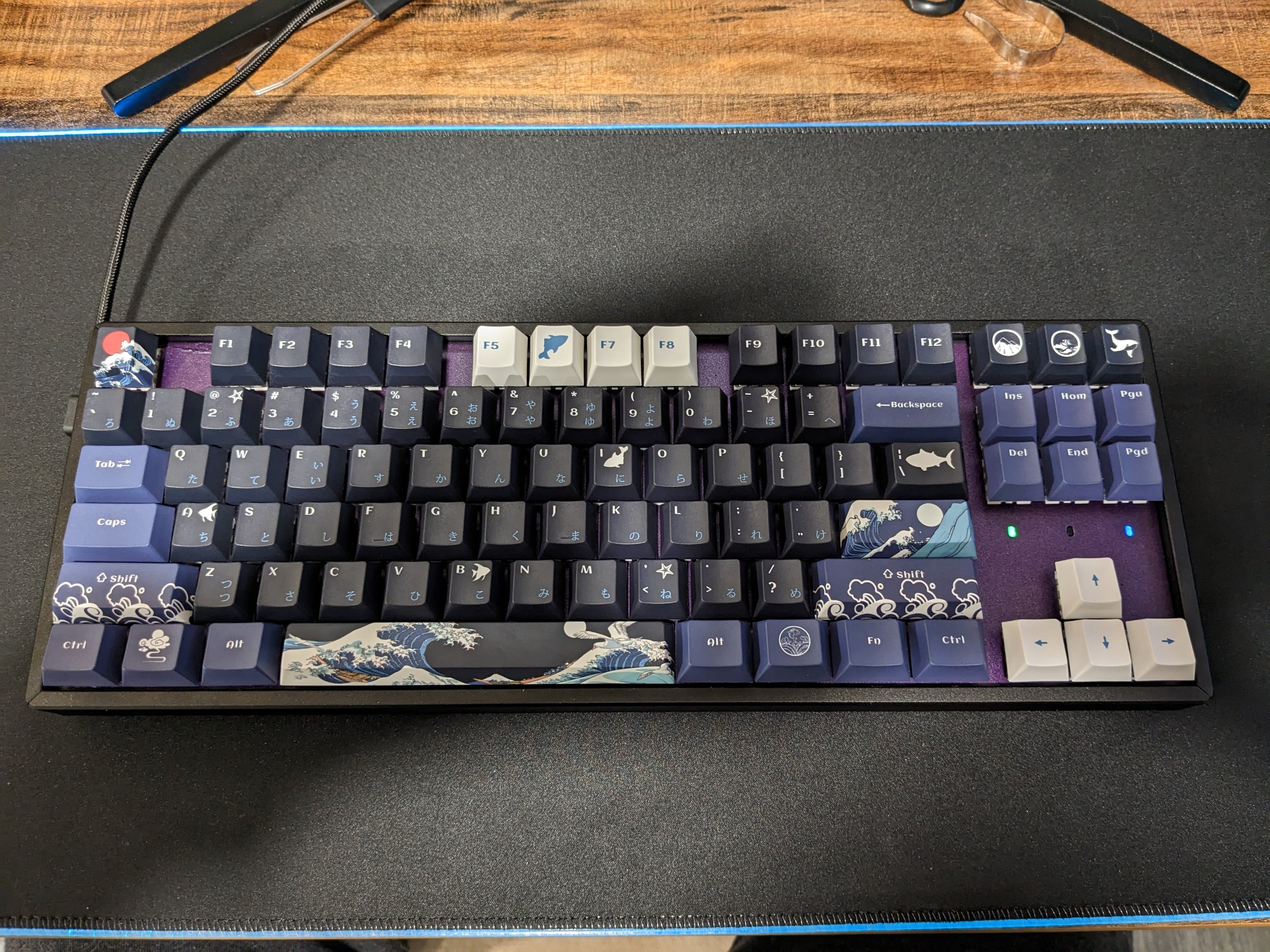
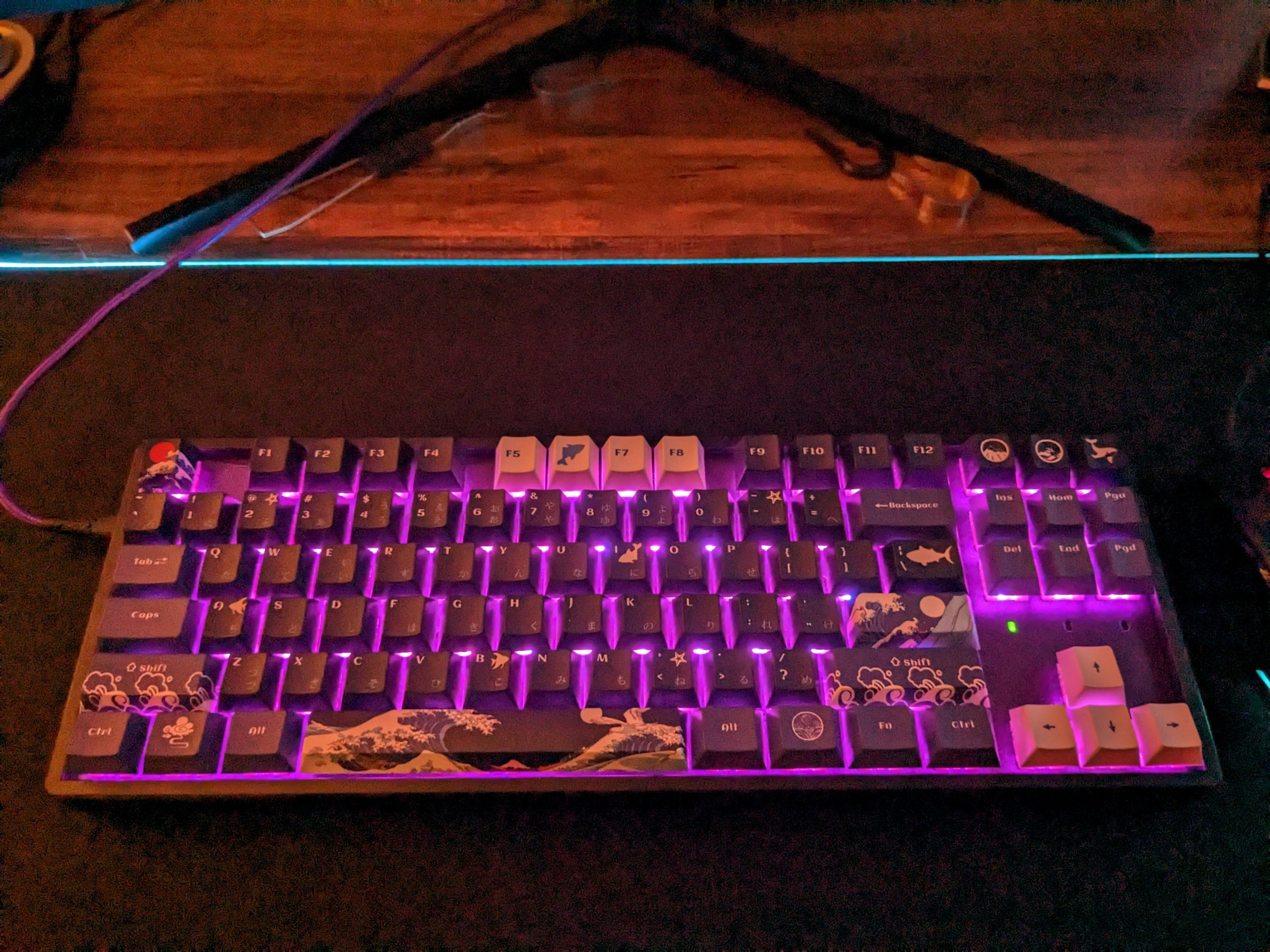
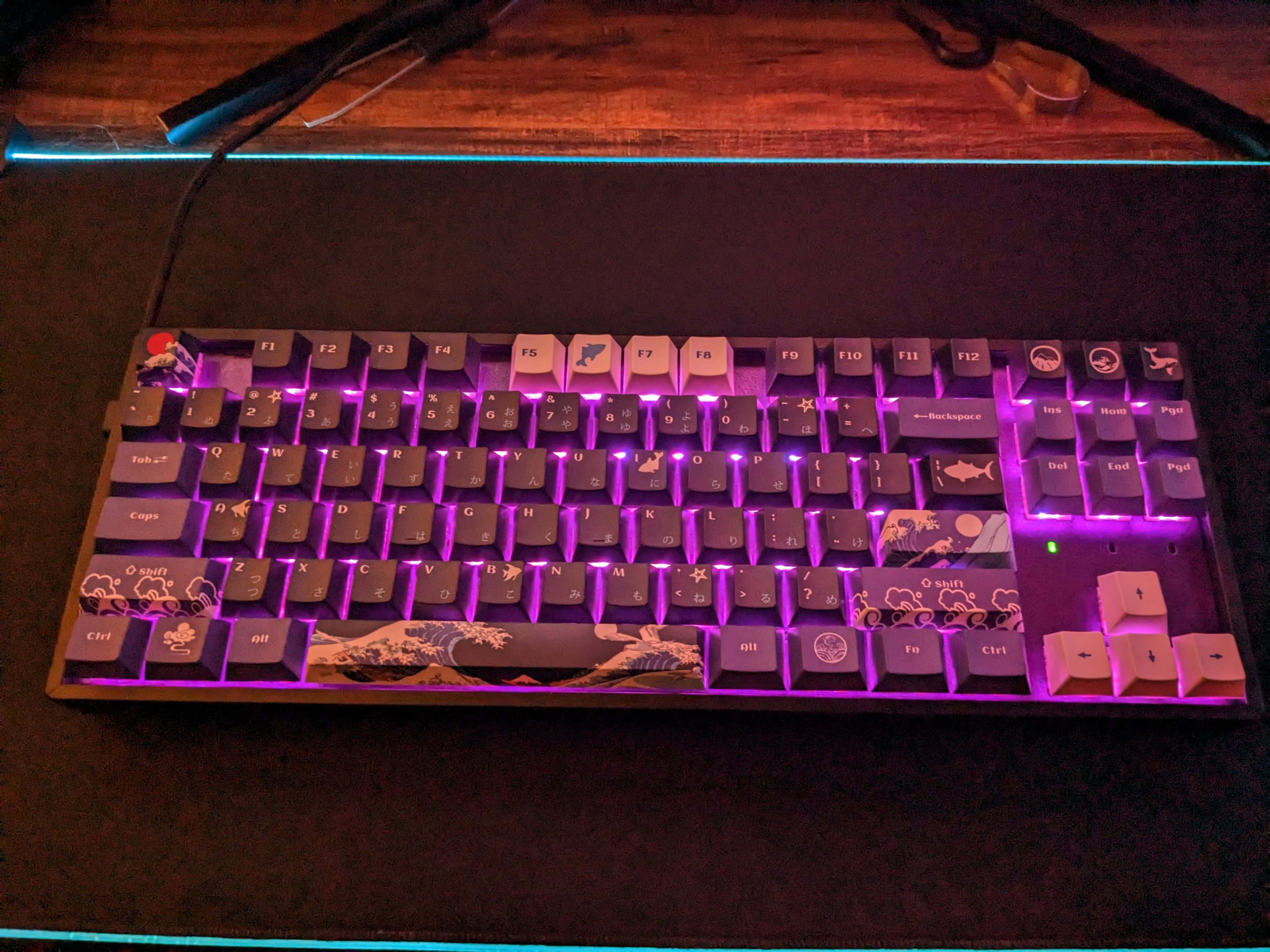
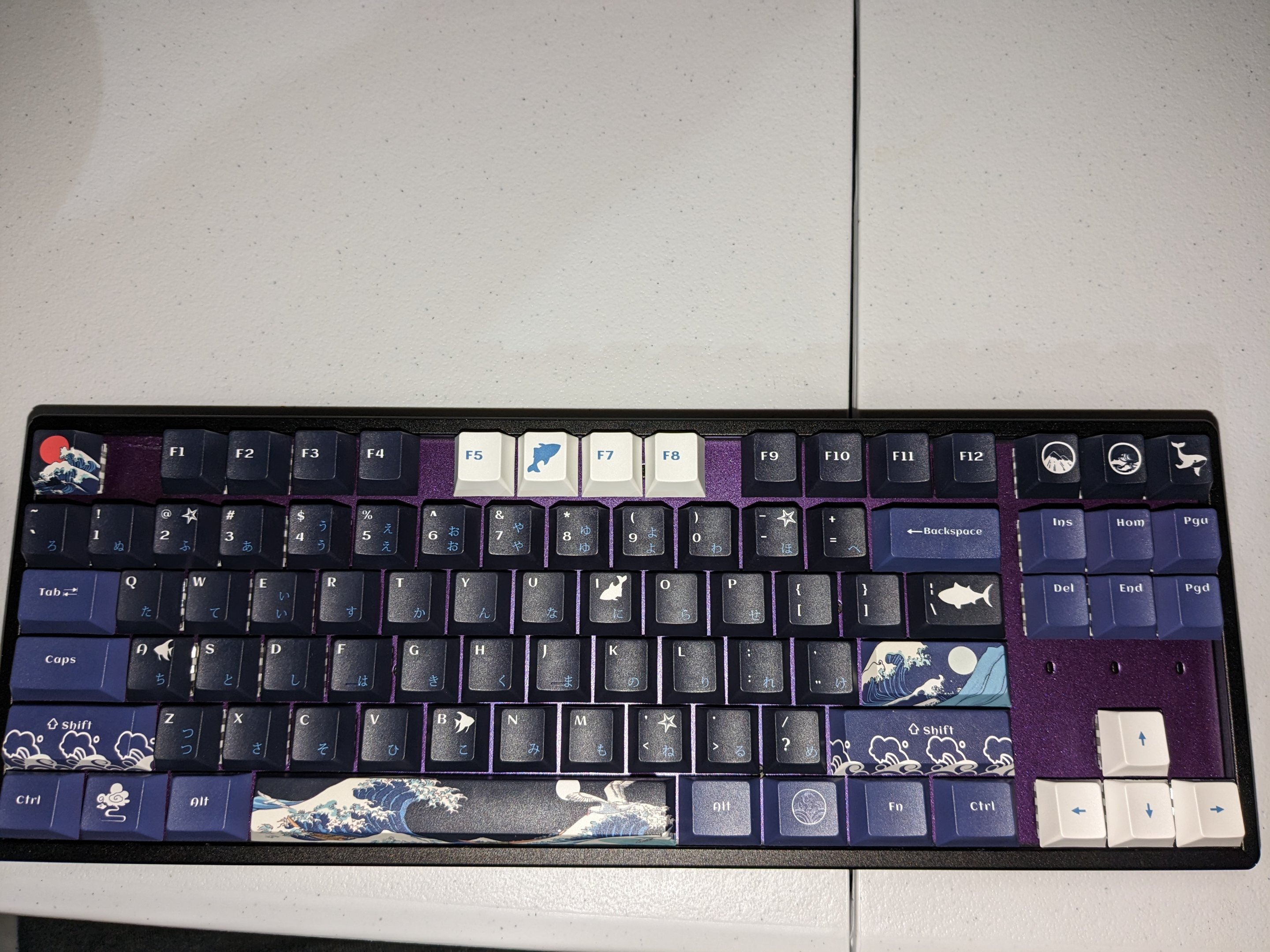
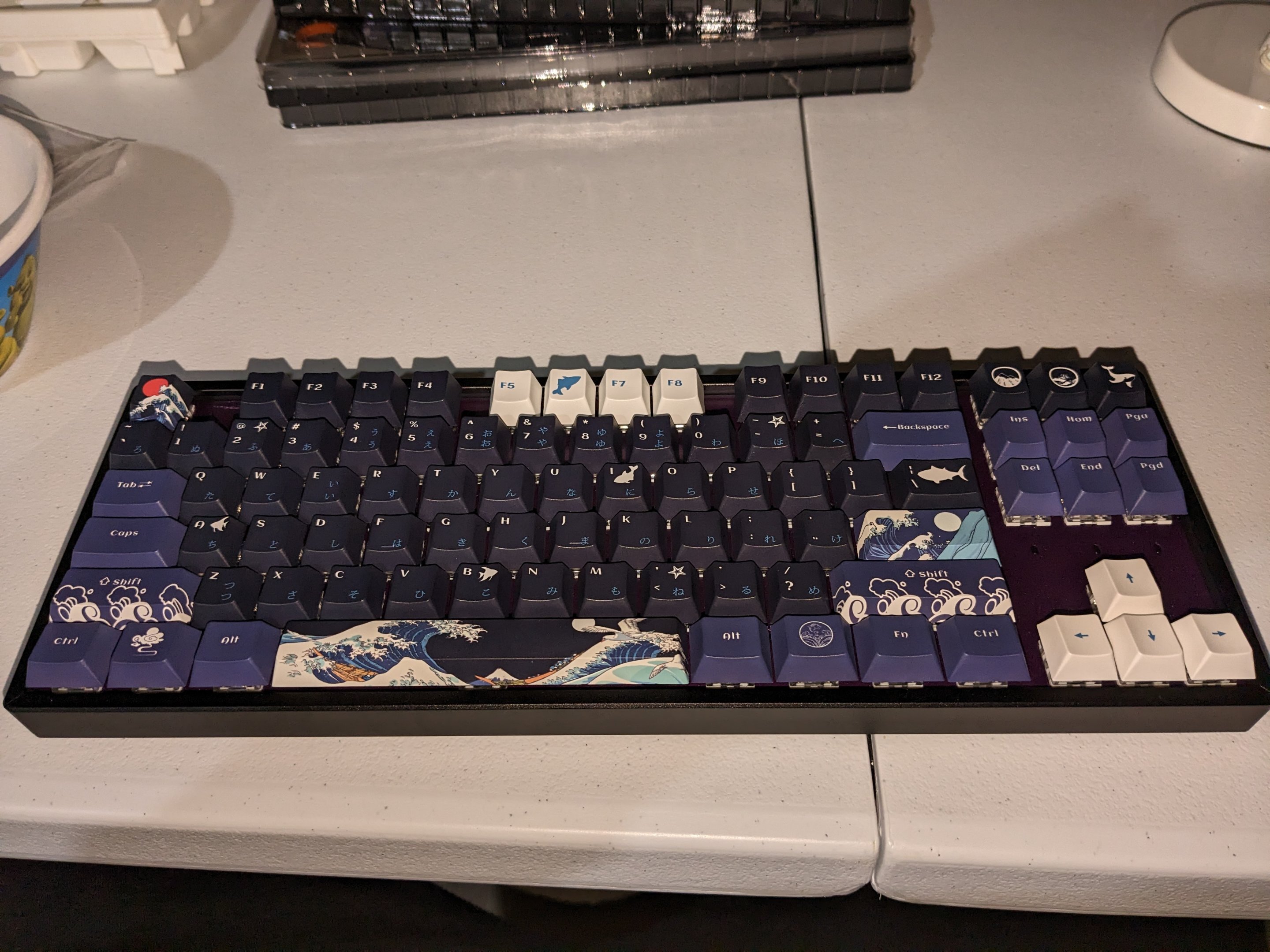
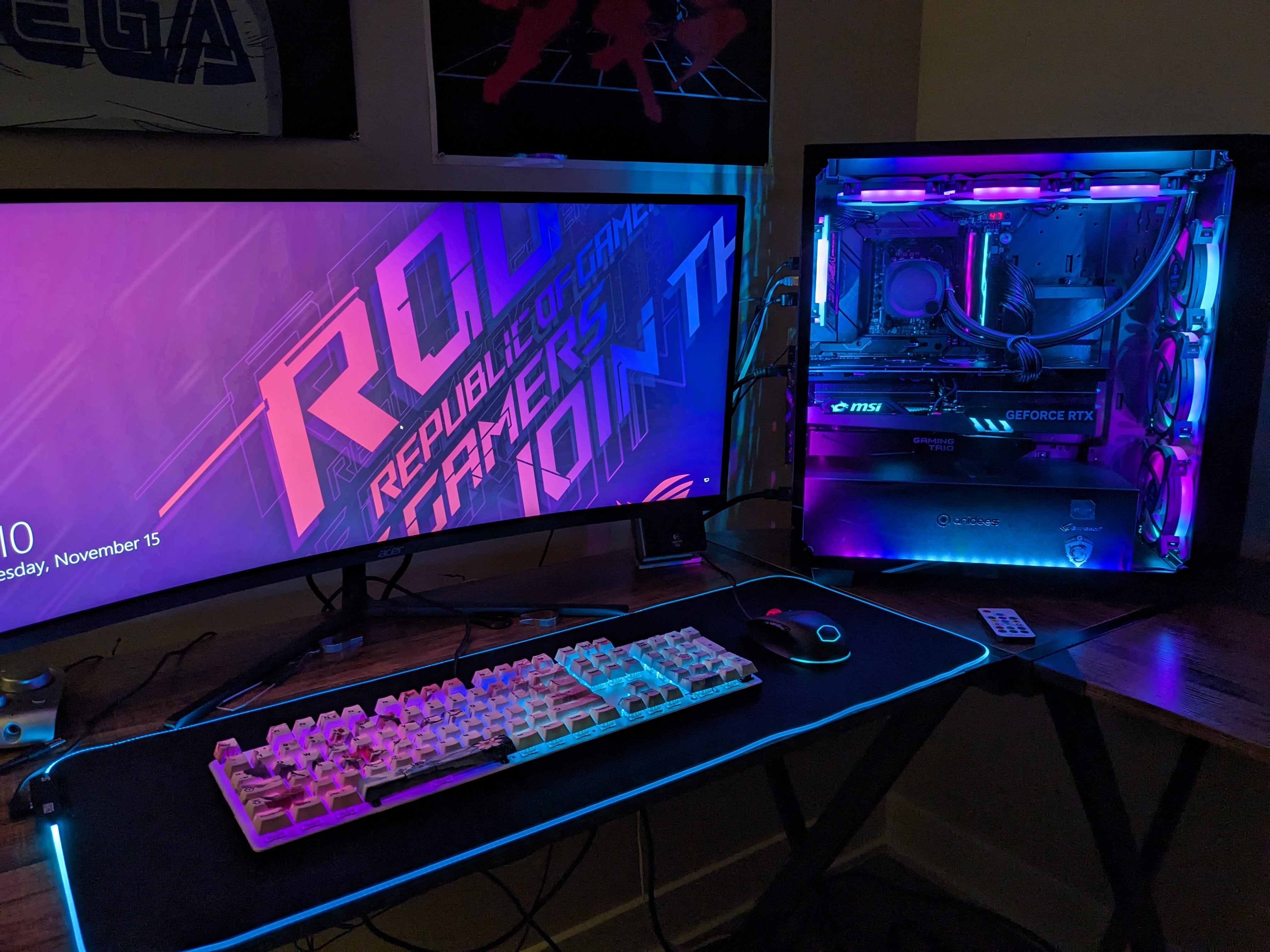
Anyway, I also built a new keyboard for my rig. Using it currently. Keychron K8 Pro TKL, Kailh Box Navy switches, Captain O-ring blue o-rings, SDYZ Great Wave Off Kanagawa keycaps, custom Classic Muscle Car plum crazy plastidip on the top plate.

-
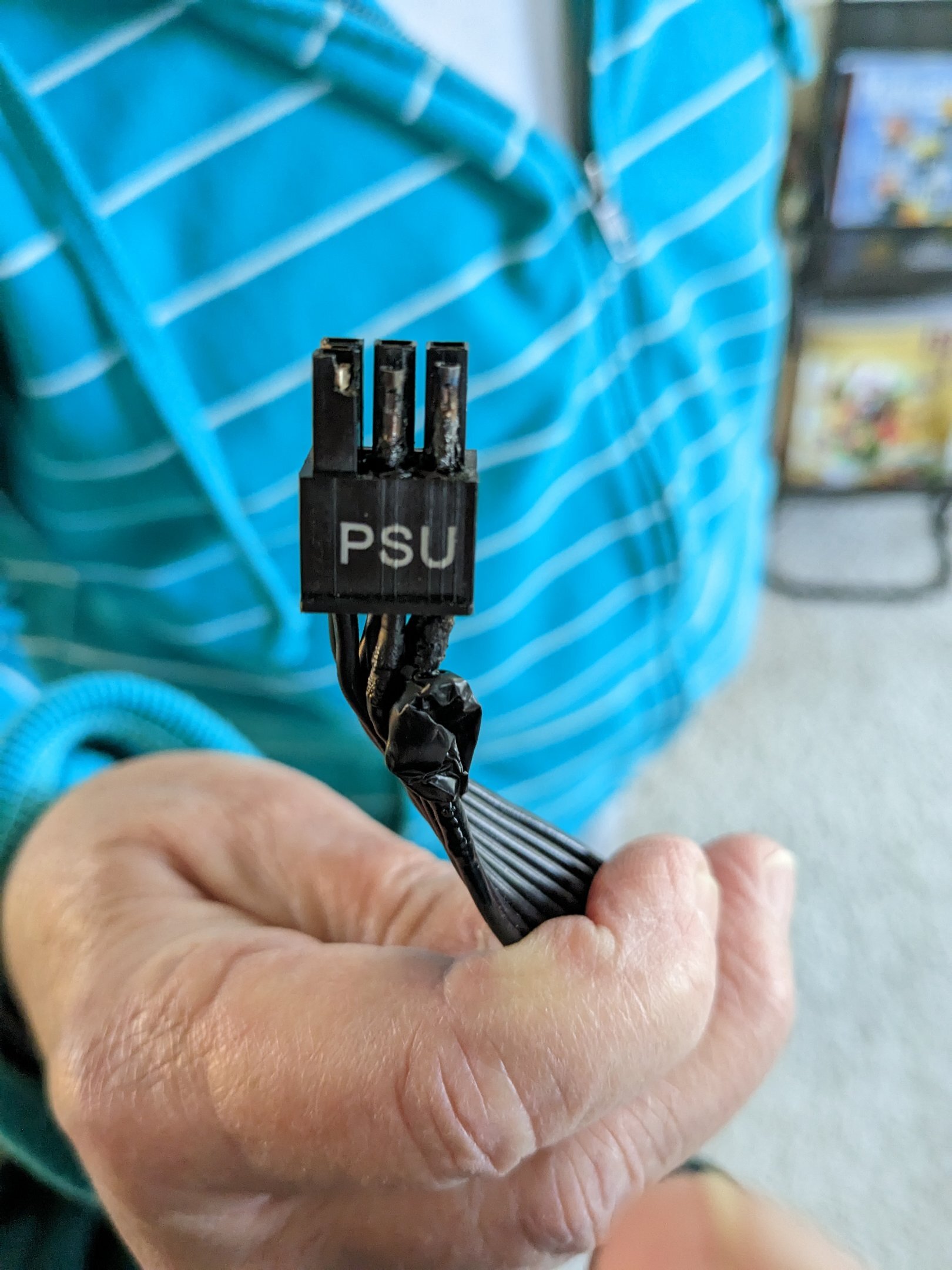
Yeah I was folding 24/7 OC'ed in Linux with a 666w power limit... For 4 months. So I thought it was ok until one day it started giving me no signal at random, and then would also give no signal when starting a 3d load in Windows. Also I was benching for HWBOT on that bios so.. When I get the cable I need and hook it up so each 8 pin on the adapter has it's own pci-e cable, then I will probably resume folding but not overclocked and with the stock 450w power limit. If something else happens to the cables again, I will replace the psu.
-
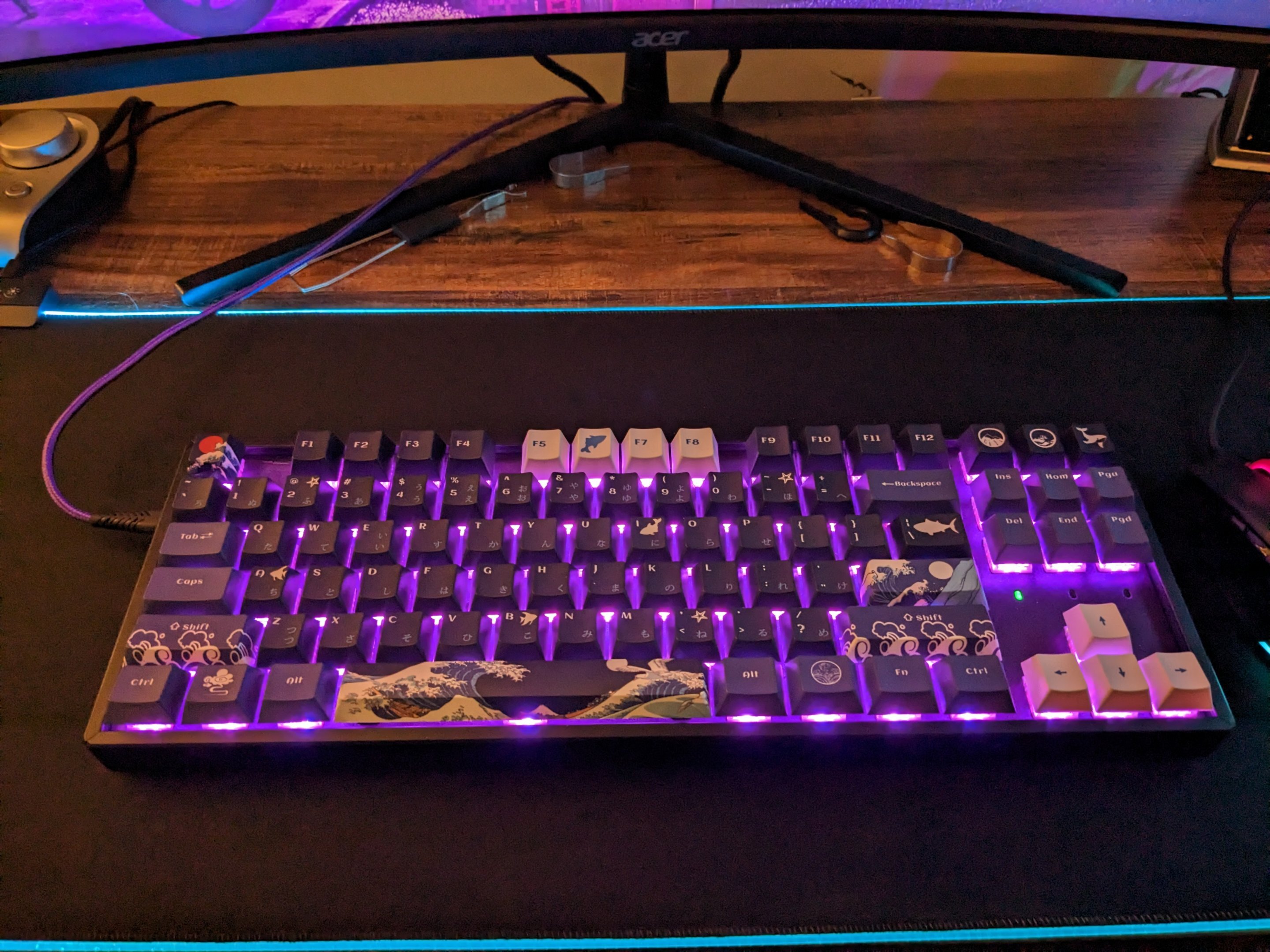
Some better pictures. Since the USB-C to USB cable it comes with is so short, we ordered a 6 foot braided purple USB-C cable off Amazon. It comes with a USB-C to USB male adapter. It looks great. Check the images with lighting.
-
The latter. Because I was lazy (and at that point I don't think I had found the spate cable I had yet). Wife was concerned about it since day 1 with the 4090. I am very lucky I just lost a port on the back of my psu and a cable, and my 4090 didn't catch on fire, or the system or psu itself and burn the house down. Lesson learned. Listen to her. I was overconfident in the quality of my psu.
-
What keyboard? Also, here is my new board hooked up in purple
-
I wouldn't recommend it on the Wraith Prism cooler, I don't think it could handle it. I'd suggest motherboard limits and +150. You might see really high temps. If you don't, then try 200. I used a Wraith Cooler for a while on my 3900x when I first got it in 2019- looks pretty but on a 3900x I basically couldn't overclock at all, temps were too high. I'd suggest getting a better cooler if you have the money. A H100i or Liquid Freezer II 240mm would definitely allow you to leave CO alone, set motherboard power limits to the max, and do +200 boost clock. Though I digress, under a gaming load doing +200 and mobo limits might be ok in games because you're really probably only going to see 1-2 threads hitting 4800MHz. If you don't, the chip might not have enough voltage on auto and you might need to apply a positive voltage offset of 0.025v to see it hit those speeds. Until the last bios update, this is what I had to do to see boosts to 5650MHz on CCD2 on my chip. Hope this is helpful. Just remember, set your co stuff back to 0 if you try this route.
-
What cooler do you have? Personally I just set motherboard limits and leave those alone, so I set current capacity to 140% for both the CPU and IO die and change other stuff in the digi+vrm section. I basically nax out the motherboard limits so it makes those irrelevant, then just set max boost clock override to +200 and enable PBO and I boost high and never crash. Leave voltage on auto. I couldn't understand anything about the CO stuff and that video that was posted earlier in the thread about how to use it was just baffling to me so I don't even bother with CO.
-
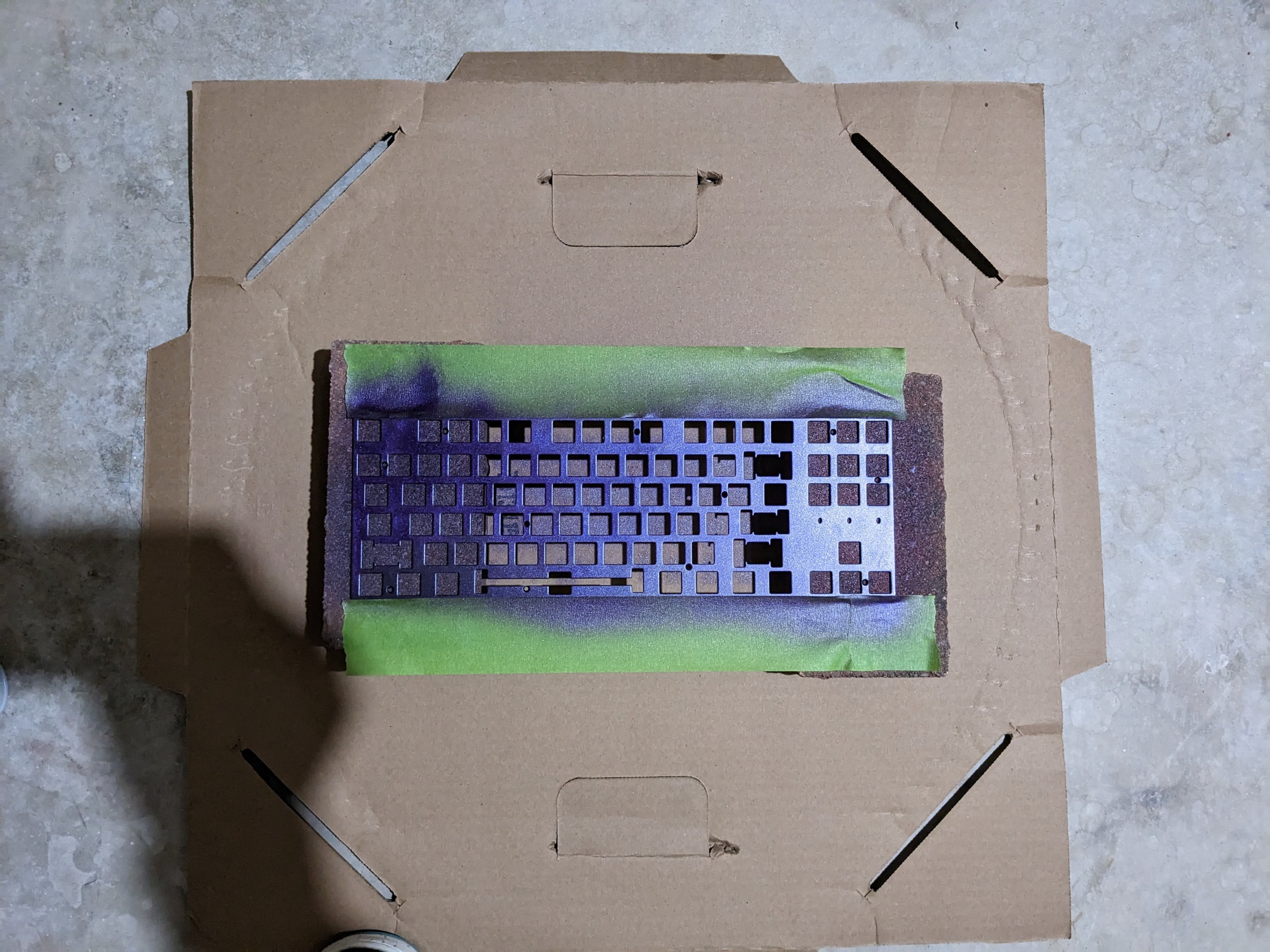
Nah it's like spraypaint. I used it on my fullsize GMMK as well. Just put down some newspaper, and in this case I used two bricks to elevate it, reason being if you directly have it on paper, the overspray will make it stick to the paper, and then when you go to peel off your top plate there will be a layer of it on the paper too and it might stick and pull some of the plastidip off what you are spraying. It's fairly easy, it's basically an aerosolized rubber. As you spray coats, it will build up in a layer. I only did 3 coats on mine. Also if you decide you don't like it, unlike spraypaint, you can peel the stuff off but its tedious. For the Keychron, you will need a bit driver set with a 2mm hex (I believe) as well as a small Phillips screwdriver to be able to open the thing and take the top plate off. Of course, keycaps and switches need to be removed first. Why, do you have a board you want to spray?
-
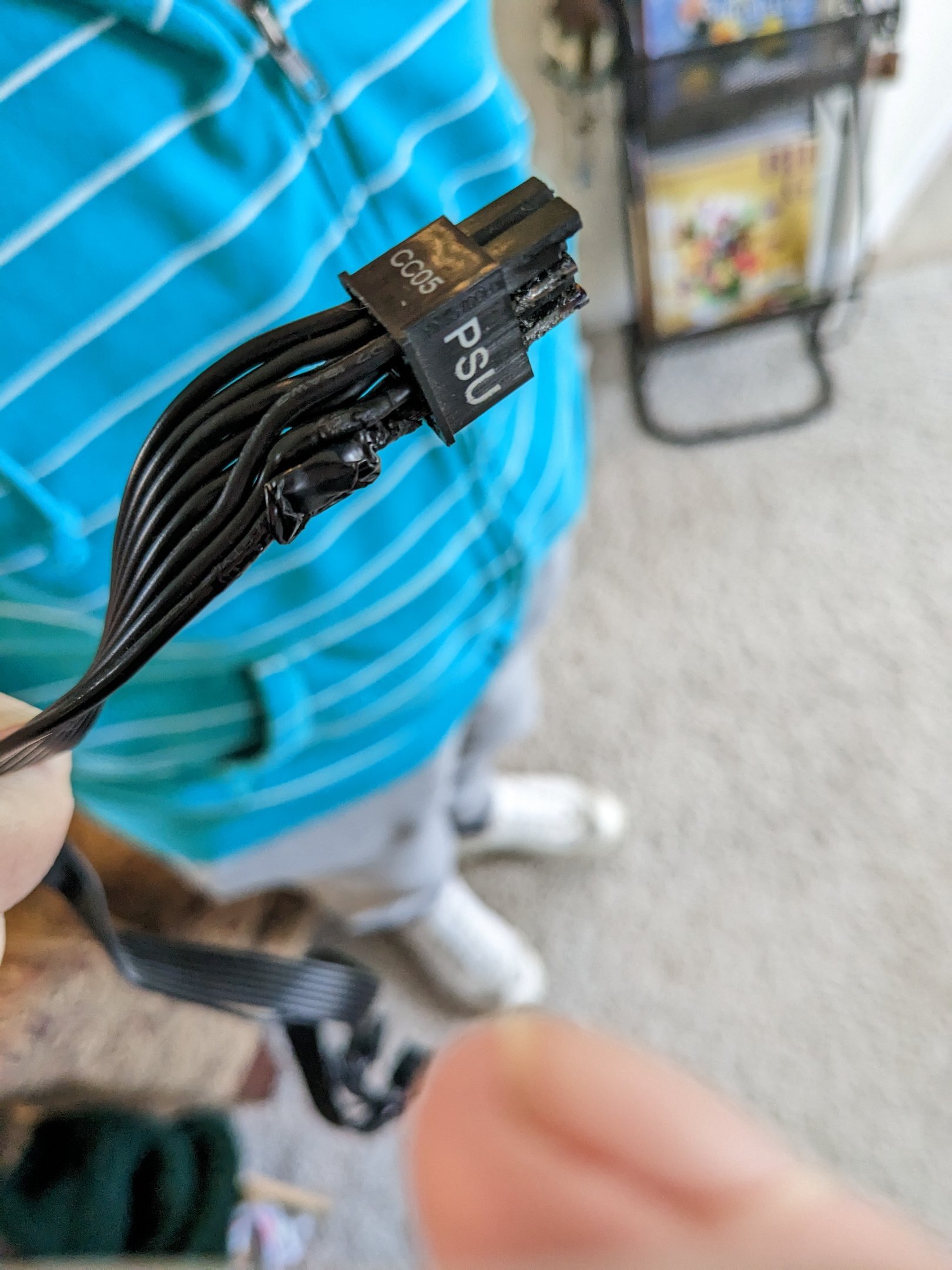
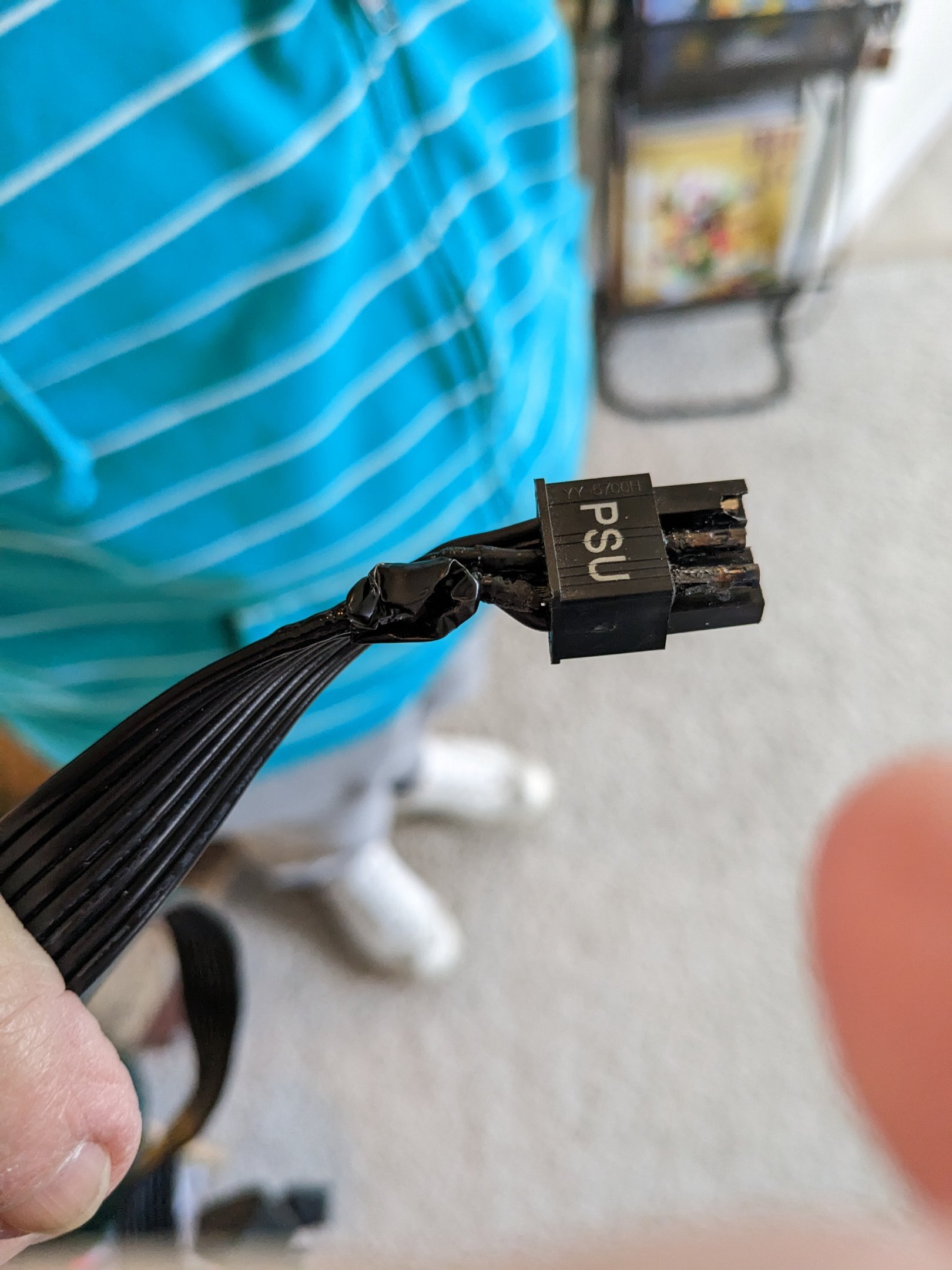
A lesson on why you should listen to your wife (if she's a pc builder as good as my wife, anyway). I have my 4090 back from MSI. Since I got it, I had been daisy chaining two 8-pin pci-e power connectors to the 12VHPWR adapter that came with the card. It worked fine for months and I was confident in my power supply (Cooler Master V1000 80+ Gold) however, either over time because of 3 months folding 24/7 or because of P16XXX work units, the cable that was daisy chained melted and even ruined and melted the port it was connected to on the back of the PSU. The entire time, my wife was worried and obsessing over the daisy chained connector but even though I had another cable, I told her it would be fine... Basically, we got the card back from MSI, I tried to run 3dmark11 performance, immediately got no signal on display. This was before we checked the power supply and cable. I then had her put my GT 1030 in, was pretty mad and was thinking we needed to RMA the card again. We decided to put the 4090 back in, and I showed her how to take the psu out (remember my cable management situation on the back side of the case) and she immediately found the fault. So long story short (sorry!) I got the one other pci-e cable I had and we plugged it into a different port, however still had to daisy chain it. Card works fine now. There should still be another connector on the back of the psu we can use (it was made for when people were doing 3x or 4x GPUs) so we ordered another cable off Ebay. However, it is coming from the Netherlands so I might be a few weeks. Until I get it, I am 1) not folding 2) not benching 3) not overclocking Forza Horizon 5 has a rally expansion and even at 3440x1440 144Hz it isn't too demanding on the card, the card sits around 45c. So I'll play that and tear up dirt in my tuned Ford RS200. However - once I have 3 separate 8 pins connected to the adapter, I will be back at it folding 24/7 for the team. And probably not using the Galaxy 666w power limit bios @damric@Sir Beregond
-
Done. Can be added to my list, please. Keychron K8 Pro TKL, custom Plum Crazy plastidip, Kailh Box Navies, Captain O-ring blue o-rings, SDYZ Great Wave Off Kanagawa keycaps.
-
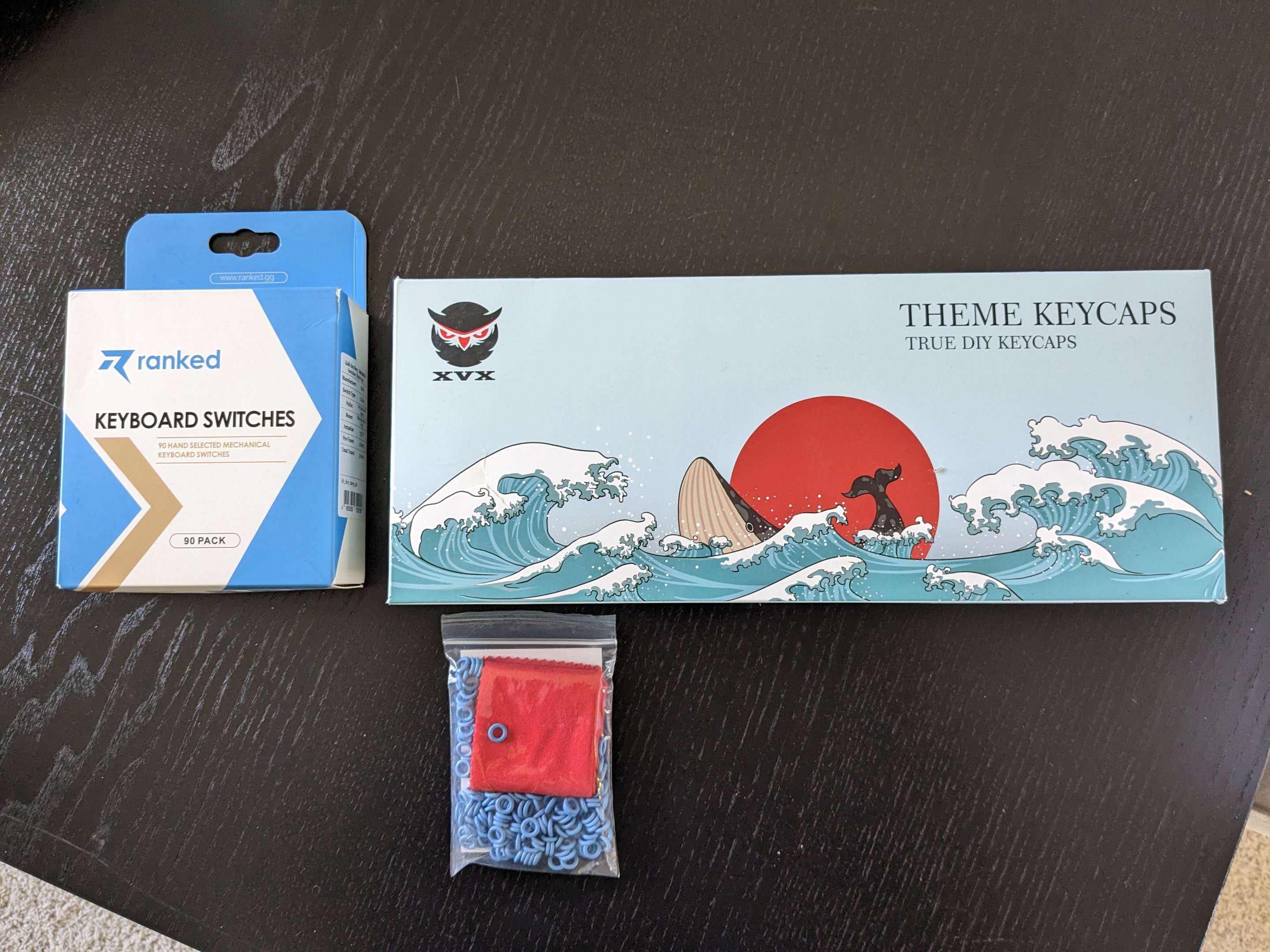
Switches, o-rings and keycaps.
-
Spray station for the top plate Plastidip. One coat so far. About to do another. Cardboard with two regular ass red bricks to elevate it. Since Plastidip in multiple coats sticks to cardboard or newspaper. Edit: 3 coats sprayed. Letting it dry overnight before reassembling the board. Then I'll have to do switches, keycaps and o-rings.
-
4 min. Omg.
-
That's weird because with my 5900x just setting max boost clock override to +200 and PBO_Fmax Enhancer (Asus exclusive) would get me to 5150MHz in games.
-
Boost clock override does exactly what you would think. So every different Ryzen processor essentially has "stock" boost clocks, if you have a 5600 I'm not sure what that would be. However, on my 7900X3D (Zen 4 is no different) the stock boost clocks seem to be 5450MHz maximum, though it won't maintain that for long. The processor is advertised (I think) to boost to 5650MHz max and that's the max fused boost clock limit that shows up in my bios. So in my case, I set max boost clock override to +200 and it will boost to 5650MHz on my second CCD (my first CCD with the extra L3 cache only does 5150MHz.) With 1usmus Ryzen Balanced Optimized power profile, I've seen 5600MHz max on core 7,8 and 5650MHz on 9,10,11, znd 12. If you go Here: https://www.amd.com/en/products/cpu/amd-ryzen-5-5600x And scroll down a lot you will see the specifications for your processor. It says max boost clock is 4600MHz so doing max boost clock override to +200 would boost you to 4800MHz potentially but only on your best quality cores and only for brief periods of time. If you set scalar to 10x, you will see it for longer and more often. Of course at the cost of more heat. Sorry this is so long but I hope it helps. Generally, you wanna use either PBO with high limits and boost clock override, but probably not CO with it at the same time- though Sir B might know more about using them together.
-
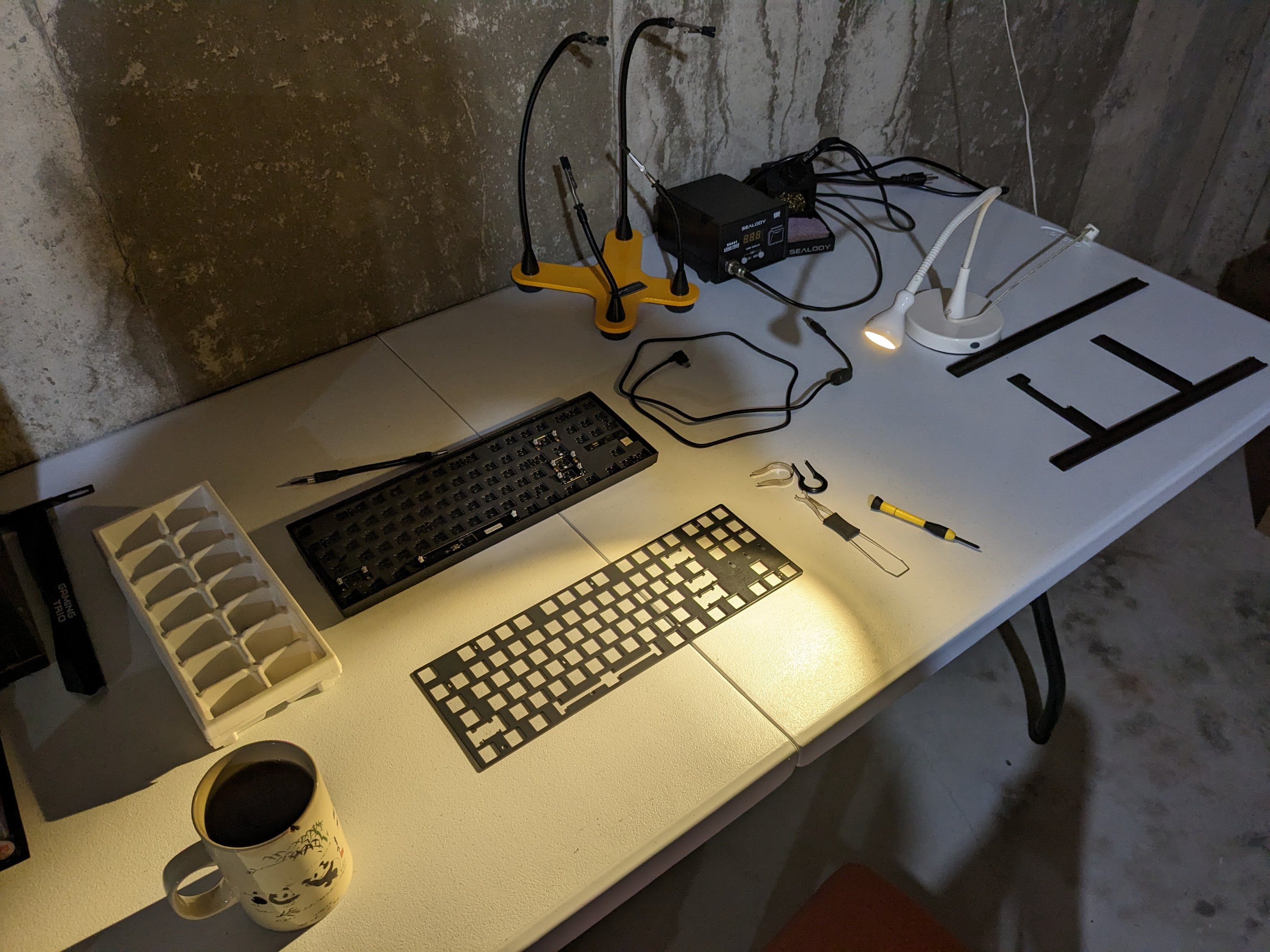
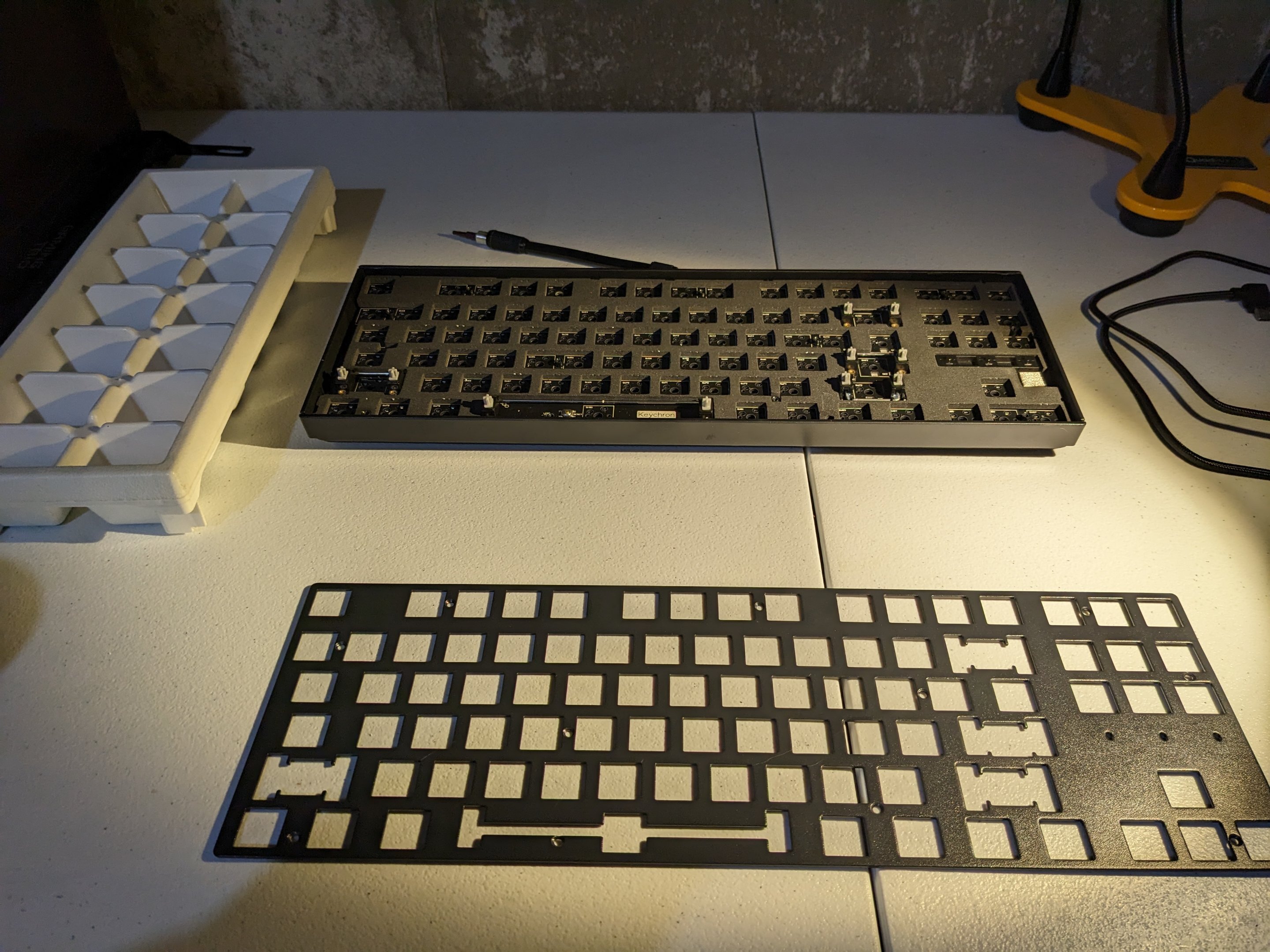
Got my keycaps and switches today. The Box Navies were $50 instead of like $30 on NovelKeys but *shrug* Keychron K8 Pro disassembled enough to spray the top plate with Plastidip plum crazy. Glad the Keychron has removable rails so I don't need to mask anything off with masking tape, but unhappy that the "aluminum" case is actually plastic on the inside and just aluminum rails on the sides.
-
Yeah I haven't tried it much myself but since it hadn't been posted just thought I'd share it.