Welcome to ExtremeHW
Welcome to ExtremeHW, register to take part in our community, don't worry this is a simple FREE process that requires minimal information for you to signup.
Registered users can:
- Start new topics and reply to others.
- Show off your PC using our Rig Creator feature.
- Subscribe to topics and forums to get updates.
- Get your own profile page to customize.
- Send personal messages to other members.
- Take advantage of site exclusive features.
- Upgrade to Premium to unlock additional sites features.

neurotix
-
Posts
1,343 -
Joined
-
Last visited
-
Days Won
29 -
Feedback
0%
Content Type
Forums
Store
Events
Gallery
Profiles
Videos
Marketplace
Tutorials
Everything posted by neurotix
-
Ok, I have the Keychron K8 Pro TKL now. It's decent to just ok with Gateron blue switches. I think they kinda suck tbh. We have a Rosewill K85 with Kailh blues and they are definitely superior- louder click, tighter spring and higher actuation force from what I can tell. Anyway, I ordered 90 Kailh Box Navies off Amazon. I also ordered SDYZ dye sub Great Wave Off Kanagawa keycap set. To match the keycaps, I also ordered some Classic Muscle Car plum crazy plastidip. So I will be disassembling the Keychron fully, masking off the top edges of it, and spraying the top plate with the plum crazy plastidip which I think will match those keycaps well. Depending on the finish of the plum crazy, I may also spray it with Plastidip pearlizer. In the process I will probably take a look at the stabs and despite everyone saying the Keychron stabs are really good, I might clip and lube them as well. This should be a fun project
-
Sorry to double post. I did some research and found this: /icons/patreon/42832438 "HYDRA 1.3F PRO - RELEASED!" by 1usmus from Patreon | Kemono KEMONO.PARTY You both might want to look into this app, supposedly it can find CO limits for you on it's own, and it can also bypass boost clock restrictions from AMD. There's also support for generating DDR5 timings, which in my case was what I was most interested in, but with my B-Die it didn't work (clicking on generate timings did nothing). Hope this helps.
-
Yeah this was recommended by The_Stilt back in the day. And all the documentation on that page is incredibly useful and written by him. I highly suggest reading the whole thing (the AMD section at least) The unfortunate part of this is that if Thaiphoon Burner can't read your ICs and you can't export a profile in ns, you are unable to use Ryzen Dram Calculator and import your profile, then generate timings for your specific kit. However, there is something you can do if you figure out what type of ICs you have, which is to set Dram Calculator to Ryzen 2nd gen, pick your ICs from the list, pick your frequency and click generate safe. This will probably give you something to work with if you want to get your speed higher with tightened timings and the crucial secondary and tertiary timings set. Then just take a picture of your screen with your phone, or use snipping tool then print it off and get going in your bios.
-
Tightening timings or raising frequency is a really good idea. The sweet spot for Ryzen 3000/5000 is 3733MHz/1866MHz fclk, or 3800/1900 if you can do it. In the chart I mentioned in my last post about the 3900x vs 9900k, it was once the memory was at 3733MHz/1866 with good secondary and tertiary timings that it passed the 9900k significantly across about 20 games. Going from 3600 to 3733 can translate to like a 5% performance boost in games, possibly more. How much memory are you running? 16 or 32GB? If you can deal with 16GB and the system is primarily a gaming system, I cannot recommend that G.skill Flare X 3200 c14 kit enough. Thaiphoon Burner will recognize it and DRAM calc will spit out timings for 3733/3800, or I could post screencaps of mine.. Hope this helps.
-
So, MSI has shipped me a 4090. The weird thing is, on the RMA status page, it said like 15:56 Repairing 15:57 Shipped So either they are sending me a new card because they checked in just a minute and saw mine was fried badly enough it needed to be replaced, OR they are shipping me my old card and it will have the same issues. I won't know until I get it, I guess. Also I bought a keyboard for my build: a Keychron K8 Pro TKL RGB aluminum case. It will come with Gateron blue switches which I will use for a few months, and eventually change the switches to Kailh Box Navies, probably with WASD red o-rings. It'll be here Saturday, really excited. I will also be keeping the stock keycaps as I really like how they look.
-

kitguru Zen 5 leak: 123K points in Cinebench R23 in dual CPU system
neurotix replied to UltraMega's topic in Rumour Mill
I'm having the early adopter problems myself and am wondering if I should have kept what I had before (C8H/5900x/B-Die 3733MHz). I had some issues with my 2nd CCD not boosting particularly in low res older 3dmark benchmarks. However, the last BIOS update fixed it. In 3dmark06 I see a locked 5625MHz on my 2nd CCD now. But the system still takes a very long time to POST unfortunately with any memory overclock. It's not fun being a beta tester for Asus and AMD but I had similar issues when I got a 3900x and C8H in 2019 and they were all eventually fixed. It is wise to wait, but I love my new processor. Aside from that- I wanted to be ready for Zen 5, so that's why I opted for a Zen 4 setup. I will upgrade to Zen 5 as soon as it comes out, and I'm really hoping they increase the core count on consumer/normal chips this time. -
I haven't read the whole topic, but personally I had no problems just setting PBO to Enabled, PBO_Fmax Enhancer (Asus exclusive) to Enabled, and +200. However, I had a Arctic Liquid Freezer II 360mm on my 5900x before I upgraded. Anyone else telling you memory is important is correct, I remember seeing charts comparing the 3900x to the 9900k in 2019, in about 20 games, with the Ryzen memory at different clocks. When it had 3800/1900MHz memory and Ifclk, the average performance increase across like 20 games over the 9900k was about 25%. So you really need to push your IFclk as high as it can go and memory as well. https://www.amazon.com/G-SKILL-Flare-288-Pin-Memory-F4-3200C14D-16GFX/dp/B06XFT7DF9/ref=sr_1_3?keywords=g.skill+flare+x+3200+cas+14&qid=1681936762&sr=8-3 If you have the money and are willing to try, that memory is guaranteed B-Die single rank and what I used with my 3900x at 3800/1900. Use Thaiphoon Burner and Ryzen DRAM Calculator to figure out timings. That memory is clocked at 3200 but I was able to clock mine to 4266 out of ratio which is 15 dividers higher than what it's rated at. I cannot stress enough how important high ram speed in 1:1 ratio at good timings is for Zen 3. Hope this helps.
-
Keychron K8 Pro TKL RGB with Gateron blue switches. We had a $40 discount code for some keycaps we ordered in 2020 that were continually on backorder, we asked for a refund and they gave us a coupon code instead. Keychron K8 Pro Aluminum TKL Hotswap Bluetooth RGB Win + Mac Mechanical Keyboard MECHANICALKEYBOARDS.COM Switch options: Gateron G Pro Red, G Pro Blue, G Pro Brown So we paid $69 instead of $109. Eventually it'll have Kailh Box Navy switches and o-rings though I'm not sure what type/color of o-rings to use. Keeping the stock keycaps as they are PBT and i love the way they look.
-
Getting a Keychron K8 Pro rgb tkl with Gateron blue switches. Had a $40 discount on mechanicalkeyboards.com for a set of keycaps we ordered in 2020 that were on backorder and never came. Eventually, in a few months it'll have Kailh Box Navy switches and o-rings. I'll have to do more research into o-rings as I've only used WASD and threebulls Blues.
-
The "Show Me Yours And I'll Show You Mine" Thread
neurotix replied to PCSarge's topic in Office/Gaming Spaces
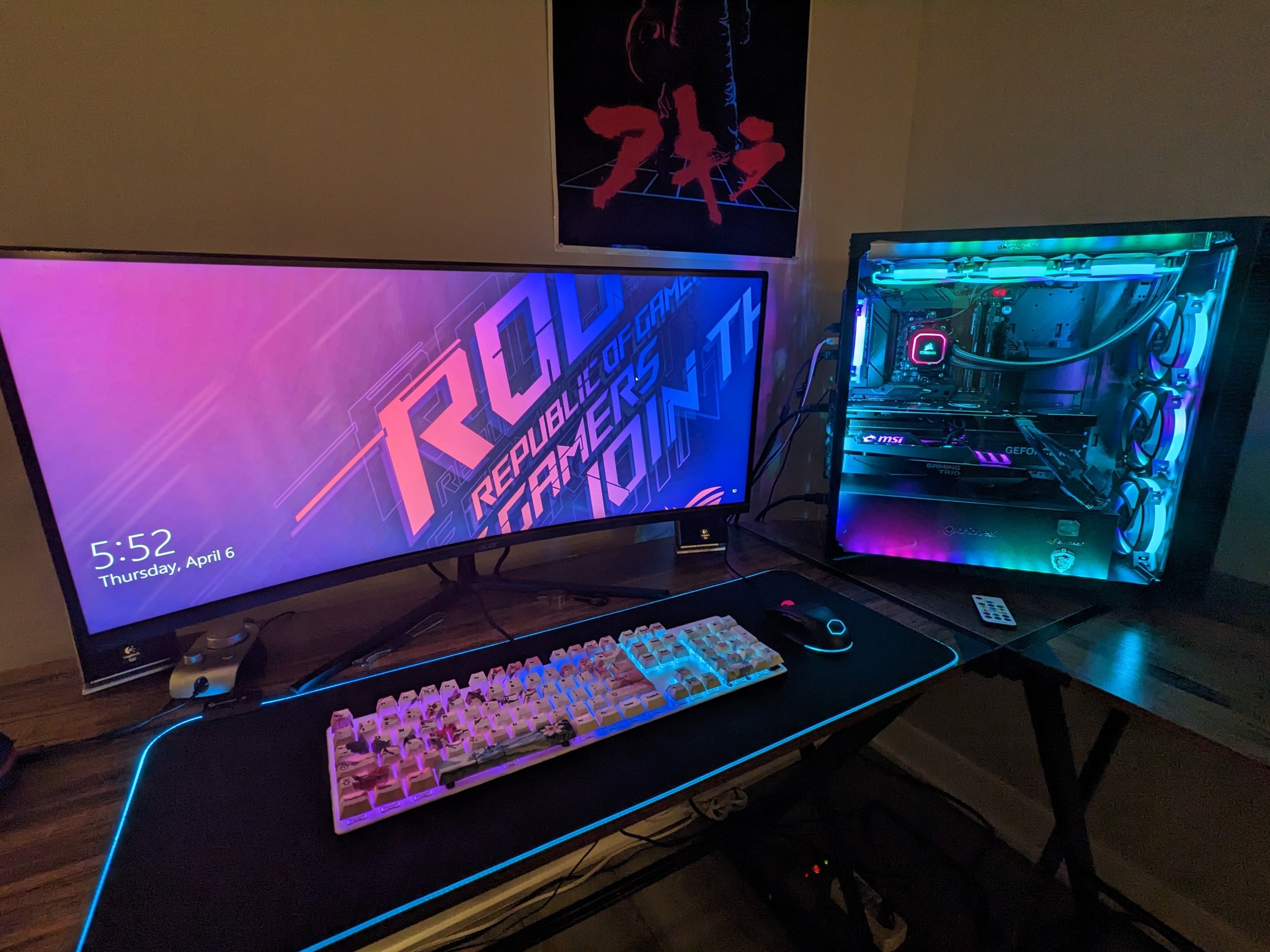
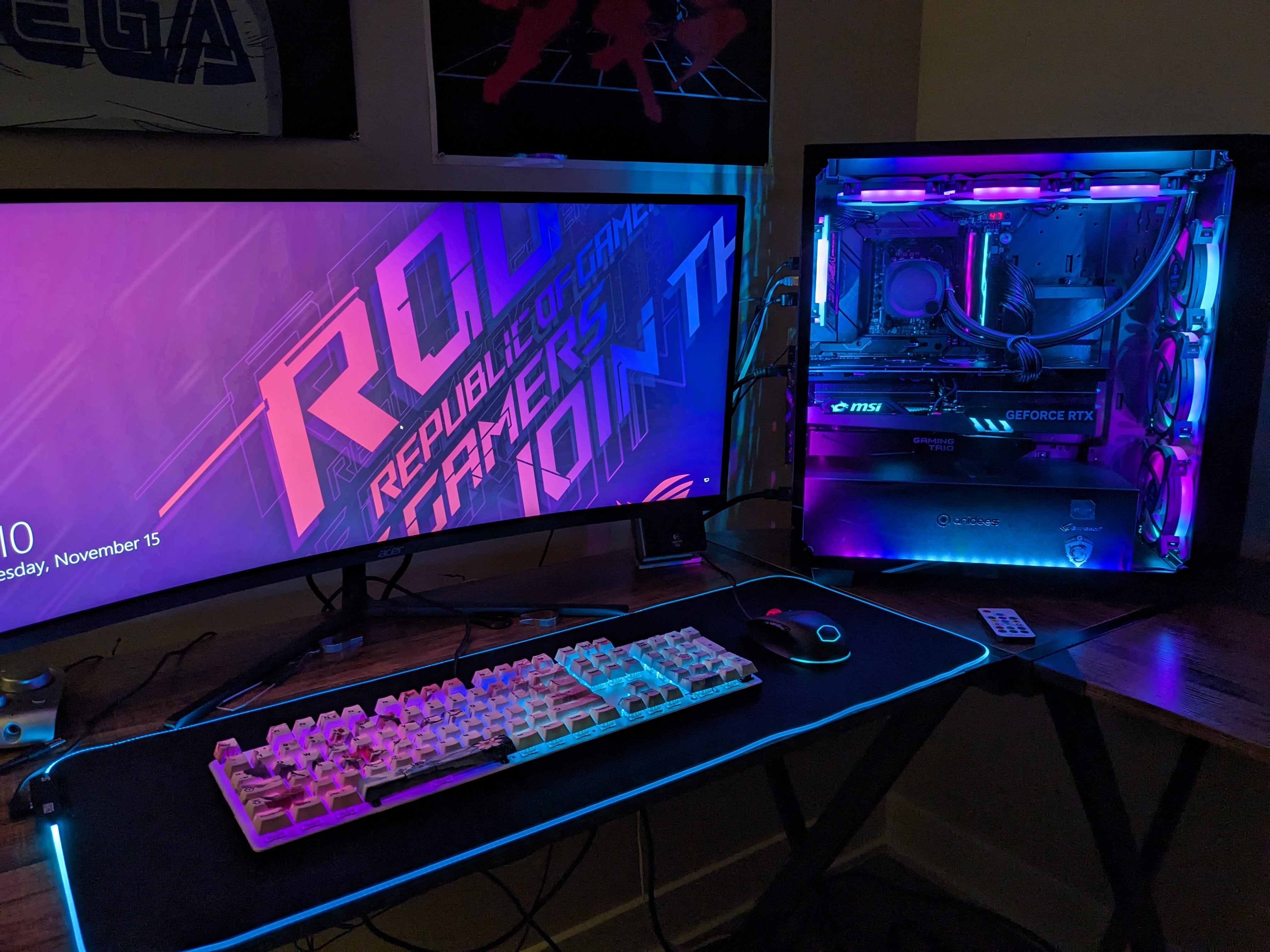
Widescreen shot of mine with the Asus ROG Strix X670E-E Gaming Wifi and my MSI RTX 4090 Gaming X Trio (before my card died and we sent it in for rma) Also with my custom GMMK v2 full size with Filco Sakura PBT keycaps. Project kevdog looks insane. I'm baffled on that one as to what is going on lol
-
Great news to anyone still following this, concerning the issues I was having with the 2nd CCD not boosting in low res benchmarks like 3dmark11 Performance. The latest BIOS for my board, BIOS 1101, for the Asus ROG Strix X670E-E Gaming Wifi, had the description: "Fixes stability and performance of X3D chips". So I got right to installing it. Using the high performance power plan that comes with Windows didn't work too well, though it was boosting to around 5325MHz on my 2nd chiplet. Using 1usmus Ryzen Optimized Power Plan, the cores jump around a lot and go down to 4500MHz but boost the entire time up high. So it appears the issue is fixed. Now if I only had my 4090 Gaming X Trio I could get a fantastic score in older benchmarks. The unfortunate issue with this is that adding a positive voltage offset is no longer possible, as for some reason they removed CPU Voltage control. I still have VDD_SOC, VDD_MISC and so forth available but no CPU voltage option. I'm sure X3D owners with this board will complain and they'll bring it back. I was just looking at Extreme Tweaker, I didn't check the AMD Overclocking section in Advanced. EDIT: I just tried 3dmark06 and my 2nd CCD was like at a locked 5625MHz. Nice.
-
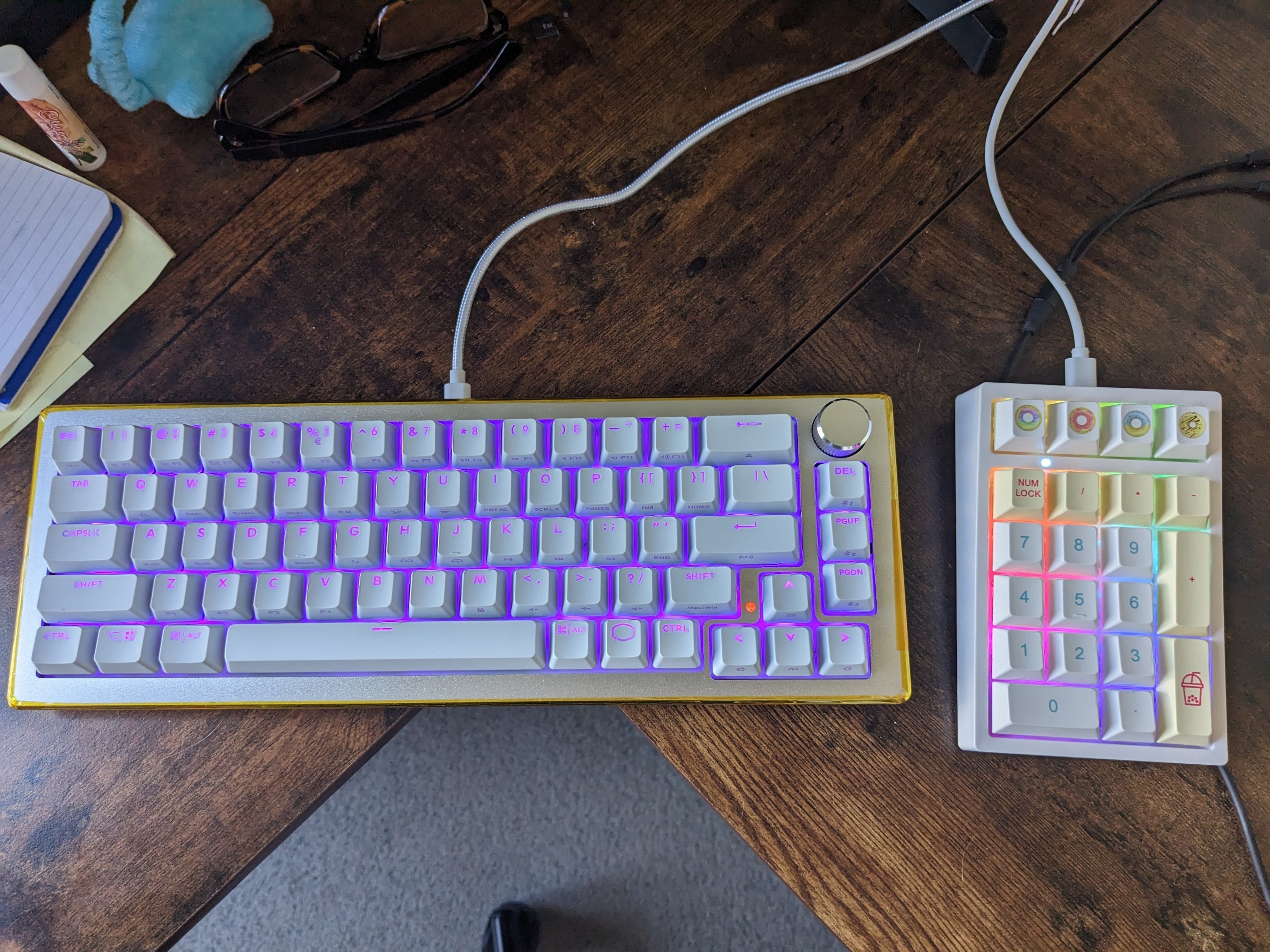
It came with the numpad board (was Yunzii something from Amazon)
-
Got the CK-721 set up next to the wife's macaron numpad. She'll be using it for work all next week. Thanks Cooler Master and Avacado!
-
EXTREMEHW 48-hour foldathon, April 29-30th 00:00 UTC
neurotix replied to damric's topic in Folding@Home
In bigred On the wife's 3060. -
Don't have a picture, but I got a tiny little GT 1030 DDR4 as a temporary card until I get my 4090 back. This thing has no idea what's waiting for it, as I am going to oc it and run Fire Strike Ultra and Time Spy Extreme on it. Anyone remember good idea, bad idea from Animaniacs and Mr. Skullhead? Not sure if I should do it or not but I'm bored usually and not into games atm and the thing might get me cups/hwboints, especially with my CPU, so..
-
largebanner.png.b6b5577230e46eb80129465cc23c9a86.png
neurotix posted a gallery image in All Member Created Albums

From the album: neurotix's graphic design
-
EXTREMEHW 48-hour foldathon, April 29-30th 00:00 UTC
neurotix replied to damric's topic in Folding@Home
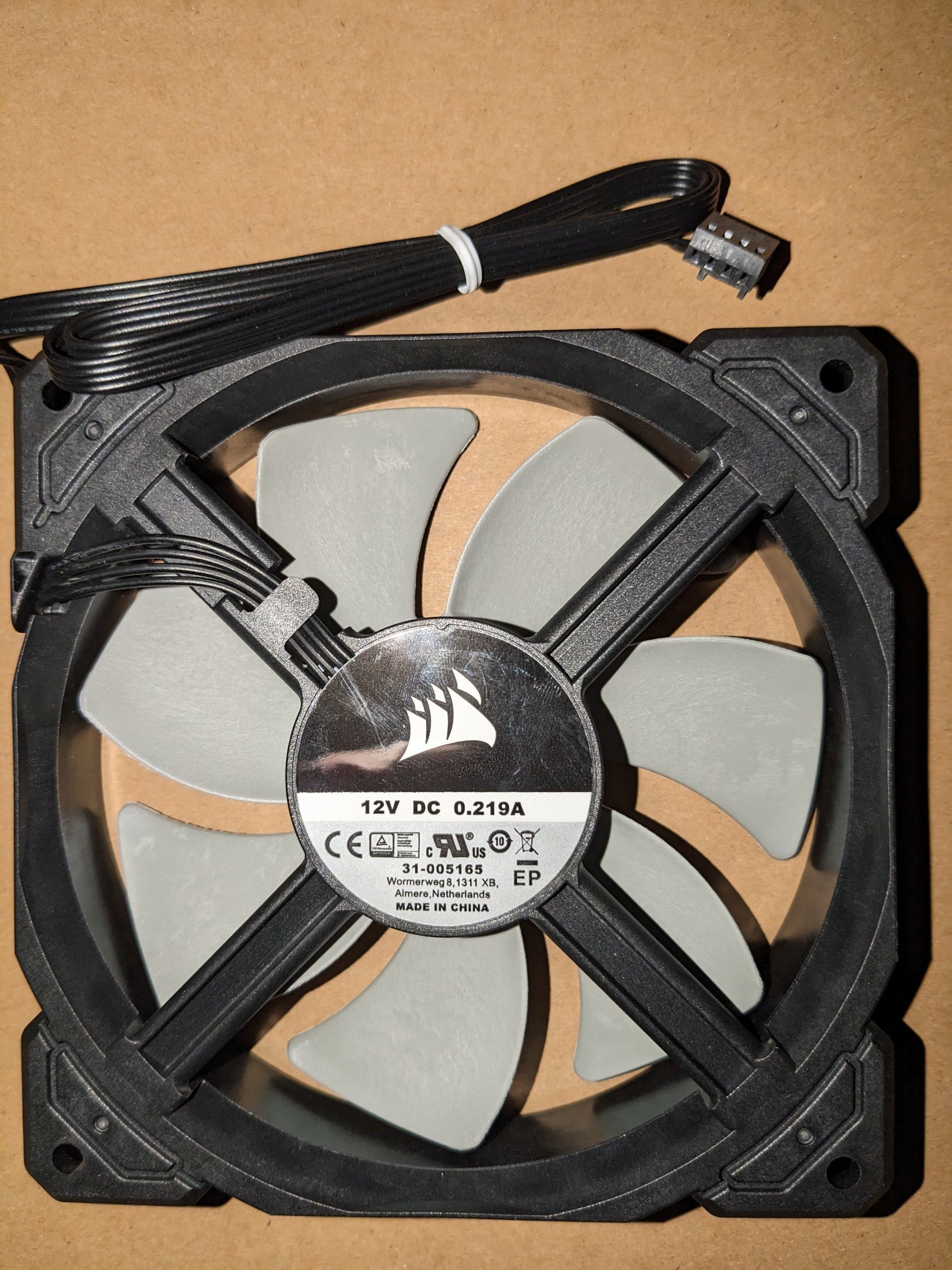
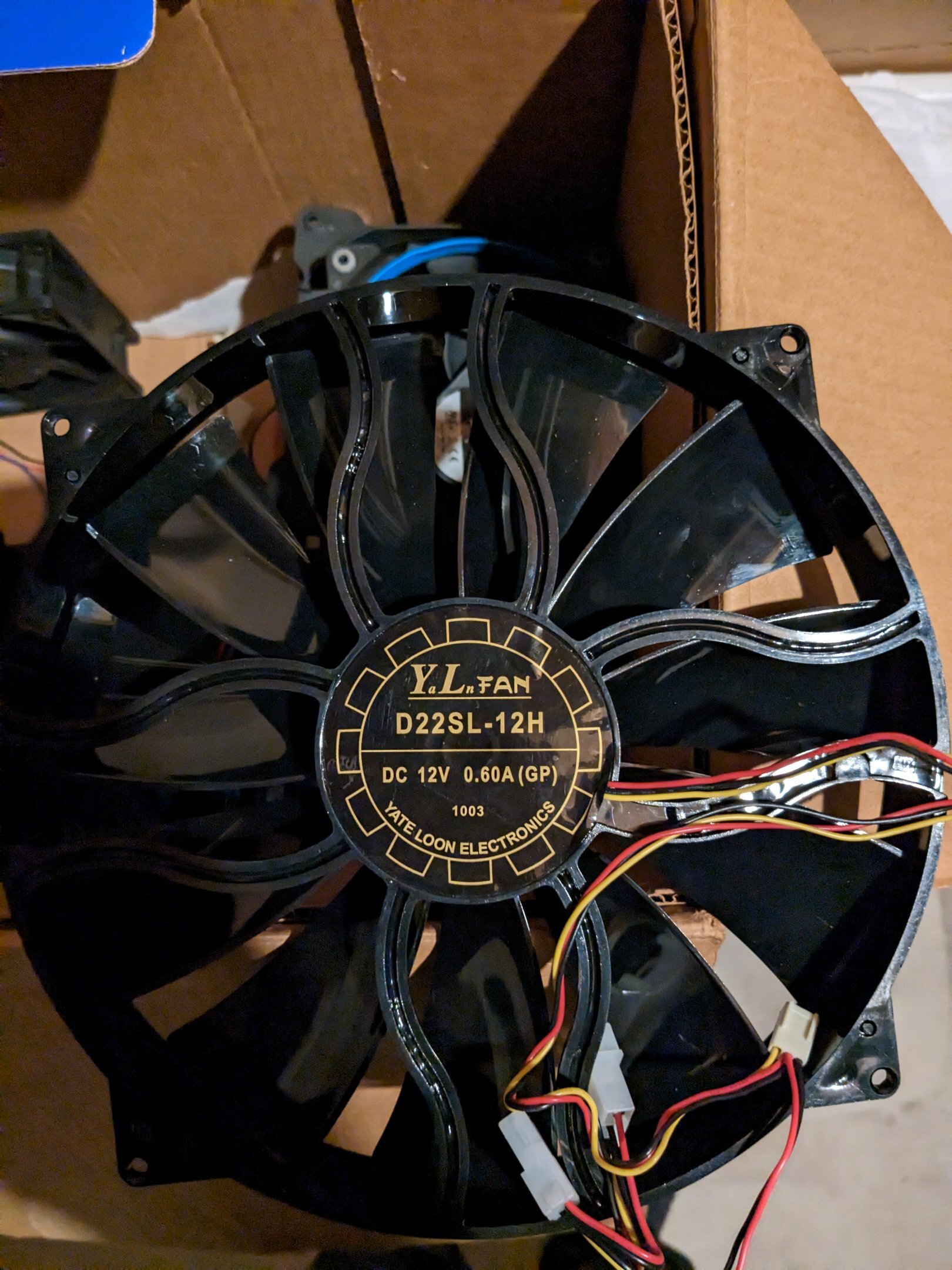
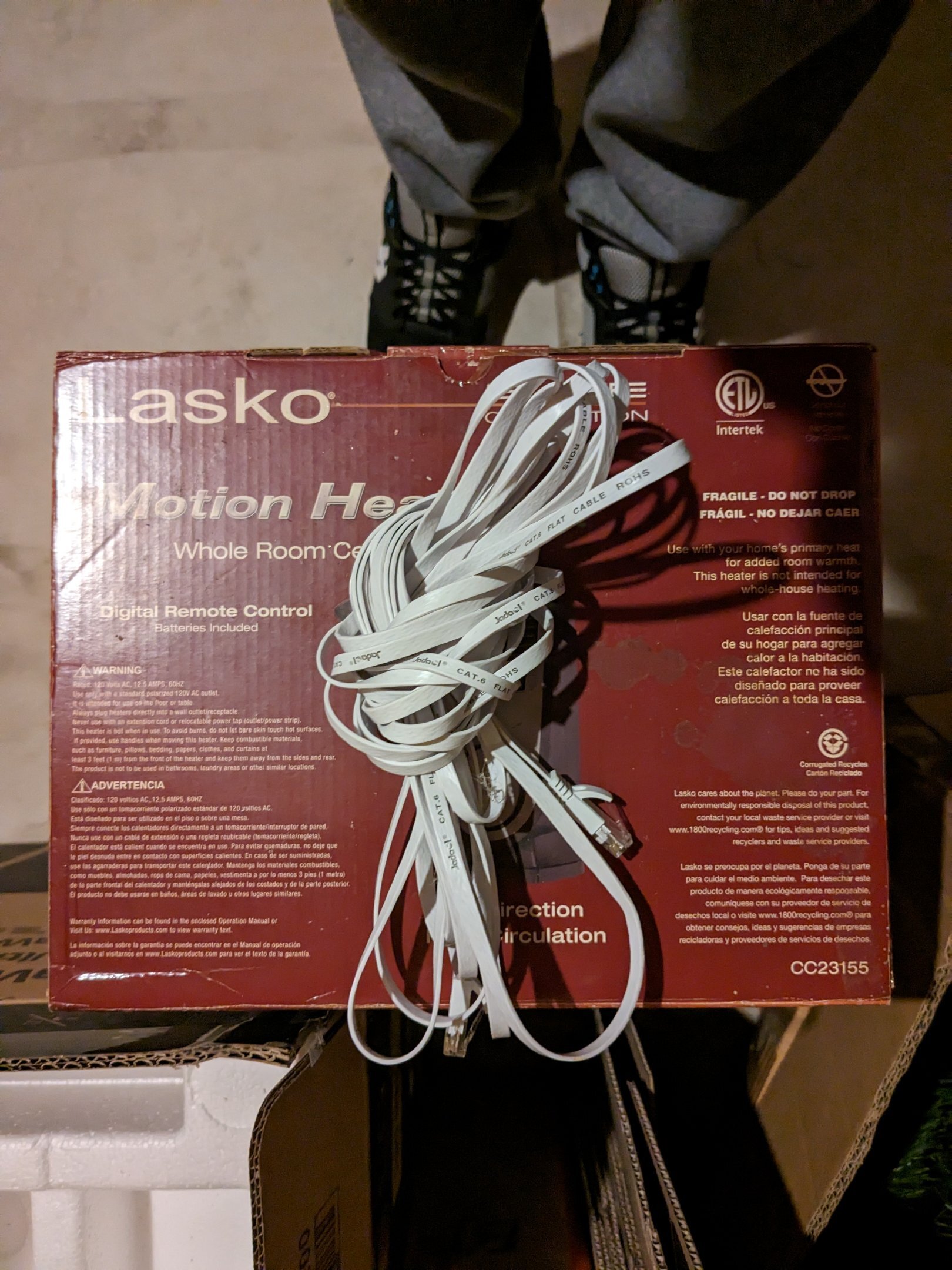
@damric Can you please add my prizes to the prize list? We have a lot of newcomers, maybe they'd want my fans and cable. Additionally I can provide up to 8 of these Corsair stock radiator fans:
-
EXTREMEHW 48-hour foldathon, April 29-30th 00:00 UTC
neurotix replied to damric's topic in Folding@Home
I was so close to passing you up, too! Lol -
Bad news: Yesterday night, my rig started not waking up from monitor sleep while folding. My monitor would just say no signal. I tried with folding not running, same issue. It is freezing in games in Windows. I'm afraid folding has killed my beloved 4090 Gaming X Trio, but it's done 2.3 billion points for the team. We've tried a lot of things and the issue persists. This is bizarre as I once folded on an OC'ed HD 6870 for a year straight 24/7 and got the badge for it on OCN. I've folded for months at a time on a ton of other cards and never had them die, but this really is probably the only reason/explanation for it. Just realized there's a rally expansion for Forza Horizon 5 and was planning on playing it this week, I guess that's not happening. Anyway TL;DR: folding has appeared to kill my 4090, am getting a GT730 tomorrow to use temporarily for graphic design, MSI approved my RMA and they should have my card on Friday, we shipped it. From now on, will not be folding on my 4090 if they replace it, its just a waiting game now (2 weeks after they receive the card).
-
EXTREMEHW 48-hour foldathon, April 29-30th 00:00 UTC
neurotix replied to damric's topic in Folding@Home
Nah add them to the prize list please. I'm not setting up a bench rig, I'd need to buy a psu, the spare coolers I have can't be mounted on AM3+ (my spare FX-8350 setup), plus I'd need to buy old GPUs. We've spent a lot from savings recently but our goal is to have $25k by 2025 to go to Japan to the 2025 Osaka World's Fair (look it up, it's really interesting) Edit: also my card was approved for RMA by MSI so that's good news. Double edit: sorry for hijacking the thread with my dead GPU woes. Carry on. -
EXTREMEHW 48-hour foldathon, April 29-30th 00:00 UTC
neurotix replied to damric's topic in Folding@Home
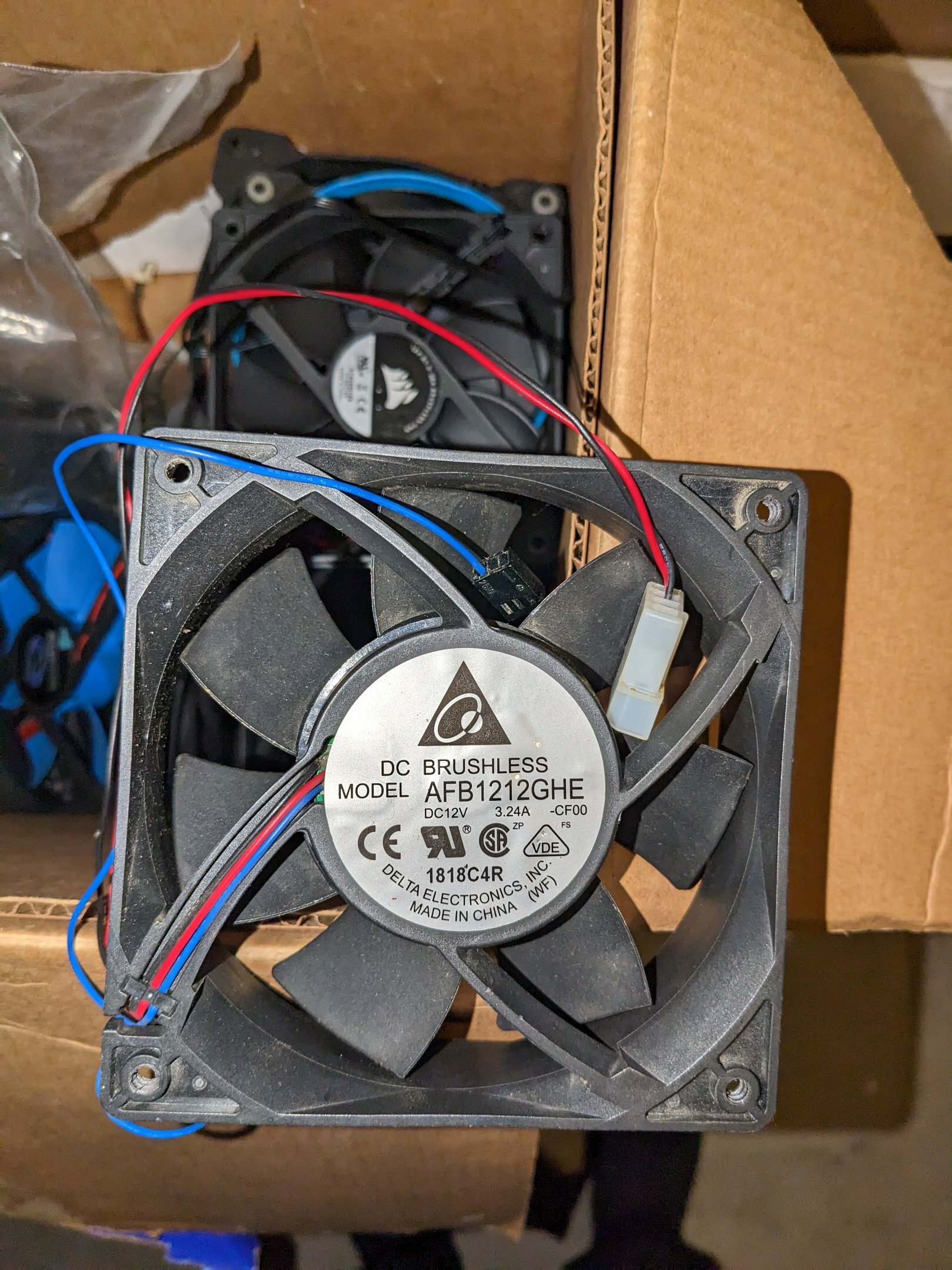
I am contributing 3 prizes for this foldathon if anyone wants them. Delta high speed fan, giant Yate Loon 230mm fan, and an approximately 30ft Cat 6e 10Gbps flat Ethernet cable. @damric
-
EXTREMEHW 48-hour foldathon, April 29-30th 00:00 UTC
neurotix replied to damric's topic in Folding@Home
Maybe it was the OC. Though there's no way to overvolt the card in Linux and it was only at 2970MHz. -
EXTREMEHW 48-hour foldathon, April 29-30th 00:00 UTC
neurotix replied to damric's topic in Folding@Home
Thanks pio. Yeah, maybe it has the same problem and got really hot and fried with these weird new 16xxx units I've gotten the last 3 days. -
EXTREMEHW 48-hour foldathon, April 29-30th 00:00 UTC
neurotix replied to damric's topic in Folding@Home
Yes, I had it clocked to 2970MHz core, anything higher than 3000 caused Linux to lock up. Though the card can do 3135/12210 in Superposition. Yeah I have the thick 3 slot cooler and triple fan MSI cooler. The thing that is though, even overclocked, with 80% fan, the card never passed 52c, except when we had 18601 units back in January, those would cause it to heat up to 68c. I can tell you guys this much: if I get MSI to replace or repair my 4090, or if not and we have to buy a new one, I am never ever running folding@home on it ever again. I'm steaming. -
EXTREMEHW 48-hour foldathon, April 29-30th 00:00 UTC
neurotix replied to damric's topic in Folding@Home
OUT bigred. Remove me from the foldathon please. Yesterday night, my rig started not waking up from monitor sleep while folding. My monitor would just say no signal. I tried with folding not running, same issue. It is freezing in games in Windows. I'm afraid folding has killed my beloved 4090 Gaming X Trio, but it's done 2.3 billion points for the team. We've tried a lot of things and the issue persists. This is bizarre as I once folded on an OC'ed HD 6870 for a year straight 24/7 and got the badge for it on OCN. I've folded for months at a time on a ton of other cards and never had them die, but this really is probably the only reason/explanation for it. So I will be buying a GT 710 at Best Buy later, just so I have video and my system is usable as a server, as well as for graphic design. Just realized there's a rally expansion for Forza Horizon 5 and was planning on playing it this week, I guess that's not happening. Anyway TL;DR: folding has appeared to kill my 4090, will get a new temporary card and starting the RMA process with MSI.