Welcome to ExtremeHW
Welcome to ExtremeHW, register to take part in our community, don't worry this is a simple FREE process that requires minimal information for you to signup.
Registered users can:
- Start new topics and reply to others.
- Show off your PC using our Rig Creator feature.
- Subscribe to topics and forums to get updates.
- Get your own profile page to customize.
- Send personal messages to other members.
- Take advantage of site exclusive features.
- Upgrade to Premium to unlock additional sites features.
J7SC_Orion
-
Posts
2,211 -
Joined
-
Last visited
-
Days Won
96 -
Feedback
0%
Content Type
Forums
Store
Events
Gallery
Profiles
Videos
Marketplace
Tutorials
Everything posted by J7SC_Orion
-
 ...looking for the Loch Ness monster on a sunny Sunday afternoon
-
...washed it for the 2nd time this year, but dirt and road grime never sleep
-
...switched vbios from stock Gigabyte to Galax HOF; also lower ambient temps today , good for the water-cooled setup...
-
Given the latest semi-trustworthy rumors, the 4090 Ti is 'off again' and RTX5K 'Blackwell' not scheduled until late 2024 / early 2025. That means that my 4090 and its nice oc headroom will remain useful for quite a while yet.
-
Those are very nice ! I have Metro Ex not (re)loaded yet but I understand from another forum that at full-blast resolution and Path/Ray Tracing, it can slurp up well over 600 W (with the Galax HOF 667 W vbios) with the RTX 4090s. My Path/Ray Tracing fav is CP 2077; also not a wall flower when it gets to pulling the wattskies on the RTX 4090. FYI, CP 2077 maxed 4K with Overdrive (path traced) uses about 60 W more than the highest 'regular' ray tracing mode ('Psycho') on my setup.
-
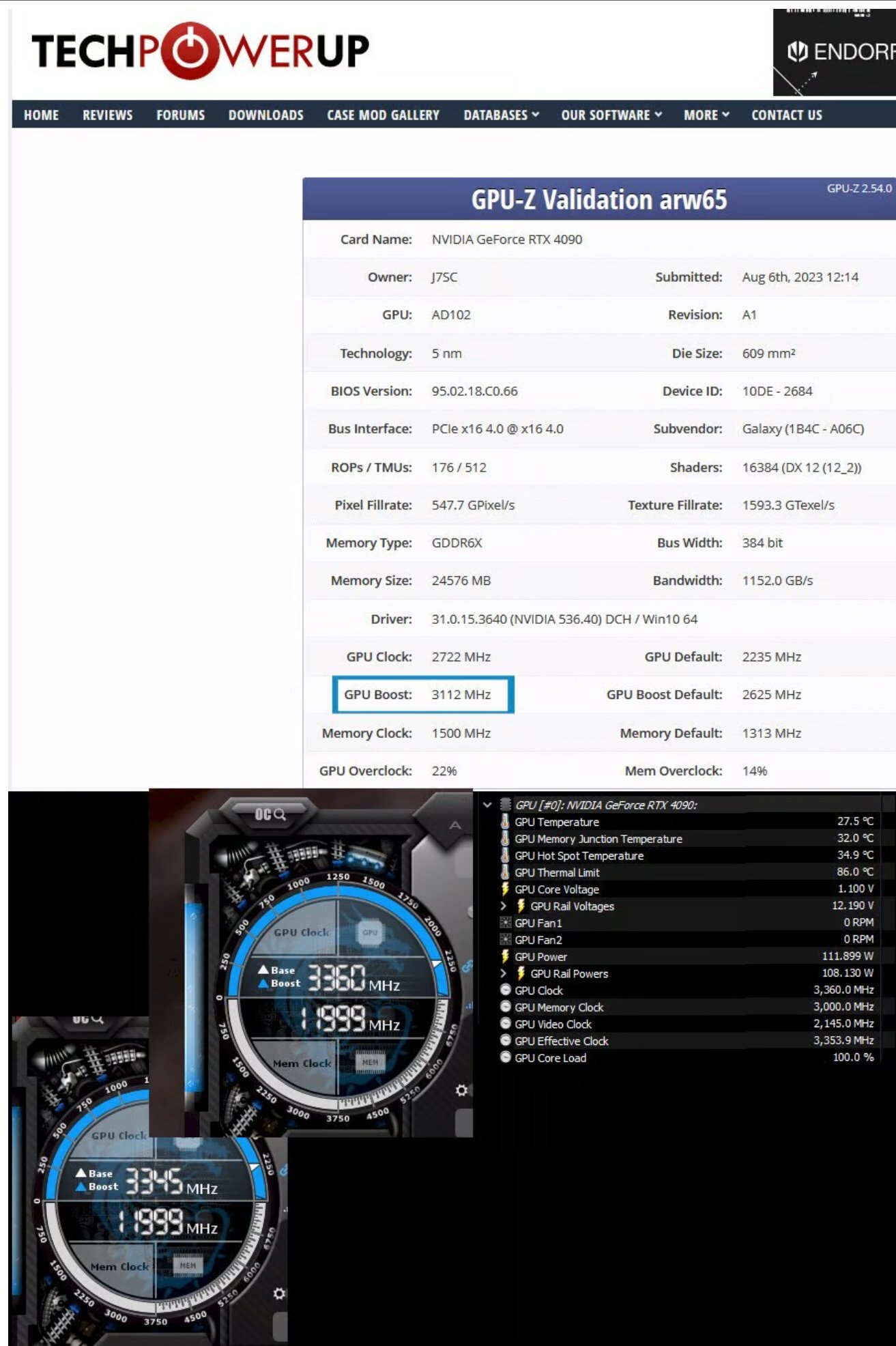
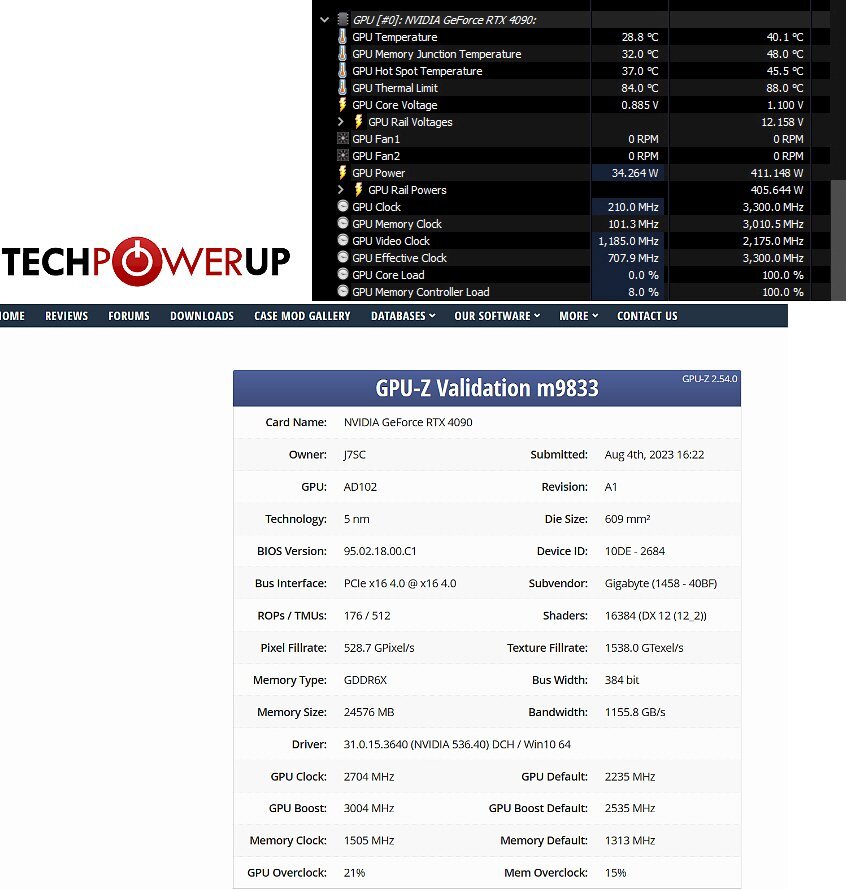
...hairdryer, eh ? I could also just run 'memtest_vulkan' prior to a bench - that gets the VRAM into the low 50 C range, depending on ambient. Speaking of ambient, it is around 27.5 C in my home office right now, but did some extra run anyways....the RTX 4090 not only hit 3300 MHz on water / ambient, it actually made it to 3315 MHz before the driver said enough !! I did get a TPU GPUZ validation though for the relevant offset of +469 MHz...
-
-
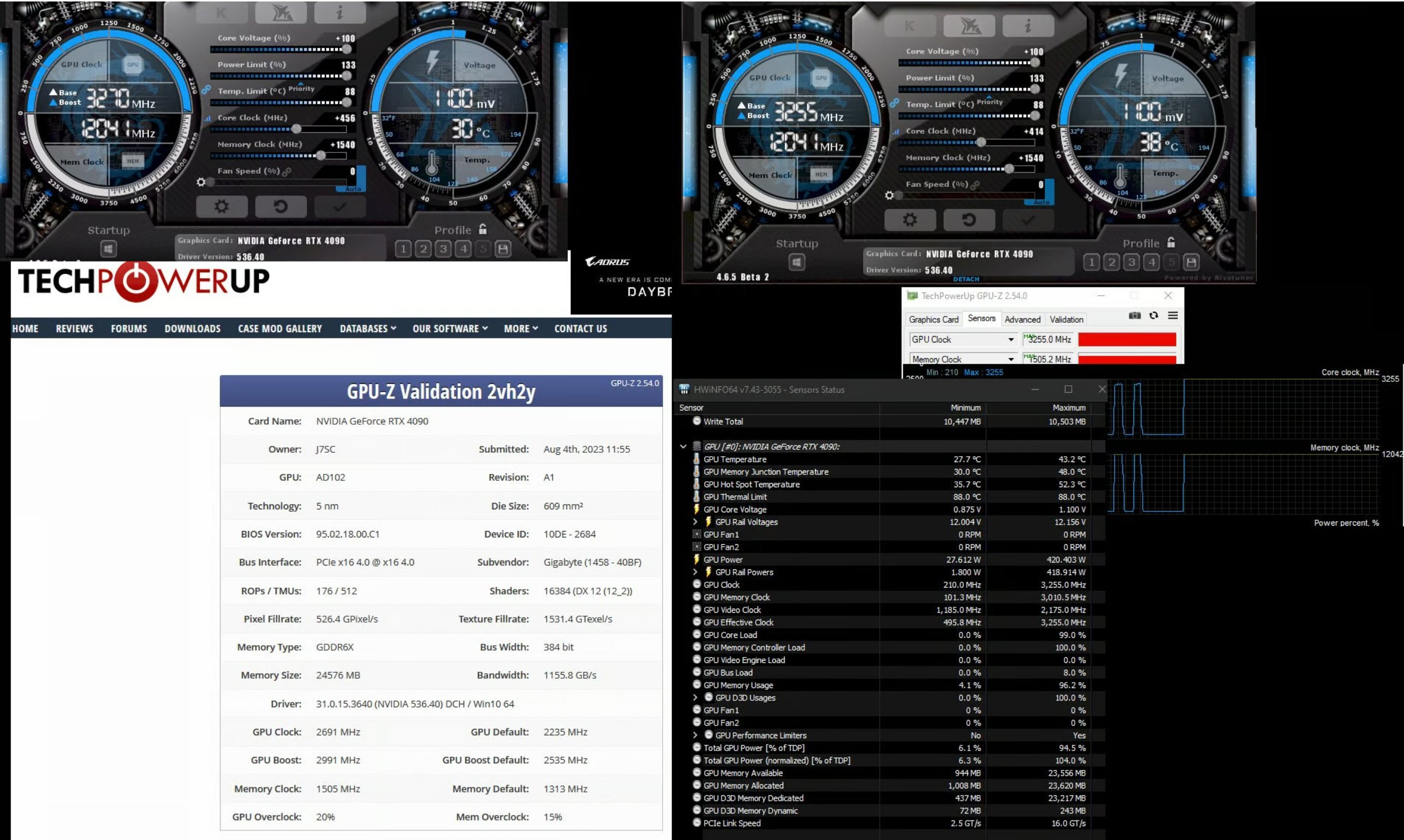
...still trying to find the OC limits for the core of the 4090 without wrecking the card. VRAM need to be above 55 C to get that higher, but with a full water-block, that is harder to do (though I'm not complaining...)
-
...the VRAM 'idiosyncrasy' is kind of weird for sure. The 3090 and 4090 both have 24 GB of GDDR6X, but with the former, it is 24 x 1 GB chips (double-sided) while the 4090 has 12 x 2 x GB chips. The 2 GB chips are faster right out of the box but as you mentioned, in LN2, you can get a cold-bug. In an extensively water-cooled setup, they work just fine even when cold (at ambient) but there is a whole lot more additional OC performance to be had once VRAM is in the mid-50 C range. Below is a Superposition 8K run with normal temps per blue box - with the temps at 55 C and a bit more, it would have been > 12,200 MHz. At the same time, the core will start to downclock more at such higher temps due to the temperature link in the boost algorithm. This is why some LN2ers actually have heaters wedged onto the 2 GB GDDR6X chips I am looking forward to try alternatives to the TG-PP10 you mentioned when the time comes - not so much for the temp differentials but because I just prefer thermal putty and my supply of TG-PP10 will run out sooner or later. Thermal putty is near-foolproof regarding applications (unless one is insanely generous with it) to conform to whatever space there is. It also tends to cool the surrounding area a bit more - when I applied it behind the 12VHPWR area of the PCB, it also helps cool really hot VRM components near the 12 VHPWR; the putty there bridges nicely to the backplate with its own heatsink and fans. That whole area can see spikes > 700 W and sustained PL of > 600 W, all in a tiny, finnicky package...
-
Thanks for that - booked-marked the vid for future reference as that UX Pro Ultra looks good. I might add some work-related cards in the near future, but for my regular machines, I probably wait for RTX 5K in late 2024 / early 2025 (unless AMD comes up with something extremely tempting before then). But whatever the timing, there will be thermal putty involved... As already alluded to, the 2 GB GDDR6X chips on the 4090 are weird in that they actually like some heat for top oc. My th.putty application for that card works almost a little too good. But in any case, all GPUs I have with th.putty (including two from early 2021) are performing great over time > no net change with the same oc, load and standardized ambient temps. FYI, whether th.putty or th.pads (such as Thermalright Odyssey 16.8 W/mK), I always add a little bit of thermal paste on top of either - could be overkill but seems to work fine... In addition, I add th.putty onto the back of the PCB at strategic spots as well as the back of the GPU chip itself before mounting the metal backplate which in turn gets an additional big heatsink (pics above posts). With the hot summer weather and the power-slurping GPUs, I am glad that my equipment stays relatively cool.
-
I put away two unopened vacuum-sealed TG -PP10 jars in another vacuum-sealed back...they are residing at the bottom drawer of our fridge. While it might not last, given the rated shelf-life of unused TT-PP10, the way it is packed and stored, it just might - we'll see. In any case, good to see some of the alternative thermal putties you showed / mentioned since TG-PP10 has been discontinued, tx for that ! Yea, thermal putty is great stuff - not least as it 'conforms' to the available space, and ends up providing additional cooling to surrounding bits. It is of course harder to clean up for disassembly, but so far on my three late-gen GPUs where I used thermal putty, it is working perfectly. Even after two+ years of use, temps are 'steady as she goes'. The only 'problem' is the VRAM on the 4090...as pointed out above, that actually likes a bit of warmth (~ 55 C) for best overclocking results. That said, my card's VRAM oc quite well even below that and for top bench runs, I can always run memtest_vulkan just before the bench
-
...nice, but too small for me after using 48 inch OLED for > two years
-
-
Some more Dolby Atmos "Ray Tracing Audio' goodies; some visuals are also stunning. Second vid is an hour long Dolby Vision HDR, again with some gorgeous scenes in it. I also had another look at the 55 inch LG C3 and G3; C3 is hard to distinguish from earlier OLED 'C' line. All are quite stunning, but the G3 is brighter than the others, likely due to the addition of MLA (micro lens array).
-
-
Show your oldest piece of HW you still use
J7SC_Orion replied to Memmento Mori's topic in Chit Chat General
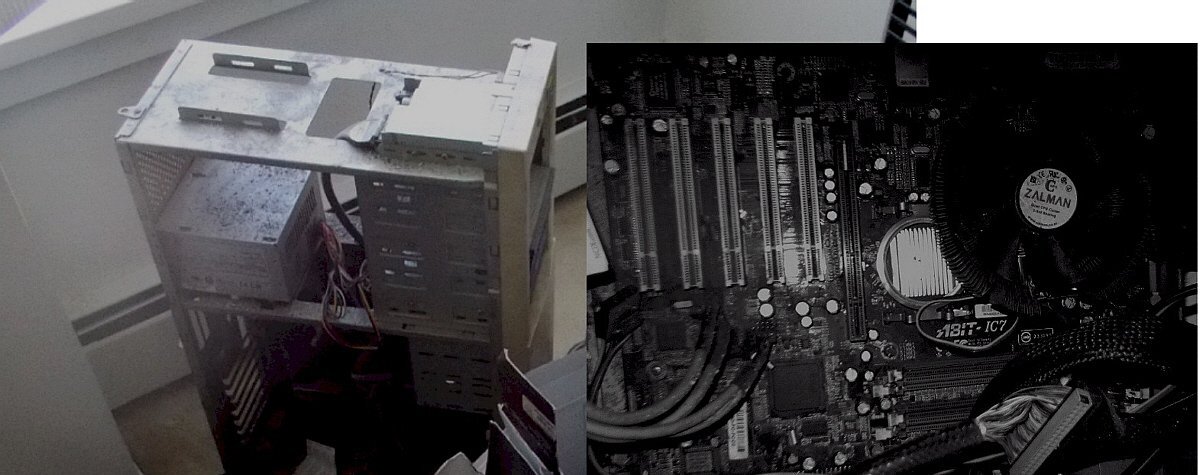
...now I'm digging deeper - this Abit IC7 is from 2003. It still works (booted it up late last year).
-
Show your oldest piece of HW you still use
J7SC_Orion replied to Memmento Mori's topic in Chit Chat General
...4x Swiftech Micro V2 reservoirs from 2012; all still in use - not too many moving parts which could wear
-
Show your oldest piece of HW you still use
J7SC_Orion replied to Memmento Mori's topic in Chit Chat General
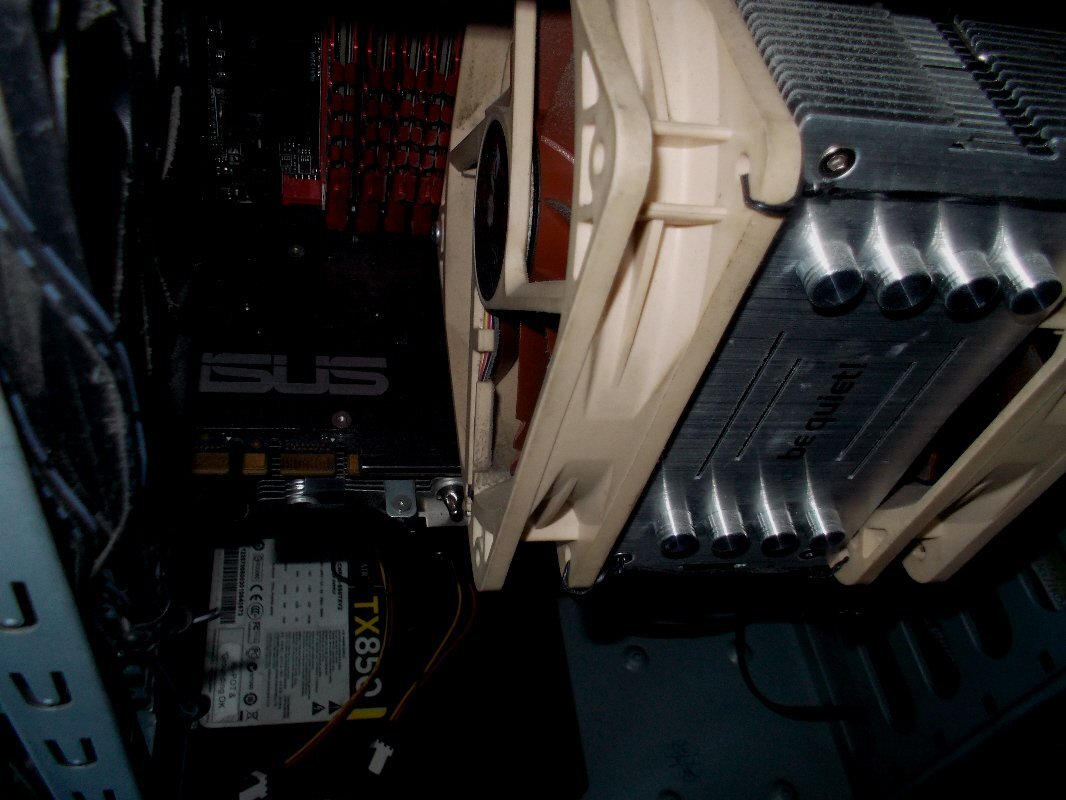
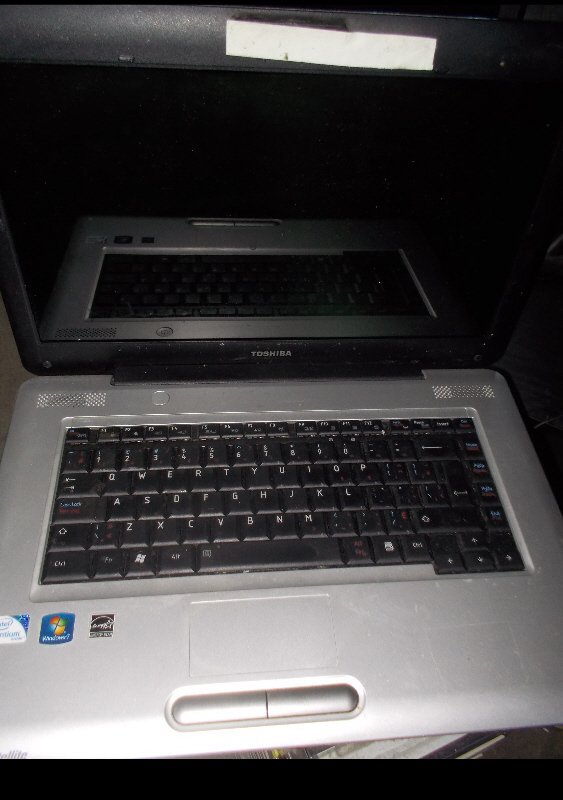
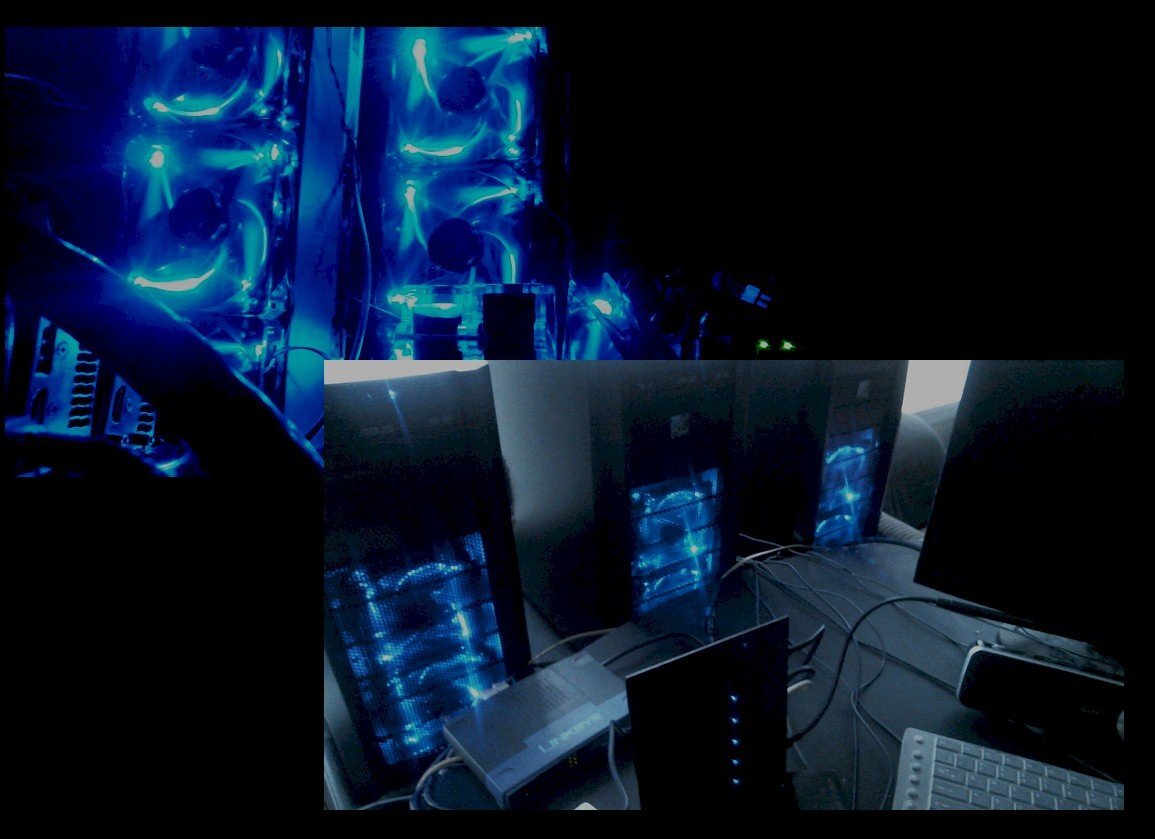
...still rumbling away in a corner somewhere... a.) old back-up dev server from latish 2013 with 4930K proc, 64 GB of GSkill Ripjaws, Corsair TX850 (btw, have 3x of those PSUs, all still running fine). We keep that oldie running for some strange reason... b.) Toshiba Laptop from 2011ish; used perhaps once or twice a year these days, but still hanging in there...has to run on wall plug though as the battery is c.) 3x of many Antec 302 cases from 2012 still in use...
-
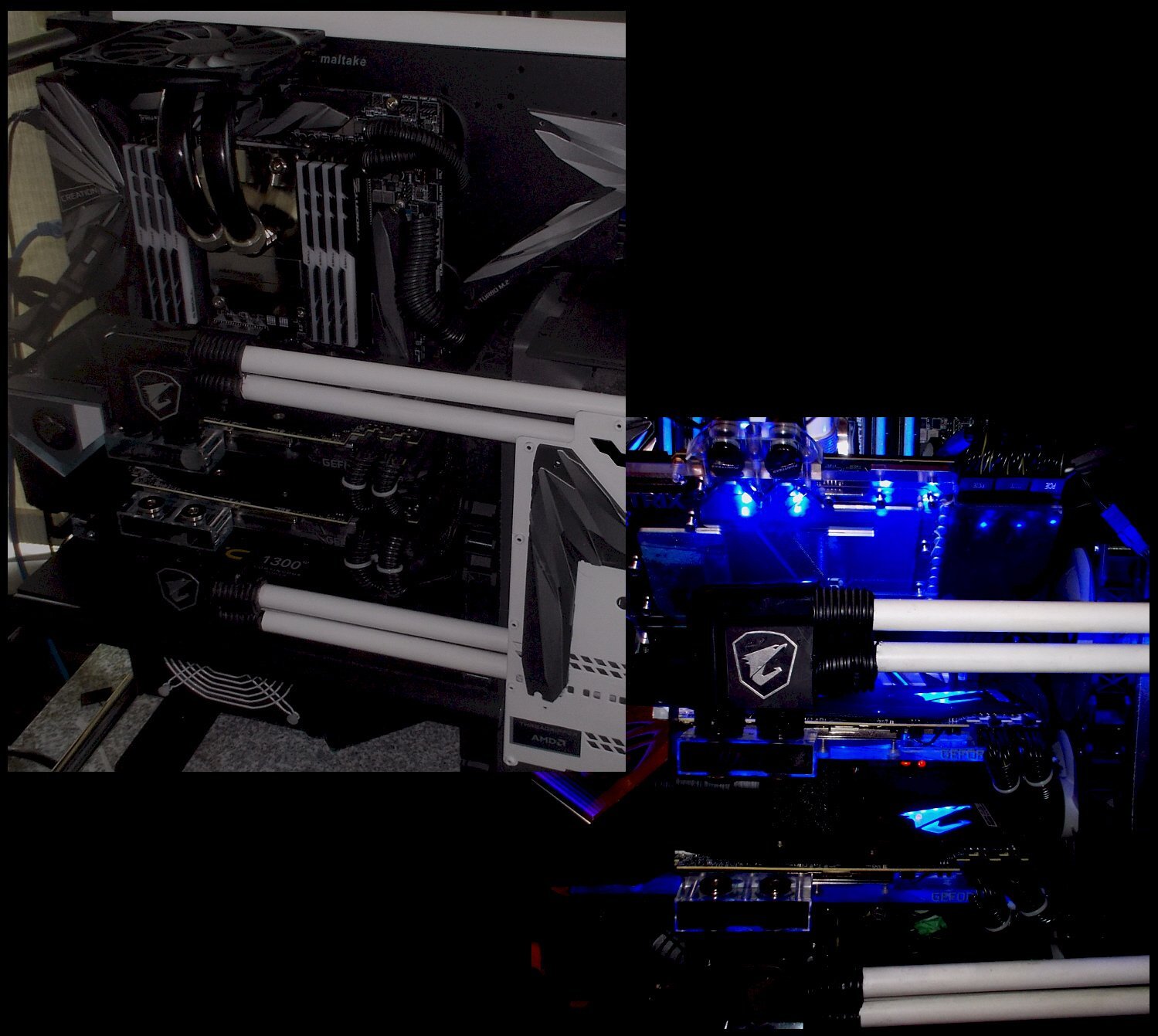
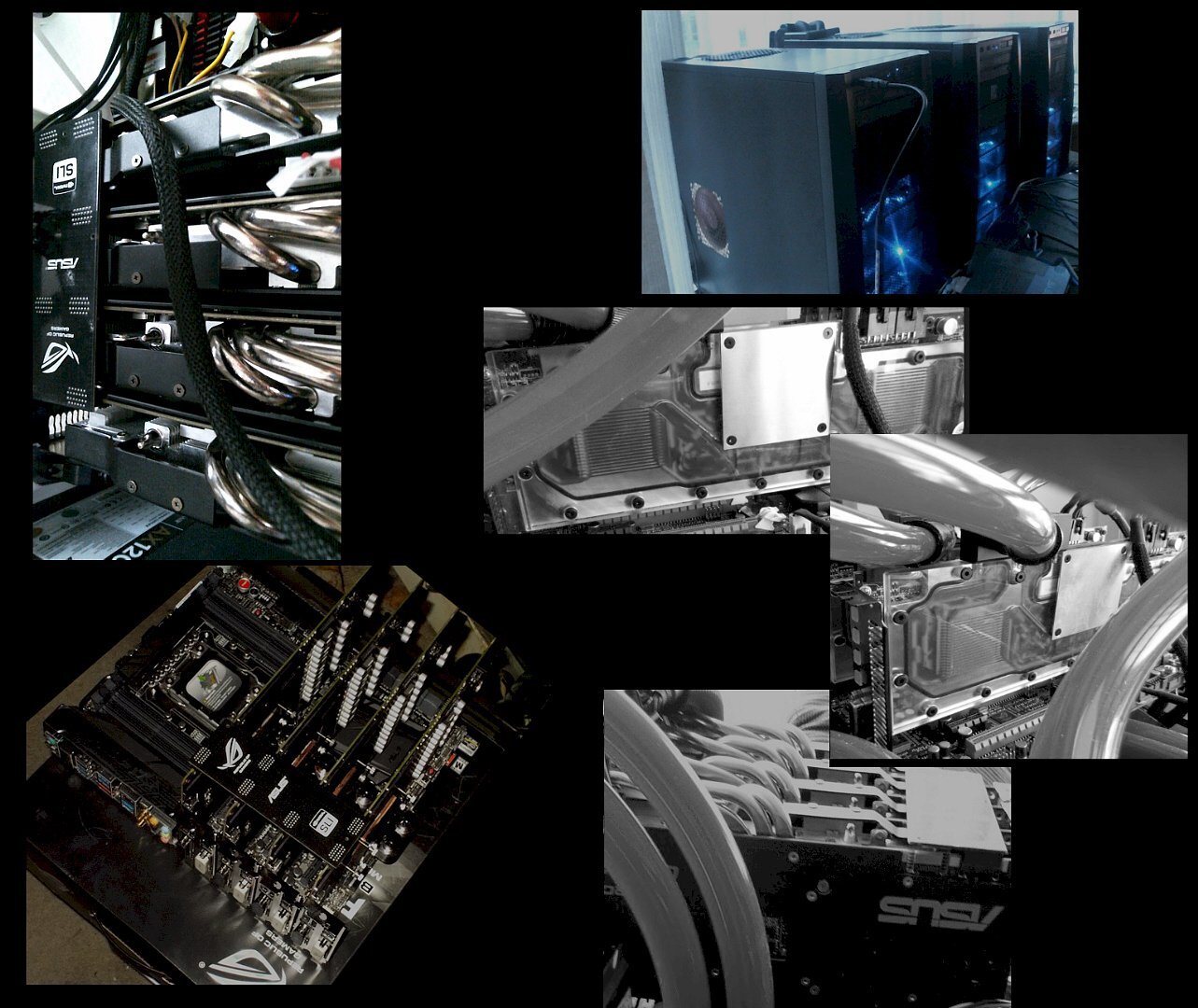
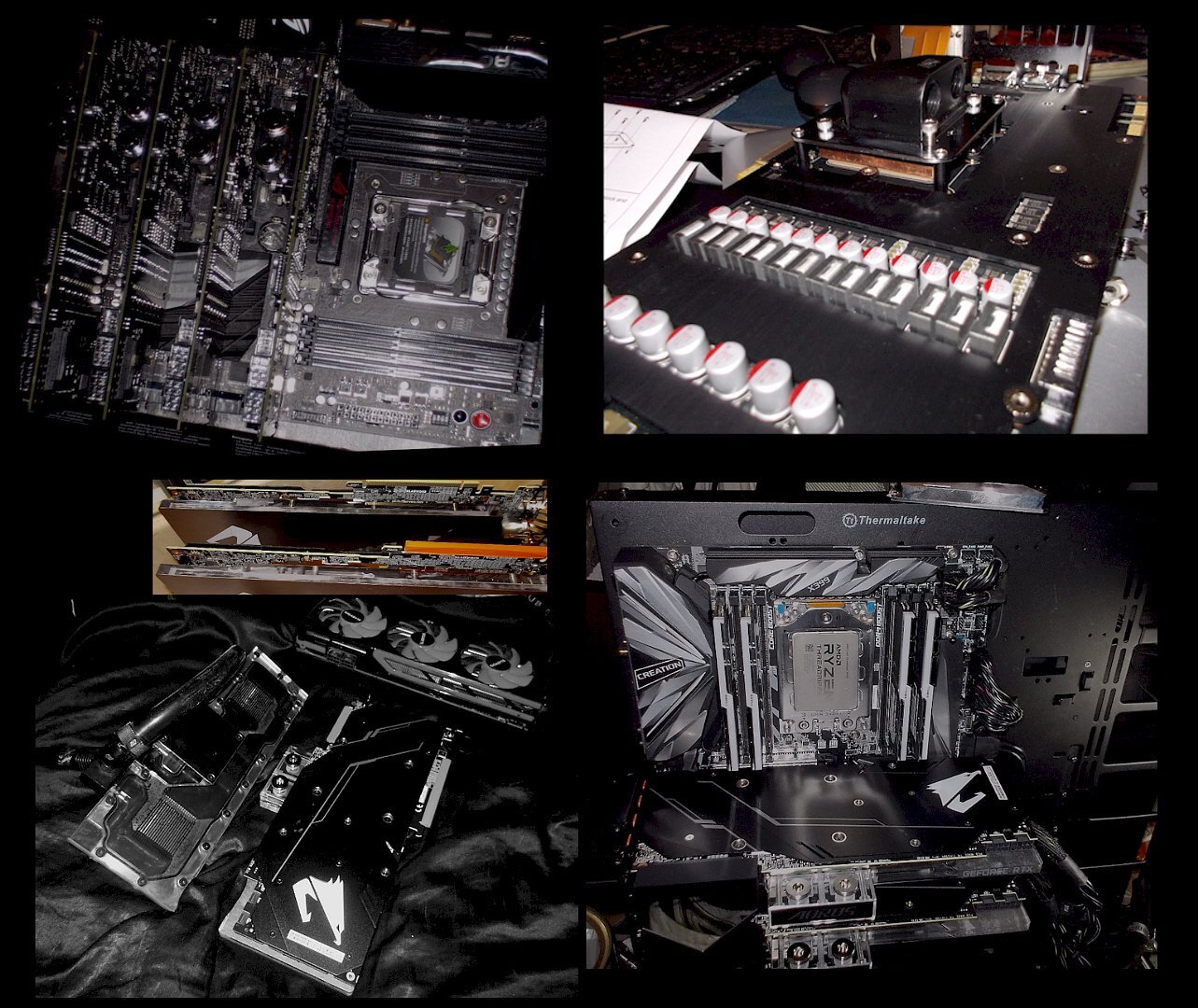
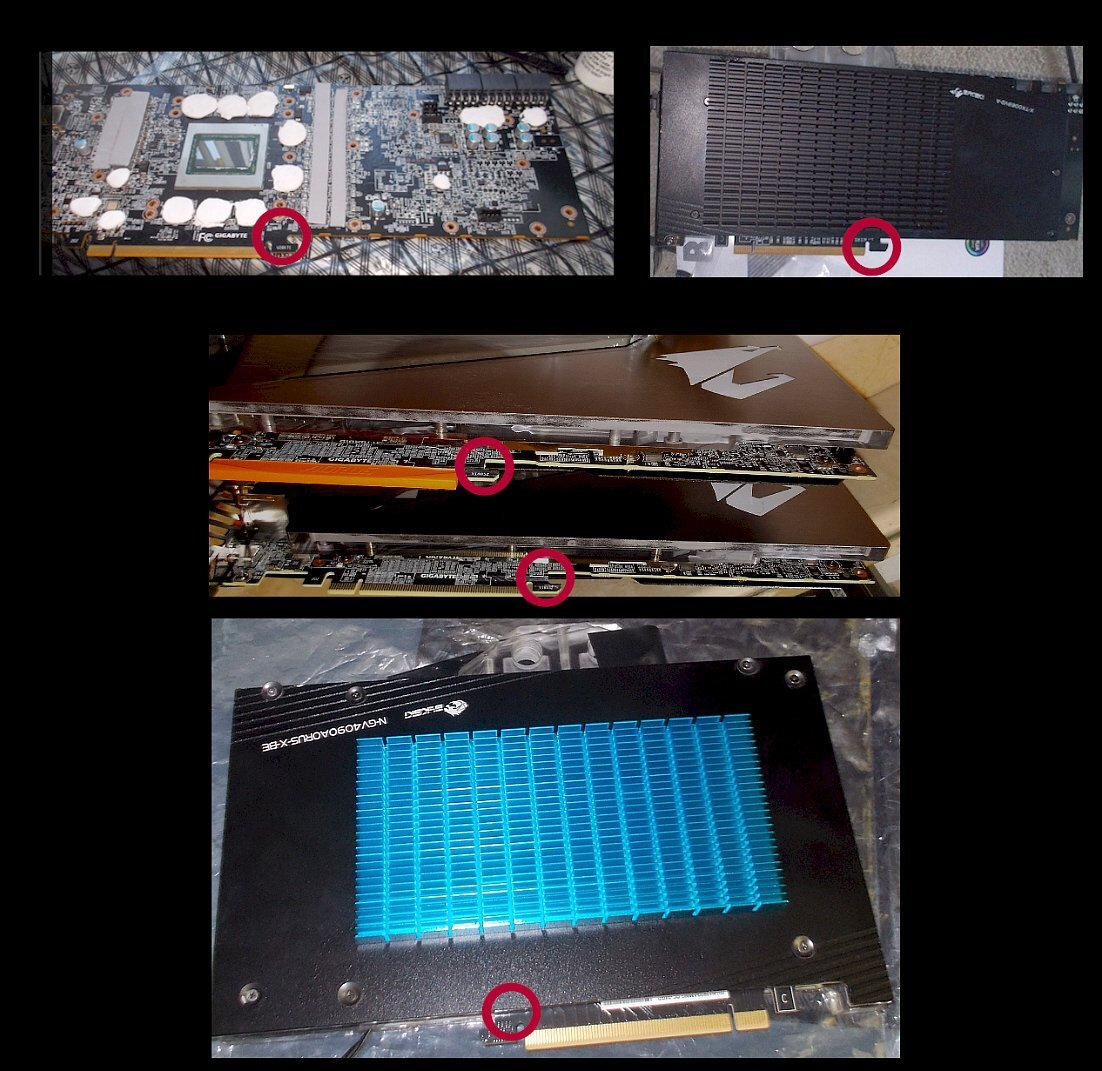
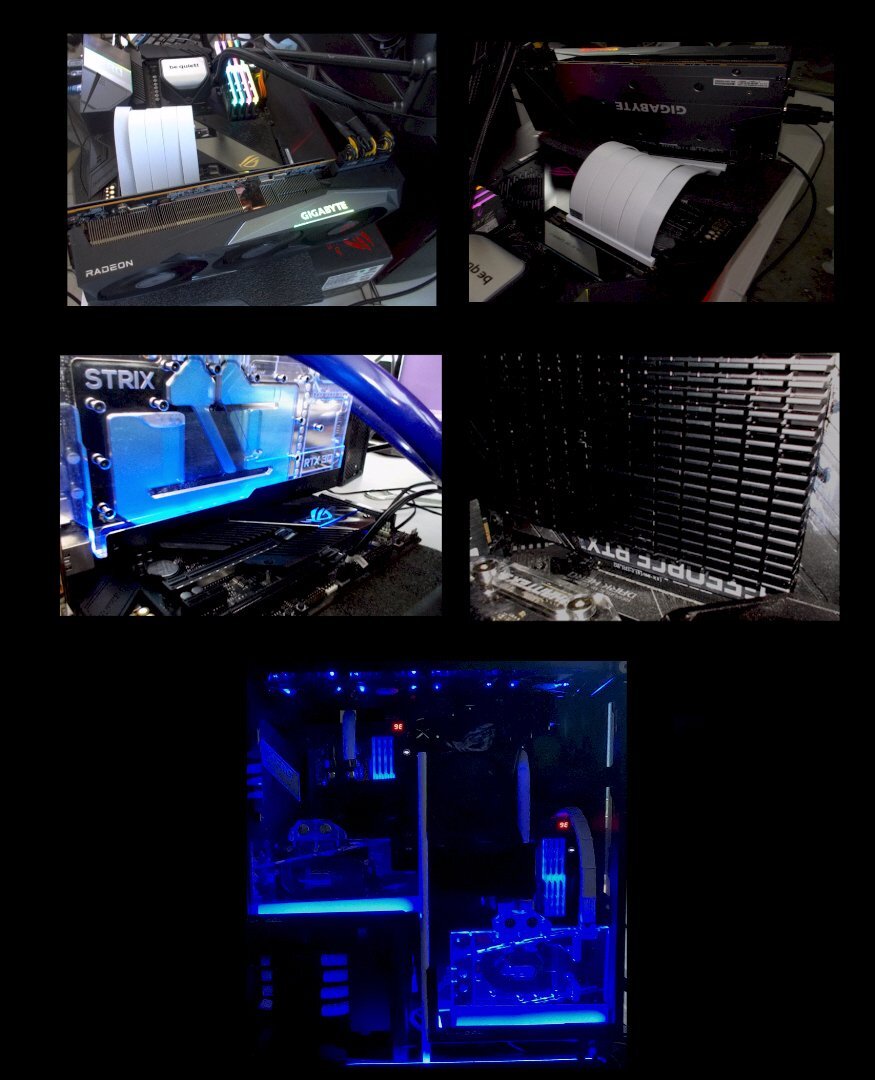
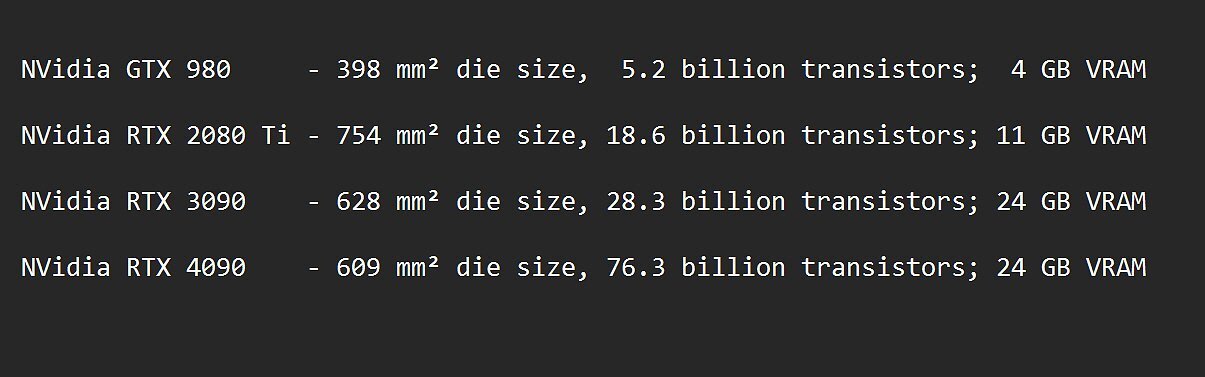
A 'weighty affair', or 'honey, does this make me look fat...?' Beyond cooling and physical size of modern GPUs discussed (and fyi, updated) in the earlier posts on modern GPUs, it is time to look at weight and mounting orientation... Top-tier GPUs used to be a lot lighter, whether factory-air-cooled or using water-cooling...take for example the Antec 302 cases on the top right in the next pic, two of which had quad GPUs in them, mounted vertically (terrible idea re. heat build-up and retention, but that was all the room in the 'office' I had, apart from being just plain silly)... ...even the then-new high end GPUs (ie. 980s) such as the EVGA Classifieds came with a cold plate, depicted below on the top right. That in turn meant that a universal water-block (Swiftech shown below) combined with 120mm fans blowing down on strategic bits of the cold plate was all that was really needed for top performance. By the time the 2080 Ti rolled around, things really started to change...a single factory-water-blocked 2080 Ti was about as heavy as the previous heaviest card I used which was a water-blocked dual-GPU AMD 8990 (both pictured lower left). In fact, the 2x 2080 Ti project was the last time I build anything with 'normal horizontal mounting orientation' (mobo vertical, GPU horizontal, per build-log photo lower right). FYI, I ended up supporting those two 2080 Tis with custom-cut pieces from the super-dense foam from the boxes GPUs typically come with - useful stuff, that (as long as it is really dense). Nowadays, the weight problem is even worse, IMO: Four of the EVGA Classified GPUs shown above with cold-plates and universal water-coolers weigh only a bit more combined than one water-blocked 4090...which with its 600+ W capability need much more massive cooling areas (including metal). Apart from the sheer maximum wattage, there is also the fact that the heat is much more concentrated in a smaller are of the die, but using more layers in the PCB. In addition, the overall VRAM capacity is also much higher these days which on its own produces additional heat, never mind more heat per VRAM chip. The worst VRAM offender I have in use was/is the 3090 with double-sided 24 x 1 GB VRAM...the ones on the back of the 3090 PCB were ready for barbequing until I added an additional metal heatsink and a few other cooling tricks... Finally, the VRMs also produce more heat since they provide more power output. The increased weight and size has also led to a new type of problem according to several folks, including serious commercial repair operators such as Krisfix.de / YouTube . There is a marked increase of latest-gen cards 'dying' due to cracked and torn layer/s in the PCBs (especially some long, air-cooled 4090s) around the areas highlighted with the red circles below.. I am fortunate to never have experienced that, but it does not have to be an outright, visible crack / tear with a card that no longer works at all - sometimes, it can also be dropped PCI lanes, such as a 16x lane PCI card only showing 8x or even 4x in software monitoring even when there is nothing else competing for the lanes, and following verified initial 16x functionality. ...it is not only the weight itself, but also the fact that the PCI 'fingers' of the card are offset to one side with the new ultra long & heavy cards and their cooler overhang when water-cooled - that creates a lever force effect that is responsible for much of the tearing. OEM custom ordered system with these cards are even more prone to this kind of damage, due to '''shipping''' . As @T.Sharp already pointed in an earlier post, at the very least, it is wise to add a support bracket of some kind at the right side if the card is mounted the traditional, horizontal way. In any case, I switched over to vertical mounting over the last four-plus years. This does mean using PCIe 4.0 risers, though, or mount the mobo horizontally. On risers, I ran several tests with both a 6900XT and 3090 Strix using quality PCI 4.0 risers (LinkUp) on a temporary test-bench below before water-cooling and permanent / final install. I found no reduction in fps and score at all compared to a direct PCI slot mount of the same card in the same conditions. Finally, with my latest dual-mobo build (on the bottom in the pic below), there is zero weight and zero lever / twisting forces on the PCI / risers. ...at the end of the day, there is no such thing as a 'free lunch', at least when it gets to top-tier GPUs in each generation. While there is no doubt that GPU efficiency has increased greatly over the last few generations, it is also true that overall power consumption is still going up - which is not surprising if you consider this table...
-
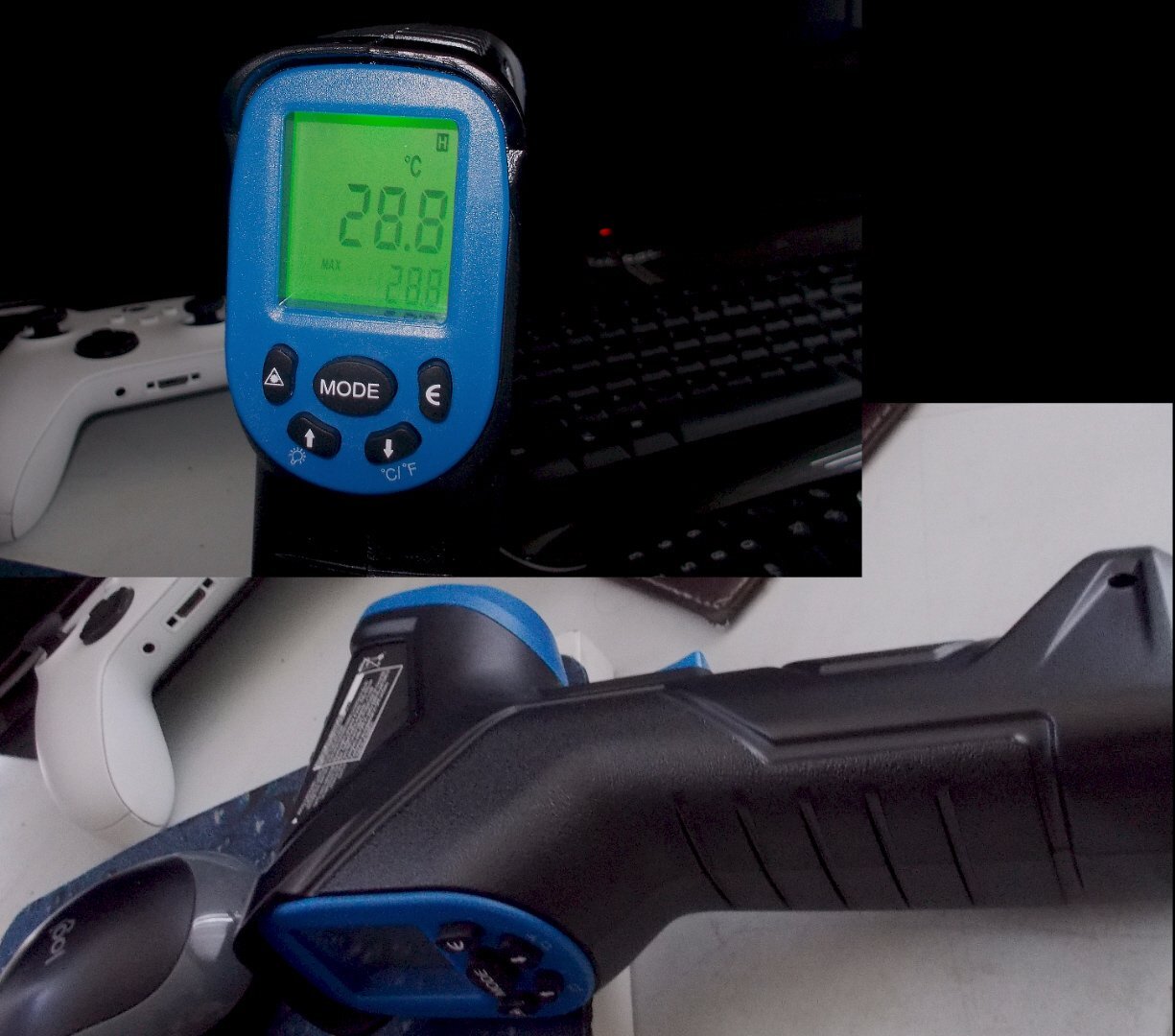
Another Infrared thermometer w/Laser pointer...
-
Another mandatory FS2020 patch > extra scenery for E.Europe....so I checked out Vienna instead
-
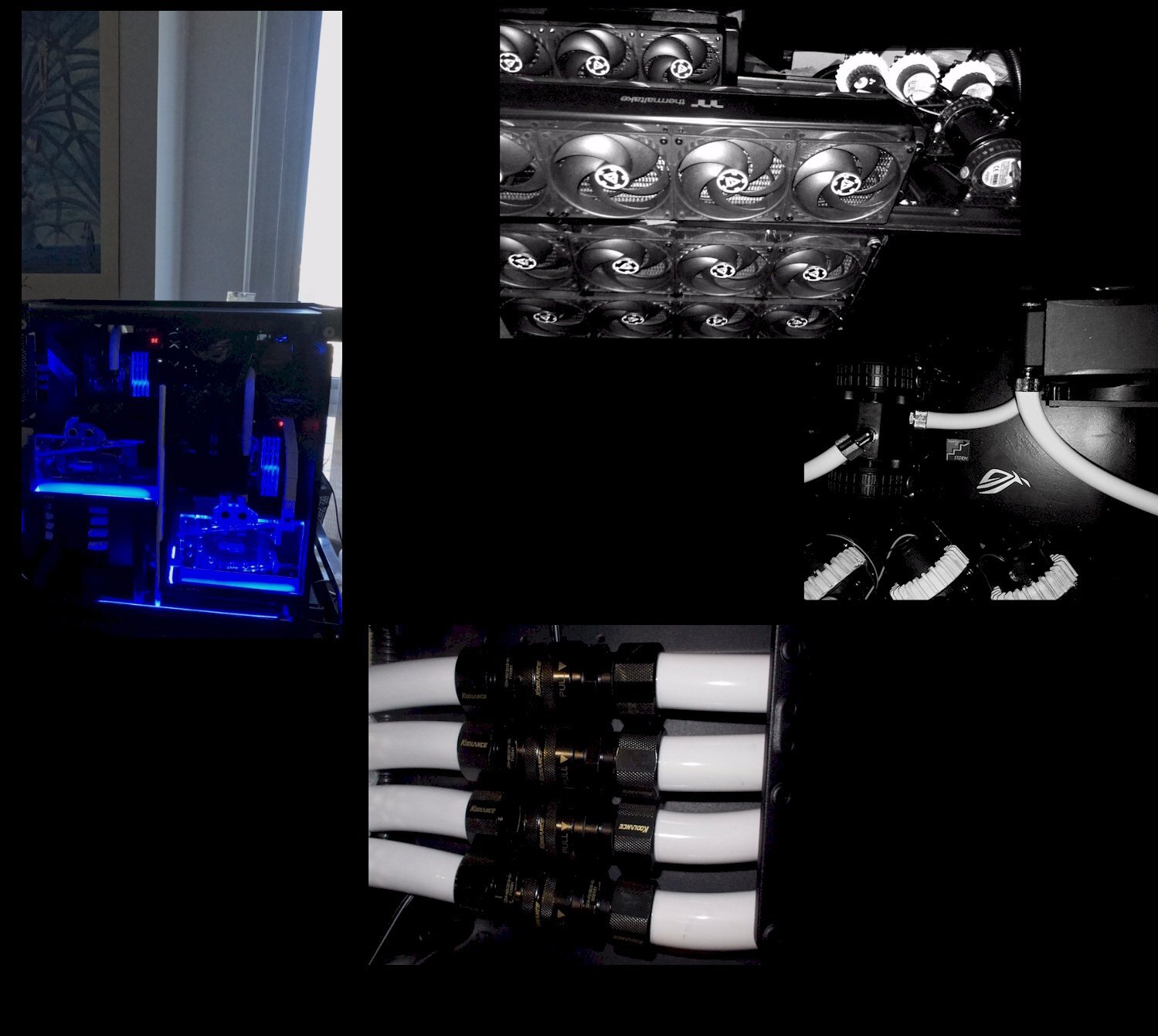
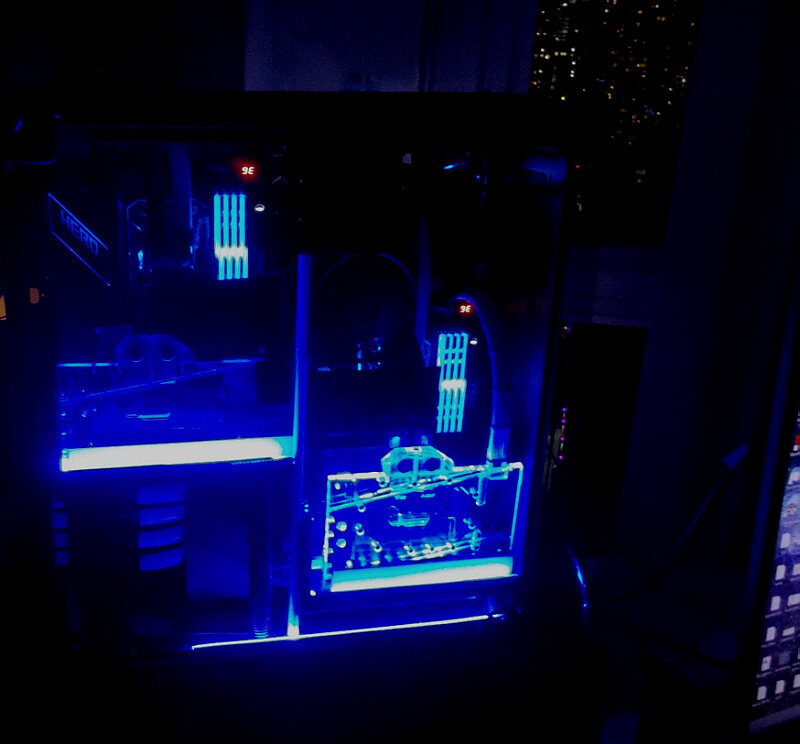
That is a very nice build ! One quick question: I cannot quite make out how the GPU +w-block is supported (I am working on a post about weight of new-gen GPUs that for this series); how are you supporting that GPU/w-block combo ? As to your point about moving some bits 'out of the case' for external positioning, it adds gobs of flexibility - my earlier project-insanity taught me that ...Just one example would be my previous 'primary' system (now serves as a secondary work+play setup)...it has two mobos (front and back) on a heavily modded TT Core P5, plus 5x 360mm x 62mm rads, 4x D5 pumps, plus an AIO etc. That was the last time I tried to stuff everything on/in one case. The problem is also the sheer and awkward-to-move weight (well over 100 pounds). Here is an early pic: of that build on the left, followed by an update how it looks now (a w-cooled 3090 Strix joined the 2x 2080 Ti for some productivity tasks)... My current 'primary' work+play build is also a dual mobo one (2x X570 regular ATX), but side-by-side this time per pic below, using a TT Core P8. I already used Koolance QD4 quick-disconnects on the previous build (btw, the horizontal GPU cooler tubes on the front above are actually cooper pipes...). Learning from my prior projects, this current primary setup has 5x D5 pumps and all the rads (6 of them with a combined total of 2520mm x 63 mm) on a separate little, wheeled 'table'. The 4x QD4s also pictured below make it easy to update / move / clean etc, noting that the reservoirs stayed on the case, high up and in the back. The 'cooling table' is only 2 feet away, yet I hear only the faintest whoosh of air, not actually any of the 40+ push-pull 120mm fans (fixed at 1800 rpm) or D5 pumps (fixed at 70%). With your MORA 420, you are pretty much on the path of a 'segmented' build anyway - it is very liberating to be able to build more outside a regular 'case' and customize any which way one sees fit. At the end of the day, the foot print is also better at the personal work space.
-
...that's why I hammered away in this thread at caution and vigilance re. adapter flush seating. The 12VHPWR 'saga' started with several of the 4-in-1 dongle cables melting on 4090s last fall; then came some cables and also special adapters - especially the CM 180 degree ones for Asus (which has the connector flipped around on their cards).
-
...want...that...in that nice system with 2x 96 core VCache CPUs
-
I won't tell anyone about the traitor thing; too busy drooling over those new H100 NVLs
.png.e7ef15537fc0eb38adbd52e27a5d431a.png)

.png.5fdc7997a1c38db9be3bd06ea6e01a26.png)
.png.728f96ed14956262877a3ff731aa9660.png)

.png.a73d8f444e910c16cf4481208837b721.png)
.png.59bc1a8f543f4386a2477c3aa3eeea4e.png)


.png.43b38e22fb685c3bce5edae20d6cb223.png)
.png.fdb432fd0da375db02f7a25a56f2e67e.png)
.png.66d4d4e8ec66f45ff425539786089430.png)
.png.16205ef77e5ebbd30a6af27c438c6430.png)

.png.32e504906bb0ac4f7de8ac640199f344.png)
.png.0a12f3c4a69cdbe0f135c74ac97d3130.png)