Welcome to ExtremeHW
Welcome to ExtremeHW, register to take part in our community, don't worry this is a simple FREE process that requires minimal information for you to signup.
Registered users can:
- Start new topics and reply to others.
- Show off your PC using our Rig Creator feature.
- Subscribe to topics and forums to get updates.
- Get your own profile page to customize.
- Send personal messages to other members.
- Take advantage of site exclusive features.
- Upgrade to Premium to unlock additional sites features.
J7SC_Orion
-
Posts
2,211 -
Joined
-
Last visited
-
Days Won
96 -
Feedback
0%
Content Type
Forums
Store
Events
Gallery
Profiles
Videos
Marketplace
Tutorials
Everything posted by J7SC_Orion
-
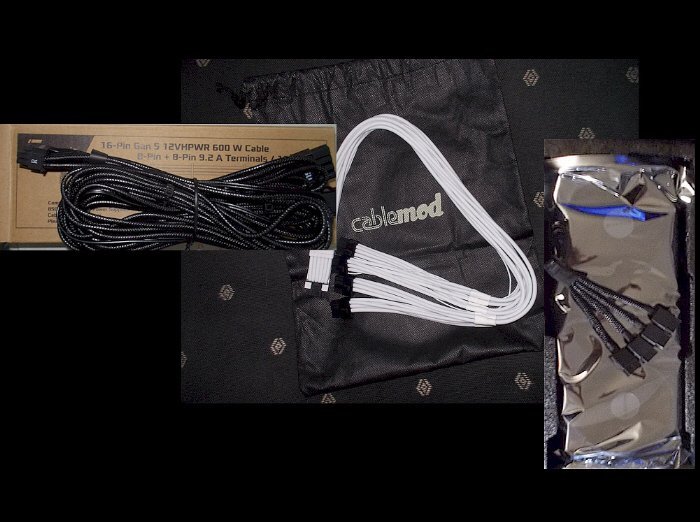
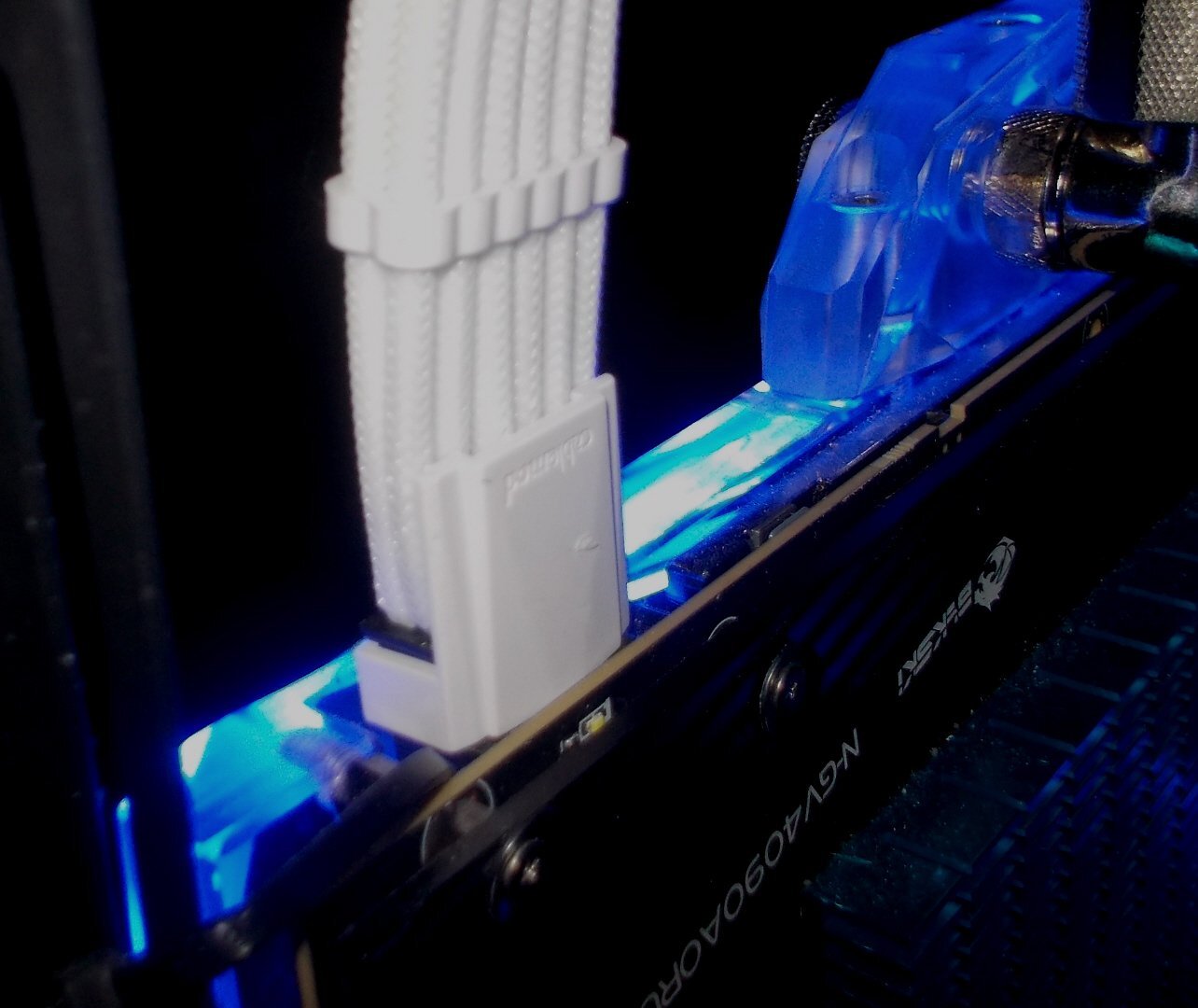
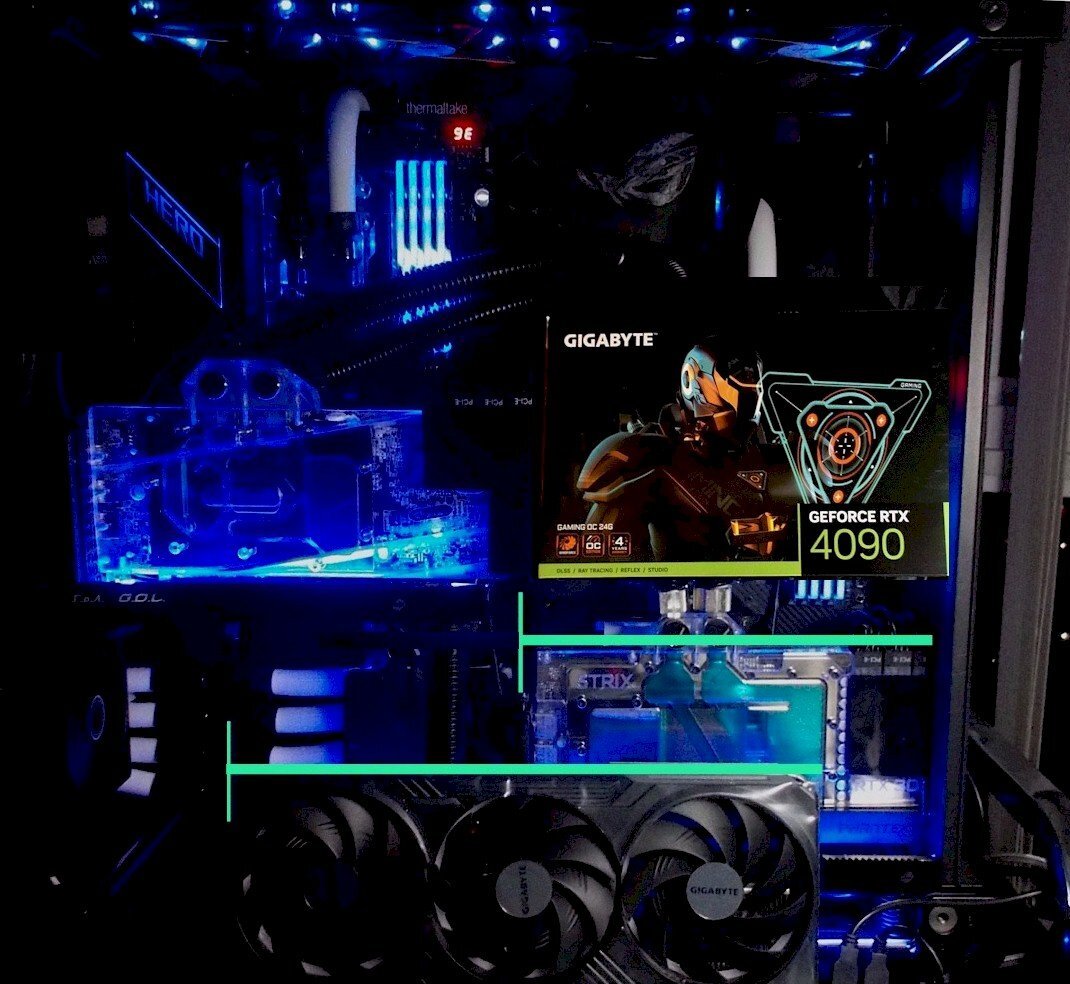
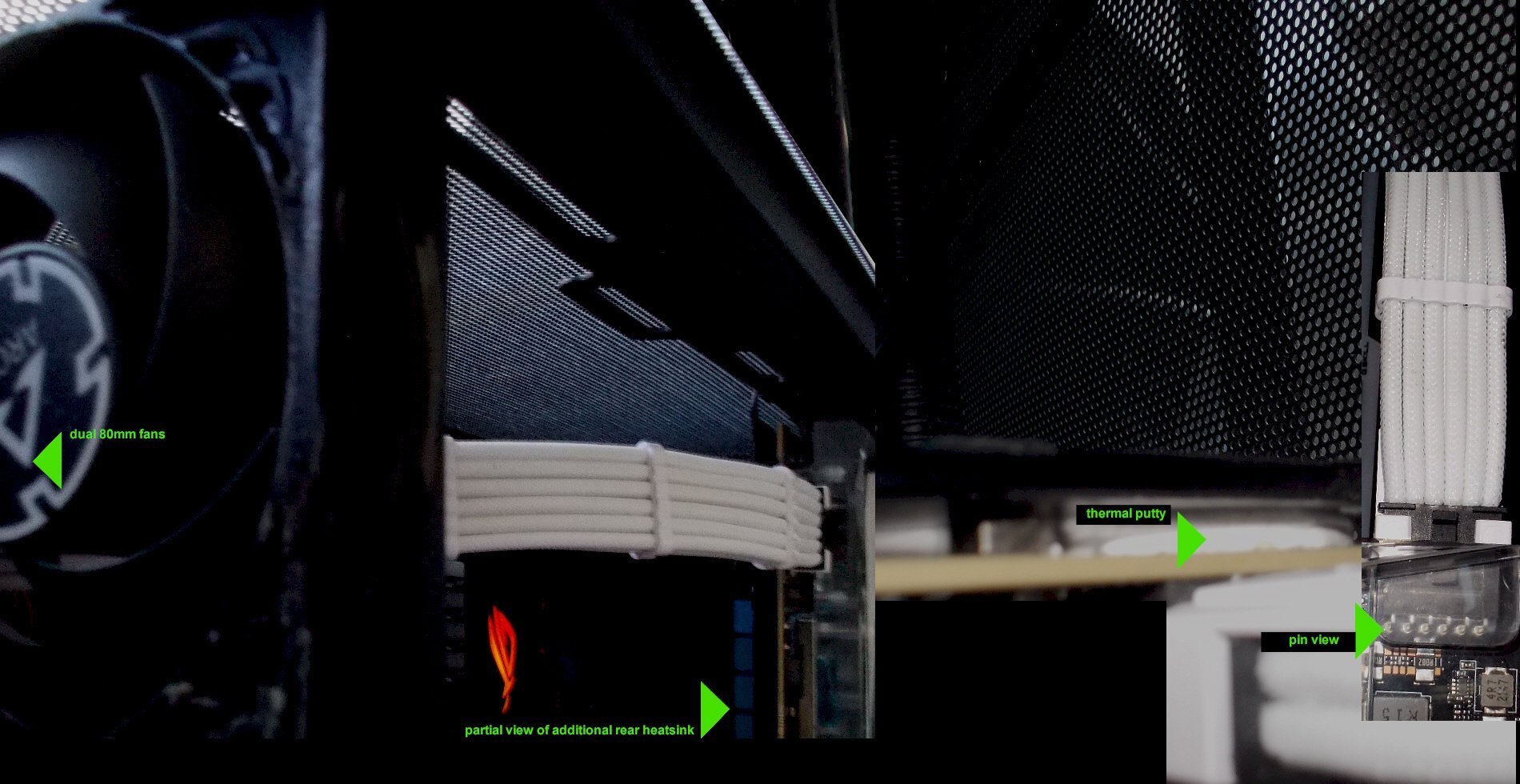
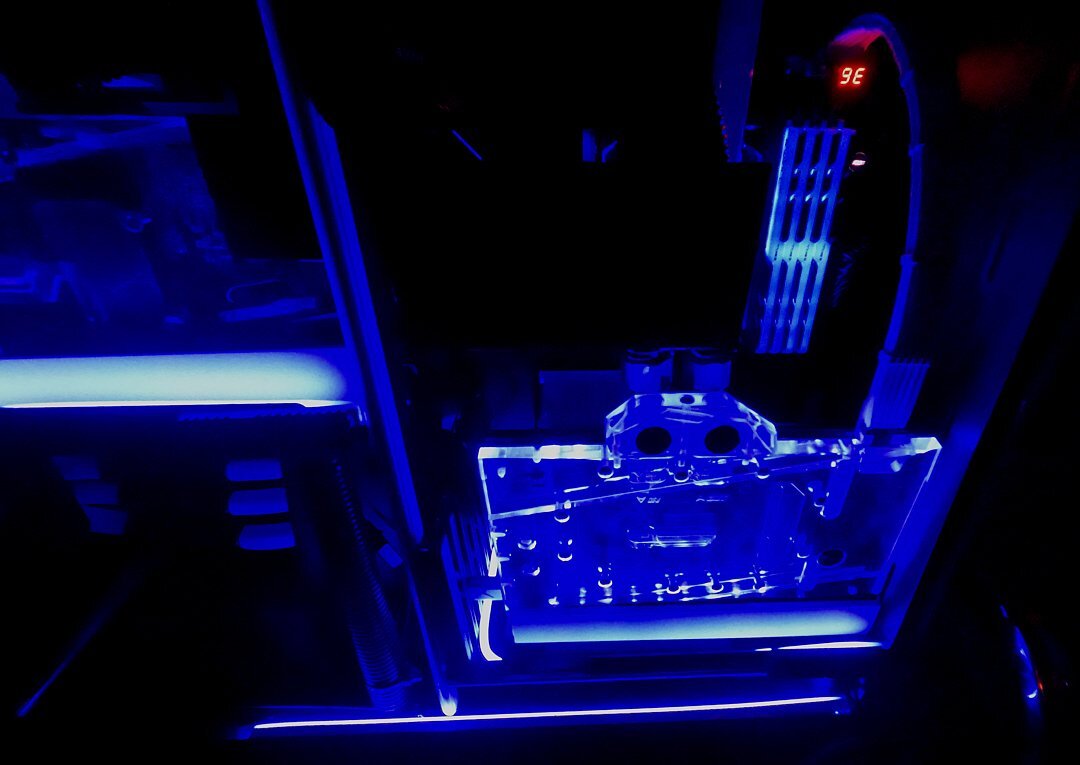
Of dimples, dongles and power arcs... Power connections for GPUs with a stock vbios of 600W or more (never mind 700+ W transient spikes) are a major recurring problem theme. Before touching in the 12VHPWR saga (also already touched on by @T.Sharp ), it is worth pointing out that melt problems can arise even with traditional connectors. Below is pic of the 3x8pin PCIe of my 3090 Strix with a custom vbios that could peak at ~ 600W...there was a loose connection and some arcing / minor melting which must have occurred after the original mounting and before other parts tugged and obscured the view of it. Fortunately, each single connector had 200W at most, and it all still works great (including folded electrical tape to fix the area around the arrow). The 12VHPWR introduced last year is a whole different ballgame...NVidia and also select Intel cards use that connector, but it with the highest-power cards such as RTX 4090s that potential weaknesses have become real problem cases - and initially at least, a lot of 'guesstimzations' as to what the underlying issue actually was (or issues were). By now, vendors have already installed modified 12VHWPR connectors (for ~ three months now) without any official announcements It is a running change, mostly for RTX4K cards. This new 12VHPWR hybrid connector comes with 4 sense pins that are shorter now. Sense pins are the 4 smaller ones on top in the pic below of my Giga-G-OC. This all gets down to one major point: Making absolutely certain that the connector is 100% flush mount, and secured as such. The original, longer sense pins in the early 12VHPWR connectors could be exposed in anything but a perfect flush mount and start arcing...after all, that connector carries 600W+ in a much smaller package than for example the 3x8 (6+2) pin standard connectors used in the 3090 above. So even a slight bump of the cable could cause issues, but things got even worse with certain 180 degree adapters - a fair number melted power connections (and the odd fire) were the result... Now, there will be a new connector design, the so-called 12V-2x6 connector. That is incidentally backward-compatible with the 12VHPWR ones. Still, most 12VHPWR connectors have functioned fine as long as there is no tension on the cable and it is a perfectly flush mount and secured to stay that way. Also, it is probably wise not to add superfluous bits such as adapters for cosmetic reasons (each additional connection point is another potential point of failure). In addition, especially with the early 'dimple' designs, the fewer times the cable is mounted / unmounted into / from the GPU connector the better, because eventually, that can create a bit of the dreaded 'play' in the connection via the dimples wearing and affecting the flush mount. Apart from the power capabilities, most 4090 cards are also humongous in terms of width (and weight per upcoming post) when air-cooled, but their PCB is actually among the narrowest I have worked with (the rest of the wide air-cooler is extra metal and overhang beyond the PCB). The difference is almost comical when prepping one of these monsters for water-cooling. In terms of depth, these air-cooled cards are basically 4 slot cards. Per second post above that showed various 4090 GPU and hotspot temp deltas, I find it highly advisable to water-cool any GPU that can pull more than 400W (also keeping in mind transient spikes). When it gets to the latest narrow-PCB, high-power designs by NVidia, it is also worth keeping in mind that right below the already 'sensitive' 12VHPWR connector are major VRM components that run very hot in their own right and also affect the power connection region right above it. On my 4090, I placed thermal putty behind the VRM and the power connector area where it meets the backplate. Said backplate has an additional heatsink, and 2x 80 fans above it. Originally, I ran the 4090 with the 4-into-1 dongle (aka the squid, on the right in the pic below) that came in the GPU retail box...the dongle worked fine but it could only be a temporary solution given the unique build (dual mobo) and related power cable routing. The dongle got quite warm at a sustained 640W (ie. ROG Furmark/Vulkan) at the joint where the four 'arms' flowed into one, though it never got outright hot. The 12VPWR x 2x8 pin PCI cable on the left in the pic below has not been used yet (it was supplied by Seasonic for my PX1300W Platinum PSU). The white CM 12VHPWR x 4x8 pin PCI is also custom made for my PSU and that is what I have been using since I converted the card to water-cooling and installed a custom vbios for ~ 670 W. That cable has never been taken out so that is still the 1st and only mount of the cable, and only the 2nd mount for the GPU connector itself. The white CM cable has been problem-free since early December '22. As you can tell from the pics below, there is no stress on it at all, and I can easily check re. the flush mount without touching it. All in all, it is a no brainer hi-po GPUs require extra attention re. their new power connections, and of course cooling. On cooling, there is also a bit of a quirk with 4090s: Like the 3090, the 4090 has 24 GB of GDDR6X, but unlike the 3090 which uses double-sided 1 GB VRAM, the 4090 uses single-sided 2 GB VRAM. The VRAM on the 4090 is faster from the get-go and can be over-clocked quite well - but for real high OC speeds, the 4090 VRAM should be in the mid 50 C range or higher; it likes a bit of fuzzy warmth

-
-
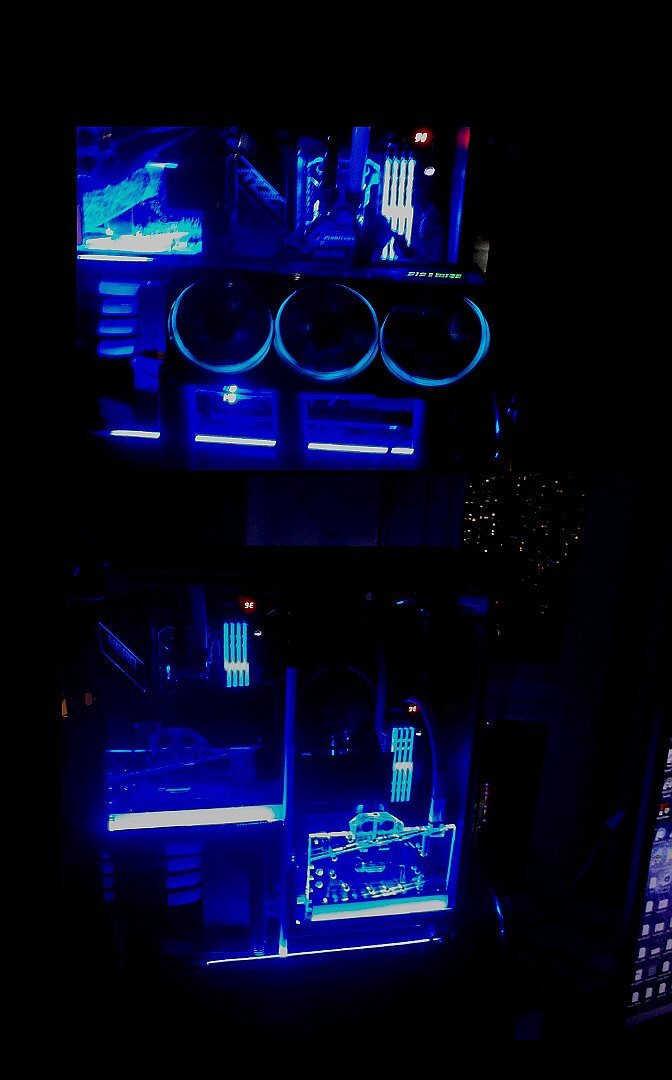
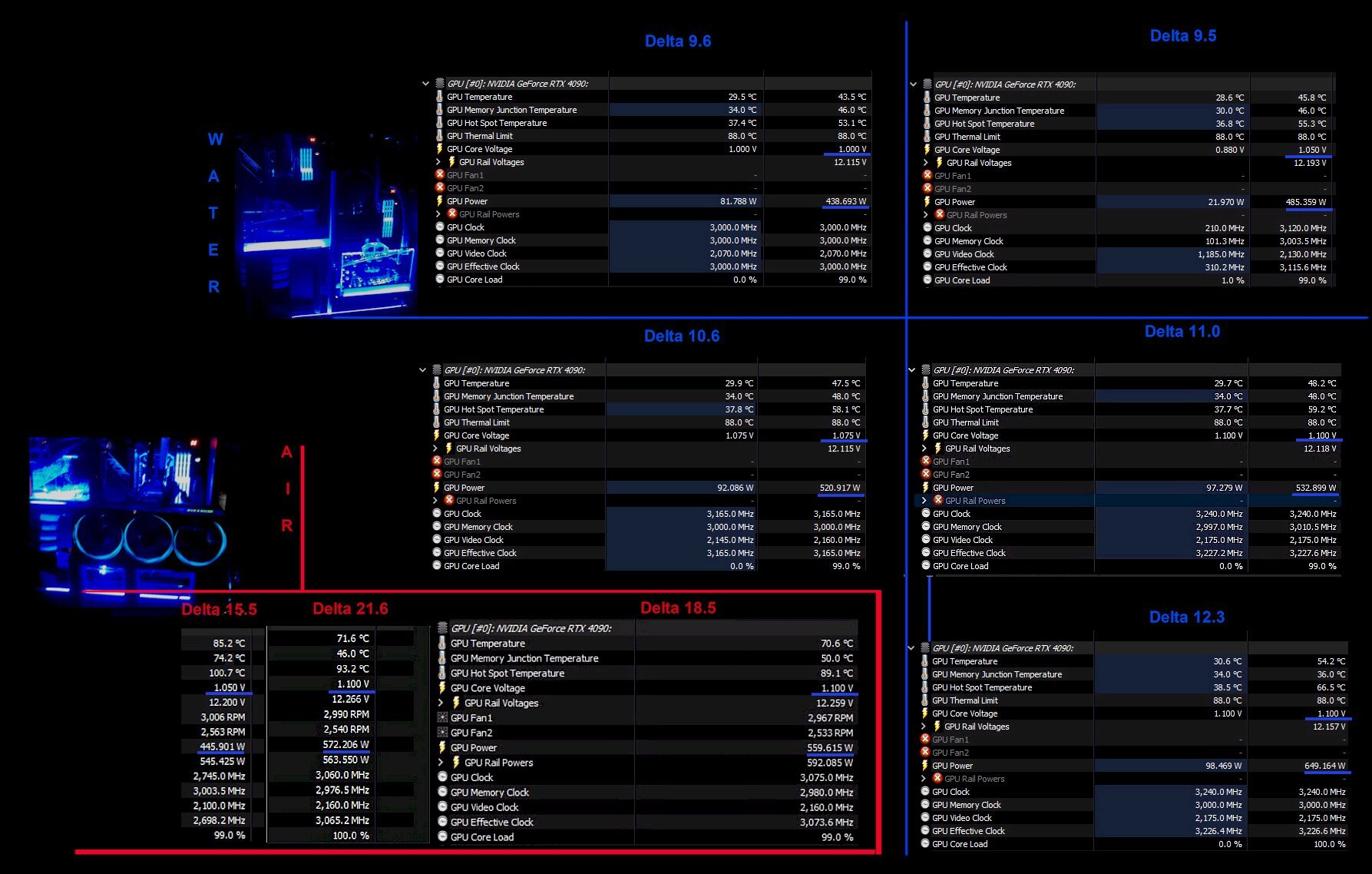
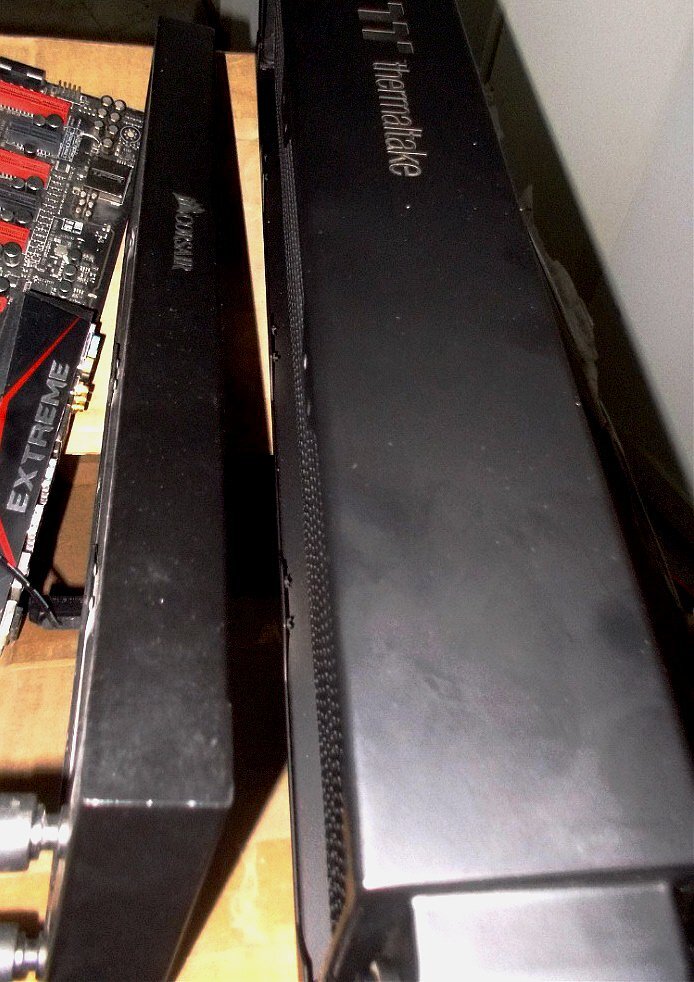
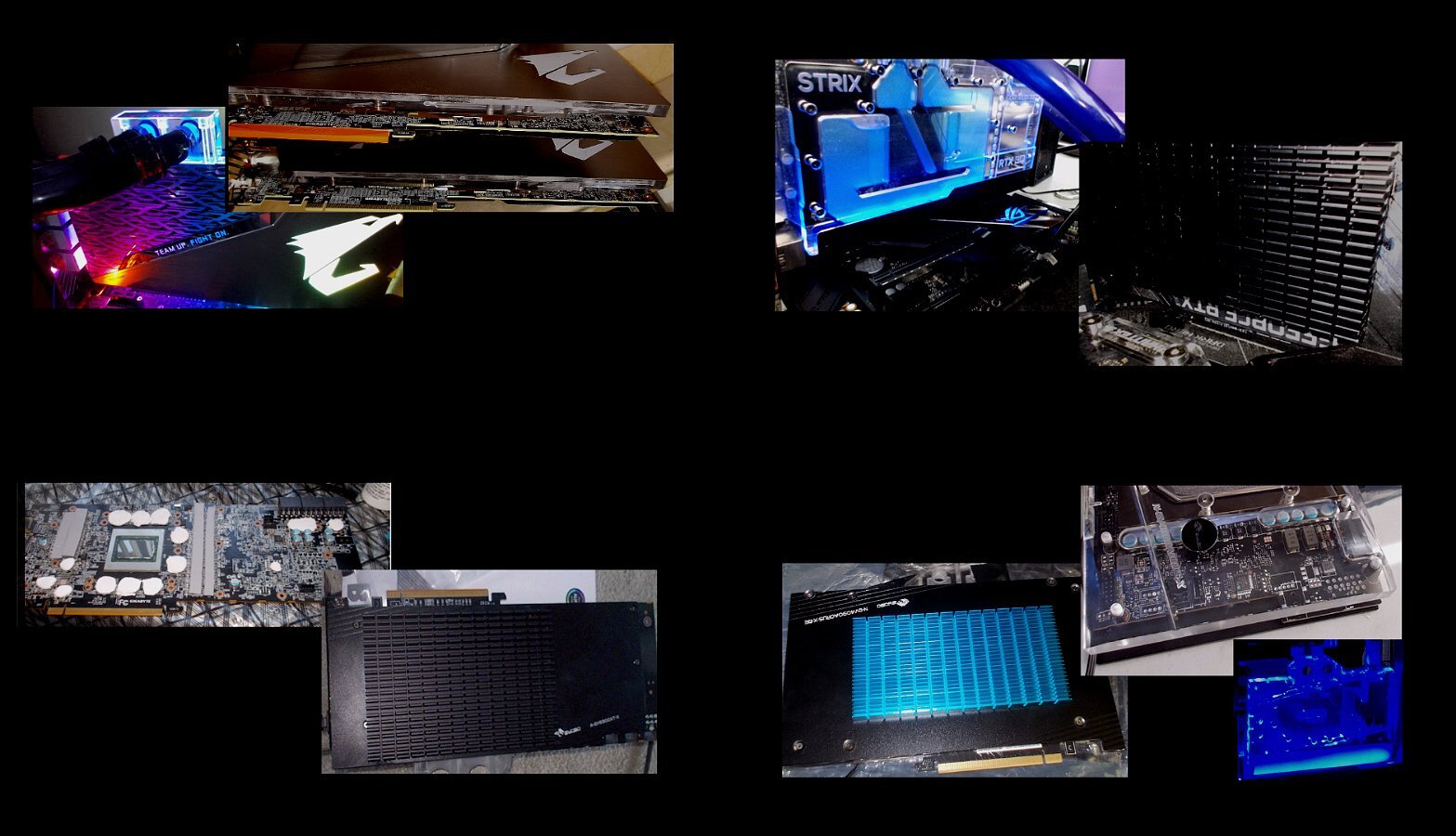
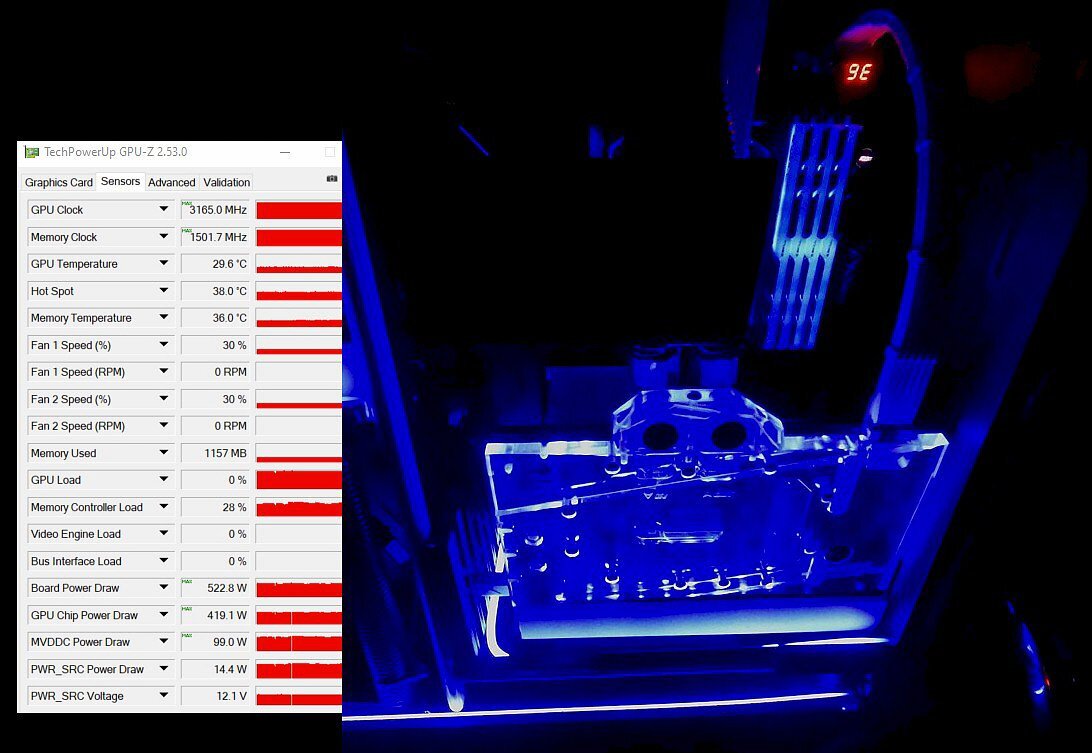
I start with cooling a 4090 (original air cooling, then water). The key variable I am interested in post is the delta between GPU and Hotspot. This parameter can be quite telling, also if it deteriorates over time when running the same app and oc. More to come later, and your comments are welcome. 4090 clocks shown with core voltages (1.00, 1.05, 1.075, 1.10) range from 2775 MHz to 3240 MHz, PL up to 650W. Apart from keeping overall temps in check for a 600W + power limit (even if one usually sets it well below that), it is also a question of keeping the temp delta between GPU and hotspot relatively low - typically less than 20 degrees delta for a water-cooled GPU. Another parameter to watch out for with the newer power hungry GPUs is how long 'heat soak' can be delayed....the bigger the cooling surface of the rads, the liquid volume in a loop and also the number (and type) of fans, the longer heat soak can be delayed. The 4090 system above has a total rad space area of 1320 mm x 63mm 'triple core' copper / brass rads. Below is a comparison between a single core aluminum 360 AIO rad and a triple-core copper/brass rad. One guess which one cools better... When it gets to cooling modern GPUs with gobs of power, the GPU itself (rather than just rads, pumps etc) need attention. Obviously, there is the water-block itself, but also the thermal paste for the die - I typically use Gelid GC Extreme for CPU and GPU dies, but there are other good pastes out there. For VRAM, I have switched to thermal putty a while back and so far, the experience has been great - even after 2.5 years plus, identical temps show in stress tests at the same adjusted ambient temp. The only really draw-back of thermal putty is that it is a bit messy to clean up - but I rarely take a GPU apart after water-blocking it; I have some water-blocked cards in regular use for more than four years without disassembly. For VRM components, I also either use thermal putty, or Thermalright thermal pads. Finally, I add thermal putty to the back of the GPU and then mount an extra heat-sink on the back - it does help with power-hungry GPUs that generate a lot of heat over a small area. Collage pic of 2080 Tis top left, 6900XT bottom left, 3090 top right, 4090 bottom right:
-
Hello GPU aficionados I am starting this thread to look at modern GPUs and some of the things to look out for with cooling, power and also mounting... Given the various 12VHPWR issues which have crept up, as well as 'cracked' PCBs and such, I figured a closer look is warranted...
-
That new Threadripper looks yummy - even though it '''only''' has 8 channel DDR5, instead of the 12 channels the new Epycs carry But if you can't wait, how about...
-
What is amazing is that these are regular Zen4 cores (just binned) but with ludicrously low power consumption. Being regular cores means no funny stuff with scheduling et al. So yeah, 32 core Ryzen laptops are a real possibility. Personally, I like to settle at a slightly different config: A nice 32 core oc-able Threadripper Pro w/ VCache and 12-channel DDR5 'desktop'
-
@bonami2 ...very interesting ! I better start picking the parts for an AM5 platform beast of burden
-
...yeah, probably one of these chaps (YT time-stamp) gets some extreme cooling going for one the new monsta CPUs...
-
Well, these will definitely play solitaire really well. @bonami2 will get me two of each
-
A glimpse at future GPUs...but will they play Crysis ?
J7SC_Orion replied to J7SC_Orion's topic in Workstation
...an interesting if lengthy video referencing not only some of the AI APU/GPUs but also points to the real challenge for anybody but NVidia - the software ecosystem. But never say never... -
...and some more of that
-
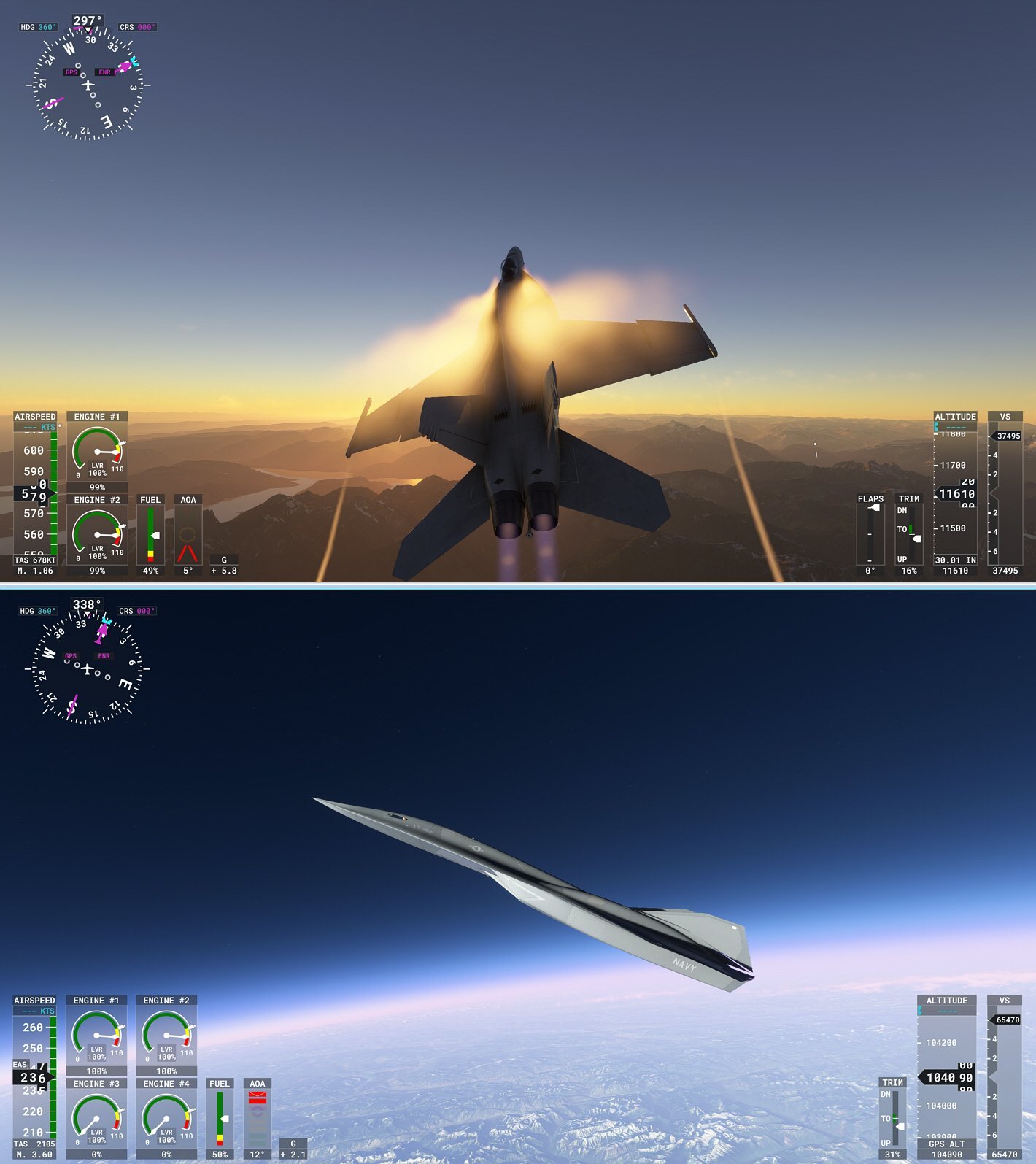
...yeah - FS 2020 is a lot of fun, even more so with a decent 4K GPU. I like it because I can use an electric Volocopter for 'low and slow', do some stunt flying over our neighborhood in a Pitts Special, pilot an Airbus A320 over Northern BC - or choose something a bit faster Ranked by speed: ...34 KT ...121 KT ...~ 309 KT ... Mach 1.46 --- inverted Mach 3.79...
-
some speed junky fun...
-
...not sure what to call this genre, but it also has some nifty Dolby Vision and Dolby Atmos in. Enjoy...
-
...more future graphic tech updates, including Unreal 5.+ ...some of it really looks unreal
-
these vids compliment OLED visuals with Dolby sound variants... ...& some more OLED eye-candy ...speaking of eye candy, some CP2077 4K path-tracing and FS 2020 from earlier this evening, looks great on OLED
-
Microsoft *might* offer FS 2024 as an upgrade (for mucho $s) for FS2020, but at least there is a lot of carry-over in addition to the new stuff. I currently have FS 2020 on two separate systems in different rooms (one with a 3090, the other with a 4090). If FS2024 is more than *an upgrade*, I probably will just add FS2024 on the 4090 and leave the FS 2020 on the other setup as is, at least until all the bugs are ironed out. FS2020 took a long time and a gazillion patches to become the super-smooth DX12 DLSS (2)3 it now is .
-
...I got the premium deluxe version on day one. By and large, @Andrew 's comment above makes sense though; still, I prefer some of the rarer models that are included with the top version. Re. controller, I use both the X-box controller and the Logitech Extreme3D Pro simultaneously - more than enough control, IMO.
-
...speaking of A380s...'hanging about' in the summer heat at the Geneva airport in the Volocopter and watch A380s and other models take off, land and taxi. Looks even better at night ! 4K png original; check in full size EDIT @Andrew Kennedy Airport... 4090 gaming stats
-
some Volocoptering (high and low) above Tokyo
-
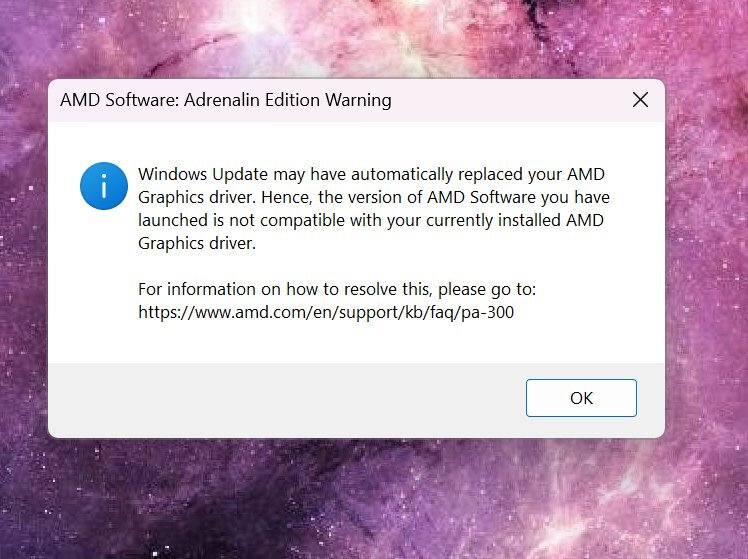
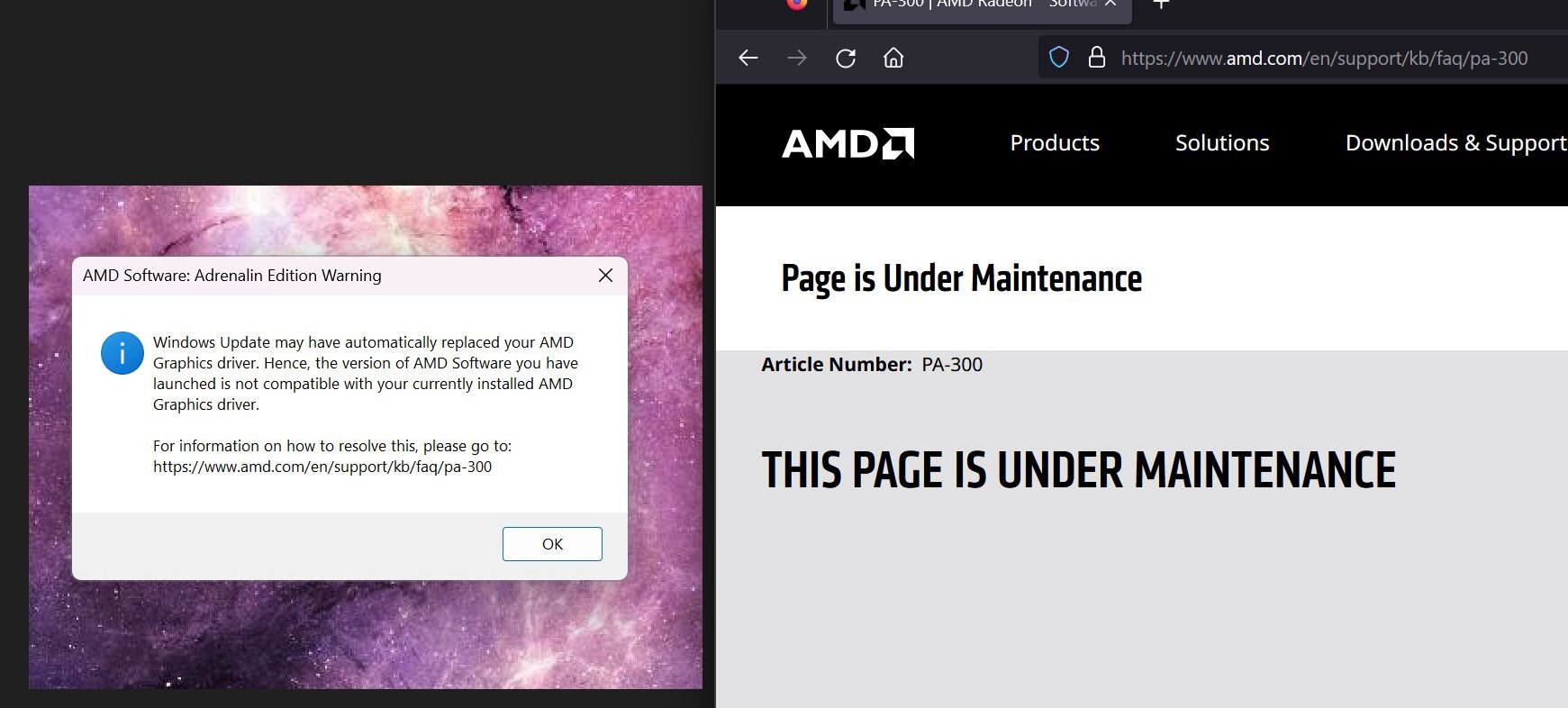
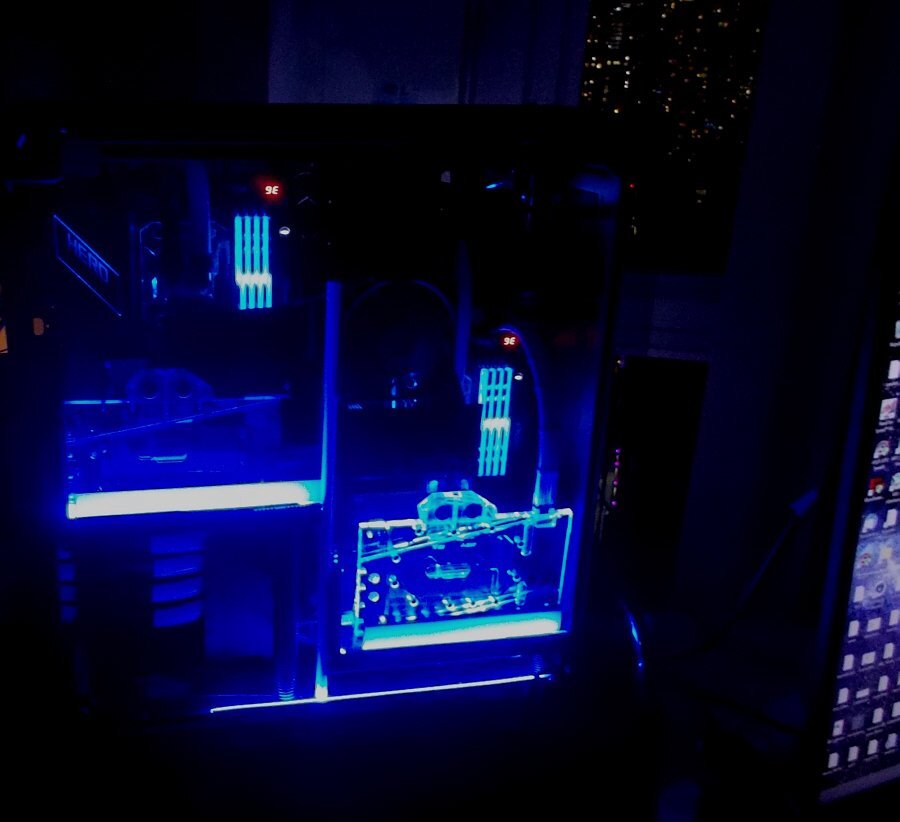
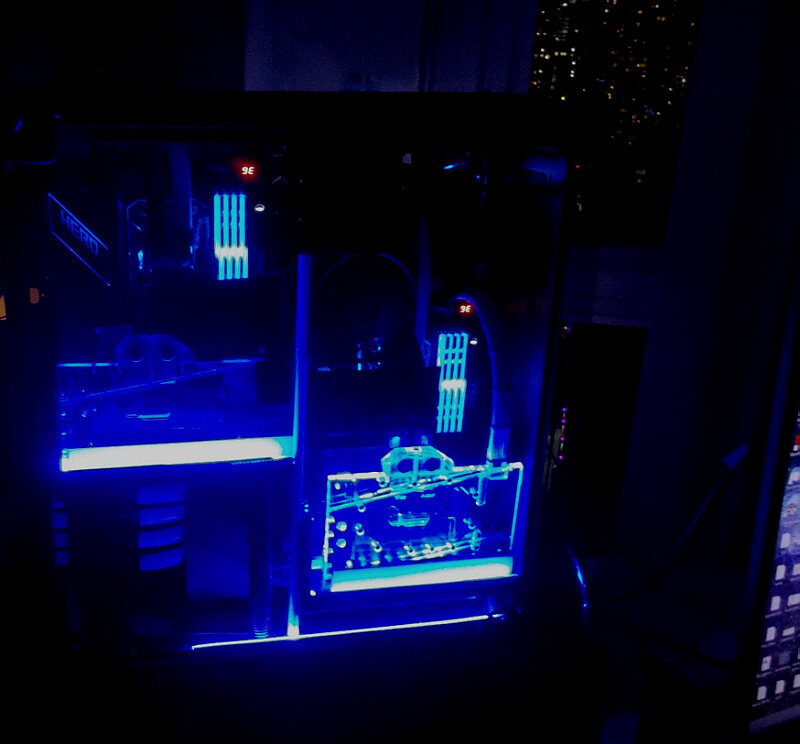
Monday morning...and in the middle of being hyper-busy with an AI project, my main work machine started to give me some odd messages when working on some graphs for the project : ...ok, so checking out that provided link : I tend to run the second most-recent driver package for the AMD Radeon and 'never' set it to auto-driver updates, given the observed issues with brand-new AMD drivers. Alas, once I updated the Radeon driver to the latest version this morning (fingers crossed), AMD Adrenalin software was back and working fine... ...however, now my 'Print_Screen' button automatically engages the Microsoft snipping tool (I had another software set as default); Print_Screen doesn't work anymore on any other programs UNTIL I have first used the MS Snip tool for a given image (only then can I use the other programs)...and of course Microsoft Edge displaced Firefox as the default web page program. These are just the first few observations of Microsoft's latest 'patches' as I am too busy work-wise to check everything else. That said, we have started to move more and more office machines away from Microsoft to Linux - especially those dealing with code, documents, emails and such. Microsoft's latest AI-enabled patch is yet another (in my opinion) illegal push into the privacy and secure document and communications zone on a PC...no thank you. Also, we have a strict policy to NOT use OneDrive, yet some of the email contents have disappeared with 'a link to server to view'... With AI being all the rage and Microsoft's heavy investments into OpenAI / ChatGPT, I expected even more snooping and 'appropriation' would be going on, not only on text files and emails, but also graphics and audio, given AI's voracious training data input demands. Fortunately, my other system (below right is Win 10 Pro) instead of the main work system (below left, Win 11 Pro), though Microsoft is sure to backfill Win 10 Proa as well, IMO. So yeah, major systems here are already being re-vamped for Linux; we'll keep a few on Win 11 Pro - but not for docs, emails and such.
-
...the real thing / A380 - enjoy !
-
...had a chance to thoroughly check at a 65 inch LG G3 w/MLA recently...wow. We don't need a new tv / monitor just yet, but when the time comes, a big LG MLA OLED is on top of the menu. Meanwhile, some more new eye candy for all you diehard OLED / Dolby fans...






.png.7936daf70f2cdaf2b962fe906a54f252.png)
.png.25ab87179c3385abc66cb371520dca95.png)
.png.12b20685cab9264c474740a6143b3c0f.png)
.png.95bfbfa31adc00c69d04cd5db1320ebc.png)
.png.ce84f76f7f30a9337de2e515b48cd500.png)
.png.77a15bcfad0ae3f79205bb481aff822e.png)
.png.e9709c673294367e9014586637c54e42.png)

.png.c391cafd8c7055f31b619764aafaba37.png)
.png.1b8132756febd351c7a39758e317ffba.png)
.png.23dbc2da02e7d3e2a5ecd57940212f92.png)
.png.5f8658bfc2a927ee566faab1dda2b10c.png)
.png.4b901f1060590b7465a1ba9738323739.png)
.png.1393db099cea9b7152959e7ba0272949.png)
.png.bcc6bc03445ad78fdf9766f5793613b2.png)