Welcome to ExtremeHW
Welcome to ExtremeHW, register to take part in our community, don't worry this is a simple FREE process that requires minimal information for you to signup.
Registered users can:
- Start new topics and reply to others.
- Show off your PC using our Rig Creator feature.
- Subscribe to topics and forums to get updates.
- Get your own profile page to customize.
- Send personal messages to other members.
- Take advantage of site exclusive features.
- Upgrade to Premium to unlock additional sites features.
J7SC_Orion
-
Posts
2,211 -
Joined
-
Last visited
-
Days Won
96 -
Feedback
0%
Content Type
Forums
Store
Events
Gallery
Profiles
Videos
Marketplace
Tutorials
Everything posted by J7SC_Orion
-
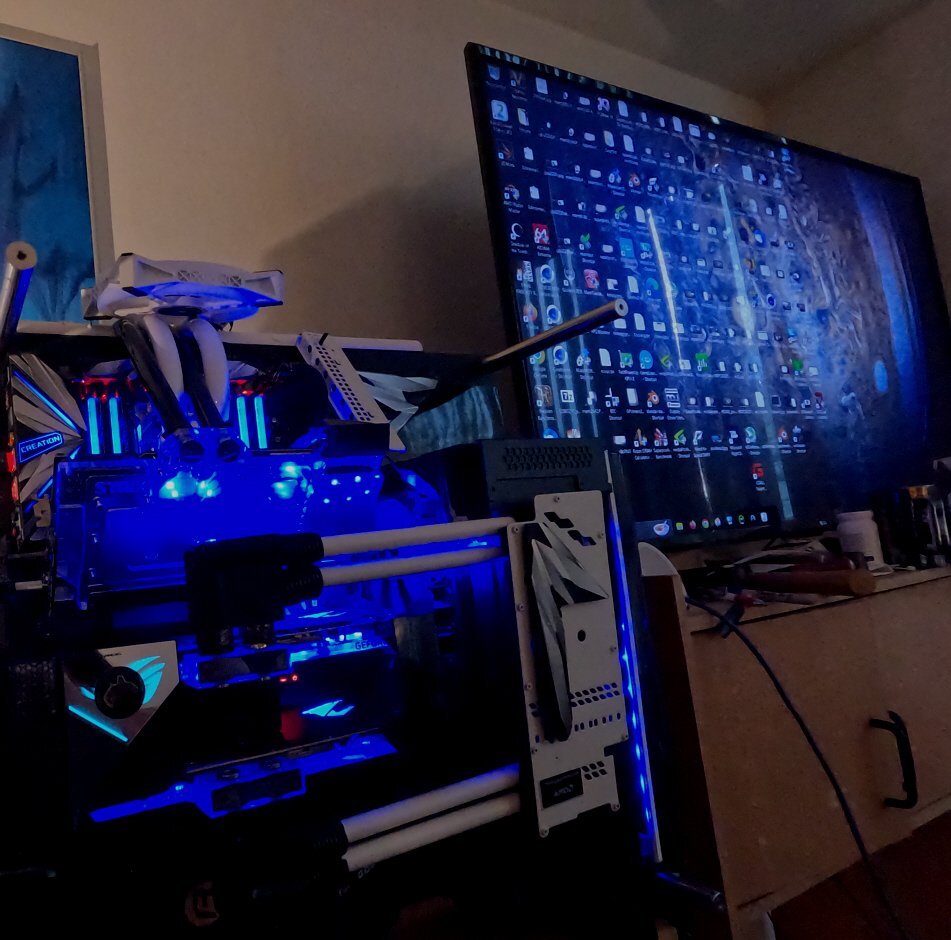
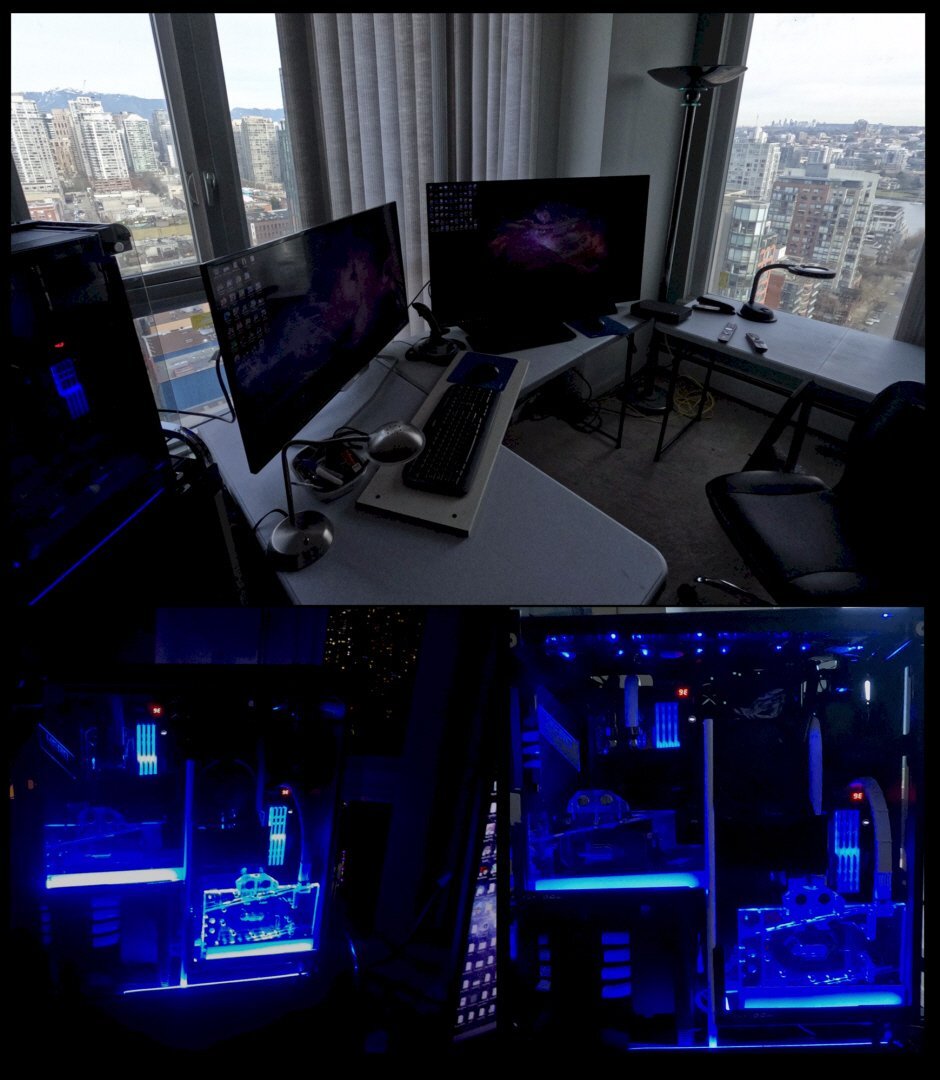
...I have gotten used to the 48 inch size, though I wouldn't want to go any bigger for multi-use that includes 'desktop' work. Per below, I have an older 3xGPU productivity system for rendering and some base ML that is hooked up to a LG IPS HDR 55 inch, but that is just too hard to do any extended typing on, apart from a few program commands. ...Got to like LG quality, though - that 55 inch is 5+ years old and used a lot. Once one has had some extended playtime with OLED, it is really hard to go back to something else (without wanting to sound 'snobbish' about it)....never mind some Dolby Vision HLG HDR native high-res vids I often browse on YT.

-
... search for ' memtest_vulkan ' on github ...I works great with GDDR6X as well and I use it on my 4090 for both ECC and non-ECC settings. On a typical 4090, memtest_vulkan will draw around 400W + -
-
Back in June 2021, I picked up my C1 48 OLED to serve as a work monitor, as a gaming display and even as a secondary 4K TV. Here are some of my thoughts on the long-term use: I use the C1 in tandem with a Philips 40 inch VA workstation panel. First conclusion: It is quite amazing how quickly one gets used to the 48 inch size --- I used to think that 40 inch was 'big', but when viewed right next to the 48 inch OLED, it looks kind of puny...that said, for now I figure 48 inch is the upper limit for a multi-use (including work) monitor... There are two separate PC systems powering the C1 OLED, one with a 6900XT, the other with a RTX 4090, though the RTX 4090 is the primary source for the C1. It can easily 'max' the 4K 120 Hz even in more complex apps, such as CP 2077 (= average fps at 4K Ultra/max > 135) or FS 2020 (= average fps at 4K Ultra/max > 135). Even with 'just' 430W (out of 670W max) with the RTX 4090, fps still average at 120+, often even 1% lows are > 120, what with DLSS3/FI/NVReflex etc That said, the 6900XT also gives a brilliant picture experience with the C1, it is just not as fast as the RTX4090. The aforementioned Philips 40 inch VA panel usually is the 'daily driver' for more regular work-oriented tasks on the 6900XT, but it is nice to have the option to switch over - or use both monitors at the same time (great for some more complex work projects). As with most OLED panels, there always is the question of 'burn-in' of pixels when exposed to the same image segment for longer periods (such as game overlays). Because I was aware of that before I purchased the C1 OLED, I have taken appropriate precautions (in addition to LG's attention via software on this)...this includes moving the Windows taskbar position when doing multiple hours of desktop work on the C1. In any case, I have ZERO burn in on the C1 since I got it in June 2021. I also read that some folks think the HDR nits are lowish in the C1. I actually tried the 'EVO panel hack mod', but either way actually turned down HDR brightness. I do have sensitive eyesight to begin with and love the picture the way I set it (below max nits) - and a key for max enjoyment of any OLED panel is, IMO, positioning - I have zero light sources anywhere facing the OLED screen, and all the non-monitor light sources are at the back. Complaints about the C1 ? My biggest one is the LG software and also remote control - it is unnecessarily 'pushy' and also a source of 'big data' collection. Also, because it is a TV as well and connected to a 4K tv-over-internet, one can get quite easily distracted with the TV option while working, but that is not really a fault of the C1. Likes ? Well, that picture quality...perfect blacks, brilliant colours, ultra-fast response times - what is not to like ? It even serves as a sort of 'ersatz' VR because for gaming, I sit quite close and am quite immersed already in the goings-on. Still, I might try a VR set down the line... For now, I am well beyond 'content', what with all the extra headroom I get with the 4090 / C1 4k/120 combo. To get me to upgrade , it would probably have to be a 48 inch OLED 4K / 240 or 8K 120, but that's is quite a ways off, IMO. Currently, I am in that perfect zone where the RTX4090 with all the latest pic generation tech basically both matches and 'maxes' the C1 capabilities with a bit of extra headroom above and beyond. But who knows - I used to think that 21 inch CRT was a giant (and it did weigh close to 100 pounds...), then, 27 inch monitors had the 'wow - that's big' factor. I wonder what I think about the C1 in 5 years time when I unwrap my 88 inch 8K / 360 Hz
- 134 replies
-
- 11
-

-

-
...Sunday morning start-tup before going out for Sunday brunch later. Also, no sticks of butter were hurt for this arrangement
-
...Unreal 5.x on RTX 50 or even RDNA4 will be nice...
-
 That 96 GB CL34 6800 kit looks interesting for a Ryzen 7K build
 -
...a nice step forward (if the drivers keep pace) but I still think Intel needs a halo product to make a real splash, ie. 128 xe-cores with all the trimmings
-
...heading to Yellowstone via the Tetons ...going 328 km/h in the Agera R; love the old NFS - Most Wanted
-
...on my way to Yellowstone in the Pitts Special, flying East
-
I love open-world roaming games with complex, realistic scenery...I never 'finished' CP 2077 as I like to do my own thing in 'Nightcity' - steal some trucks, cars and motorcycles, hand out in the bars and hotels...all on RTX Ultra 4K ...yeah, this could be a boon for smaller development houses given environment libraries ready to draw on etc.
-
...my RTX 4090 is ready to go, all I need are Unreal 5.X/2 titles
-
I sometimes use FSLTL and haven't noticed a performance hit on my setups. One of my fav things to do around YVR (Vancouver airport) is to wait until evening, circle the airport, watch the line of real flights / plane lights coming in from the East and then (at a safe distance) flank them right until they are on the runway, safely on the ground. After they land, they disappear but pop up later at their docking station. I also flank take-offs and follow them for a while. Weirdly entertaining...
-
...I am just glad I am back 'flying the friendly skies' ...the issue was that Microsoft Gaming Services got stuck in an update loop (12 hrs +). I am not the only one this happens to as there is a fair amount of online help and Microsoft tips for Powershell commands and such when this happens - but it did not work, likely due to having upgraded to Win 11 Pro before reverting back to Win 10 Pro a while back. Microsoft's phone support arranged via their online pages seemed to connect to some place in South Asia (for real) with really bad audio --- and the line dropped four times in a row in the middle of sentences. Never got a single call completed, yet after all that I got the online message 'you have exceeded the daily limit of support calls' when trying to re-connect On the plus side, I now have a fresh Win 10 Pro install (instead of a downgraded Win 11 Pro) - and everything seems to run (even) faster than before that exercise in frustration.
-
backup for the backups
-
...
-
"Watch your step" ! ...reinstalled much of Win 10 Pro, all games (> 500 GB including MS Store and Steam) - Microsoft Gaming Services was broken, as was Microsoft's infuriating phone '''support''' (separate thread coming up on that nightmare). Anyhow, all back up and running nicely
-
Interesting stats with this on the latest gaming trends in hardware, though the proof is in the pudding... Apparently, my 4090 should last for a long while yet...
-
...my FS 2020 all of a sudden disappeared (along with Forza H 5, the only other X-Box sourced game) after a successful and enjoyable session on my primary system yesterday following the latest FS2020 patch updates.... Way too busy at work to deal with Microsoft / Xbox now, but will try tomorrow
-
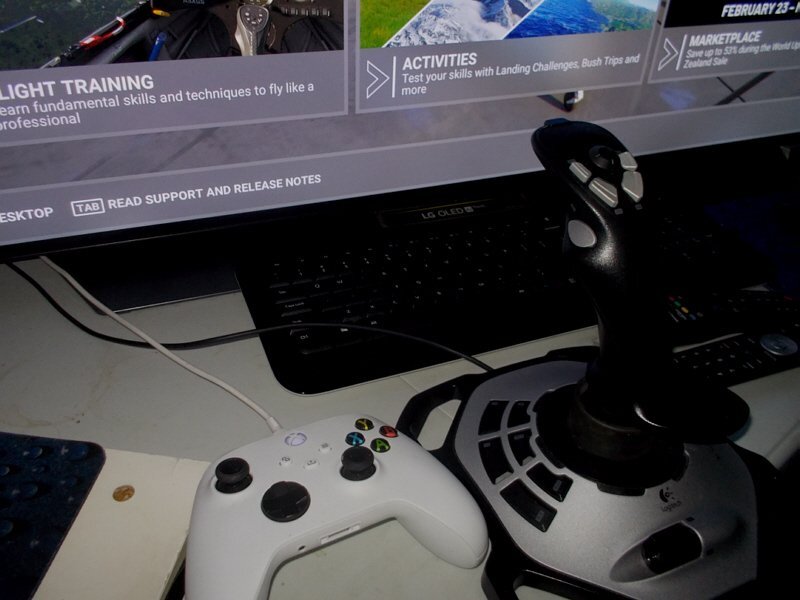
Per earlier post, this is my control setup for FS2020 (using both at the same time). There also is some older Logitech calibration software floating around which works, at least in Win 10 Pro. @Andrew ...downloaded the new FS2020 patches and other updates; runs fine but only had 20 min or so to try my regular settings / routine. Download speed was good though (non-peak hour here)
-
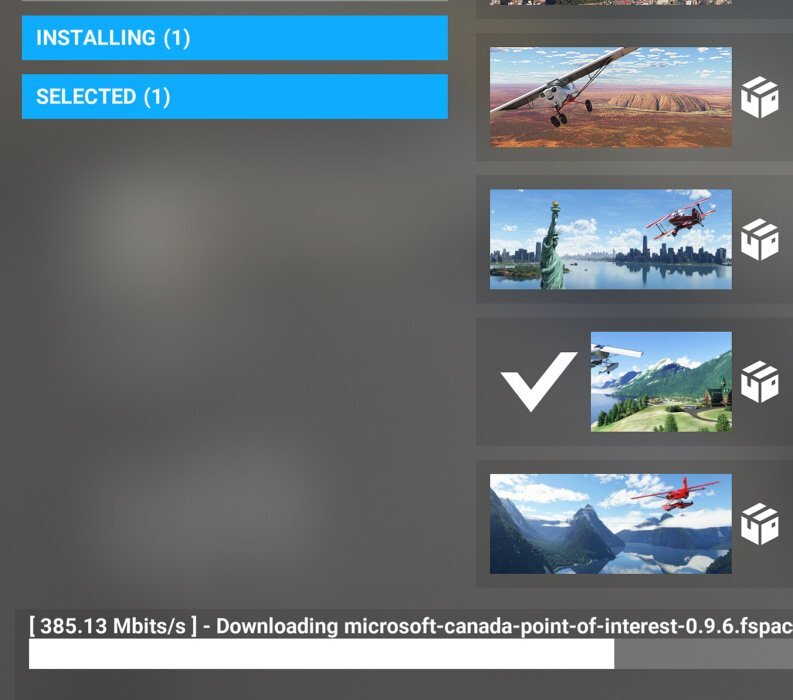
I've hit ~ 320 Mbps (edit: see 385 Mbps below) a couple of times on big patch downloads (on a 1 Gbps symmetric up/down connection), but it also depends on a few other links in the 'chain' from the Azure server to your system. 100 Mbps is usually enough for good 4K play, at least around here.
-
...while you can go 'Rolls-Royce' with $400+ special joy-stick + pedals, I have been entirely satisfied with the Logitech Extreme 3D Pro joy-sticks and a (simultaneous) XBox controller on either system that has FS2020. On the 48 inch OLED you also have, just watch out because FS2020 can be addictive
-
Test and Experience with GPURisers 20 W/mK Thermal Pads on 6900XT
J7SC_Orion replied to Memmento Mori's topic in Air Coolers
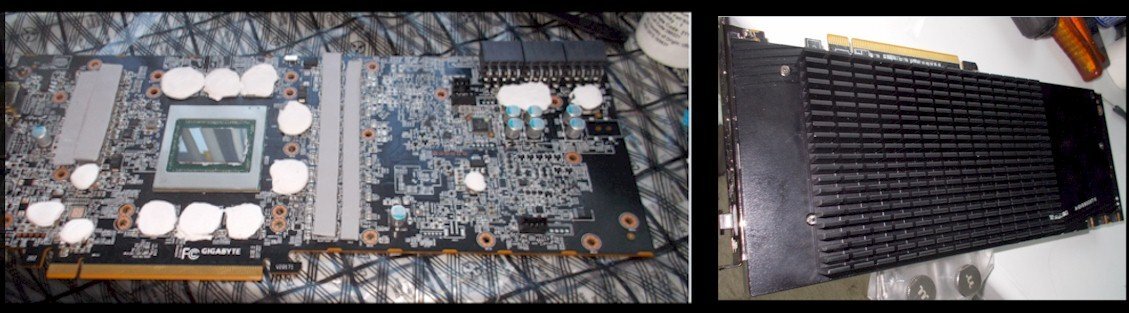
This is interesting stuff - I might give it that W/mK 20 a try in future builds ! FYI, I use a custom 3x8 PCI power 6900XT primarily on a 24/7/365 work machine, but I still 'tuned it' just the same with MPT bios tools, 10 W/mK thermal putty on the VRAM (+ Gelid GC Extreme paste on the front and back of the die) and a Bykski water-block back in the spring of 2021...still running strong and showing exactly the same temps now at a given ambient. Stock 'air-cooled' on day one vs water-cooled with thermal putty w/ custom MPT, noting also the different core voltage and PL loads:
- 3 replies
-
- 1
-
-
- thermal pads
- 20 w/mk
- (and 2 more)
-
...FPS aren't an issue one way or another, but sometimes, one of the two setups (the older Threadripper) needs a whole new fresh FS2020 install if the patch install goes wrong on that unique setup with 3x different-gen GPUs (even according to Microsoft / XBox service), and all the while at it also blocks my other more modern FS 2020 system with a single GPU from even signing in, since XBox 'is waiting for the other one to complete'
-
...oh dear; I was planning a quick FS 2020 session after dinner, given a complex work project for AI spec'cing and such. The last thing I want to do later tonight is install new FS2020 patches and troubleshoot, especially as I cannot really put off FS2020 patch downloads and installs unless staying local.
-
...some very interesting new hardware being tortured by these pros while benching in Taiwan (Asus)... I really like those big new Sapphire Rapids motherboards




.png.eddff70a3d24a9ff34ee0d09cb3ac12e.png)
.png.2d26f12bcfd459bedd3608e50871be20.png)
.png.4b6b216c3513d40ac250abcec8c5eb48.png)
.png.1231082dc73fe9f4b0ff47b72ce3afce.png)
.png.3f1b320755cf98e1c258ce4c18795bd4.png)
.png.d8201d5efa6c1a3c1b95c62c544582d8.png)
.png.960ae449366fc04a93bb37eb02029c76.png)
.png.7524cb9565cbe7b7be8cb5b12a607c9b.png)