Welcome to ExtremeHW
Welcome to ExtremeHW, register to take part in our community, don't worry this is a simple FREE process that requires minimal information for you to signup.
Registered users can:
- Start new topics and reply to others.
- Show off your PC using our Rig Creator feature.
- Subscribe to topics and forums to get updates.
- Get your own profile page to customize.
- Send personal messages to other members.
- Take advantage of site exclusive features.
- Upgrade to Premium to unlock additional sites features.


Fluxmaven
-
Posts
616 -
Joined
-
Last visited
-
Days Won
109 -
Feedback
0%
Content Type
Forums
Store
Events
Gallery
Profiles
Videos
Marketplace
Tutorials
Everything posted by Fluxmaven
-

Noctua introduces next-gen NF-A14x25mm G2 140mm fans
Fluxmaven replied to Slaughtahouse's topic in Hardware News
Not paying $40 a pop for poo brown. In 1-3 more years when they finally release the Chromax black version I will have already bought a bunch of T30-140's when those beat them to the punch (again) with a very similar fan for slightly less money. I waited forever for the Chromax A12x25s and bought a ton of T30s instead and love them. -
Forza Horizon 4 - Will be completetly delisted on Dec 15'th.
Fluxmaven replied to Kaz's topic in Gaming General
I do have Horizon 4 and 5 but just play them to cruise around casually. Grew up on Gran Turismo and would LOVE to see a PC release but won't hold my breath. Assetto Corsa with content manager + mods is pretty much all I use with my sim rig. I do have Competizione and will pick up Evo as well. -
Just realized this starts in 2 minutes. I guess I'll fire up some stuff
-
HWBOT Team Lead Staff Retirement - Bastiaan_NL
Fluxmaven replied to ENTERPRISE's topic in Announcements
Stroopwafels + Yuenglings + HWbot voice channel = some really great times. You will be missed, but totally understand the desire to move on to bigger, better things. -
I really need to work on my car projects. Thankfully it should start cooling off here pretty soon so I won't have any excuses. Nice to see the Avalon making a comeback! That's a nice toolbox. I like that it's not the usual red or black. I obviously want to get some of the hobo freight purple ones
-
Pilot Sport are always a solid option
-
EXTREMEHW 48-hour Foldathon August 24th 00:00 UTC
Fluxmaven replied to damric's topic in Folding@Home
In Fluxmaven -
I'm just surprised that guy actually got around to selling one of those cards. To be fair... I'm pretty sure those were on the white board to do list... So if some of the other guys weren't also slackers, those GPU's could have been cleaned, photographed and listed a couple months ago.
-
Well to be fair If I didn't sandbag and wait to fire stuff up until the last day, I could easily keep pace with 3-4. Especially if I switched to Linux for the foldathons. I grew up in between several different Indian reservations. Used to go party on the res because their cops didn't care . I have friends I'd like to go see in various parts of Europe. One in Australia but that's a long trip so that might be in a few years. Eventually want to save up for a longer trip to Japan. Really want to do 3-4 weeks there. I also go to Florida every year. Just because I have a lot of cool stuff doesn't mean I'm rich. I can only afford a few new toys a year. It's mostly went to car mods this year. I'll likely get a 9800X3D once those are out, but I'll wait for real world reviews before deciding on a 5090.
-
I first tried F@H around 2011 on my 560 Ti Classified. Just as default. I didn't get into doing it for teams until much later and have never consistently folded 24/7. As I'm sure you remember, I can kick your ass every foldathon right now if I felt like it . I had a lot of fun messing with you last year. I'd intentionally leave most of the gear off and time it so that I'd pass you right at the end. At one point I considered renting 8 4090s and waiting until the last couple hours to start them. Decided that money was better spent on other things lol. A 5090 would definitely allow me to do that without tying up multiple rigs like I do now. We'll see how it goes. I've been pretty burnt out on PC stuff lately. I'm leaning towards just spending my yearly tech budget on an overseas adventure instead.
-
WATERCOOL introduces new MO-RA IV Series external radiators
Fluxmaven replied to Barefooter's topic in Hardware News
Do I need the Big Chungus 600... No, but damn do I want one -
I just realized I passed 5 billion for the team during this last foldathon. So up to 6 total for every team I've folded for. It's wild how much less PPD I was getting back in the OCN days. I've been a lot less active folding this year. I do want to get some gear running 24/7. Also looking forward to colder weather so I can actually fire up most of the rigs for the foldathons instead of just running one or two at night.

-
Sorry I'm a bit late to the party. Overall a very good review that clearly demonstrates the the product at hand. The fans actually surprised me. With how much Corsair caters to the RGB crowd, I was halfway expecting that they wouldn't really put much effort into these performance fans. Glad to be wrong, although I won't be swapping out any of my T30s. There were a couple things I just wanted to mention for the sake of constructive criticism. There is a typo at the end of the unboxing section. While you can definitely PWN some n00bz with a rig full of these fans, I'm sure you were intending for that to be PWM. To maximize readability, I'd consider either a different bar color for the bar graphs. Or lighten up the background image. The red really stands out against the background while the blue almost gets lost in the sauce. One thing that a lot of people care about when it comes to fans is noise level. I would have liked to see some data on noise levels of each at the different RPMs. Also curious how much your low ambient temp played into things. Most people's homes are closer to 20-25c ambient temp.
-
Noctua Finally Did It | NH-D15 G2 Launching, Thermosiphon, & Fans
Fluxmaven replied to Memmento Mori's topic in Hardware News
I have seen that before as well, but this one fan is actually just faulty. The other Noctua that's right next to it is rock solid. When I first installed it I thought it might just be some resonance and dropped the RPM a bit lower on that fan. Didn't think anything of it until the fans ramped up a bit more than usual. (ambient temp in the office with multiple rigs running gets into the mid 80s during the summer). In my case, this one fan is just out of balance. You can see the whole blade assembly wobbling on the hub. Noise wise, it's only annoying at higher RPM which this system rarely sees anyway. It will wreck the bearing and only get worse being out of balance. If it were a $5 fan I'd just toss it, but being a Noctua, it's worth taking a couple minutes to fill out the RMA form. -
Noctua Finally Did It | NH-D15 G2 Launching, Thermosiphon, & Fans
Fluxmaven replied to Memmento Mori's topic in Hardware News
As a counter point, I have 9 Arctic P12s on an external rad that I bought when I was on a tighter budget. Expected that I'd have to replace them in a couple years... It's been about 5 and they are still running great. Meanwhile the last Noctua A12x25 I bought needs to be RMA'd. I should have just returned it to Microcenter when I first got it since it seemed louder than the others I have, and now it's gotten worse. -
Actually a lot of mech people love linears which is why there are so many different ones on the market. I just personally cant stand them. Your noise ceiling for switches eliminates a lot of options. If I locked you in a room with Box Navies, I think your head might explode . The Panda's are probably the quietest switch I use lol. that said, the keyboard itself makes a difference also. The Pandas in my Rama are quieter than the ones in the cheapo board I have on the desk right meow. There are various factors like if the switches are lubed or not, case material, plate material, if there's any dampening in the case etc. There are more boutique options that are designed do be silent like Zilents or Boba U4, but they tend to be more expensive and harder to find in stock. The Akko penguin is something I just came across that looks like a decent option to consider. You still trying to give away them Gateron yellows? Have you ever typed on a tactile other than Browns? Plenty of tactiles have a more pronounced bump than average clicky switches like blues. Poking at one key in a switch tester isn't a great way to actually get a feel for switches. Unfortunately, the only way to properly demo switches is in a board and most stores only have basic switch options in prebuilts. The nerd option is to attend keyboard meetups and try other people's boards. Outside of that you just have to buy lots of different switches to try out. Of course that leads to having all the switches you don't like piling up lol.
-
Off to a bit of a late start, but I just fired up some stuff.
-
-
Nice choice on the BC1. As for PSU Corsair SF line has been the cream of the crop for SFX for years. I own/have owned 3 of them and they are rock solid. They actually just released their updated lineup of the true SFX units recently to ATX 3.1 and go up to 1000w. There are some other options in SFX-L (which is just the longer version of SFX). Some of which are higher wattage, others are just a bit cheaper than SFX units. I actually reviewed the Cooler Master V1100 SFX for the site a while back. Wasn't particularly impressed and went back to an SF600 for my actual PC.
-
In your mom
-
It just downloads fresh air through the invisible side vents.
-
Just bench more and beat him this season as well
-
Team cup is often a display of who has the most old crap. Having all the subs filled in every category is worth more points than just having really good subs in a few categories. Even if we did have coverage of that category with better CPUs, still nothing wrong with running the Athlon. If a better sub gets taken down for some reason, its good to have backups.
-
"3 core scores only. Core unlocking allowed, no core disabling." So, you can't use it unfortunately.
-
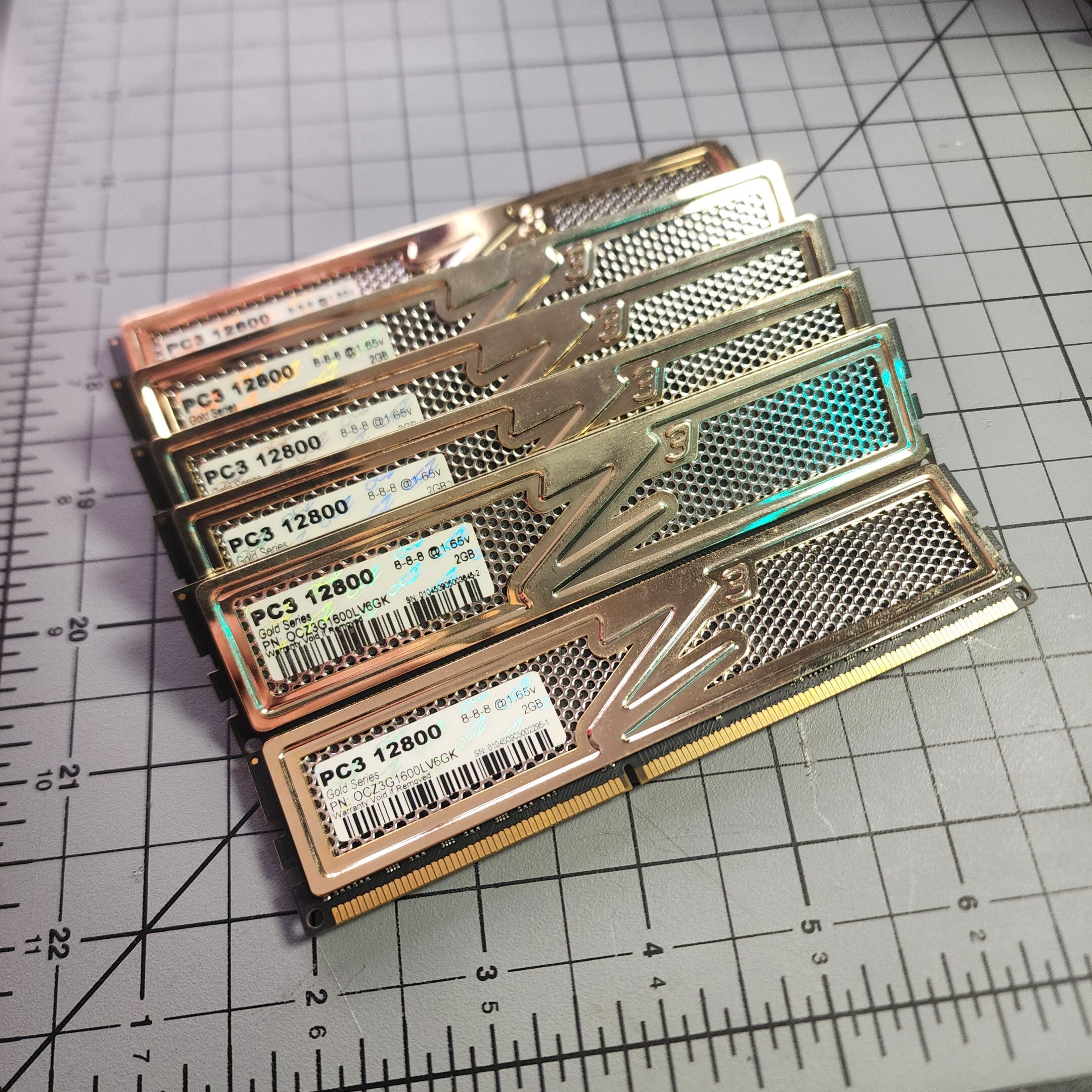
Picked up some bling for the older platforms that I'll hopefully bench someday





.jpg.e8ddb051206ebbfc2809ef49d3d55b1d.jpg)