Welcome to ExtremeHW
Welcome to ExtremeHW, register to take part in our community, don't worry this is a simple FREE process that requires minimal information for you to signup.
Registered users can:
- Start new topics and reply to others.
- Show off your PC using our Rig Creator feature.
- Subscribe to topics and forums to get updates.
- Get your own profile page to customize.
- Send personal messages to other members.
- Take advantage of site exclusive features.
- Upgrade to Premium to unlock additional sites features.

neurotix
-
Posts
1,343 -
Joined
-
Last visited
-
Days Won
29 -
Feedback
0%
Content Type
Forums
Store
Events
Gallery
Profiles
Videos
Marketplace
Tutorials
Everything posted by neurotix
-
You need one of the bench tables that damric was giving out for foldathon prizes. I have one, but you've already seen my system and I prefer to have it in my case with a ton of rgb lighting. I might find a use for the bench table someday. I'd give you a link to get one but I'd have to do some digging to find it. Also, see my other topic about RAM.
-
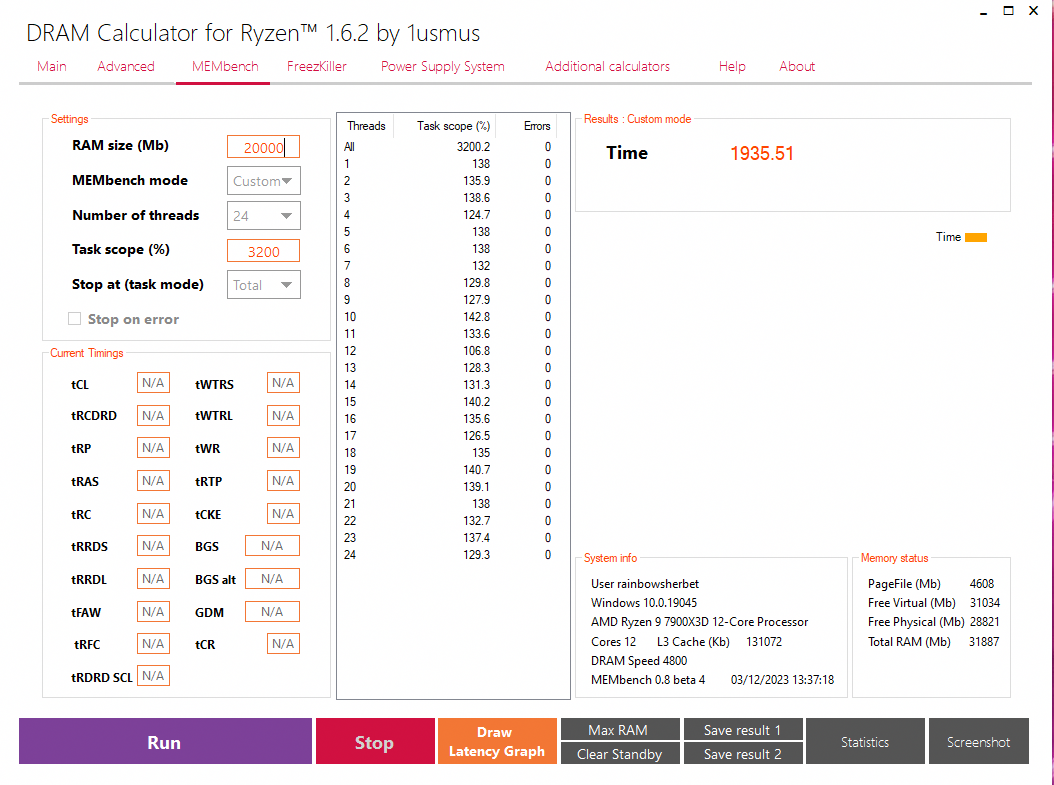
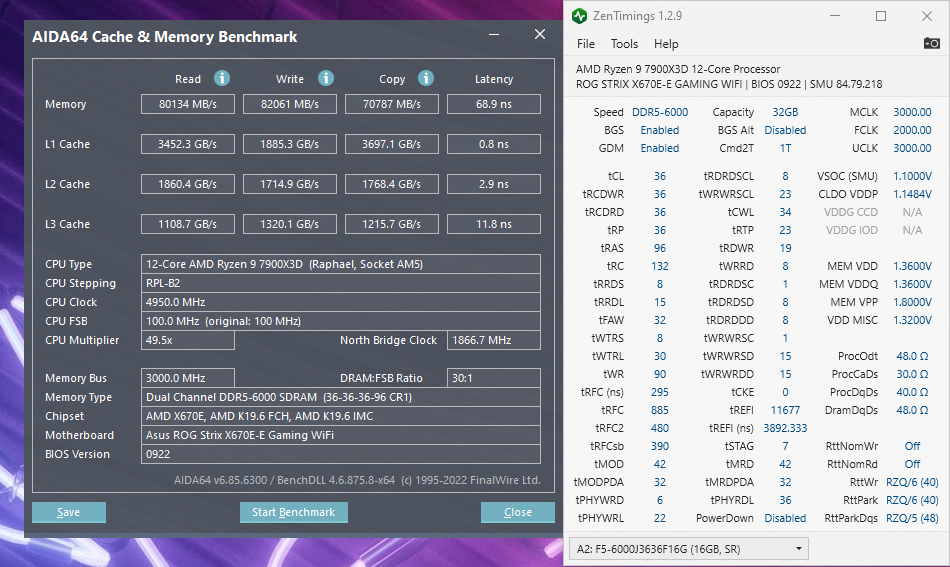
Memtest passed to 3200%! Though since this is getting benched for hwbot eventually, I'll know for sure whether it's stable or not after that. I'm over the moon though, look at the difference:

-
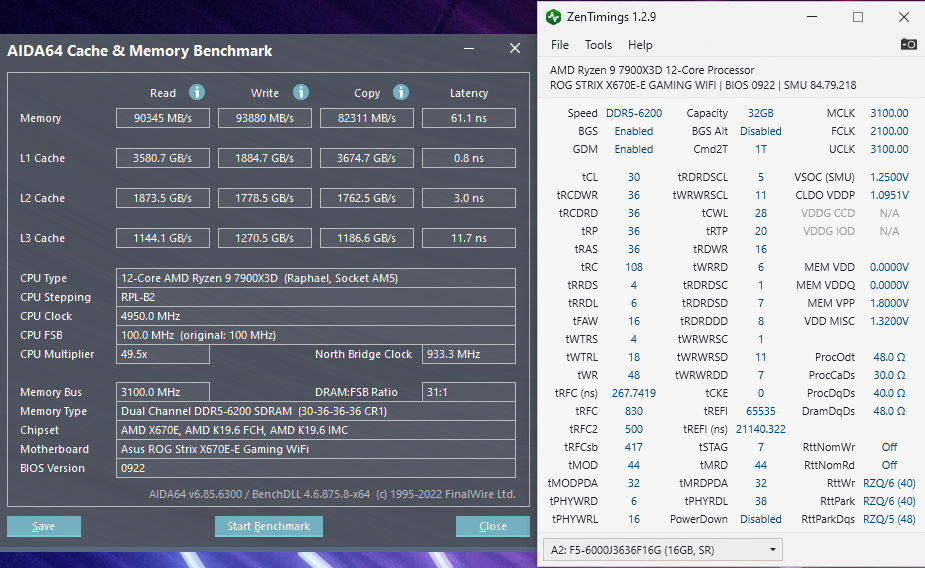
So I found someone's timings for this memory including bios screenshots of what voltage he was using etc. at OCN. I managed to do this but I have no idea if it's stable or not (about to test now) He was actually running these timings at 6400MHz. Anyway, this is a huge improvement over the one I posted previously and if I have to drop back to 6000MHz, I will. I really hope it's stable, going to run the memtest feature in the old Ryzen DRAM Calculator to 3200% coverage and see if it crashes, first I'm going to try Horizon 5 benchmark mode though to see how it handles games.
-
I'll be doing it soon too. From what I understand or have heard, ratio overclocking on X3D chips is supposedly not possible (they're locked and you have to use PBO). However, in my Asus bios per-CCX overclocking menu, it looked like I could overclock the two CCX manually (probably will try 5.0/5.3 with 1.25v). I don't know if it will work or not though. Congrats on the score!
-
Yeah but it says nothing about what die it actually is and so I can't look up timings from other people using this memory on Zen 4...
-
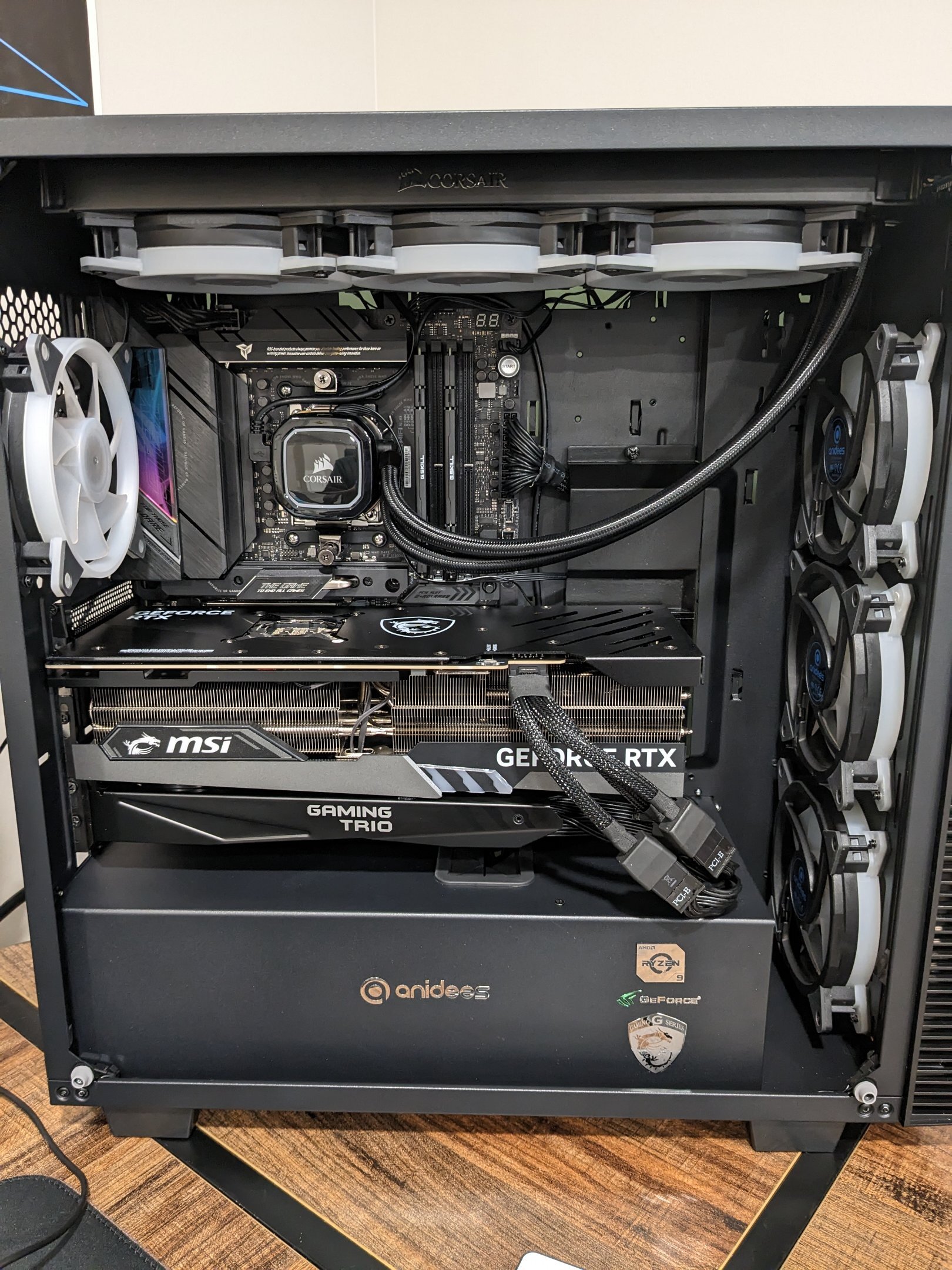
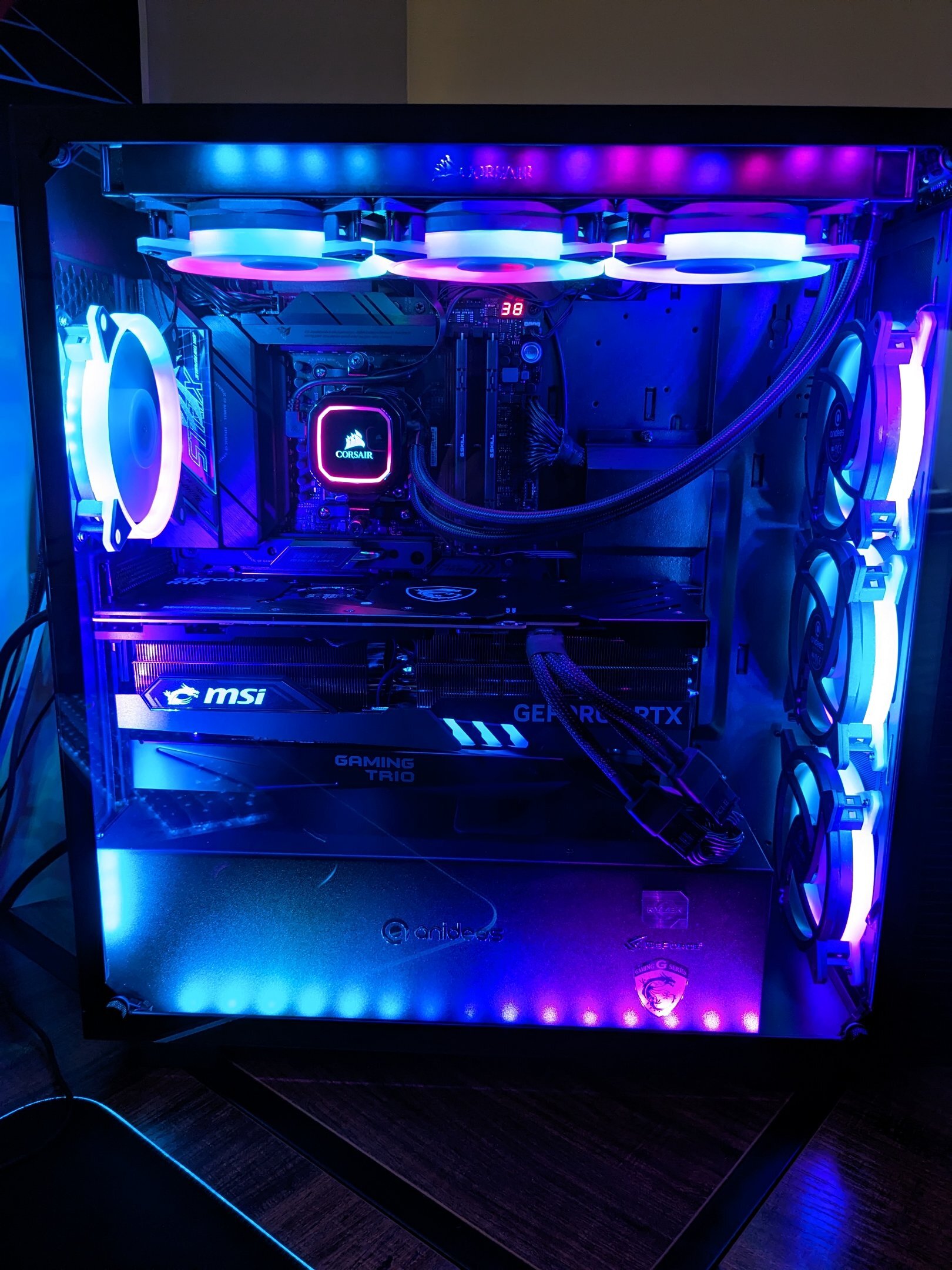
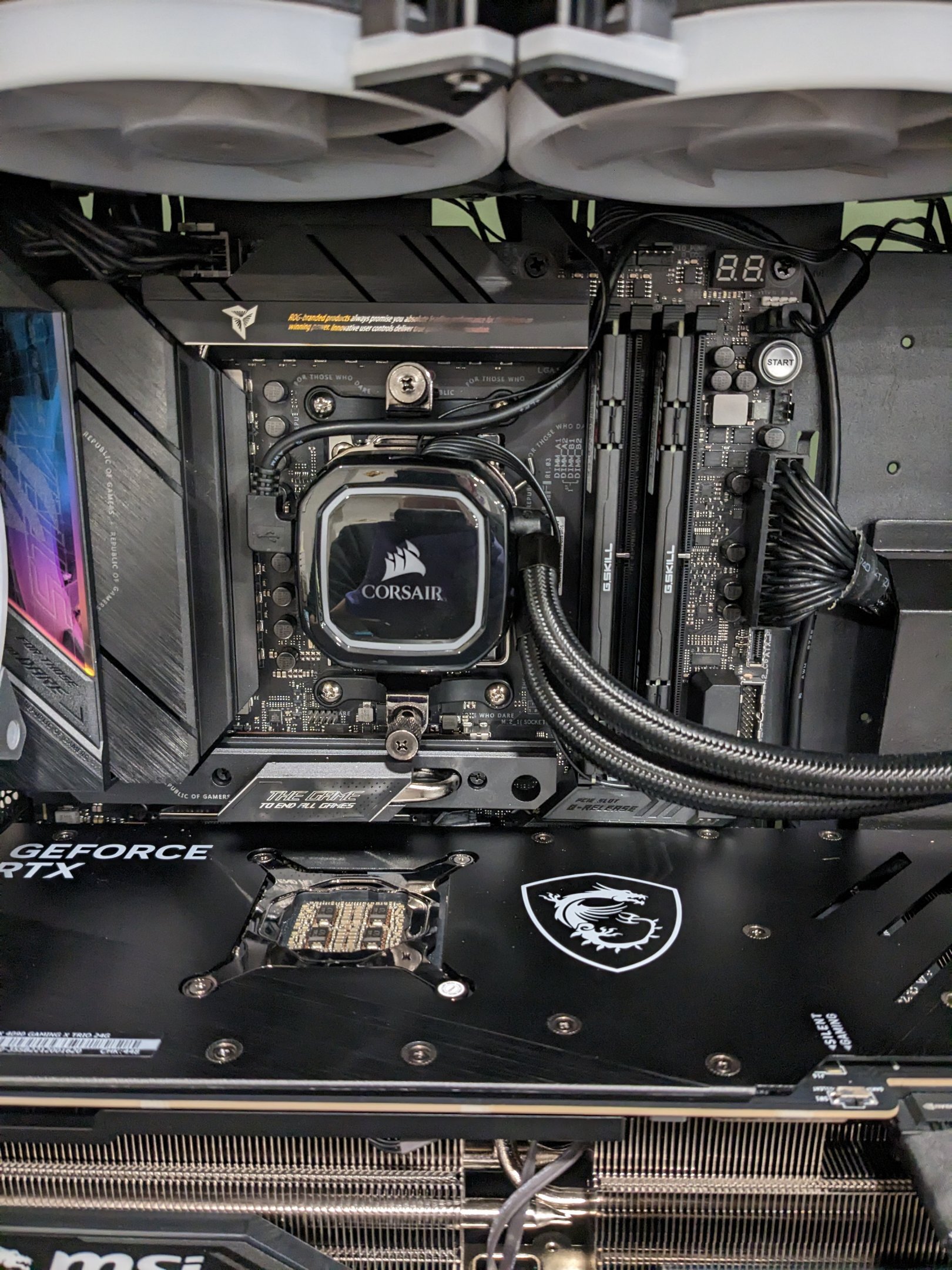
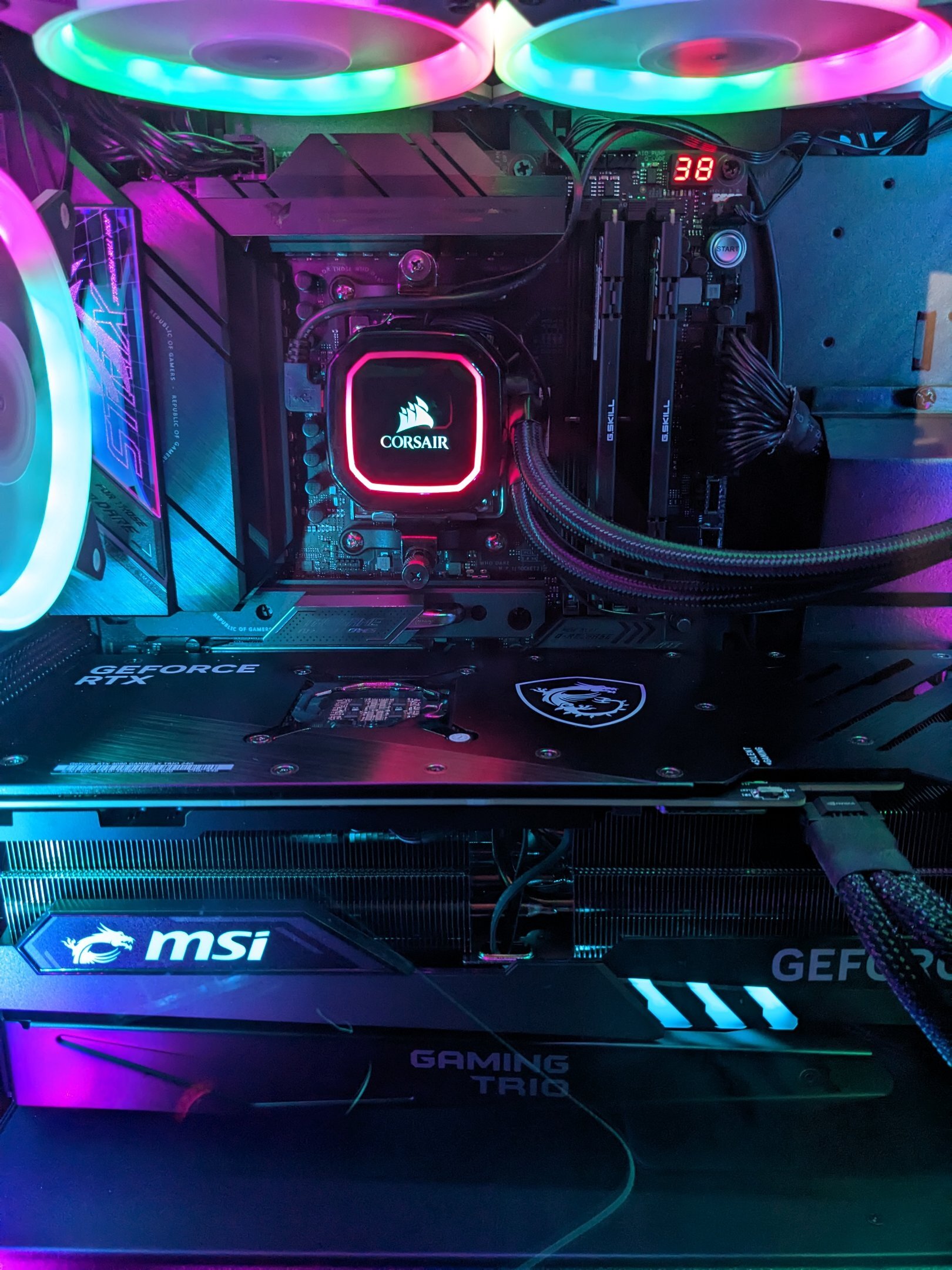
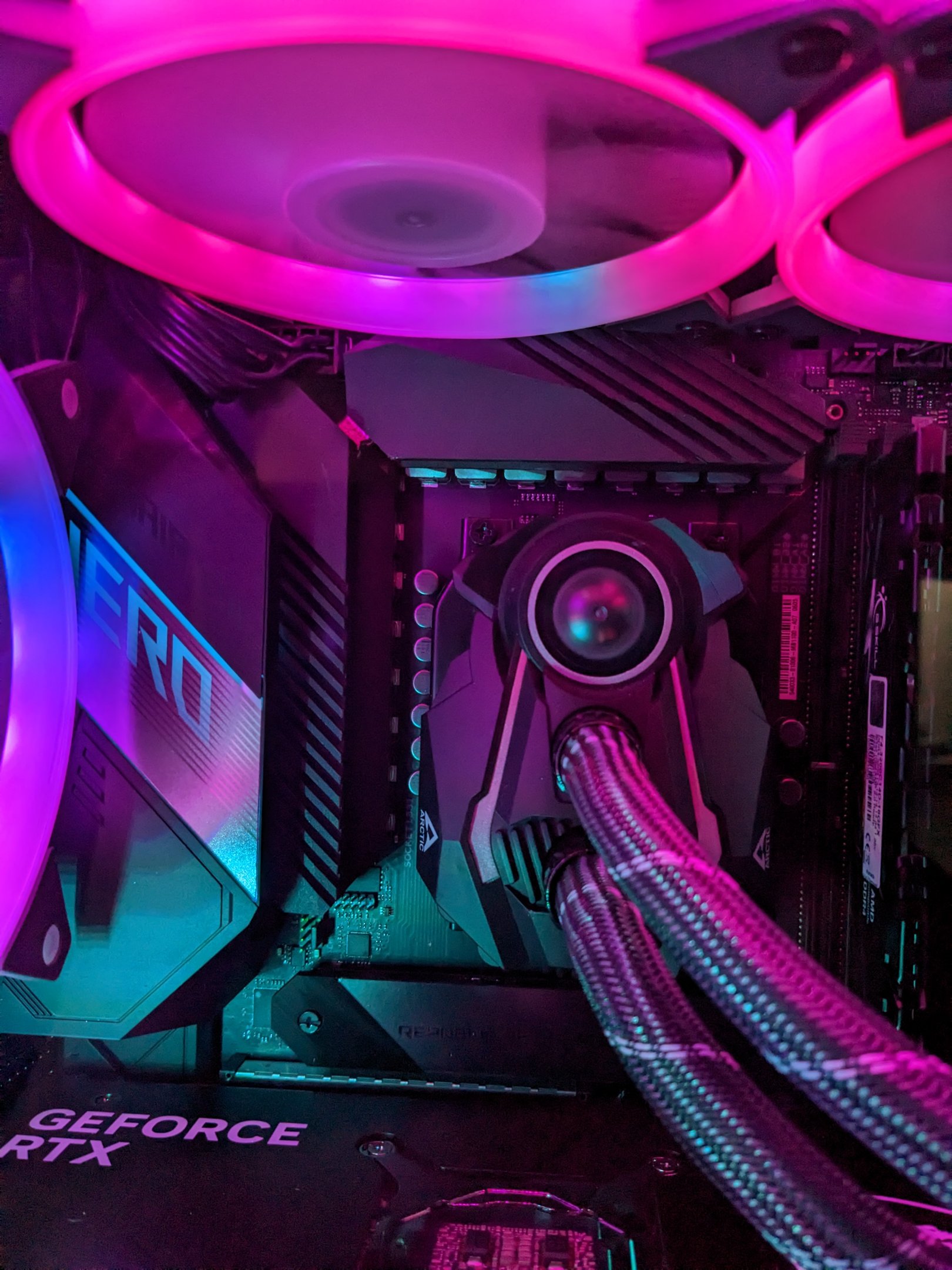
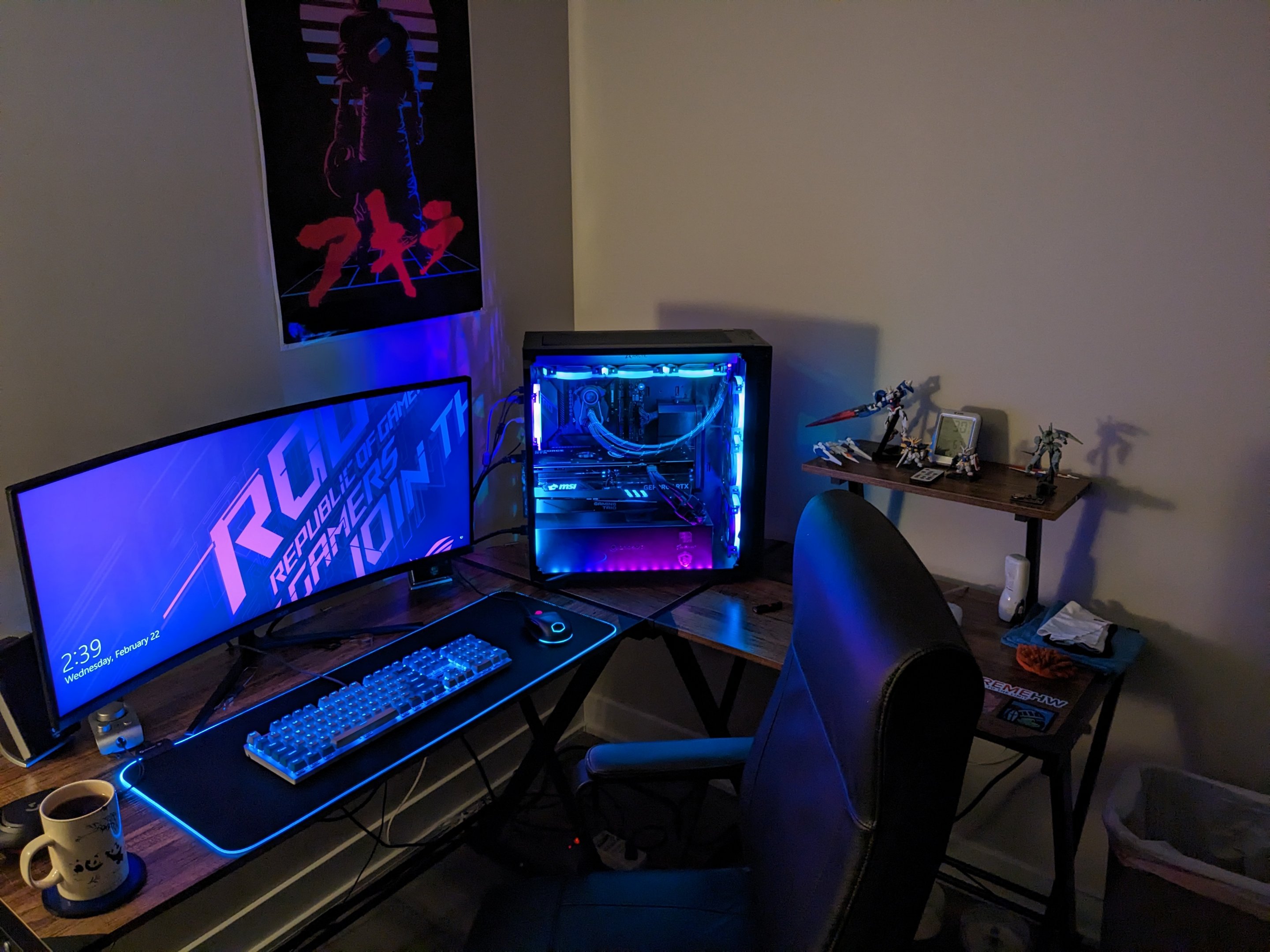
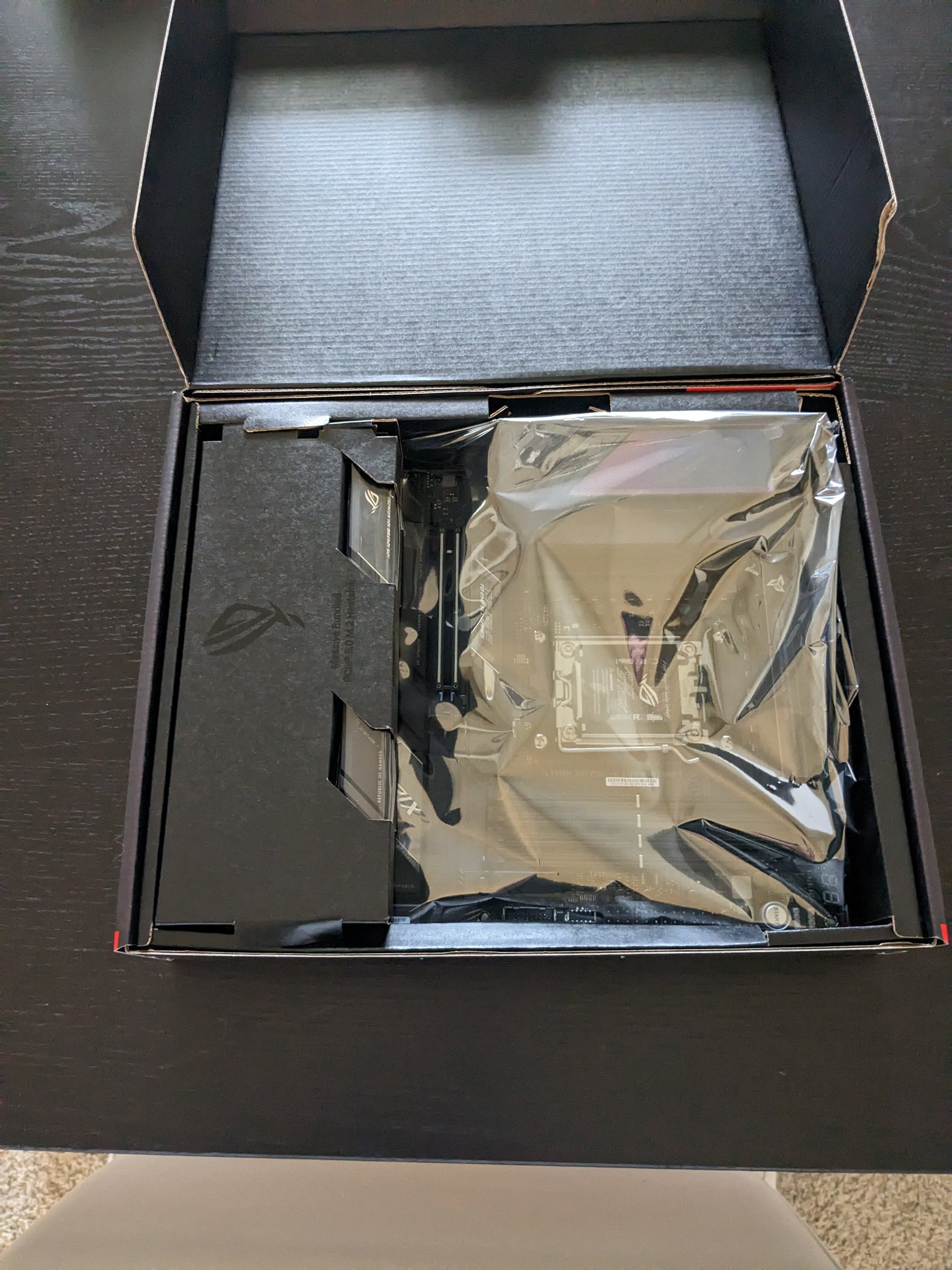
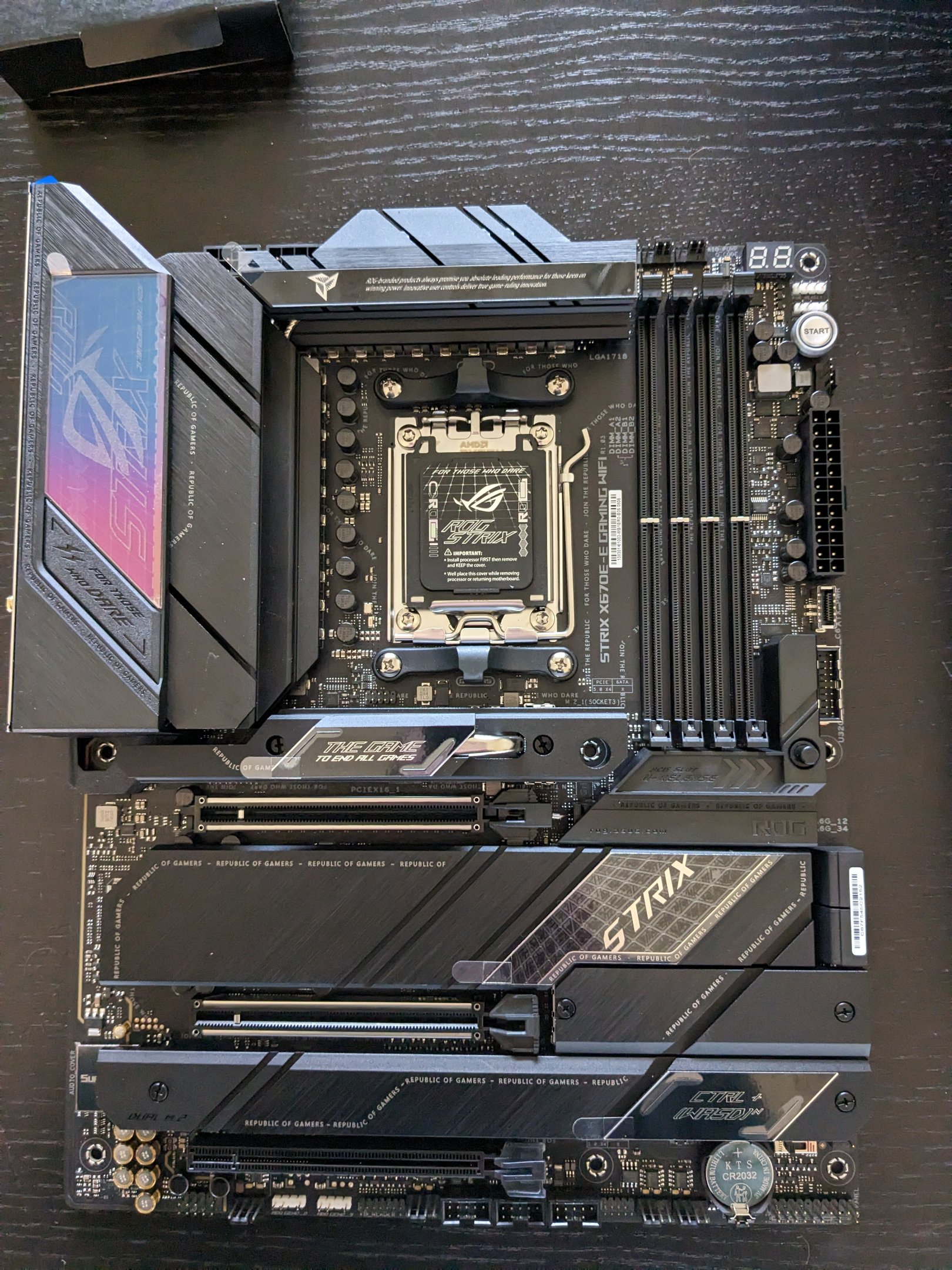
Sorry for hijacking your thread Nikado. We rebuilt Ai Crystal yesterday from 2pm til like 8pm. Actually, to be fair, my wife rebuilt it. She took the old Arctic rad out, took my rgb fans off it, put them on the new H150i (we tested and yes the Arctic would not fit because of the top heatsinks on the board), she removed the old board and put the new one in, and she did cable management and did a particularly great job at hiding the Corsair fan splitter cable, power cable, and Corsair Link cable. I basically just put the new CPU in the board, the RAM in, and took my boot drive (m.2) out of the old board and put it in the new board under that giant heatsink. I did a lot of walking back and forth to bring her tools etc. So my legs and butt are quite sore. But it's done. Best part? I use Linux as my main OS and despite it throwing some errors that seem to be related to USB when it boots, it loads fine. The board has an Intel I255-V 2.5gbps lan port and I was afraid it wouldn't be supported. Well, on first boot it was there in the system tray and I set my static IP and tested streaming anime to my Pi and it worked perfectly. All drives showed up etc. The funny thing is that the Ethernet adapter did NOT work in Win10, my wife had to get the drivers from Asus website and put them on a flash stick, lol I can now answer your question about the Q-Latch: it's basically a round plastic button on the right middle of the board that when pressed will release the top pci-e slot clip. Anyway, I have it set up with PBO and memory OCed to 6000Mhz cas 36. Unfortunately, with the memory OCed, every time I reboot it hangs on a 15 post code for like half a minute before proceeding to boot. Hopefully Asus fixes this in a later BIOS. There's my update, sorry it was long. Here's the pictures:
-
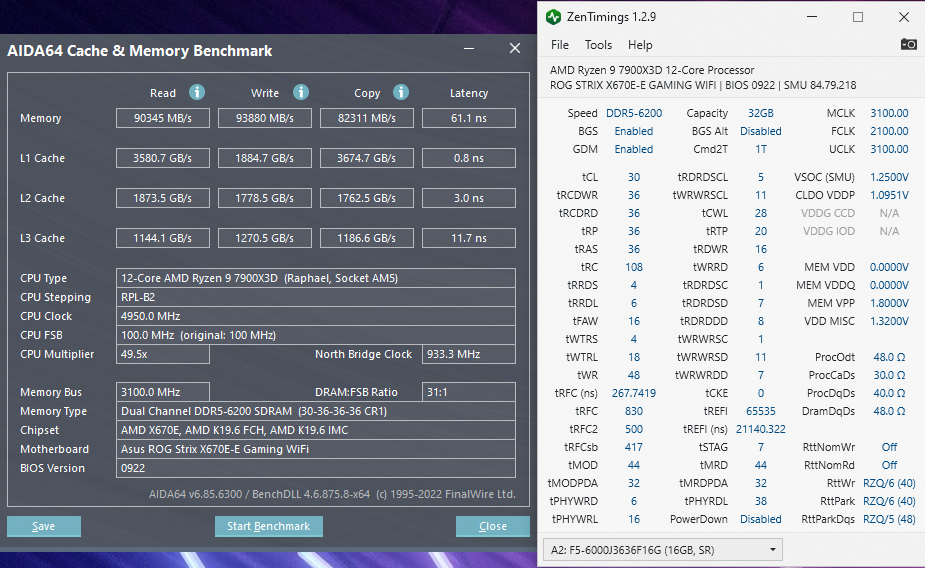
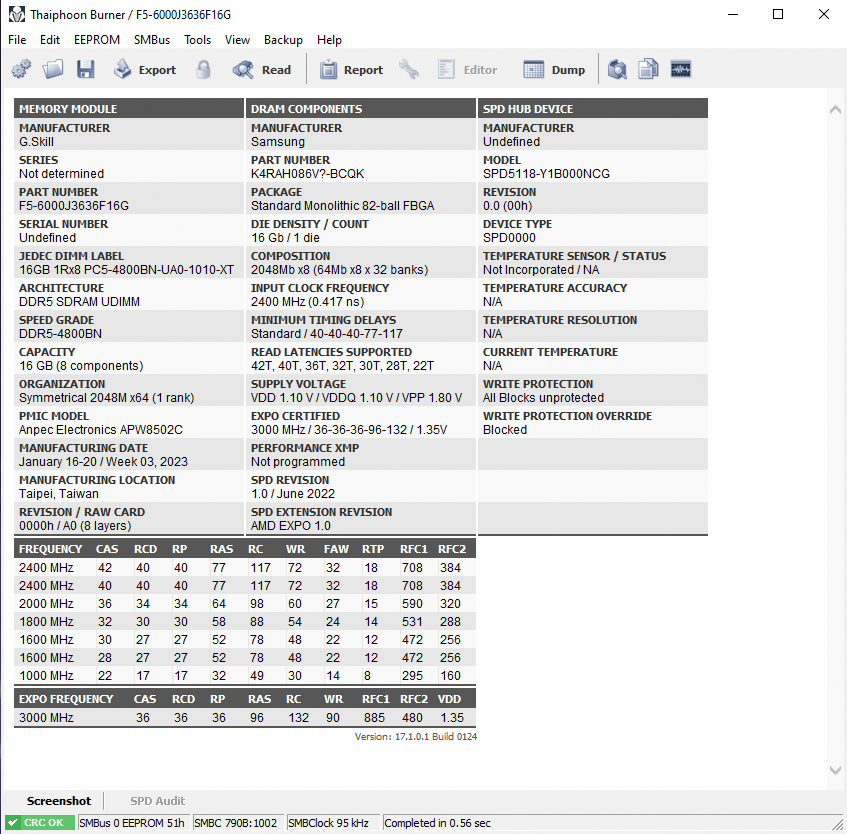
First of all, what kind of memory do I have? What die? It doesn't say in Thaiphoon Burner. Second of all: This is my current bandwidth and latency, which seems low to me for running DDR5-6000 in synchronous mode. I've seen similar pics on Zen 4 with DDR5 at this speed and they were like 90GB/sec for both read and write, and had like 62ns latency. I've never overclocked DDR5 before, if anyone with a similar kit can post their Zen Timings or someone could tell me what dies these are I can look on reddit or something for a screenshot of timings to use with this kit. Also wondering about upping the voltage, it's at 1.35v, and from what I gather 1.4v is the limit for DDR5? Any help appreciated. Thank you. @Fluxmaven since I know you have a Zen 4 setup, maybe you can help. And yes, I used the latest version of Thaiphoon Burner and that's what it says. EDIT: I am also open and willing to try to overclock it to 6200 or 6400MHz and OC the fclk higher. I know it's stupid and doesn't matter, and I have no idea if it's good or not but my SP rating is like 115, if that helps.
-
My Strix board? Yes, the main (top) M2 slot has a heatsink with a heat pipe coming off it. I read the manual and it says to simply remove the 2 Phillips screws on either side of it and it will come off. I have no idea about the quick release PCI -E. It's an Asus feature and supposed to make it much easier to remove/unlatch a graphics card. The current PCI-E 4 latches on my C8H are a pita to unlatch, especially with a very heavy card. It was bad enough getting two Evga 1080ti FTW3 out of the slots and out of the case, and we haven't even tried to remove the 4090 yet, but wife said it was problematic getting it in (its because of my case) Either way, hopefully my cooler comes later and we can rebuild. Really hoping the the Intel lan it has is supported in my Linux, if my Linux will even boot at all.
-
Thank you.
-
Yep, the top heatsink is too tall and will press against my AIO rad fans, as my Arctic Liquid Freezer II is like a 38mm rad compared to 22mm on a H150i. But we snagged an H150i lightly used off ebay for $110. As you can see, my Arctic cooler fans are right up against the heatsink on my current board (the fans actually touch it) Hopefully the thinner H150i will fit, we actually bought one and put it in and everything and then my wife broke the Corsair link connector on it. We did this when the small fan on the block of the Liquid Freezer failed and was making a high pitched whirring noise that just sounded terrible. Ended up returning the (broken) H150i and just bought another Liquid Freezer, we also got a few replacement fans from Arctic. So I've seen the H150i in my rig before and it should fit with the fans and clear that top heatsink (it effing better). H150i I'm not thrilled about even though the mounting process is very familiar to me (I've used two H100is in the past on a 4790k and FX-8350). I don't like the rgb on the block or the cable you have to run behind your gpu and plug in to a usb header on the bottom of the mobo. I'll lose the cooling capacity of the Liquid Freezers small block fan, and aesthetically the Arctic cooler looks way way better snd matches my psu shroud. But I am not getting another full tower case even though anidees makes one that is a full tower version of what I have now, my psu eps 8 pin connectors wouldn't reach as well as my 24 pin connector, we'd have to buy extensions. Plus my desk can't fit it in the corner, I'd have to remove a little raised stand my desk has, and then there's the issue of cleaning a larger tempered glass side panel. So H150i it is and lets hope it fits. Will be doing the build tomorrow, god I hope I won't have to reinstall Linux and configure it, I'm praying for my current Linux to boot and work.
-
Looks great to me, that write bandwidth is great and your latency is low enough. Might want to look into Infinity Fabric speed- where it says 925 memory bus, I assume that's half of what your fclk is, making it 1850MHz. Try changing Infinity Fabric speed in the bios and give it more voltage (1.25 SOC voltage) you should be able to do at least 2000MHz but some people are doing 2100 or 2133 (uncommon) I have no idea if it needs to be 1:3 speed with memory but it had to be 1:2 with memory on Zen 3 (fclk half of you memory speed). I really haven't looked much at memory and fclk for Zen 4. Do some more research on this stuff I guess, sorry I can't help more.
-

Intel Completes Development of 1.8nm and 2nm Production Nodes
neurotix replied to Kaz's topic in Hardware News
Crazy. Hope I don't regret my recent Zen 4 purchases if Intel will be coming out with 2nm chips in 2025. I had planned to stay on AM5 and hoping Zen 5 would be great. But if Intel is putting out 2nm chips by then, I may have to switch. -
Yeah that board is pretty. Should have mine today and a cooler that will fit on Friday. Mother-in-law has Covid so unfortunately won't be visiting. We will be rebuilding my rig this weekend most likely, depending on my pain.
-

From the album: neurotix's graphic design
-

From the album: neurotix's graphic design
-

From the album: neurotix's graphic design
-

From the album: neurotix's graphic design
-

From the album: neurotix's graphic design
-
[Official] EHW Retro - The EHW Retrogaming club
neurotix replied to neurotix's topic in Gaming General
Hey @Fluxmavenidid you see my last post? -
7900X3D, G.skill Flare X DDR5 6000 cas 36, Asus ROG Strix X670-E gaming, and a lightly used Corsair H150i off Ebay (current cooler won't fit because of the VRM heatsink on the top of the board).
-
Update: got the 7900X3D. Asus ROG Strix X670-E Gaming is coming tomorrow. Bought one of the simpler designed H150is used for cheap on Ebay, this one I think: https://www.amazon.com/Corsair-Dynamic-Radiator-Software-Compatible/dp/B09YCHFXQL/ref=mp_s_a_1_4?crid=1B7HK43G5MHTV&keywords=h150i&qid=1678223975&sprefix=h150%2Caps%2C155&sr=8-4 Compared to the Elite Cappelix model or whatever at the top of the list when you search H150i, as that one has a separate RGB controller box you need to use to control the rgb, but I already have a rgb box that all my fans connect to and it connects to the motherboard header. This model of H150i should probably have the Corsair Link usb cable you connect to the block. As per my sig, my lighting matching is important to me and now I will end up having to install iCue to make the leds on the block match. My mother-in-law is coming to visit this weekend and the big foldathon is the weekend after that, so I may not be able to put the new stuff in til the weekend of the 25th, as I will need my wife to help me rebuild the machine (pain issues). Anyway, that's my update. The 7900X3D us kind of a turd, actually I think that Zen 4 in general is, but the point is that when Zen 5 launches in a few years and they shrink the node, I'll be ready for it and can buy one and just drop it in. Hopefully it's awesome when it launches. I'm still excited about this upgrade though.
-
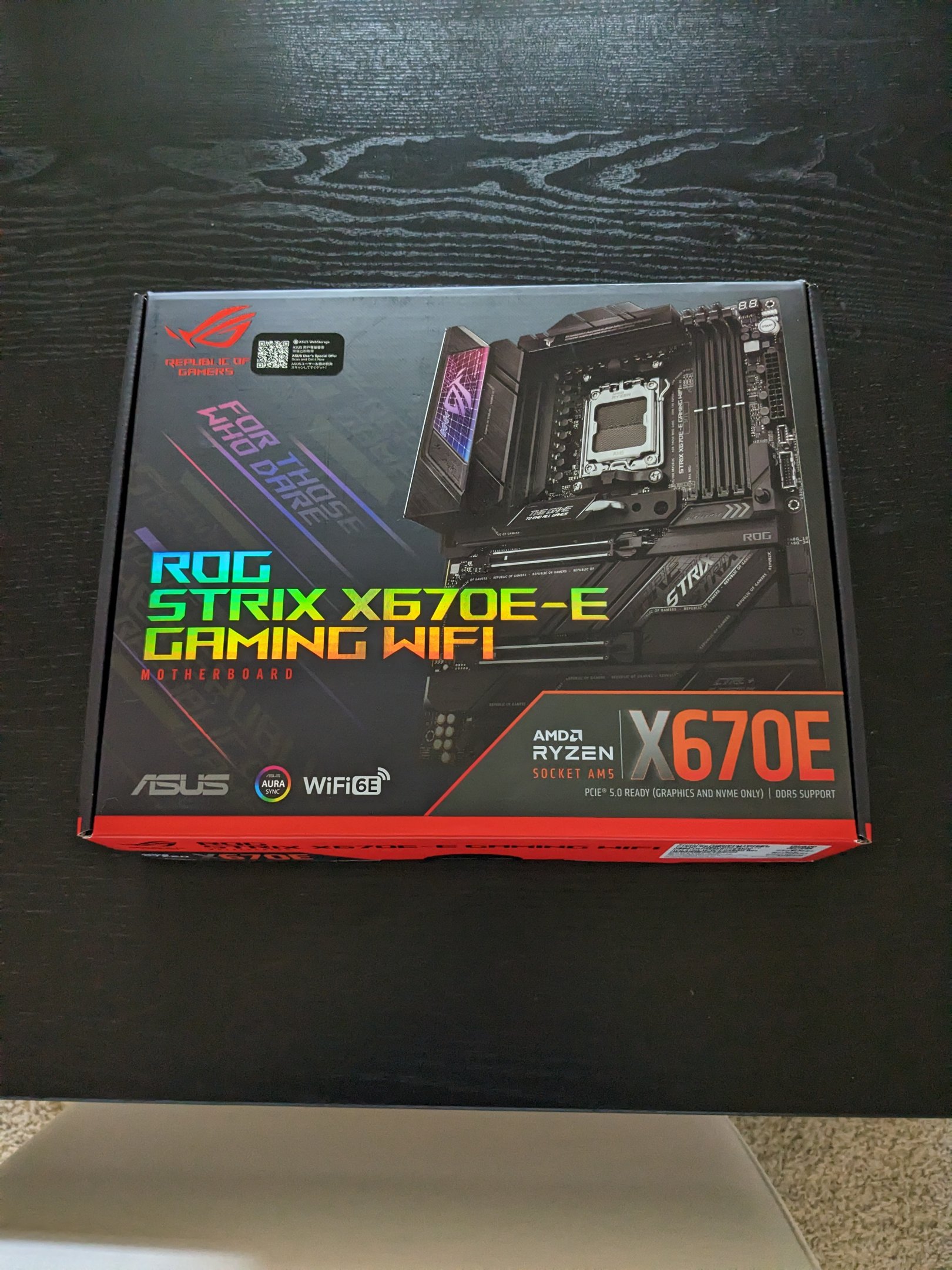
Thanks, I'll be sure to look into those voltages since I am getting the Asus ROG Strix X670E Gaming. Already have the 7900X3D. Board should be here tomorrow and I'm waiting on a H150 cooler I ordered on Ebay to arrive. (current cooler won't clear the top VRM heatsink of the new board- it's a thick rad) My mother in law is coming this weekend, and next weekend is the big foldathon, so I might be waiting 3 weeks til the weekend of the 25th to be able to rebuild my rig. Need wife's help to do so and probably can't do it all on my own because of pain. I could use some advice though. The one (and biggest) thing I'm worried about with this rebuild is getting the current small heatsink off of my NVMe drive. When we originally put this together and put the drive in, it had a really really sticky thermal pad thing on the back of it. What's the best way to get this off and not ruin my boot drive? I intend to keep the same Win10/Linux Mint installs that are on that drive and really don't want to break it trying to pull off that thermal pad. Should I heat it up with a hair dryer and then wear gloves and it'll peel off easier? Edit: Also, does anyone have a video or a guide to totally removing the VRM heatsinks on the board I'm getting, or a similar Asus board? If I did, I'd be able to fit and use my vastly superior Arctic Liquid Freezer II 360 instead of the stupid H150 with RGB on it and a bunch of cables coming off of it. Since my rig is full RGB I'd need to connect the Corsair link cable to make the block match the rest of my LEDs and fans (synthwave cyan and magenta)
-
Lowest it's been here all winter was 5f but "feels like" -20f according to my weather app.