

Welcome to ExtremeHW
Welcome to ExtremeHW, register to take part in our community, don't worry this is a simple FREE process that requires minimal information for you to signup.
Registered users can:
- Start new topics and reply to others.
- Show off your PC using our Rig Creator feature.
- Subscribe to topics and forums to get updates.
- Get your own profile page to customize.
- Send personal messages to other members.
- Take advantage of site exclusive features.
- Upgrade to Premium to unlock additional sites features.
J7SC_Orion
-
Posts
2,211 -
Joined
-
Last visited
-
Days Won
96 -
Feedback
0%
Content Type
Forums
Store
Events
Gallery
Profiles
Videos
Marketplace
Tutorials
Everything posted by J7SC_Orion
-
 Far Cry 5 is a great addition, too. Re. the Aida64 GPGPU benchmark, benchmarking in general would also be interesting (3DM, Unigine etc) unless this is just focused strictly on games)
 -
...yeah, I just wanted to know if games supported NVLink w/Ampere, I didn't suggest it was a 'must' with my list above, before this went sideways a bit re. generalizations. Anyhow, here is my list again for Ampere testing: MS Flight Simulator 2020 Various Crytek- engine games (does Ampere' play Crysis ?', hehe) Metro Exodus RDR2 Various 'Need for Speed' (good to stress graphics at speed), may be also The Crew 2, Forza Horizon 4. ...and I like to add: Doom Eternal AND: When the time comes for its release: Cyberpunk 2077
-
...4K must be a different planet, I guess. RDR2 and Metro Exodus are fairly new, and I'm happy they fully support NVLink; w/o it, I couldn't play 4K max ultra at decent frame rates (my monitor is 40 inch 4K @ 72 Hz). The NFS series also supports it, and Crytek thrives on it. I have no idea how MS Flight Sim 2020 deals with it yet, but all other games I play support it, so 'rumours of its death are greatly exaggerated' In fact, I also re-link this re. the mGPU future outlook:
-
...I respectfully disagree with generalizations like that - which I see repeated often enough on the internet. It is true that SLI/NVLink support in some games as well as scaling can be issues, but I run four machines (2x 1080P, 2x 4K) which all have SLI or NVLink, and I have encountered few problems, at least in the games I play. I add though that some of these machines are also used for productivity with their dual cards, so my approach - and experience in tuning mGPU- is different to begin with. More importantly, NVidia quietly introduced drivers that support NVlink CFR only last fall (as opposed to just AFR). This is so because post-Ampere, mGPUs will play a much bigger role (similar to AMD's multi-chiplet approach about to be joined by Intel next gen CPUs.). NVidia would not introduce mGPU CFR w/o a reason, and I put a related thread up on this forum > here. I am not suggesting that SLI/NVLink is problem free or enjoys support everywhere, but it certainly is 'not dead', and mGPU setup fans can particularly look forward to next gen. But even with current gens, you already saw the above NVLink RDR2 video links. Now, here is a Metro Exodus one @ 4K / max settings comparing a single Titan RTX vs dual Titan RTX (on CFR), including w/ frame times. In general, NVLink (AFR, CFR) may not scale perfectly, but if it means an extra 20-30 FPS in 4K to put the game at or above 60 FPS instead of 30 FPS or below, I'll take it.
-
This is going to be a fun and informative thread ! I am particularity interested in fast scenery-change games, like flight sims and racing games on ultra graphics / 4K, and NVLink-capable (CFR even better). Here's my short list: MS Flight Simulator 2020 Various Crytek- engine games (does Ampere' play Crysis ?', hehe) Metro Exodus RDR2 Various 'Need for Speed' (good to stress graphics at speed), may be also The Crew 2, Forza Horizon 4. BTW, most of the above work with NVlink/SLI (some even with the future 'CFR' rather than just 'AFR'). Also, my 2x w-cooled 2080 Ti run at between 2145 and 2205 on NVlink, so for now, I don't feel the rush to buy Ampere on release but instead look at threads such as this to figure out what / when to buy. Speaking of 2080 Ti NVlink, here are two vids for RDR2 @ 4K ultra
-
Yes, the memory bug is what I was referring to regarding change of the CPU Straps...and at least with my 32GB / 2400MHz (stock before oc) RAM, it was present on the X79-E WS 4960X as well...same as with my Rampage IV Black, as I recall. Changing to Strap 125 fixed that and then some - it went gangbusters on 'writes'. I can't locate the screenie of the Strap 100 Aida benchmark for this setup right now (writes were in the 40gb/s range at Strap 100, but reads were 'ok'), but check the screens below for Strap 125 + extra FSB for 131.5 MHz. All settings are post extensive stability testing. For comps, I also added the 5960X at both Strap 125 and Strap 167, and my TR setup. I've run Handbrake on the TR, and it flies... Re. your observation about your case temps, airflow management with all those components will be challenging no matter what...strategically placing the 50mm fans you ordered should help, though. I would even think about making some little baffles to help direct flow a bit.
-
...you will find that the Asus X79-E WS is actually a great overclocking board (as long as RAM setting is no higher than 2400 before potential FSB - I run 32GB of TridentZ at 2500+ via FSB). Re. single core performance, I ended up settling on the 4960X 'ES' CPU (6c/12t) because I knew from other mobo combos that it is a crazy clocker...4.8 GHz all-c is not an issue re. vCore or power consumption, with good water-cooling at least, though I settled on 4.74. Depending on your RAM etc, Strap 125 can get you a bit higher clocks at the same vCore - and for some reason, a huge step-up in RAM performance (especially re. 'writes') on this board, a least with my CPU / RAM combo. I also use FSB in addition to multipliers, but with your Plex media server and all those PCIe cards, I would be quite conservative with that. 'Back in the day' of sub-zero, I ran 4x GPUs on this mobo with up to 103.5MHz (Strap 100) or 131.5 (Strap 125). With a Plex media server, I would probably stay below that, LSI cards and all. The Xeon 1680v2 should behave somewhat similar. The only thing to remember (which i am sure you know anyways) is to a.) save your best stable profile in the Bios and b.) have your most important files backed up...with FSB tuning, there comes the point in time when it is one step too far and RAM / drives can't keep up and mess files up. I always like reminding on that so I remember to do it myself... FYI, here is a Cinbench R20 run with my current settings:
-
With a sophisticated build and all its components like this, there will be lots and lots of options to fine tune for months to coem. BTW, I have used and just love Asus RAM disk, one reason why I tend to run larger amounts of RAM in my builds. Asus RamDisk even works on some non-Asus boards if they are of similar vintage. That said, RamDisk obviously might not be such a good idea on a Plex media server, but it can make mincemeat out of the fastest nvme drives out there.
-
GAME: Ban the Above User for a Reason - EHW Edition
J7SC_Orion replied to Simmons's topic in Chit Chat General
...deserved criticism ? ban*danna -
GAME: Ban the Above User for a Reason - EHW Edition
J7SC_Orion replied to Simmons's topic in Chit Chat General
^ banned coz...'imaginative' -
...all TR CPUs are unlocked, afaik (don't know for sure about the new 3995X TR Pro line = 64c/128t, 8 channel Ram). However, with latest TR gens in particular, heavy cooling and 'PBO' setting usually gets you better every-day results than old-school multiplier / FSB all-core oc
-
...Glad you got your custom fan-curve and SSD cache issues settled. As to the power consumption, I'm jelly...my main workstation can easily peak past 1070W (2x 2080 Ti @ 380W max EACH on stock bios, 1x oc'ed TR, various peripherals). 450W + - sounds like a dream
-
...I guess you needed 'a bigger boat' ? ...and then there's also this 100 TB SSD for, ahem, 'enterprise'...
-
AIO pit stop and rebuild...its first in 8 years
J7SC_Orion replied to J7SC_Orion's topic in Water Coolers
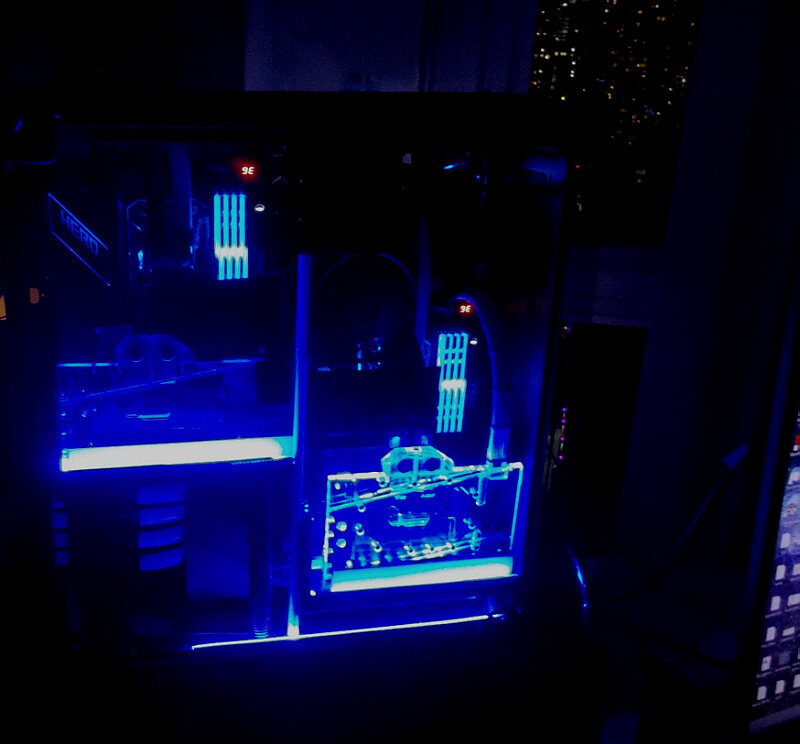
A quick update on the AIO rebuild & mod --- The new setup has now been running almost continuously for over two weeks since the rebuild. Temps remain stable and low at idle and under full load (I can now confirm better temps than new, due in part to fan upgrade referenced above). Delta to ambient at idle is about 4C (with only 1C variance across all cores), delta to ambient at load is 40C max. I also did some more visual upgrades with this build (Arctic 80mm fan for RAM) as well as other minor changes... -
...I was digging around in some old retro boxes, and next to a (functional !) Abit IC7, I found this old Mitsumi keyboard that makes a lot of click-clack noises when typing. I should continue to to dig as there also must be some old IBM mechanical keyboards in that storage area. Anyway, here are some pics of the 104-key Mitsumi...it is from approximately 1998 + - , PS2 and has 'that' Windows key...
-
GAME: Ban the Above User for a Reason - EHW Edition
J7SC_Orion replied to Simmons's topic in Chit Chat General
...banned coz, this works, too -
Old HWBot warhorses makeover - fixing bent pins and other past sins
J7SC_Orion replied to J7SC_Orion's topic in Intel General
...on the GPU side, they're suggesting min requirements as an AMD RX570 or NVidia 770. I think a 2200+MHz 2080 Ti should be ok for a while (2x/NVLink support would be even better). I am a bit conspiratorial though re. the release dates of MS 2020 Flight Sim and new top-level cards by NVidia and AMD... ...per below, I've been busy honing my flying skills any chance I get -
...I'm trying to figure out if you mean Asus AI Suite 3, if so, I ran into similar issues over the years...best to carry it forward over different CPU, chipset and the 'same' Win install, then update the latter. Just don't try uninstalling AI Suite 3 w/o first taking nerve-calming tonics ...looking forward to see wattage with Plex transcoding, plus all the components and peripherals you are running. Also, I have some foggy memories re. EPU vs TPU during the first go-around when my Asus X79-E WS was new...all I remember is that I decided to leave it on TPU, given preference for oc'ing goals.
-
Wow, congrats ! That X79-E WS starts to look smaller with all those other components in there - good thing it as 72 instead the usual 40 PCIe lanes for that gen. BTW, do you know what the full power draw at the wall is when under full storage i/o load ?
-
Old HWBot warhorses makeover - fixing bent pins and other past sins
J7SC_Orion replied to J7SC_Orion's topic in Intel General
...I have IL-2 Sturmovik, good stuff, that. I think they were a bit ahead in the sound department re. engines / superchargers...goosebumps ! Apart from this and 'X-Plane', I also still have and play Aoerofly FS (below) - great flight sim...and there's now a newer version as well (Steam). It has great graphics and fairly accurate flight AI, but you can also set it to 'crazy', i.e. zipping around the Alps in a Swiss F18...up (and down) the Eiger North Face on full afterburner ...It's even loaded on the 5960X re-build project above, and it even works great on SLI -
Old HWBot warhorses makeover - fixing bent pins and other past sins
J7SC_Orion replied to J7SC_Orion's topic in Intel General
...you can start with these cockpits (Airbus A380, Boeing 747-8) -
wow, I almost feel sorry for Intel (almost...). The trouble really started under the previous senior leadership (including a lot of stock sales by the then-boss, then his resignation for a consensual affair - which almost looked like a 'cover story') ...below is from a few days ago, before the data breach...
-
Old HWBot warhorses makeover - fixing bent pins and other past sins
J7SC_Orion replied to J7SC_Orion's topic in Intel General
...sure, if you like your planes pixelated - hehe then.. now ...truth be told though, I do also like the oldies like Wing Commander and Terminal Velocity. But progress is progress ! -
Old HWBot warhorses makeover - fixing bent pins and other past sins
J7SC_Orion replied to J7SC_Orion's topic in Intel General
I will certainly give it a try - after a few rounds of crashing a few planes (my usual M.O. to learn flight sims...). I'm also looking forward to find out how MS Flight Simulator 2020 will do with SLI/NVLink, perhaps even with CFR ? ...8704 Turing Cuda cores are begging to find out. Also, the recent MS / Win 10 update introduced 'Hardware-Accelerated GPU Scheduling', with AMD and NVidia updating their drivers for that. So far, nothing to write home about re. FPS impacts, but next-gen MS games might utilize it more ?!? -
Old HWBot warhorses makeover - fixing bent pins and other past sins
J7SC_Orion replied to J7SC_Orion's topic in Intel General
Thanks guys ...put RVE /5960X through its paces today after bumping FSB to 126 (DDR4 3360) and passing all stress tests...tried some 1080p Unigine Valley & Heaven, and played 'Need for Speed: Most Wanted' for the first time in a long time...wrecked four Bugatti Veyron Supersports, but you should see the 'revenue agents' rides ...That got me in the mood to dig around the CD/DVD games library from yesteryear - which in turn required the installation of a DVD drive - hadn't installed one of those in a while. Speaking of 3D, looking so forward to Microsoft's Flight Simulator 2020....releasing in two weeks ! That's going onto the 4K (TR/Turing) setup though. @ENTERPRISE Microsoft's Flight Simulator 2020 could make a nice 3D game/sim/best HW thread ?
