

Welcome to ExtremeHW
Welcome to ExtremeHW, register to take part in our community, don't worry this is a simple FREE process that requires minimal information for you to signup.
Registered users can:
- Start new topics and reply to others.
- Show off your PC using our Rig Creator feature.
- Subscribe to topics and forums to get updates.
- Get your own profile page to customize.
- Send personal messages to other members.
- Take advantage of site exclusive features.
- Upgrade to Premium to unlock additional sites features.
J7SC_Orion
-
Posts
2,211 -
Joined
-
Last visited
-
Days Won
96 -
Feedback
0%
Content Type
Forums
Store
Events
Gallery
Profiles
Videos
Marketplace
Tutorials
Everything posted by J7SC_Orion
-
 ...as long as it doesn't say 'beginner's luck' or 'don't give up your day job', I wouldn't worry ? automation always had some teething issues:
 -
...like what names, if I make ask ? ?
-
...I know, but modding a Cessna for mach x does sound interesting, too ? ! The above post / vid just underscores that it can be done, and how to do it...?
-
...re. caches, even with a fast connection, there's always a latency lag to the 'nearest Microsoft Azure server providing you your stream out of its pool of > 2 petabytes. A my location, it is typically 20ms - 23ms. That is another area where the cache really helps. If you set rolling cache big enough, it will keep most of the earlier-parsed items (I set my rolling cache to 200 GB). ...as to custom modding, the sky's the limit (pardon the pun).... some really crazy stuff, like attempting to fly a 747 to outer space, or 'bulk up' your Cessna's engine for mach 2. An example would be the YT vid below whereby the author provides some specific directory & file paths (caution !) as to where to do it in this or related vids ...of course the other flight model AI bits for that particular plane you are modding don't always take kindly to a lunatic parameter value being exchanged for the real thing. In any case, if you do such mods, I would make sure to have a 'clean copy' somewhere else on the drive (may be rename it FS2020old) so you can recover. ...yeah, some of the giant patches download new features, but you have to 'activate' them in the marketplace. Others are separate 'fresh' downloads per the marketplace, depending on the version you purchased. When I installed the FS2020 on the second machine per above posts (ok as long as you don't have both copies active at the same time), I only had the default plane available, even with the 'premium deluxe' version...I needed to activate the rest of the planes at the marketplace again. ...same for some the world updates I had already on the first machine.
-
...starting to get into a more thorough comparison between two work-play 4K machines which both have FS2020 onboard. We finally have been switching all our productivity and work-from-home machines to 4K, so I am in the process of building up the 2nd, newer system...fully functional and very quick now already, but it's going to get the same extensive dual custom w-loops treatment as the first setup...both have their work functions and will coexist (peacefully, I hope ? ) The 1st system (used for much for this thread so far) has an AMD TR 2950X w/ two w-cooled 2080 Tis set to SLI-CFR, along with 32GB of Samsung-B set to 14-14-14 // 3466 MHz and an all-core 'oc' of 4300 MHz The 2nd system has an AMD 3950X w/ a 3090 Strix OC (GPU air-cooled for now) with an identical kit of 32GB Samsung-B...it's currently completely 'stock' re. clocks and auto PBO as I am waiting for custom w-cooling parts for both the CPU and GPU. By first boot, the machine showed it was capable - at stock voltages - of an Infin clock of 1900 MHz and (1:1) RAM set to 3800 MHz, with 16-15-15 timings. So far, both machines have been fairly competitive...the 3950X is clearly faster than the 2950X, but they 'compete in the same class' rather than it being lopsided. The TR 2950X memory subsystem does enjoy big bandwidth, what with quad-channel memory, vs dual channel (though with quad sticks) for he 3950X. NUMA mode is used below for the 2950X as that is the setting I use for FS2020, otherwise the latency would be higher...the 3950X is in default (UMA) mode, and no slouch either in the memory department: No hard comparative numbers yet for FS2020as I am doing a through comparison between the two using the equivalent oc settings for the GPUs...the 3090 w/ its 24 GB of DDR6X VRAM clearly has an advantage though in that department, and when unleashed (like below of a Superposition 8K) it can really pile it on... ....that said, the 2x 2080 Ti w-cooled are very quick in their own right - they can't match the 3090 Strix OC in sheer speed, but then again, there are two of them ? ...in Superposition 8K Optimized, the single 3090 just did a score of 8638, but my best result for 2x 2080 Ti for 8K Optimized is 11998...so it's not a wholly one-sided affair in FS2020 either... Ironically, the 3090, with peak Watts at over 503 W, is actually more efficient than the 760 W combined total observed peak of 759 W... But because the 3090 is still air-cooled unlike the 2x w-cooled 2080 Tis, I run both of them at a more conservative oc for now, until the 3090 gets its 'water jacket' custom loop as well. And because of their 'hybrid' productivity functions, all GPUs retain their stock bios and are not hard-modded. Finally - and very importantly NO MATTER WHAT GPU AND/OR RESOLUTION you run, both systems have access to a synchronized 200 GB rolling cache...the best thing one can do for FS2020 performance is to build up a big rolling cache, as discussed in earlier posts... Stay tuned for updates on the relative performance differences at 4K / Ultra, but for now, two screenshot teasers of the same general area....enjoy 2080 Ti SLI-CFR: 3090:
-
...drool ?, but ?
-
...
-
...you might be able to do it via the voltage curve option in MSI AB after all, using the curve in the coordinate table to locate the voltage corresponding to the clocks you want, then limiting the max voltage to that. > Here is more on that process, though keep in mind that that write-up is for maxing GPU clocks...steps to limit clock via voltage curve adjustments operate on the same principle of modding the curve though. One thing to keep in mind is that NVidia boost algorithms (especially the recent ones) are also highly affected by GPU temps (and thus indirectly by ambient with your setup). The other factor would be power limits and max-voltage but those wouldn't come into play if you restrict the voltage and thus also MHZ rather than push it. Finally, with the MS AB curve mod, you still have to have worked out beforehand which 'clock' in the table corresponds to actual clock with boost on top. So voltage is the only locking tool I can think of...
-
not sure as I wouldn't use it on my RTXs...but - thermal tape if it doesn't have any hold down brackets ?
-
...here's hoping to not really...I read somewhere that all more modern AMD are actually not 'hard'-locked, but can't be sure. FYI, here's DerBauer doing his thing w/ 'locked' Epyc a few years back:
-
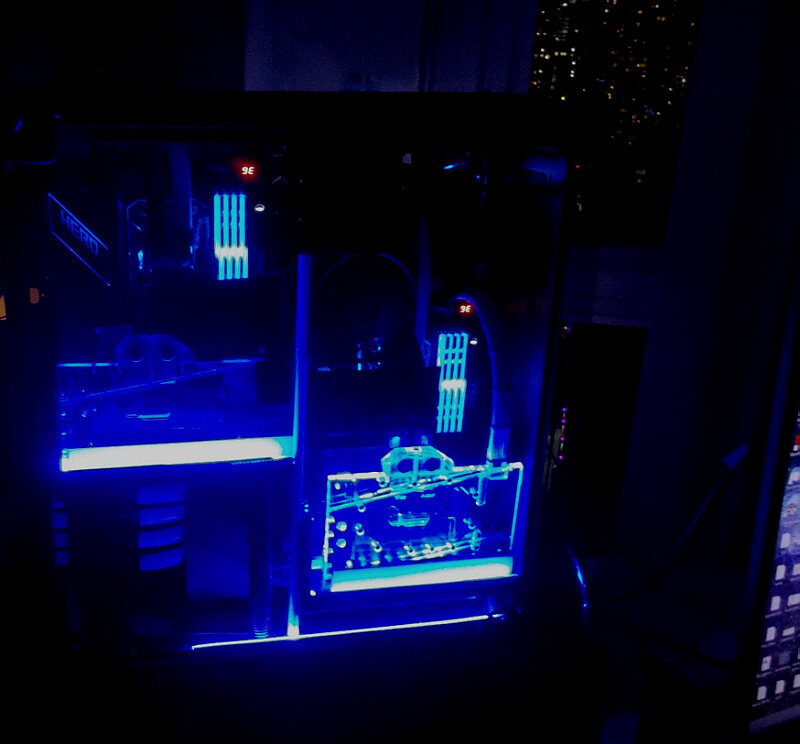
I also like that full-cover GPU block stuffed behind the panel...
-
..2x 50 amp 'spares' waiting...noice !
-
We've got 15 amp and a select few 30 amp...I did manage to trip the master a few times w/ 4x PSUs on one system w/ Quad-SLI sub-ambient GPUs years back...and when that happens later in the evening, one stumbles around in the dark looking for 'that' - or any - flash light. I have been eyeing that washer/dryer room and its 220V outlet though ?...
-
...that happened to me a few weeks back after I ran across their C$5 'universal GPU block'. They actually do have some interesting stuff beyond the 'amusing'
-
The SuperFlower Leadex 2000 W model is the choice of many workstation integrators (Yangcom S.Korea > here )...just not sure how that monster would work @ 110V...I use Antec HPC Platinum 1300W PSUs (which have an OClink for dual) for heavy lifting but connect each to a different circuit
-
...interested to find out what level it is at in the morning. As to cheap universal GPU coolers, there's always 'Banggood.com' (no, really) >here ...slightly more expensive (than $5...) is the Swiftech mcw82; I've used several of them for tri- and quad SLI w/o any issues in the past. FYI, depending on the GPU your son wants to w-cool with a universal GPU cooler, he would also need to rig up a fan to cover the VRM & VRAM ...speaking of Banggood.com , here's s.th. @Avacado , @Bastiaan_NL , @BWG and their fellow folding enthusiasts would probably like...
-
...same base report in this thread > here I'm a bit of an mGPU freak (and also have 2x Radeon 8990 from 'back in the day') and hope springs eternal that mGPU will come to market sooner rather than later. What's different with the upcoming gen is the 'glue logic / fabric' in that it will make mGPU appear as a single GPU to the OS and apps - which avoids the need for 'SLI/Crossfire' profiles...both AMD and Intel have had recent leaks about their successful mGPU interlinks, though just because NVidia hasn't had any leaks / reports on it doesn't mean that they too aren't way further down that road. BTW, 3dcenter.org referenced in the 'source' above is a really interesting site with lots of early leads (it's in German). Some of their leads/leaks do not turn out to be correct (Ampere Cuda comes to mind) but on the margin, they know their stuff and seem to have excellent industry contacts...That's where I got the otherwise undocumented SLI-CFR setup info from you see me reference from time to time in the FS2020 thread...
-
Nice ! The AMD Ryzen™ 5 PRO 4650G is an interesting 6c/12t 7nm CPU...while the CPU is apparently locked, the ASRock X300 site reads "Supports Overclocking Option with X300"...should be interesting to see if that applies to the 4650G as well ?!
-
As an innocent bystander to this 'skirmish' looking to learn about folding, 'grats & kudos to you all... ...it was a hoot to follow here, and I learned a bit about folding. I used to think, even after doing sub-zero XOC for years, that old hardware never really died but just ended up taking a long fiesta in the storeroom or years - but clearly, I was wrong.
-
...I've used the stuff below on literally anything, from fixing up weak o-rings on a PC pump to layering it around a big fuel line that leaked where it entered a 850 Rochester Quadrajet carb back in the day on my car (lasted for over 200k km until it had to come off for a rebuild). For PC pump purposes, you can use it (sparingly) on the side of the o-ring that 'seats' in the pump housing, let it all dry up as it hardens a fair amount - then apply the softer regular silicone on the other side before re-assembly.
-
...there are o-rings in there - may be they didn't like the acid, depending on type ?! Have you taken the block / pump body apart ? You might be able to save it yet
-
@Bastiaan_NL @Avacado ...you got just under 7 hours to poisen and electrocute each other; or do a rush order
-
...yeah, great family project ! Your son's idea of adding the mason jar / reservoir has a lot of advantages ? , for example 'overflow' etc because you don't have to know the exact ml amount to put in at a given temp. On my AIO operation plus modding, I never took the tubes off but instead took the bottom of the Asetek CPU unit off...I wanted to see if the little pump impeller had been damaged when the crust disintegrated and 'flushed' through the loop. Then, after thorough flushing, I just refilled it to the point of overflow, then let a few ml back out for heat expansion etc. and it's been happy ever since. BTW, if you folks are looking for good affordable fans (ie when using the modded AIO for a GPU), check out those Arctic P12 pwm pst value packs (5x 120mm fans per pack)...I tried a few on my 'big' systems (up to 5x rads, 1200 W peak) and they performed flawlessly (around 1800 rpm), so I bought 3x 5 pack more. I noticed prices are going up for those, though ?
-
...the AIO 240 I fixed had steady temps for 8 yrs right until I started moving the rad around. My guess is that it shook deposits loose that had 'crusted' on the bottom of the rad/tank and then went through the loop. You might try to shake your modded setup (especially the rad) to see if there's a similar build-up which normally is harmless, until it crumbles free.
-
...yup, and there were early warnings decades ago...
