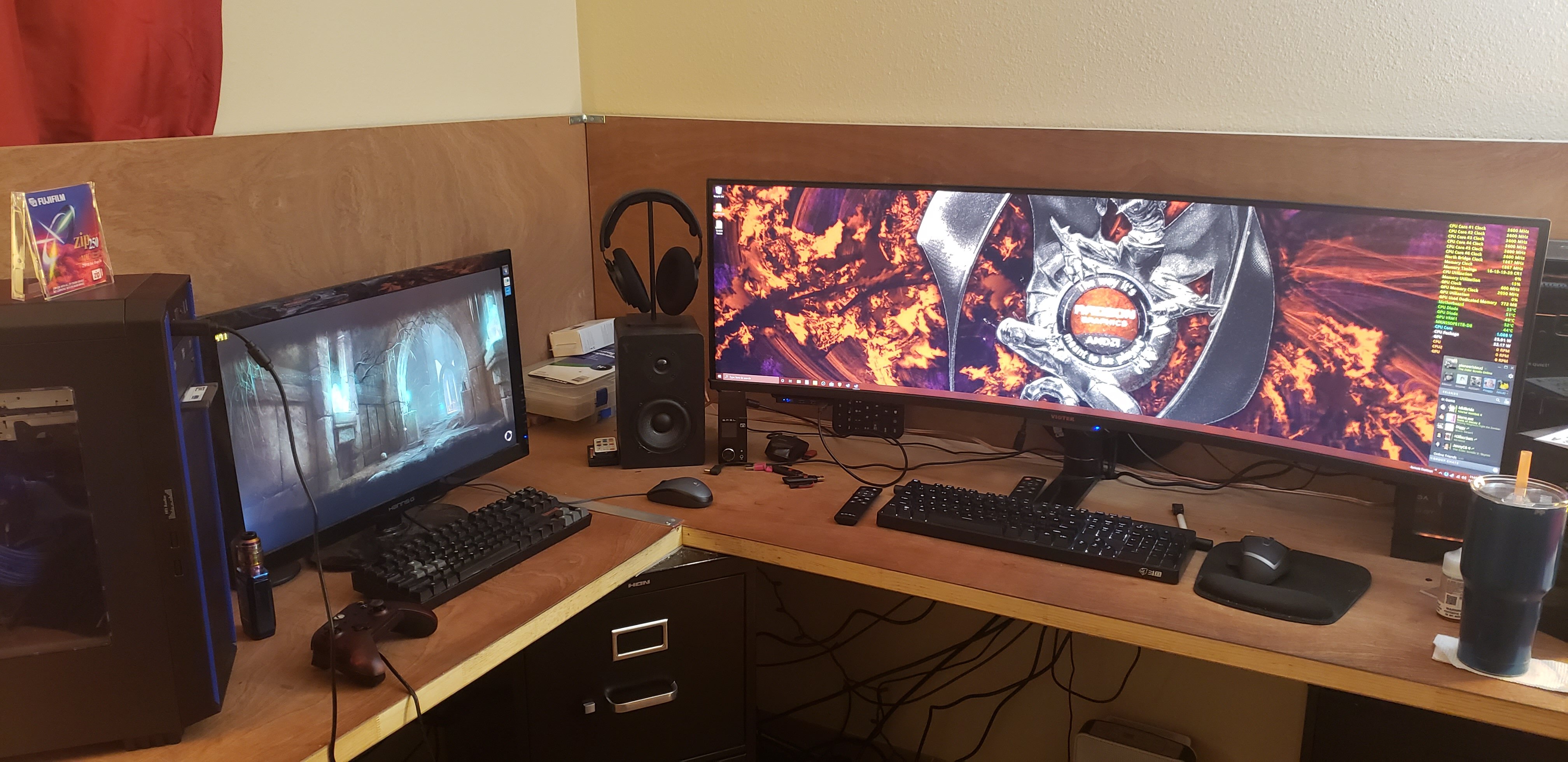
Welcome to ExtremeHW
Welcome to ExtremeHW, register to take part in our community, don't worry this is a simple FREE process that requires minimal information for you to signup.
Registered users can:
- Start new topics and reply to others.
- Show off your PC using our Rig Creator feature.
- Subscribe to topics and forums to get updates.
- Get your own profile page to customize.
- Send personal messages to other members.
- Take advantage of site exclusive features.
- Upgrade to Premium to unlock additional sites features.

pio
-
Posts
1,780 -
Joined
-
Last visited
-
Days Won
109 -
Feedback
0%
Content Type
Forums
Store
Events
Gallery
Profiles
Videos
Marketplace
Tutorials
Everything posted by pio
-
Best I could squeeze out of this horrible ALi chipset motherboard and stock cooled Radeon 7500. https://hwbot.org/submission/5071344_pioneerisloud_3dmark2001_se_radeon_7500_ddr_128bit_7240_marks
-
He's clearly ABOVE the Captains, didn't ya know?
-
 Neat product. Looked into the older models and still $1200 ish. I'll take a $399 Steam Deck and wait sadly if I were in the market. I do hope we see more of these though, and availability start to become better so prices start coming down. My kid is starting to actually detest is Nintendo Switch, simply because he can't play his PC games on it. Love that kid.
 -
Moar!
-
I think that's the same thing @Bastiaan_NL was talking about earlier. Apparently we can only have one 6 core, one 8 core, one 12 core, and one 16 core run for the whole team. So if somebody on the team ran a better score than you with the same amount of cores, your score is out. I do believe they still want a certain amount of participation regardless though. So even if its a "disabled" run, its still showing participation. I think anyway. I'm still trying to learn the rules myself too.
-
Just submitted a new run on Stage 1 AMD GPU's. Beat my own score because why not. I know the other teams are probably sand bagging, but whatever. I'm not going to sit here and wait till the last day to make a run, and I'm probably going to get beaten anyway since I'm on air. /img/logo.png pioneerisloud`s 3DMark - Fire Strike (GPU) score: 27681 marks with a Radeon RX 580 HWBOT.ORG The 2x Radeon RX 580 @ 1466/2150MHzscores getScoreFormatted in the 3DMark - Fire Strike (GPU) benchmark. pioneerisloudranks #7... I also put in 2 runs for Stage 2 AMD GPU's last night / today. Was enough to put us into 1st place. Here's best run: /img/logo.png pioneerisloud`s 3DMark Vantage - Performance (GPU) score: 9444 marks with a Radeon HD 4850 GDDR3 HWBOT.ORG The Radeon HD 4850 GDDR3 @ 760/1233MHzscores getScoreFormatted in the 3DMark Vantage - Performance (GPU)... I tried and tried to beat my Stage 3 run, and nothing I did got me any better, actually scores were consistently worse. So I've done best I can do there. The above 2 are also my best runs I can do. CPU won't go any higher than 5030MHz, I can't tighten RAM down much better at this speed, and those GPU's were nearly unstable at those settings. One more MHz on core or memory and they'd crash. Updated the spreadsheet too.
-
Glad you got things sorted out @schuck6566. I was finally able to get cable again not too long ago, 300 / 10. I hear you on the ACP thing, I use that to get my Verizon cell service for free. Look into Visible, and look into LTE routers. Also look into TTL settings. I can't say much more than that, as they technically frown upon it (although its not illegal since businesses use those types of things). There's also AT&T and T Mobile options too for high data caps / unlimited. With as often as my Spectrum goes down, I'm happy to have a backup ISP, dedicated VPN, and dedicated ad blocker right at my gateway. 400 down / 40 up is pretty decent service though. I think Spectrum offers a similar package, but here its $80 / month. The one I'm on is only $50. I could certainly use the upload speed, but since nobody that's using my upload helps pay for the connection, they can deal with slower speeds.
-
You're making me want to do stupid things in the name of racing pixels here Flux....... Yeah, selling water-blocked cards is a tough sell unless you find the absolute PERFECT buyer. Sucks, but its part of the game of water cooling I guess. Looking forward to seeing how this all turns out!
-
2500u is ryzen with Vega. It's still ddr4, just sodimm instead of regular dimm because laptop. Think like a 2200g but in a laptop. I think mine does 3.6ghz cpu, dunno if the gpu overclocks, never really needed to lol.
-
Looks like we already have a 5600g ran in that category. Won't that run cancel out mine? Mine would still be ddr4, just a lot slower lol.
-
I'm going to one day pull a $tillLegendaryU2k and run crysis on a pentium 2 (well, a K6) if I can ever get it to run. He said it was possible years ago and we made fun of him for it. Idk, different attitudes today I feel. Maybe we've all matured some.....
-
Yeah and they also included specific directions on how to do it on the website too, in case people thought the letter itself was sus.
-
Speaking of igp runs, I totally forgot I have a 2500u laptop that overclocks. I'm on mobile atm, so not easy to check the lists. Do we need a 2500u benched for igp?
-
Oh yeah it is Thursday isn't it?! Yup I'll be adding that to my pages and pages of free epic games I've scored too!
-
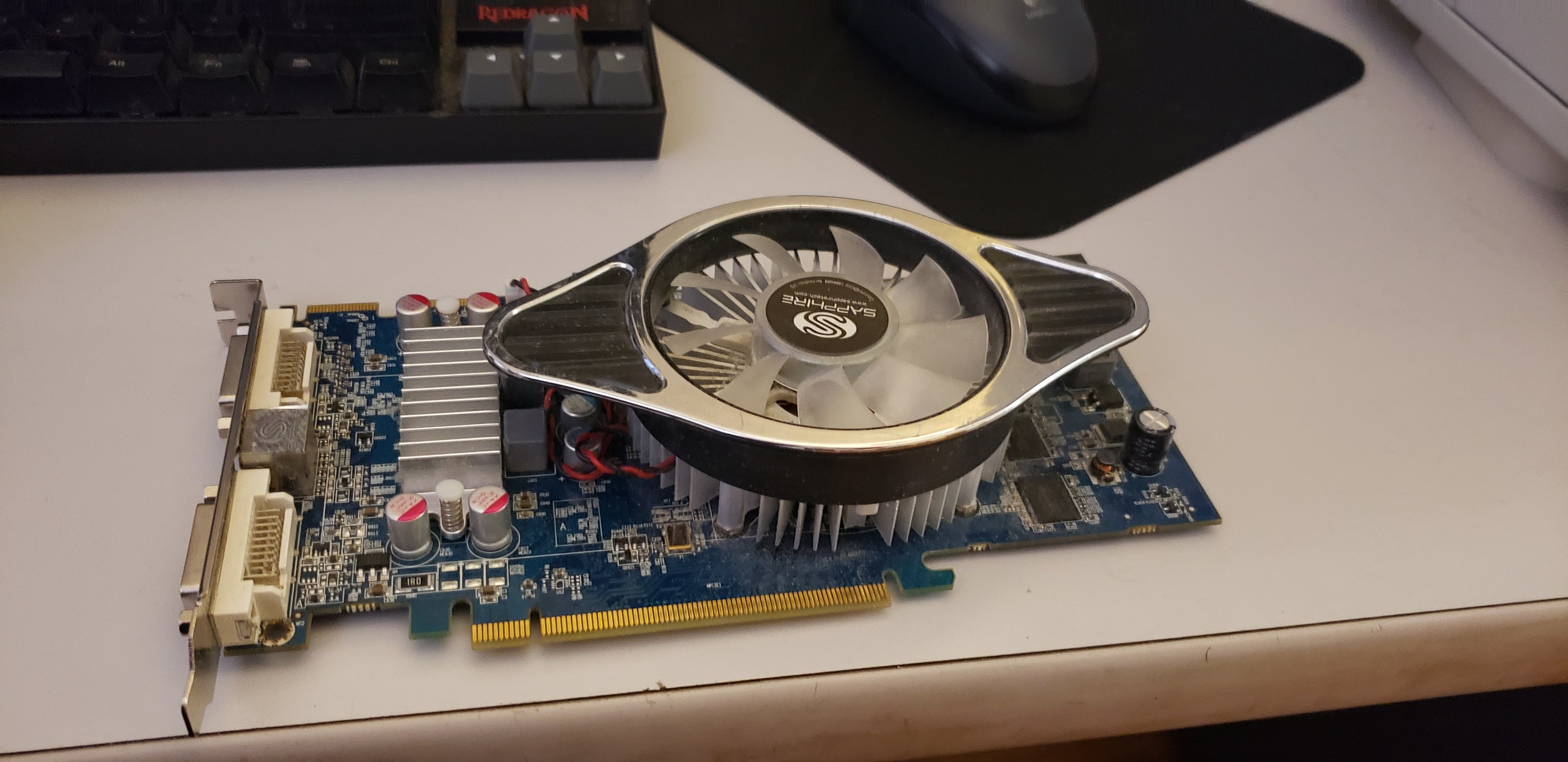
Thanks guys. Been wanting one of these for a LONG time. Just got done playing SpiderMan Remastered on his rig, 1440p / 60Hz, absolutely maxed out (no RT since Vega). Game played absolutely beautifully on the Powercolor card, 60 FPS pegged (framerate cap on in drivers). He's going to have absolutely zero problems MTFO'ing all of his games (and mine lol). This is super promising because I'll be perfectly content with 1440p on my TV in the bedroom, even 1080p really if I HAD to. Sit far enough back, it looks fine. On my TV, I'm going to be playing simple controller games, racing, RDR2, and emulators anyway. Easy stuff for the Vega I'm sure. The Sapphire either needs a new fan, or needs the fan screwed back in or something. I'll take it apart when I get the chance and fix it. It does work just fine, just the fan rubs the shroud. Either somebody forgot to put screws back in the fan....... Or it got bounced apart during shipping. Either one, its fine. Replacement fans are like $13 and its easy enough to get to. I did test it (very VERY briefly) while holding the fan up in place, and before it burned my finger because I was slowing the fan down with my finger.......it was doing just fine in 3d tests. So the card itself is perfectly fine. Maybe an excuse to look for an aftermarket cooler for a Vega soon ish. Kiddo's getting his rig back tomorrow!
-
I've got an Athlon X2 7750BE Kuma and a Sapphire HD4850 GDDR3 now. Still waiting on the Phenom II x4 960T to arrive (Saturday est), and my Radeon 7500 to arrive (Monday est), and then I can finish up the AMD sections. I might go ahead and do the HD4850 in the next few days, we'll see. Worst case, I'll have them benching early next week. Pic because why not? I had one of these years ago when they were new....now I have another! Hopefully best $17 shipped ebay find yet. (We've all seen CPU's so not pictured)

-
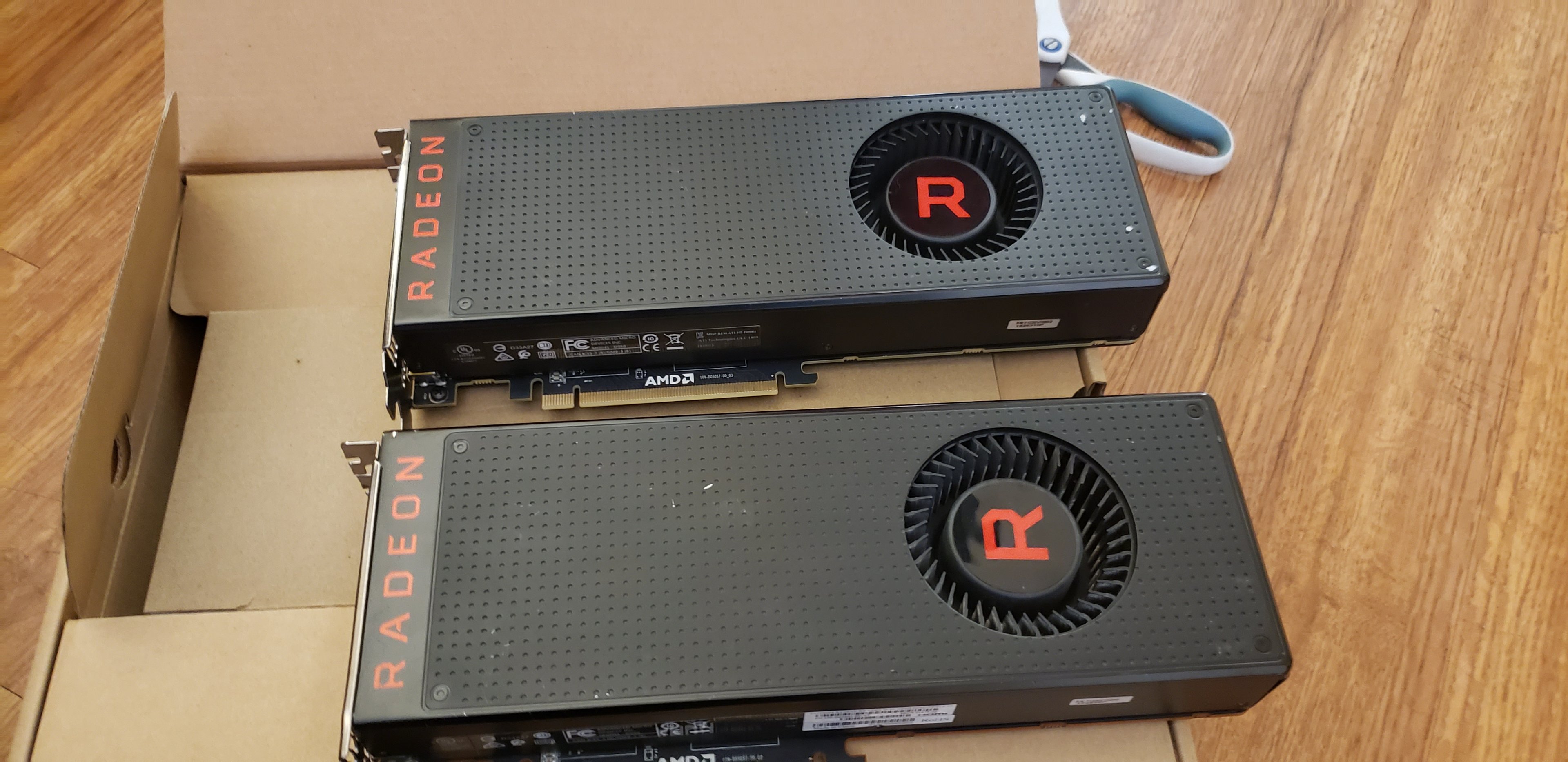
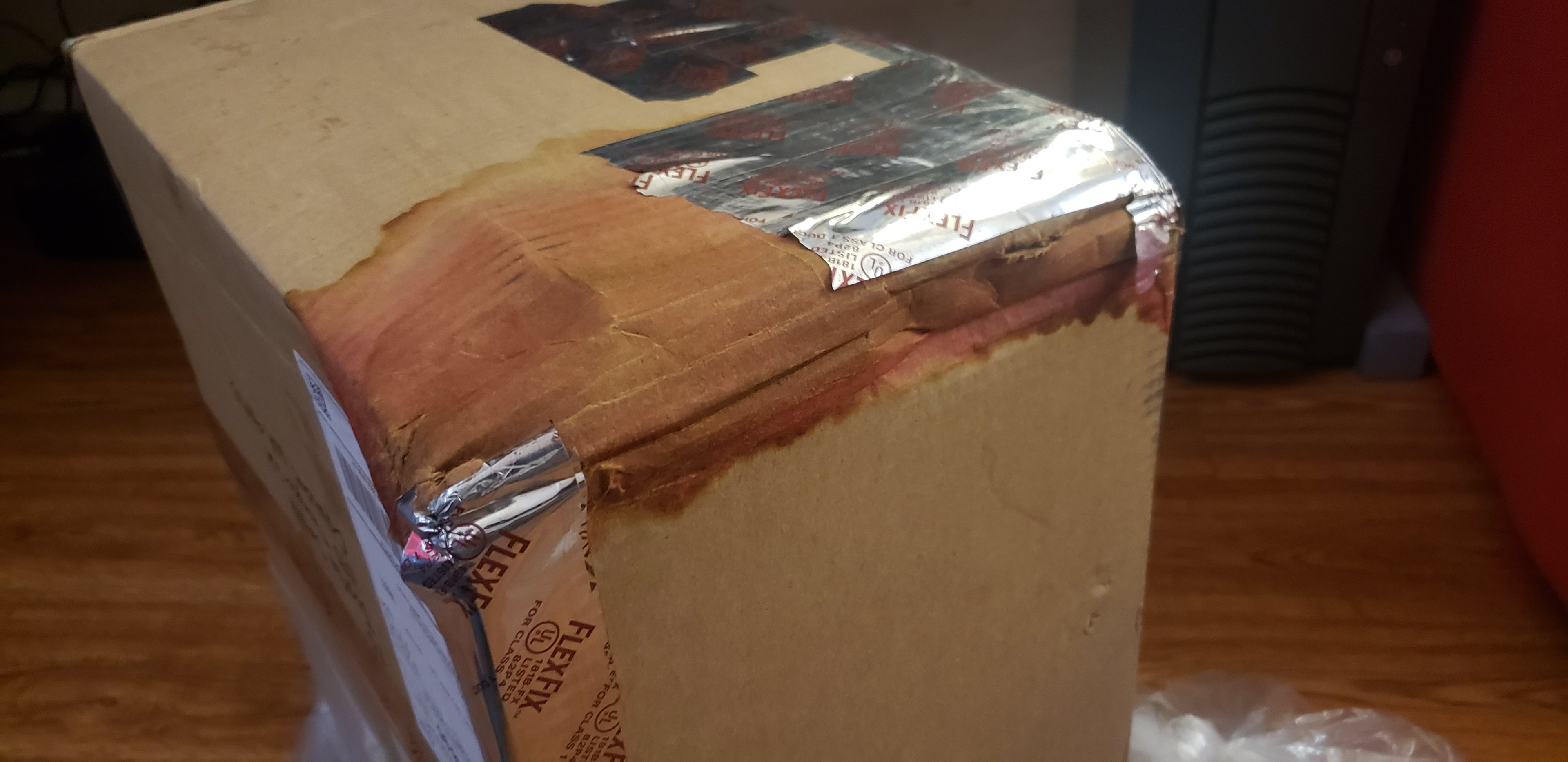
So outside of some USPS gore, I have an update. Absolutely HUGE shoutout to @tictoc, whom otherwise this update wouldn't have been possible. I paid for the stuff, just letting everyone know. But seriously, holy wow, extra surprises in the box, and with the USPS gore going on......so very happy he packaged it super super well! I'll spare the gore pics, but here's what arrived today! We have here, two Radeon Vega 64's (64's I think, right tictoc?). I'm so excited I can't even take 5 seconds to look at the model numbers.... One of these is destined for "kiddo's" rig. The other one is likely going to be dumped into my Ryzen 1400 build, or whatever other build I end up putting on my 4k TV in my bedroom. I asked him if I could buy both because, well...just in case. I've always loved the Vegas and always wanted one. Not pictured, was an added bonus kit of DDR4, not sure what they are yet, but was BADLY needed to finish kiddo's build back up after the fiascos it recently suffered. I don't even care what they are really, if they work, then it gets his rig back up and running. The Vega absolutely is the PERFECT GPU to be paired with his rig (for the collection of course). Ryzen 2600x / Vega 64, just like what I always wanted to be a part of the collection. The second one honestly was because, well.....I wanted a spare and he offered to sell both. And since my 5700XT is on the living room TV, this means I can pop one of these in my bedroom TV in whatever rig. Sorry for the rave, I'm just so excited they lived after seeing the mess from USPS. Okay fine, I'll share a little bit of the USPS gore. Not really sure WHAT liquid got spilled all over the box in shipment, but its red, still damp, and smells rancid. -_- I'm so happy for the superb packaging inside. Not a DROP got on any of the parts.
-
Honestly I feel like they handled the whole thing pretty well considering. The issue is already patched, emails sent out to everyone urging to change passwords simply as a precaution, and letting everyone know that no really bad information was actually leaked. Can't get much better than that I suppose.
-
So far I don't have the K6 running, its a K7 T-Bird, Athlon-XP, and a Socket 754 that all exhibit the same problems across a Radeon 9800XT, X800 Pro, and X1950 Pro AGP cards. They all freeze up on 3d load, sometimes artifacting. I'm about 99% sure the cards just have crusty grease on them and need to be properly fixed up. I originally thought PSU, but I've since resolved that, the current one has 30a on the 5v rail, which should be plenty for a T-Bird (only AGP rig I have 100% so far). I'm hoping taking them apart, cleaning, and re-greasing fixes the issues. They do play Quake though, so DOS games seem to be fine. It's DX titles that cause issues it seems. My GeForce MX-420 does similar, except it doesn't freeze the system it just artifacts. All of the cards idle really hot too, so that's why I'm assuming its a heat issue.
-
Oh all of the puns we could make here......Nicholas Cage was more of a National Treasure threat though. Will Smith, Alec Baldwin, Gene Hackman, ummmm that one buff dude that's always coked up because he doesn't want to die, maybe Denzel. So many names we could pick on.
-
Plex tells users to reset their passwords after potential data breach | Engadget WWW.ENGADGET.COM A third-party entity was able to access users' emails, usernames and encrypted passwords.. Just grabbed the first link I could find, I actually found out about this due to an email I got at like 1:30am. Just as a friendly heads up, it was a major pain to update everything. If you're a plex user, check your email. There should be a legit email from them explaining everything in halfway decent detail (well, as best they can). Looks like the letter is also shared on a twitter link in the article too.
-
Such a bummer these mods can't be used online. I don't think cheating mods should be allowed (but cheaters do it anyway). But visual mods IMHO should be allowed by Rockstar.
-
Optimal sound card/audio setup w Z-5500 Logitech sound system
pio replied to Storm-Chaser's topic in Computer Audio
Small is the correct setting. The crossover only works when set to small (usually). And you do want the crossover as it blocks frequencies from your main speakers that they cannot reproduce anyway. It's possible you just need to mess with the crossover frequency settings. -
Dude that sucks. -_- The pictures in the listing, it looked like it was half decent.
-
That would be a no then. It says right there: "The integrated video decoder supports all popular codecs such as MPEG2, H.264, VC1, VP8 and MVC and is suitable for resolutions up to 4K up to 100 Mbit/s. The user can connect up to two displays via HDMI 1.4 (max. 1920 x 1080) or DisplayPort 1.2 (max. 2560 x 1600). Another new feature is the support for Wireless Display and Quick Sync, Intel's fast and power efficient H-264 hardware encoder." The fact that they're touting the H-264 hardware encoder means that was the best it really could do (in my opinion anyway). HEVC is H-265. There's no mention of H-265 or HEVC anywhere in the specifications. So no, it doesn't support it, only H-264. Of course, the CPU itself might be capable of it, but the IGPU, no its not.