Welcome to ExtremeHW
Welcome to ExtremeHW, register to take part in our community, don't worry this is a simple FREE process that requires minimal information for you to signup.
Registered users can:
- Start new topics and reply to others.
- Show off your PC using our Rig Creator feature.
- Subscribe to topics and forums to get updates.
- Get your own profile page to customize.
- Send personal messages to other members.
- Take advantage of site exclusive features.
- Upgrade to Premium to unlock additional sites features.

pio
-
Posts
1,780 -
Joined
-
Last visited
-
Days Won
109 -
Feedback
0%
Content Type
Forums
Store
Events
Gallery
Profiles
Videos
Marketplace
Tutorials
Everything posted by pio
-
I guess I should've clarified, my first "Windows" PC lol. Still interested in this. The only reason I didn't go for a Threadripper on my server was PCIe lanes. Hopefully the newer ones can resolve that issue so I can have an upgrade when these hit second hand markets.
-
As I said, my Ryzen 3600 / B450 setup does the same EXACT thing under power surges / outages. I have no explanation for why. But I'll bet on it, your build will eventually come back to life after a while of being unhooked and unpowered, just as mine always does. It scared the poop out of me the first time (and the second and third times) it did it.
-
Reading everything you've tried so far...... Try unhooking power from the wall. Press and hold your power button for 30 seconds to completely drain the power from the mobo and PSU caps. Then pull out your CMOS battery. Let it sit for like 30 MINUTES, not seconds. Then, try to power it back up with the CMOS battery removed. If it works, pull power plug again, press and hold power again to drain caps, and put the battery back in, and try it again with the battery re-installed. Sometimes it takes more than 30 seconds to reset CMOS, as odd as that sounds. My own B450 / Ryzen 3600 rig does the same thing from time to time. I don't have an explanation. But there's a good chance if you let it just sit for a while without ANY power in it at all, it might pop back to life like mine always does.
-
So, I've been using that T-Bird build the last 2 days backing up my CD wallet collection. It's been working absolutely fantastically.....BETTER than I had anticipated. I have Windows 98SE Plus! installed on it, and I can't even begin to describe how happy it makes me seeing 98 again. I can even use my NAS on it through Firefox or IE6 (Firefox works better), so that means I can even upload my CD images to my NAS when completed. Today, I'm installing games to it to play around with. I found out too, ONLINE games actually still work on Windows 98! I played a round of "Open Arena" (Quake 3) online yesterday on it with other players!!!!! I know I wanted 2000 on this build, but until I get the K6 running (which ALL of the drives are no good in that for sure now), I'm more than happy with 98 on this one. The original ebay seller I was talking to with the Fury and Vega never responded back to me as I had found a Vega for a much more reasonable price and I let him know. I told him I still wanted his Fury, but yeah, no response for a week now. Whatever. Vega64 hopefully will be incoming soon as well from a forum member here. Idk if I'm supposed to name names yet for him or not, but yeah, he gave me a deal I just couldn't pass up with today's modern GPU markets and my income levels. I forget if I mentioned previously too, but a Ryzen 2600x should be here Monday to fix kiddo's rig (where the Vega will be going for its permanent home). I'm hoping this means I can send the BNIB B450m back to newegg. This also means that my "backup GPU" will actually be something usable, that GTX 970 that kiddo's been using. /update /rant or whatever this is. Back to playing around on Windows 98!
-
Now this is a proper comparison and review! I still say, its looking promising. EDIT: I do have to say, after getting myself a freesync monitor, the 1% lows are actually more important to me than averages are anymore these days. They say the A380 is 7% slower overall than the RX6400 is at 1080p, but that's based off averages. If you look at the 1% lows, it looks like it might be telling a different story. Interesting to note too how BADLY the A380 actually performs on DX9 titles (CS:GO). Intel does state the GPU is tuned more for modern API's though, and it was more than playable still. Just interesting there.
-
Its so ridiculous! I want one. -_- This thing has more cache memory onboard than my first computer had RAM. I'm actually USING a computer right now for ripping my old CD wallet collection, and it also has less RAM than this thing has cache. 192 threads on it......just, wow. Could run ALL the VM's.
-
Try a different cable. I was having some maddening issues with my 6900XT with a huge and thick monoprice DP cable. I thought bigger gauge, the better, as is usually the case with cables. Never had a problem with the monoprice cables on my 5700XT, at least that I knew of anyway. Swapped it out for the included DP cable that came with my monitor, and the problem has been resolved.
-
That's good. Kind of rare on ebay I've noticed lol. Bummer about the missing touch on the one, but really its not THAT big a deal. Sell that one a tad bit cheaper than the touch capable ones.
-
Don't tempt me. The thought of creating my own dial up ISP had already occurred to me once before. I don't have a landline though. I might one day, not even joking. I do want to play around eventually with dial up LAN gaming as some of the older games I want to play support that. Not today though, today I'm just happy its alive, and 100% functional. I didn't even really WANT 98 on here, it was supposed to have 2000. Lack of blank CD's, and it wouldn't boot an older than Vista OS off a flash drive, meant I had to use my old collection of CD's that are falling apart. My 98SE disc was fine, so used that.
-
I could, but then I'd need to retain the PCI ATA133 card. I have adapters that can convert IDE to SATA, and there's older HP SSD's that work fine in IDE mode. I'm actually doing that on my Socket 754 build. The problem with doing so, those adapters (because they're SATA I'm guessing), only work with ONE drive on the IDE channel. I've got 4 drives in there and 2 channels (if I take out the 160GB hdd that is). What's even cooler (to me), is that I "kinda" have internet access on the thing already. Ish. I setup a FTP on my NAS already, and I can connect to it with IE6.
-
Yeah, after some deliberation....I might be pulling the UltraATA 133 card and the 160GB HDD out of there. I've got Win98SE Plus! on it right now, and its using a whopping 1.5GB of space. I don't think even with Windows 2000 on here I'll ever need more than 32-64GB that the CF cards can give me. Probably better to save the 160GB HDD for my Athlon-XP build (with XP) coming up soon ish.
-
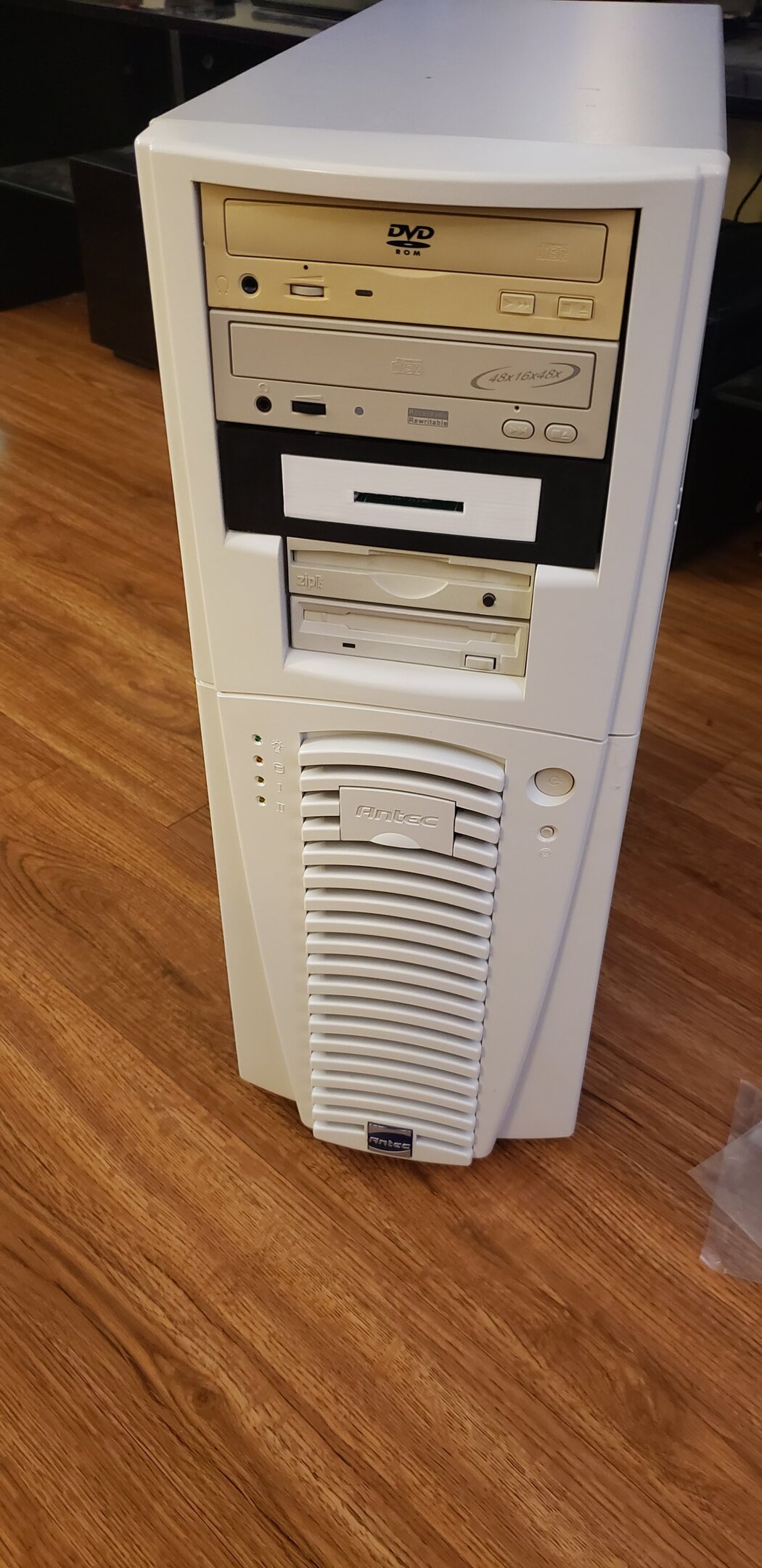
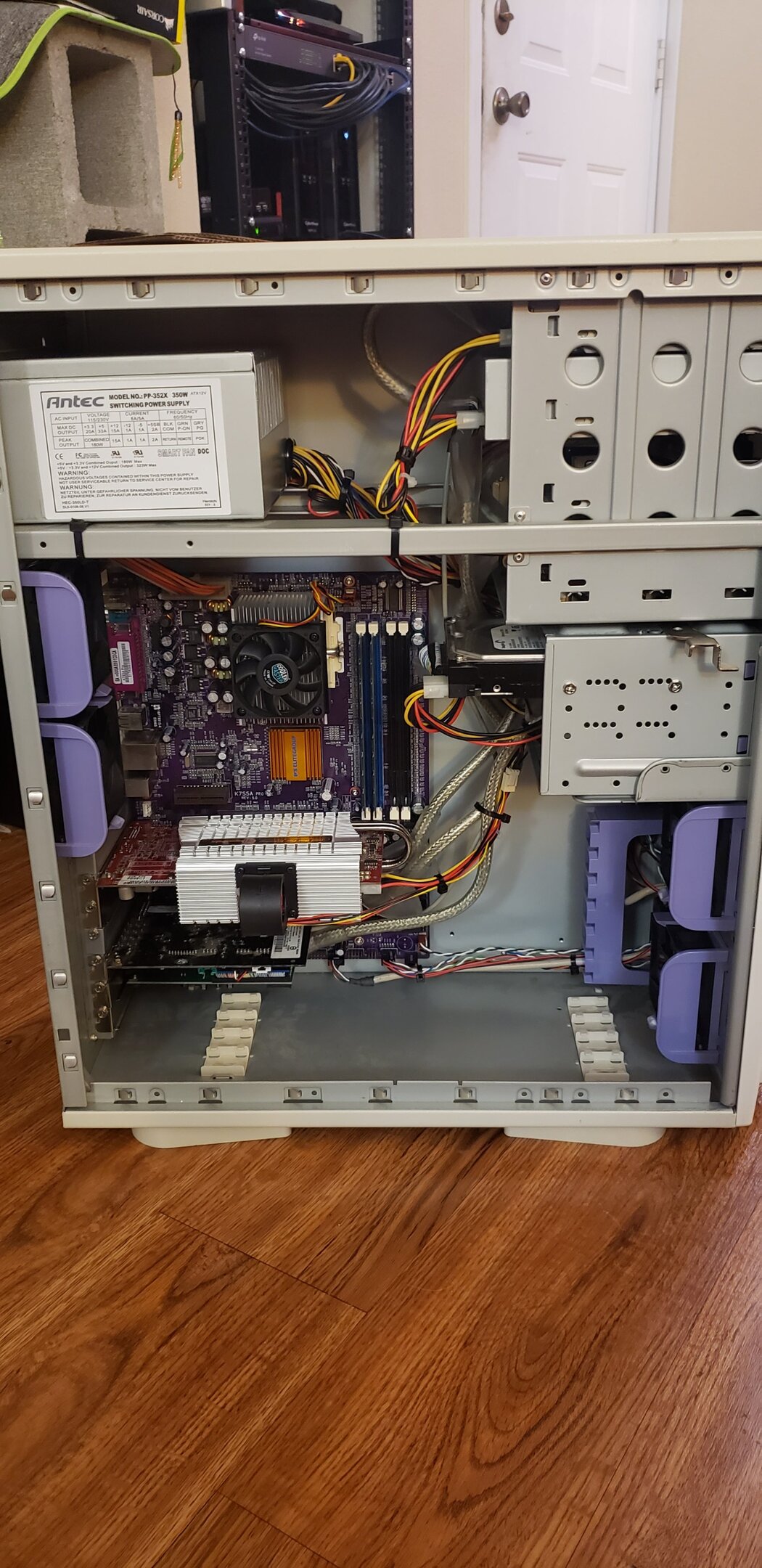
Update: May I present, "ThunderK7"! Specs: AMD Thunderbird K7 1100MHz 2x512MB Corsair Value DDR400 @ 133Mhz Antec PP-352X 350w PSU ATI Radeon 9800XT SoundBlaster Live! 5.1 sound card TP Link Gigabit LAN Adaptec Ultra ATA133 controller 16x DVD-ROM 48x16x48 CDRW Compact Flash Reader (will be painted, don't worry) Iomega ZIP250 Floppy Disk Seagate 160GB IDE Hard Drive Fully Restored Beige Chieftec Dragon case (Antec branded) Will eventually have Windows 2000 on it, trying XP on it now (it works, tested a week ago). I did the best I could do with the spaghetti cables, I think it turned out pretty decently considering all the cables in there. I did avoid using ribbon cables, even though there's no side panel window. Overall, I'm really pleased with how it turned out except that stupid black and white, very vibrant CF reader. Luckily I had extra paint on hand, so no big deal there.

-

Optimal sound card/audio setup w Z-5500 Logitech sound system
pio replied to Storm-Chaser's topic in Computer Audio
You might find that the plywood might end up causing more vibrations than anything and it being an annoyance. The one in the corner works so well because its a corner, and probably well insulated walls. You shouldn't need to turn the gain up louder, the point of the second sub is to fill in the room better where the dead zones were at, and to change the "boosted" frequency some so you have a better overall sound out of them. Example, you might be getting say 45Hz peaks at your listening position out of the main sub, due to the room and where the sub is at. Adding the second one in, might not make it very much louder (a second sub adds about +3dB in a perfect scenario). BUT, it'll change that 45Hz peak frequency and fill it in so you have say 35-45Hz peak frequency, so it'll sound better. It definitely does add more pressure to the room, but again, you should in theory expect in a BEST case scenario a +3dB increase in output, which is about "double" to the human ear. -
wccftech Ryzen 7000 5nm Desktop CPUs Possibly Launch on 9/15
pio replied to bonami2's topic in Rumour Mill
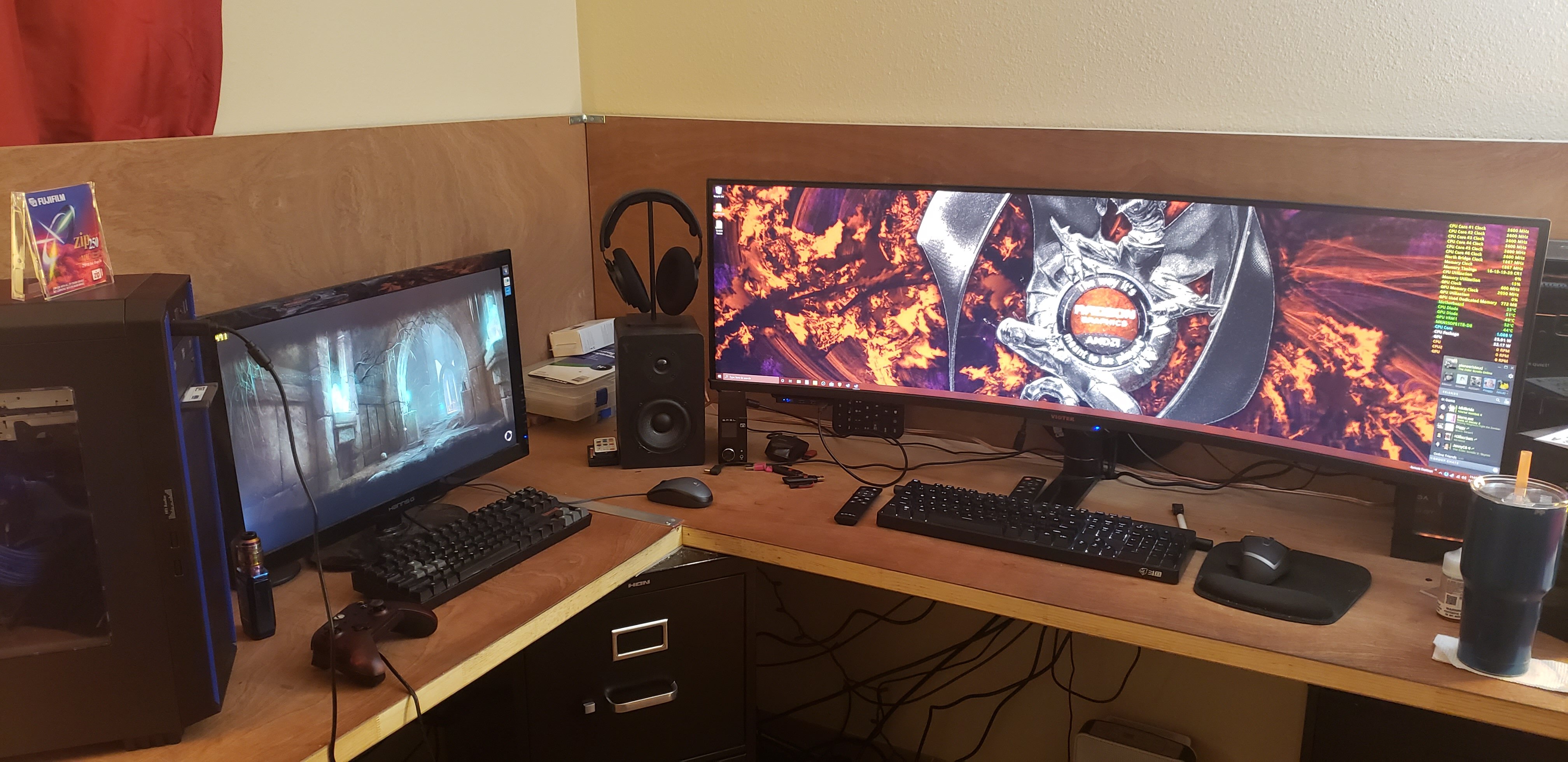
Same here. I'm absolutely MORE than content with my 5800x / 6900xt build. I was happy on my 3770k and RX 580 up until like 2 years ago or so, when I built my Ryzen 3600 / RX 580 (upgraded to 5700xt), and I only built that because my CPU failed when I delidded it. My monitor actually drove my upgrade when I picked up my giant ultrawide, moreso than my need for a better rig at 1080p or 1440p. -
guru3d CPU bug affects Intel CPUs; 10th, 11th, and 12th generations
pio replied to UltraMega's topic in Hardware News
Been complaining about this since 8. Seems its still a thing. Are they going to start blocking older CPU's again instead of just decreasing performance? It's always about the same thing, buying the latest and greatest, which I'm okay with to a point (looks at my 5800x / 6900xt). It just really grinds my gears when they "patch" older equipment to be slower on purpose, or flat out block the use of older equipment entirely.
-
The RMA was denied by AMD this morning. Apparently my chip was an OEM CPU out of a pre-built. -_- Rage bought another 2600x on ebay for $90. Whatever, this should fix it this time.
-
-
Optimal sound card/audio setup w Z-5500 Logitech sound system
pio replied to Storm-Chaser's topic in Computer Audio
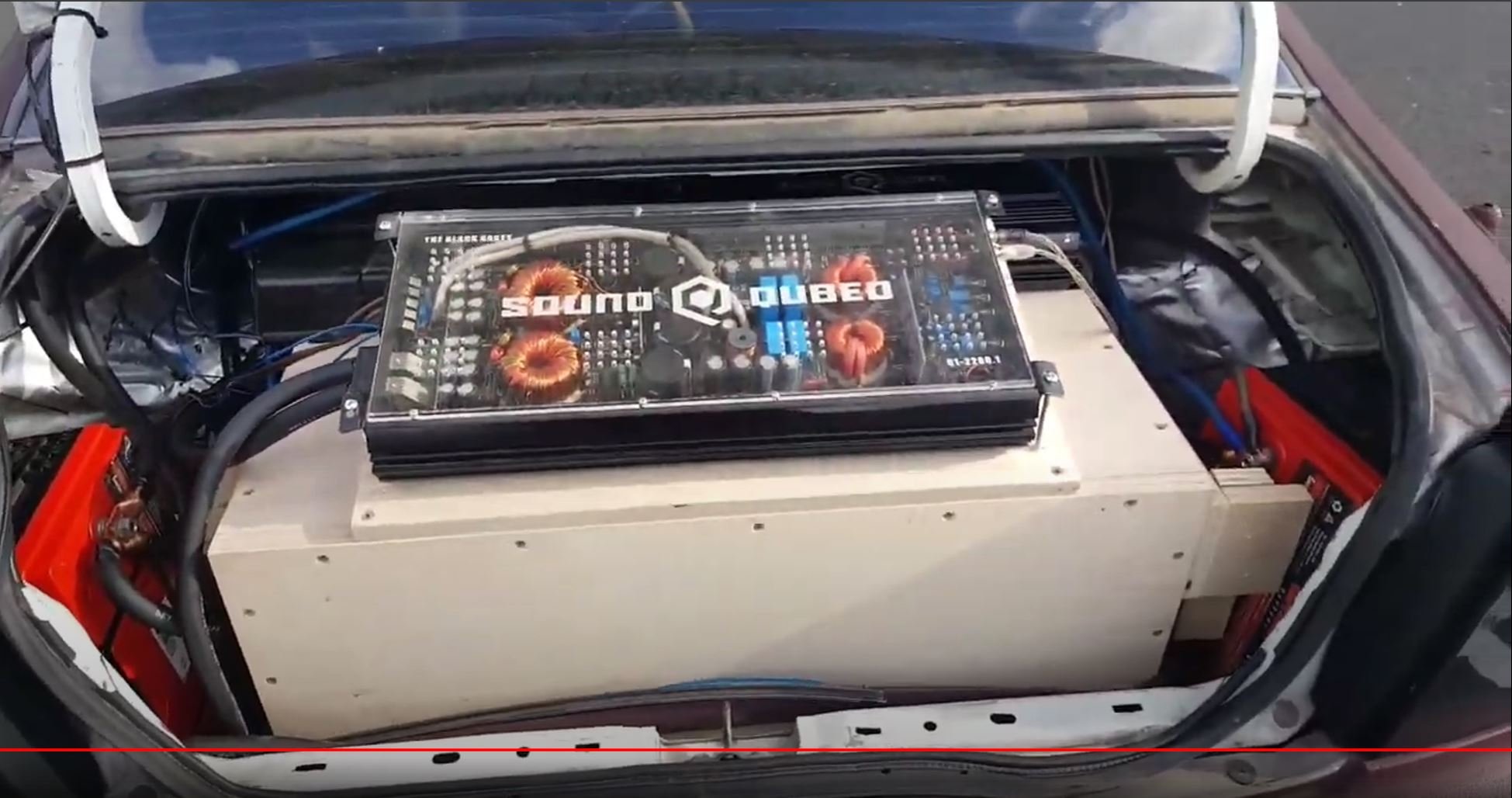
Subwoofer channel, yes. Subs are never left and right, as any frequencies (typically) under 80Hz are "non directional", meaning you cannot tell a difference between left and right, front and back. It just fills the room. That's why with YOUR 12" subs I keep telling you to play around with room position. It doesn't matter WHERE a sub is at, so long as you're getting the most out of it. I mean, you "can" use left and right if you want to, but it really doesn't matter as much as your mid-bass 80Hz ish and up. This is also why in car setups you'll find subwoofers typically in the trunk. Not ONLY because of space concerns, but also because it just doesn't matter where they are in the car so long as you're getting the sound waves hitting your ears right. I've heard an MR2 with a sub in the "trunk" up front, and you can't tell a bit of difference where the sub is actually at. In the picture I shared, I was using two Dayton Ultimax 10" subs, in a tuned box at 2.45 cubic feet tuned to around 30Hz if I remember right. They dug down as deep as 25Hz with authority, and up to about 50Hz. Which meant my doors had to pick up from there. I had a little bit of a frequency gap, but man did it thump and hit low. My next build, I'm shooting for even lower tuning if I ever get to it. The 2200w was RATED power at 12.8v at 1.0ohm. I was running 14.6v ish (car running / 3 batteries / upgraded wiring), and 0.5ohm load on it. So yeah, was getting around 2800w RMS out of it (I think it clamped somewhere around 2775w or so). Going below rated resistance is NOT recommended unless you absolutely know the amp can handle it, as I've mentioned to you before. Those Soundqubed Q series car amps that I had were Korean based amplifiers capable of 0.5ohm loads, so it wasn't an issue. I actually ran that same amp just fine at 0.25ohm with 4 10's in my Acura too for a while, and dailied it at 0.33ohm with 3 10's. The Acura was where I started the build, the Honda was where I finished it and then it got stolen lol. Car setups are entirely different from house setups though, as the room / "cab" is bigger so you have more space for the sound wave to mature properly before it hits your ear. That's why those Klipsh subs at their what 250w RMS or so, impact you so incredibly well. The bigger the area you're filling (to an extent), and the larger the subwoofer box itself can be, generally the better its going to behave. It all depends on the tuning of everything though, including your room (or car cab). It also has to do with how much you can pressurize the room or cab as well, in a car that's harder to do with the windows, doors, and trunk lid flexing and letting air leak out. In a house, that issue doesn't happen as easily. This is why it takes several hundred watts or even thousands of watts in a car, whereas a good 250w sub is good in a home, or part of it. -
Optimal sound card/audio setup w Z-5500 Logitech sound system
pio replied to Storm-Chaser's topic in Computer Audio
Dayton Reference 7" woofers, crossed over at about 5kHz was what mine ran. My tweeters were 8ohm old Sony 1990 tower tweeters that I robbed because the woofers were busted. I was doing about 200w RMS or so to the 7" woofers, and about 60w RMS to the tweeters (also crossed over around 5kHz). My rears were just midrange and fill, Alpine Type S 6.5's with blown tweeters, and they were getting probably around 75w RMS or so each. The subs were getting almost 2800w RMS clamped out of that monoblock, running it at 0.5ohm. -
Waiting to hear back from the seller on those cards on Saturday, he's out of town working and won't be home till then. So that's currently on pause. Excited about it though. The frustration continues with my kiddo's rig. Got the new ASRock B450m Pro4 in Saturday and decided to go ahead and give it a go last night. Still no go, no POST. It's weird, it'll work sometimes if I reseat it, and other times it won't, but it still freezes in BIOS too (on his original board). The CPU drops right into the socket, no problems at all. It's not acting like the pins are bent on it. Started an RMA request with AMD for the CPU as I don't see anything at all wrong with it. Attached is a picture of the pins. I have absolutely no clue what's wrong with it. I also just placed an order for a 2600x on ebay, it should be here hopefully next week sometime. Worst case, I'll have a spare CPU laying around I guess, or I can sell it on craigslist or something if AMD takes the RMA. Assuming his original B450m Pro4 works fine with the 2600x (it should since the CPU didn't work in a BNIB one), then I'll be sending the BNIB motherboard back as no longer needed / didn't work out. SIGH! -_-
-
Optimal sound card/audio setup w Z-5500 Logitech sound system
pio replied to Storm-Chaser's topic in Computer Audio
I had that very SAME exact Pioneer 760w amplifier in my last big car build! You can almost see it there behind the giant "2200w" monoblock, on the left hand side. I was using that Pioneer 2ch 760w to power my front door woofers. The tweeters and rear speakers were powered off my Soundqubed Q90 4ch on the right, also behind the monoblock.
-
Optimal sound card/audio setup w Z-5500 Logitech sound system
pio replied to Storm-Chaser's topic in Computer Audio
Just be careful with them, as I said before.....and they should last you a lifetime. I still say play with their positioning around the room too if you can. The second one definitely helps to fill in dead zones, but you might find the frequency changes as you move them around the room too due to the voids in the room. Now we just need to get you to step into some real speakers to match them, like your center, and you'll be all set! -
Agreed wholeheartedly! We're clearly in an information war and have been for some time. Enough is enough. I say we demand the truth, and nothing BUT the truth. These bot farms, regardless of who operates them, are only there for one purpose, and that's to spread false information and propaganda.
-
After researching and researching the issue, I really feel like I'm never going to get an RX 580 working with the B350 board (nor with my friend's B450). Weird that they work fine in my personal B450 board, but whatever. Working on a deal right now with an ebay seller to buy a FuryX and a Vega64, and he's tossing in a 7950 for free since I'm a collector. This will mean that my GPU collection will be 100% complete if the deal goes through! (It also means a spare Tahiti card, which I won't say no to that, I LOVE Tahiti!) Crossfire HD7900's on my Phenom II 1100T rig? Maybe........ Talk about a bottleneck..... Here's to hoping that the FuryX doesn't have the same CSM bug as the RX 400 and RX 500 series cards. It shouldn't as its older. I haven't read any reports of the Fury lineup having the same bug anyway.
-
52 in a 45 is hardly "speeding". I mean yeah, its technically speeding, but still. Everybody does at least 5 over. The people saying wreckless driving.....wreckless driving doesn't come in until you're doing at LEAST 15 over. Worst case, it'd be a minor speeding ticket. No different than if you caught a police officer on a bad day writing you up for 2 over (had it happen). Either nobody in here has experience with the police, or ya'll have some seriously stuck up officers. Insurance wouldn't EVER claim it as his fault either, why would they? She clearly failed to yield to oncoming traffic.