Welcome to ExtremeHW
Welcome to ExtremeHW, register to take part in our community, don't worry this is a simple FREE process that requires minimal information for you to signup.
Registered users can:
- Start new topics and reply to others.
- Show off your PC using our Rig Creator feature.
- Subscribe to topics and forums to get updates.
- Get your own profile page to customize.
- Send personal messages to other members.
- Take advantage of site exclusive features.
- Upgrade to Premium to unlock additional sites features.

pio
-
Posts
1,780 -
Joined
-
Last visited
-
Days Won
109 -
Feedback
0%
Content Type
Forums
Store
Events
Gallery
Profiles
Videos
Marketplace
Tutorials
Everything posted by pio
-
@AvacadoI completely understand speeding a little over. I regularly do about 5-10 over because the cops just don't care around here either. Of course, its regularly dry around here being a desert. A quick lesson for defensive driving, especially in a situation like that, try to aim BEHIND the car, not in front of. Always assume the car is going to continue moving forward as most people panic in a situation like that and gas it. The swerve to the right is what screwed you up. Granted I wouldn't swerve into oncoming either, but had you braked when you swerved, and tried to go in behind her, you might've made it. Overall, you didn't do anything wrong there, she was very clearly in the wrong. And to top it off, her taking off. Good dashcam quality you have there.
-
No, needed a tougher laptop for my son's schooling last year. It was an HP ProBook, and buying an older one was the cheapest option I could find. I paid that much because I also put a SSD in there though, the SSD was as much as the base laptop cost lol. Mine came with the laptop, no RAM, no HDD, no battery. Laptop itself was $50, but you add in RAM, SSD, battery, and charger, and it adds up quickly. I mean overall, it wasn't too bad. Its a fantastic performing laptop still today for what my son needed it for.
-
If I didn't already have 3 laptops hanging around my house I don't use, I'd say count me in. That's honestly a REALLY good price on those. You should have no problems moving them. I just paid that much for a 1st gen i5 laptop (mostly because I had to piece it together).
-
Very good point. I didn't know about the 1630. I was thinking also the 1030 over the 1050Ti as another example, but yeah, you got what I meant. Agreed about the driver struggles. I don't think Intel was QUITE ready on that front. It's one thing to create a new bit of hardware, its an entirely different beast to try to make it work right with every single possible title out there. And yeah, there's the VRAM thing, but still.....the A380 is within margin of error there with the 6400. It's a really close race between those two, and the A380 is cheaper by quite a bit.....with early release drivers that Intel clearly wasn't ready for. I think Intel might actually have something promising here.
-
I'm going to be a little bit of an outlier here I think, but it looks promising to me. It's comparable to the RX 6400, which is also an entry level GPU, which that's what the A380 is too (supposedly). Sounds like they need some more work on the drivers, but that's to be expected on a brand new card, even from Nvidia or AMD. I dunno, I'm still kind of excited to see another player in the GPU market, so I'll be optimistic. Then again, I'm perfectly happy with the RX 6400's performance for where it is in the lineup too. A low end "1080p / low / medium" gaming card doing exactly what its advertised to do. Seems the A380 is similar. I don't understand the complaints here honestly. Let's not forget that the RX 570 and the GTX 1660 that they're trying to compare it to, or even the 1050Ti.....those weren't "low end" cards, they were mid to higher end cards from years past. That's not entirely fair, but the A380 is doing a decent job keeping up too though. It's like trying to game on a GT 210 waaaay back in the day. Or an 8400GS, or a HD5450. Except this time, you can actually expect to have a playable experience at 1080p / low or medium. The writer of this article needs to go read up on what a "low end" card actually is. Horribly misleading title, and bias included in the entire article. Of course an RX 570 or GTX 1660 is faster. The fact that this card can even attempt to keep up is absolutely fantastic. EDIT: I also noticed that the A380 has higher 1% minimums than the other cards mentioned in a lot of the tests. This means a smoother gameplay. Something people don't talk about with the RX 6400 and 6500 cards either. Yeah, the 570 and 580 are faster on average, but the newer cards give a smoother gaming experience.
-
Read through the whole thread, it seems they're having a different issue. Mine SEEMS to be CSM related with the RX580's. But I can't seem to figure out an exact solution to the problem. The card ran Valley for hours and hours, its clearly fine. The motherboard ran fine for days with the GTX 960, so again, fine. And its an issue on 2 completely different motherboards, a B350 and B450, but yet my other B450, the RX 580's run fine in it. They were also reporting BSOD's, I don't have that. I get the windows disconnect noise, and the screen immediately freezes. Upon a reboot, I can check event viewer, and it shows the GPU was disconnected. But yet there's no rhyme or reason for it to be happening. And yeah, its still doing it as of the last few tests when playing with CSM in the BIOS. I'm almost wondering if I need to update the VBIOS on the cards, but I can't seem to find a proper answer on that either.
-
Update: Removed OGC Map, traffic wasn't spawning correctly. Added: Downhill Destruction v1.12 Carkour Adventure v1.1 Parkour 3 v1.11 Cyberpunk Map v1.3.2 The Crash Hard 2.0 Map v1.3 Off-Road Trials by Hendrixx v1.0.1 Currently the server is loaded up with "Parkour 3". Carkour maps are a lot of fun. Full map list at the top has been updated. I can always swap to ANY of the maps listed, just have to let me know. Also, because of the mods list growing to over 3GB now, I've added a direct download link to the mods used on the server, and included directions on how to put the mods in the right spot. Whenever I update the mods on the server, I will also ensure that the download in the OP is also updated.
-
What's funny is though, the same EXACT motherboard that's giving me problems (one of), I ran an RX 580 perfectly fine with my Ryzen 3600 rig before I got my 5700XT. That same B450 is paired with my friend's Ryzen 1600AF, and....yeah random disconnects. I'm having other random issues with other builds here, but that is either my own mis-doings, or simple incompatibilities or busted parts. This one issue is really leaving me scratching my head here.
-
Swapped a GTX 960 into the Ryzen 1400 rig, and it fixed it. So now the question is, why are all 5 of my RX 580's broken in Ryzen setups? I have this B350 board that "disconnects" the GPU's, and I also have my friend's Ryzen 1600 / B450 setup that does the same. It's not the cards, they seem like they're working just fine......I mean seriously, 6 hours the other day stable. And they disconnect at idle too, so its not even a load that's causing it. I have a trick I'm going to try, thanks to a guy that goes by ShrimpBrine (HWBot people probably know the name). Apparently it could potentially be a BIOS glitch on the boards with CSM. I'm not going to give up until I have an RX 580 in these two Ryzen setups, functional. One....because one of the rig's isn't even mine, and two, because an RX 580 is the "correct" GPU for my Ryzen 1400 I feel. Either that or a FuryX, but I don't have one of those. Sigh, the saga goes on! I also painted the front panel of my cracked Chieftec Dragon yesterday. I ended up dropping a stupid cat hair on the wet paint though, and unfortunately its in a very visible spot. So not sure what I'm going to do about that yet.
-
Rx580 8gb. I have 4 of them. 2 so far are doing the same exact thing, both of my msi cards so far. Under gpu load, at random, I hear the windows disconnect noise and then the screen is frozen. I checked event logs, and it's definitely gpu being disconnected. I just haven't figured out why. I can try one of my asus 580s. I know I had problems with all 4 of the cards mining previously. So it's not impossible both of the msi cards are damaged. I just don't know. EDIT: Replaced the PSU in the rig, so far its been running Valley for an hour and a half. I knew I couldn't have 2 bad GPU's in there. Been running my better MSI RX 580 8GB, that appears like it might overclock to 1450 core. Will update proper tomorrow after its passed a good long time alive without the GPU disconnecting and hopefully (*knocks on wood) after some overclocking. But so far, looking better. Running bone stock on everything right now, just to make sure its alive properly. EDIT2: Woke up today to the rig dead again with the GPU having been removed. I don't get it.
-
The Ryzen 1400 rig is giving me some issues while waiting for the HDD it's short. For some odd reason, the GPU keeps disconnecting under load. Not really sure why. I've tried swapping to another RX 580, I've tried flashing BIOS on the cards, and I've tried removing my 8pin sleeved extension. I'm at a loss, I can't have 2 cards that are dead sitting here.
-

New AMD drivers for 6 series cards fixes ppd in F@H
pio replied to mx500torid's topic in Folding@Home
I was having the same issue a while back with both my 6900XT and my 5700XT on older drivers too (random black screen / monitor disconnecting). Back then, swapping to the monitor supplied DP cable fixed it, and seems to have fixed it since then. It very well COULD just be my oddball monitor causing the issues on my end. Regardless, swapped back to 22.5.1's and all is fine on my end. -
New AMD drivers for 6 series cards fixes ppd in F@H
pio replied to mx500torid's topic in Folding@Home
This driver broke gaming for me with my 6900XT. I kept getting a black screen / monitor shutting off everytime I'd try to play a game. Swapped back to the latest WHQL's and it fixed it. Normally I'm a huge advocate for AMD drivers, I absolutely love them. But....yeah, this one broke for me. -_- -
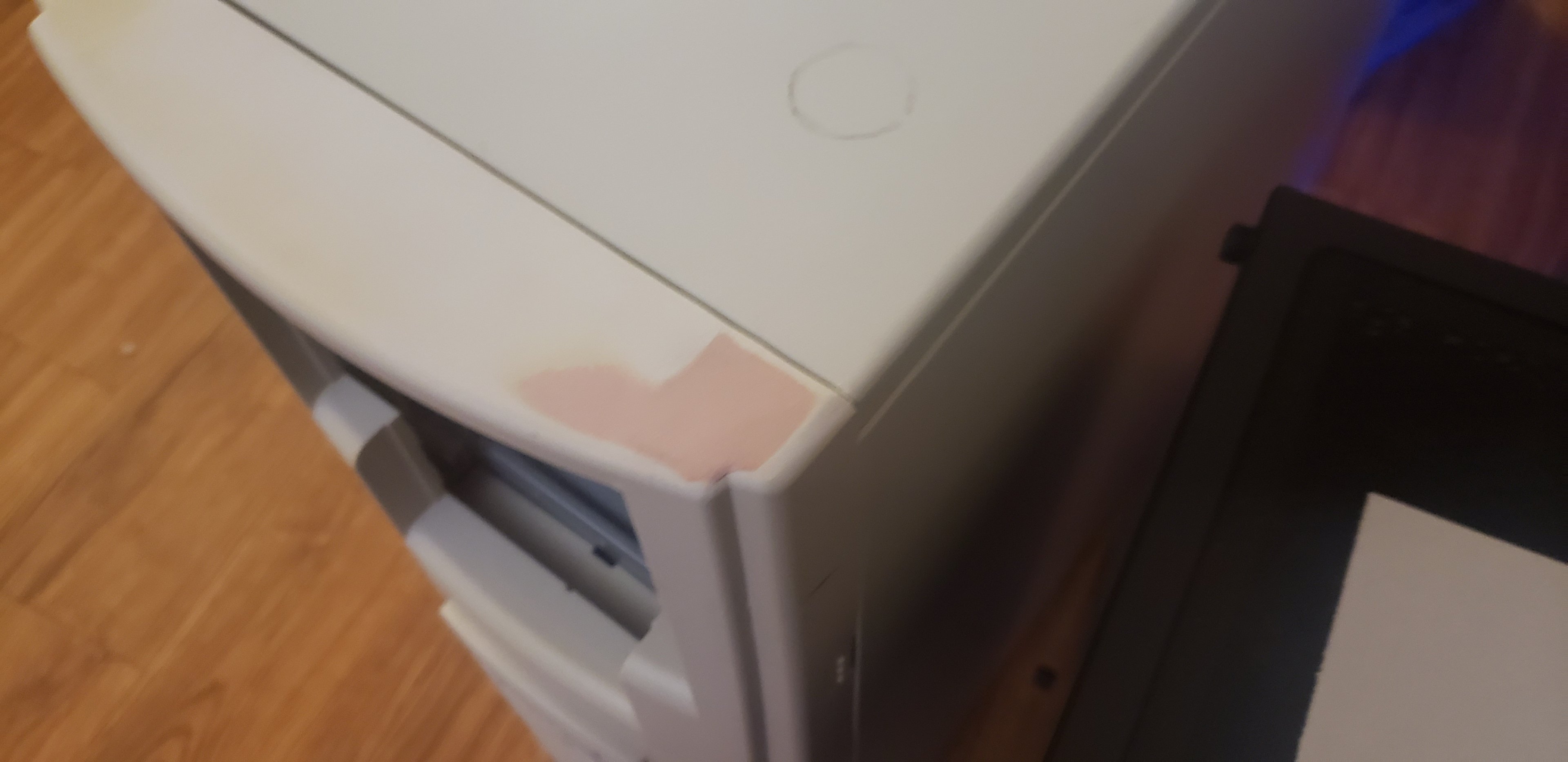
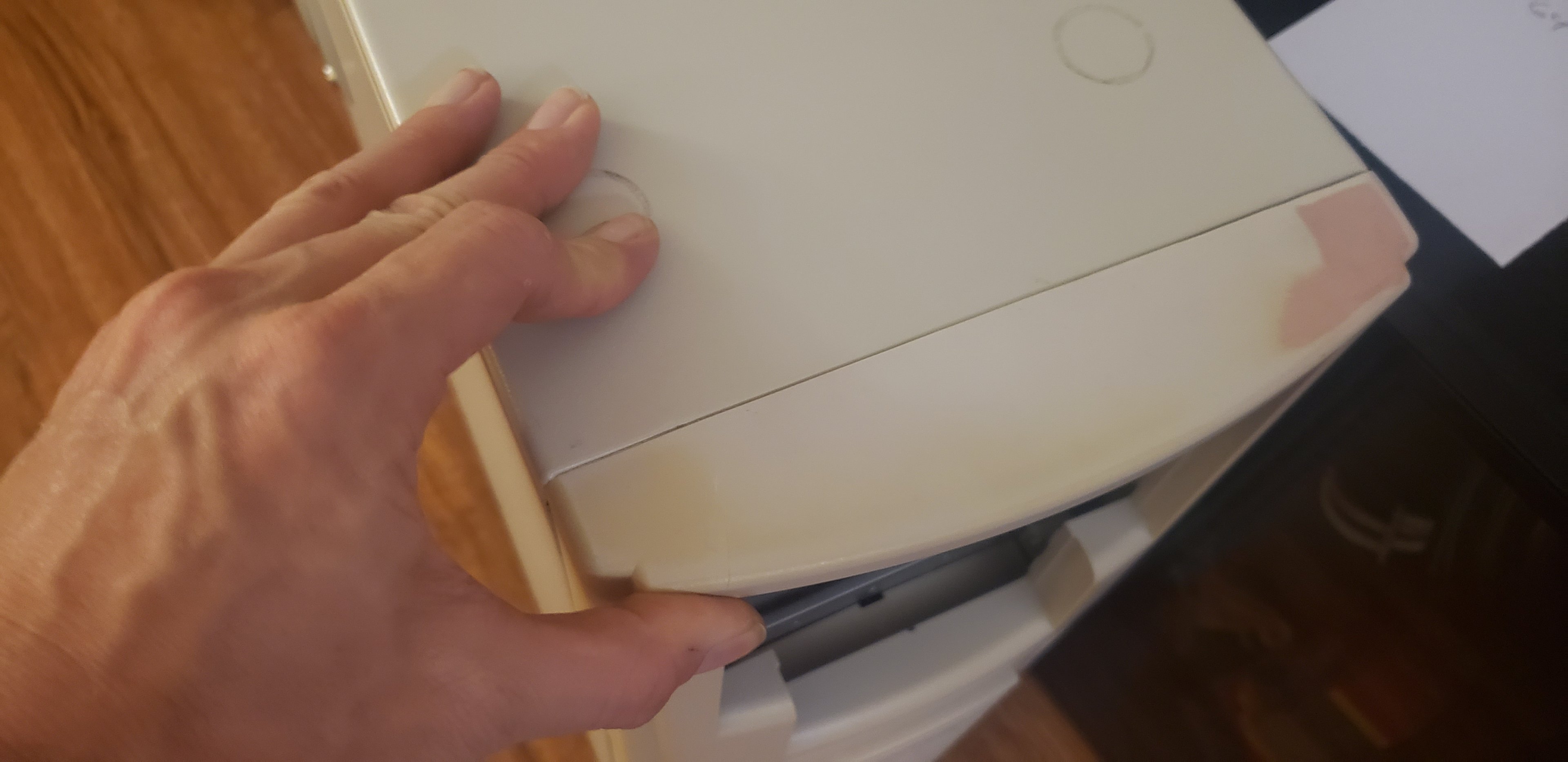
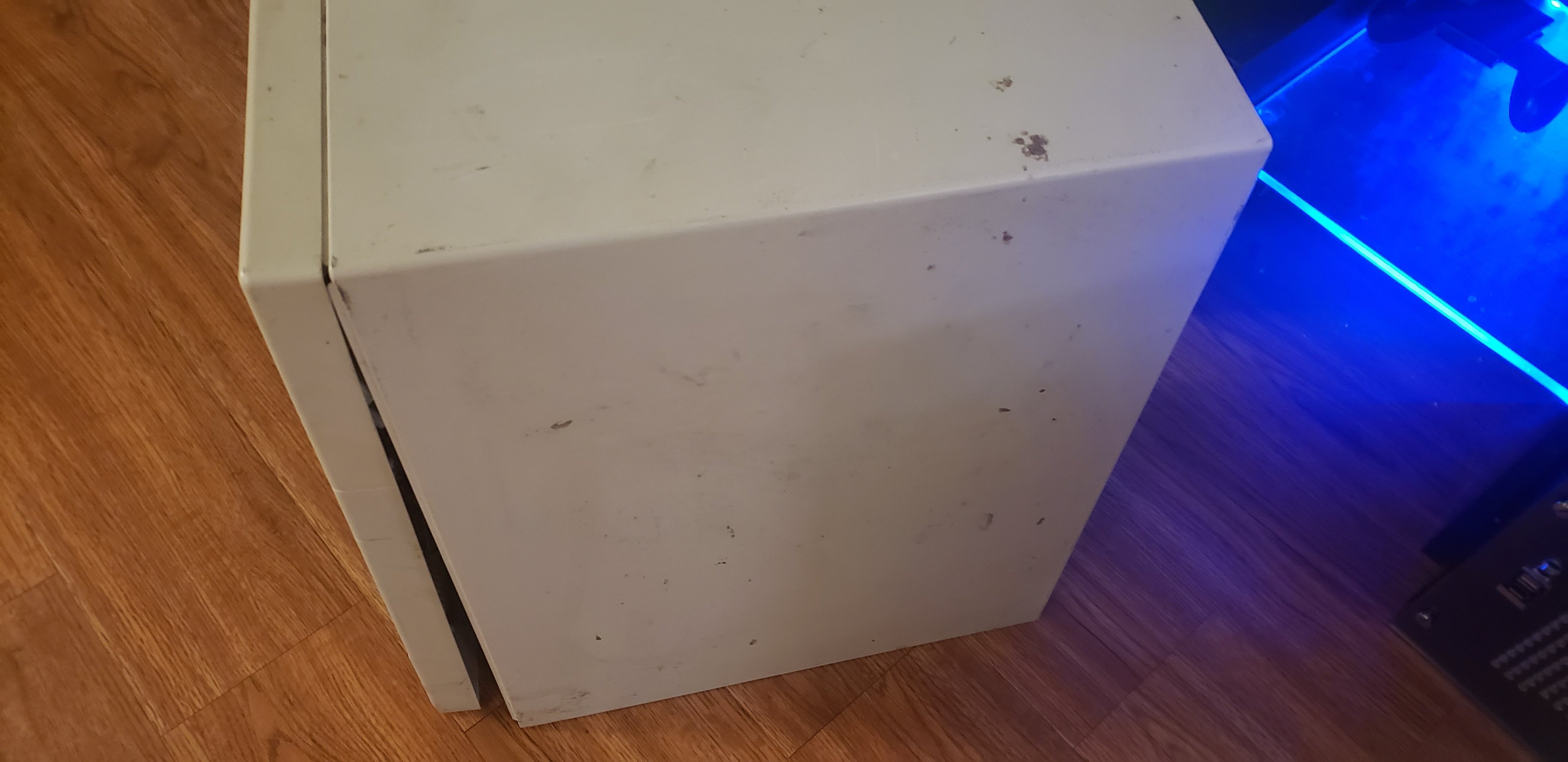
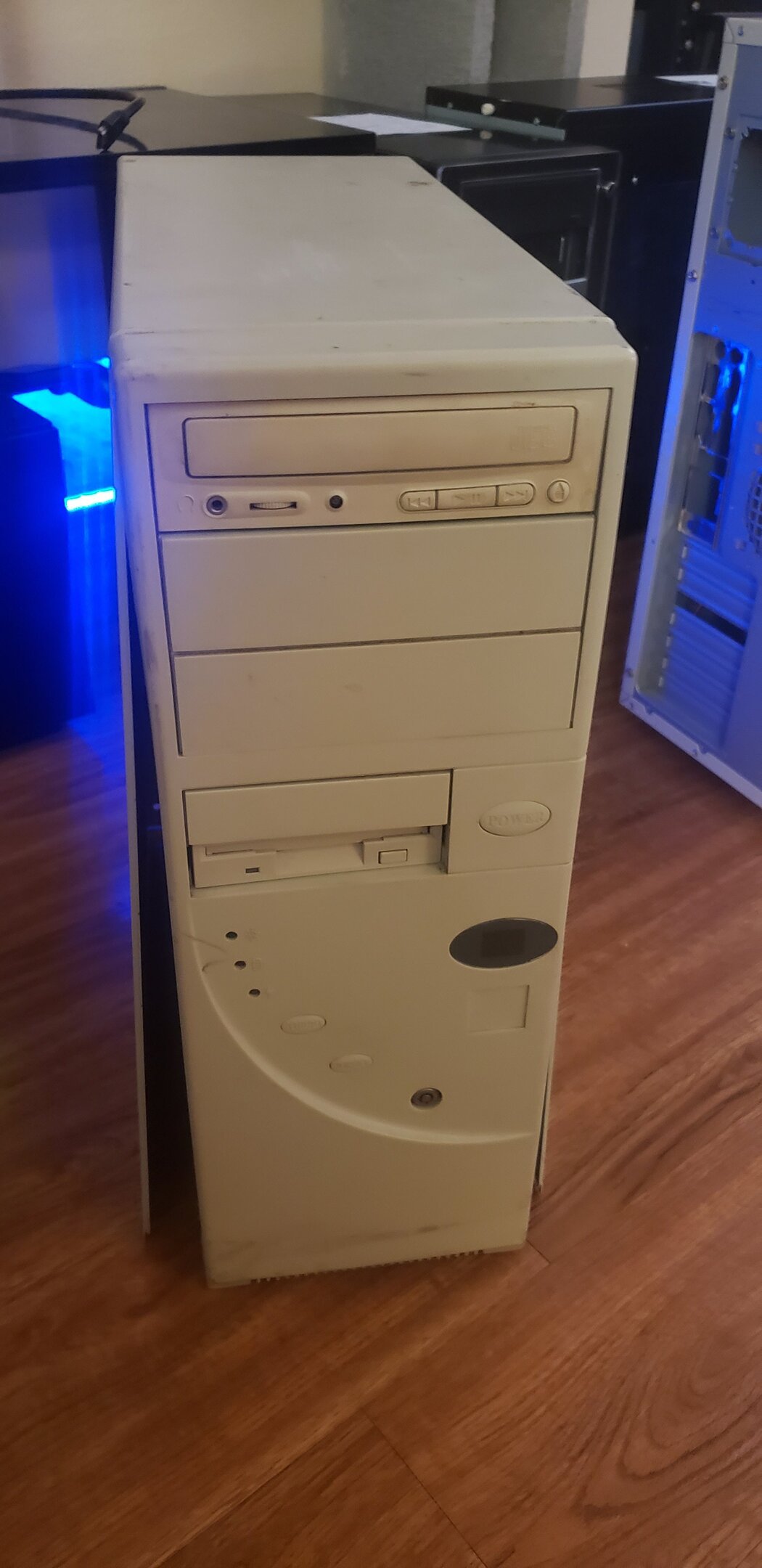
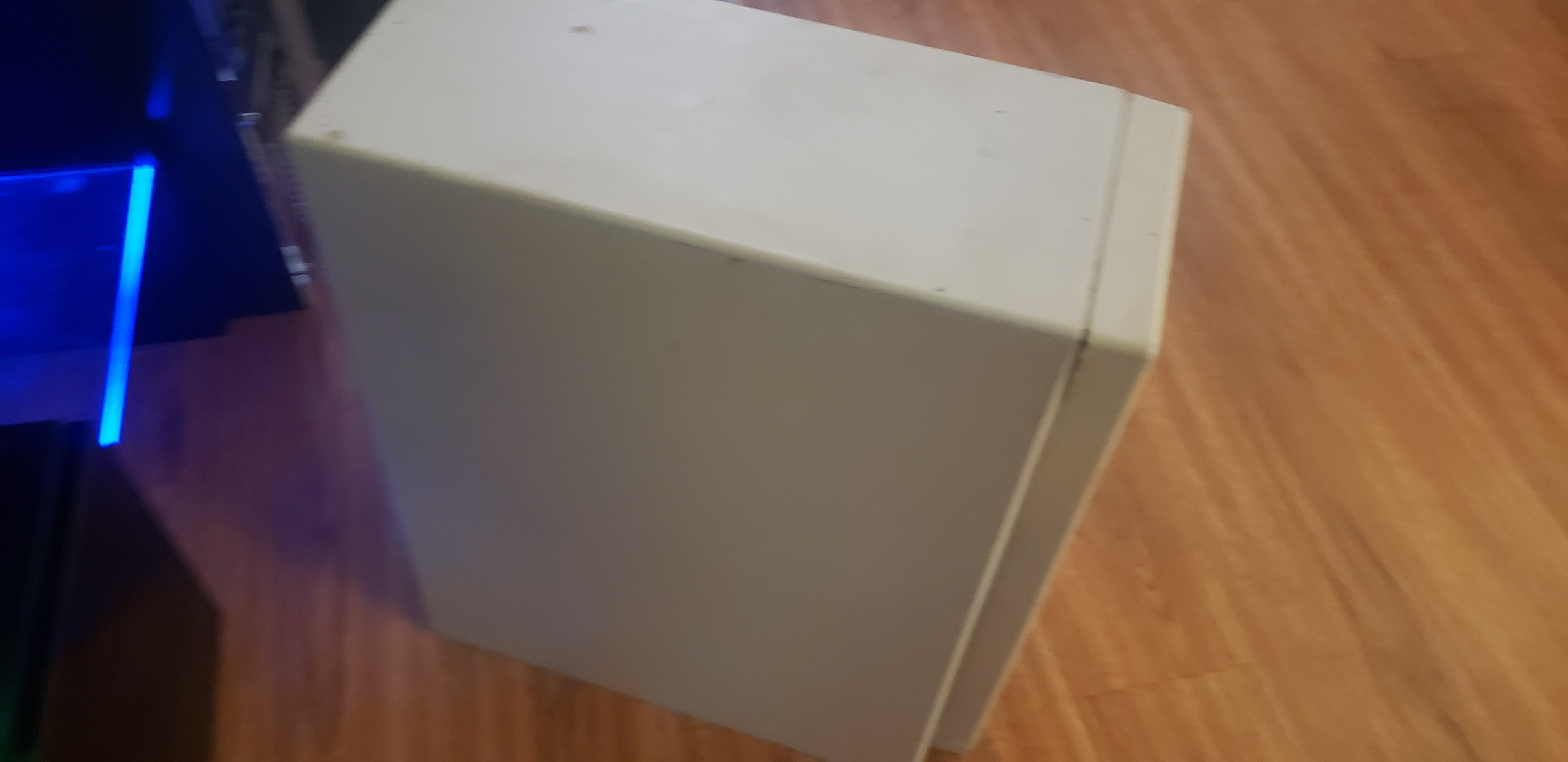
Double post, but hey...an update! My grandpa, and his decades of experience with bondo came to the rescue with my beige Chieftec Dragon! Check it out! Going to have to put a dab of hot glue behind this tab that's not quite grabbing on just right. Not really a HUGE deal. Easy peasy. I went ahead and wiped the case down thoroughly after taking these pictures, and the top is honestly nearly perfect too. Those marks on the top wiped right off with a damp towel. This rig (with the T-Bird 1100 / Radeon 9800XT / 1GB RAM / Windows 2k) is almost ready to be built. Will need to paint match the front panel, and locate some IDE cables for it and I think its ready to be built! I have a few cables, but not entirely sure which direction for cables I'm going. Can't really see the internals so might just use ribbon cables. I also went ahead and broke out the K6 rig at the same time, to determine how bad the case was on that one. The front panel doesn't attach to the case at all, and there's a giant dent along the bottom I hadn't noticed previously. Upon pulling it apart though, I found an 8x CD-ROM drive, a 1620MB WD Caviar, and a 10.1GB Toshiba HDD. The internals look fine, I do want to inspect the caps on the PSU before I power it up, but looking at the motherboard I'm guessing the PSU will be fine in that. Looking like for the K6 I'll need to find an AT style case, CD drives because I don't want the 8x in there, and an 80GB HDD because well, those drives are way too small. I'll test those drives regardless, and if they work.......I'll save them for the K5 / Windows 95 rig that I have nothing for. If they don't work, no big deal. Here's some pictures of the K6 rig as it sits. Again, was hoping the case just needed a paint job, but yeah....no.

-
Yes sir, they work great! I was actually trying to RAID0 them on my B550, but yeah, that frustrated me and I gave up and am instead using them as separate drives lol. I know how to do RAID on my board, I still have the 2 HDD's in there, and they're in RAID just fine. Windows kept trying to create a new RAID array when setup started, and it'd only find one drive. Not sure what was up with it. Could reset CMOS and try again, but I like my clocks on my CPU and RAM and stuff, so yeah.....single drives it is. I also did try the other one in the Ryzen 1400 machine too (the one going in the server first, eventually they'll all get in there probably). So yes, they all work.
-
I don't have any other explanation, I cannot see any further bent pins on the 2600x. It's not clamping in right into the socket on his B450, it doesn't do that nice little "snap" anymore. It does it just fine in the B350 board though, and POST's immediately in that board. I seemed to have good luck using a mechanical pencil without lead in it. The Ryzen 1400 works, and that's what started this whole mess. -_- EDIT: Also, a huge thank you again to @damric for the SSD's! I've got homes for them right now. Main rig is definitely appreciating the speed boost, I had to take my 512GB drive out for the Ryzen 1400 anyway as that's what I bought that drive for originally. As soon as I can, which might be another month out or so, I'll order some PCIe adapter cards, I need a few spares anyway, and I'll pop one into the game server that I'm hosting for EHW. Just wanted to share that those are installed in my main rig for now.
-
Ryzen 1400 rig is fully built, minus a HDD for storage on it. I'll update with pictures once I get that in. It's working great, I just tossed a 500GB 2.5" HDD in there out of my main rig for now. I could take pictures, but I'm exhausted, I'll do it once its finished 100%. Socket 754 setup is alive and working. I used it tonight to bench test a ton of my old gear, drives, things like that. Found some stuff that's dead sadly, either arrived that way or death by bad molex splitter. I was actually a little disappointed, my Iomega ZIPCD 8x4x32 drive that I bought BNIB for the K6 rig is actually faulty right out of the box. However, because its missing important bits for the wire management like IDE cables (SATA plugs are dead on the board), DVDRW, ZIP drive.....actually I think that's really all its missing. But yeah, I can't build it as is, it'd look hideous with ribbon cables in there. So that one is also on hold, however its currently installing some DX9 games right now so I can test out the X1950 with it. Been waiting since the X1950 was brand new 20 years ago to try one! After I get some gaming in on it tonight, it'll be retired to the shelf. I did actually make shopping lists this time so I'm not just ebaying blind. Yes, I added a B450 board on the list too for my son's rig. -_- I'm going to order what I can afford in order from newest to oldest on payday. Overall the shopping list isn't too terribly bad. Please, shoot me a PM if you happen to have any of these parts and are willing to make a deal. We can even do an add here on EHW so that way E gets his cut. 6TB HDD B450 motherboard Vega 64 (can wait) Black IDE DVDRW with lightscribe 2x black ZIP250 drives 4x double round IDE cables 2x single round IDE cables 2x round floppy cables 4x PCI wifi cards PCI IDE controller card Antec True 550 or equivilant PSU 500GB IDE hard drive black CF reader Bundle of various IDE / Floppy ribbon cables (for old rigs) Some beige paint (unknown still what all the K6 is missing, K5 is still missing all)
-
I still can't wrap my head around how I possibly damaged the stupid socket...... It's the only explanation I can think of though. If I reseat the CPU and push on it while doing so, it'll POST. Once I go into BIOS, save and exit, nothing again until I reseat CPU again. But yet, in the B350 board I got yesterday, the Ryzen 2600 works fine in it.
-
Problem is, I'm not sure if that'll work. The K6 uses an AT keyboard and serial mouse, not PS2. I have adapters to make the AT and serial ports into PS2 though. I'd hate to plug an adapter into my adapters to adapt my things to the adapters, wait a minute....... Dude, you're telling me. Over the years I threw away soooo much of this stuff its rediculous. And now, I'm spending tons of money trying to get at least one of them back. -_- Lesson learned, be a packrat early on lol. If you still have your X1650, that's a good find too though, and the 9800GT! I had both of those cards myself back when they were new too. Good stuff. Actually, the X1650 I had was paired with a Celeron 352 @ 4.5GHz when I joined OCN in 2006 I think it was. --------------------------------------------------- Small update: I received my B350 board and Ryzen 1400 today. For some odd reason, its got absolutely no power going through it at all. I fear the worst that the motherboard is dead. But I have no way to say for sure, but I think that's a safe bet. Emailed the seller and ASRock both just to double check. I can, in theory, pull my Ryzen 2600 out and plop that in the board, see if that makes it come to life. My Ryzen 3600 is too much of a PITA to remove, so I'd rather not pull that. SIGH, I don't know. I probably will have to pull that system down tonight (the 2600 rig), so I can test the CPU out in my B450 board. Pretty sure the BIOS its on should work with a 1400, it works with the 2600. EDIT: So I went ahead and pulled kiddo's rig down (the Ryzen 2600 / B450). Swapped the CPU into the B350 board, that board worked. Checked the Ryzen 1400 and sure enough, it had bent pins from the mail (I certainly didn't bend them). Upon moving the Ryzen 2600 back, I accidentally dropped it a few inches off the board and bent pins on THAT processor though. I looked at it, didn't notice anything, so tried to put it back in the B450, and well....now the B450 doesn't work with either CPU. The B350 works with both, after I spent hours straightening pins. Sigh.....its looking like putting the 2600 in the B450 with bent pins might've damaged the socket. I can get it to POST by pulling the cooler and reseating the CPU. As soon as I save the date and time and exit, it no longer POST's again, and I have to reseat the CPU again to get it to come back. I'm pretty sure I killed the B450 board's socket. Fun......something stupid that could've been avoided easily had I not been a butterfingers and jumped because my kid made a loud noise. -_-
-
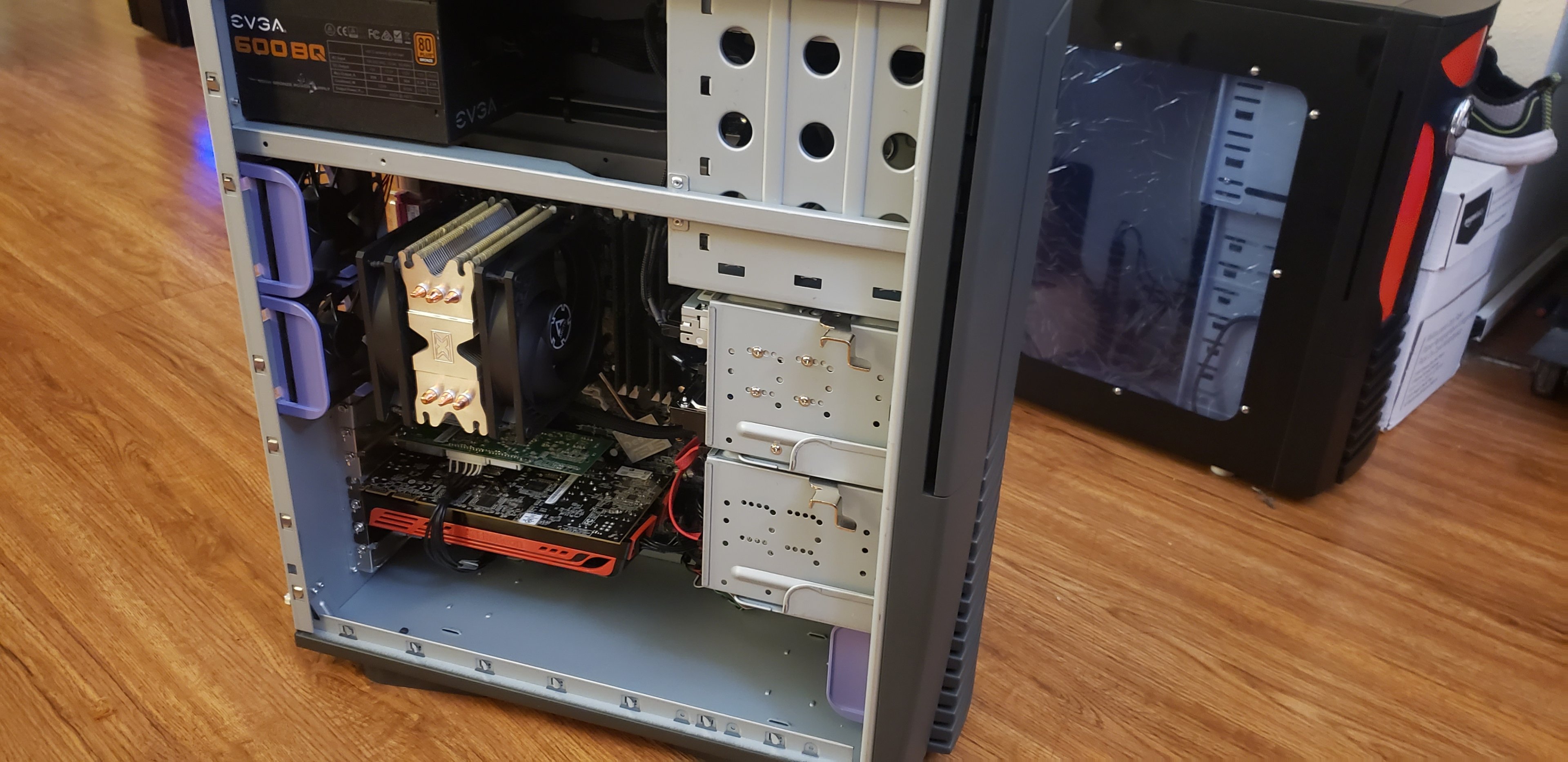
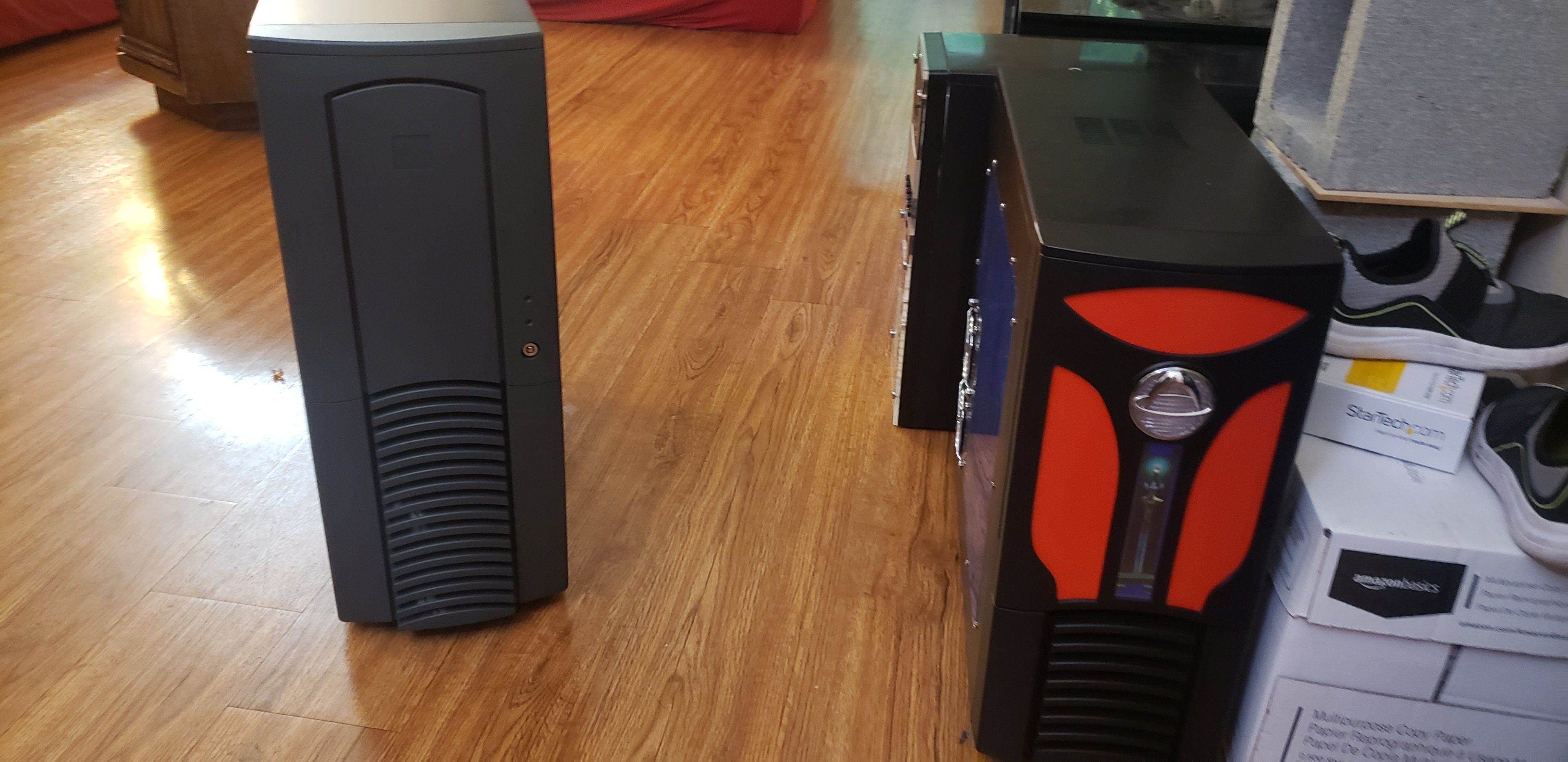
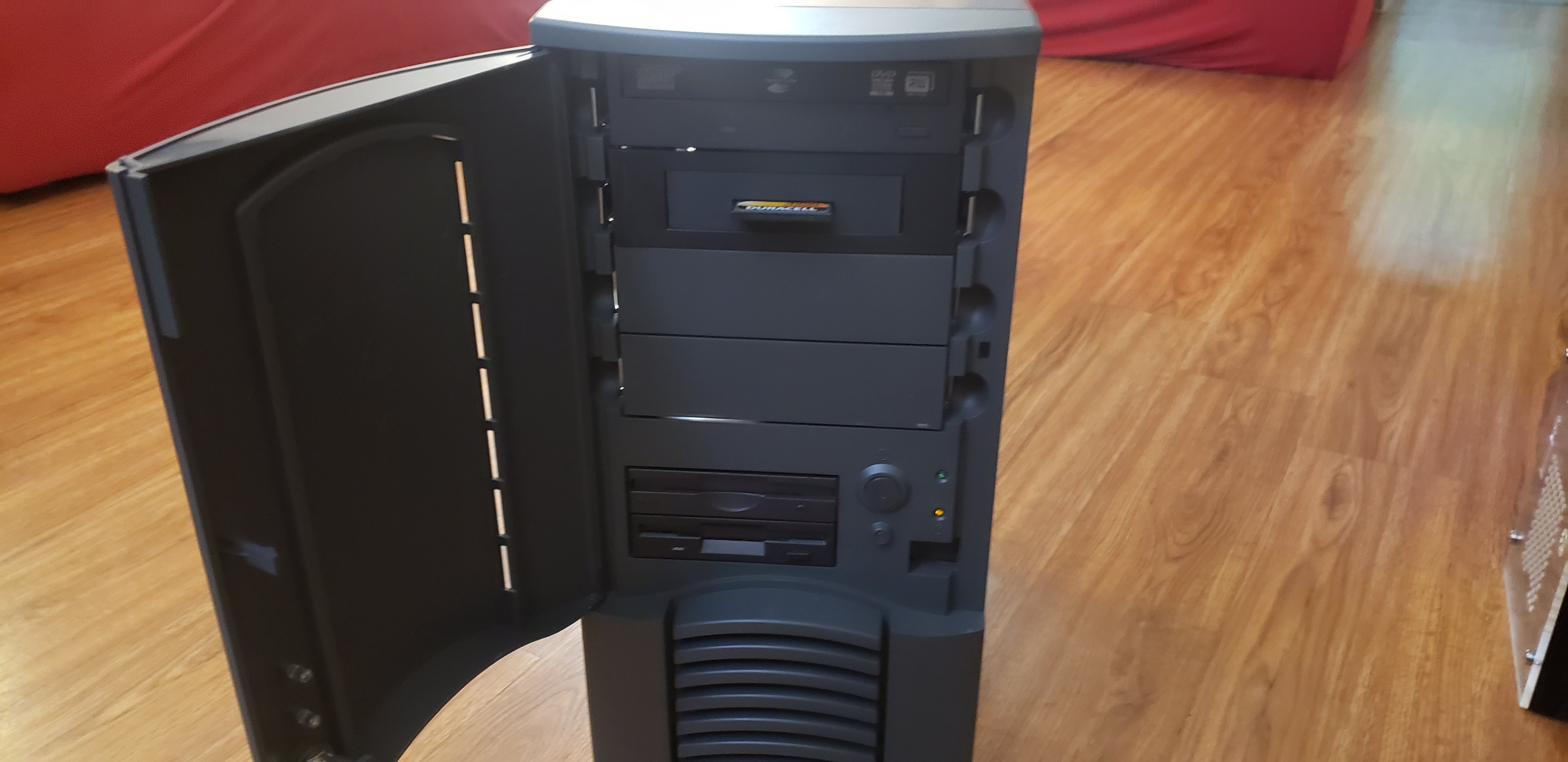
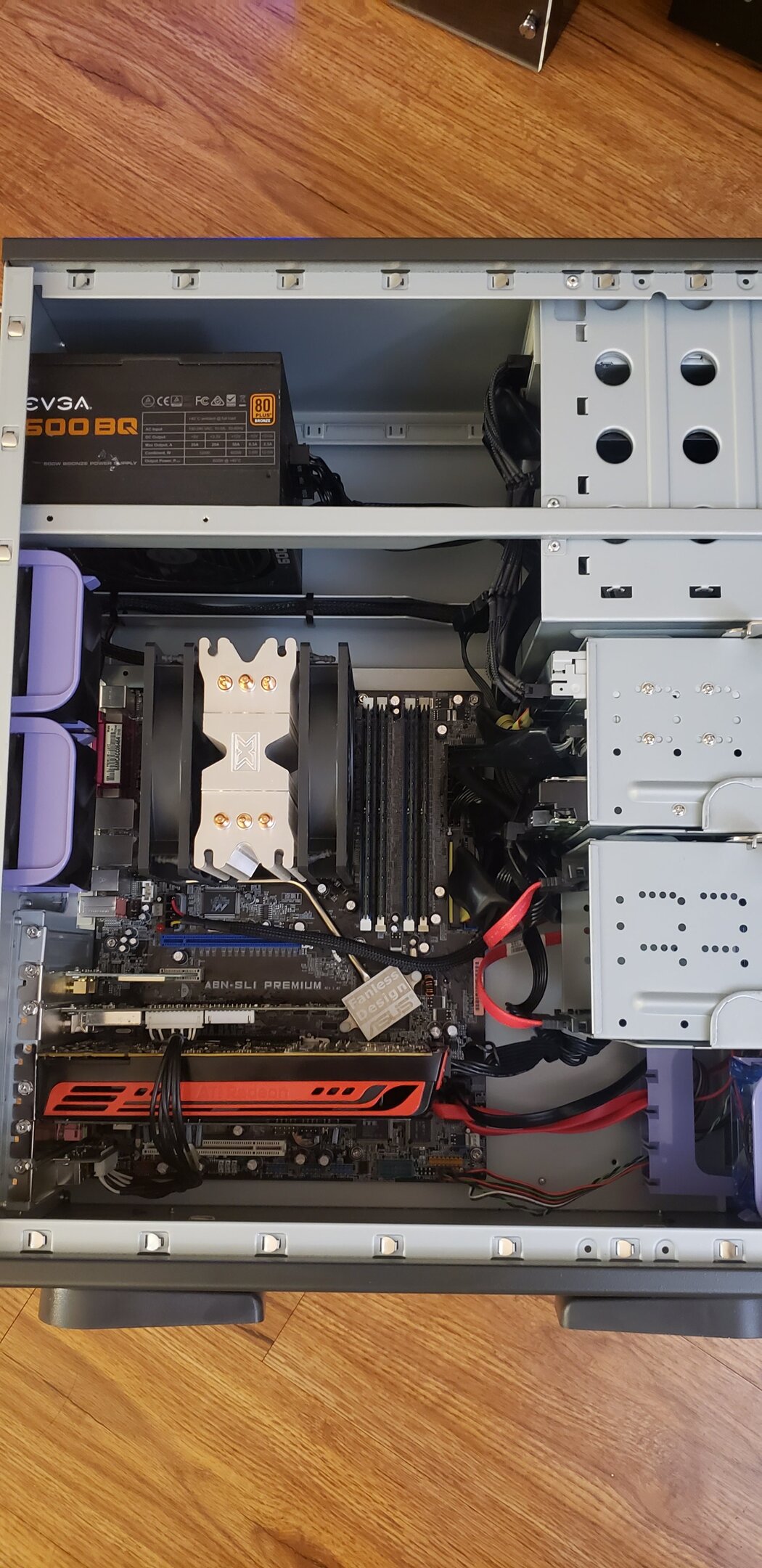
Huge shoutout to @Sir Beregond for the HD5770's!!!! May I present, the second Socket 939 build to my collection! The purpose of this rig is to be able to daily drive an old machine, and also to use it to create media, drivers, whatever I need for the even older machines. Specs: Antec version of a Chieftec Dragon eVGA 600BQ PSU Asus A8NSLI Premium AMD Opteron 165 @ 2.70GHz, 300x9, 1.50v Xigmatek S1283 + Arctic P12's 4x2GB Kingston ECC DDR400 @ 195MHz, 2.5-3-3-6-9-12-2T timings, 2.85v Sapphire HD5770 Hauppauge WinTV HVR 2250 Asus Xonar Xtreme Music TP Link Wireless N 300 card 2x64GB HP SSD's 1x 2TB WD Blue Samsung DVDRW + Lightscribe (IDE) Iomega ZIP 250 IDE Compact Flash card reader It's currently running on the bench with Windows 7. Not really entirely sure what OS I'm going to properly stick on it, probably Windows 7 since I can still web browse on that, and play games. And all of my media software should all work with Windows too. It's running stress testing (p95 v2511) right now at the overclock, about an hour stable so far (*knocks on wood). I did the best job I possibly could do with the cables, there's a LOT of them stuffed in there and these older cases really weren't setup for proper cable management either. I think it looks great!
-
Rig Creator - How to Re-order multiple rigs?
pio replied to Sir Beregond's topic in Site Suggestions
Are you talking about in your sig too by chance? Also curious, I've been trying to replace "AMDerp" with "AMDwheee" as my sig rig since I built it and never was able to figure out how to do so. -
Yeah, that's accurate, 1.80v is what's setup by default. I could try to overclock it some, but meh, not worth it. The ONLY reason I haven't run the K6 since I "talk, talk, talk"ed.......I don't have PS2 keyboard or mouse (well, the K6 needs AT keyboard and a serial mouse but I have adapters). I thought I had some PS2 ones but alas, I don't. -_-
-
Sorry for double post so quickly, but....... the Antec 350w PSU that came in the above case was flawless and looked brand new. Caps were all solid on it. Tested the 5v rail at 5.3v and 12v at 12.4v (no load). Went ahead and powered up the 1100MHz T-Bird / Radeon 9800XT rig with it and a test install of Windows 7. IT WORKS!!!!! I also tested the rails under a load, just to be sure everything was fine. 5v = 5.11v load, and 12v = 12.10v load. Absolutely perfect! I uploaded a screenshot to the CPUz bench thread, but here it is too. (RAM was wrong, it didn't like 2x1GB so its got the proper 2x512MB in it now) I played Quake on it for an hour! This means my Windows 2k build is alive!!!! I just need my beige Chieftec Dragon repaired fully and I can build it. This also means I definitely do need another PSU, something with 35-40a on the 5v rail for the AthlonXP build. So that rig is minus a PSU apparently. Assuming no other goodies arrive tomorrow (enough to test anything), I'll be building the second 939 into the above black Chieftec Dragon tomorrow night.
-
I present to you guys, a run WITHOUT CHEATING and underclocking...... CPUz isn't reading the RAM correctly, AIDA is though. DDR200 / 100MHz speed. I CAN in theory downclock this chip as low as like 200MHz I think in BIOS. Oldest one I have running so far, Pentium 3 era.