Welcome to ExtremeHW
Welcome to ExtremeHW, register to take part in our community, don't worry this is a simple FREE process that requires minimal information for you to signup.
Registered users can:
- Start new topics and reply to others.
- Show off your PC using our Rig Creator feature.
- Subscribe to topics and forums to get updates.
- Get your own profile page to customize.
- Send personal messages to other members.
- Take advantage of site exclusive features.
- Upgrade to Premium to unlock additional sites features.

pio
-
Posts
1,780 -
Joined
-
Last visited
-
Days Won
109 -
Feedback
0%
Content Type
Forums
Store
Events
Gallery
Profiles
Videos
Marketplace
Tutorials
Everything posted by pio
-
Update-ish: I got a little squirreley tonight, and decided to try to get the second Socket 939 rig working. I learned something new.....and I'm EXTREMELY pissed off. All of the molex Y splitters I bought have one end that's reversed. THAT is the reason why all of my old machines aren't working correctly. I really REALLY hope I didn't actually kill the Skt A boards. If I killed a drive or two, I won't feel so bad, but man oh man do I hope the boards are fine. Right now, I'm sitting here just absolutely shaking I'm so furious at myself for not catching that earlier. I might have potentially ruined thousands in gear that I bought for this thing. I just....I don't know what to do at this point. I'm not going to re-pin over all of these Y splitters, there's too many and I don't have the tools for pinning molex. I'll have to search around ebay / newegg and pay VERY close attention to the pictures, and place an order for like 50 of these stupid things so I can make sure ALL of the defective ones are 110% removed from all my systems (if I have any left installed).
-

Optimal sound card/audio setup w Z-5500 Logitech sound system
pio replied to Storm-Chaser's topic in Computer Audio
Starting to come along nicely mate! You're definitely going to notice a difference in the sounds between your fronts and center if you still are going to be using the Logitechs as fronts. But no big deal, just make sure to pick up matching fronts later. For the fronts, there's matching 6.5" bookshelf speakers that would go fantastically with that. They also sell tower speakers that would match it beautifully too (6.5" or bigger). Alternatively as well, you can buy 2 more of those center speakers that match for fronts too, a lot of people do that for the added woofer that the centers have over the bookshelfs. Obviously you'd stand them vertical to use them as front Left / Right, and the actual center would be horizontal. Any of those 3 options / ideas would work fantastically, just depends on your budget and what you're looking for. Bigger speakers obviously will tend to be more expensive. For the rears (later on), size won't matter as much. It's MOSTLY the tweeter that'll be important to match up in the rears. So for rears, even the small 4" bookshelf speakers are acceptable there. If you REALLY want to, you can match them, but you really don't have to as most of your bass frequencies will be coming from the front and from the subwoofer anyway. This would be the LAST priority in the build, as your surround speakers don't really add a whole lot of detail, its more just a rear "fill" so you get the experience that they're there. Having a matching sound signature WILL make a difference, but its not anywhere near as big a difference as the fronts and center. If your surrounds are cut off at say for example 100Hz, and the fronts and center at 60Hz....that's perfectly fine (4" rears / 6.5" fronts). The reason why the tweeter is what's so important is because EVERY tweeter sounds different to some degree. When you're using surround sound, that slightly different sound WILL make a difference as things zoom around the room. I think you're going to be super pleased once you get that center in and get a chance to hear it. Even moreso once you get matching fronts to go with it. ------------------------------------------------- Consider me pretty jelly too. I absolutely love my PC sound setup, its always a pleasure to listen to. But man, do I miss having my surround setup I had before. Mine wasn't any better than yours, I'd say equal to or less than. But yeah, I really REALLY miss having good quality speakers around. I can't wait to get out of my apartment! LOL For reference, my "best" setup I have currently is: Micca MB42 (modded into MB42x) 4" bookshelf speakers Pioneer 6.5" soundbar subwoofer SMSL AD18 speaker / headphones amp Fosi Audio 300w subwoofer amp So needless to say, yours kicks the living snot out of mine currently. Just how I like to help people. -
toms hardware AMD, Apple, and Nvidia Reportedly Cutting Back on TSMC 5nm Orders
pio replied to bonami2's topic in Hardware News
There's been rumors (thank you LTT -_-) that the future of PC's might be ARM. Might be part of the reason? Artificial shortages aren't exactly a new thing either. Hard to say. If rumors are to be true though, I'm not getting good feelings at all about the future of the PC. I say this now, and I might eat these words in the future, but I might have built my last new PC with my 5800x / 6900XT build. I have zero interest in Windows 11 ever (first time I can honestly say that about a Windows product). And if the future is ARM, I have absolutely zero interest in that either. -
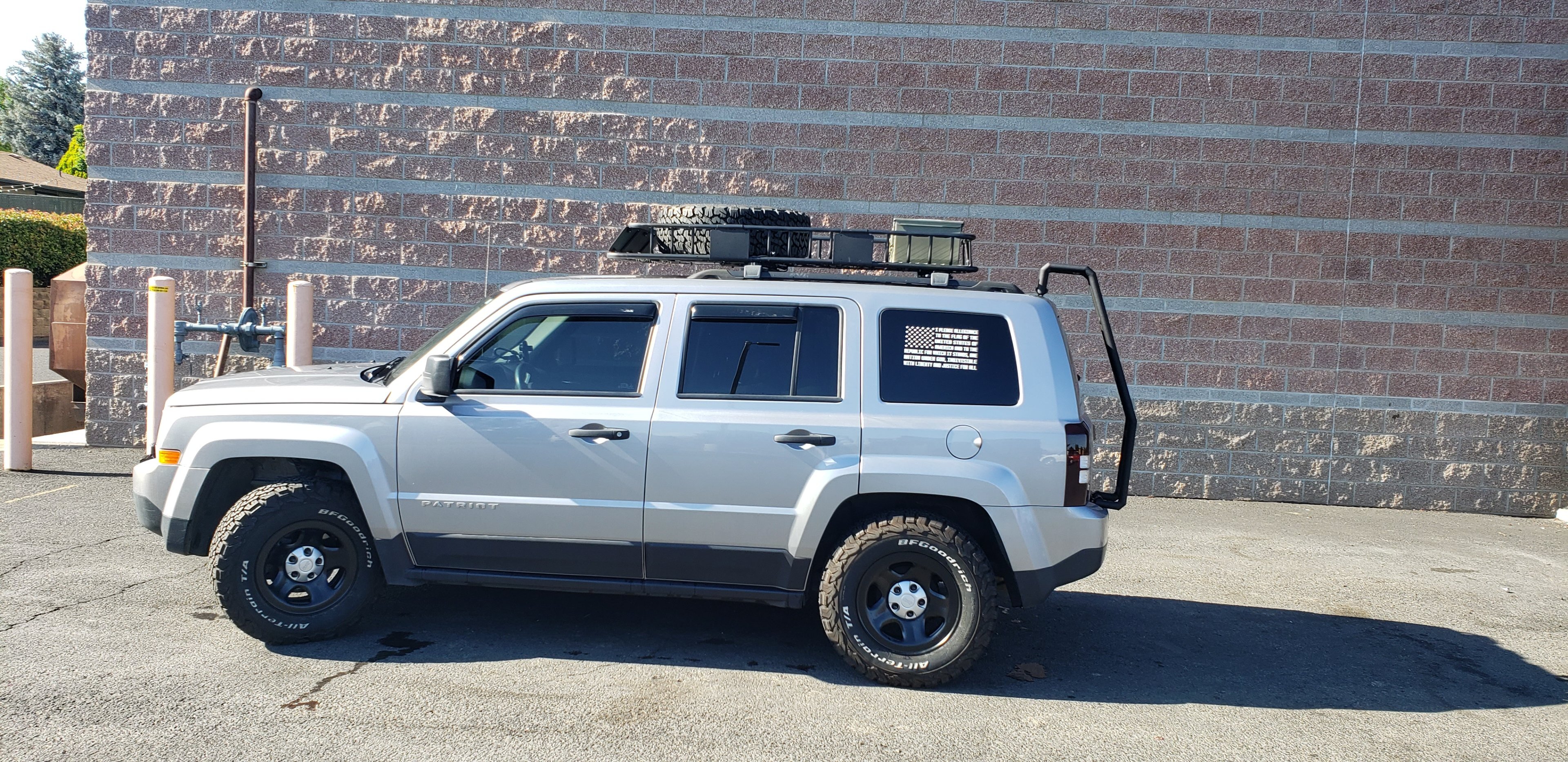
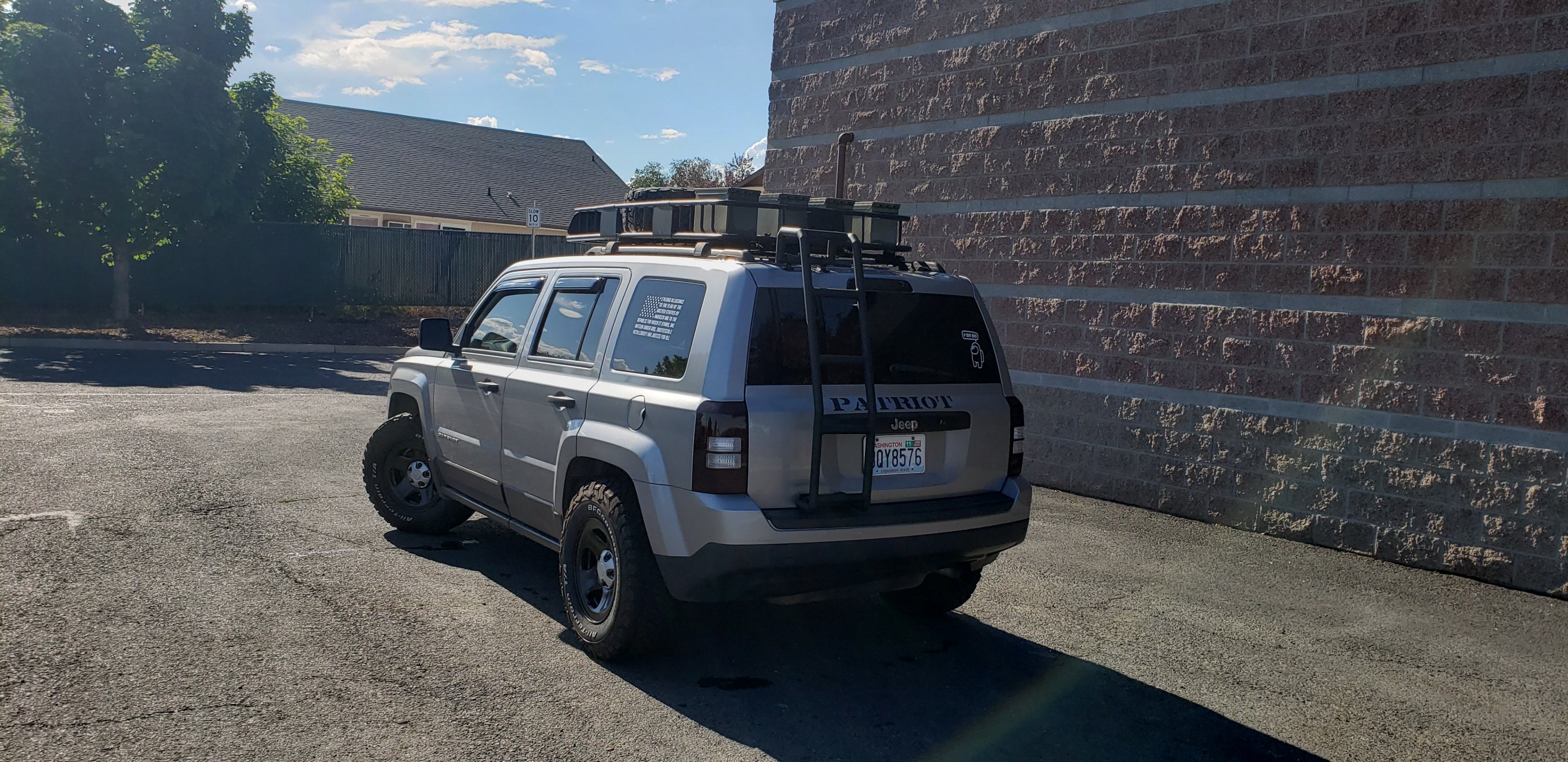
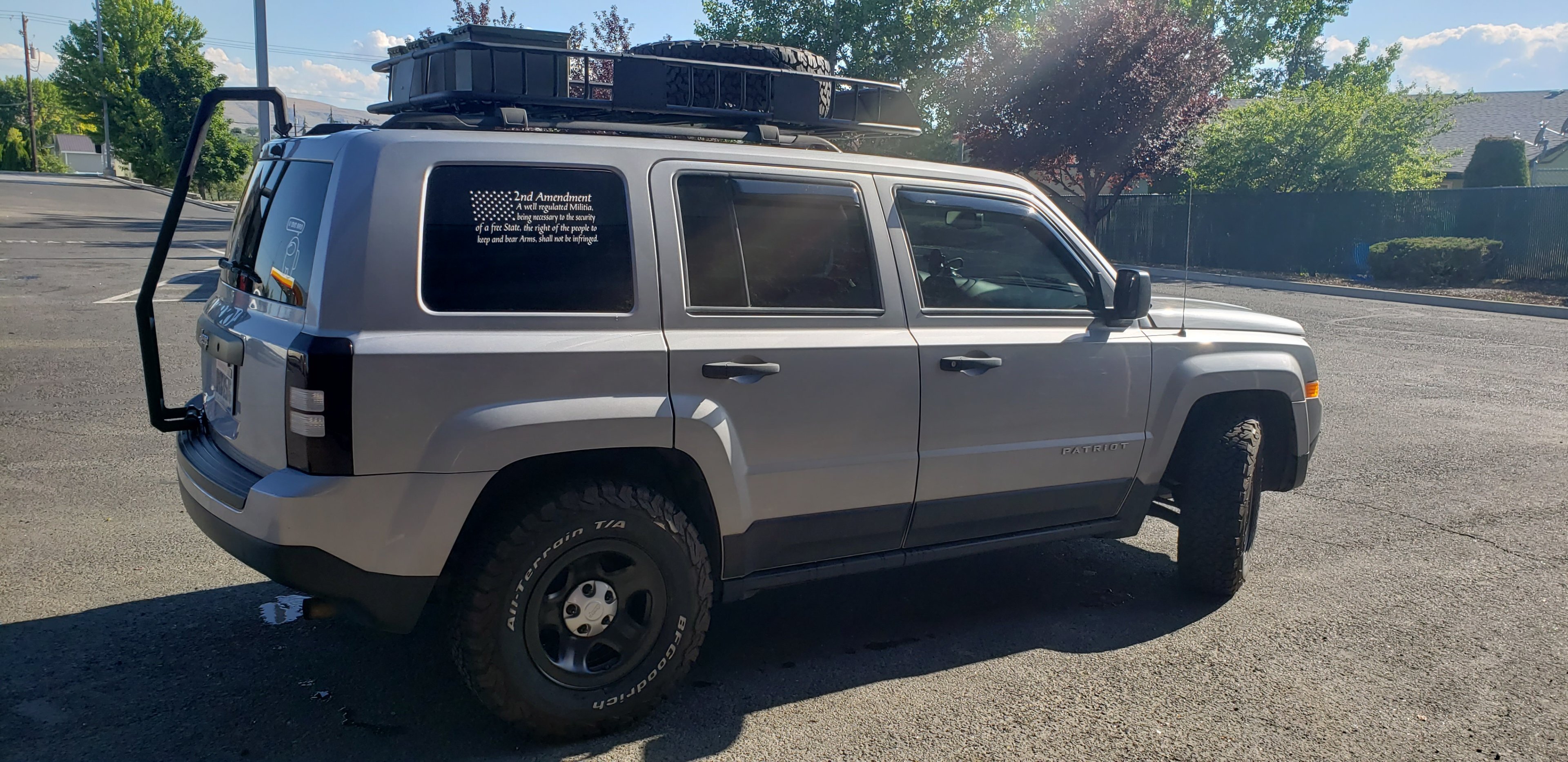
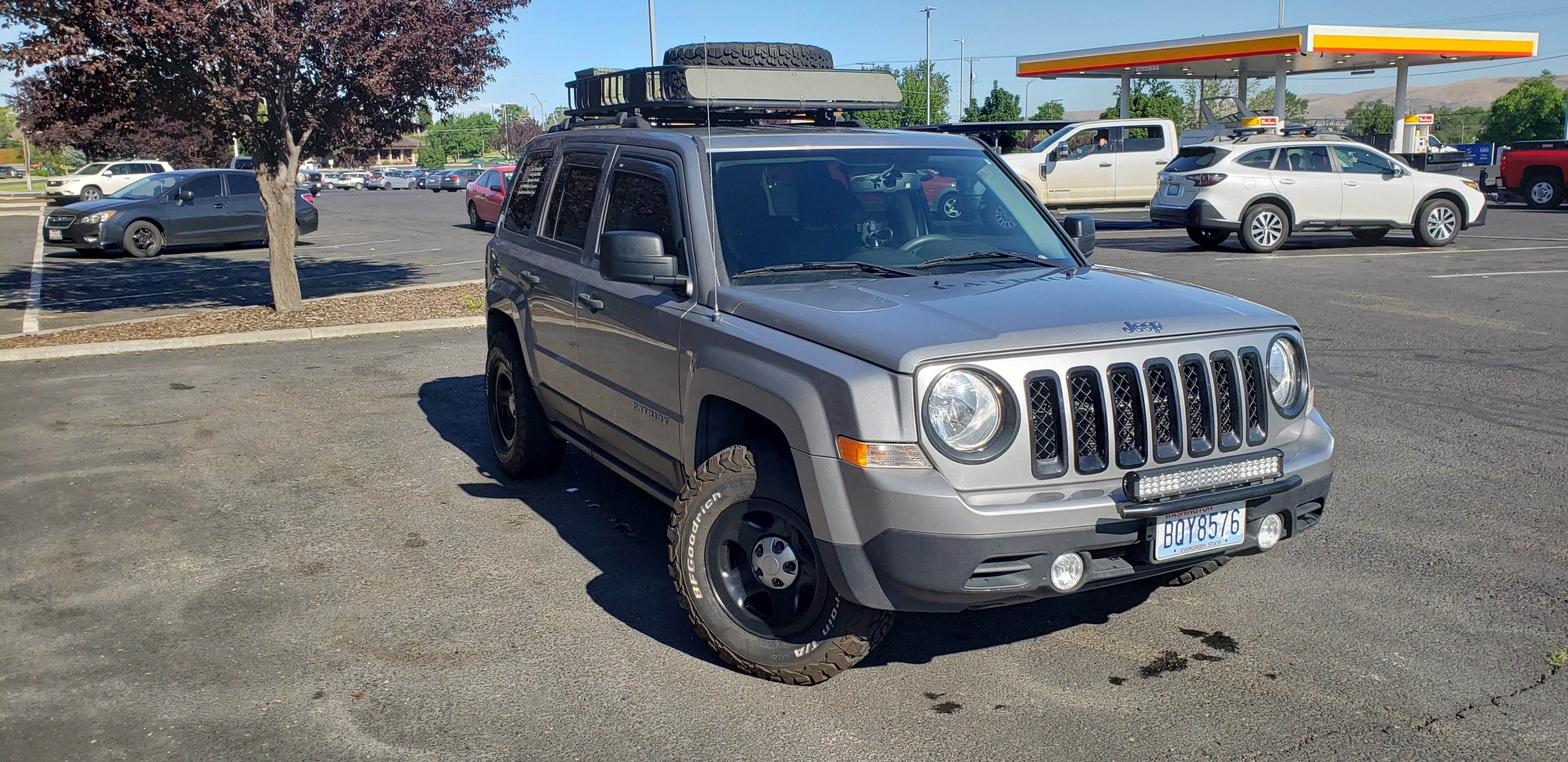
Felt cute, might delete later. Just got the wheels and ladder back from the powder coaters, and was finally able to get it all re-mounted again.

-
Well thanks guys, I got it working kinda. Apparently RTX Minecraft doesn't work in Ultrawide lol. I only get the left half of my screen working on the one I downloaded, and yeah.....couldn't even adjust the world at all. Was a pre-made world to showcase RTX and that was about it. Absolutely pointless. -_- Just makes me even more upset with MS that I had to buy 2 copies of the game to get functions that don't even work. Sorry for slightly threadjacking here, I know this was about mobile ARM RTX.
-
wccftech AMD Radeon HD 7970 Receives Adrenalin 22.6.1 WHQL Driver
pio replied to bonami2's topic in Software News
For anyone curious: I tried again to play RDR2 and Cyberpunk 2077 on my Phenom II 1100T / HD7970 rig with these new drivers. RDR2 I can actually get into the settings and change things, so the driver update DID work to some degree there. Before this driver, the game wouldn't even launch. However when I try to actually launch the benchmark (or game), it crashes to desktop. Cyberpunk doesn't even launch still. Probably CPU related as its a Phenom II. So for me personally, these drivers didn't really help any at all. However if somebody happens to have a slightly more modern CPU (like an FX or Sandy Bridge), they may have better luck than I did, as I'm pretty sure its a missing CPU instructions issue that I'm running into with those 2 titles. Those were really the only 2 titles I had that were modern enough to warrant giving it a try. EDIT: Confirmed with searching, yes I'm still having issues due to missing CPU instructions. Apparently both games CAN be played just fine on a Phenom II, and now with the 7970 thanks to these drivers, however it'd have to be a cracked copy of the game to bypass the SSE and AVX instructions that aren't present (and not even needed for the games to actually work). So yeah....looking like I'll never get these games working, at least not online (with RDR2) like I wanted. Sigh. Thanks consoles. -_- -
I might be really dumb or something, I haven't been able to even get Minecraft's RT to work on my 6900XT. Do you have to buy a DLC or something stupid to make it work?
-
Bwahahaha, no thx. Dumb phone master race reporting in!
-
That's impressive then. 4k is ever so slightly more pixels than my own native res, and at my native res I can eek out like 20 FPS or so on Ultra + full RT with Cyberpunk. So if you're getting playable with this at full 4k with a 6800XT, I should be playable too then.
-
Welcome to journalism mate. I've been complaining about headlines and faked information in news articles for years. As far as the software in question, there's still lots of software designed to run on Windows 3.1 even that still works today on Windows 10 or 11. So THAT really isn't that big of a surprise at all.
-
Not really. I'm only alive out of pure spite. Nah seriously, I have been "AFK" a lot lately due to health reasons. I fell asleep a few months back at my computer chair and REALLY tweaked my back badly, messed up the nerves that go down my right side. -_- And on top of that, popped a muscle or something in my leg, so my leg's not aligned quite right anymore either. Ugh, getting old SUCKS! -_-
-
I might. To be honest, Cyberpunk is quite literally the ONLY game that I have that I cannot max out 110% and stay within freesync range on my monitor (48+ FPS). I'd settle on the "Ultra" preset without RT, but mannnnn, those RT extras sure are purdy!
-
I too would volunteer as a moderator as well. At least that'd be something I can help out with on the fly, as I'm sitting here browsing the site.
-
I'm probably the only one here wondering......."hey, where can I get that patch?" Honestly, that's pretty cool that the Rover is running Win98 if you ask me. I've been saying it for years, and I'll keep saying it....there's nothing at ALL wrong with using old hardware or software. All depends on your usages.
-
Still waiting for official support. It's awesome this is available. I'm happy using 3840x1080 and RSR up to 5120x1440 Ultra + Ray Tracing on my main rig. Good enough. Would be nice to be able to use native res and FSR 2.0 though, FSR 1.0 absolutely sucks on my 6900XT with Cyberpunk.
-
wccftech AMD Radeon HD 7970 Receives Adrenalin 22.6.1 WHQL Driver
pio replied to bonami2's topic in Software News
I thought the 7970's were capable of getting really close to GTX 1060 3GB performance, no? I upgraded to an RX 580 8GB from a 7970 years ago, and I recall the 580 being similar to, what was it the 1060Ti 6GB? The 7970 wasn't TOO terribly much slower than the RX 580 was honestly. It was a step up, sure....but it wasn't huge. RX 580 to 5700XT to 6900XT were much bigger transitions of mine. 7970 to 580, it really didn't seem like a HUGE jump. Anyway, to those asking why, have you used a 7970 lately? They're still really decent GPU's even though they're 11 or 12 years old now. DX 12 is DX 12.....they still play the games of today just fine if the drivers support them. There was never any reason for AMD to cut driver support in the first place with so many other more modern GPU's on dang near the same architecture. -_- -
Optimal sound card/audio setup w Z-5500 Logitech sound system
pio replied to Storm-Chaser's topic in Computer Audio
What's getting hot? The receiver or the sub amplifier / subwoofer? If its the receiver.....well, that's going to get a little warm. They just do that. Sure, you could mod a fan or something in there if you want, but its not going to matter. Amplifiers get hot. It's normal. Especially when you're using them at high volume like that. If its the subwoofer, the subwoofer shouldn't be getting hot at all. The sub AMP might get a little warm, but the passive heatsink on the back should be sufficient. The key thing here is that you're not damaging anything with high volumes. THAT is what we're trying to avoid, by keeping it as clean sounding as possible. If it starts sounding abnormal at high volume (different than it does at low volume in ANY way), that's a sign to turn it down. The subwoofer, hopefully should be set to a fairly high crossover frequency to help out. The speakers should be set to "small" with a relatively high crossover point as well. If so, you shouldn't be having too terribly many more issues. Once you upgrade your speakers, you can play with the crossovers a little and turn the crossovers down some. In a perfect scenario, your subwoofer should ONLY be doing the lower octaves (20-80Hz or so at the highest), with your regular speakers picking up everything 80 and up roughly (depending on speakers). It's "generally" not good to have your crossover on the sub set as high as I'm telling you to (120-150), but honestly its not going to actually hurt anything at all so long as its still sounding clean. With the subwoofer at 80Hz and lower, it'll just blend in and "disappear" into the room. With it set to 80 or higher, you'll be able to pin point WHERE in the room the subwoofer is at. That's why its good to have bigger fronts / center.....so the sub can "disappear" and just be heard / felt. You can play with lowering the crossovers NOW if you want to, just to see what it does, but do so VERY carefully and at a lower volume so you don't damage the speakers with bass. The idea with crossovers, is that you want your subwoofer to pick up at the frequencies that your fronts and center drop out at, but without over driving your fronts and centers to the point they can't handle the bass. The Logitechs really can't handle bass as they're so small, hence why I suggested a high crossover. Otherwise, it sounds like everything is operating as it should be. -
wccftech AMD Radeon HD 7970 Receives Adrenalin 22.6.1 WHQL Driver
pio replied to bonami2's topic in Software News
I'm so cool with this! Going to have to bust out my Phenom II 1100T / 7970 rig again!!! -
techspot Windows 10 and 11 no longer available in Russia
pio replied to UltraMega's topic in Software News
Annoying for Russians, sure. There's plenty of other sites that host the ISO's too that can be found usually by a quick google search, or yandex I guess because Russia. That's not the point of the article though, the point is that Microsoft is cutting them off. Kinda interesting that a company is involved so heavily in politics. -_- But its 2022, and that's normal now. Yeah, Windows 10 is looking even more and more like the last version of Windows I'm running or buying....... -
I'm reading conflicting reports on those, although I could be searching incorrectly too...... Try installing the official AMD chipset driver first of all, for that particular mobo. From there, try to manually install the drivers, click browse, and point it to the installation directory of the AMD chipset drivers (for both). You might also check on the manufacturer's website for that particular mini PC too, they should have the drivers needed available for download there. If that doesn't work, you can always do a quick search of the PCI\VEN_xxxxx string. I've usually had pretty good luck finding unknown drivers that way. Good luck!
- 1 reply
-
- 1
-

-
I'd like to pitch in too and help. Seriously, we can't let this site go down too. Sorry E, that you're going through tough times. However I feel as a community, we could EASILY keep the site alive and kicking. Whoever bites on it, PM me. I'll help in any way I can. I'm not the smartest with running a website, seriously I know nothing about it. I'd love to learn though. I'll pitch in on the buying of it too if need be. I don't have a ton of expendable cash, but I'm sure we can figure out something. Even if that something is just buying the rights and content, and transferring it to local hosting. We can figure something out! EDIT: I just hope that whoever buys it, and it sounds like somebody will....lol, I just hope that it stays community oriented like it "should be".
-
Optimal sound card/audio setup w Z-5500 Logitech sound system
pio replied to Storm-Chaser's topic in Computer Audio
I'll put it this way mate, I just picked up an OLD set (2001 date on them) of Polk Audio 2.1 PC speakers. They're "junk" too, like I say about Logitech. There absolutely IS a use for your old set, absolutely.....if you can repair them as is, cheap enough. I just wouldn't put them in with a set of actual nice speakers and subs though, just not worth it there. Nor is it really worth putting hundreds into the z5500 set, when you can look for a used working set. By all means, enjoy the z5500's for what they are. And that's exactly it, you need to accept them for what they are, and not what you think they could become (in this particular instance). They're just not worth putting the effort, time, or money into. But that might just mean saving them for a "man cave" or a secondary PC build or something in the future. Definitely don't lose them, they're a staple in PC gaming history. They're just not that great. As far as the microphone thing goes, I'd probably just want an original mic just because. There absolutely can be a difference in the microphones from other manufacturers. There might not be too. I haven't used enough of them to say one way or the other. Others might know that one better than I. Is there a difference in microphones generically? Yes. Is there a difference between setup mics on receivers? I don't know. EDIT: For speakers, you want fronts and center to match. Surrounds can be different, but should also match. Subwoofer, it doesn't matter so long as it digs lower than your fronts do. Klipsh does make good speakers, but so does many many other companies. Pioneer, Sony, Dayton, Polk Audio, Klipsh, and these aren't even starting to dig into the lesser known name brands. So long as your fronts can dig down to at least 60Hz or so, and so long as your fronts and center match at the very least (same series, they usually have matching centers for your fronts)....you'll be fine. As far as picking what speakers, that's going to depend ENTIRELY upon what type of sound signature you're looking for exactly. Wanting something a little brighter sounding? Polk or Klipsh. More natural sounding? Try some Pioneers or Sony's (I think Yamaha was relatively neutral sounding too last listen I had). Want something budget but with a superb kick to it? Go for Daytons. It really depends on exactly how you want them to sound, as each speaker manufacturer (to some degree) is going to sound a little different than others due to enclosure build differences, tweeter differences, crossover differences inside, poly-fill in the enclosure or not, etc, etc. When doing a surround setup, you have your "front stage" and you have your "rear stage" (and side / above stages too for higher levels of surround). You want each "stage" to sound the same, so when something zooms from one side to the other, it doesn't change as it travels the room. -
Optimal sound card/audio setup w Z-5500 Logitech sound system
pio replied to Storm-Chaser's topic in Computer Audio
No dude, don't connect the 10". Use the 12" Klipsch. If you need more bass, move it around your room or buy a second same sub. Seriously. 10" and 12" are going to operate at different frequencies, and all you'll do is add certain frequencies that will be boosted way too much, and some will be void and non existant when you mix sizes of subs. Be very careful with your gain knob. 3/4 is awful high when you're using a receiver. It absolutely DOES depend on the receiver and its subwoofer pre-out signal too though. Some setups, the sub should be at 1/4 gain knob, and some....yes, could be at 3/4. It just depends on the sub pre-out on the receiver, and how strong of a signal it really is. If you start SPLITTING that pre-out signal to other subwoofers, yes....the gain will have to be turned up a little bit to compensate for the loss in signal since its split. The easiest way to set your gains and stuff is by ear. So if you think you can handle listening VERY carefully, do it. Crank your system as loud as it can go before it starts sounding funny WITHOUT the subwoofer. With the crossovers turned ON for the speakers of course (small / 120-150Hz+ if you can choose frequency). Once it starts sounding funny, fuzzy, crackly, that's a good sign you're either clipping or overpowering your speakers. Overpowering is usually a popping sound. Clipping is usually going to sound like fuzzy bass, or hissy treble. If you're hearing EITHER of those, turn it down. Maximum volume should sound EXACTLY the same as a super low volume......just louder. Crackling / hissing / fuzzy / popping sounds are bad. This whole process could take a few different songs, and some seriously careful listening. Once you have the maximum volume sorted out on the receiver, then you turn the gain up on the sub. Keep the volume itself cranked. Crossover, as I said, in YOUR case around 120Hz or so on the dial. And then you slowly, SLOWLY turn the gain up on the subwoofer until it too, starts popping or getting fuzzy sounding. You MIGHT need your ear inches away from the actual driver itself to hear it as subwoofers are VERY difficult to hear distortion from. Even if its just a little teeny tiny bit, it WILL damage the speaker from heat. Be warned, this could damage your hearing being inches from a subwoofer. Some say it won't, some say it will. So do it with caution. Once you've found your maximum levels, make note of those and don't EVER pass them combined. The gain knob on a subwoofer, is ONLY there to match the subwoofer output signal on the amplifier so you have full power at the sub. Your volume control is your volume. If you need more, then you need more power or more subwoofers. But again, you need to consider that different sizes and different enclosures WILL act differently, and they will interfere with each other's sound. -
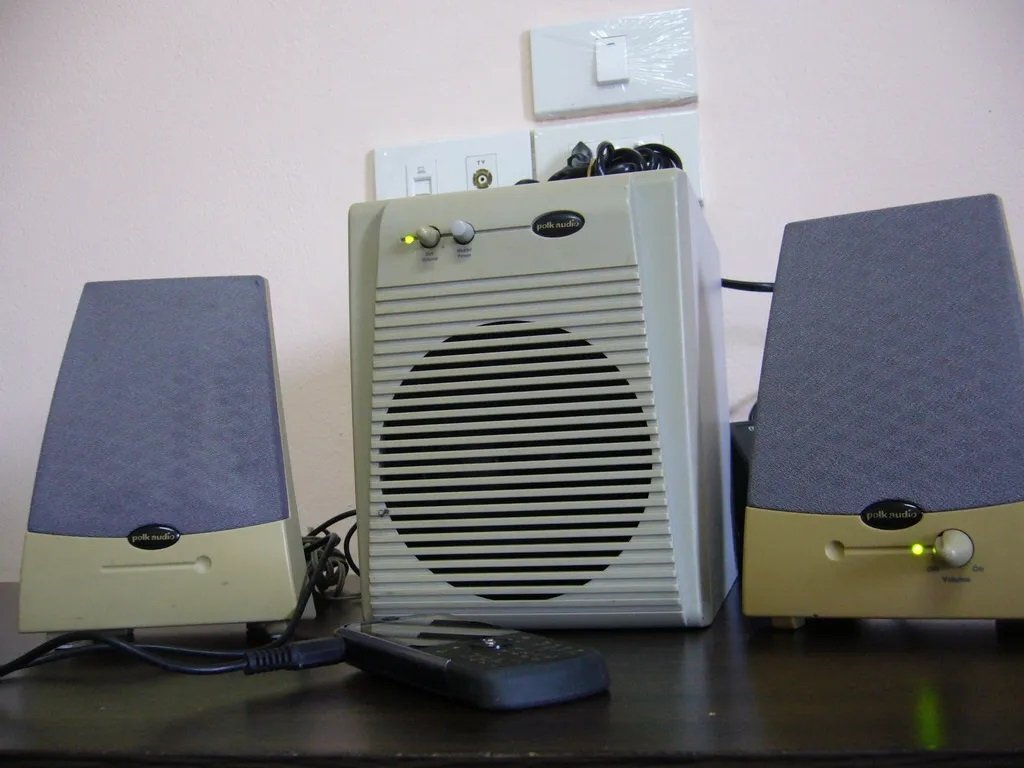
I really need to step away from the thrift stores........ (Not my image) I scored these today, in near perfect condition for $30. The ones I scored are black, but they're the same EXACT speakers. They were missing the DC jack, but luckily I have plenty of those laying around for testing purposes at least. They work! Going to order another DC jack for these, 12v / 3a. It does look like I need to re-solder the POT on the right speaker for system volume control, as its got a connection short there. You wiggle the volume knob and system power disconnects and reconnects. So yeah, definitely needs a re-solder or reflow of solder on that particular POT, or maybe replace the POT if its needed. Not sure. They do work fine though, sound fantastic for 21 year old speakers honestly.