Welcome to ExtremeHW
Welcome to ExtremeHW, register to take part in our community, don't worry this is a simple FREE process that requires minimal information for you to signup.
Registered users can:
- Start new topics and reply to others.
- Show off your PC using our Rig Creator feature.
- Subscribe to topics and forums to get updates.
- Get your own profile page to customize.
- Send personal messages to other members.
- Take advantage of site exclusive features.
- Upgrade to Premium to unlock additional sites features.

pio
-
Posts
1,780 -
Joined
-
Last visited
-
Days Won
109 -
Feedback
0%
Content Type
Forums
Store
Events
Gallery
Profiles
Videos
Marketplace
Tutorials
Everything posted by pio
-

Blockchain, Cryptocurrency for site/classified purchases ?
pio replied to ENTERPRISE's topic in Announcements
I'm neither for or against it. What two people decide to do in a transaction should be between those 2 people. I can always just login to my paypal and send somebody some cash with their email address. I can always do the same with crypto from coinbase or any other exchange or wallet. I do use crypto, I do use paypal, I'll happily trade stuff for stuff. In my opinion, the KISS method would make the most sense. Keep It Simple Stupid. My 2 cents anyway. I feel like the more you push for site integration, the less its going to feel like a trade between members and more like a purchase from ebay or somewhere else. Using things like a trader rating system, absolutely I can get behind that. Gotta know the person you're trading with isn't a scammer. But integration of payment systems into the site? I feel like that opens up the site to too many problems. -
There's limits on how much you can put into that every year though too. There's lots of rules with IRA's, definitely not for everyone. Roth is definitely the way to go though unless you're making big big cash now. Traditional makes sense if you have a great job, as you'd be in a lower tax bracket when you retire.....so you'd pay less taxes on the income when you're 60. I'm a broke son of a gun, so I'm using crypto. Sold my car for $2000 early 2020, now I have $15k. Nevermind what I made off mining (and lost). I'm in it because its volatile, I'm counting on those large dips and gains because its about the only way I'll see any real growth on a fixed income that I have now. My only regret is I wish I had more in there, really counting on it to make my dream of home ownership happen. I don't have any tips for anybody though. Other than I guess, don't get scammed like I did lol. I fell for that Elon Musk bitcoin scam that was going around social media last year. -_- Been off social media ever since that happened lol.
-
Progress of course has been slow since I'm basically waiting for payday. I was actually able to test out my newest Radeon 9800XT this evening. Thing sounds like a jet taking off! But it works!!!! So both of my Socket A systems work in full so far. I have two Corsair RM550x PSU's ready to go for them, brand new. They have ample 5v rails, so should suffice fine. The older Socket A rig is waiting on the case to get repaired, and the newer Socket A rig is just waiting for PCI cards, drives, and pretty PSU cables. With any luck, on / around payday, I should be able to get the Thuban rig testing and figure out what's wrong with it. I should also be able to hopefully get the case repaired. My main rig is also getting an upgrade on payday, so the projects are going to have to wait about a month to payoff those couple things since all are pretty expensive. Just a small text update, I haven't forgotten about my projects. Just waiting till I can order more junk to do what I need to do with them lol. I need to order a soldering station too for the 939 rig, but that might get pushed back another month since that's another $160. Hoping to have some updates again in about 2 weeks time or so. The cool thing today though was that Radeon 9800XT works! I'm very happy about that. So far I have the following list of GPU's on hand: ATI Radeon 9800XT 256MB ATI Radeon X600 (not a part of my plan) ATI Radeon X1950 Pro 512MB AGP ATI Radeon HD2900XT 1GB ATI Radeon HD3870 1GB AMD ATI Radeon HD4890 1GB AMD ATI Radeon HD5870 1GB AMD ATI Radeon HD6970 2GB AMD ATI Radeon HD7970 3GB AMD Radeon R9 290x 4GB AMD Radeon RX580 8GB (x4 / bought years ago / used as filler cards) Soon to come - AMD Radeon RX5700XT Not counted: GeForce 4 MX400 GeForce GT310 GeForce 8800GTS G92 GeForce GTS 250 G92 (x2) So the only card I'll be missing is the newest top tier RX6900XT. Won't be getting one of those for a few years, so....I'm pretty happy with this collection! Best thing is, every single one of those listed cards works!!!
-
Still going to CPU swap the Thuban into my Sabertooth board to see if the CPU is any good and to rule out my 890FX motherboard. Just waiting on payday so I can order a stock cooler for it. I have not forgotten, just don't have a clip on style air cooler to use for testing. The AIO that's on my Sabertooth is a royal pain to remove and reinstall, and I really don't feel like screwing with it for testing of a different CPU in the system.
-
I was going to recommend that very same software you used lol. Glad you got it sorted.
-
I'm just me. Don't need a test to tell me that. I'll take it when I get home and edit my post. Why not. EDIT: Apparently I'm INTP-T type. Dunno what that means, but that's what the quiz said. Cool.
-
Yawn. It's neat that they're still innovating. But it'd be nice if GPU's were priced back to normal again. I still can't afford (willingly) the 5700XT yet second hand. Last time I checked (was a few weeks ago), RX580's were selling near $400 and $500 still. I'll buy GPU's again when this "chip shortage" is over with. Of course, I'm not saying AMD has anything to do with this nonsense. Lots of factors at play here. And I do think its great that they're still pushing the envelope. Just grrrrr. Let's just rub it in people's faces even more that there's more tech out there that we can't buy.
-
C'mon guys, everybody knows you need Mt Dew can directional antennas!

-
Well, there's one way to find out. Since this whole rig is having problems, I can try the Thuban in my existing 990FX Sabertooth build. If that passes (even at stock), I can swap the RAM out and test that with the Sabertooth and Thuban. Kind of rule everything out. That's going to require disassembling that mess I made doing push / pull on the Sabertooth's radiator though. Hmmm. This might be the next logical step. The next throw money at it step I think is motherboard at this point. I need to check my junk and see if I have a stock clip on cooler for AM2 / AM3 laying around. I might go ahead and test it if I don't have to mess with the AIO too much. I know the Sabertooth board is absolutely rock solid, and I know the 2x8GB kit of RAM on it is rock stable at 1866.
-
Back in those days though it really was the luck of the silicon lottery. 2.8-3GHz was a massive achievement with K8 overclocking, didn't matter if you had a 9x or 12x multi. I wouldn't call the 180 being lazy, I'd call it a more guaranteed overclocker. The plexi bummer....yeah that sucked lol. It was an $8 piece of plexi so not exactly a high dollar problem. Home Depot might have some locally, going to try to check this weekend. I also emailed the seller and just simply asked if I could buy another that's actually 12x12, awaiting response. So I guess progress report: So for the 939 build, I'm just mostly waiting for soldering tools and the plexi and I can start building that one I think. I do need to double check that the power button isn't going to hit the front of the case metal, and if so drill a hole in the metal up top. Not sure if there is metal there lol. If I get bored, I might do the ghetto twist and tape method for the buttons, and go ahead and build it up. Not sure yet, we'll see what time allows, but its getting closer to build day. First ever real case mods, done to my first ever build (replica) as an enthusiast. There's a reason this one's taking time. Yeah, I think the Thuban rig is toast still. Still working it out, made a thread about it since this is more about the progress of building them. I think I'm going to have to find a different board though for that one. And finally, I made a purchase of two Corsair RM550x PSU's for the Socket A builds. Also, another Radeon 9800XT, don't remember if I mentioned yet or not. Once those arrive, I need to make sure they have an actual 20pin ATX connector (or 20+4) and not the full 24pin. And then I can start the full on testing of those rigs assuming I don't need adapters. Also, having a hard time finding nice 20pin ATX extensions on ebay. So the Socket A rigs might not end up being so pretty. I absolutely am taking that Chieftec front panel down to the plastic's company here in the next few weeks as well, that will be done before any more parts are purchased I think. Running out of shelf space, and definitely need some boards put into cases lol.
-
Audio issues, this happens no matter what, even at stock. All auto / defaults there's no audio with either onboard or the PCI card. I have not tested the PCI card elsewhere, but its odd because the card looks brand new and relatively basic for components. But yes, when I am overclocking (or attempting to), its multi only for the moment. Pretty basic, CPU clocks only so far. I have tried several fresh installs. Everytime it screws up on a restart and reverts to default UEFI settings, I have to reinstall as it says no boot device, even though its set correctly and screws up Windows (SSD is perfectly fine, was pulled from my previous gaming rig actually). I can try going down to 1 or 2 sticks of RAM. Hadn't thought of that, figured downclocking it to 1333 (2200 stable kit) and really bad timings with stock 1.65v would suffice. CPU-NB is set to stock 2GHz and I have tried upping CPU-NB voltage as high as 1.45v (stock 1.15v). Doesn't matter, doesn't change the outcome for any of these odd issues (the CPU-NB). I was attempting at the beginning to get 1600 RAM speeds and 2.8GHz CPU-NB to run (should be easy), but after a lot of failed attempts figured I'd try one thing at a time and went for CPU clocks first. Considering its now completely losing UEFI settings at bone stock, all auto, with a simple Windows restart almost everytime now....I'm leaning more towards bad motherboard somehow. It'd explain non working PCI slot (Southbridge instead of PCIe which is Northbridge), and it'd explain the non working onboard audio, as that's also southbridge. I'll bet a failing southbridge would also cause a CMOS / UEFI problem on POST. I think the southbridge on this board is screwed. -_- That'd cause literally all of this now that I really sit down and think about it.
-
With the onboard sound, its just Windows generic drivers. Nothing is missing, that's the weird thing. I did try off ASRock's website drivers, but no change. With the Xonar DG, I tried official Asus drivers that didn't detect the card, and I also tried custom modded drivers with the same problem. It's also now not wanting to restart without UEFI defaults, even at stock settings. I'm starting to think the board is faulty to some degree now. It refuses to hold UEFI settings, and that's with a brand new, fresh, CMOS battery installed. I'm almost thinking of buying another 990FX Sabertooth to replace it with, but this setup was SUPPOSED to be 890FX lol. The Phenom rig I have is 790FX, and the FX 8 core is 990FX. Grrr. Love first time setting up new used gear, only to find faults in it.
-
Looking for a little advice from people that have ran 890FX and these 6 core Thubans. I'm having some problems. I thought I had things sorted out (see this thread) and everything would be easy; just like my last Phenom II build I did back in I think 2008 ish? But yeah, I seem to be having some very odd issues with this build, and I'm left scratching my head because everything "seems" fine. Setup information: ASRock 890FX Deluxe 5 1100T 4x4GB Kingston HyperX DDR3-1600 (sticks have done 2200 stable in my 3770k) Coolermaster 240mm AIO eVGA 600BQ Gigabyte HD7970 Windforce Rev 2.1 SSD + Spinner drives Windows 10 (figured easiest OS to test things with) Both board and GPU are now on latest beta BIOS because compatibility is dead otherwise The problems: This one's been really odd since the beginning, even before BIOS swaps. I have absolutely zero analogue sound output. I've done the obvious things such as triple checked BIOS settings, attempted jumpers on the front panel plug, and even tried a sound card (Xonar DG PCI). Unless the PCI slots AND the onboard sound are dead, I just don't know (PCIe is fine, the GPU works). If I put in the Xonar, it says there's a multimedia device in device manager, says there's no drivers.....but the drivers say there's no Xonar installed so they quit. Onboard sound, it shows up in device manager as "HD Audio Device" or something along those lines.....but there's only the SPDIF output in the sound devices menu. Overclocking seems to be non existant. I thought these 1100T's did 4GHz+? -_- I'm getting lucky if I can even get 3.8GHz to run stable on this thing, and to be honest.....it hasn't actually passed stability tests yet. Everytime I leave it to run the tests, I come back and the machine is off, and the BIOS is complaining of failure and forces UEFI defaults. I'm not doing anything crazy (yet), just multiplier adjustments and voltage. I'd be happy if I could get 3.8GHz with 2.6GHz CPU-NB, but even that won't run. Seems I need roughly 1.47v for 3.8GHz or so, which is fine. Cooling is fine. But it shuts off at random HOURS later. I've been trying with and without CPU-NB adjustments, and so far...my RAM is still at 1333 until I get the CPU dialed in. I used to be a boss at Phenom II's, did I get a dud part somewhere? The whole thing is just weird. I'd blame the motherboard as a failure on both of these problems, but is it really? I mean.....when its set to defaults, it seems to operate just fine. I'm not seeing anything abnormal, it runs stress tests, it games. Maybe a 600w PSU just isn't enough for a Thuban and a 7970? I mean, I think it would be, I ran a 550w on my old quad with a 4890, and later on crossfire (with a 650w). I know a lot of you guys don't have setups like this anymore, but I know a lot of you used to. Figured somebody might have an idea.
-
I paid like $300 each for my RX580's in 2017. I mined on them for about a year. Made my money back and then some. Quit mining due to issues with the farm and my partner that was helping me with it. So decided to just get out of it. And now today, I could sell those dang cards used for double what I paid for them! I'm not, but I could lol. Agreed completely. It's pretty good when OLD cases are selling for $700. -_-
-
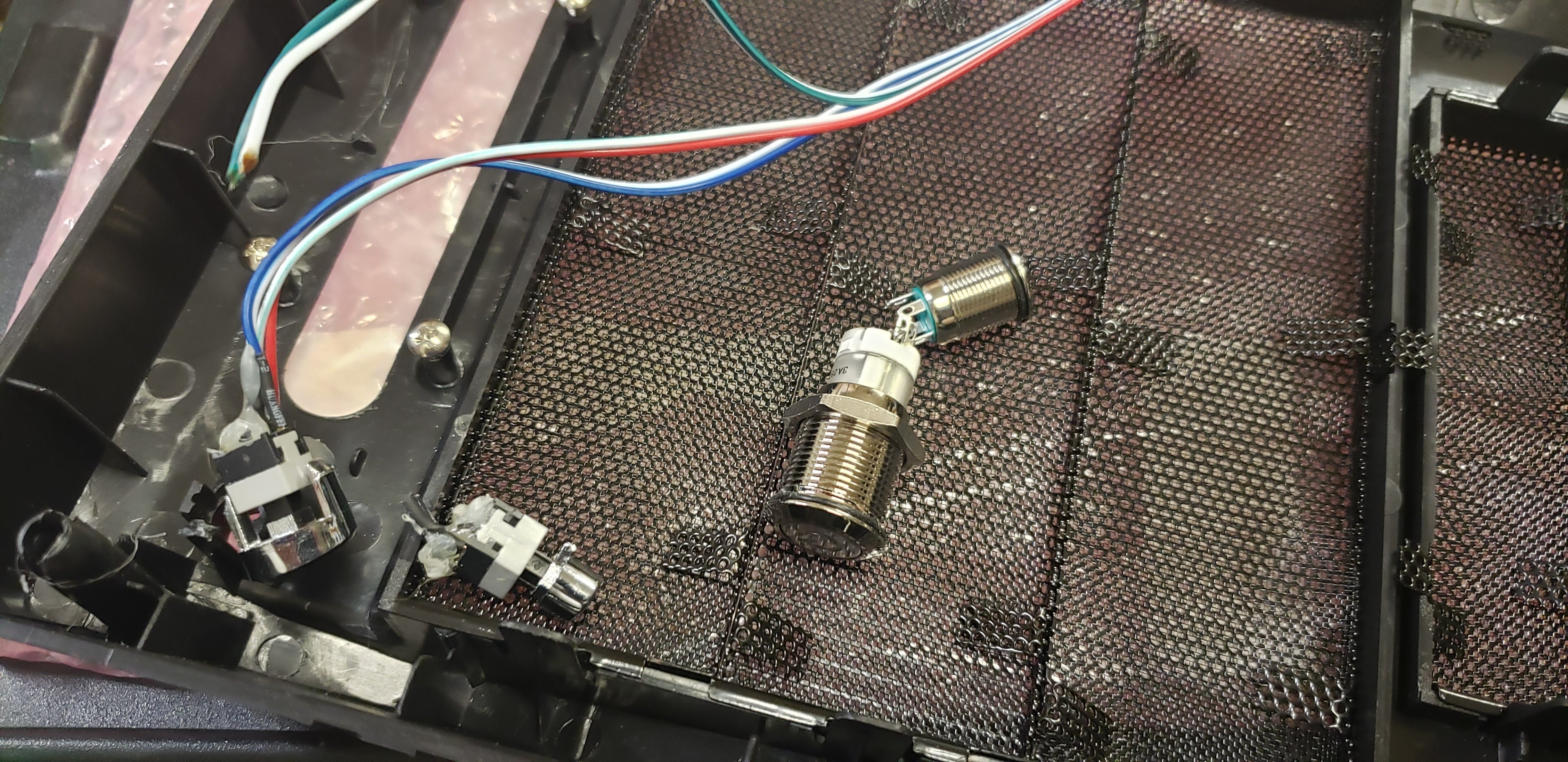
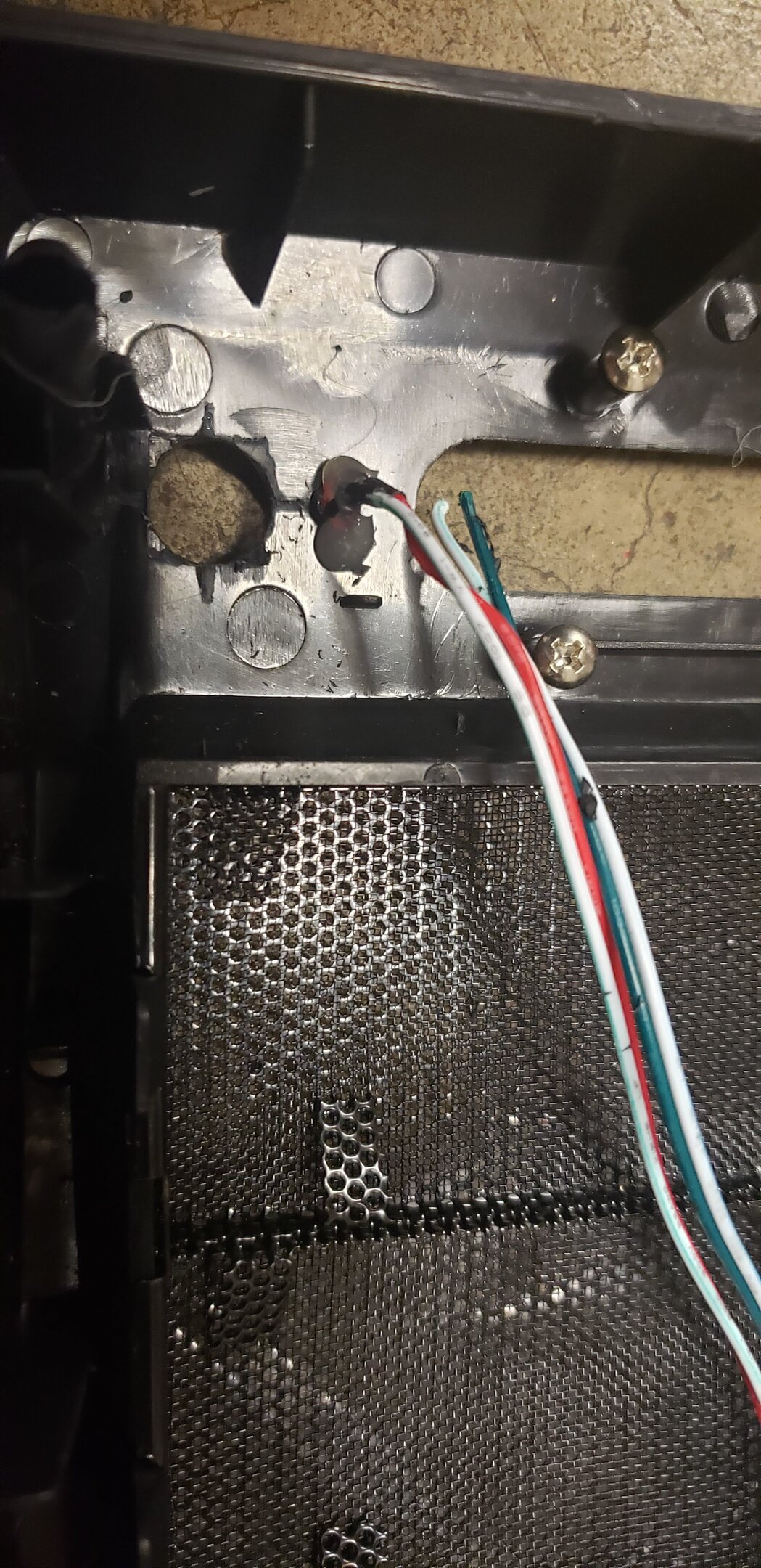
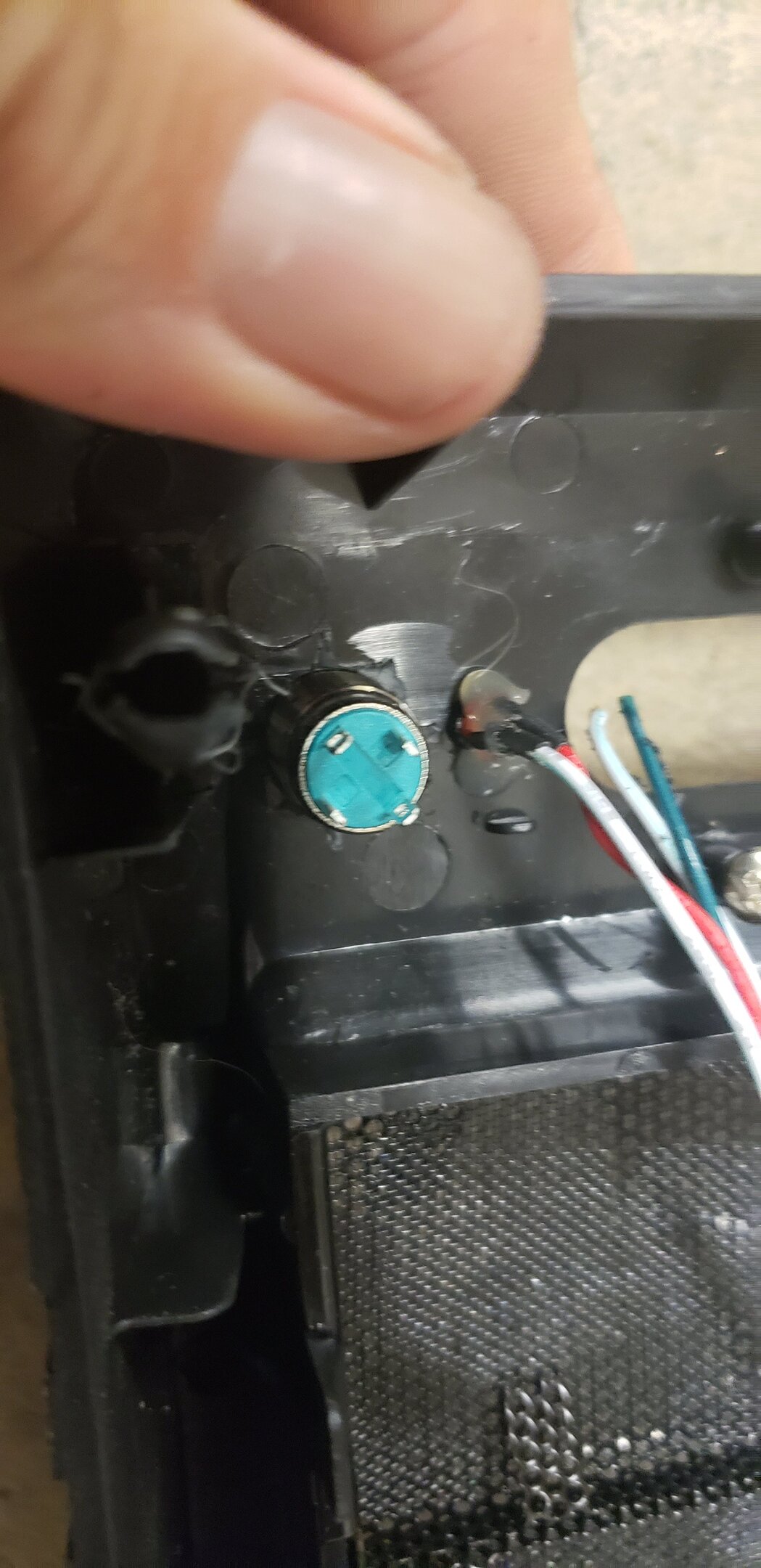
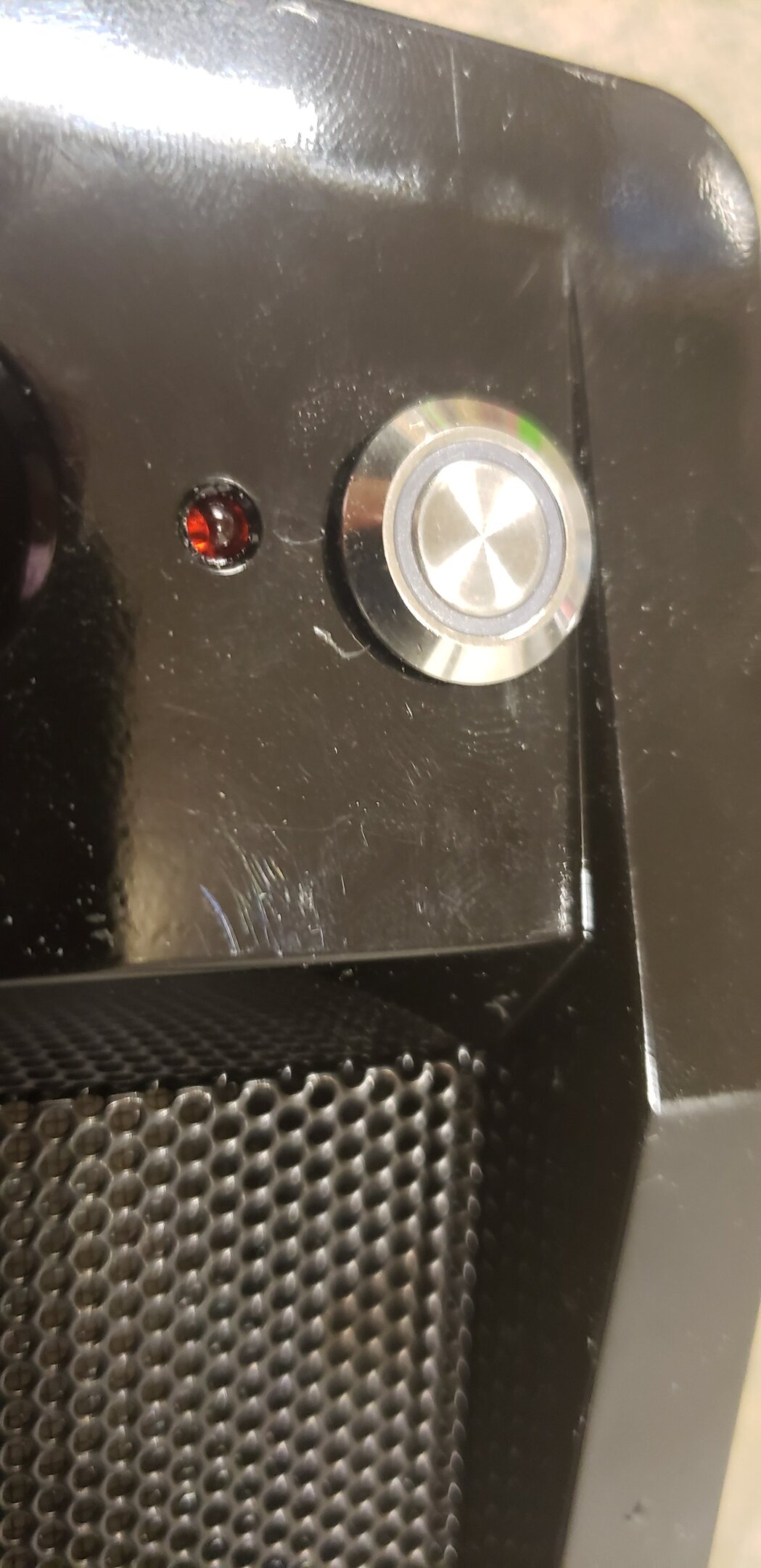
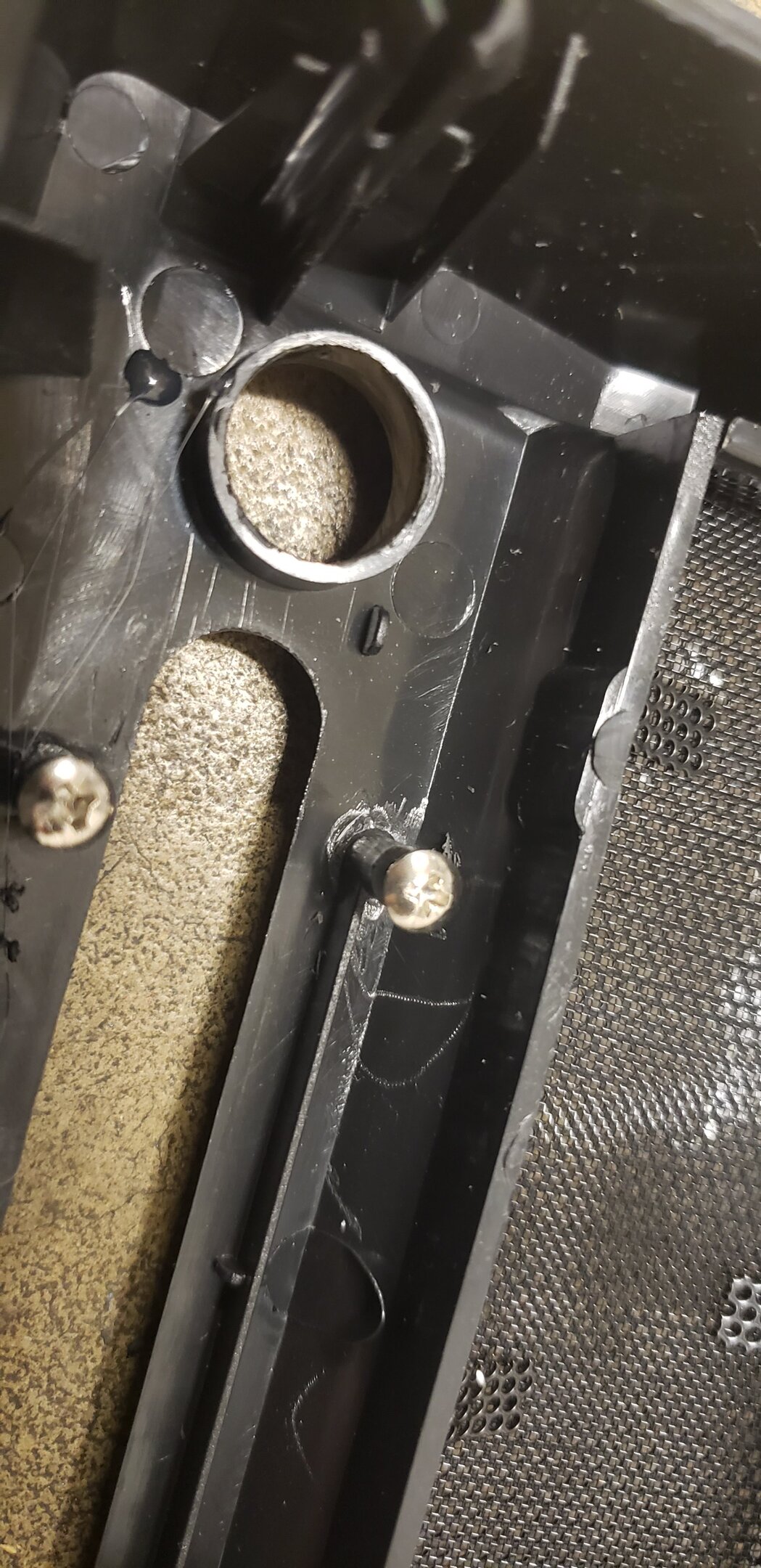
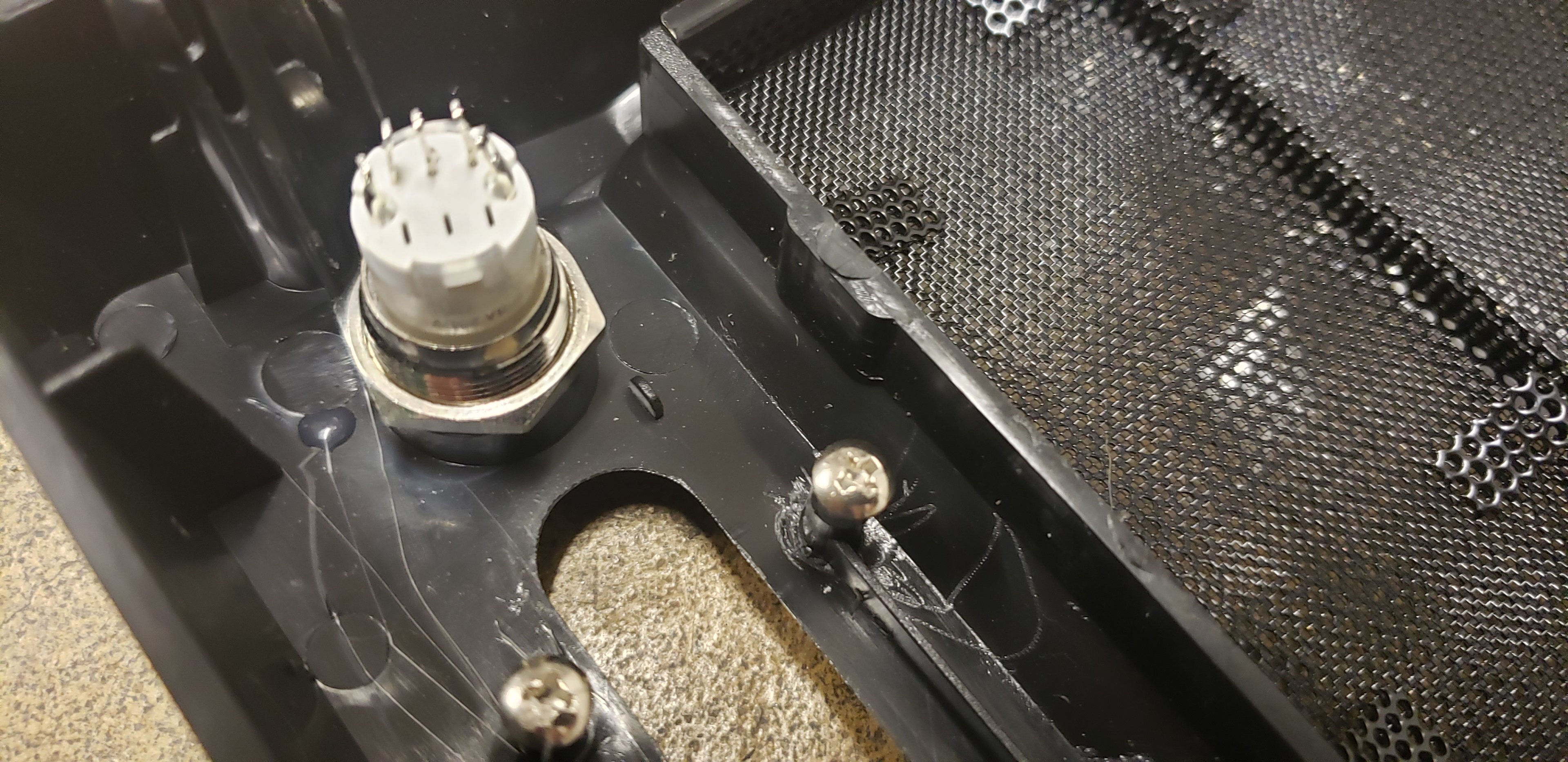
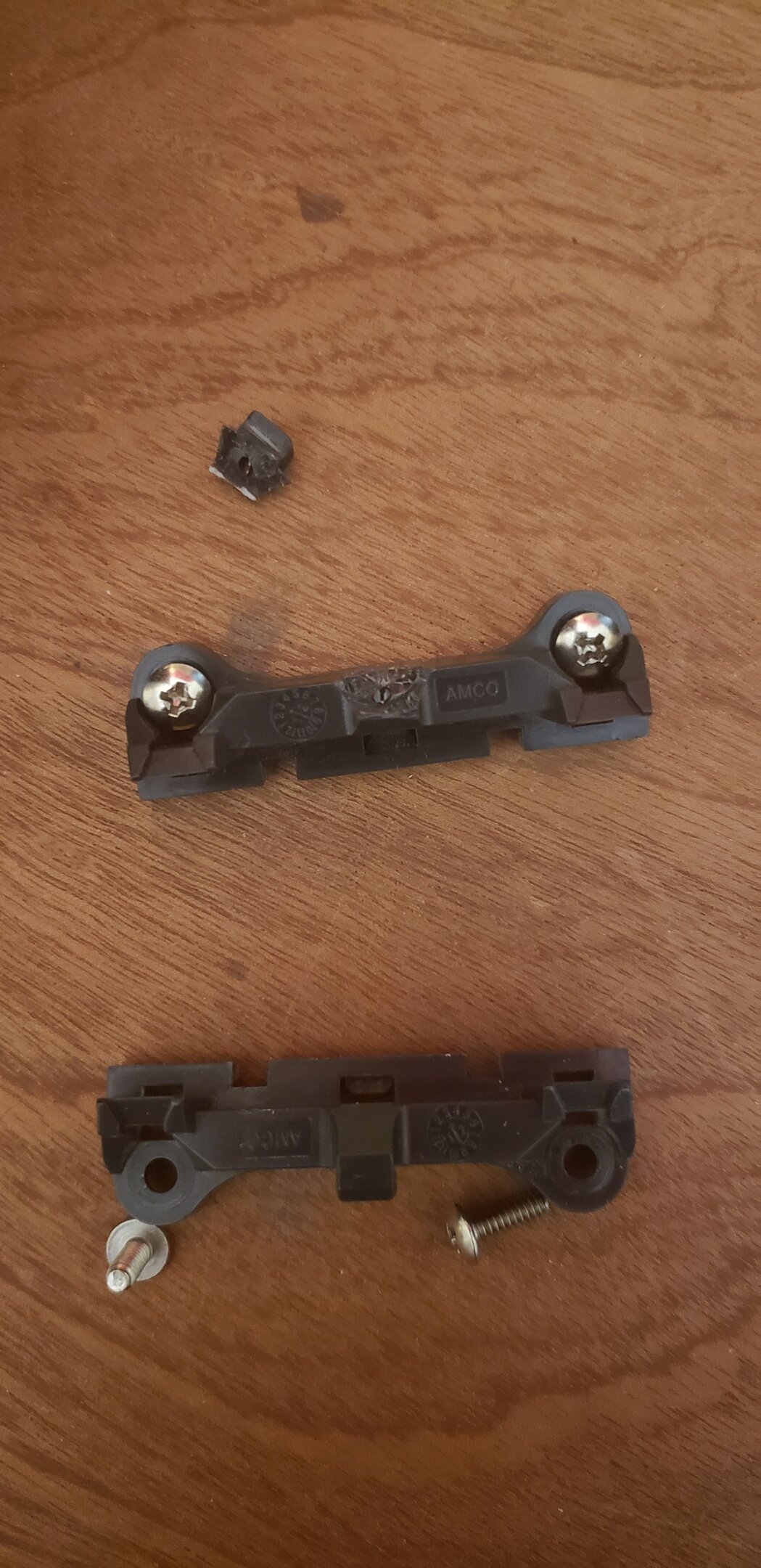
So I got some more work done today on the 939 chassis. Not too terribly happy with today's progress, but hey....progress is progress right? Apparently the 12"x12" sheet of smoked plexi that I bought for the side window, wasn't cut at 12x12, instead it was cut at 11 7/8" x 11 7/8". As such, it doesn't fit, as my bolt holes are like 11 3/4" center to center on the outside ones. Grrrr. I was able to get the new buttons drilled and mounted today though. I'll be ordering a soldering station soon (any recommendations?). This way I can get the wires connected the proper way. No more of this twisting and taping ghetto nonsense here! So, wiring will be done after payday, with pictures of course when I get it done. Old buttons vs new buttons. I kinda already broke the old buttons, so too late to turn back now! Hole drilled out, and the little plastic grabby things snapped off the backside of the case for the reset switch. Reset switch mounted Hole drilled for the power switch. And power switch mounted. Didn't realize this before, but its a "stay in" type of power button. Hopefully it'll still work, too late now lol. __________________________________________________________________________________________________________ And, just for giggles, here's the reason why the Thuban rig was taking so long. It's just my luck. Seriously. I'm now trying to get it stable now, but not having a whole lot of luck. Thing won't even run stable at 3.8GHz. I think I got a bad 1100T or something. Hard to say. I might just have to live with low clocks on my Thuban rig. Either way, this was the hold up on that one.
-
I am, yes. I love our side of the state very much. Just wish it wasn't burning to the ground right now lol. The land isn't mine, its family's. Sadly, I'm still a renter right now. I have been looking at a few properties to buy lately, but everytime I find one I like its already gone. I had moved to the west side in 2019, lived over there for about 8 months nearish to Centralia. Honestly the entire state is absolutely gorgeous. Seattle, if they'd figure their stuff out.....is a beautiful city with a very neat history. Lakewood was interesting, I'll just say that lol. Olympia, well....it was one of the nicer bigger cities I've seen. But then we also have just absolutely vast areas of nothing but wilderness. Not just forests but rainforests, mountains, volcanoes, canyons.....I love the PNW. I legally can't leave the state anyway because of custody problems, but I wouldn't want to leave WA anyway.
-
I currently have in stock an Opteron 165, x2 Toledo 3800+, and x2 Toledo 4200+. The Toledo CPU's were the ones to go after (same core as the Opterons). The 4200+ can pull 3.1GHz stable, which I was never able to get stable back in the day on my vast amount of 939 chips I went through. The Opteron, seems to want cold and high voltage, which makes sense as its a CCBBE. The 4200+ does 3.1 at just a hair over stock volts, which was also common for LCBxE chips, which that one is.....well was common to hit 3GHz. I don't recall many hitting 3.1 stable. I also have a single core chip of unknown quality and model number, but definitely a regular old Athlon. Haven't pulled that one out of the board to look at yet. I have 2 really good 939 boards on hand too, so I'll probably build two (3 if you count my dead-ish A8N32-SLI Deluxe). One for my "museum" piece, and another for playing around with. One needs an HD5870 in it to go with my theme, and then I have a pair of G92 GTS 250 1GB's that match for SLI lol. I've GOT to use SLI on it, but my themes are strictly AMD / ATI. This newly painted case is for my "museum" piece. Not sure which chip I want to put in it just yet, probably the 3GHz+ 4200+. But since its the same core as the Opterons, I think the Opteron logo is still fitting.
-
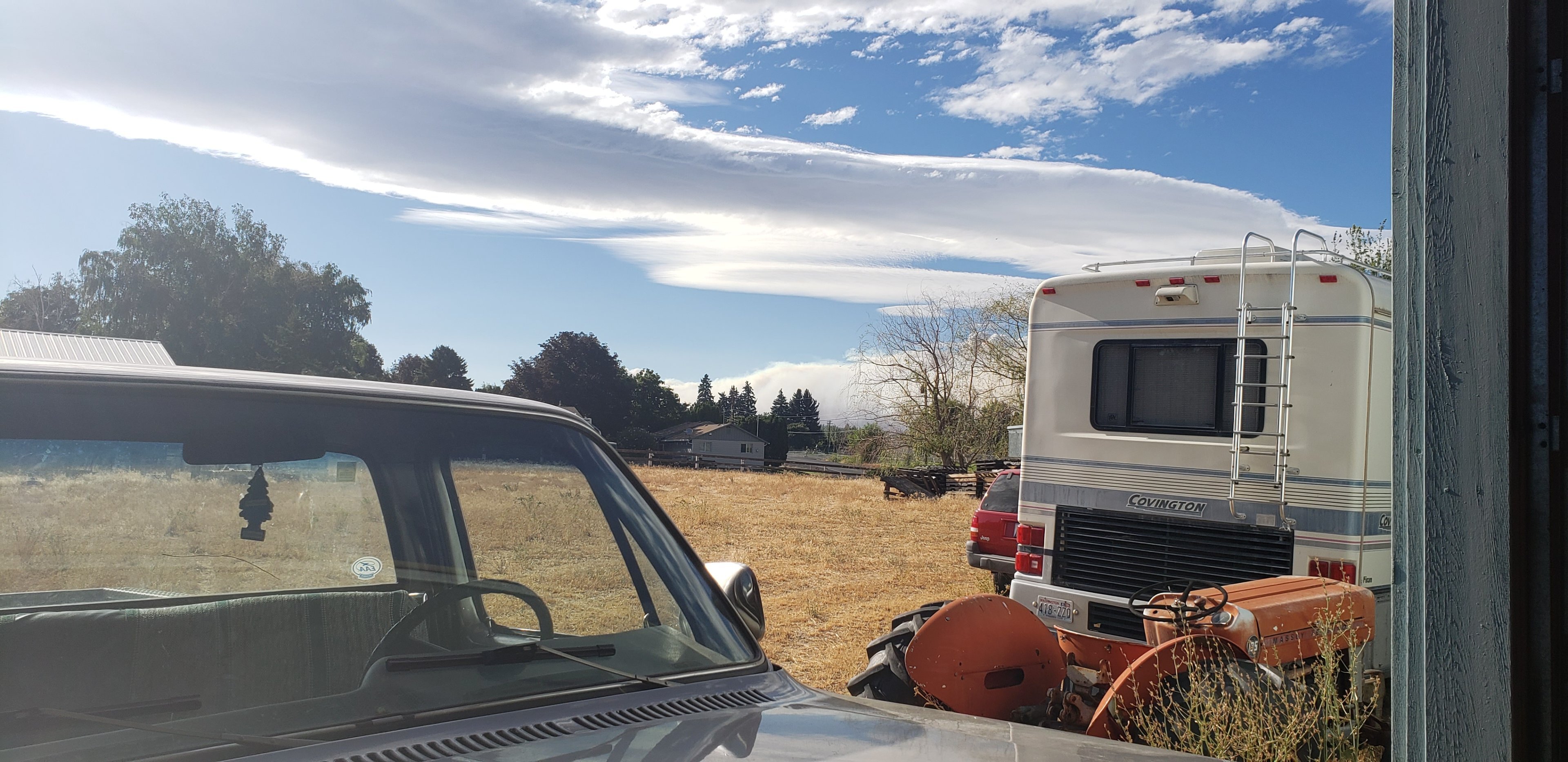
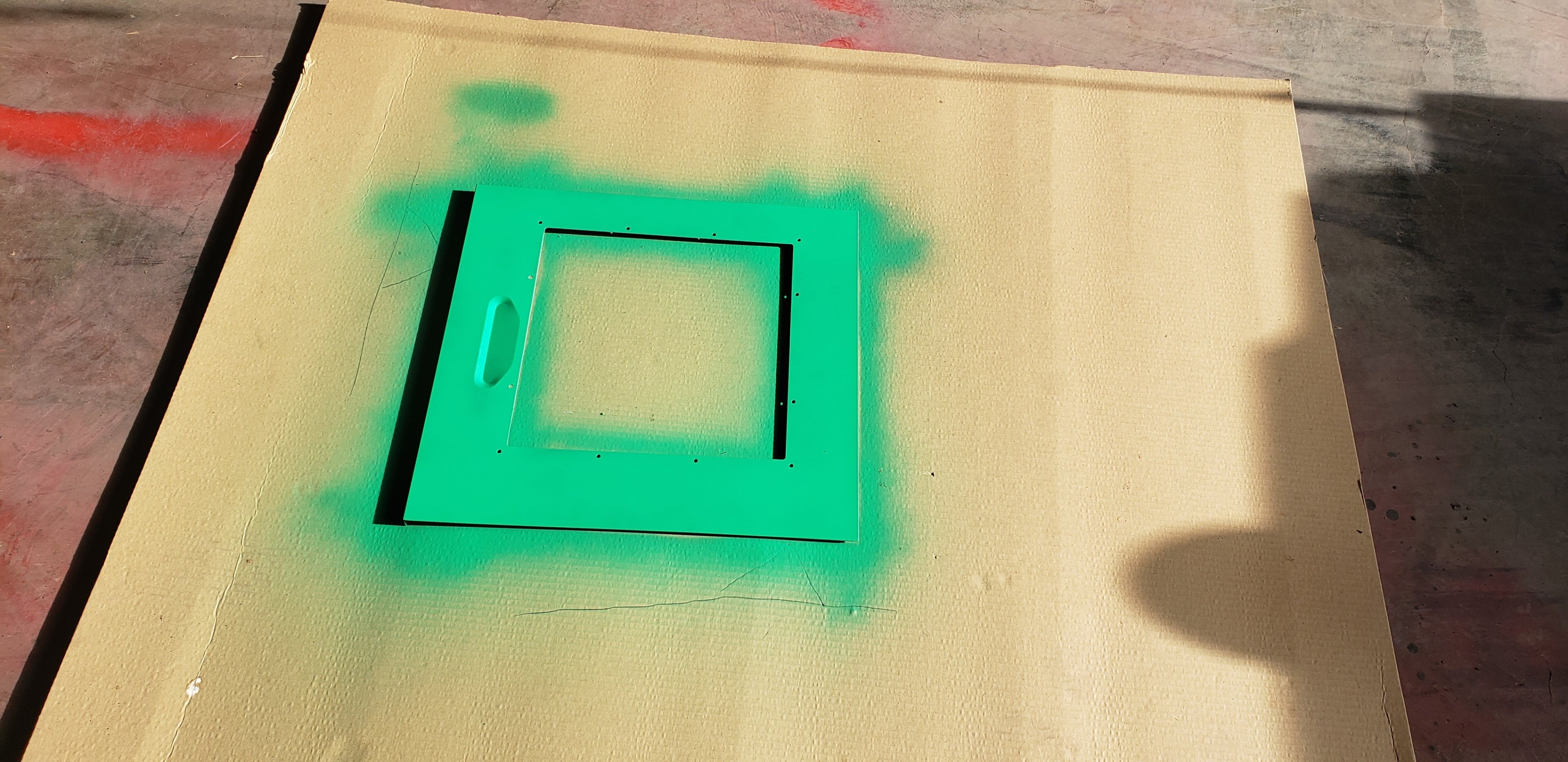
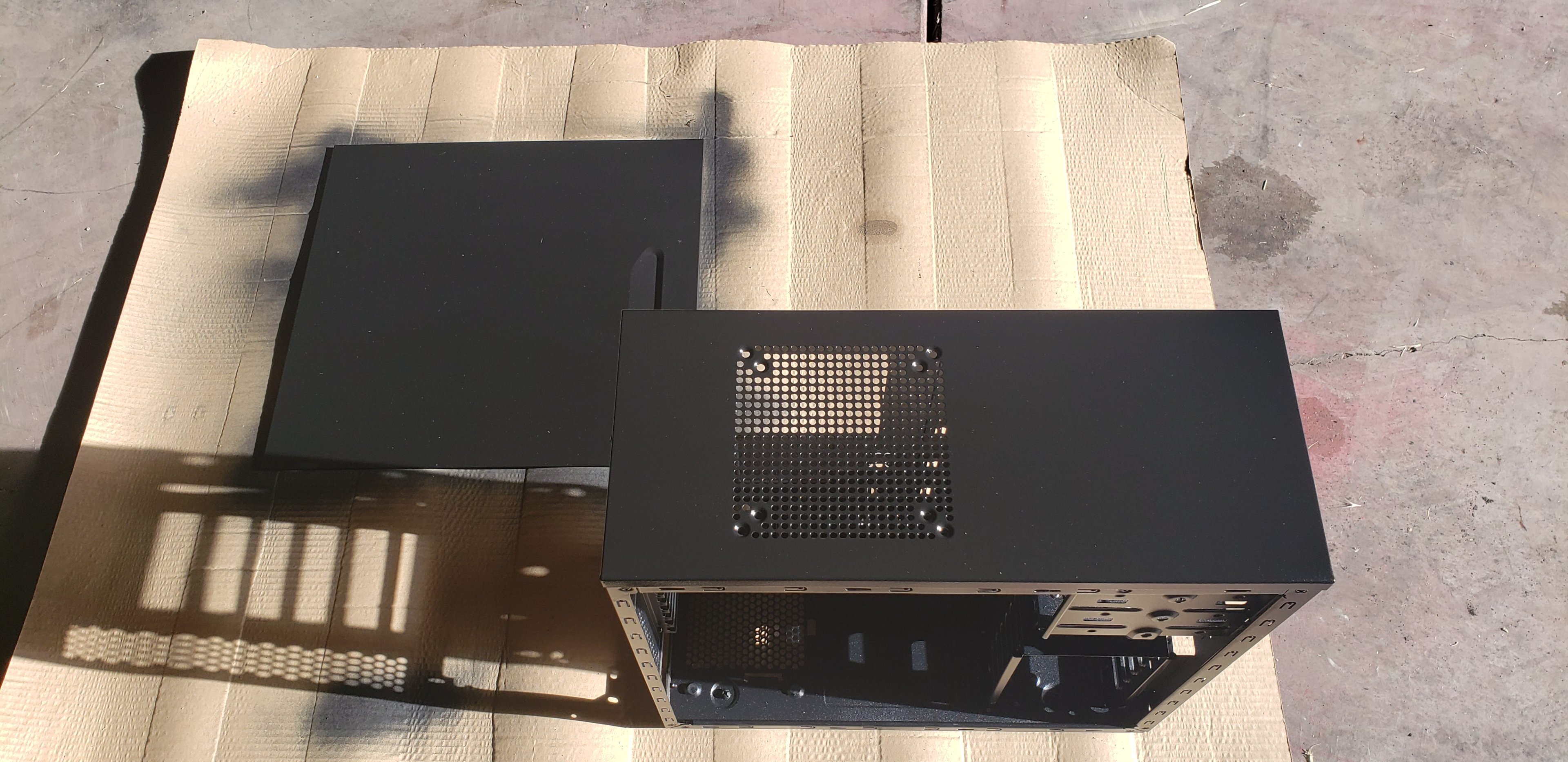
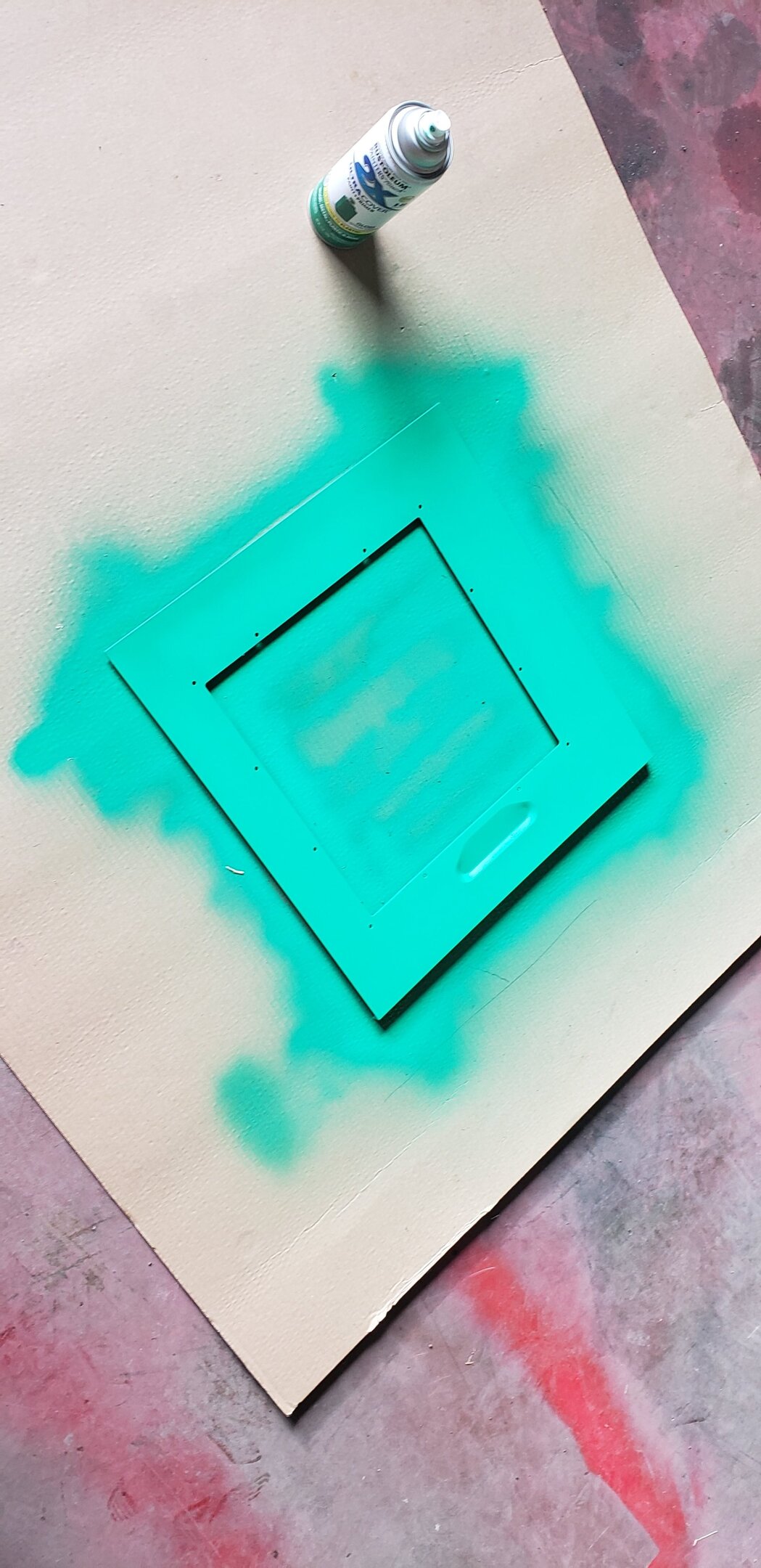
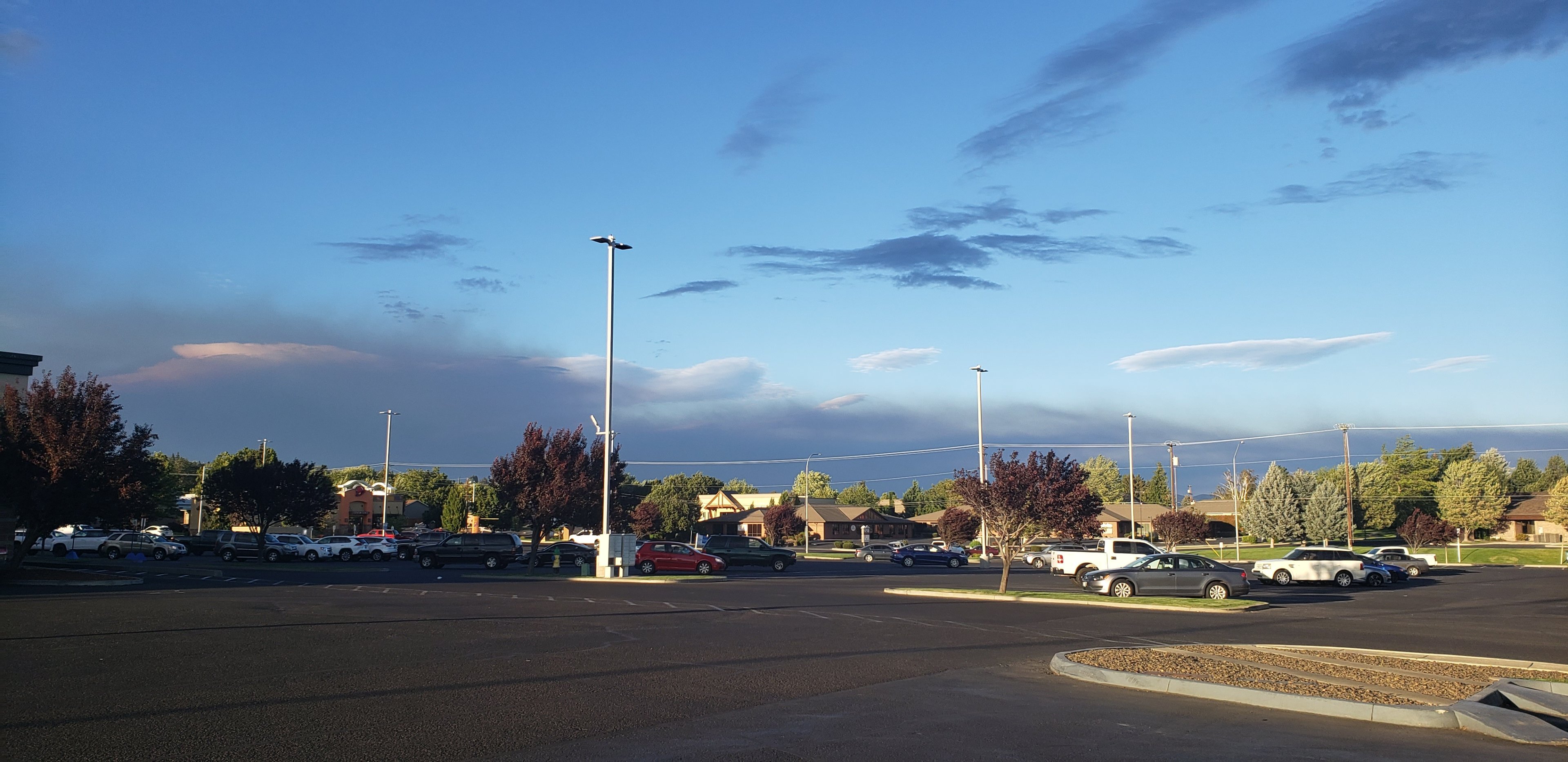
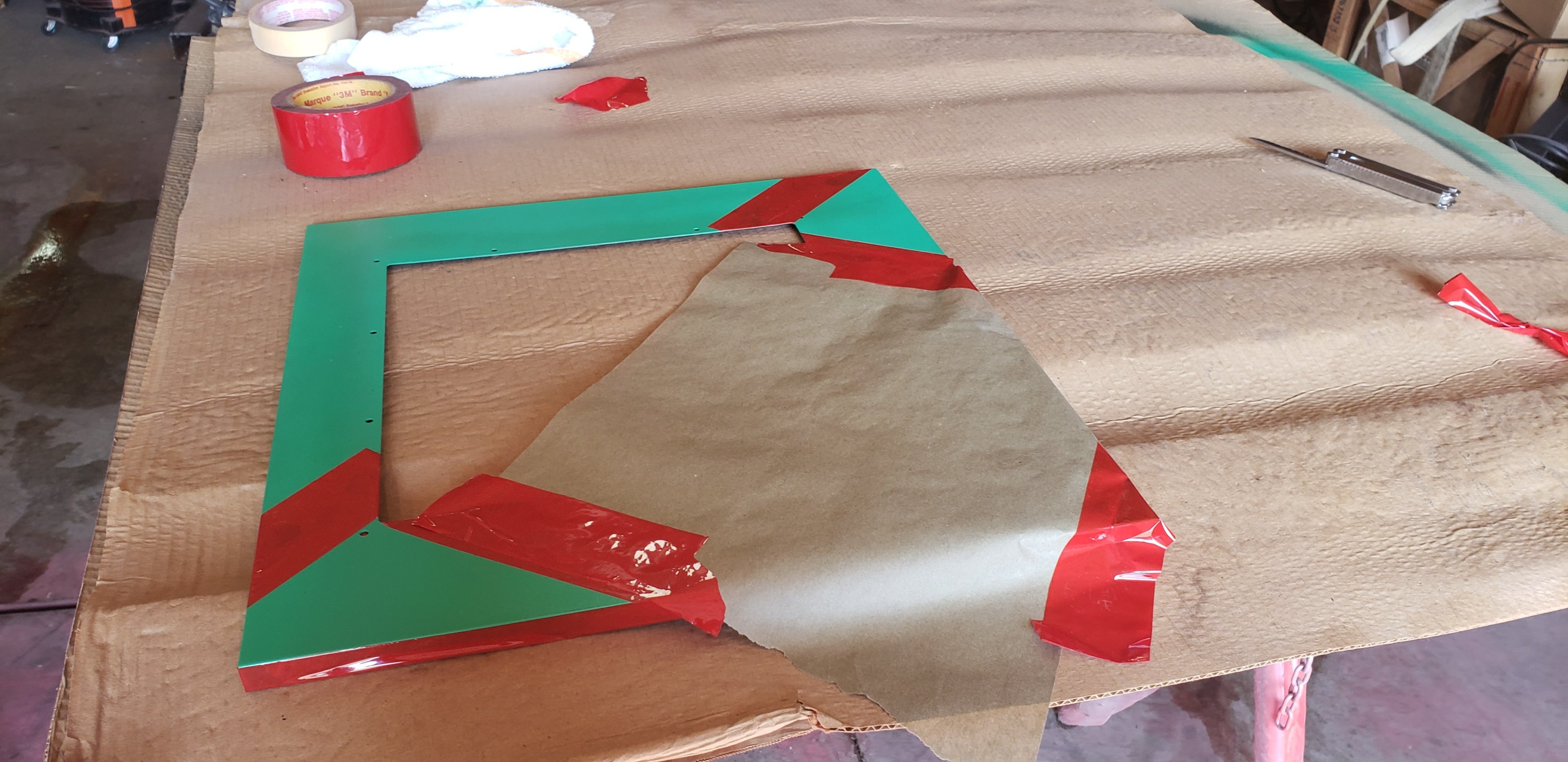
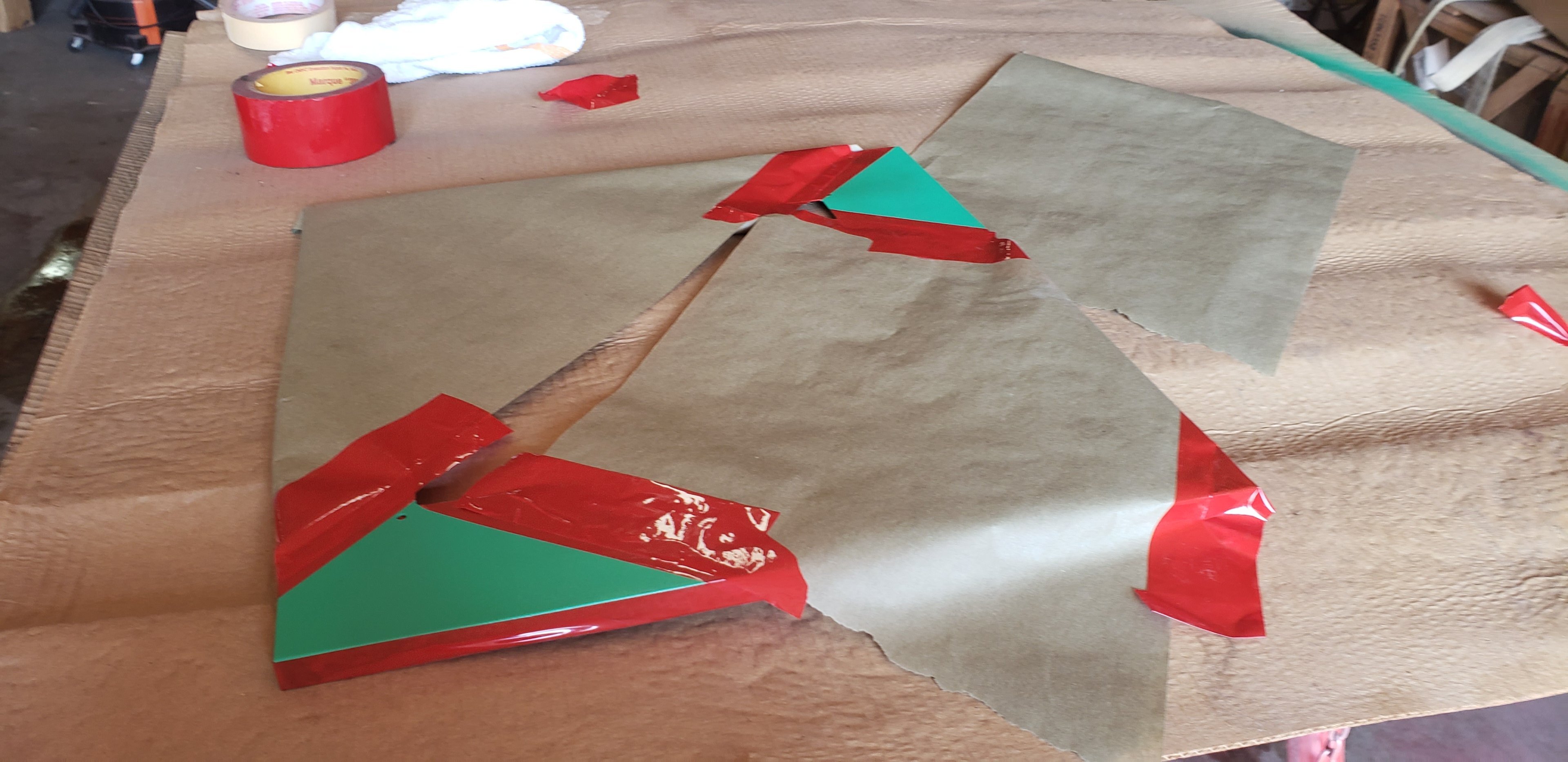
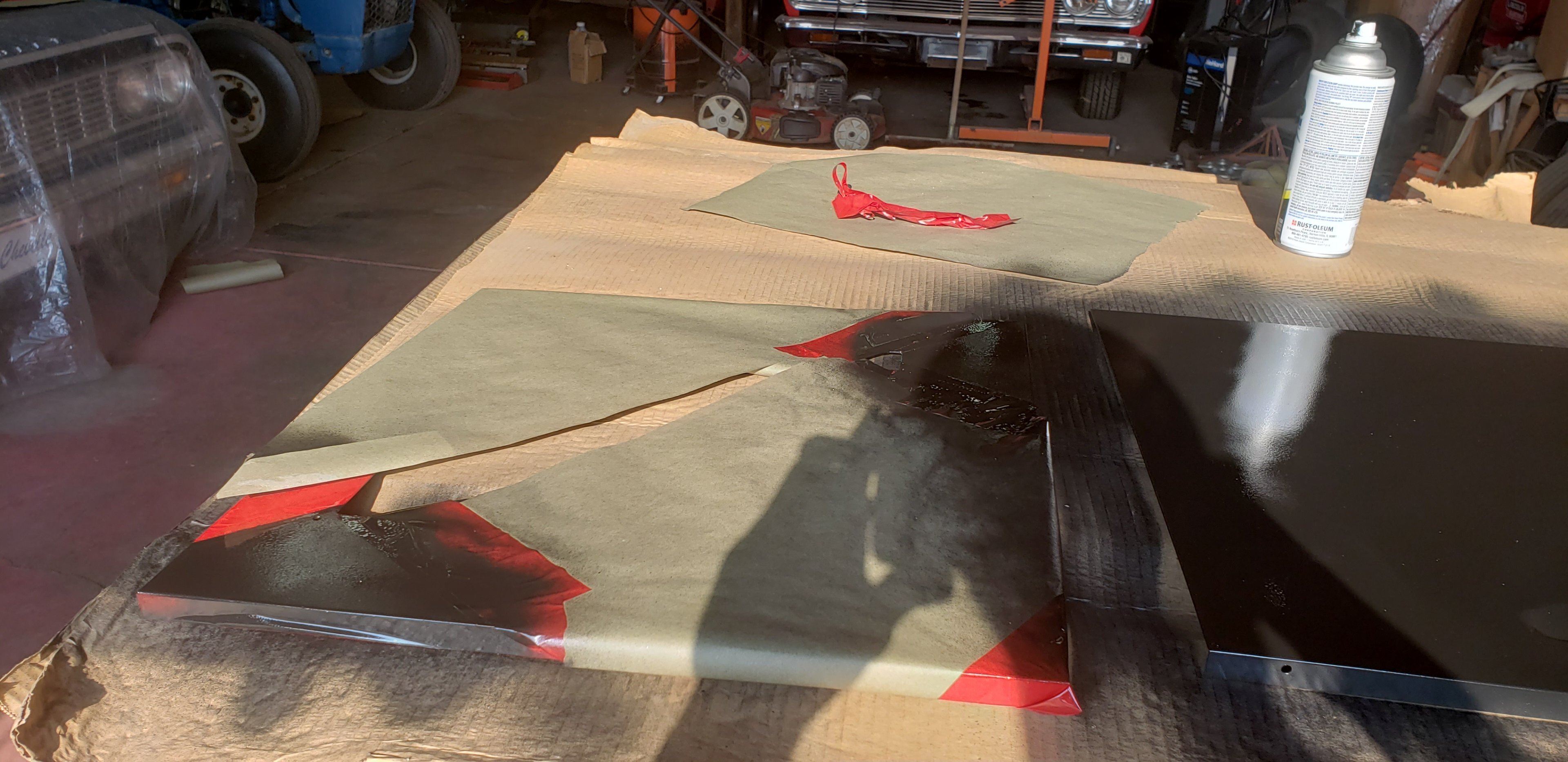
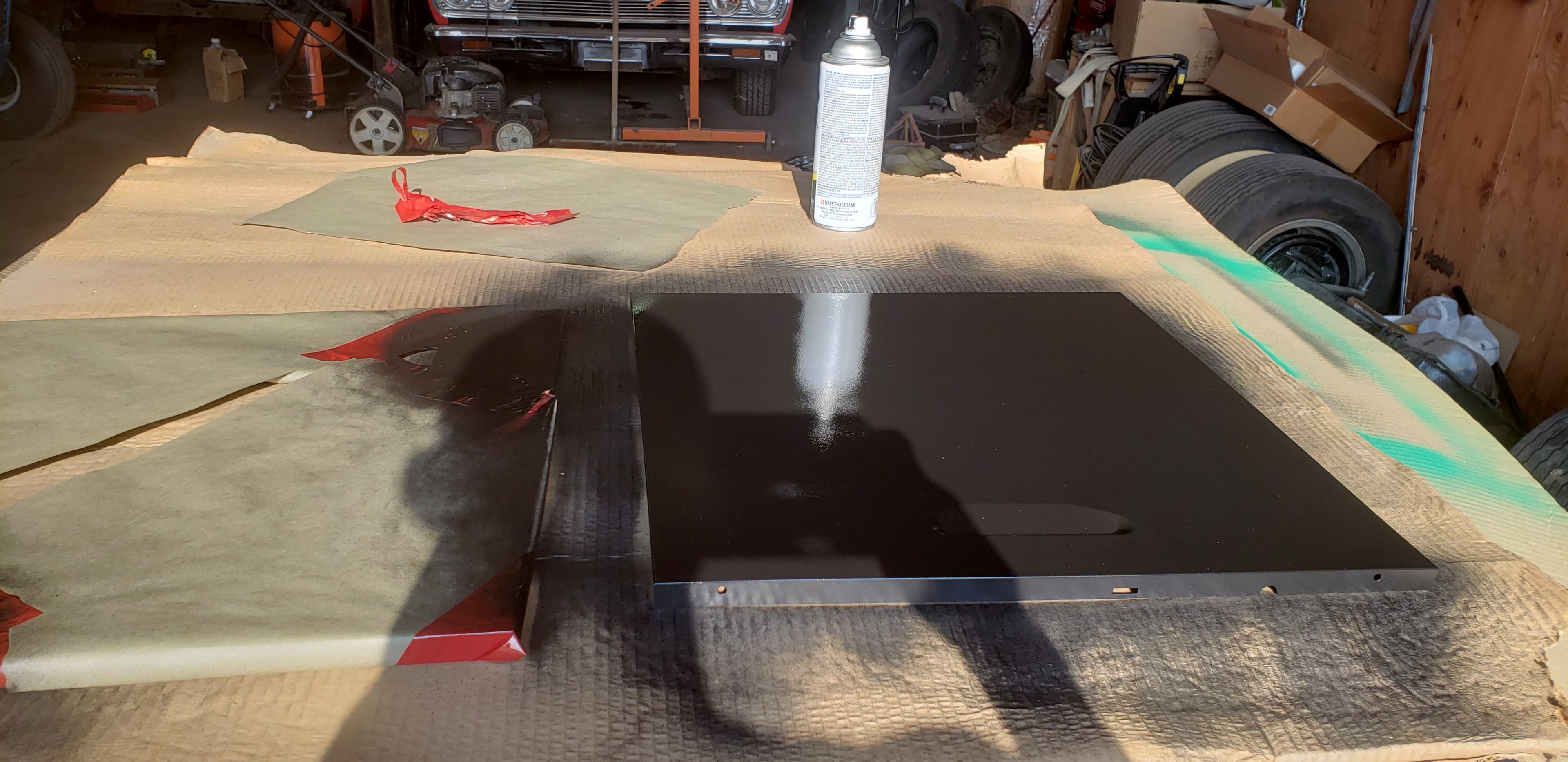
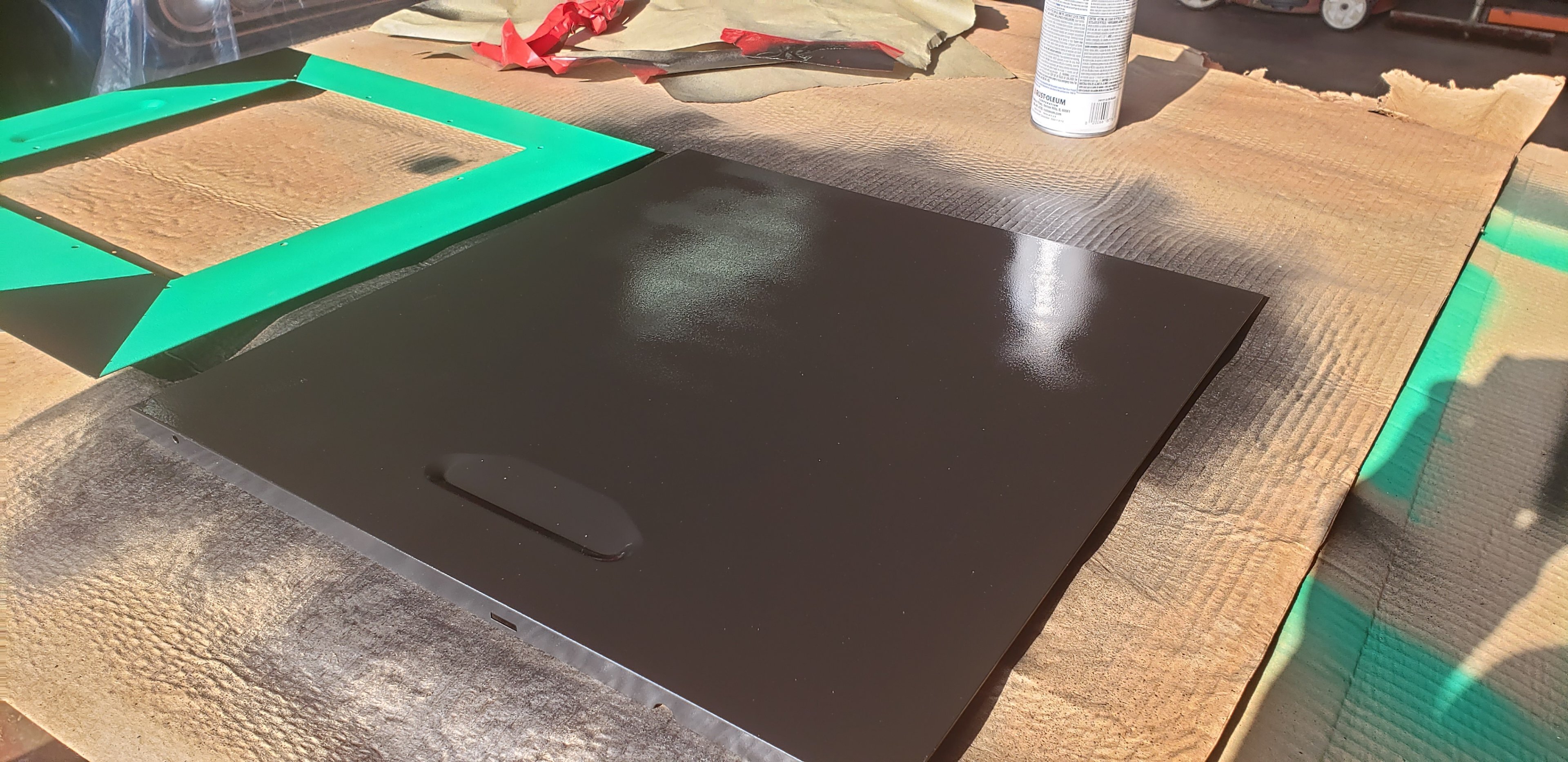
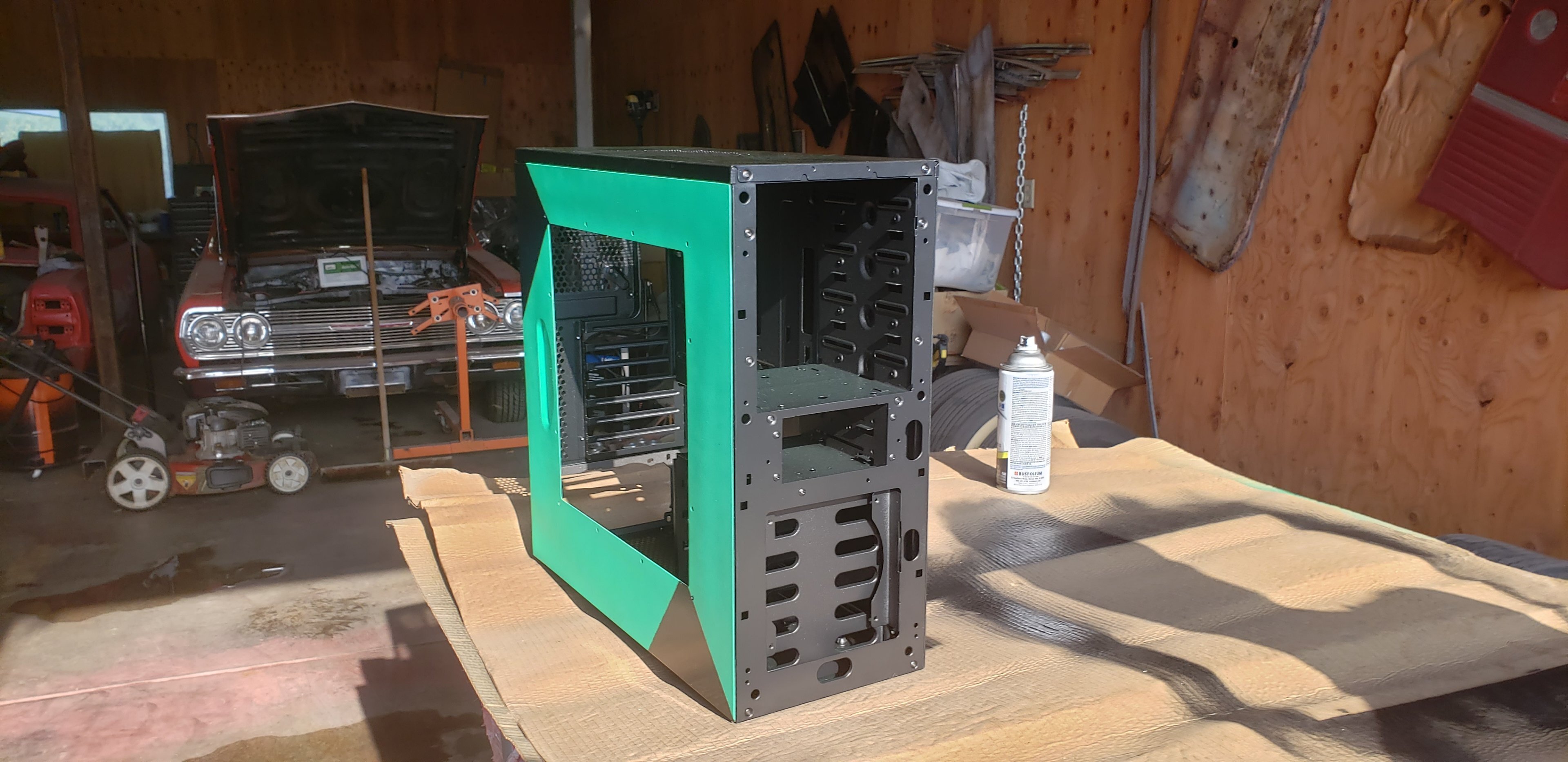
Update: Finally got the painting done today. But as with most of my updates, I'd like to share the whole story with ya'll. So, here in WA State, there's been some wildfires just a few miles away from where I am. Seems to be the usual as of lately, but whatever. As such, I had to wait for a day when it wasn't literally raining ash down all day. We finally had a break on Monday, so we were able to get started (today didn't look much different, so didn't take weather pictures today). Well, we were able to get one panel painted with nice clear skies at least. The big problem seems to be the wind with all this dead grass and dirt in the pasture here. That's okay though. We got this panel painted. And then, the smoke started rolling in. -_- Luckily we were indoors to paint, but this just shows you how badly the wind was blowing this day (Monday). We were able to get the initial couple of coats done on the whole case at least. Yes, I can see the dirt on it here in the pictures too. It's okay. We took a dinner break that evening and went to town for some nurishment. Seems the smoke followed us, of course. Well, at this point we decided to go ahead and call it quits on Monday. It was too windy, and the shop was too dusty to really get a good coat down without getting dirt or dead grass stuck in it. So we decided to wait till Wednesday (today) seeing as the weather was reporting that it'd be a clear / non windy day. So, let's fast forward to today's progress. Now, I couldn't get the logo EXACTLY perfect. I'm no master painter or anything like that. This is only the 2nd thing I've ever painted, ever, first being my old Honda. I think it turned out pretty nice though for an idiot out in a filthy shop. Here's taping progress. And then we have to put some black on there now. That was the next step after the green. And finalized products!!! Yes, I did do a couple coats of glossy black along the top of the case as well to match the black tone. Overall, I think this was a win! I'll be sanding the plexi down hopefully tomorrow and finding some bolts and nuts at the hardware store to hold that in. Of course drilling out the plexi as well. But that shouldn't take too long. But hey...I can now start my 939 build soon! Case isn't done QUITE yet, I've got a couple other mods to do to it (besides plexi). But I can start putting main components in at least......it'll free up some space on my shelves lol. Besides, I need to buy a soldering iron before I can do the next part of the case mod.
-
Ooof. That's one nasty gouge. I don't blame you for sending it back. If it works.....can always lap it though. But yeah, I understand wanting something that just works when it arrives.
-
Honestly was a fantastic find. Had I known about a 35w i7 with HT, I'd have bought that same CPU myself lol. Didn't even know that SKU existed.
-
I do have an Opteron, yes. It's also part of my surprise on the 939 rig. Just waiting for a clear enough day to paint it. EDIT: I have now officially started the painting process. Took a few pictures, but I'll share all of them in an update post when its completed. Smoke started blowing back our way this evening, so it might have to wait for another clear enough day.
-
Minor progress update: So updates are going to be a tad slow right now for financial reasons. Saving up to take that front panel down to the local plastics company in town, but they charge $150 / hour just to look at it. So, definitely gotta save up to get that fixed. Not buying another Chieftec Dragon as that'd be pointless since I have one. In the meantime, I DO have the remaining bits on order for the Thuban / Phenom II x6 rig with the HD7970 in it. I broke the retention bracket on the board, so have another of those on the way. It was working kind of, but then I broke that. Needed a HDD so bought a 4TB spinner. Also have a wifi card (Intel 7260) and sound card on the way for it as onboard sound was broken, so was a good excuse to buy a Xonar DG. I also have EVERYTHING here to do my Socket 939 build. The only thing I'm waiting for on that is a clear day to paint the case. It's still "raining ash" around here, so not going to paint it in those conditions. Otherwise, I'm done buying stuff for a little while, as I need to get that case repaired before I continue. Once the case is repaired, I'll be ordering what's left on the two Socket A rigs HOPEFULLY before Christmas, but we'll see. Then a K6 rig maybe, depending on availability, early next year. And these will all be done!
-
toms hardware Radeon RX 570 Revival: Dual-GPU Mining Beast Hits 60 MH/s
pio replied to ENTERPRISE's topic in Hardware News
Been wondering what RX 580 crossfire would be like on my Ryzen. This would save me the hassle of trying to fabricate with zip ties a location for a second card in my tiny little case. Either way, custom cards are always neat to see in the wild. Nice to see dual GPU's making a comeback lately. -
techspot DDR5-4800 trades blows with DDR4-3200 in leaked Alder Lake benchmarks
pio replied to ENTERPRISE's topic in Hardware News
It's pretty typical IMO. I recall high clocked / low latency DDR3 beating the snot out of early DDR4. Same thing was true with DDR2 and DDR3, and back with DDR and DDR2. Once their processes mature some, DDR5 will take off as much faster. It's just still way too early to tell yet, that's all. -
Android. Problem is, I pay monthly for OneDrive for the 1TB access. I'll work it out, I'd rather have my cloud storage locally on my own NAS anyway. Once I get my OPNsense router sorted out, I planned on doing like an FTP or something I could upload to instead. Too many projects and only so much concentration I can give lol.