Welcome to ExtremeHW
Welcome to ExtremeHW, register to take part in our community, don't worry this is a simple FREE process that requires minimal information for you to signup.
Registered users can:
- Start new topics and reply to others.
- Show off your PC using our Rig Creator feature.
- Subscribe to topics and forums to get updates.
- Get your own profile page to customize.
- Send personal messages to other members.
- Take advantage of site exclusive features.
- Upgrade to Premium to unlock additional sites features.

pio
-
Posts
1,780 -
Joined
-
Last visited
-
Days Won
109 -
Feedback
0%
Content Type
Forums
Store
Events
Gallery
Profiles
Videos
Marketplace
Tutorials
Everything posted by pio
-
Personally, I'm just not interested in AI at all. I'm just posting to say, I still have no life so I'm here.
-

Optimal sound card/audio setup w Z-5500 Logitech sound system
pio replied to Storm-Chaser's topic in Computer Audio
I wonder if its a similar issue that I had. Check your dimmer settings if it has any. Also, check to see if you're in a "pure / direct" sound mode. Both of those can cause the display to shut off. -
Yeah, I'll be ordering a few tubes of MX-4 on payday, I've got quite a few older cards that desperately need a re-paste, those 5770's included. My poor 2900XT gets dangerously hot, to the point I went ahead and shelved it. Same with my 3870 and 4890. 5870, 6970, 7970 all probably need it too, but they were at least under 90*C loads lol. I've yet to properly test anything older than those yet, but my older cards than those listed PROBABLY need a re-paste too lol.
-
Yeah, see I'm weird.....I install the driver and call it a day usually for GPU's. With the invent of RSR and FSR, framerate caps in the drivers, and things like that....I'll now go in and mess around in the driver. But I always try my hardest to steer clear of external apps. It's been playing games all day today in kiddo's rig, no problems so far. He really appreciates it. It does seem to make the difference on some games between playable and not playable at 1080p (on his TV) with higher settings. He's 7, so he doesn't fully understand the settings and stuff, but he goes, "Wow dad, that looks a LOT better!" when I fired up his Slime Rancher and ESO earlier showing him the higher settings.
-
Why are we the only 2 that seem to be excited about this on EHW? It'd be really cool to see RDR2 with it, but sadly I cannot use any of the scaling functions until Rockstar fixes the fullscreen bug I experience, which they probably will never do. As is, the only way I can play RDR2 is in Borderless Window mode due to being Ultrawide. If I go fullscreen mode, the map gets all screwy and I use the map a TON when I play. -_- Not too terribly big of a deal, my rig handles it at the preset maximum on the slider at native res borderless windowed. It'd be nice to be able to crank up ALL of the pretties though and use RSR or FSR 2.0 on it though, it definitely looks better with everything all the way up. Probably very useful for people on 16:9 though. I still need to try it out on Cyberpunk too myself, FSR and RSR both work fine in that title for me (only way I CAN play it with RTX on).
-
Well, the "proper" card for his build in my opinion would be a Vega64. Unfortunately, prices are still a tad too high for my taste to pull the trigger on one of those yet. Worst case, if it doesn't work, I still have his old GTX 960 I can pop back in there no problem. I just figured, hey.....GTX 970 is an upgrade, and if it works, then it works.
-
As far as I can tell, the GTX 970 is functional (so far anyway). Ran 10 runs of Valley, peak temps of about 80*C. So, probably needs a re-grease, but....that can wait till I get more MX-4 in. Not going to put liquid metal on it...... Kiddo's rig (Ryzen 2600, 16GB B-die, and now that GTX 970) is back in his room, hopefully without issue until I get the grease in. We'll see.
-
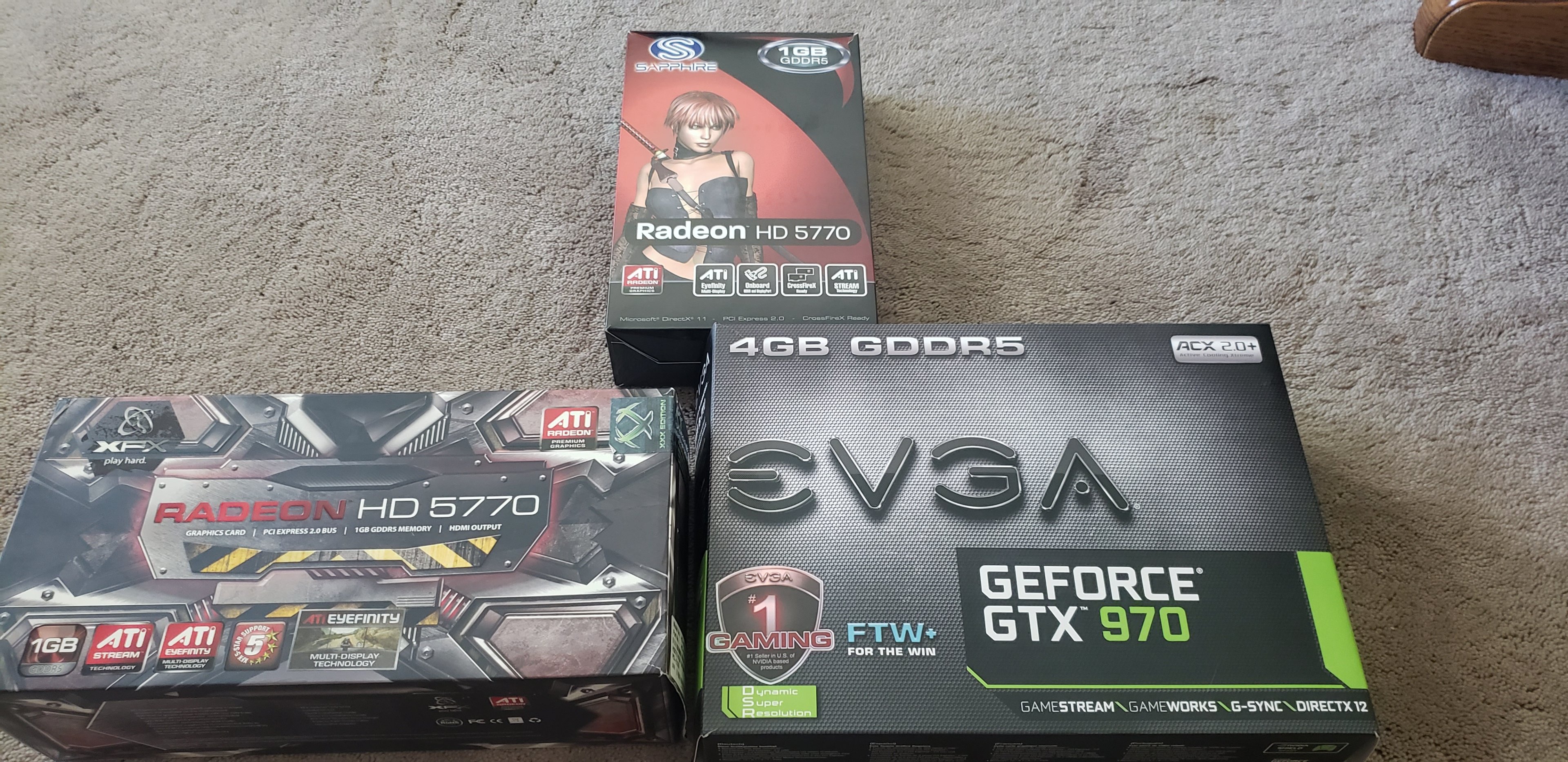
Turns out, the molex extensions I ordered won't be here till next week. Not a big deal, ordered from modmymods, so I trust they'll actually be wired correctly. So....next week I can start on the old ones again. UPDATE: Absolutely HUGE thank you to @Sir Beregond!!!!! Got a huge box in the mail today. Out came 2x HD5770's that I'll use on the second Socket 939 rig for crossfire....instead of using my precious G92 cards. Also, his old possibly broken GTX 970, which if that works is an okay upgrade for my kiddo's rig (part of the collection too, but wrong GPU still). Right now I'm running DDU to get kiddo's old drivers out of there, and going to run some serious stress tests on the GTX 970 to see how it's doing. Re-paste if needed. We'll see how broken it really was, if any at all. He did mention possibly just a driver problem..... *shrugs If not, I can always put his old GTX 960 4GB back in his rig.

-
I've actually got one of every size of those Silicon Power drives, except the 2TB one (do they even make a 2TB one?). 256, 512, and a 1TB. Absolutely solid enough drives for the cost honestly. They're not super fast, but they beat 2.5" drives no problem.
-
Update on the review a little bit, regarding the crossover system: My neighbors were out of the house for a little bit today, so I went ahead and took the liberty of doing a sine sweep. The results were interesting, but about what I expected really to be honest. The subwoofer drops off SHARPLY at 40Hz and below. The subwoofer seems to go from 40Hz-90Hz or so roughly. It's certainly tuned a little high for my liking as once you get above 80Hz you can tell WHERE the sub is at in the room. The satellite speakers start kicking in very strongly at 130Hz and up. So yeah, there's a gap between 90-130Hz. I noticed if I adjusted the bass knob up higher, the sub was still putting out sound at 150Hz even, so it seems the crossover system is probably around the 120Hz-130Hz range, somewhere in the there. Overall though, as mentioned originally, they're more than acceptable enough for gaming and listening to music (assuming you like bright sounding speakers). Definitely NOT critical listening speakers by any means, but yeah....I'm pretty happy with those results.
-
nvm.
-
Absolutely! I've been having a lot of fun at that thrift store. I honestly would've paid upwards of $75 for these Klipsh speakers had they asked that of them. The Polk AMR70's I just repaired ($12 find at the same store), I'd have paid upwards of $30-40 for otherwise.....and they're exactly the kinds of setups I was looking for anyway.
-
I paid $28 for them at the thrift store. As I said, at their price point and feature set, they're an okay buy at msrp. You can do much much better spending just a few more dollars, but it'd be a build it yourself kind of deal. If one can find them under $100 they're a really good bargain. Logitech sets are plagued with similar issues except amplified due to the design. The crossover on both the satellites and the sub is way too high on logitechs. They also have huge missing areas of the frequency response. And as you mentioned, logitechs usually have an incredibly boomy sub. Bass sells, even if it sounds bad. To be fair, there really isn't ANY dedicated "pc speakers" that would be suitable for critical listening. The promedia set comes in pretty close, but there's still a lot of dips in the response that wouldn't be there in a better diy set. But.... It's better than the majority. I just wanted to write the "review" up because we need more user submitted reviews.
-
Doesn't surprise me. I'm pretty sure I had bought my last set while I was on OCN. I've gone through so many sets of speakers over the years its kind of ridiculous lol.
-
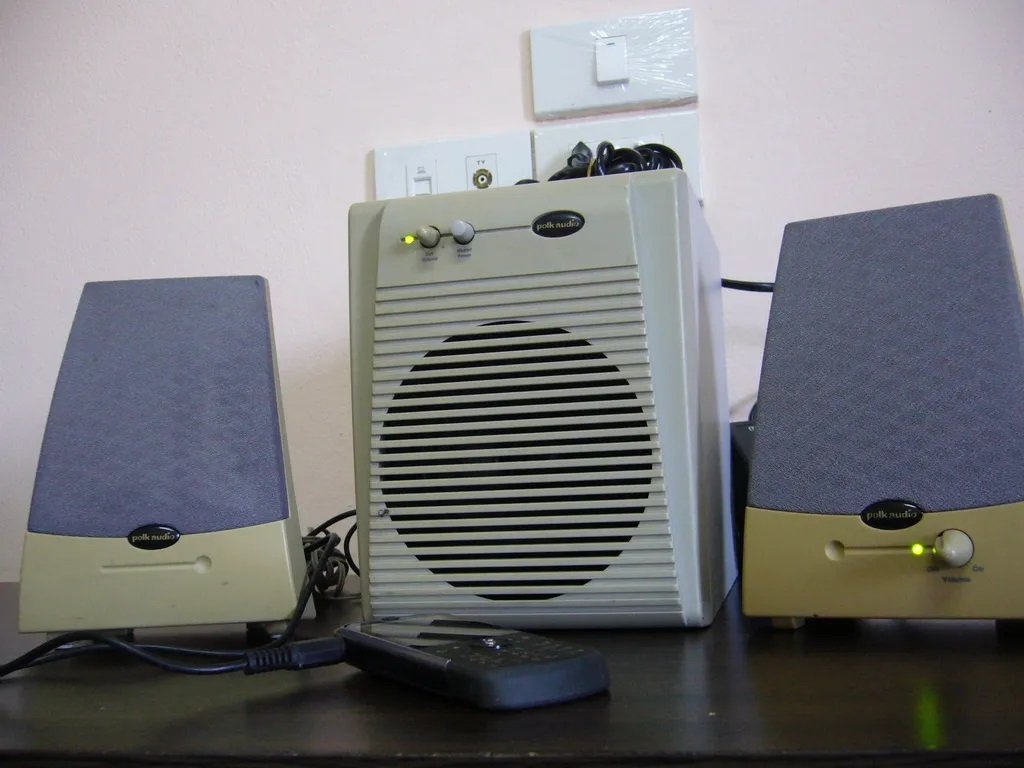
Not sure if I shared a picture of my other speakers I scored a few weeks ago. Polk Audio AMR70's. The ones I have are black. Not bothering to take a picture as the right speaker has hot glue drop going down the grill that I can't get off......so they're kinda ugly. But they look exactly like these except black (same model). ANYWAY....just wanted to share that I'm still not giving up on these projects yet. I was able to take apart the right speaker with the volume knob, and redo the solder on that potentiometer, and now....like magic, they work perfectly again! I can live with the little hot glue dribble on the grill (not my doing), considering they were $12 at the thrift shop and a perfect match for an older rig. Happy day! Sometime soon, this week....I'll be able to start (again) on the 939 and Socket A rigs to see what all I damaged with the messed up molex splitters.
-
Under $100, you scored in my opinion. The bass is very lacking on them as I mentioned.....turn the bass knob down some and it cleans it up. It won't have as much bass obviously, but it does sound a lot better with it turned down. If you're looking for a full package, with a subwoofer for the lower bass notes, you really can't beat these at that price. A "proper" subwoofer starts at like $70 ish just for a sub alone when building your own setup.....so yeah, for the price they're great. If you found one of those, consider me jealous. That may, or may not be part of where my screenname came from, and my old set (may they RIP) of Pioneer CS-405 12" tower speakers I had paired with it. Was my dad's setup at the time, when I started getting online with AOL and NetZero.
-
Just curious here, but I noticed a small glitch yesterday on mobile, where the menu button on the top left for notifications wasn't working. I'd tap it, the site would go darker, but the menu would never come up. It could've been my end, and I fixed it by switching to desktop mode temporarily. Very easily could've been a hiccup due to the move yesterday too, I haven't tested it again yet today. Edit: Yeah it's all fixed today so must've been a glitch with the move yesterday.
-
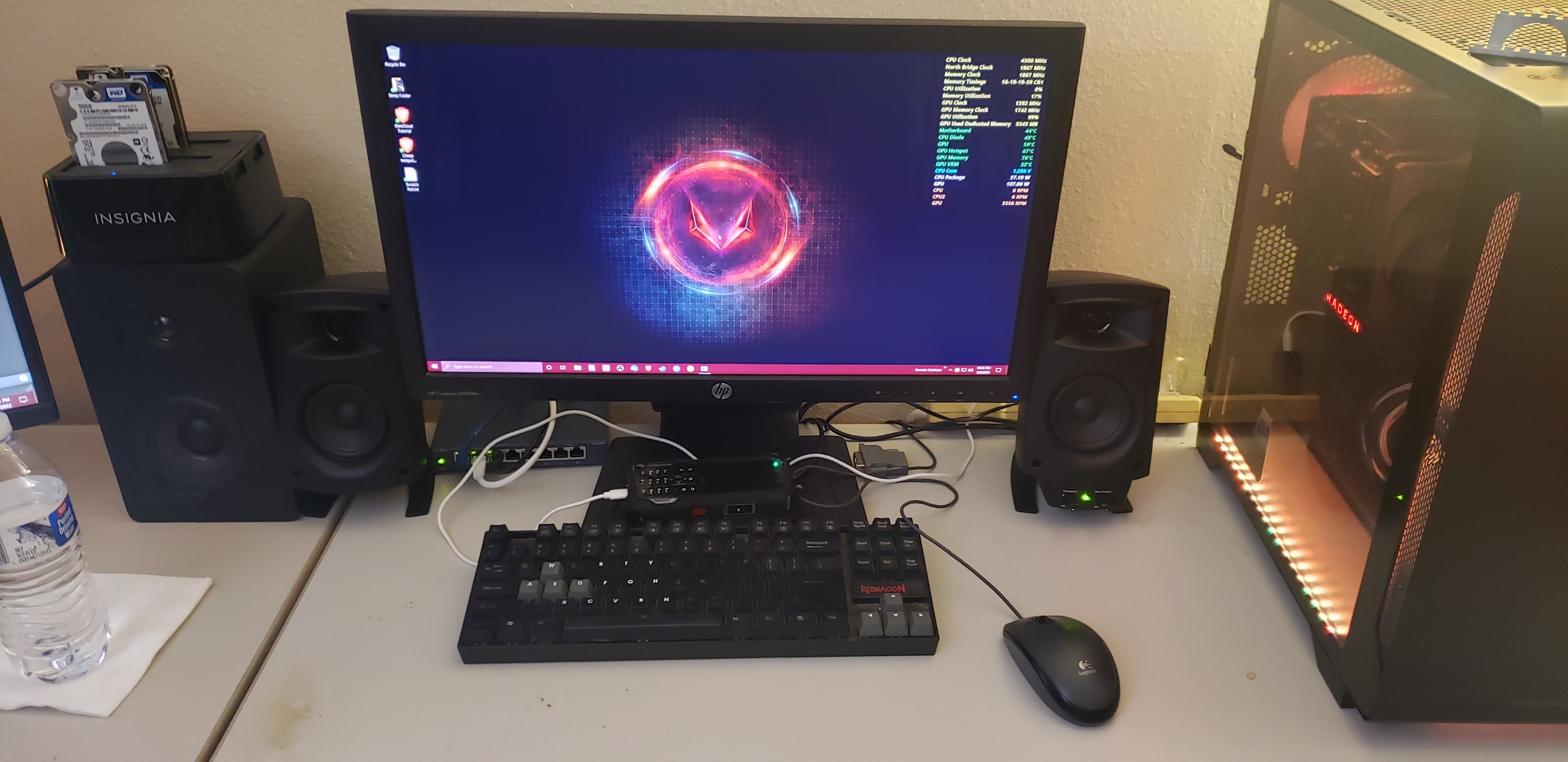
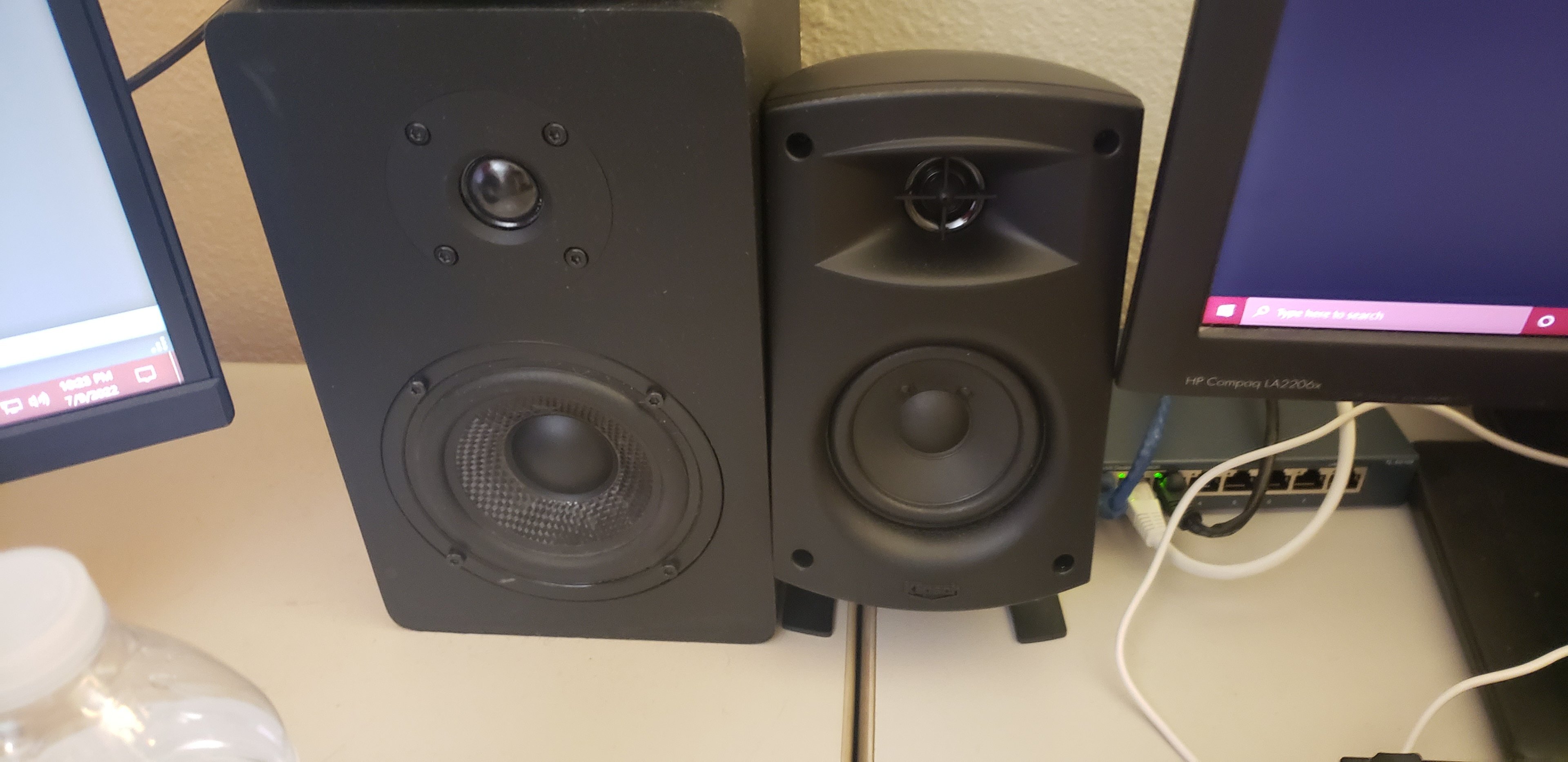
So, these speakers really don't "need" a review as they've been out in the public for what a decade now? I bought a set years ago, and honestly I didn't like them, but I found a set locally at a thrift store and I just couldn't help myself. They do still sell brand new on Amazon for $129.99, but are they worth it? Let's see....... But here's what I scored at a thrift store (I did post it elsewhere on the forum, but I figured it'd be fun to review these). Keep in mind, I do live in an apartment, so I can't exactly blast them up super loud. But I have given them a proper listen. Here's where I have them installed at currently. You can see next to them my "small" Micca MB42's. I have these paired with my Ryzen 3600, 5700XT build. Just using generic B450 onboard audio. How do I like them you might ask? Honestly, I wouldn't have paid $130 for these, as there's MUCH better options you can still score brand new using a small T amp and actual bookshelf speakers. But if you can find them second hand for cheaper, they're worth considering. Let me explain..... The woofers on these "THX" speakers are only 3". The tweeter is a 1". For reference, my Micca's are 4" woofer and 3/4" tweeter (see picture below). Not saying that size matters, but there's a reason I bring this up. The treble is overbearing on these Klipsh speakers (surprise surprise). The midrange sounds fine, if a little underwhelming due to the tweeter. The mid-bass is non existant at all, period. They seem to drop off VERY sharply at around 150Hz and below, and the subwoofer doesn't seem to pick up until 80-90Hz or so. I'm not saying that they sound BAD by any means. No, not at all actually its quite the opposite. If you enjoy bright sounding speakers (which I do), these actually aren't too terribly bad. I do have to admit, I don't like the lack of mid-bass on these, that's certainly a downside. The tweeters are quite crisp sounding, and even though they're a little overbearing they're very pleasant on the ears. Now, this is the part that EVERYBODY seems to rave about with these....the subwoofer. The subwoofer on these comes in at a decent 6.5", and the enclosure is really quite large for a 6.5". This is a good thing, as a larger enclosure will typically mean a lower tuning frequency. It's side firing and ported, probably near 40Hz or so. My apologies, due to apartment living and respect for my neighbors, I refused to do a sine sweep. It's not quite big enough to hit the LOW lows that I personally love out of a subwoofer, however its tuned low enough that it rumbles very nicely. It actually IS tuned lower than my Pioneer 6.5" subwoofer I have as my main subwoofer, and you can hear that very plainly listening to both side by side. For record, my Pioneer sub is tuned at 45Hz. The bass knob on the satellite speakers, honestly is not tuned "correctly" in my opinion. Absolutely ALL the way down on the bass knob really is the sweet spot on these. You get enough bass that you can hear it, and feel it at high volume...but not so much that its overkill and boomy. I tried turning the bass knob up, and even at halfway it was severely overkill and even at low volumes, the subwoofer started distorting. Seriously, ProMedia owners, make sure you're careful with that bass knob. It really doesn't help turning it up too far. All the way down, upwards of MAYBE 1/8 of the way up on the volume knob would be about as high as I'd go for comfortable listening with as accurate of bass as this system can manage. The subwoofer, in my opinion, is VERY underwhelming considering all the rave reviews everybody else gives it. Seriously its not a good sub.....but if you keep the bass knob in check, it sounds fine.....almost good even. It is pretty "powerful" as well I'd say. My Pioneer soundbar subwoofer is more powerful and that much is apparent to me, but the lower tuning on the Klipsh absolutely does make it stand out and seem louder than it really is. So what are my overall thoughts on these? I bought a set of them years ago for MSRP, and I returned them immediately due to how bright the tweeters were and how horrible the subwoofer was (based off reviews of the system). This set, I got stupid cheap second hand....and honestly I couldn't be happier with them, even though I complained a little in my review here. If you can find these speakers for half off MSRP, buy them. Seriously. I wouldn't even hesitate. If you want a simple, all in one PC speaker setup with 3.5mm plug in to use on your PC or your TV or something, they might even be worth considering with their ease of use. If you're not wanting to piece together something yourself, and just plug it in, they're really not bad at all even for MSRP (keeping the bass knob down). If you're wanting something accurate sounding, look elsewhere as these are far from it. Overall, they're pleasing on the ear with the bass knob adjustments, and honestly it was a few dollars well spent to me. I still wouldn't suggest them at MSRP, but really....if you fit the criteria I mentioned a few sentences ago, by all means, be my guest and buy a set. You really could do a lot worse, but you could do a lot better as far as accuracy goes. Boomy / bright really does fit nicely with a lot of music styles and video games....so the choice is yours. Hope ya'll enjoyed reading my rave / rant here. Happy listening everyone!
-
I was a little bummed earlier when the site was down, glad to see the migration happened so quickly and smoothly! Down time really wasn't that bad at all really. Keep us posted E. I think it's absolutely awesome that we all want this little space on the internet to stay alive. Gives me at least some hope for the future of enthusiasts.
-
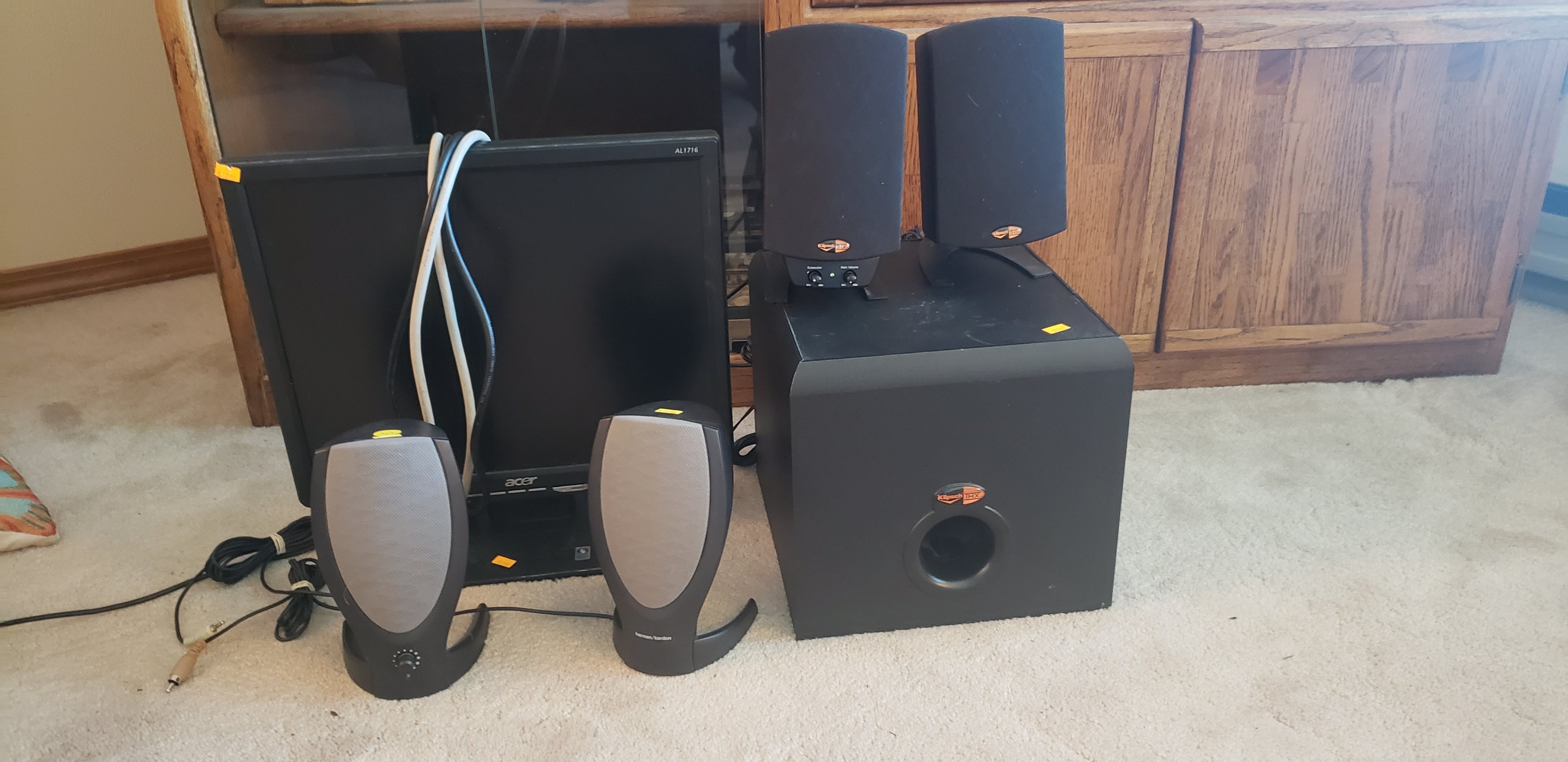
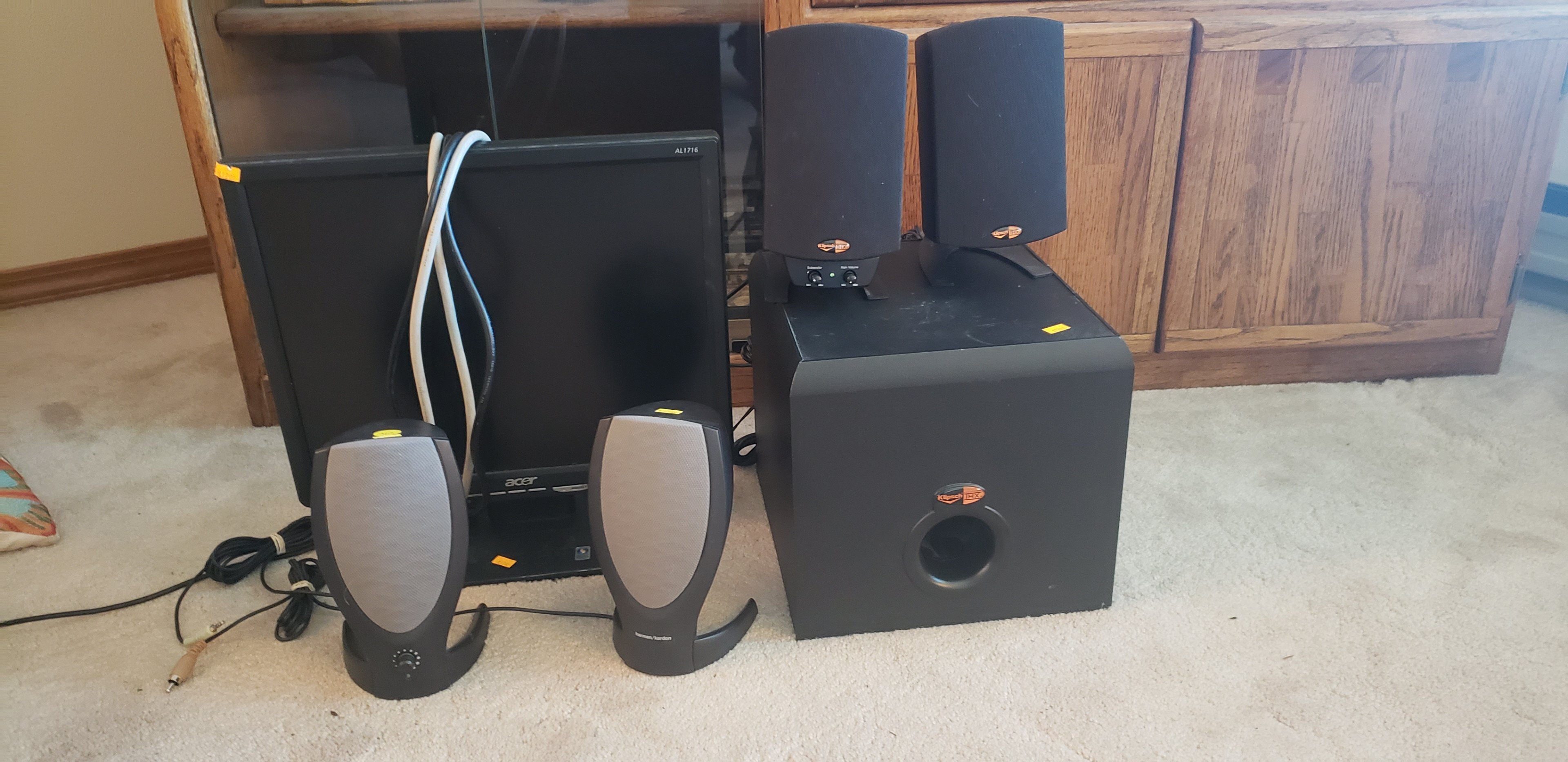
They really don't sound too terribly bad to be honest. Yeah, they're missing that "thump" of a subwoofer, but for the range they do happen to put out they sound pretty decent. I think anybody who had a Dell in the early 2000's (most everybody lmao), had a pair of those speakers or knew somebody who did lol. I paid: $12 for the monitor $12 for the Harmon Kardon speakers $28 for the ProMedia 2.1's
-
So I know it's not entirely build related, but kinda is. I posted this in "post your last purchase", but it was bought for these builds. Just scored 2 sets of good speakers for these builds, and a monitor for the Socket A Athlon Xp build! Making note here, so I hopefully don't forget. Speakers I have now (for builds): Micca mb42 / smsl ad18 / +sub Polk Audio AMR-70 2.1 Klipsh ProMedia 2.1 Harmon Kardon 2.0 (pictured) Diamond Audio Edison 2.0 (very VERY similar to the Harmon Kardon's pictured) Seems like I might still need a few more sets, but the collection is coming along nicely at least. I'm having a difficult time finding beige stuff locally. I will need 2 sets of beige speakers, and 2 beige 4:3 monitors (hopefully crt's). The rest can all be black like I have. I lost count of how many full systems I'm even building at this point!
-
Went thrift shopping today. I just had a feeling that I HAD to check out my favorite thrift store. Low and behold....... My score of the day! Just tested everything, they all work absolutely beautifully!
-
Optimal sound card/audio setup w Z-5500 Logitech sound system
pio replied to Storm-Chaser's topic in Computer Audio
You'd be surprised how loud even 50w RMS can be when setup correctly. I wouldn't worry about an amplifier for it. EDIT: Also, just so you know I'm not a TOTAL speaker "snob", I bought a set of Klipsh ProMedia 2.1's today myself. They're "junk" compared to real speakers, sure. But hey, at lower volumes they sound decent enough for the price paid. I love thrift shopping lol. I ALMOST bought a set of Yamaha surround sound speakers, but meh.....too small for me for surround sound. -
Post Your Most Memorable TV shows and Commercials From Your Childhood!
pio replied to PCSarge's topic in Chit Chat General
Here's one I'm catching up on now (and the sequel, Frazier): I didn't actually watch Cheers when it was airing and I regret it now. Such a good show. Here's one that anybody born in the 80's or 90's would know though that we watched every Friday night (anyone remember TGIF?): -
Already have a Radeon 8500 for that build. I got to thinking about the messed up molex connectors, and the only rig I've actually turned on with those broken splitters was my "newer" socket a rig. I think the gpu (x1950xt) is still alive even with the broken splitters on it. I'll bet the card didn't even use the 5v rail, so hopefully it lives. The drives would've been the only other thing plugged in with the splitters, and ironically I was having drive problems with it last time I had it out. So I'm really hoping I didn't kill anything. Now that I've thought about it, I'm hopeful that there's minimal actual damage. Ordered splitters and extensions from modmymods last night. I'm sure they'll carry cables that aren't wired wrong. They'll be here next week. I have the second 939 rig half built (with g92 sli), however I might also have different gpu's coming for that one.